

Page 1
Baby Monitor
BBBBY24MONA
Quick Start Guide
Product
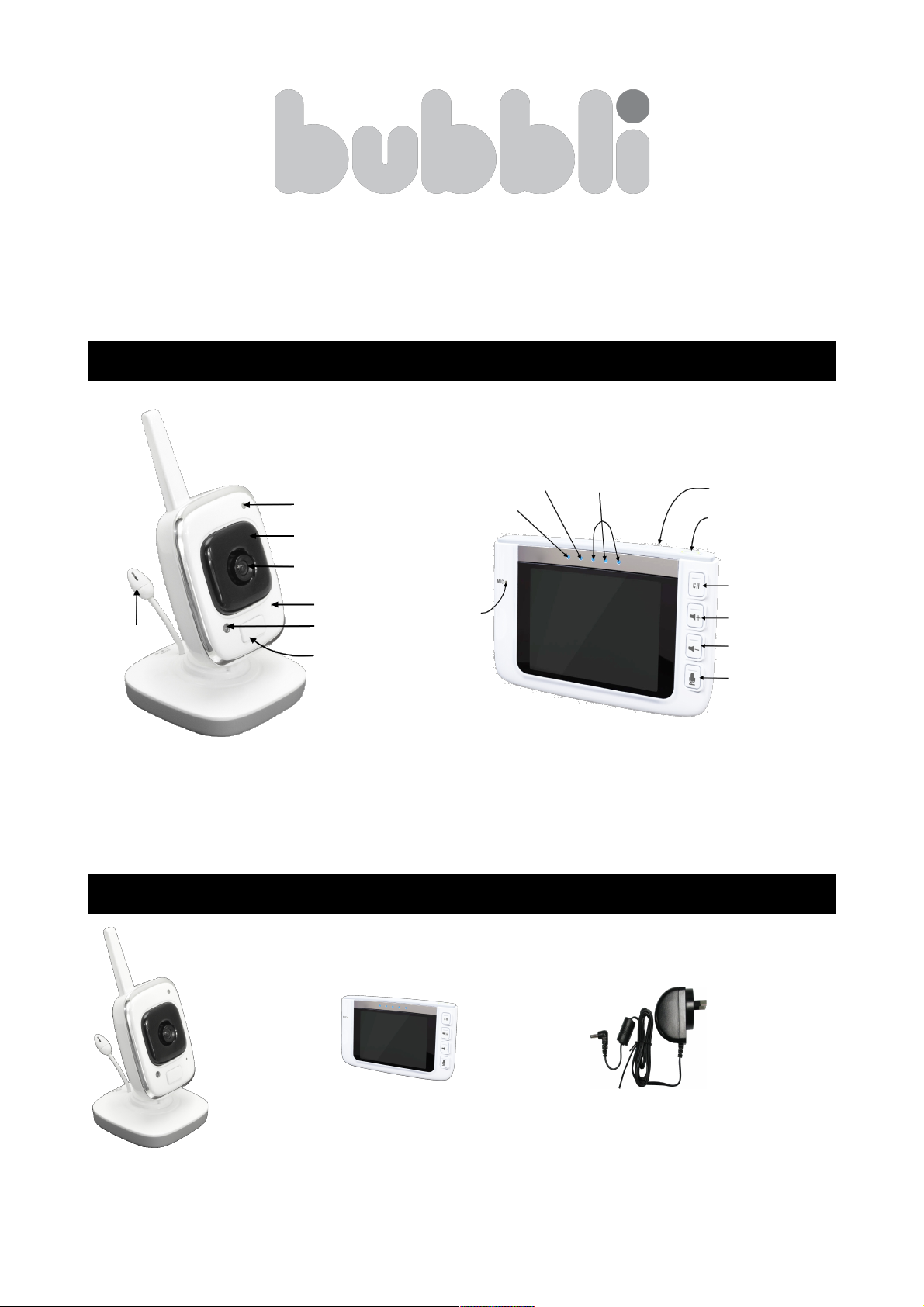
What's in the box
Camera x 1 Monitor x 1 Power
Adaptor x 2
Camera
Temperature
Sensor
Indicator
Infrared Lamp
Camera Lens
Microphone
Power Button
Photosensitive
Sensor
Monitor
Speech
Volume
Conversation
Indicator
Power Indicator
Microphone
Antenna
Power Button/
Temperature
Conversion
Channel
Volume +
Volume -
Talk Button
Page 2
Product Specifications
CAMERA RECEIVER
Items Specifications Items Specifications
Imaging Sensor Type 1/4” Colour CMOS LCD Screen Type 3.5” TFT LCD
Effective Pixels 640 x 480 LCD Screen Resolution 320 x 240
Horizontal View Angle 62° (Max) Bandwidth 3MHz
Minimum Illumination <15Lux (IR OFF) / 2 (IR ON) Transmission Rate 3Mbps
Night Vision Distance 5M≥ Consumption Current 950MA (Max)
Sound Detection Sensitivity -38db≤ Sound Detection Sensitivity -38db≤
Transmission Frequency 2400 ~ 2483.5 MHz Operating Frequency 2400 ~ 2483.5 MHz
Transmission Power 17dbm Transmission Power 17dbm
Receiving Sensitivity -80dbm (Min) Receiving sensitivity -80dbm (Min)
Modulation Mode GFSK Demodulating Method GFSK
Unobstructed Effective Range 300M≥ Unobstructed Effective Range 300M (Max)
Power Supply DC +5V Power Supply DC +5V
Operating Temperature -10°C ~ +45°C Operating Temperature -10°C ~ +40°C
Operating Humidity 20% ~ 85%RH Operating Humidity 15% ~ 85%RH
Dimensions (LxWxH) 80 x 80 x 170mm Dimensions (LxWxH) 119.7 x 81.9 x 27mm
Weight 110g Weight 180g
All of the specifications are subject to minor change without prior notice.
Start up and Power off
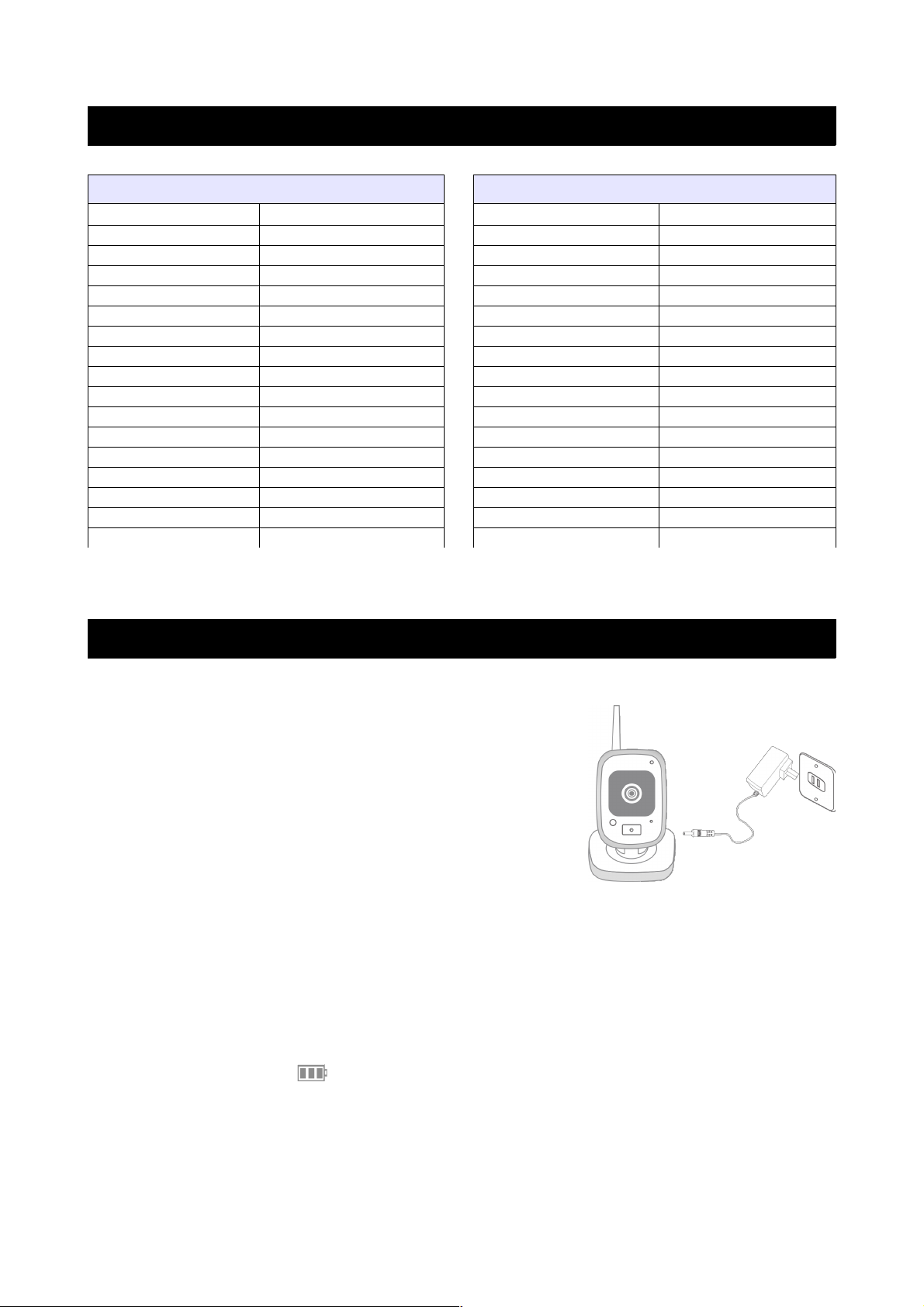
Camera
1. Connect the camera and power outlet with the
provided power adapter.
2. Keep pressing the power button of the camera
for 3 seconds until the indicator light is on,
showing the camera is working.
3. Keep pressing the power button of the camera
for 3 seconds until the indicator light goes out,
showing the camera has stopped working.
Monitor
1. Keep pressing the power button of the monitor for 3 seconds until the
indicator light is on, showing the monitor is working.
2. Keep pressing the power button of the monitor for 3 seconds until the
indicator light goes out, showing the monitor has stopped working.
Charge
When the battery icon on the screen of the monitor turns red and flashes, this
indicates that the battery is running low. The indicator light turns orange when
charging, and will display in green when the monitor is fully charged.
Page 3
Operating Instructions
Pairing
Pairing is completely by default at the factory during production. If the pairing
does not appear to be successful, please complete the pairing process as follows:
1. Press the channel button on the monitor to select a channel, and the
corresponding number icon will appear on the screen, demonstrating 4
choices.
2. Keep pressing the Pair button at the back of the monitor for 3 seconds
until the power indicator light flashes. Then within 10 seconds, press the
Pair button on the back of the camera for 3 seconds until the picture
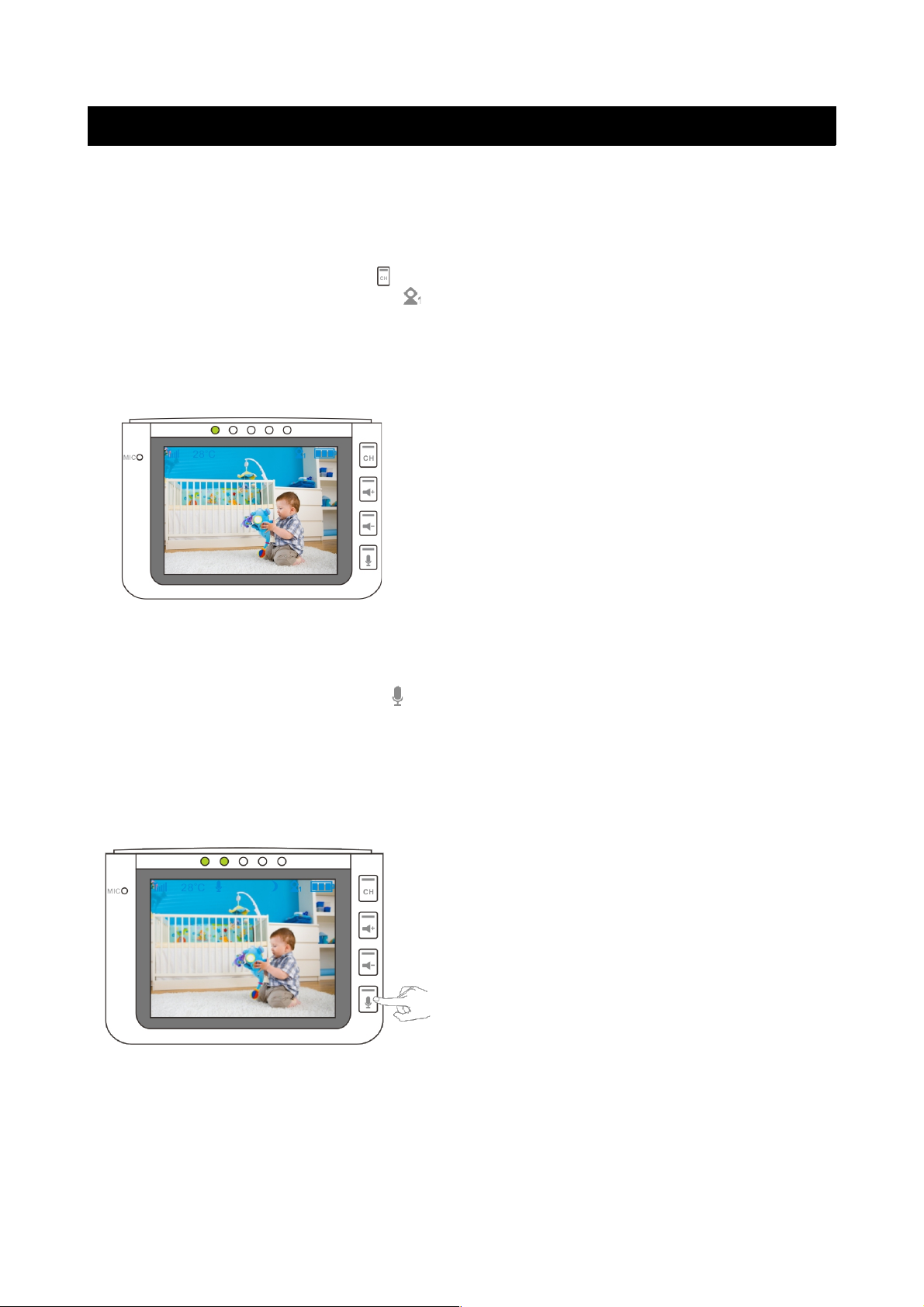
appears on the monitor, as shown below:
• In monitoring mode, press the Power
button of the monitor to switch between
Fahrenheit and Celsius temperature modes.
• In monitoring mode, if no operations have
occurred within 60 seconds, the monitor
will go into power saving mode. Press any
key to recover.
Talking
1. Keep pressing the Talk button on the monitor and the talk indicator will
illuminate. The talking icon will also appear on the screen. You can then
talk into the microphone and your voice will be heard from the camera.
Note: The talking function is two-way, however it will only work one way at
a time. The voice from the camera end cannot be heard while pressing the
talk button.
2. Let go of the talking button, and the voice from the camera side can be
heard from the monitor side.
• The volume indicator will increase
when the baby cries louder.
• If the monitor is in power saving
mode (blank screen) and the baby
cries, the screen will automatically
activate, restoring the picture to the
monitor screen.
If you have any questions, concerns or suggestions, please do not hesitate to
contact the Kogan customer support team.
 Loading...