

Page 1
`
Installation Guide
STEP 1 – Install the Smart Card Reader software
Download the PC/SC drivers from the following link
http://support.gemalto.com/?id=46 and follow the instructions
Print the readme file for additional information
ECSR (Smart Card Reader)
STEP 2 – Connect your Smart Card reader
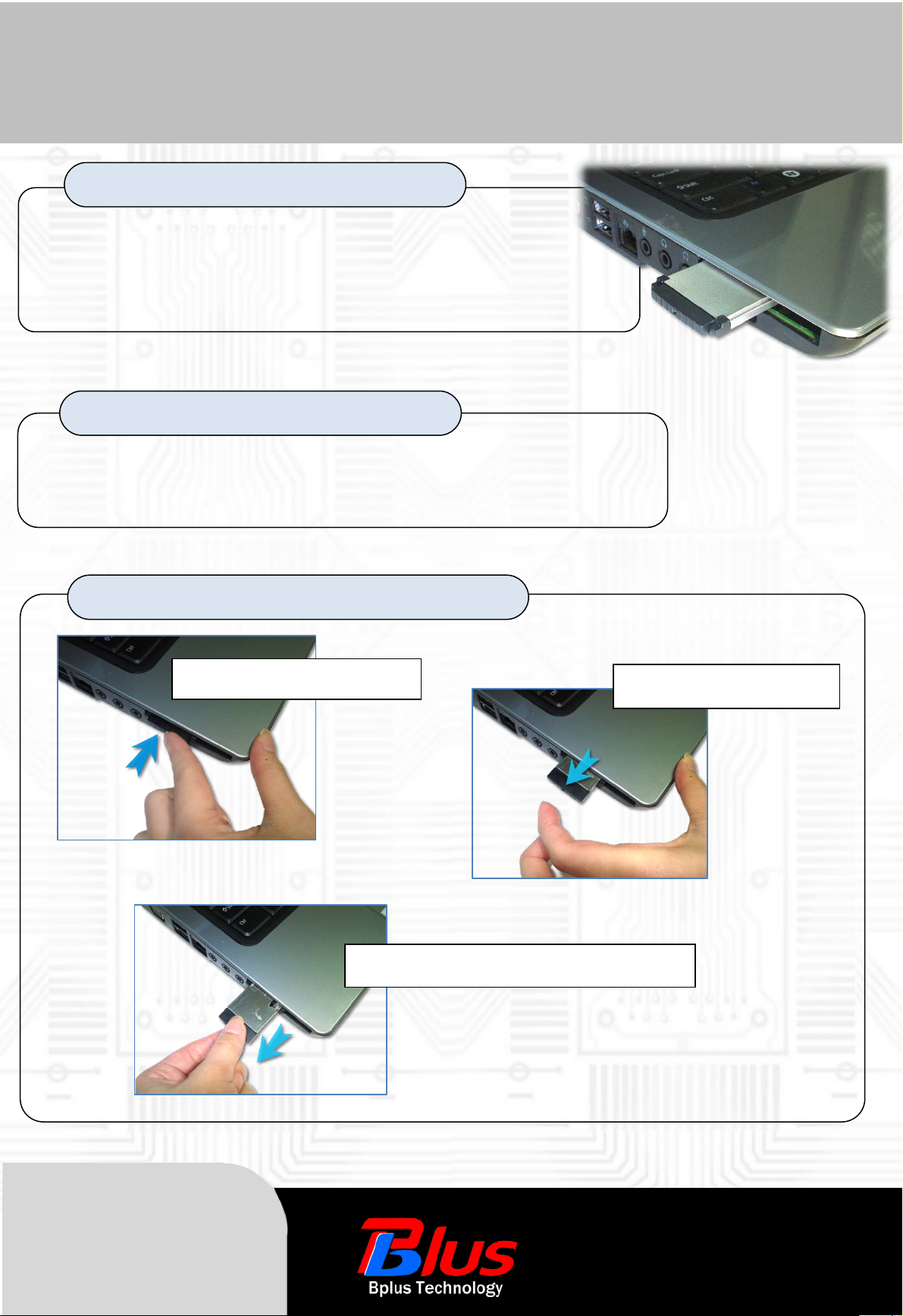
Insert the Smart Card reader into Notebook’s ExpressCard 34 slot
Your reader is USB Plug & Play and ready for use
STEP 3 – How to insert the smart card from the reader
1. PUSH the Smart Card Reader
2. move away your finger
As a New manufacturer of quality
computer connectivity products since
2009/Mar, BPLUS technology brings to
market a broad range of upgrade
products. These products bridge the
connection between Desktop/Notebook
systems and external peripherals.
3. Pulled out in accordance with blue arrow
Adress:5F,NO.63,ZHOU-TZYY
ST. , NE I-HU,TAIPEI,TAIWAN,R.O.C
Tel:886-2-77210550 Fax:886-2-87974200
Email:[email protected]
http://www.bplus.com.tw
 Loading...