

Page 1
6 720 862 456 (2016/04) CLIMATE 5000 VRF
6 720 862 456 (2016/04)
Before using your air conditioning unit, please read this manual carefully and keep it for future reference.
CLIMATE 5000 VRF
Wired Remote Controller
WRC-HP
User manual
Page 2

Contents
1. Safety precautions .............................................................3
2. Main paramters and functions ............................................3
3. Wired remote controller .....................................................4
4. Operation instructions ....................................................... 4
■ Remote signal receiving function ................................................... 4
■ Switching the air conditioning unit on/off ....................................... 4
■ Set the operating mode ................................................................ 4
■ Fan speed setting .......................................................................... 5
■ Temperature setting ..................................................................... 5
■ Timer on and Timer off setting ....................................................... 5
■ Clock setting ................................................................................ 5
■ Quiet operation ............................................................................ 5
■ Lock the wired remote controller ...................................................5
■ Air filter cleaning reminding function ............................................. 5
■ Swing Function ............................................................................. 5
■ Follow Me Function ....................................................................... 5
2 | Contents
6 720 862 456 (2016/04) CLIMATE 5000 VRF
Page 3
1. Safety precautions
Read the safety precautions carefully prior to installing the controller.
Stated below is important safety information. Once test operation has been
successfully completed, this manual must be left with the user.
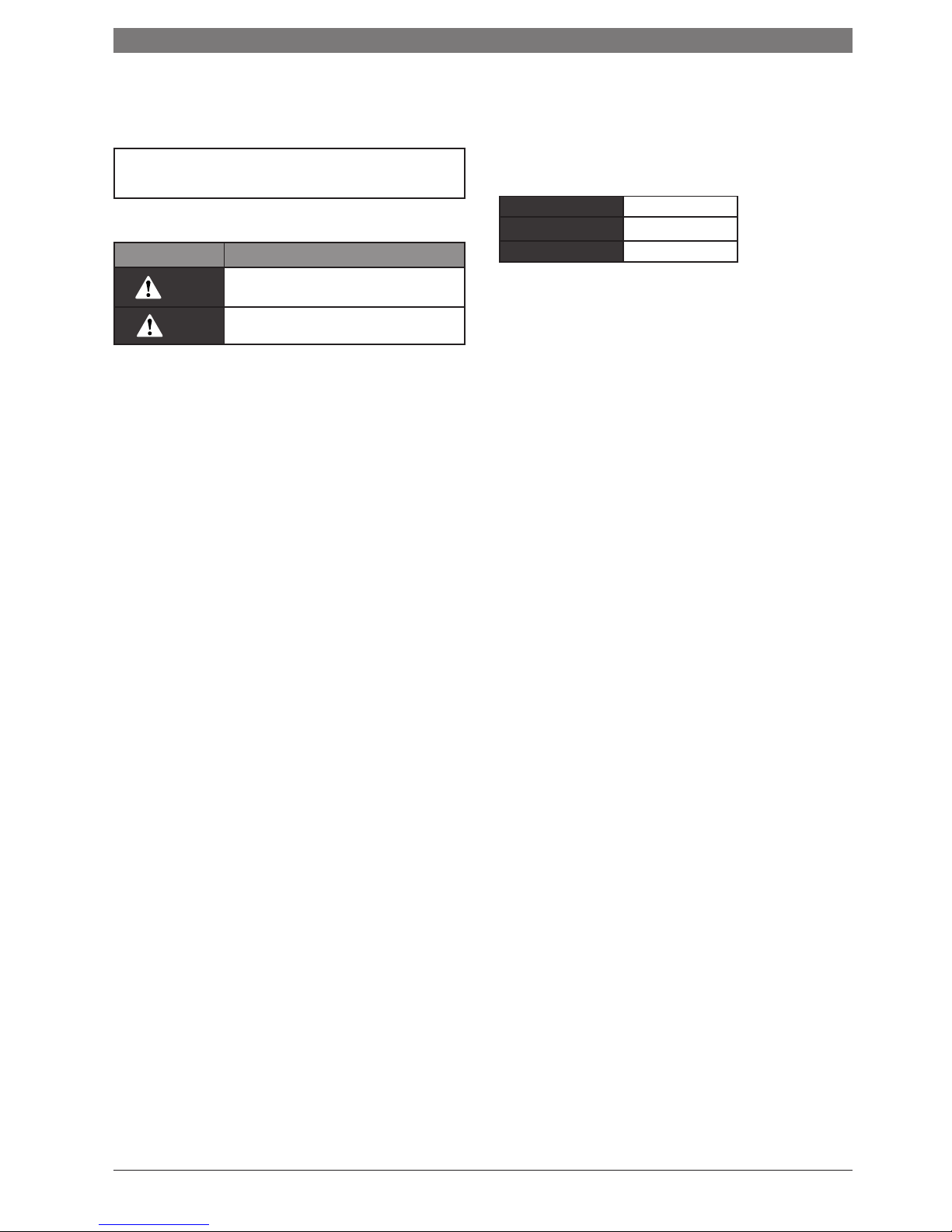
■ Identifier description
Identifier Meaning
Warning
Failure to observe a warning may result in serious
injury.
Caution
Failure to observe a caution may result in injury or
damage to the equipment.
2. Main parameters and functions
■ Main parameters
Table 2-1
Input voltage DC +5V
Ambient temperature -5~43°C
Ambient humidity RH40%~RH90%
■ Functions
Main functions of this wired remote controller as follows:
1 Connect with indoor unit via the four ports of A, B, C, D.
2 Set operation mode via buttons.
3 Provided with LCD display function.
4 Provided with timing function.
CLIMATE 5000 VRF 6 720 862 456 (2016/04)
Safety precautions | 3
Page 4
3. Wired remote controller
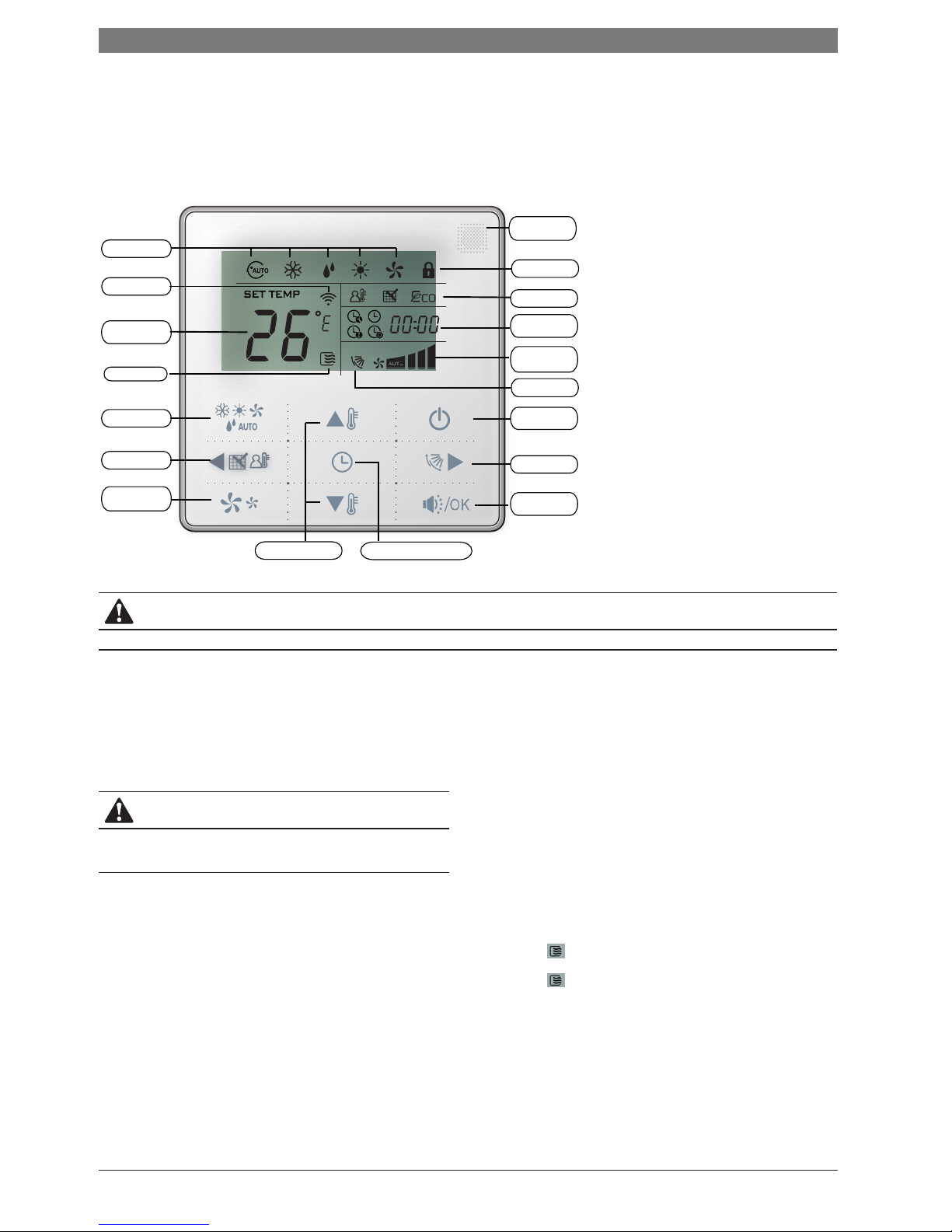
WRC-HP
Operating Mode
Transmitting Icon
Setting
Temperature
Operating Icon
MODE Button
Left Button
FAN SPEED
Button
Temp. Setting Button Timer/Clock Setting Button
Quiet /OK
Button
Right Button
ON/OFF Button
Swing Icon
Operating
Fan Speed
Timer/Clock
Display Area
Function Icon
Locking Icon
Remote Receiving
Window
CAUTION
This controller has no economy function.
4. Operation instructions
■ Remote signal receiving function
The wired controller can be a remote signal receiving device, you can use the wireless remote controller to control the air-conditioner through the wired remote
controller when the system has been powered on.
CAUTION
The wired controller will not receive a ‘SWING’ function from the infrared
remote controller. This can be overcome by transmitting the signal directly to
the indoor unit, or using the wired controller directly.
■ Switching the air conditioning unit on/off
Press the On/Off button to control the indoor unit on and off status.
When the unit is turned off, press the ON/OFF button, the unit will be turned on and the operating icon lights up.
When the unit is turned on, press the ON/OFF button, the unit will be turned off and the operating icon will go off.
■ Set the operating mode
Press the mode button to set the operating mode, after each press of the mode button the opereation mode will repeat in sequence as follows:
AUTO → COOL → DRY → HEAT → FAN → AUTO
When the controller has been set to cool-only, there will be no HEAT mode.
4 | Wired remote controller
6 720 862 456 (2016/04) CLIMATE 5000 VRF
Page 5
■ Fan speed setting
Whilst in COOL, HEAT or FAN modes, the fan speed can be adjusted by pressing
the ‘fan speed button’.
Continue pressing the fan speed button until desired setting is achieved.
AUTO→LOW →MID→HIGH→AUTO.
Whilst in AUTO and DRY modes the fan speed is not adjustable.
■ Temperature setting
Under AUTO, COOL, DRY, HEAT modes, press the temperature setting buttons
and to set the temperature, the adjusting range is 17°C~30°C (or
62°F~88°F).
The set temperature cannot be adjusted under FAN mode.
■ Timer on and Timer off setting
Press the timer/clock setting button, then enter into the timer on setting status,
and the screen will display and .
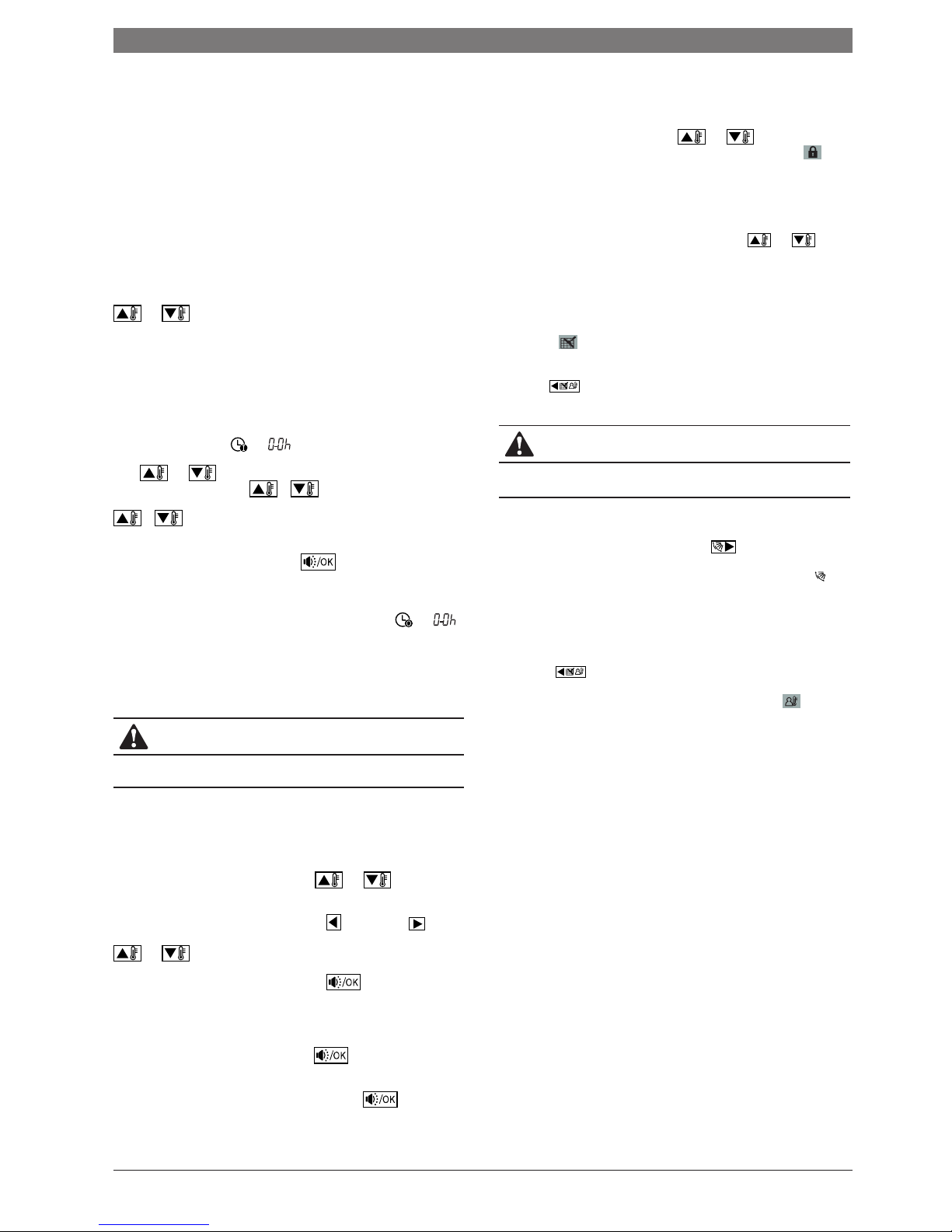
Press and buttons to adjust the timer. when the timer setting is
less than 10 hours, each press or will increase or decrease in
0.5 hr increments. When the timer setting is more than 10 hours, each press
or will increase or decrease by 1 hr increments, the maximun timer
setting is 24 hours.
Once the settings have been set, press the button or wait for 5 seconds
to confirm and exit the timer on setting.
Whilst in the timer on setting status, press the timer/clock setting button, then
enter into the timer off setting status, and the screen will display and .
The setting method of timer off is the same as the timer on.
Whilst in timer setting state, set the timer on and timer off to be 0.0h can cancel
timer on and timer off function.
CAUTION
If the remote controller has a timer set, you can manually override the timer
by pressing the on/off button.
■ Clock setting
Press and hold the timer/clock setting button for 3 seconds, then enter into the
clock setting status.
The hour position of the clock will flash, press and to adjust the
hour value.
After finishing the hour setting, press left button or right button to
switch to minute position setting, then the minute position will flash, press
and to adjust the minute value.
Once the clock settings have been set, press the button or wait for 5
seconds to confirm and exit the setting state.
■ Quiet operation
Whilst in COOL, HEAT, FAN modes, press the button to activate quiet
operation. This function will reduce the noise level by reducing the fan speed.
Whilst in AUTO, DRY mode, the fan speed is auto and the button will not
work.
■ Lock the wired controller
Press the temperature adjusting buttons and simultaneously, the
wired remote controller enters into locking state, and the locking icon will
be displayed.
Under the locking state, the wired controller will not respond to any buttons
which are pressed including those on the remote controller.
Simultaneously press the temperature adjusting buttons and
tocancel the locking state.
■ Air filter cleanning reminding function
The wired remote controller records the total running time of the indoor unit,
when the accumulated running time reaches the pre-set value, the air filter
cleaning icon will be displayed. This is an indication that the air filter will
need to be cleaned.
Long press for 3 seconds to reset the air filter cleaning icon.The wired
controller will then start to calculate the running time once again.
CAUTION
The default setting value of the air filter cleaning function is 2500 hours, this
can be changed to 1250 hours, 5000 hours or 10000 hours.
■ Swing Function
If the indoor unit has a swing function, press the button to adjust the
air outlet direction of the indoor unit. Pressing and holding this button for
3seconds will turn on or turn off the auto swing function, the swing icon will
be displayed when the auto swing function is turned on.
■ Follow Me function
When the system is running and the operating mode is AUTO, COOL or HEAT,
pressing the button will activate the Follow Me function, press this button
again to deactivate the function. Operating mode changeover will deactivate
the function. When the Follow Me function is acti-vated, the icon will be
displayed, the wired controller will display the room temperature read from
the local sensor, and transmit the temperature value to the indoor unit every
3minutes.
CLIMATE 5000 VRF 6 720 862 456 (2016/04)
Operation instructions | 5
Page 6

6 720 862 456 (2016/04) CLIMATE 5000 VRF
6 | Notes
Page 7

CLIMATE 5000 VRF 6 720 862 456 (2016/04)
Notes | 7
Page 8

Bosch Thermotechnology Ltd.
Cotswold Way, Warndon, Worcester WR4 9SW
All Enquiries: 0330 123 3004
www.bosch-industrial. co.uk
 Loading...