

Page 1
A vision of your office
windy
Network Scanner series
Avision AN240W Network Scanner
A Fast, and
Affordable
Network Scanner
600
D P I
A4
Features:
Fast, 40 ppm / 80 ipm scanning in color,
grayscale and monochrome (300 dpi, color)
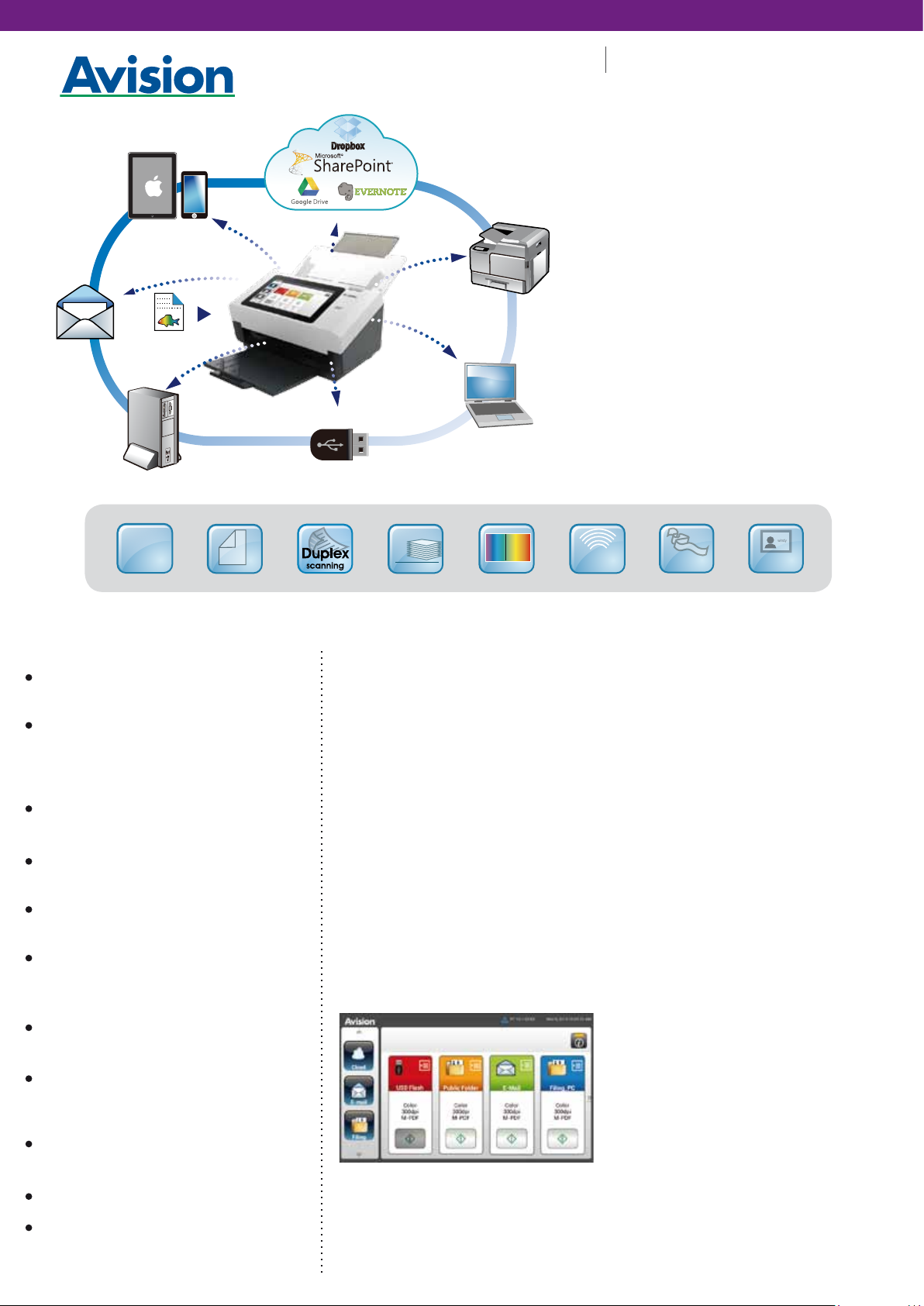
Scanning and sending images to e-mail, a
shared folder (CIFS), a FTP folder, cloud
servers (Google Drive, Dropbox, Evernote), a
USB flash drive, and the product’s memory
Support form paper up to 242 x 356 mm (9.5
x 14 in.)
Offer preview feature to view your image
result before distributing
Robust 80-page automatic document
feeder (75 g/m2, 20 lb.)
Auto crop and deskew a document with the
advanced image processing unit to
enhance the scanning speed
Reverse roller technology delivers outstanding
feeding reliability
Hard and embossed card scanning up to
1.25 mm in thickness in portrait or landscape
feeding
Press and scan to cloud servers via the
bundled software Button Manager V2
Long page scanning: 6000 mm (236”)
Auto power off setting
Up to
80
pages
40
80
ppm
i pm
scanning speed
Ultrasonic
Overview
The AN240W is a 40 page-per-minute, duplex, and
network scanner that is fast, reliable, and affordable
for business where scanning plastic ID cards, business
cards, documents or other heavy card stock is
necessary. With simply one button, the AN240W
improves your business efficiency by scanning and
sending the document to various destinations
including e-mail, cloud servers, a shared folder (CIFS),
a FTP server, and a USB flash drive. Plus, with the
wireless networking capability, the AN240W offers
mobile scanning through Avision’s App.
Easy-to-operate 8” LCD Touch Screen
The large 8” LCD touch screen makes it easy for
everyone to scan and share. By assigning your
frequently used settings and scan to destinations as
Shortcuts, the AN240W allows you to streamline your
workflow and complete your scanning task in one
step. Configuration and management of the scanner
can also be performed via the LCD touch screen.
Convenient mobile scanning
The AN240W can work as a wireless device to scan
and receive images directly from your mobile devices
through Avision’s App.
1
sensor
236”
Long
page
ID Card
scan
Reverse Roller Enhances Feeding
Reliability
Designed with the innovative reverse roller for
advanced paper separation capability, the AN240W
delivers outstanding feeding reliability and operating
productivity by effectively reducing the risk of a
multi-feed or paper jam.
Convenient walk-up scanning
A USB direct interface is available for scanning files to
your USB flash memory drive.
A Duplex Scanner Suited for Document and Cards
Thanks to the advanced straight paper path and
image processing technology, mixed batches of
documents with varies sizes and weights can be
scanned, appropriately cropped, deskewed, and
ready to use. Scan size accepts paper from receipts
(50x 50 mm/ 2x 2 in.) to business document (242x 356
mm/ 9.5x 14 in.). The auto document feeder is also
robust enough to feed paper up to 413 g/m
and embossed hard cards such as ID cards, credit
cards, driver’s license, and health insurance card up
to 1.25mm in thickness.
A Compact Design to Save Your Space
With a stylish design and a compact footprint of 12.4 x
8.1 x 7 in. (316 x 207 x 178 mm) (W x D x H), the AN240W
can be fit perfectly on a desk in any working
environment.
Powerful Bundled Software Applications
The AN240W come with TWAIN driver, and are bundled
with a suite of powerful software applications that
include Avision Button Manager V2, AVScan X, and
Nuance PaperPort SE 14.
2
(110 lb.)
Page 2
Avision AN240W Network Scanner
Network Scanner series
Avision’s Button Manager V2
-Completes your scan with a single step
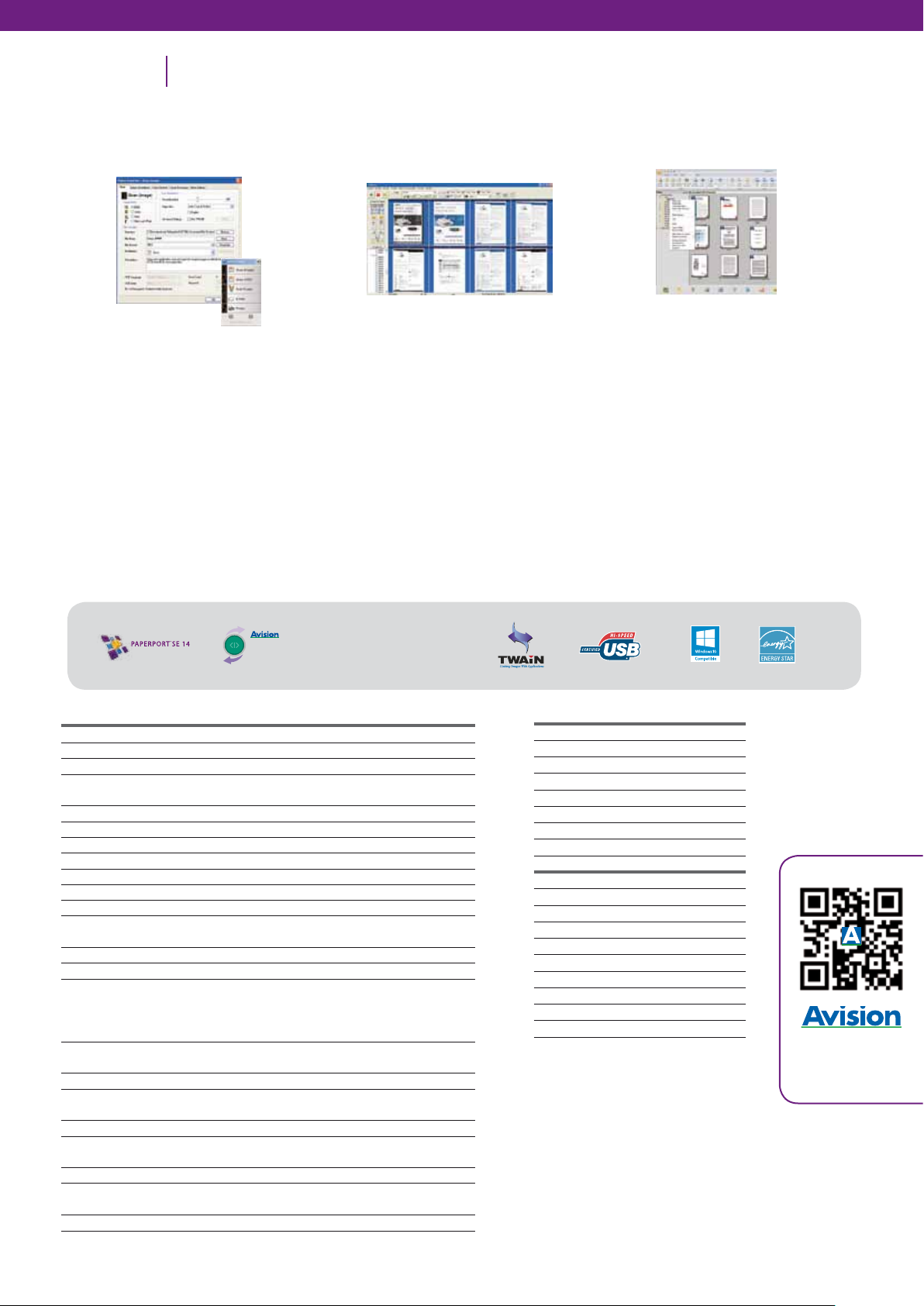
The Button Manager V2 main screen
Button Manager V2 makes it easy for you to scan
and send your image to your favorite destinations
with a press one button. Now the new version
comes with an innovative feature to let you scan
and automatically upload the scanned
document to popular cloud repositories such as
Google Docs, Microsoft SharePoint, or FTP. In
addition, the iScan feature allows you to insert the
scanned image or recognized text after optional
OCR (Optical Character Recognition) process to
your text editor such as Microsoft Word to get your
job done easily and quickly.
AVScan X
-The Intelligent Document Management
Tool
The AVScan X main screen
Document Imaging is the very first step of
Document Management. However, poor quality
images can cause serious problems to later
indexing or storing processes. It may increase
scanning labour costs and lowers the OCR
accuracy. AVScan X ensures all documents are
checked and polished at the time they are
scanned such that the image quality is
guaranteed before they are ready to use for
other purposes.
AVScan X is an intelligent scanning and
electronic filing solution. AVScan X possesses
distinct features that convert and index scanned
information into electronic documents for easy
storage and fast retrieval.
Nuance PaperPort SE14
-
The Professional Choice to Organize and
Share Your Documents
The PaperPort SE14 main screen
Scan, Share, Search, and Organize Documents
on your PC.
Overwhelmed with paper? PaperPort SE 14 can
help to simplify the chaos by organizing your
paper documents-documents, receipts, photos,
and more- into dogotal files on your files on your
desktop.PaperPort SE 14 is Nuance’s most
popular scanning and document managerment
solution, carefully designed specifucally for home
office use. Part traditional file cabinet, part digitaldocument desktop, PaperPort SE14 is the fastest
and easiest way to scan, share, search, and
organize your documents.
Specifications
Paper Feeding:
Scanning Technology:
Panel Display:
Scanning Size:
Scanning Speed:
ID Card Scanning:
Paper Thickness:
Long Page Mode:
Optical Resolution:
Output Resolution:
Output Formats:
Bundled Software:
Interface/Drivers:
Output Methods:
Power Supply:
Power Consumption:
Environmental Factors:
Acoustical Noise:
Dimensions
Weight:
Recommended Daily
Duty Cycle:
Multi-feed Detection:
Button Manager V2
AV
Scan
X
AN240W
ADF 80-page capacity
Contact Image Sensor ( CIS )
8 in. Touch Panel
Max. : 216 x 356 mm
Min. : 50 x 50 mm
40 PPM / 80 IPM (Color, A4, 300 dpi)
1.25 mm
27~413 g/㎡
6000 mm
600 dpi
75, 100, 150, 200, 300, 400 and 600 dpi
B/W, greyscale, 24-bit color
Avision Button Manager V2 / Avision AVScan X
Nuance PaperPort SE 14
USB 2.0 / TWAIN
RJ-45 Etherent 10/100/1000 Mb, Wi-Fi
Scan via USB or Network ( no host PC required)
Scan to FTP / Scan to Email
Scan to Share Folder / Scan to USB Disk
Scan to Mobile Device
Input: 100-240 VAC, 50/60 Hz
Output: 24V, 2.0A
<26 W
Operating temperature: 10℃ to 35℃ (50℉ to 95℉)
Operating humidity: 10% to 85%
Standby: <45 dB Operating: <50 dB
Max.: 316 x 675 x 254 mm
Min.: 316 x 207 x 178 mm
4.2 kg
6,000 sheets
Ultrasonic Sensor
System Requirements
CPU: Intel® Core 2 Duo or higher
Memory: 2GB (32bit Windows)
4GB (64bit Windows)
DVD-ROM: DVD ROM Drive
USB: USB2.0 Port (USB 1.1 supported)
Windows® Operating System:
Windows® XP SP3, Vista, 7, 8.x, 10 (
32 & 64 bit)
Contents
AN240W Scanner
Power Supply
Quick Guide
USB 2.0 Cable
CD-ROM includes:
-Scanner Driver
(TWAIN Driver)
-Avision Button Manager V2
-Avision AVScan X
-Nuance PaperPort SE 14
Other brands and product names herein are trademarks or registered trademarks of their respective holders.
PaperPort is a trademark or registered trademark of Nuance Communications, Inc. or its affiliates in the United States and/or other countries.
States and/or other countries.
Windows, Windows XP, Windows Vista, Windows 7 and Windows 8 are either registered trademarks or trademarks of Microsoft Corporation in the United
Specifications subject to change without notice.
www.avision.com
Avi sion Inc .|No. 20 , Creati on R d. I, Hs inch u Sc ienc e Park 3007 7, Tai wan, R.O.C. | Tel : 886-3- 5782 388 | Fax: 886- 3-57 7701 7 | sale s@av isio n.com.tw
Avi sion Europe GmbH | B isch ofstr. 10 1 | D-47 809 Kref eld | Tel: +49 215 1 15 759 0 | Fax: +49 215 1 15759 29 | inf o@avisio n.de
262-0083-0 V20160630
 Loading...