

Page 1
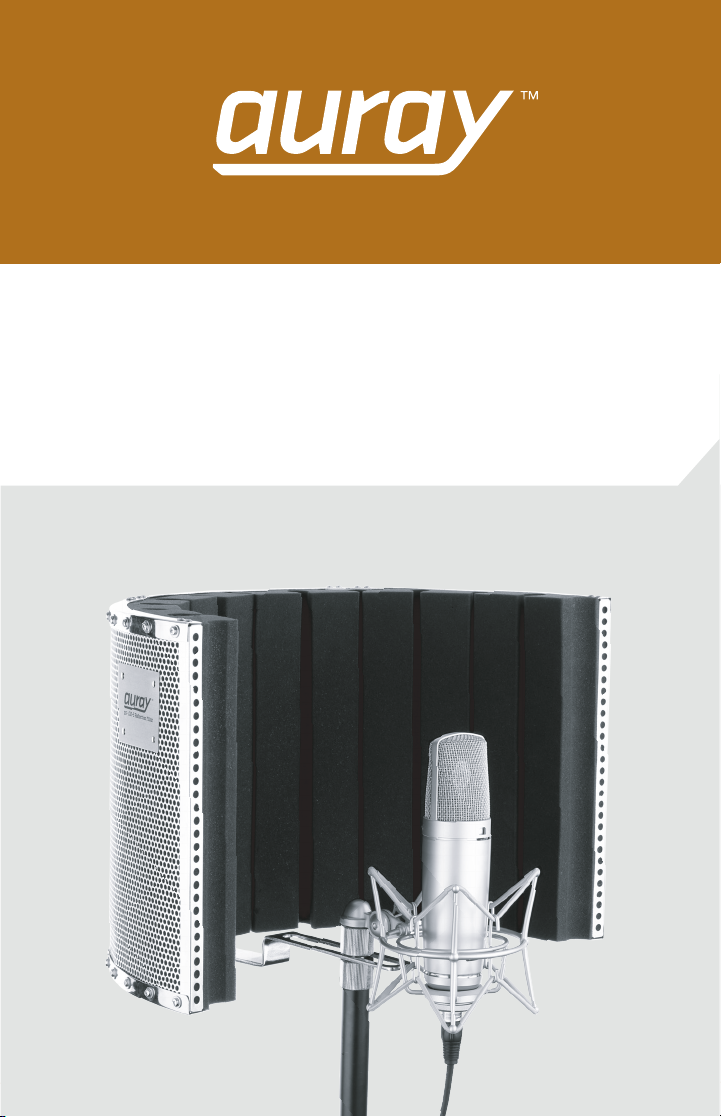
RF-CM-S
Reflection Filter
Owner’s Manual
Page 2
Introduction
Thank you for choosing Auray.
Congratulations on your purchase of the Auray RF-CM-S Reflection
application where microphone isolation is needed. When recording vocals
in an acoustically untreated room like a home studio or rehearsal studio, the
RF-CM-S Reflection Filter is designed to absorb unwanted ambient noise and
control acoustic reflections while improving the quality of vocal recordings.
When recording in an untreated acoustic environment, vocals that reflect
reflections interfere with the sound of the voice and create a distant and
drier and closer sound that provides cleaner vocal tracks.
High-density acoustic foam minimizes room ambience. The perforated
aluminum shield prevents sound from reflecting back into the microphone,
and the deep semi-circular design ensures clean and dry vocals. Standard
5/8"-27 threaded adapters fit most microphone clips and shock mounts, and
the two adjustable brackets ensure that your microphone and filter will be at
the precise height and distance from the sound source.
The RF-CM-S Reflection Filter is a valuable studio accessory for the
professional musician that provides microphone isolation for vocals and
eovers.
voic
Warnings
Before using your RF-CM-S please read the following safety notices carefully
and thoroughly to ensure proper use and to help prevent damage to your
reflection filter.
• Keep this manual in a safe place for future reference.
• Do not attempt to disassemble or repair the equipment – doing so
will void the warranty, and Auray will not be responsible for any
damage.
• Handle the unit with care.
• Make sure everything is secure before proceeding.
• Make sure the item is intact and that there are no missing parts.
• To avoid damage to your reflection filter, be careful not to over
t
ighten or improperly thread any threaded fittings, such as bolts
and locking knobs.
• All photos are for illustrative purposes only.
!
2RF-CM-S Owner’s Manual
Page 3
Overview
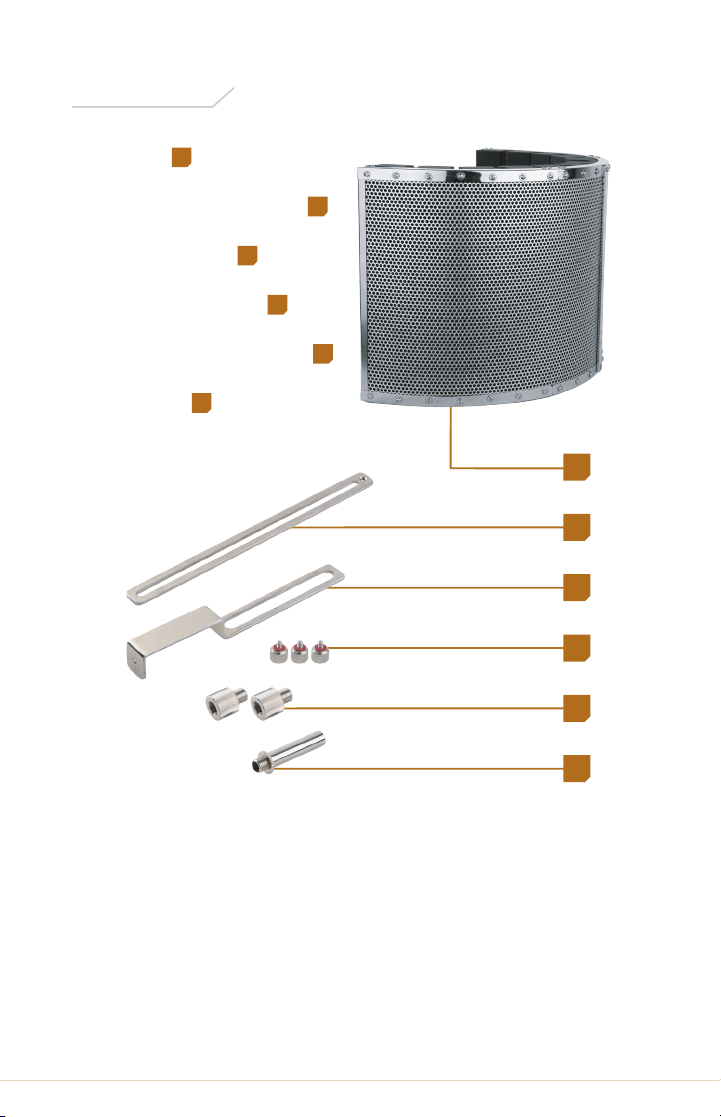
1
Shield
Rear adjustment bracket
Sliding bracket
Locking Screws (3)
3
4
Shock mount adapter (2)
Extender
6
2
5
1
2
3
4
5
6
3RF-CM-S Owner’s Manual
Page 4
Instructions
Mounting the RF-CS-S and
Microphone to a Mic Stand
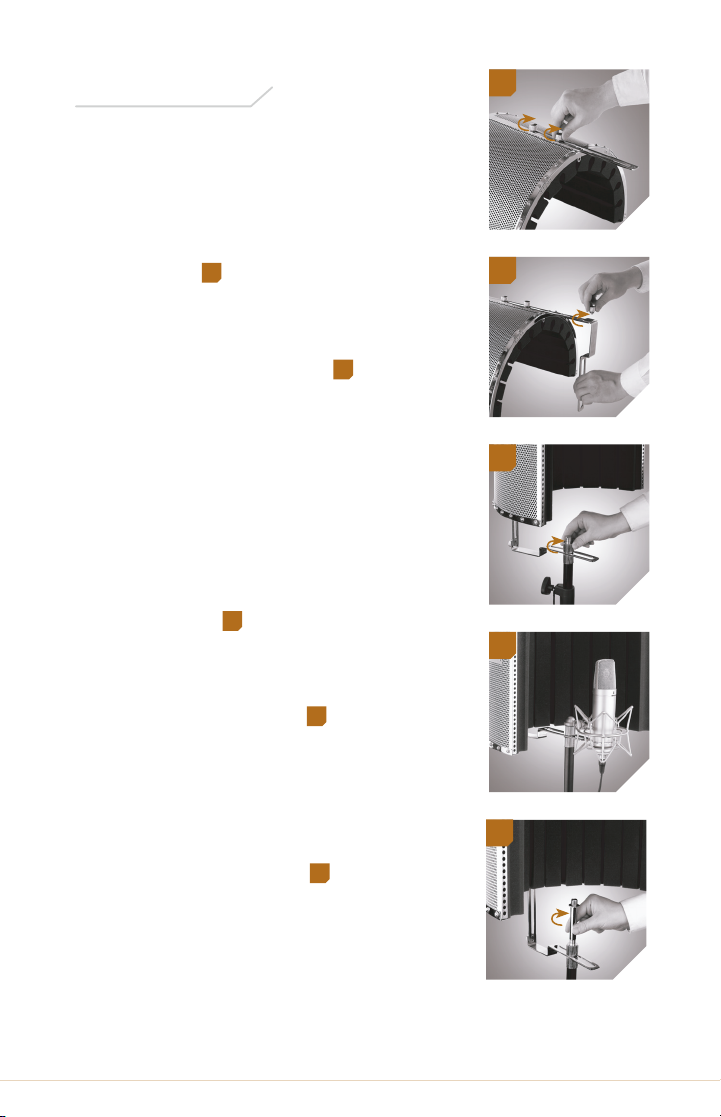
1. Attach the rear adjustment bracket
to the shield with two locking
screws.
2. Attach the sliding bracket to the
rear adjustment bracket with the
remaining locking screw.
1
1
2
2
3. Screw one of the shock mount
adapters onto the threaded post of
your microphone stand. Then place
the opening of the sliding bracket
over the shock mount adapter’s
threaded post. Secure the shield by
placing the second shock mount
adapter over the sliding bracket,
and screw it onto the first adapter
until tight.
4. Mount your microphone, shock
mount, or mic clip onto the top
shock mount adapter.
5 If more height is necessary, screw
the extender onto the top shock
mount adapter. Mount your
microphone, shock mount, or mic
clip onto the extender.
3
4
5
3
4
5
4RF-CM-S Owner’s Manual
Page 5
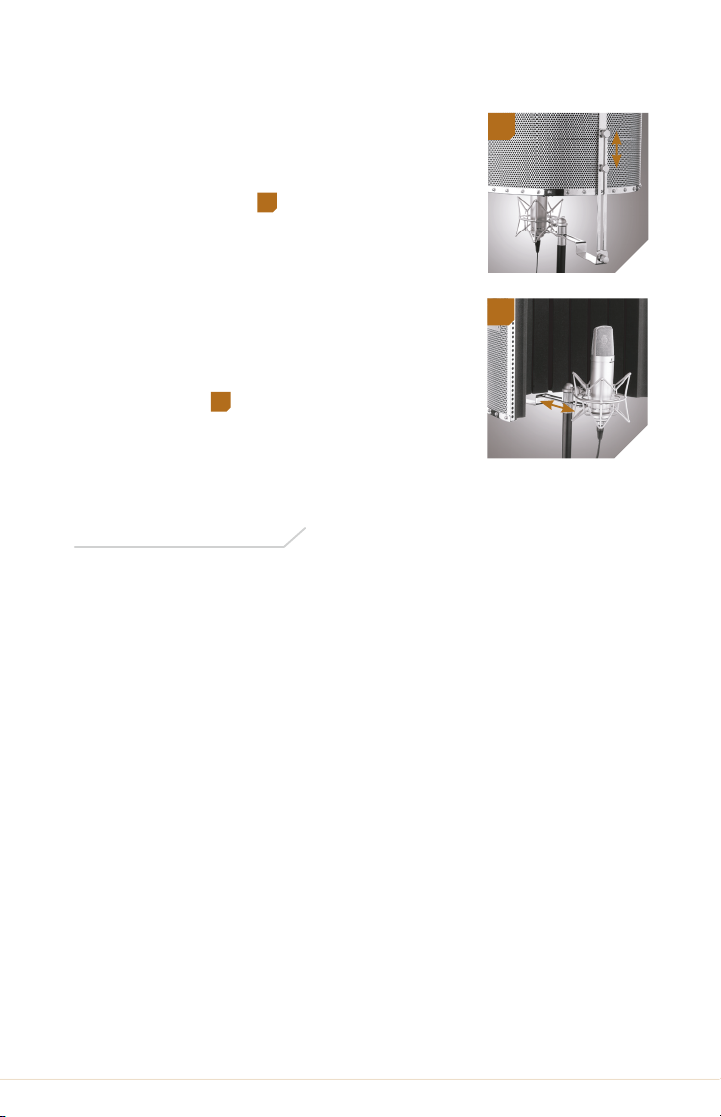
Positioning the Microphone
1. Adjust the height of the shield by
loosening the two locking screws
that are attached to the back of the
shield and move the shield to the
desired height.
Caution: do not loosen the locking
screw that is attached to the sliding
bracket.
2. Adjust the distance of the shield
from the microphone by loosening
the shock mount adapter and
moving the shield to the desired
position.
6
7
6
7
Specifications
Shield Dimensions (W × H × D): 19.75" × 12" × 11" (50 × 31 × 28 cm)
Extender Height: 5.75" (15 cm)
Weight: 4.25 lb (2.0 kg)
5RF-CM-S Owner’s Manual
Page 6

Five-Year Limited Warranty
This AURAY product is warranted to the original purchaser to be free
from defects in materials and workmanship under normal consumer use
for a period of five (5) years from the original purchase date or thirty (30)
days after replacement, whichever occurs later. The warranty provider’s
responsibility with respect to this limited warranty shall be limited solely to
repair or replacement, at the provider’s discretion, of any product that fails
during normal use of this product in its intended manner and in its intended
environment. Inoperability of the product or part(s) shall be determined by
the warranty provider. If the product has been discontinued, the warranty
provider reserves the right to replace it with a model of equivalent quality
and function.
This warranty does not cover damage or defect caused by misuse, neglect,
accident, alteration, abuse, improper installation or maintenance. EXCEPT
AS PROVIDED HEREIN, THE WARRANTY PROVIDER MAKES NEITHER ANY
EXPRESS WARRANTIES NOR ANY IMPLIED WARRANTIES, INCLUDING
BUT NOT LIMITED TO ANY IMPLIED WARRANTY OF MERCHANTABILITY
OR FITNESS FOR
with specific legal rights, and you may also have additional rights that vary
from state to state.
A PARTICULAR PURPOSE. This warranty provides you
To obtain warranty coverage, contact the Auray Customer Service
Department to obtain a return merchandise authorization (“RMA”) number,
and return the defective product to Auray along with the RMA number and
proof of purchase. Shipment of the defective product is at the purchaser’s
own risk and expense.
For more information or to arrange service, visit www.aurayaudio.com or
call Customer Service at 212-594-2353.
Product warranty provided by the Gradus Group.
www.gradusgroup.com
AURAY is a registered trademark of the Gradus Group. © 2017 Gradus Group LLC. All Rights Reserved.
GG2
6RF-CM-S Owner’s Manual
 Loading...