

Page 1
DATA SHEET
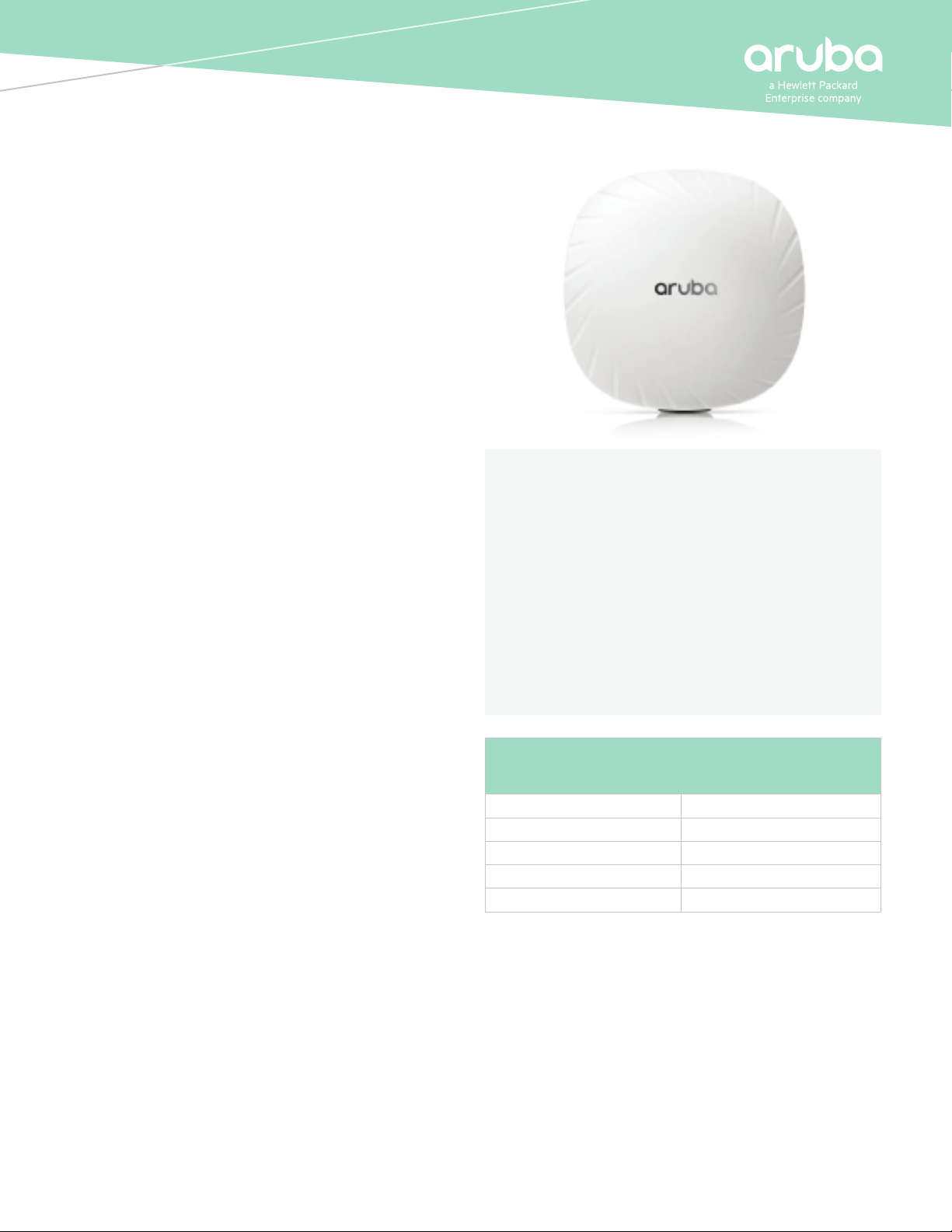
ARUBA 550 SERIES
WIRELESS ACCESS POINTS
Extreme Wi-Fi 6 (802.11ax) performance with
tri-radios and Green AP energy eciency
Aruba Wi-Fi 6 access points provide high-performance
connectivity for any organization experiencing growing
numbers of IoT and mobility requirements. With a maximum
real-world aggregate data rate of 5.37 Gbps (HE80/HE20), the
550 Series deliver the speed and reliability needed for any
enterprise
INCREDIBLE EFFICIENCY
The 550 Series APs are also designed to optimize user
experience by maximizing Wi-Fi eciency and dramatically
reducing airtime contention between clients.
Features include Orthogonal frequency-division multiple
access (OFDMA), bi-directional multi-user MIMO and cellular
optimization. With optional tri-radios, up to 4 spatial streams
(4SS) and 160MHz channel bandwidth (VHT160), the 550
Series provides groundbreaking wireless capabilities for
anyenterprise.
Read the Multi-User 802.11ax white paper for further
information.
Advantages of OFDMA
This capability allows Aruba’s APs to handle multiple Wi-Fi 6
capable clients on each channel simultaneously, regardless
of device or trac type. Channel utilization is optimized by
handling each transaction via smaller sub-carriers or resource
units (RUs), which means that clients are sharing a channel and
not competing for airtime and bandwidth.
The following table highlights the number of available
resources units per Wi-Fi Channel used:
Aruba Air Slice™ for Extended Application Assurance
Initially, APs in controller-less mode (Instant) can provide
SLA-grade performance by allocating radio resources, such as
time, frequency, and spatial streams, to specic trac types.
By combining Aruba’s Policy Enforcement Firewall (PEF) and
KEY FEATURES
• 5.37 Gbps maximum real-world speed (HE80/HE20)
• WPA3 and Enhanced Open security
• Built-in technology that resolves sticky client issues
for Wi-Fi 6 and Wi-Fi 5 devices
• OFDMA and MU-MIMO for enhanced multi-user
eciency
• IoT-ready Bluetooth 5, NFC, and Zigbee support
• Optional tri-radio mode with two 5GHz and one
2.4Ghz radio (4x4 MIMO)
NUMBER OF CONCURRENT CLIENTS PER
CHANNEL PER RADIO*
Prior Wi-Fi generations 1 at a time
Wi-Fi 6 in 20 MHz Up to 9 at a time
Wi-Fi 6 in 40 MHz Up to 18 at a time
Wi-Fi 6 in 80 MHz Up to 37 at a time
Wi-Fi 6 in 160 MHz Up to 74 at a time
* Client density varies based on congured network settings
Layer 7 deep packet inspection (DPI) to identify user roles and
applications, the APs will dynamically allocate the bandwidth
needed. Non-Wi-Fi 6 clients can also benet.
Air Slice™ for APs uses Aruba Central for management.
Controller-based APs will be supported in a future software
release.
Page 2

DATA SHEET
ARUBA 550 SERIES WIRELESS ACCESS POINTS
Bi-directional Multi-user MIMO (MU-MIMO)
Similar to downlink MU-MIMO in Wi-Fi 5 (802.11ac Wave 2), the
550 Series can simultaneously connect clients use downlink
– and now – uplink spatial streams. The added benet is the
ability to multiply the number of clients that can now send
trac, thus optimizing client-to-AP spatial stream diversity.
Wi-Fi 6 and MU-MIMO aware client optimization
Aruba’s patented AI-powered ClientMatch technology
eliminates stick y client issues by placing Wi-Fi 6 capable devices
on the best available AP. Session metrics are used to steer
mobile devices to the best AP based on available bandwidth,
types of applications being used and trac type – even as
users roam.
Aruba Advanced Cellular Coexistence (ACC)
This feature uses built-in ltering to automatically minimize
the impact of interference from cellular networks, distributed
antenna systems (DAS), and commercial small cell or femtocell
equipment.
Intelligent Power Monitoring (IPM)
Aruba APs continuously monitor and report hardware energy
consumption. They can also be congured to enable or disable
capabilities based on available PoE power – ideal when wired
switches have exhausted their power budget.
Green AP energy eciency
Aruba Wi-Fi 6 APs utilize analytics from NetInsight to
automatically transition in and out of a sleep mode based on
client density. Learn more in the Green AP At-A-Glance.
IOT PLATFORM CAPABILITIES
Like all Aruba Wi-Fi 6 APs, the 550 Series includes an integrated
Bluetooth 5 and 802.15.4 radio (for Zigbee suppor t) to simplify
deploying and managing IoT-based location ser vices, asset
tracking services, security solutions and IoT sensors. It also
enables NFC to easily display AP status information and
streamline deployment. This allows organizations to leverage
the 550 Series as an IoT platform, which eliminates the need for
an overlay infrastructure and additional IT resources.
Target Wake Time (T WT)
Ideal for IoTs that communicate infrequently, TWT establishes
a schedule for when clients need to communicate with an AP.
This helps improve client power savings and reduces airtime
contention with other clients.
ARUBA SECURE INFRASTRUCTURE
The Aruba 550 Series includes components of Aruba’s 360
Secure Fabric to help protect user authentication and wireless
trac. Select capabilities include:
WPA3 and Enhanced Open
Support for stronger encryption and authentication is provided
via the latest version of WPA for enterprise protected networks.
Enhanced Open oers seamless new protection for users
connecting to open networks where each session is
automatically encrypted to protect user passwords and data
on guest networks.
WPA 2-MPSK
MPSK enables simpler passkey management for WPA2 devices
– should the Wi-Fi password on one device or device type
change, no additional changes are needed for other devices.
Requires ClearPass Policy Manager.
VPN Tunnels
In Remote AP (RAP) and IAP-VPN deployments, the Aruba 550
Series can be used to establish a secure SSL/IPSec VPN tunnel
to a Mobility Controller that is acting as a VPN concentrator.
Trusted Platform Module (TPM)
For enhanced device assurance, all Aruba APs have an installed
TPM for secure storage of credentials and keys, and boot code.
SIMPLE AND SECURE ACCESS
To simplify policy enforcement, the Aruba 550 Series uses
Aruba’s policy enforcement rewall (PEF) feature to encapsulate
all trac from the AP to the Mobility Controller (or Gateway)
for end-to-end encryption and inspection. Policies are applied
based on user role, device type, applications, and location.
This reduces the manual conguration of SSIDs, VL ANs and
ACLs. PEF also serves as the underlying technolog y for Aruba
Dynamic Segmentation.
HIGH-DENSITY CONNECTIVITY
Like the 530 Series AP, each 550 Series AP provides
connectivity for a maximum of 1024 associated clients per
radio (3072 in total). In real-world scenarios, the maximum
recommended client density is dependent on environmental
conditions.
Page 3

DATA SHEET
ARUBA 550 SERIES WIRELESS ACCESS POINTS
FLEXIBLE OPERATION AND MANAGEMENT
A unique feature of Aruba APs is the ability to operate in either
controllerless (Instant) or controller-based mode.
Controller-less (Instant) mode
In controllerless mode, one AP serves as a virtual controller
for the entire network. Learn more about Instant mode in this
technology brief.
Mobility Controller mode
For optimized network performance, roaming and security, APs
tunnel all trac to a mobility controller for centrally managed
trac forwarding and segmentation, data encr yption, and
policy enforcement. Learn more in the ArubaOS datasheet.
Management options
Available management solutions include Aruba Central (cloud-
managed) or Aruba AirWave – a multi-vendor on-premises
management solution.
For large installations across multiple sites, APs can be factor y-
shipped and can be activated with Zero Touch Provisioning
through Aruba Central or AirWave. This reduces deployment
time, centralizes conguration, and helps manage inventory.
ADDITIONAL WI-FI FEATURES
Each AP also includes the following standards-based
technologies:
Transmit beamforming (TxBF)
Increased signal reliability and range
Passpoint Wi-Fi (Release 2) (Hotspot 2.0)
Seamless cellular-to-Wi-Fi carryover for guests
Dynamic Frequency Selection (DFS)
Optimized use of available RF spectrum
Maximum Ratio Combining (MRC)
Improved receiver performance
Cyclic Delay/Shift Diversity (CDD/CSD)
Greater downlink RF performance
Space-Time Block Coding
Increased range and improved reception
Low-Density Parity Check (LDPC)
High-eciency error correction for increased throughput
SPECIFICATIONS
Hardware variants
• AP-555: Internal antenna models
Wi-Fi radio specications
• AP type: Indoor, dual/tri-radio, 5GHz and 2.4GHz 802.11ax
4x4 MIMO
• 5GHz radio (dual-radio operation): Eight spatial stream
Single User (SU) MIMO for up to 4.8Gbps wireless data
rate with individual 8SS HE80 (or 4SS HE160) 802.11ax
client devices, or with eight 1SS or four 2SS HE80
802.11ax MU-MIMO capable client devices simultaneously
• 5GHz radio (tri-radio operation): Four spatial stream
Single User (SU) MIMO for up to 2.4Gbps wireless data
rate with individual 4SS HE80 (or 2SS HE160) 802.11ax
client devices, or with four 1SS or two 2SS HE80 802.11ax
MU-MIMO capable client devices simultaneously
• 2.4GHz radio: Four spatial stream Single User (SU) MIMO
for up to 1,147Mbps (574Mbps) wireless data rate with
individual 4SS HE40 (HE20) 802.11ax client devices or with
two 2SS HE40 (HE20) 802.11ax MU-MIMO capable client
devices simultaneously
• Support for up to 1,024 associated client devices per
radio, and up to 16 BSSIDs per radio
• Supported frequency bands (country-specic restrictions
apply):
- 2.400 to 2.4835GHz (radio 1)
- 5.150 to 5.250GHz (radio 0 and 0L)
- 5.250 to 5.350GHz (radio 0 and 0L)
- 5.470 to 5.725GHz (radio 0 and 0U)
- 5.725 to 5.850GHz (radio 0 and 0U)
• Available channels: Dependent on congured regulatory
domain
• Dynamic frequency selection (DFS) optimizes the use of
available RF spectrum
• Supported radio technologies:
- 802.11b: Direct-sequence spread-spectrum (DSSS)
- 802.11a/g/n/ac: Orthogonal frequency-division
multiplexing (OFDM)
- 802.11ax: Orthogonal frequency-division multiple access
(OFDMA) with up to 37 resource units (for an 80MHz
channel)*
• Supported modulation types:
- 802.11b: BPSK, QPSK, CCK
- 802.11a/g/n: BPSK, QPSK, 16-QAM, 64-QAM, 256-QAM
(proprietary extension)
- 802.11ac: BPSK, QPSK, 16-QAM, 64-QAM, 256-QAM,
1024-QAM (proprietary extension)
- 802.11ax: BPSK, QPSK, 16-QAM, 64-QAM, 256-QAM,
1024-QAM
Page 4

DATA SHEET
ARUBA 550 SERIES WIRELESS ACCESS POINTS
• 802.11n high-throughput (HT) support: HT20/40
• 802.11ac very high throughput (VHT) support:
VHT20/40/80/160
• 802.11ax high eciency (HE) support: HE20/40/80/160
• Supported data rates (Mbps):
- 802.11b: 1, 2, 5.5, 11
- 802.11a/g: 6, 9, 12, 18, 24, 36, 48, 54
- 802.11n: 6.5 to 600 (MCS0 to MCS31, HT20 to HT40),
800 with 256-QAM
- 802.11ac: 6.5 to 1,733 (MCS0 to MCS9, NSS = 1 to 4,
VHT20 to VHT160), 2,166 with 1024-QAM
- 802.11ax (2.4GHz): 3.6 to 1,147 (MCS0 to MCS11, NSS =
1 to 4, HE20 to HE40)
- 802.11ax (5GHz): 3.6 to 4,804 (MCS0 to MCS11, NSS = 1
to 8, HE20 to HE160)
• 802.11n/ac packet aggregation: A-MPDU, A-MSDU
• Transmit power: Congurable in increments of 0.5dBm
• Maximum (aggregate, conducted total) transmit power
(limited by local regulatory requirements):
- 2.4GHz band: +24dBm (18dBm per chain)
- 5GHz band: +27dBm in dual-radio mode, +24dBm in tri-
radio mode (18dBm per chain)
- Note: conducted transmit power levels exclude antenna
gain. For total (EIRP) transmit power, add antenna gain.
• Advanced Cellular Coexistence (ACC) minimizes the impact
of interference from cellular networks
• Maximum ratio combining (MRC) for improved receiver
performance
• Cyclic delay/shift diversity (CDD/CSD) for improved
downlink RF performance
• Space-time block coding (STBC) for increased range and
improved reception
• Low-density parity check (LDPC) for high-eciency error
correction and increased throughput
• Transmit beam-forming (TxBF) for increased signal
reliability and range
• 802.11ax Target Wait Time (TWT) to support low-power
client devices
Wi-Fi antennas
• Integrated downtilt omni-directional antennas for 4x4
MIMO in 2.4GHz with peak antenna gain of 4.3dBi, and
8x8 MIMO in 5GHz with peak antenna gain of 5.8dBi in
5GHz. In tri-radio mode, the peak gain of the antennas
for each of the 4x4 5GHz radios is 5.5dBi (radio 0L, lower
half of 5GHz) and 5.6dBi (radio 0U, upper half of 5GHz).
Built-in antennas are optimized for horizontal ceiling
mounted orientation of the AP. The downtilt angle for
maximum gain is roughly 30 degrees.
- A mix of horizontally and vertically polarized antenna
elements is used
- Combining the patterns of each of the antennas of
theMIMO radios, the peak gain of the combined,
average pattern is 2.4dBi in 2.4GHz and 2.0dBi in 5GHz
(dual-radio mode).
- In tri-radio mode, the peak gain of the combined,
average pattern is 2.7dBi (radio 0L, lower half of 5GHz)
and 1.8dBi (radio 0U, upper half of 5GHz)
Other interfaces
• E0, E1: HPE SmartRate port (RJ-45, maximum negotiated
speed 5Gbps)
- Auto-sensing link speed (100/1000/2500/5000BASE-T)
and MDI/MDX
- 2.5Gbps and 5Gbps speeds comply with NBase-T and
802.3bz specications
- POE-PD: 48Vdc (nominal) 802.3at/bt POE (class 4 or
higher)
- 802.3az Energy Ecient Ethernet (EEE)
• Link aggregation (LACP) support between both network
ports for redundancy and increased capacity
• POE power can be drawn from either port (single source,
or set to prioritize) or both ports simultaneously (set to
combine). When set to prioritize, the AP draws power
from E0 and may failover to E1.
• DC power interface: 48Vdc (nominal, +/- 5%), accepts
1.35mm/3.5mm center-positive circular plug with 9.5mm
length
• USB 2.0 host interface (Type A connector)
- Capable of sourcing up to 1A / 5W to an attached device
• Bluetooth Low Energy (BLE5.0) and Zigbee (802.15.4)
radio (2.4GHz)
- BLE: up to 8dBm transmit power (class 1) and -99dBm
receive sensitivity (125kbps)
- Zigbee: up to 8dBm transmit power and -97dBm receive
sensitivity
- A pair of integrated omnidirectional antennas
(polarization diversity) with roughly 30 degrees downtilt
and peak gain of 4.5dBi
• Visual indictors (two multi-color LEDs): for System and
Radio status
• Reset button: factory reset, LED mode control (normal/o)
• Serial console interface (proprietary, micro-B USB physical
jack)
• Kensington security slot
Page 5

DATA SHEET
ARUBA 550 SERIES WIRELESS ACCESS POINTS
Power sources and power consumption
• The AP supports direct DC power and Power over
Ethernet (POE; on port E0 and/or E1)
• When POE power is supplied to both Ethernet ports,
the AP can be congured to combine or prioritize power
sources
• When both DC and POE power sources are available, DC
power takes priority over POE
• Power sources are sold separately; see the ordering
Information section below for details
• When powered by DC, 802.3bt (class 5) POE or 2x 802.3at
(class 4) POE, the AP will operate without restrictions.
• When powered by 1x 802.3at (class 4) POE and with the
IPM feature disabled, the AP will disable the USB port,
disable the other Ethernet port, operate the 5GHz radio in
4x4 mode, and disable tri-radio operation
• In the same conguration but with IPM enabled, the AP
will start up in unrestricted mode, but may dynamically
apply restrictions depending on the POE budget and
actual power. The feature restrictions and order can be
programmed.
• Operating the AP with an 802.3af (class 3 or lower) POE
source is not supported.
• Maximum (worst-case) power consumption (dual-radio
operation):
- DC powered: 32.6W
- POE powered (802.3bt or dual 802.3at): 38.2W
- POE powered (802.3at, IPM disabled): 25.1W
- All numbers above are without an external USB device
connected. When sourcing the full 5W power budget
to such a device, the incremental (worst-case) power
consumption for the AP is up to 6.0W (POE powered) or
5.4W (DC powered).
• Maximum (worst-case) power consumption in idle mode
(dual-radio operation): 15.0W (POE) or 15.1W (DC).
• Maximum (worst-case) power consumption in deep-sleep
mode: 3.8W(POE) or 3.6W (DC)
Mounting details
• A mounting bracket has been pre-installed on the back
of the AP. This bracket is used to secure the AP to any of
the Aruba mount kits (sold separately); see the ordering
Information section below for details.
Mechanical specications
• Dimensions/weight (AP-555; unit, excluding mount
bracket):
- 260mm (W) x 260mm (D) x 58mm (H) / 10.2” (W) x 10.2”
(D) x 2.3” (H)
- 1,570g / 55.4oz
• Dimensions/weight (AP-555; shipping):
- 320mm (W) x 303mm (D) x 108mm (H) / 12.6” (W) x 11.9”
(D) x 4.3” (H)
- 2,230g / 78.7oz
Environmental specications
• Operating conditions
- Temperature: 0C to +50C / +32F to +122F
- Humidity: 5% to 93% non-condensing
- AP is plenum rated for use in air-handling spaces
- ETS 300 019 class 3.2 environments
• Storage and transportation conditions
- Temperature: -40C to +70C / -40F to +158F
- Humidity: 5% to 93% non-condensing
- ETS 300 019 classes 1.2 and 2.3 environments
Reliability
• Mean Time Between Failure (MTBF): 855,000hrs (98yrs) at
+25C operating temperature.
Regulatory compliance
• FCC/ISED
• CE Marked
• RED Directive 2014/53/EU
• EMC Directive 2014/30/EU
• Low Voltage Directive 2014/35/EU
• UL/IEC/EN 60950
• EN 60601-1-1, EN60601-1-2
For more country-specic regulatory information and
approvals, please see your Aruba representative.
Regulatory model numbers
• AP-555: APIN0555
Certications
• UL2043 plenum rating
• Wi-Fi Alliance:
- Wi-Fi CERTIFIED a, b, g, n, ac, ax
- WPA, WPA2 and WPA3 – Enterprise with CNSA option,
Personal (SAE), Enhanced Open (OWE)
- WMM, WMM-PS, Wi-Fi Vantage, W-Fi Agile Multiband
- Passpoint (release 2)
• Bluetooth SIG
Page 6

WARRANTY
Aruba’s hardware limited lifetime warranty.
MINIMUM OPERATING SYSTEM SOFTWARE
VERSIONS
ArubaOS and Aruba InstantOS 8.5.0.0 (with some
restrictions). For unrestricted operation, use 8.6.0.0 or later.
DATA SHEET
ARUBA 550 SERIES WIRELESS ACCESS POINTS
Page 7

RF PERFORMANCE TABLE
DATA SHEET
ARUBA 550 SERIES WIRELESS ACCESS POINTS
Band, rate
Maximum transmit power (dBm)
per transmit chain
Receiver sensitivity (dBm)
per receive chain
2.4GHz, 802.11b
1Mbps 18 -98
11Mbps 18 -89
2.4GHz, 802.11g
6Mbps 18 -92
54Mbps 16 -75
2.4GHz, 802.11n HT20
MCS0 18 -92
MCS7 14 -73
2.4GHz, 802.11ax HE20
MCS0 18 -92
MCS11 10 -64
5GHz, 802 .11a
6Mbps 18 -91
54Mbps 16 -74
5GHz, 802.11n HT20
MCS0 18 -91
MCS7 14 -72
5GHz, 802.11n HT40
MCS0 18 -88
MCS7 14 -69
5GHz, 802.11ac VHT20
MCS0 18 -91
MCS9 12 -68
5GHz, 802.11ac VHT40
MCS0 18 -88
MCS9 12 -65
5GHz, 802.11ac VHT80
MCS0 18 -85
MCS9 12 -62
5GHz, 802.11ac VHT160
MCS0 18 -82
MCS9 12 -59
5GHz, 802.11ax HE20
MCS0 18 -91
MCS11 10 -62
5GHz, 802.11ax HE40
MCS0 18 -88
MCS11 10 -58
5GHz, 802.11ax HE80
MCS0 18 -85
MCS11 10 -56
5GHz, 802.11ax HE160
MCS0 18 -82
MCS11 10 -53
Page 8

ARUBA 550 SERIES WIRELESS ACCESS POINTS
ANTENNA PATTERNS
Horizontal planes (top view)
Showing azimuth (0 degrees) and 30 degrees downtilt patterns (averaged patterns for all applicable antennas)
DATA SHEET
2.45GHz Wi-Fi (radio 1)
5.18GHz Wi-Fi (radio 0L, tri-radio mode)
5.5GHz Wi-Fi (radio 0, dual-radio mode)
5.875GHz Wi-Fi (radio 0U, tri-radio mode)
Page 9

ARUBA 550 SERIES WIRELESS ACCESS POINTS
Vertical (elevation) planes (side view, AP facing down)
Showing side view with AP rotated 0 and 90 degrees (averaged patterns for all applicable antennas)
DATA SHEET
2.45GHz Wi-Fi (radio 1)
5.18GHz Wi-Fi (radio 0L, tri-radio mode)
5.5GHz Wi-Fi (radio 0, dual-radio mode)
5.875GHz Wi-Fi (radio 0U, tri-radio mode)
Page 10

ARUBA 550 SERIES WIRELESS ACCESS POINTS
ORDERING INFORMATION
Part Number Description
Aruba 550 Series Campus Access Points
JZ353A Aruba AP-555 (EG) Dual Radio 8x8:8 / 4x4:4 802.11ax Internal Antennas Unied Campus AP
JZ354A Aruba AP-555 (IL) Dual Radio 8x8:8 / 4x4:4 802.11ax Internal Antennas Unied Campus AP
JZ355A Aruba AP-555 (JP) Dual Radio 8x8:8 / 4x4:4 802.11ax Internal Antennas Unied Campus AP
JZ356A Aruba AP-555 (RW) Dual Radio 8x8:8 / 4x4:4 802.11ax Internal Antennas Unied Campus AP
JZ357A Aruba AP-555 (US) Dual Radio 8x8:8 / 4x4:4 802.11ax Internal Antennas Unied Campus AP
JZ356ACM Aruba CM AP-555 (RW) Dual Radio 8x8:8 / 4x4:4 802.11ax Internal Antennas Unied Campus AP
JZ357ACM Aruba CM AP-555 (US) Dual Radio 8x8:8 / 4x4:4 802.11ax Internal Antennas Unied Campus AP
JZ363A Aruba AP-555 (EG) TAA Dual Radio 8x8:8 / 4x4:4 802.11ax Internal Antennas Unied Campus AP
JZ364A Aruba AP-555 (IL) TAA Dual Radio 8x8:8 / 4x4:4 802.11ax Internal Antennas Unied Campus AP
JZ365A Aruba AP-555 (JP) TAA Dual Radio 8x8:8 / 4x4:4 802.11ax Internal Antennas Unied Campus AP
JZ366A Aruba AP-555 (RW) TAA Dual Radio 8x8:8 / 4x4:4 802.11ax Internal Antennas Unied Campus AP
JZ367A Aruba AP-555 (US) TAA Dual Radio 8x8:8 / 4x4:4 802.11ax Internal Antennas Unied Campus AP
Mounting kits
JZ370A AP-MNT-MP10-A Campus AP mount bracket kit (10-pack) type A: suspended ceiling rail, at 9/16
Q9G69A AP-MNT-MP10-B Campus AP mount bracket kit (10-pack) type B: suspended ceiling rail, at 15/16
Q9G70A AP-MNT-MP10-C Campus AP mount bracket kit (10-pack) type C: suspended ceiling rail, prole 9/16
Q9G71A AP-MNT-MP10-D Campus AP mount bracket kit (10-pack) type D: solid surface
JZ370ACM Aruba CM AP-MNT-MP10-A Campus AP mount bracket kit (10-pack) type A: at rail 9/16
Q9G69ACM Aruba CM AP-MNT-MP10-B Campus AP mount bracket kit (10-pack) type B: at rail 15/16
Q9G70ACM Aruba CM AP-MNT-MP10-C Campus AP mount bracket kit (10-pack) type C: prole rail 9/16
Q9G71ACM Aruba CM AP-MNT-MP10-D Campus AP mount bracket kit (10-pack) type D: solid surface
R1C72ACM Aruba CM AP-MNT-MP10-E Campus AP mount bracket kit (10-pack) type E: wall-box
R3J15ACM Aruba CM AP-MNT-A Campus AP mount bracket kit (individual) type A: at rail 9/16
R3J16ACM Aruba CM AP-MNT-B Campus AP mount bracket kit (individual) type B: at rail 15/16
R3J17ACM Aruba CM AP-MNT-C Campus AP mount bracket kit (individual) type C: prole rail 9/16
R3J18ACM Aruba CM AP-MNT-D Campus AP mount bracket kit (individual) type D: solid surface
R3J19ACM Aruba CM AP-MNT-E Campus AP mount bracket kit (individual) type E: wall-box
R3T20ACM Aruba CM AP-MNT-MP10-X Campus AP mount adapter kit (10-pack)
R1C72A AP-MNT-MP10-E Campus AP mount bracket kit (10-pack) type E: wall-box
R3J15A AP-MNT-A Campus AP mount bracket kit (individual) type A: suspended ceiling rail, at 9/16
R3J16A AP-MNT-B Campus AP mount bracket kit (individual) type B: suspended ceiling rail, at 15/16
R3J17A AP-MNT-C Campus AP mount bracket kit (individual) type C: suspended ceiling rail, prole 9/16
R3J18A AP-MNT-D Campus AP mount bracket kit (individual) type D: solid surface
R3J19A AP-MNT-E Campus AP mount bracket kit (individual) type E: wall-box
R3T20A AP-MNT-MP10-X AP mount adapter 10-pack
DATA SHEET
Page 11

ARUBA 550 SERIES WIRELESS ACCESS POINTS
ORDERING INFORMATION
Part Number Description
Cosmetic covers
JZ369A AP-555-CVR-20 20-pack for AP-555 White Non-glossy Snap-on Covers
JZ369ACM Aruba CM AP-555-CVR-20 20-pk White Non-glossy Snap-on Covers
Power accessories
JX991A AP-AC-48V36C AC-to-DC Power Adapter (48V/36W)
JX991ACM Aruba CM AP-AC-48V36C 48V/36W AC/DC desktop style power adapter with type C connector
R1C73ACM Aruba CM AP-POE-BTSR 1-Port Smart Rate 802.3bt 60W midspan injector
R3K01ACM Aruba CM AP-AC2-48C 48V/50W AC/DC desktop style power adapter with type C connector
R1C73A AP-POE-BTSR 1-Port Smart Rate 802.3bt 60W midspan injector
R3K01A 48V/50W AC/DC power adapter type C
Other accessories
JY728A AP-CBL-SERU Micro-USB TTL3.3V to USB2.0 AP Console Adapter Cable
JY728ACM Aruba CM AP-CBL-SERU AP console adapter cable for custom micro-USB console port
DATA SHEET
Note: All hardware SKUs can be managed by Aruba Central. Central Managed (CM) SKUs are used for simplied ordering within US and Canada only.
For more ordering information, please refer to the orderingguide
© Copyright 2020 Hewlett Packard Enterprise Development LP. The information contained herein is subject to change without
notice. The only warranties for Hewlett Packard Enterprise products and services are set forth in the express warranty statements
accompanying such products and services. Nothing herein should be construed as constituting an additional warranty. Hewlett
Packard Enterprise shall not be liable for technical or editorial errors or omissions contained herein.
DS_AP550Series_SK_033020 a00064820enw
Contact Us Share
11
 Loading...