

Page 1

Magic Trackpad Teardown
Tools used in this guide
Heat gun or hair dryer
Plastic Opening Tools
Soldering Iron
Spudger
Tweezers
Magic Trackpad Teardown
© 2010 iFixit — CC BY-NC-SA www.iFixit.com Page 1 of 7
Page 2
Magic Trackpad Teardown
Step 1 -
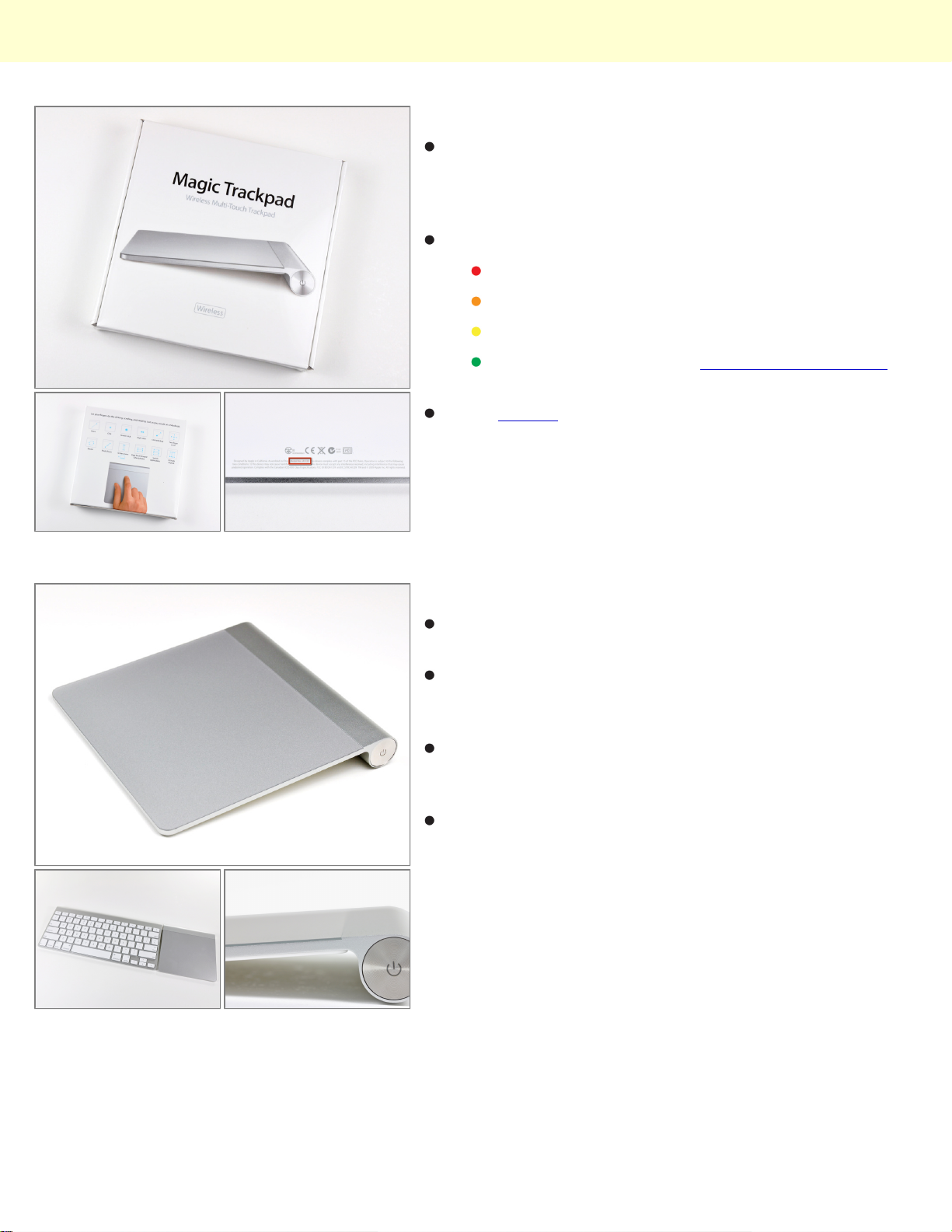
The Magic Trackpad is the first full desktop trackpad
that supports a full set of gestures, including click,
scroll, swipe, and rotate, all available at the tip of your
fingers.
Requirements:
As the rumors confirmed, the Magic Trackpad is
designated Model A1339.
Mac desktop or laptop.
Bluetooth connectivity.
Mac OS X 10.6.4 or later.
And of course, batteries! (Apple Battery Charger
not included).
Step 2
The Magic Trackpad is 80% larger than the trackpad
included in current MacBook Pro models.
It features the same aluminum design as its wireless
keyboard counterpart, allowing for the perfect union of
typing and gestures.
Let us not forget the main attraction, which is the 0.5
mm thick, capacitive touch, wear-resistant glass
surface.
That's all good, but what lies inside?
© 2010 iFixit — CC BY-NC-SA www.iFixit.com Page 2 of 7
Page 3
Magic Trackpad Teardown
Step 3
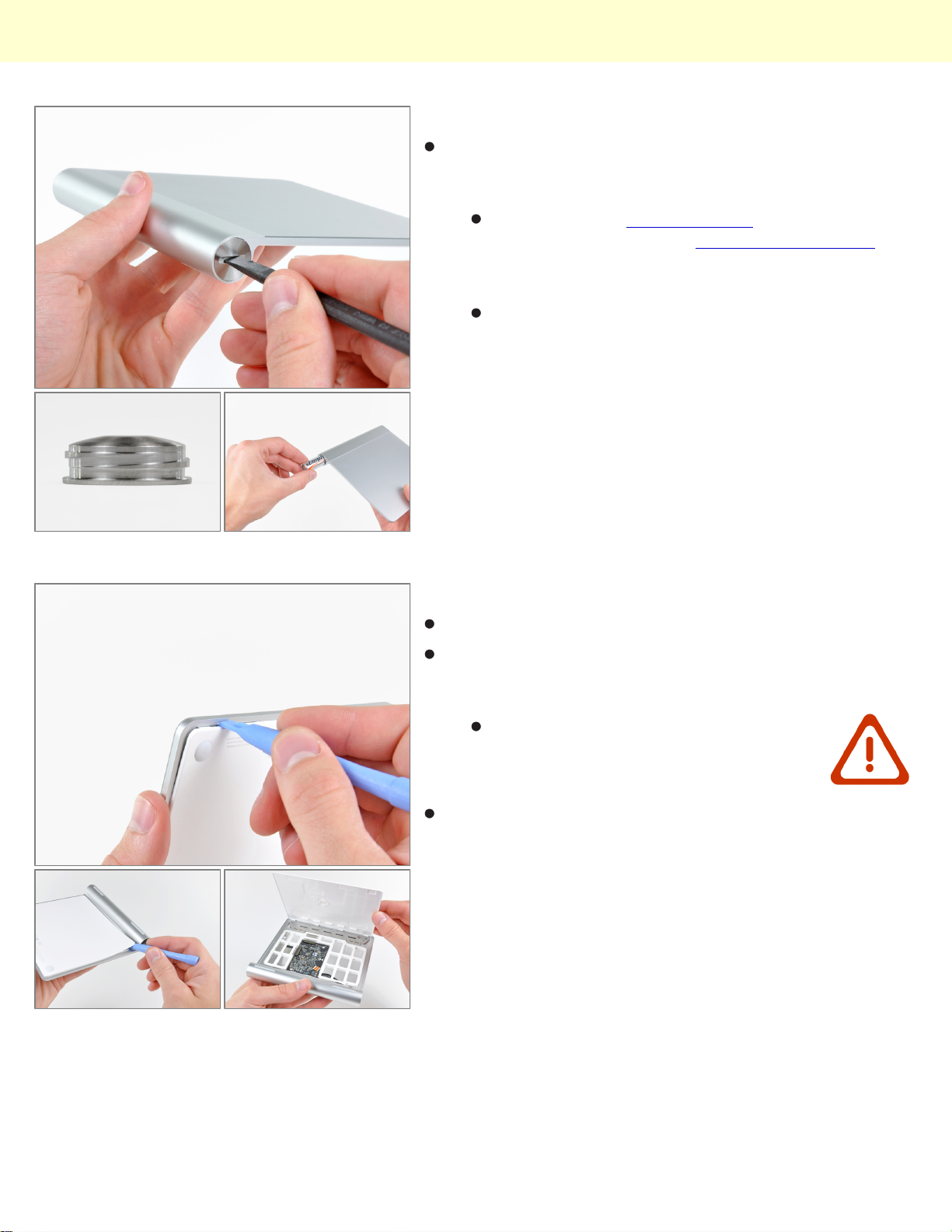
Removing the batteries is about as straightforward as it
can get. Give a twist to the battery door and the two AA
batteries slide right out.
Check out those square threads! While square
threads have the highest mechanical efficiency of
all lead screws, their difficulty of manufacturing
makes them prohibitive for most applications.
Kudos, Apple, for sweating the details.
Step 4
Time to get our hands dirty!
Use a plastic opening tool to pry the lower panel away
from the adhesive securing around its left, right, and top
edges.
After slicing through most of the adhesive, the lower
panel lifts right off.
Don't pry up along the bottom. There
are a bunch of retaining clips.
© 2010 iFixit — CC BY-NC-SA www.iFixit.com Page 3 of 7
Page 4
Magic Trackpad Teardown
Step 5
And there's......not really that much to this thing.
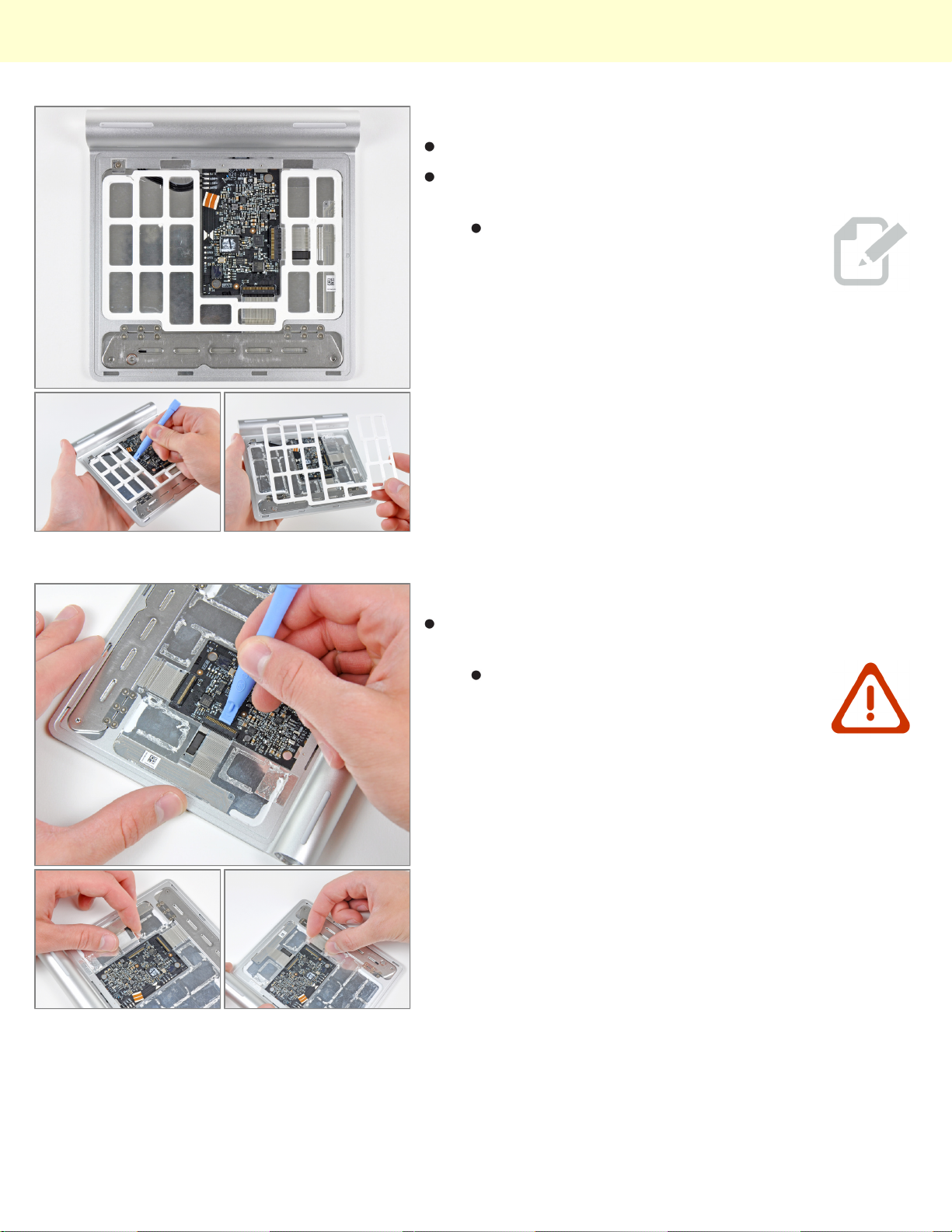
After a good amount of quasi-non-destructive prying,
the inner spacer can be removed from the trackpad.
This spacer prevents the highly
unlikely event of squeezing the lower
panel against the logic board hard
enough to damage it.
Step 6
Next, disconnect the two ribbon cables connecting the
capacitive touch pad to the logic board.
These things are ridiculously thin and
are stuck to the underside of the touch
pad. If you plan to remove them,
proceed with caution.
© 2010 iFixit — CC BY-NC-SA www.iFixit.com Page 4 of 7
Page 5
Magic Trackpad Teardown
Step 7
We've noticed a trend about Apple's newer products:
thin and pretty = not user serviceable. The Magic
Trackpad is no exception.
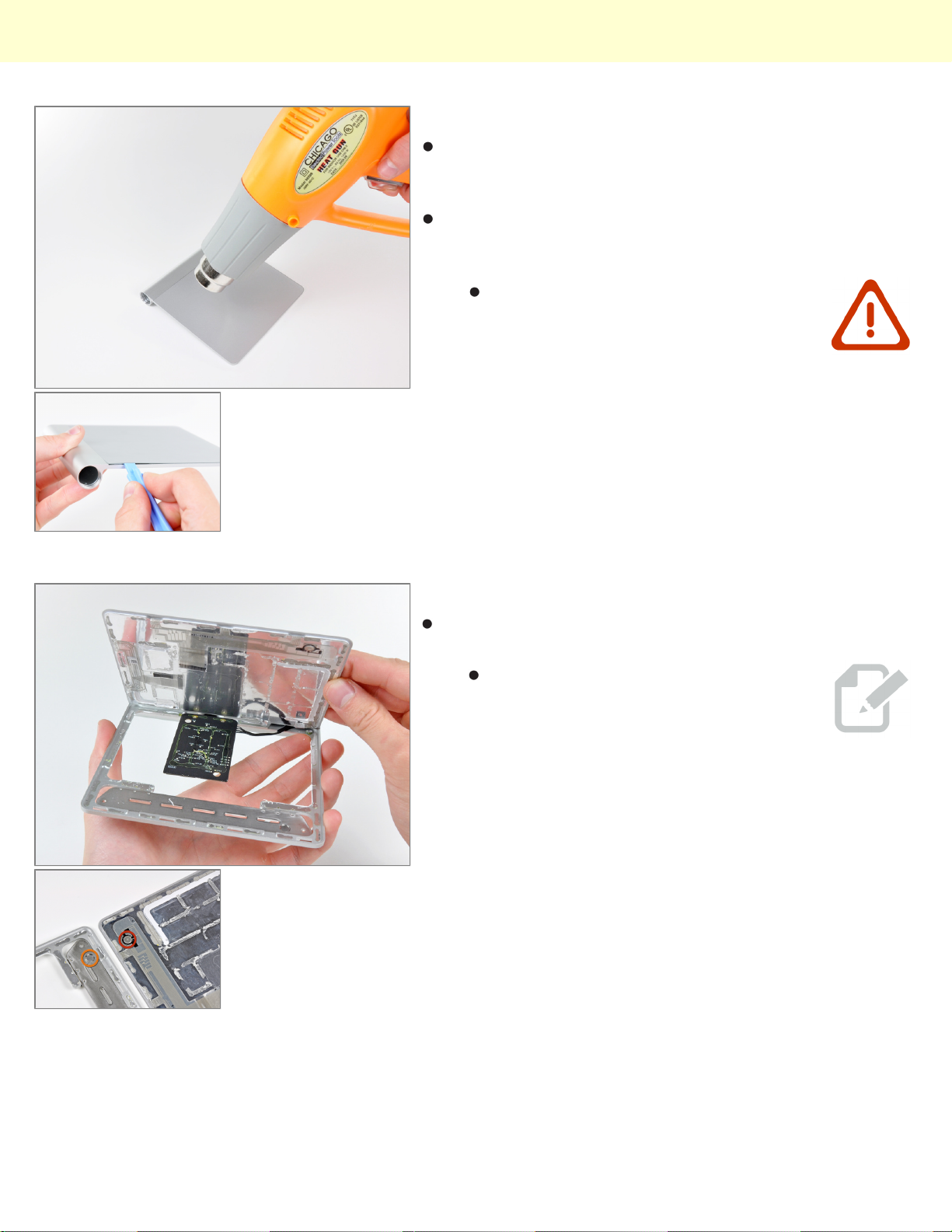
After using a heat gun to warm up the adhesive, the
touch pad can be carefully pried off the aluminum
chassis.
This is not for the faint of heart. A
copious amount of heat, guitar picks,
and plastic opening tools were
required to make this thing budge.
Step 8
After being freed from the adhesive securing it to the
chassis, the touch pad can be easily removed.
The Magic Trackpad has a unique way
of triggering the mouse button. As you
press down on the top surface of the
Trackpad, the two rubber feet near its
front edge push up on the hinged plate
and set screw (shown in orange)
attached to the chassis. This
squeezes the electronic mouse button
switch (shown in red), producing the
characteristic "click".
© 2010 iFixit — CC BY-NC-SA www.iFixit.com Page 5 of 7
Page 6
Magic Trackpad Teardown
Step 9
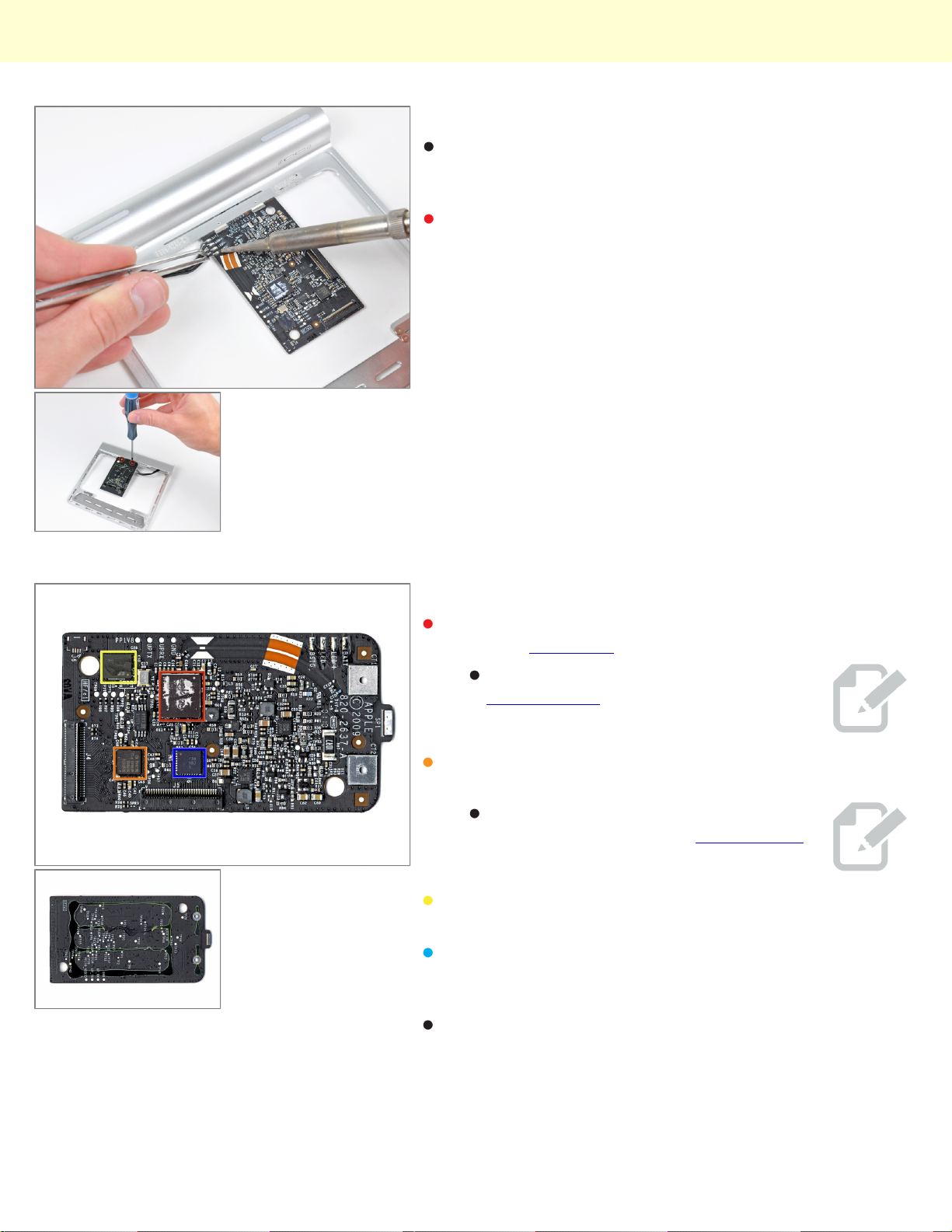
To completely remove the logic board, you must first desolder the four wires leading to the battery
connector/status LED.
After removing two Phillips screws, the logic board can
be separated from the chassis.
Step 10
At the heart of the Magic Trackpad's logic board lies a
Broadcom BCM2042 for Bluetooth connectivity.
We found a Broadcom BCM5974 touch screen
controller chip that provides Multi-touch functionality.
Also, an SST 25WF020 provides 2 Mbit of serial flash
memory.
This appears to be a TI CD3238, which has been
identified by Hearst as a RS232 line driver/receiver. It
was also in the original iPhone with a BCM5973A.
The back of the logic board features nothing but
blackness and glue.
This is the same chip used by the
Magic Mouse for data transmission.
This is the same chip you'll find in the
iPhone, iPod Touch, and MacBook Air.
© 2010 iFixit — CC BY-NC-SA www.iFixit.com Page 6 of 7
Page 7
Magic Trackpad Teardown
Step 11
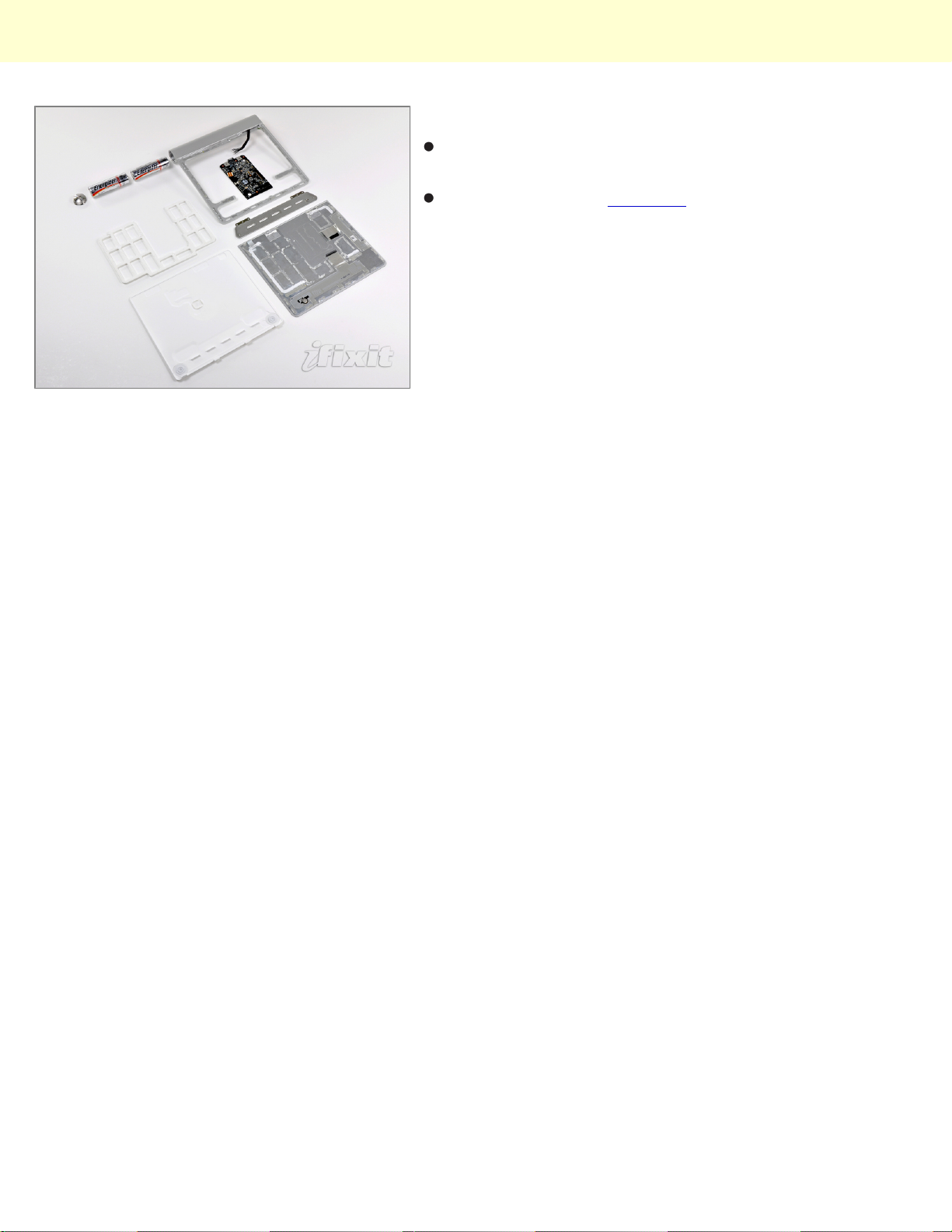
And there it lies: the Magic Trackpad in nine difficult-todisassemble pieces.
Keep an eye on our teardown page for an inside look at
the latest gadgets!
© 2010 iFixit — CC BY-NC-SA www.iFixit.com Page 7 of 7
 Loading...