

Page 1
Power Macintosh 8600(250) Teardown
Power Macintosh 8600(250) Teardown
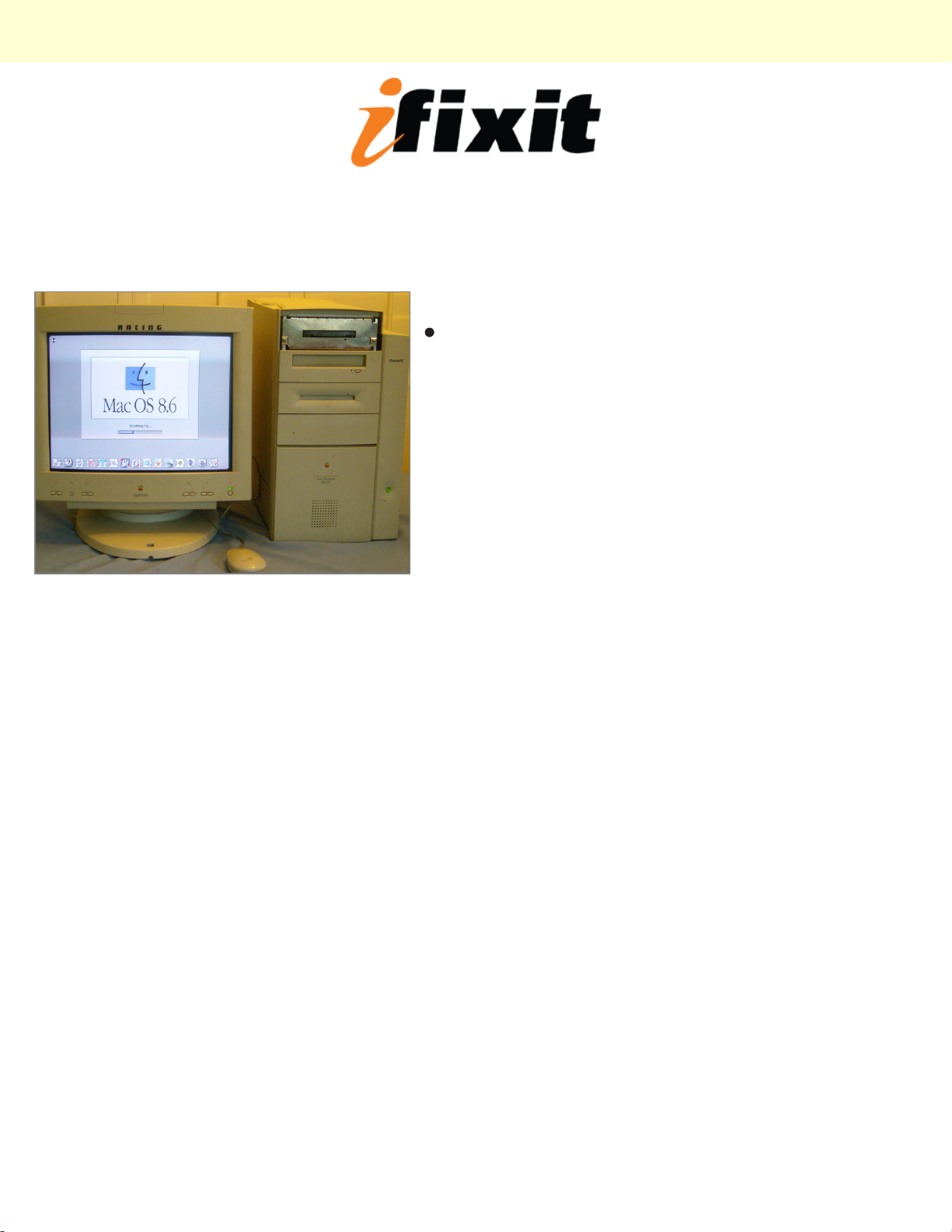
Step 1 -
There she is! i'm missing the bezel around the floppy
drive :(
© 2010 iFixit — CC BY-NC-SA www.iFixit.com Page 1 of 8
Page 2
Power Macintosh 8600(250) Teardown
Step 2
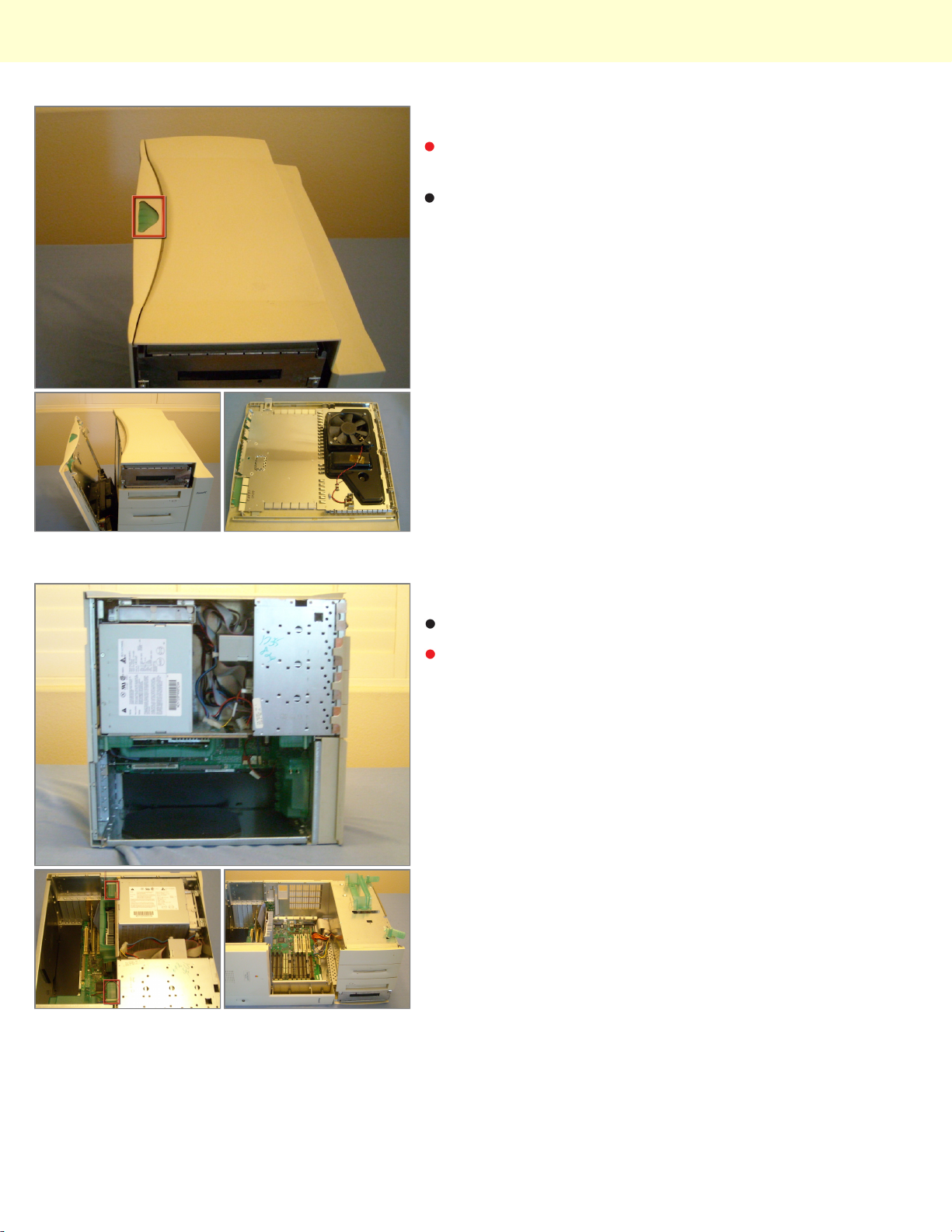
Start by pressing the big green button. And pulling the
door away and up from the computer.
And on the Back of the door is the fan.
Step 3
Now it's best to lay the computer flat.
And to flip up the tabs, grab the handle and open.
© 2010 iFixit — CC BY-NC-SA www.iFixit.com Page 2 of 8
Page 3
Power Macintosh 8600(250) Teardown
Step 4
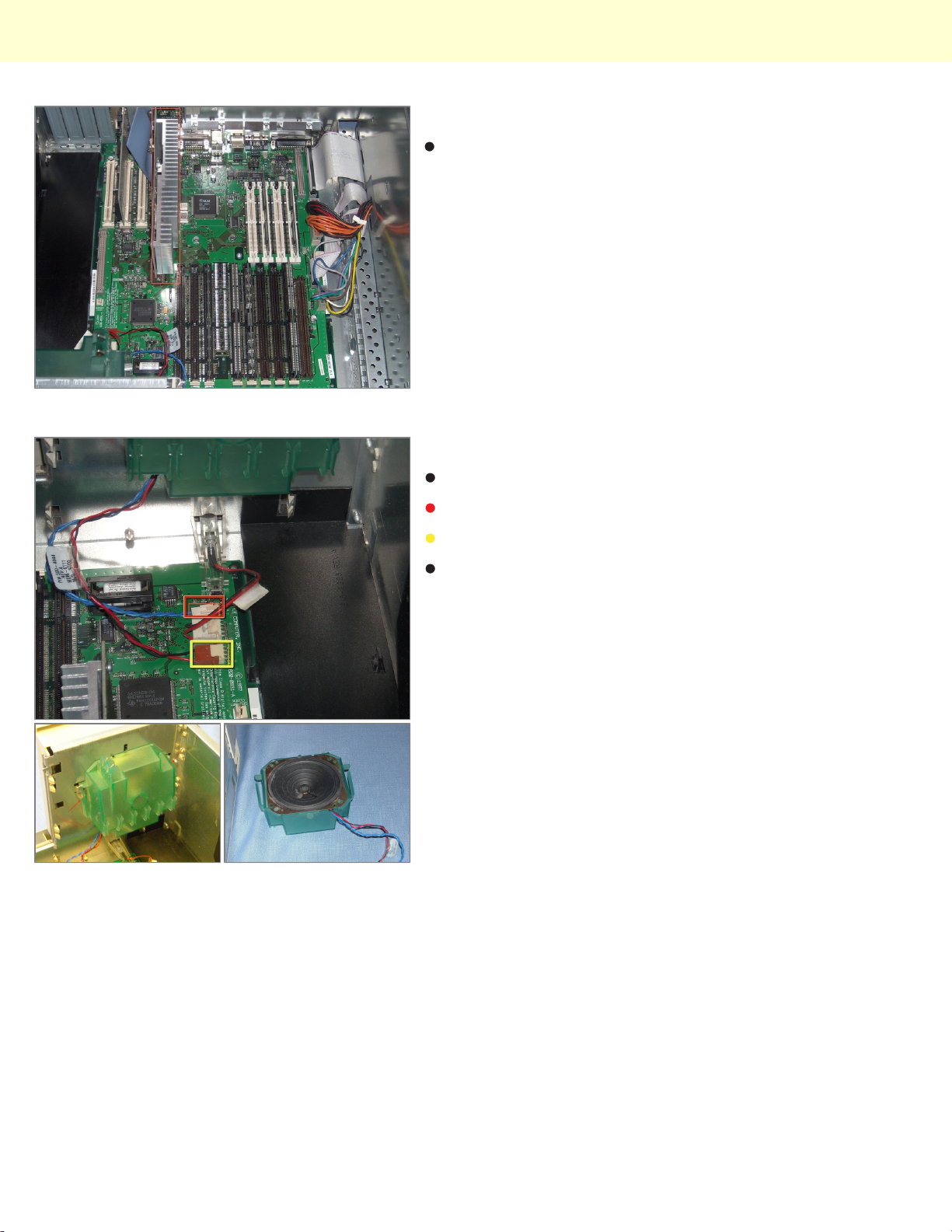
The innards, motherboard, daughter board, RAM and
so fourth.
Step 5
Now the speaker
Remove the speaker wires
And the fan wires from the motherboard
Push in the two plastic tabs on either side and lift the
speaker up and out.
© 2010 iFixit — CC BY-NC-SA www.iFixit.com Page 3 of 8
Page 4
Power Macintosh 8600(250) Teardown
Step 6
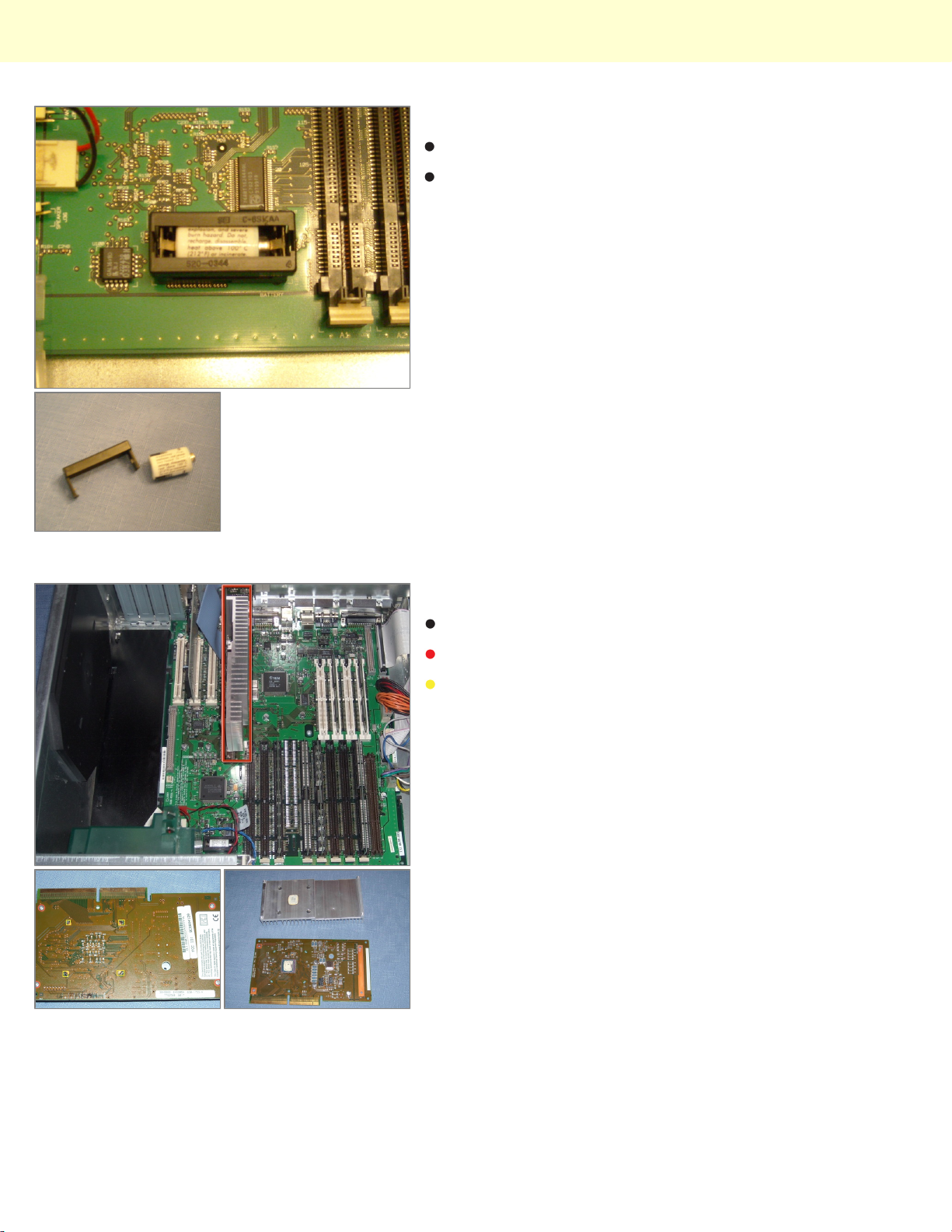
The PRAM battery!
Remove the housing by pulling it out and then take the
battery out.
Step 7
The processor, firmly grasp and pull out.
Remove the 4 #1 Phillips screws
And push the 4 tabs off of the board
© 2010 iFixit — CC BY-NC-SA www.iFixit.com Page 4 of 8
Page 5
Power Macintosh 8600(250) Teardown
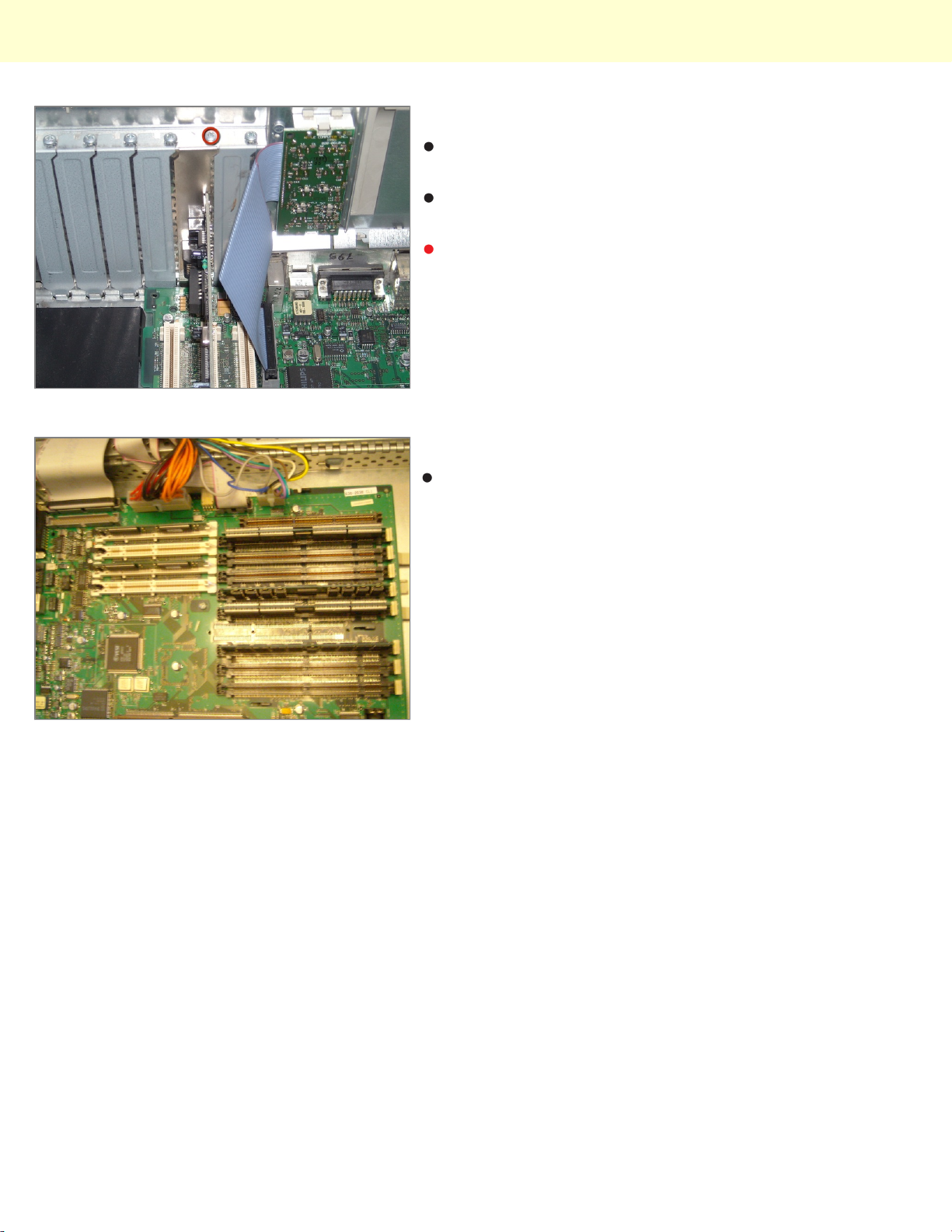
Step 8
Any video card or usb card, mine happens to be an
ethernet 10/100 card.
Unfortunately there are 6 spaces but only 3 slots on the
motherboard :(
Remove the #1 Phillips screw and pull the card out.
Step 9
RAM and VRAM slots!
© 2010 iFixit — CC BY-NC-SA www.iFixit.com Page 5 of 8
Page 6
Power Macintosh 8600(250) Teardown
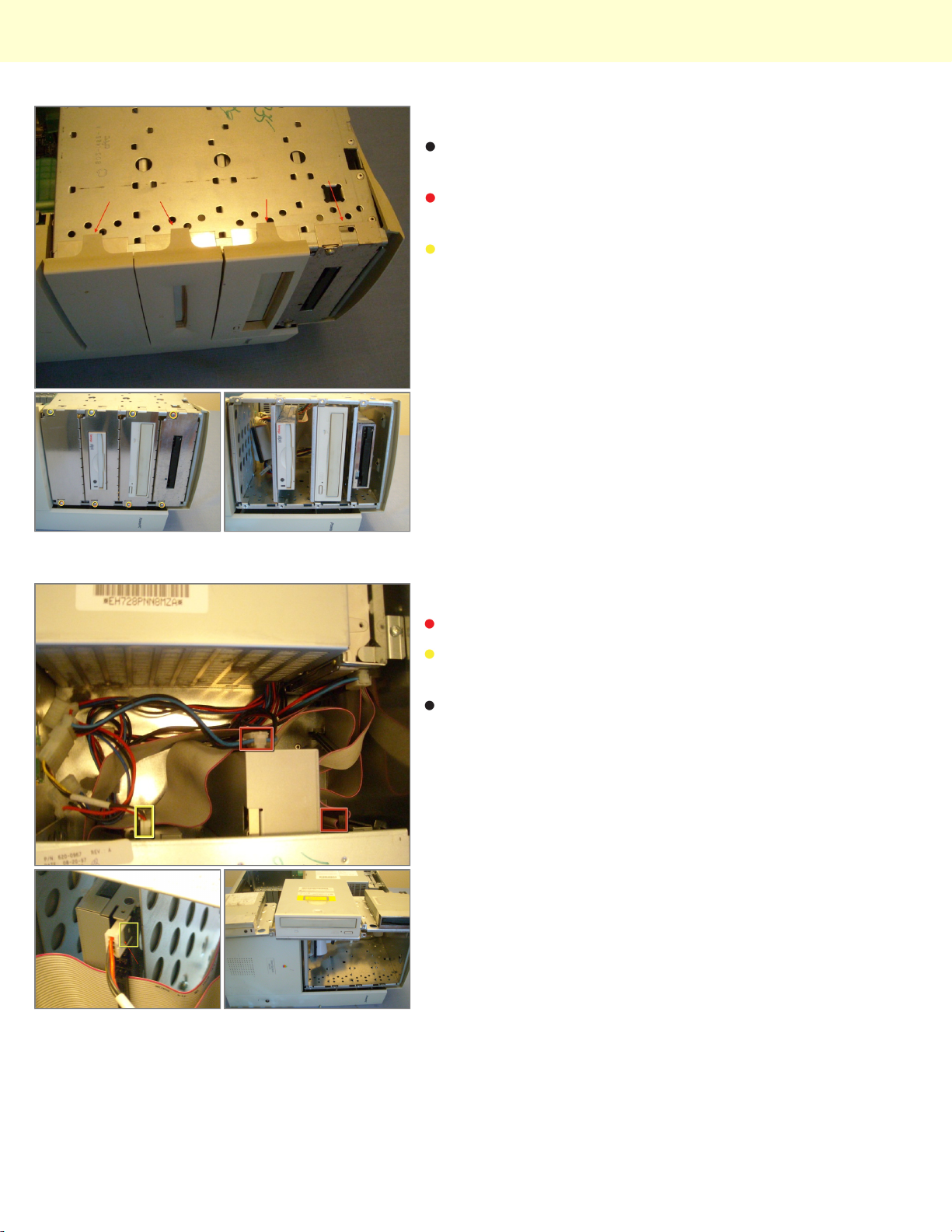
Step 10
Moving on to the CD, ZIP, and Floppy drives (best to
close computer now)
Remove the bezels and if I had the top one remove that
too.
Remove the 6 phillips screws and pull the metal frames
out.
Step 11
Remove the data and power cables
Pay special attention to this one, it has a clip on it, it
helps to use a flathead or a spudger.
Pull the drives out of the bay.
© 2010 iFixit — CC BY-NC-SA www.iFixit.com Page 6 of 8
Page 7
Power Macintosh 8600(250) Teardown
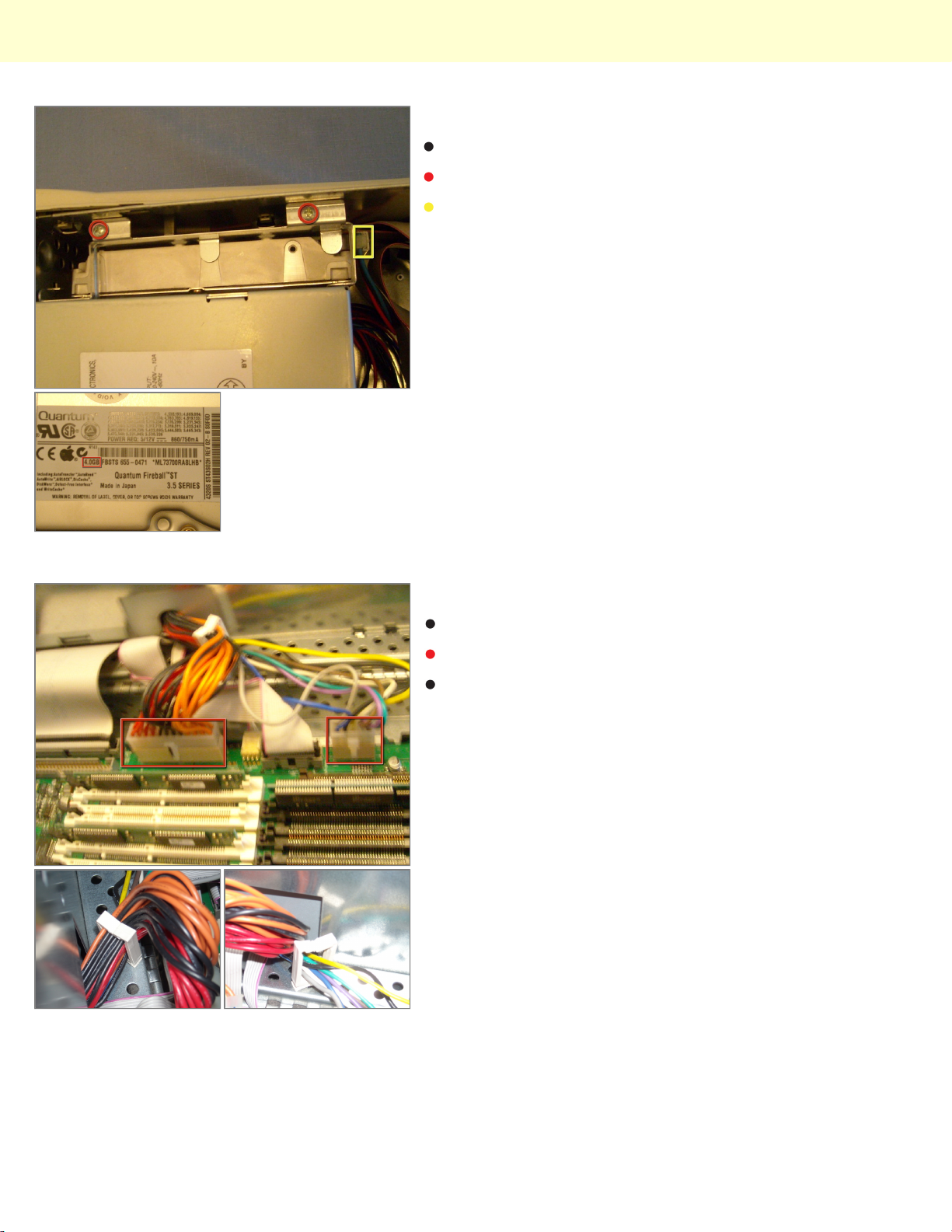
Step 12
Now the hard drive.
Remove the two phillips screws
And the data and power cables (might help to remove
them as you pull the drive out)
Step 13
The power source
Remove the two connectors
There is a clip holding the wires in place. Separate and
remove the wires. (both sets)
© 2010 iFixit — CC BY-NC-SA www.iFixit.com Page 7 of 8
Page 8
Power Macintosh 8600(250) Teardown
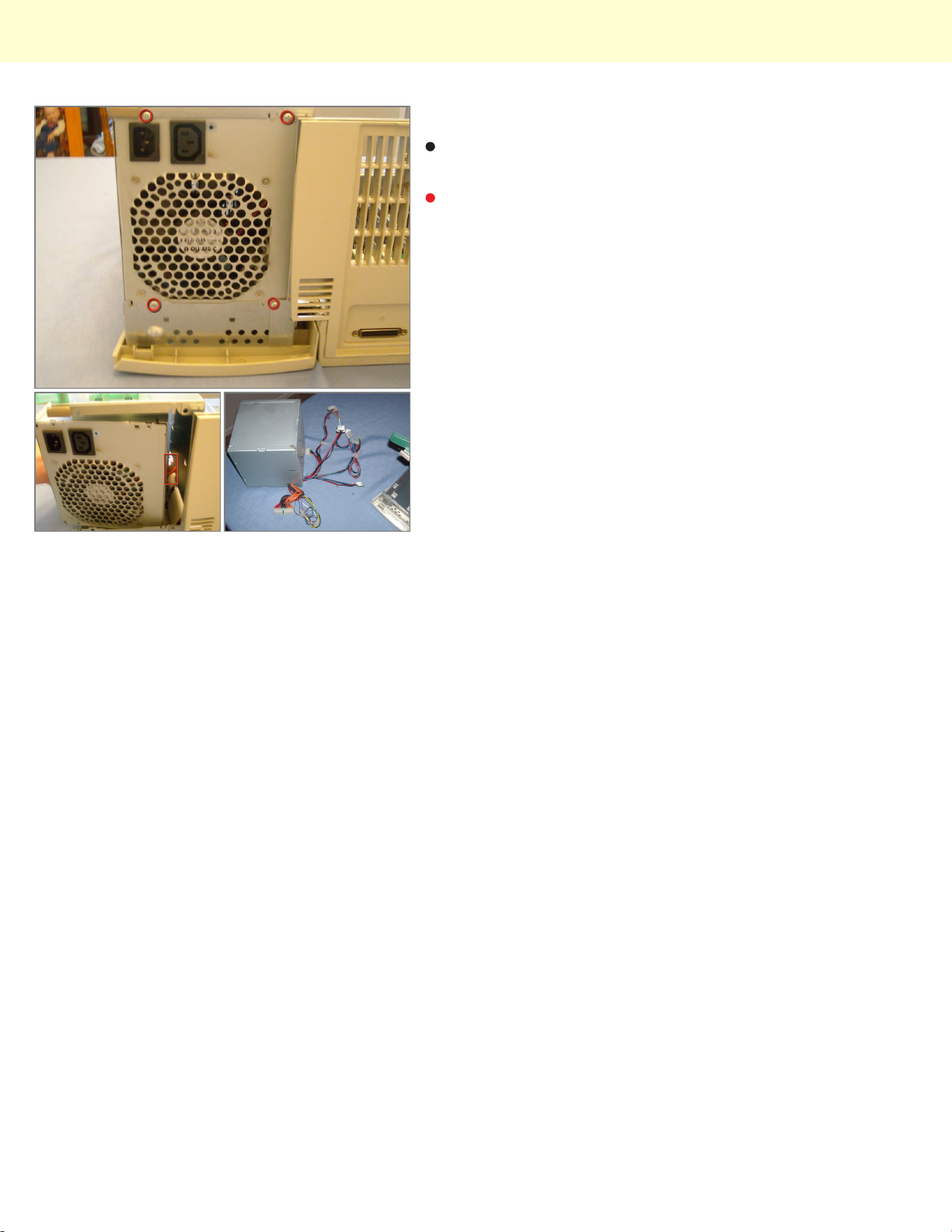
Step 14
Now remove the 4 phillips screws (it's best to start with
the bottom two)
And pull it out while de-threading the wires.
© 2010 iFixit — CC BY-NC-SA www.iFixit.com Page 8 of 8
 Loading...