

Page 1
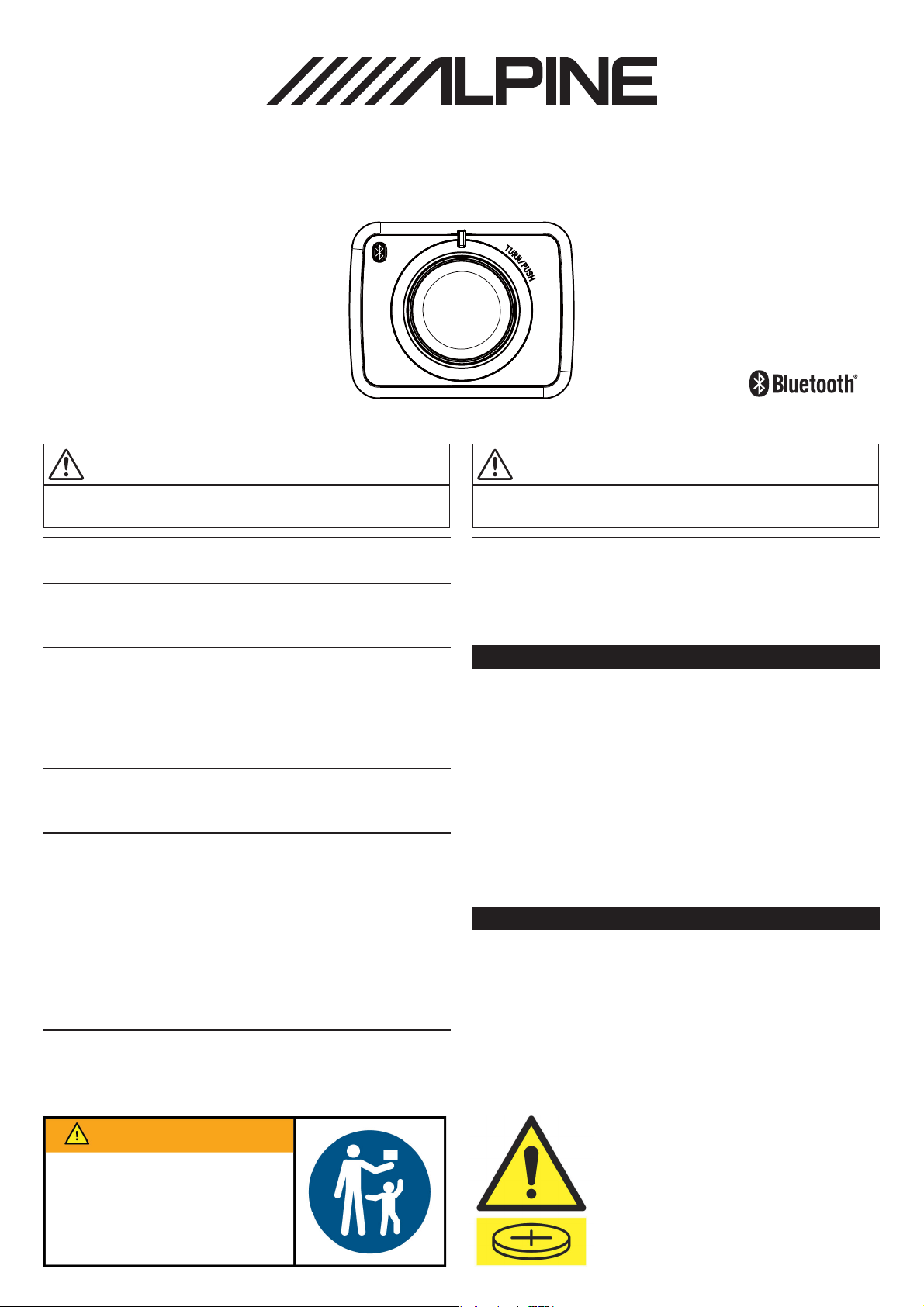
ALPINE WIRELESS KNOB
RUE-BK01A
Supported models
This product connects to the iLX‐F509A/iLX‐F511A. This product is to be mounted to the iLX-F509A/F511A. Check P3 for details.
WARNING
This symbol means important instructions. Failure to follow
them can result in serious injury or death.
DO NOT DISASSEMBLE OR ALTER.
Doing so may result in an accident, re or electric shock.
KEEP SMALL OBJECTS SUCH AS BATTERIES OUT OF THE REACH OF CHILDREN.
Swallowing them may result in serious injury. If swallowed, consult a
physician immediately.
DO NOT OPERATE ANY FUNCTION THAT TAKES YOUR ATTENTION AWAY FROM SAFELY
DRIVING YOUR VEHICLE.
Any function that requires your prolonged attention should only be
performed a er coming to a complete stop. Always stop the vehicle in
a safe location before performing these functions. Failure to do so may
result in an accident.
KEEP THE VOLUME AT A LEVEL WHERE YOU CAN STILL HEAR OUTSIDE NOISE WHILE
DRIVING.
Failure to do so may result in an accident.
Do not ingest battery, Chemical Burn Hazard.
e remote commander contains a coin/ button cell battery. If the
Th
coin/button cell battery is swallowed, it
in just 2 hours and can lead to death. Keep new and used batteries
away from children. If the battery compartment does not close
securely, stop u
think batteries may have been swallowed or
the body, seek immediate medical attention. You can contact the
Australian Poisons Information Centre on 131126 immediately for
24/7 fast, expert advice.
Immediately and safely dispose of used Coin/Button Batteries.
Dispose of used coin/button batteries immediately. When disposing
the battery place sticky tape around both sides of the battery and
dispose of it out of reach of children and recycle safely.
sing the product and keep it away from
n cause severe internal burns
ca
children. If you
placed inside any part of
CAUTION
This symbol means important instructions. Failure to follow
them can result in injury or material property damage.
DO NOT MIX NEW BATTERIES WITH OLD BATTERIES. INSERT WITH THE CORRECT BATTERY
POLARITY.
Risk of explosion if battery is replaced by an incorrect type. dispose of
used batteries according to the instructions. When inserting the batteries,
be sure to observe proper polarity (+ and –) as instructed.
Handling Precautions
Do not drop or apply shock to the unit. It may get permanently
damaged.
Keep the unit away from water and moisture, direct sun and heat, and
excessive dust.
Never use scouring pads, steel wool, abrasive powders or harsh
chemical agents, such as lye solution, for cleaning.
Clean with a soft, lint-free cloth or cotton swab slightly dampened
with a mild solution of detergent and water.
Do not operate this unit in a manner that could distract you from
driving safely.
Installation of Remote Control Holder
Do not leave the remote control mounted on the holder, if it is direct
sunlight. Remove the remote control from the holder and put it in the
glove compartment.
If double-sided adhesive tape cannot install the holder securely, use
screws.
When mounted to the Audio/Video Receiver, do not press the unit
hard to operate it. The Audio/Video Receiver may be damaged.
WARNING
KEEP OUT OF REACH OF CHILDREN
Swallowing can lead to chemical
burns, perforation of soft tissue, and
death. Severe burns can occur within
2 hours of ingestion. Seek medical
attention immediately.
WARNING: Contains button /
coin cell battery. Hazardous
if swallowed – see
instructions
12S22062J91-0
Page 2
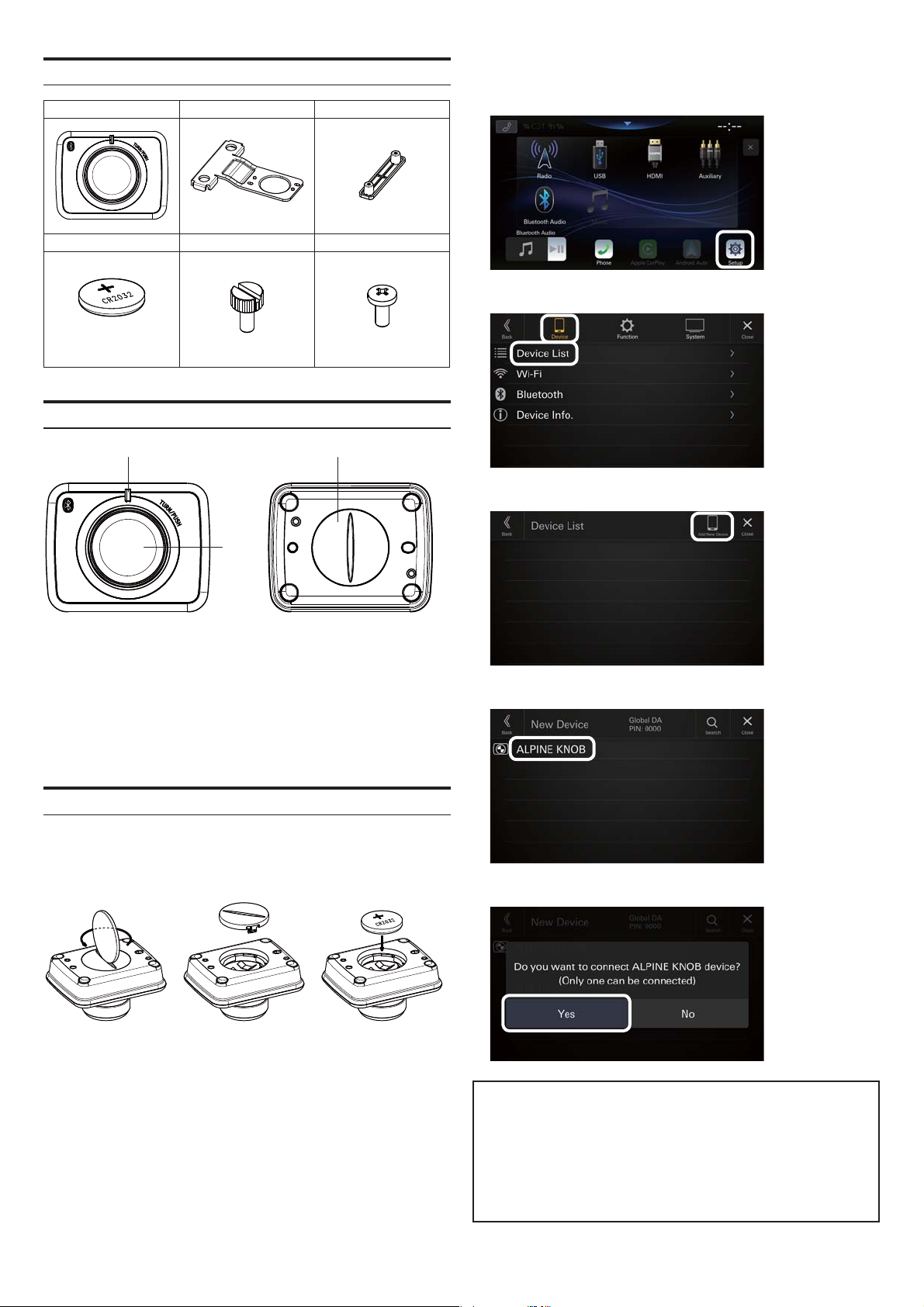
Attachment
RUE-BK01A Mounting Bracket1 Mounting Bracket2
x1 x1 x1
Battery Screw1 Screw2
(CR2032)
x1 x2 x2
Location of Controls
(1) (3)
Operate the Audio/Video Receiver using the following procedure:
2.
1) Select [Setup].
2) Select [Device], then [Device List].
3) Select [Add New Device].
(2)
(1) LED Indicator
It turns on when the unit is connected/operated.
(2) Rotary Knob
To turn the volume up and down, respectively.
(3) Lid
Turn counter-clockwise to open the lid.
Connecting the unit
Insert the battery using the following procedure:
1.
* Ensure the positive (+) side faces up as shown in the illustration
below.
4) Select [ALPINE KNOB].
5) Select [YES] when the screen below is displayed.
To lock the battery and cover in place, the battery cover must be
firmly turned clockwise, ensuring that the lock is engaged with a
click sound and the cover cannot be turned further.
When the battery is set, the unit enters the connection stand-by
mode. While the LED is fl ashing, perform the procedure in Step 2.
If the LED turns off while performing the procedure in Step 2, press
the Rotary Knob. The LED starts fl ashing again.
MEMO
When the Audio/Video Receiver is o for a certain period of time,
the unit is disconnected.
The unit is reconnected automatically when the Audio/Video
Receiver is turned on and the Rotary Knob is operated.
* It may take some time for the unit to reconnect in some situa
- 2 -
tions.
Page 3
Operating the unit
The unit supports the following operation:
1.
· Turning the Rotary Knob: Volume up/down
· Pressing the Rotary Knob: Camera screen display
Press the knob to toggle between front and rear camera (if present).
*
· Pressing and holding the Rotary Knob: Camera screen display o
If the device does not function after making a connection, follow the
procedure on page 2 to replace the battery and then try reconnecting.
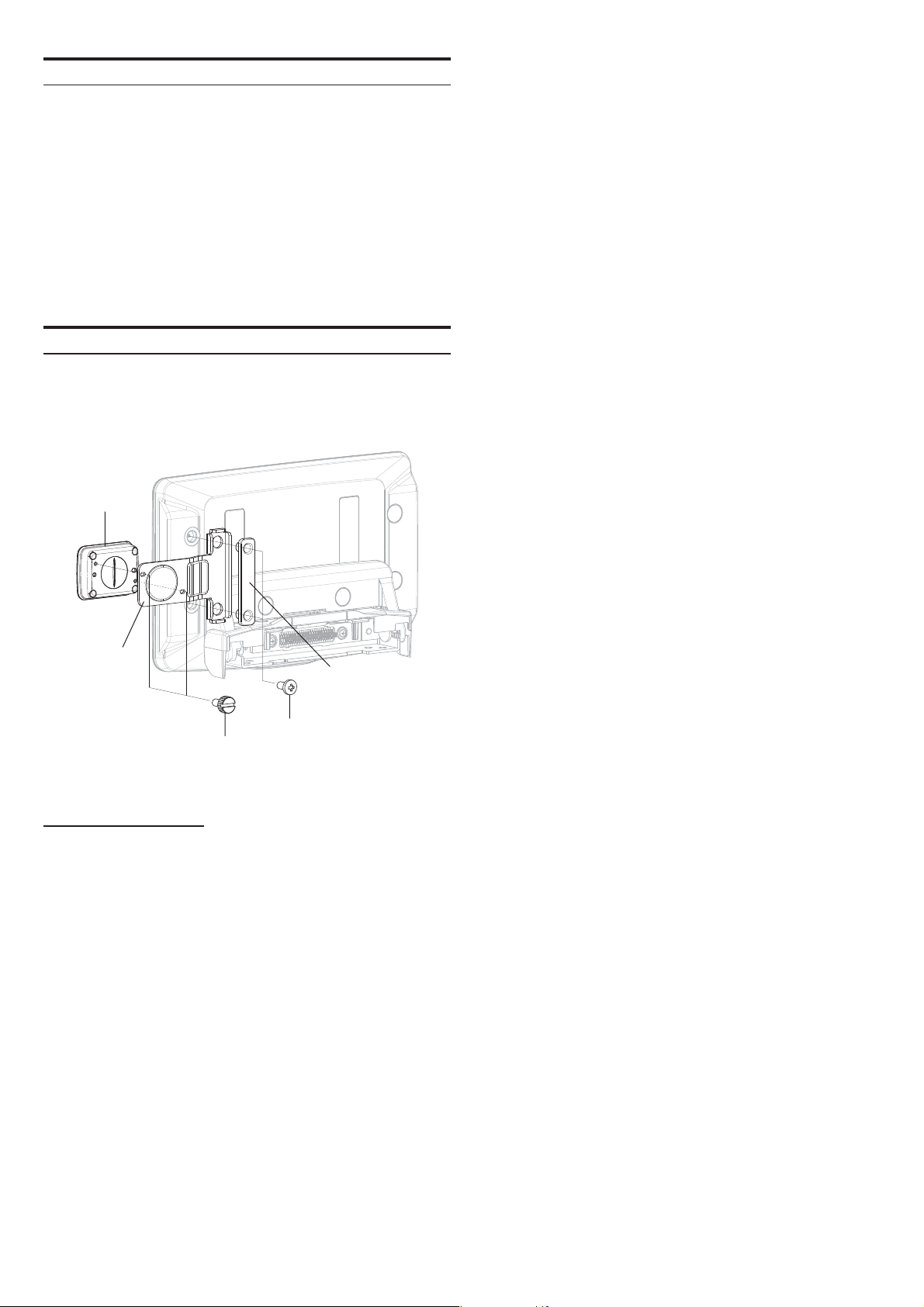
Installation Mounting
The enclosed mounting bracket is to be used to mount the unit to
1.
iLX-F509A/F511A. (The unit can be mounted on the left or right
side).
RUE-BK01A
Mounting
Bracket1
Screw2
Screw1
Bluetooth SECTION
Bluetooth Speci cation Bluetooth LE class 2
2,402 to 2,480 MHz
[max. ‐3.62dBm / 0.8mW (EIRP)]
Pro le HOGP
Mounting
Bracket2
- 3 -
Page 4

LPINE
ALPINE ELECTRONICS OF AUSTRALIA PTY. LIMITED
161-165 Princes Highway,
Hallam Victoria 3803, Australia
 Loading...