

Page 1
Owner’s Manual
V6.0
Item # QLP542SLR-BR
Solar Bluetooth-Enabled
Rock Speaker
Page 2

Page 3

Limited Warranty Information
Th
Fountains, Birdbaths, Statuary, Pond Supplies & More. All of our products are con
quality materials. In the event that we have not
replace, at our discretion, within the warranty period. A valid proof of purchase, with the purchase date
clearly indi
distinguish the actual cause of the defect. Please read below for a detailed description of warranty
coverage.
ithstand extreme temperatures. Improper storage that
within a product may cause damage, is considered negligence, and will
not be covered under this warranty. The use of “hard water,” and/or caustic cleaners, can affect
es/cleaners,
will also void the warranty. Please note: for fountains, it is normal for some splashing to occur
This may be necessary to
The warranty does
parts; the warranty will ONLY cover the individual component of
This warranty is void if the product has been damaged by accident, misuse, negligence, improper installation
and/or modifications have occurred. This includes any and/or all defects arising out of freezing water
damage, hard water dama
chlorine, etc…. which affects the paint and/or parts. This warranty also does not cover any additional
charges or installation, removal, disposal and/or shipping costs or con
any warranty claim.
CONTENTS
1
8
ank you for choosing an Alpine product! We aim to please with our wide range of products including
cated, must be provided. Photos of defective merchandi se will also be required to hel p
• Water Damage
Alpine products are not manufactured to w
allows water to freeze
the painted or other finishes. Failure to keep the unit clean, and use of such additiv
and protecting the immediate surfaces is not the responsibility of Alpine Corporation.
• Paint & Color (Retention and/or Loss)
The use of water will cause natural erosion to the color. This area can be touched up using
standard paint. The paint is designed to protect the entire finish against breakdown of color. As
with any product, all finishes with time will gradually fade and discolor. The warranty will only
cover against severe or complete fading, within the first year from date of purchase, with the
above exclusion.
• Procedure/Service
Should a warranty/claim be needed, you should contact the retailer from whom you purchased
the product. If t hat is not an option, you can contact Alpine Corporation at www.alpine4u.com
When contacting Alpine Corporation, you must be prepared to show proof of purchase, provide
photographs and any other information needed to validate your claim.
distinguish between a partial or complete replacement of a defective product.
not cover any items with multiple
the unit/item that may be defective. Replacement parts can be made available to a consumer
through the original selling party, or an approved parts retailer. If this is not an option, contact
our customer service department. Item is covered under one year limited warranty from the
date of purchase. When requesting replacement parts due to a warranty claim after 30
days of purchase, credit card information will be requested for shipping charges.
• Not Covered U nder Warranty
The limited warranty will NOT cover cases of damages due to:
1. Damages caused in Transit
2. Inadequate care and/or neglect
3. Environmental and/or natural elements
4. Immersion in water, unless specified
5. Improper Installation/Storage and/or Maintenance
achieved our usual standard of excellence, we will repair or
ge, failure to keep the unit clean and free of harmful additives such as bleach,
sequential damage associated with
structed from the highest
Contents ……………………………………… 1
What’s Included………………………………. 2
Features………………………………………. 3
Charging the Speaker with a USB cable….. 4
.
Charging the speaker with the solar panel… 5
Basic operation……………………………….. 5
Pairing the speaker with a Bluetooth device. 6
Playing Music…………………………………. 7
Replacement Parts…………………………….7
Warranty……………………………………….. 8
Page 4
WHAT’S INCLUDED
2
7
PLAYING MUSIC
REPLACEMENT PARTS ITEM #
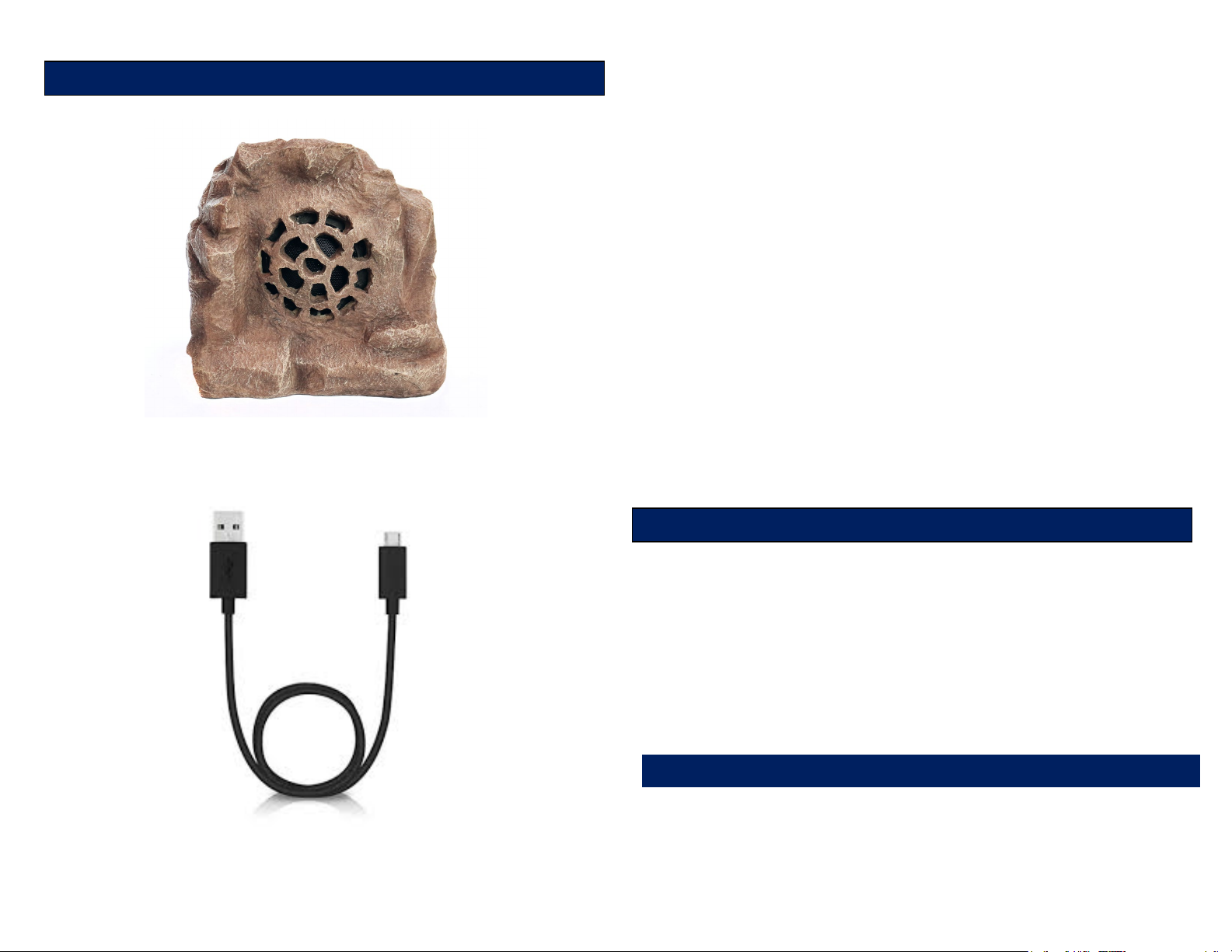
Solar Bluetooth Speaker -1
5. When the Bluetooth device finds the speaker,
select “Alpine Corporation” from the list of
discovered Bluetooth devices.
6. After a successful pairing, a tone will be heard and
the Bluetooth indicator light will light up BLUE /
GREEN.
Notice: If you would like to pair the speaker to another device,
you must unpair the speaker from the currently paired device first.
On your device’s Bluetooth settings, select “Alpine Corporation”,
then select unpair. When the speaker has been unpaired, it
automatically goes into pairing mode again.
** Note: Multiple Rock Speakers cannot be paired to the same
device at the same time. Use one Rock Speaker per device.
To enjoy wireless music on your Bluetooth speaker,
make sure that you are connected to a Bluetooth
enabled device. Open your media player and press
PLAY. Once playback begins, you can control the music
and volume from your connected device.
Playback time on built-in battery is approximately 12
hours, depending on music level and other factors.
36” USB Charging Cable -1
• Li-Ion Rechargeable Battery……….. QLP596-2
• USB Charging Cable ……………….. RRR168
Page 5
Charging
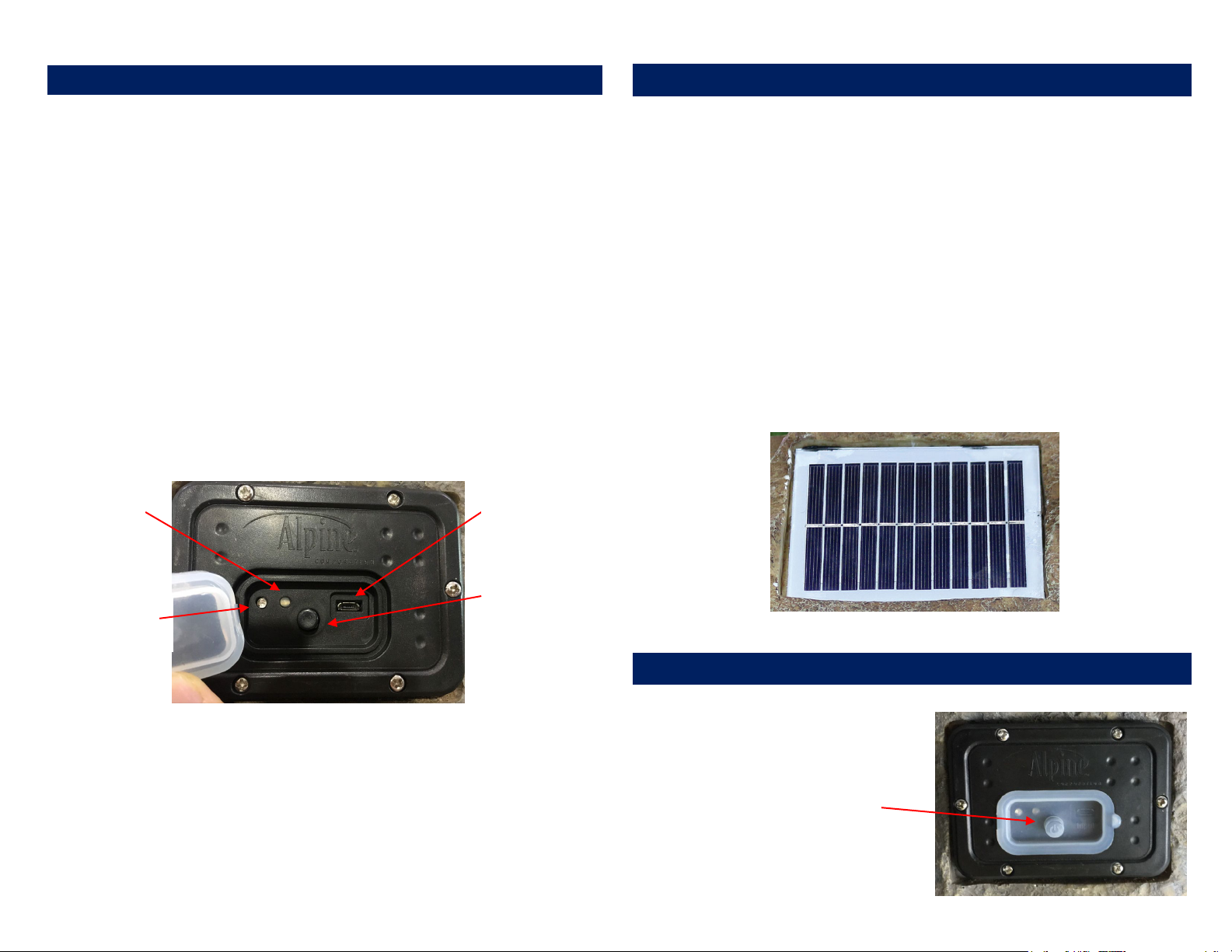
Indicator
Bluetooth
Indicator
CHARGING THE SPEAKER WITH A USB CABLE
Micro USB
ON/OFF
CHARGING THE SPEAKER WITH THE SOLAR PANEL
BASIC OPERATION
Push the power button on
4
5
1. Plug the small end of the Micro USB Charging Cable
into the Micro USB port on the back of the speaker.
2. Connect the larger end of the Micro USB Charging
Solar and Bluetooth Speaker comes with a built-in
rechargeable battery. Prior to using the speaker for the
first time, it is recommended to charge the battery fully
for the first time.
Cable into your computer or other USB charging
device. Recommended charge time with a USB cable
is 2-3 hours.
3. When charging is complete, remove the Micro USB
Charging Cable from the speaker.
Charging
Port
\
Place the speaker under direct sunlight or in a
brightly lit room so the speaker can begin charging.
Recommended charge time using the Solar Panel is
8 hours. It is important you charge the speaker for at
least 8 hours before using it for the first time.
*Charge times may vary depending on solar conditions.
Solar Charging Panel
Powering On/Off
** When the Speaker is charging the LED light will turn RED,
when the Speaker is fully charged the LED light will turn GREEN.
the back of the speaker to
turn the speaker ON or
OFF.
Page 6
PAIRING THE SPEAKER WITH A BLUETOOTH DEVICE
FEATURES
6
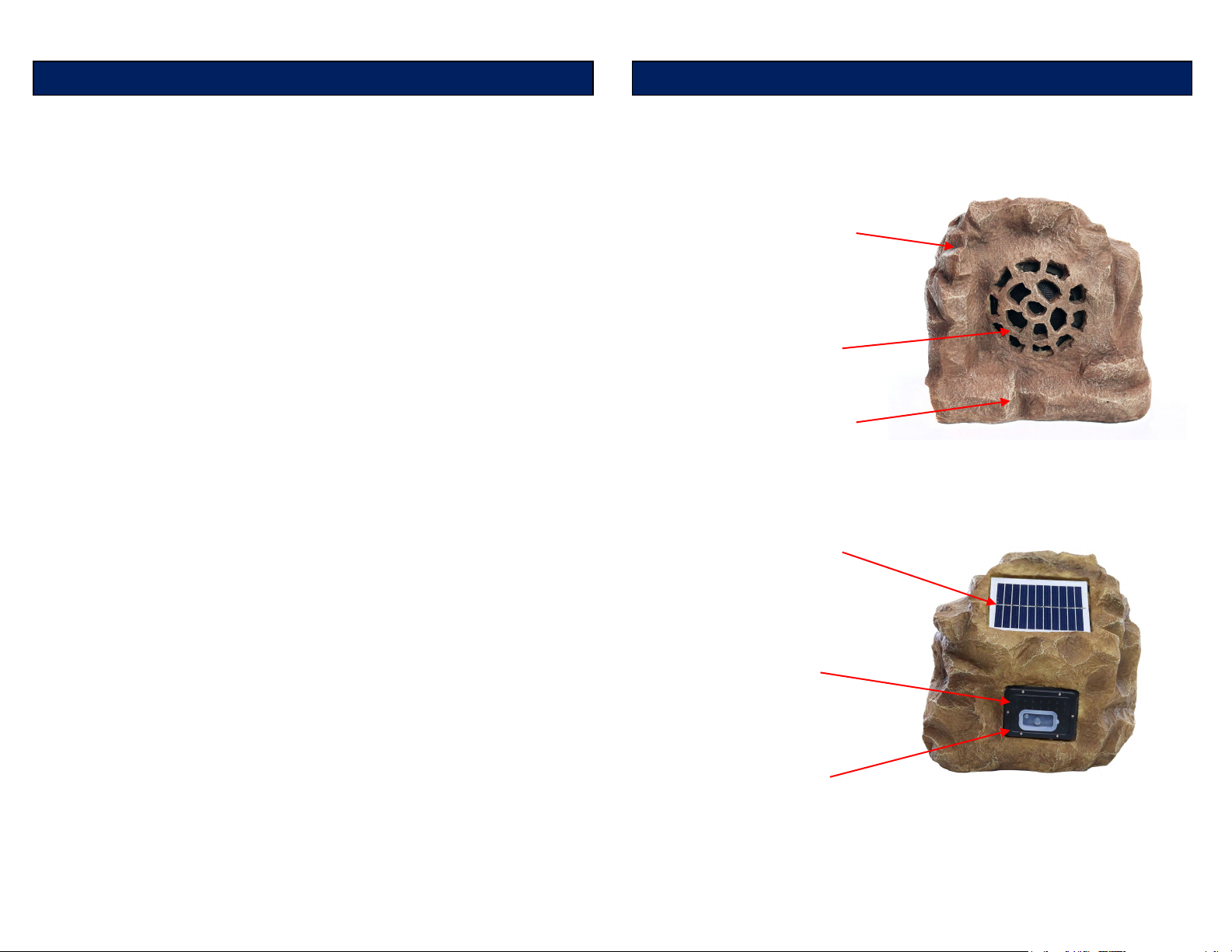
• Bluetooth 4.0
Works up to 50 ft.
• 4” Full Range
Speaker
• Weather Resistant
Outdoor Design
3
• Solar powered,
• Micro USB
charging
• Lithium Ion
to 10hrs use
1. Turn the speaker ON.
2. A tone will be heard and the Bluetooth indicator
light will quickly flash BLUE / GREEN.
3. Keep the speaker and Bluetooth-enabled device
within three feet of each other during the pairing
process. Set your Bluetooth-enabled device to
search for the Bluetooth devices.
4. If there are no paired devices in range when the
speaker is turned on, it will go into pairing mode
automatically. If a paired device is in range, the
speaker will connect to it automatically.
-Pairing an iOS Phone/Device:
• Go to Settings > BLUETOOTH (Make
sure Bluetooth is ON)
-Pairing an Android Phone/Device:
• Go to Settings > Connections >
High Intensity
even on cloudy
days
Bluetooth
• Search for devices. (Make Sure
Bluetooth is ON)
-Pairing other Cell Phones/Devices:
• Review the instruction manual that
came with your phone/device.
charging port
for fast
Rechargeable
Battery for up
 Loading...