

Page 1
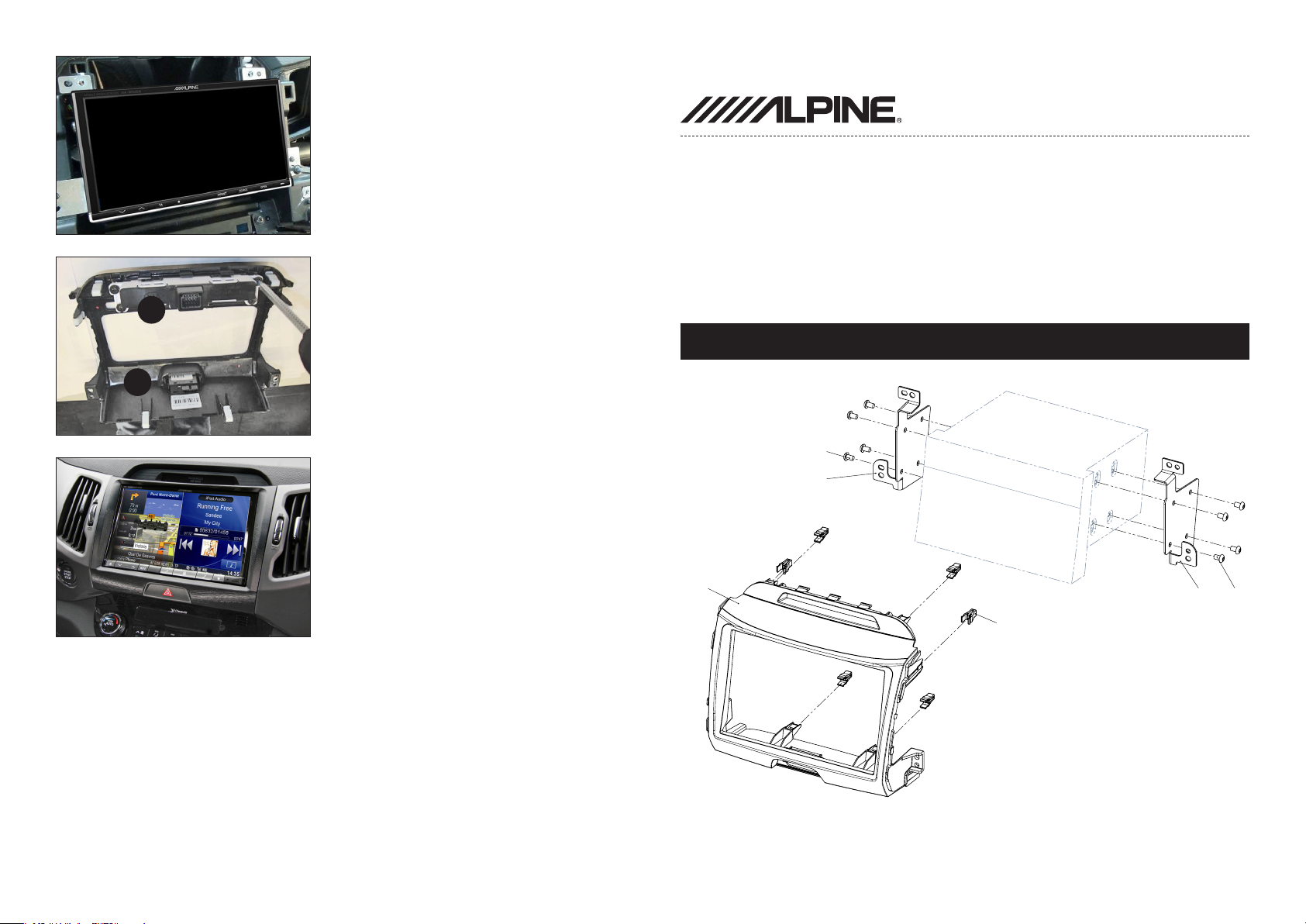
9. Connect all required circuit points
Fix Alpine INE-W928R on
dashboard
Installation Manual
INE-W928R Kit
• Kia Sportage III 2010-> colour / part-no.:
black: KIT-8KSB
grey: KIT-8KSG
10. Remove hazard light switch (1)
from OEM head unit - attach it
2
to double DIN facia plate
Compatible with these Alpine navigation devices
INE-W928R
Remove upper instrumental
1
panel (2) - attach it to double DIN
facia plate
Fix clips to double DIN facia plate
Place double DIN facia plate
Reinstall everything in reverse
order to nish installation
All installation work must be performed by a qualied professional installer only.
The manufacturer / dealer is not liable for any kind of incidential or indirect damages.
4
3
1
5
(1) Facia Plate
(2) Mounting bracket (right)
(3) Mounting bracket (left)
(4) Clip
(5) Flat Headed Screw
2 4
Page 2
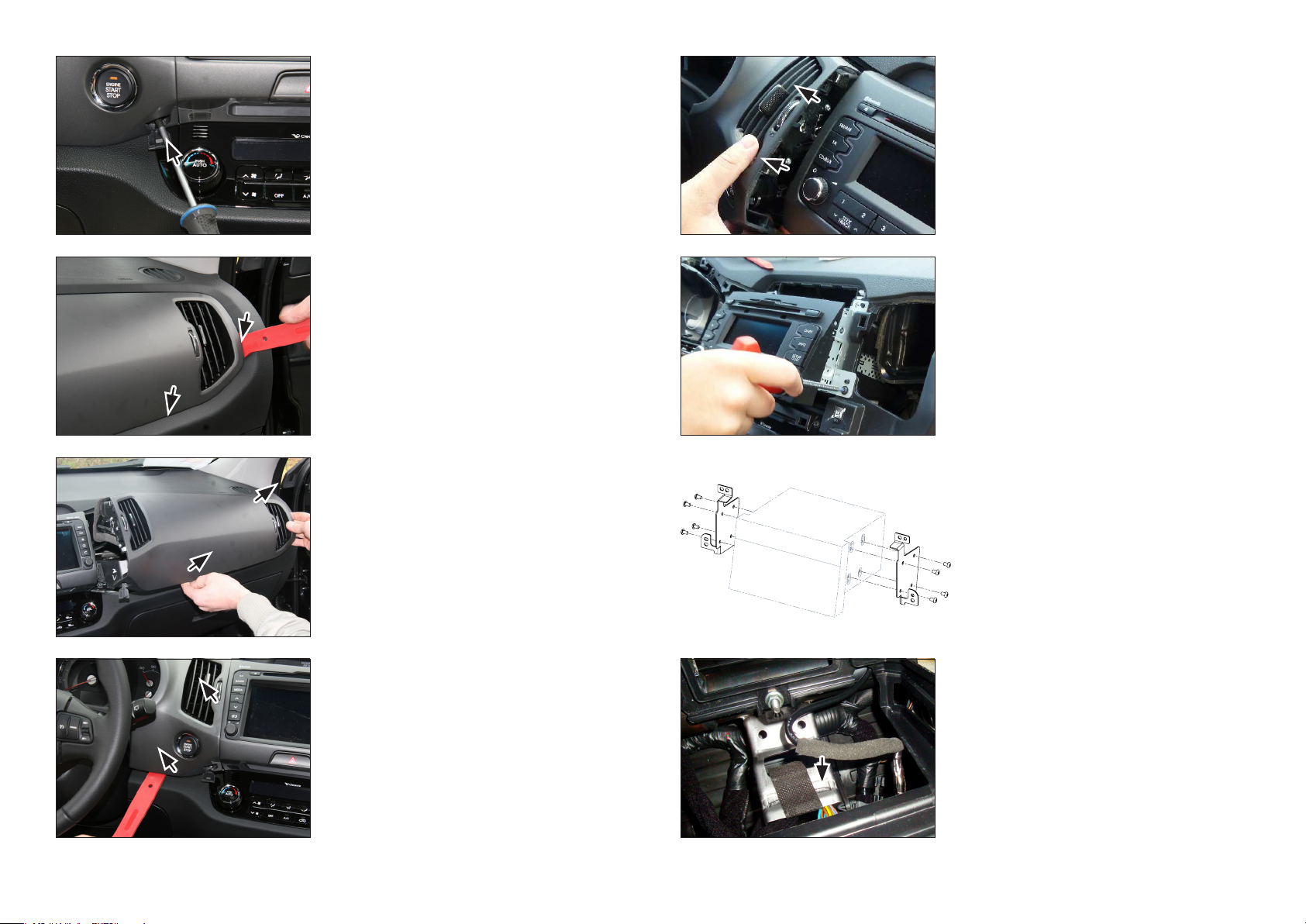
1. Remove screws of OEM head unit
(left and right)
5. Remove left side panel by pulling
it towards your direction
2. Unclip right side panel
3. Remove right side panel by pulling
it towards your direction
4. Unclip left side panel
6. Remove screws of OEM head unit
Remove OEM head unit
7. Attach metal mounting
brackets to Double-DIN
Navigation
8. Bend down metal bar (see arrows)
in order to clear space for Alpine
INE-W928R
 Loading...