

Page 1

Quick Start Guide
CJB18R0ALAAA
Page 2
www.sar-tick.com
This product meets applicable national SAR limits of 2.0W/kg.
The specific maximum SAR values can be found in the section of this
user guide.
When carrying the product or using it while worn on your body, either
use an approved accessory such as a holster or otherwise maintain a
distance of 5 mm from the body to ensure compliance with RF
exposure requirements. Note that the product may be transmitting
even if you are not making a phone call.
Safety and use
We recommend that you read this chapter carefully before using this device. The manufacturer
disclaims any liability for damage, which may result as a consequence of improper use of this device
or of use contrary to the instructions contained herein.
2
Page 3
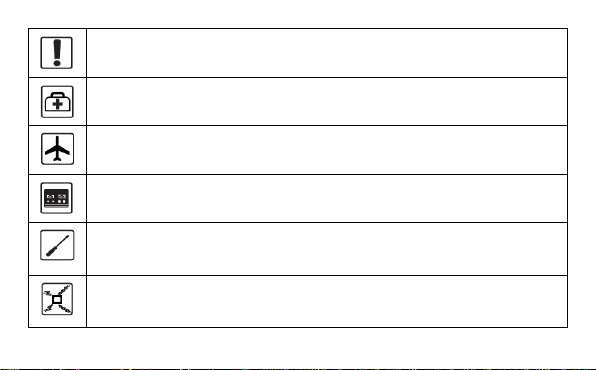
Do not switch on your device when its use is prohibited or when using the device may
cause interference or danger.
Follow rules or regulations in hospitals and health care facilities. Switch off your device
near medical apparatus.
Switch off your device in an aircraft. The device may cause interference to aircraft
control signals.
Switch off your device near high-precision electronic devices. The device may affect
the performance of these devices.
Do not attempt to disassemble your device or its accessories. Only qualified personnel
are allowed to service or repair the device.
Do not place your device or its accessories in containers with a strong electromagnetic
field.
3
Page 4
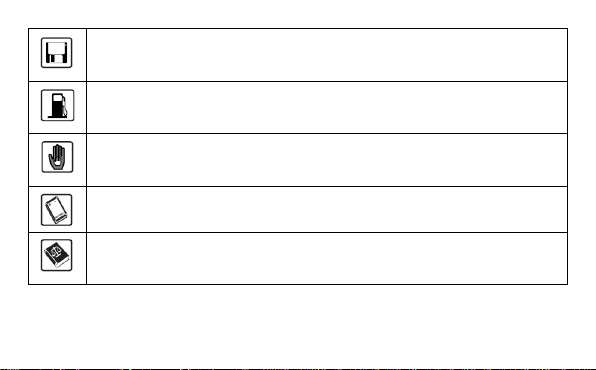
Do not place magnetic storage media near your device. Radiation from the device may
erase the information stored on them.
Do not subject your device to high temperatures or use it in a place with flammable gas
such as a petrol station.
Keep your device and its accessories away from children. Do not allow children to use
your device without guidance.
Only use approved batteries and chargers to avoid the risk of explosion.
Observe the laws or regulations on device use. Respect others’ privacy and legal rights
when using your device.
It is recommended that the equipment only be used in an environment where the temperature is
between -10°C and 50°C and humidity is between 10% to 90%.
4
Page 5
1. Overview
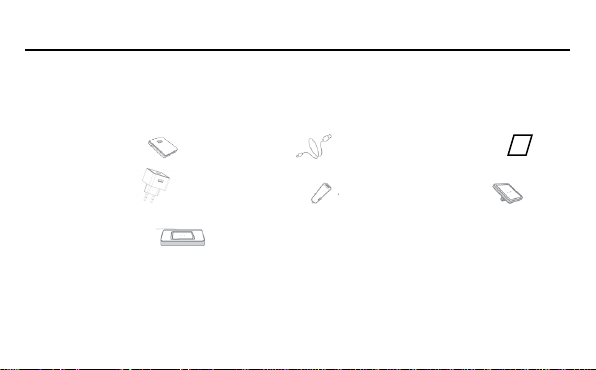
●ONE TOUCH Y850
●USB Wall charger
●Car Charger*
●USB Adapter*
●USB Cradle charger *
Note: *depending on your region and market.
ALCATEL ONE TOUCH LINK Y850 is a portable wireless router, providing a simple way to share 4G
with any Wi-Fi embedded device.
1.1 Package contents
●USB cable ●Quick start guide
5
Page 6
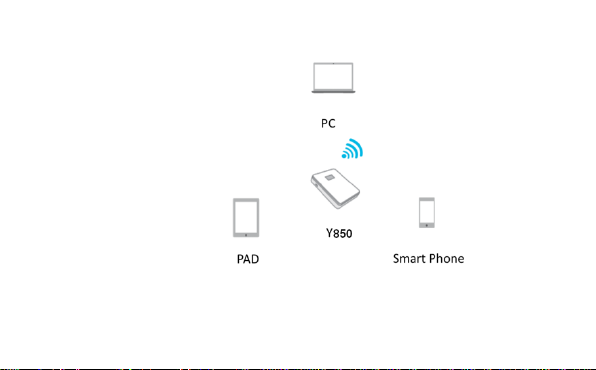
1.2 Application
6
Page 7
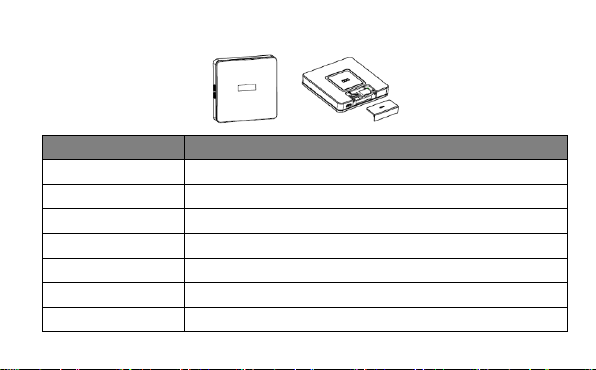
1.3 Device overview
Number
①
Power on/off Key
②
WPS Key
③
Reboot Button
④
Charging Pin*
⑤
SIM Card Cover
⑥
⑦
Micro USB Interface
①
②
⑥
7
④
③
⑤
⑦
Description
OLED screen
Page 8
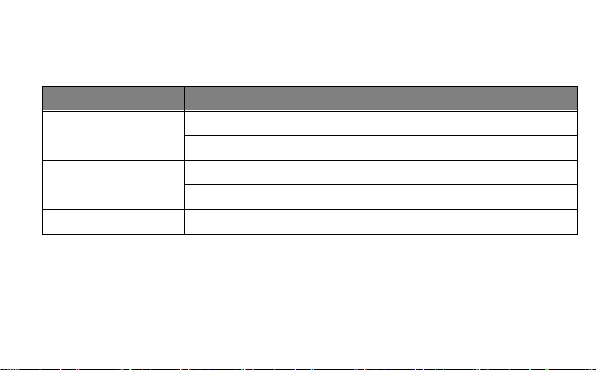
Note: *depending on your region and market
Button
① Power On/Off
② WPS
Long press to turn on WPS
Short press to display SSID and password
③ Reboot
Long press to reboot the device if the system freezes.
Use the device’s 3 buttons as follows:
Description
Long press to turn on/off the device
Short press to put the OLED screen in either active or sleep mode.
1.4 Turning on the device
Step 1: Push down on the SIM Card cover and install your SIM card as indicated on the device.
8
Page 9
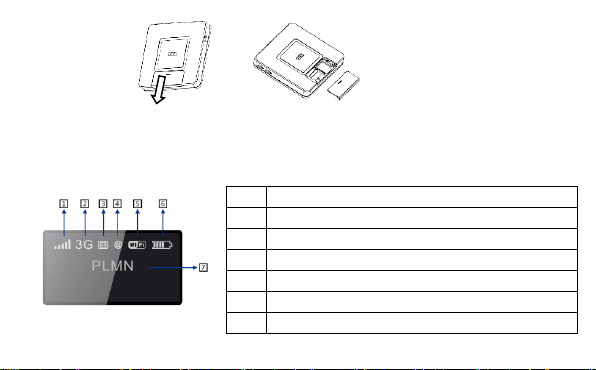
Step 2: Press the Power On/Off button
1.5 Screen display
The screen display is interpreted as follows:
1 Network Signal (dynamic graphic symbol )
2 Network type (4G/H+/3G/2G)
3 SMS status (full, unread, incoming)
4 Connection status(connected and disconnected )
5 Wi-Fi (number of user connected/WPS connection)
6 Battery level (dynamic graphic symbol when charging)
7 Name of the network registered
9
Page 10
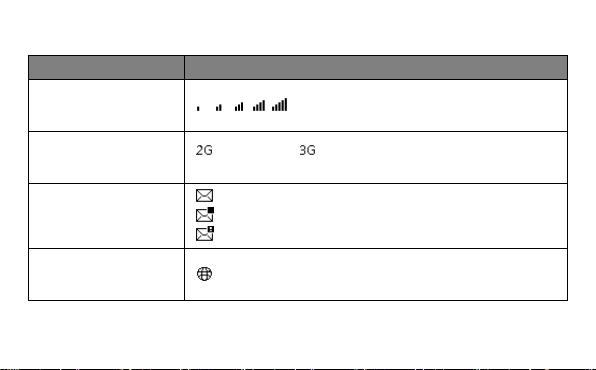
Screen description:
Category
Icon Display
Signal Strength
Network type
: EDGE/GPRS : UMTS/HSDPA/HSUPA,
H+: HSPA+,4G:LTE
SMS status
: SMS is available
: Unread SMS
: SMS full
Connection Status
connected
From 1 bar to excellent signal strength
10
Page 11
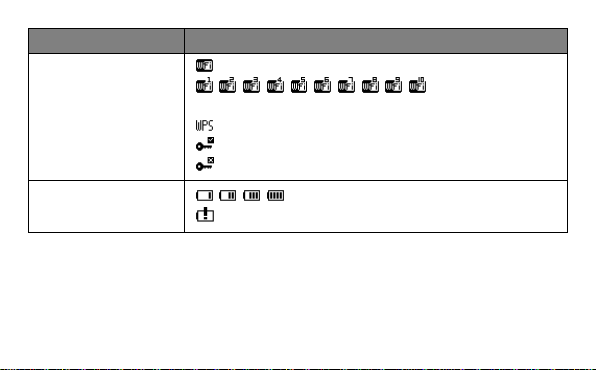
Category
Icon Display
Wi-Fi status
: Wi-Fi is active
:
Number of Wi-Fi users
: WPS is active
: WPS connected successfully
: WPS connection failed
Battery
: From 1 level to level 4
: Low power
Note: the information is displayed for 20 seconds, then the display powers off. You can
reactivate the display with a short press on the Power key.
11
Page 12

1.6 Connecting in Wi-Fi mode
SSID: locate the SSID information on the sticker on the SIM card cover.
Step 1: Use the Wi-Fi manager on the Wi-Fi embedded device to select network name (SSID).
◆ From a Windows PC: Right-click Wireless network connection on the task bar, and select:
View Available Networks.
Choose SSID from the list of available networks.
◆ From a Mac computer: Select System Preferences -> Network->Airport. Click “Advanced” to
choose SSID from the list of available networks.
◆ From an iOS device: Settings->Wi-Fi. Choose SSID from the available networks.
◆ From an android device: Settings->Wireless controls->Wi-Fi settings. Choose SSID from the
available networks.
Step 2: Enter the Wi-Fi key when prompted for a security key.
12
Page 13

2. Quick Setup
Open your browser, and input the address http://192.168.1.1 to access the login page.
Default login password: admin
Login and click "Quick Setup" to configure the basic settings.
Admin Password:
● Login Password: Set the password for login.
Wi-Fi Settings:
● SSID: Set the network name of this device.
● Security: Configure the security mode for Wi-Fi connection.
13
Page 14
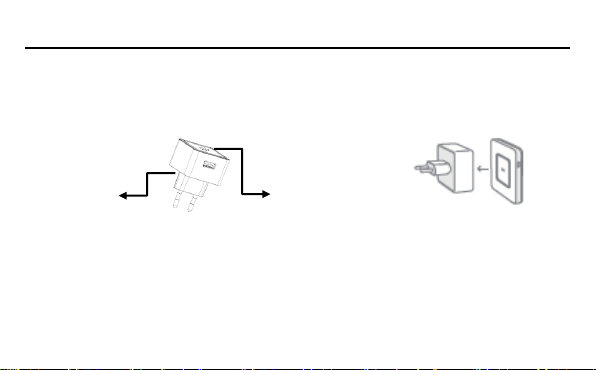
3. Charging the device
You have many ways to charge your device - the magnetic attraction of the device ensures that the
ALCATEL ONETOUCH LINK Y850 maintains close contact with your Wall Charger/Cradle*/Adapter*.
Wall Charger charging:
USB charging port
Magnetic Charging Pin
Option1: Plug Wall Charger into power socket and put the ALCATEL ONETOUCH LINK Y850 on wall
charger. Lightly rotate the device to ensure it is securely located in the slot. Charging will then begin.
Option 2: Plug Wall Charger into power socket, plug the USB cable into the USB charging port on the
Wall Charger, then connect the ALCATEL ONETOUCH LINK Y850 by USB cable. Charging will then
begin.
14
Page 15

When the device is powered off, charging will take a maximum of 3 hours.
USB Cable charging
You can also charge the device by connecting it to a PC with the USB cable.
When the device is powered off, charging will take a maximum of 4 hours.
Cradle charging*
Connect the USB cable with the Cradle and put the ALCATEL ONETOUCH LINK Y850 on the Cradle.
Lightly rotate the device to ensure it is securely located in the slot. Charging will then begin.
Car charging*
Assemble Car Charger and Adapter as below, and plug into the cigarette lighter port of the Car. Place
the ALCATEL ONETOUCH LINK Y850 on the Adapter and lightly rotate the device to ensure it is
securely located in the slot. Charging will then begin.
15
Page 16
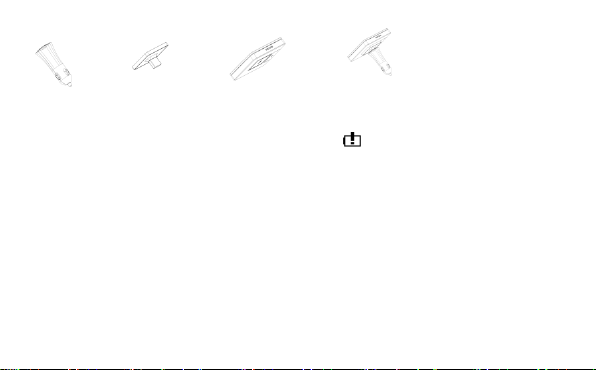
Note1: *depending on your region and market.
Note2: In order to protect the battery, when low power is indicated, please charge the
device.
16
Page 17
4. Certification
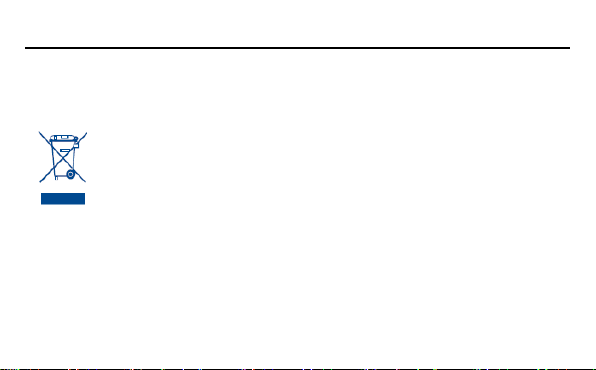
This symbol on device means that these products must be taken to collection
points at the end of their life:
- Municipal waste disposal centres with specific bins for these items of equipment
- Collection bins at points of sale.
WEEE Approval
This device is in compliance with the essential requirements and other relevant provisions of the
Waste Electrical and Electronic Equipment Directive 2002/96/EC (WEEE Directive).
They will then be recycled, preventing substances being disposed of in the environment, so that their
components can be reused.
In European Union countries:
These collection points are accessible free of charge.
17
Page 18

All products with this sign must be brought to these collection points.
In non European Union jurisdictions:
Items of equipment with this symbol are not to be thrown into ordinary bins if your jurisdiction or your
region has suitable recycling and collection facilities; instead they are to be taken to collection points
for them to be recycled.
RoHs Approval
This device is in compliance with the restriction of the use of certain hazardous substances in
electrical and electronic equipment Directive 2002/95/EC (RoHs Directive).
Radio Waves
Proof of compliance with international standards (ICNIRP) or with European Directive 1999/5/EC
(R&TTE) is required of all modem models before they can be put on the market. The protection of the
health and safety for the user and any other person is an essential requirement of these standards or
this directive.
18
Page 19
THIS DEVICE MEETS INTERNATIONAL GUIDELINES FOR EXPOSURE TO RADIO WAVES.
Maximum SAR for this model and conditions under which it was recorded.
Body-worn SAR
This device is a radio transmitter and receiver. It is designed not to exceed the limits for exposure to
radio waves (radio frequency electromagnetic fields) recommended by international guidelines. The
guidelines were developed by an independent scientific organization (ICNIRP) and include a
substantial safety margin designed to assure the safety of all persons, regardless of age and health.
The radio wave exposure guidelines use a unit of measurement known as the Specific Absorption
Rate, or SAR. The SAR limit for mobile devices is 2 W/kg.
Tests for SAR are conducted using standard operating positions with the device transmitting at its
highest certified power level in all tested frequency bands. The highest SAR values under the ICNIRP
guidelines for this device model are:
1.585 WCDMA2100
19
Page 20

During use, the actual SAR values for this device are usually well below the values stated above. This
is because, for purposes of system efficiency and to minimize interference on the network, the
operating power of your mobile device is automatically decreased when full power is not needed for
the call. The lower the power output of the device, the lower its SAR value.
Body-worn SAR testing has been carried out at a separation distance of 5mm. To meet RF exposure
guidelines during body-worn operation, the device should be positioned at least this distance away
from the body. If you are not using an approved accessory ensure that whatever product is used is
free of any metal and that it positions the phone the indicated distance away from the body.
The World Health Organization has stated that present scientific information does not indicate the
need for any special precautions for the use of mobile devices. They recommend that if you are
interested in further reducing your exposure then you can easily do so by limiting your usage or keep
the device away from the head and body.
20
Page 21
For more information you can go to www.alcatelonetouch.com;
Additional information about electromagnetic fields and public health are available on the following site:
http://www.who.int/peh-emf
This device is equipped with a built-in antenna. For optimal operation, you should avoid touching it or
degrading it.
This equipment is in compliance with the essential requirements and other relevant provisions of
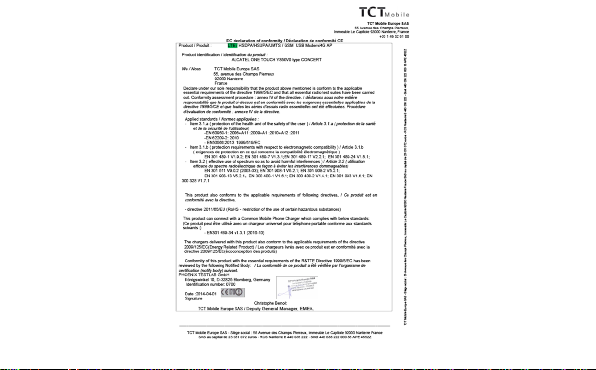
Directive 1999/5/EC. The entire copy of the Declaration of Conformity for your device can be obtained
through our Website: www.alcatelonetouch.com
Alcatel is a trademark of Alcatel-Lucent used under license by TCT Mobile Limited.
All rights reserved © 2010-2012 TCT Mobile Limited.
Address: Room 1910-12A, Tower 3, China HK City, 33 Canton Road, Tsimshatsui, Kowloon,
Hong Kong
21
Page 22
22
 Loading...