

Page 1

Page 2

PowerScope M400 Set Up
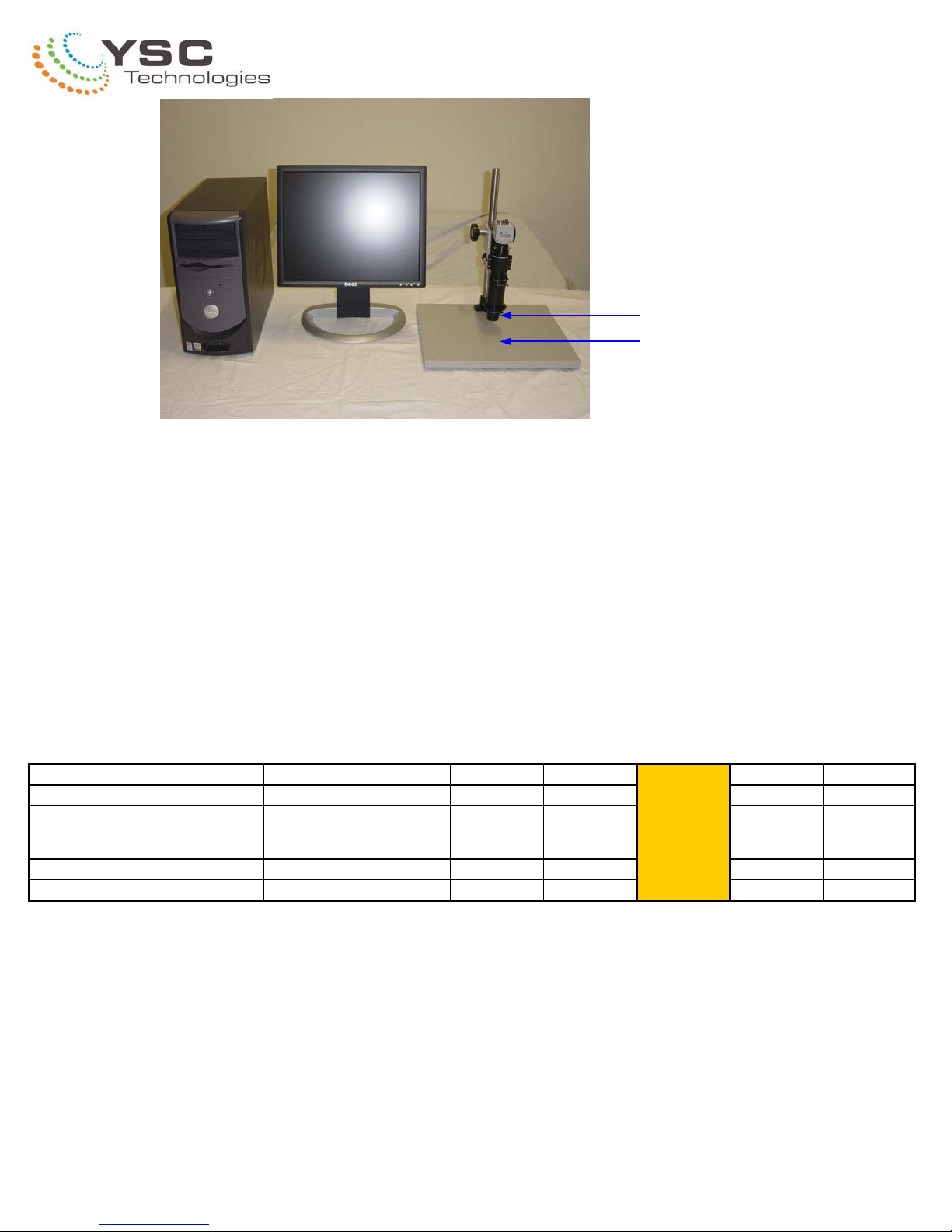
Please set up the system as shown. Your system
may look different depending on your configuration.
Install the power supply cable (3pin female) and
S-video cable (4 pin male) as shown.
Install the pole extender if provided.
Install the lens into the ring focus block.
Tighten the knob screw
Install the ring light guide from the bottom side.
Tighten the set screws.
Tel: 510-226-0889 Fax: 510-226-6789
www.ysctech.com [email protected]
Page 3
PowerScope M400 Operation
Working Distance
The operation for PowerScope M400 is very straightforward. Please set up the lens and camera with stand,
lighting, video and computer accessories. And connect all the cables accordingly. Your system may come
with different focus block from the image shown depending on your application.
To focus the image, simply bring the lens to the right working distance depending on your lens adapter. If
there is no lens adapter installed, then the working distance is 90mm. For parfocal setting, zoom to the highest, then use the focus block to bring to image to focus.
Lens Adapters Available X0.3 X0.4 X0.5 X0.7 Standard X1.4 X2.0
Part Number MX03 MX04 MX05 MX07
Magnification
(14" monitor and 1/2" CCD camera)
Horizontal field of view (mm)
W.D. (mm)
10X to 60x 13X - 80X 17X - 100X 23X - 140X
28.3 - 4.67 21.2 - 3.5 17 - 2.8 12.1 - 2.0
283 211 170 119
33X to 200X
8.5 to 1.4
90
MX14 MX20
46X - 280X 66X - 400X
6.1 - 1.0 4.3 - 0.7
55 33
Tel: 510-226-0889 Fax: 510-226-6789
www.ysctech.com [email protected]
Page 4
 Loading...