

Page 1
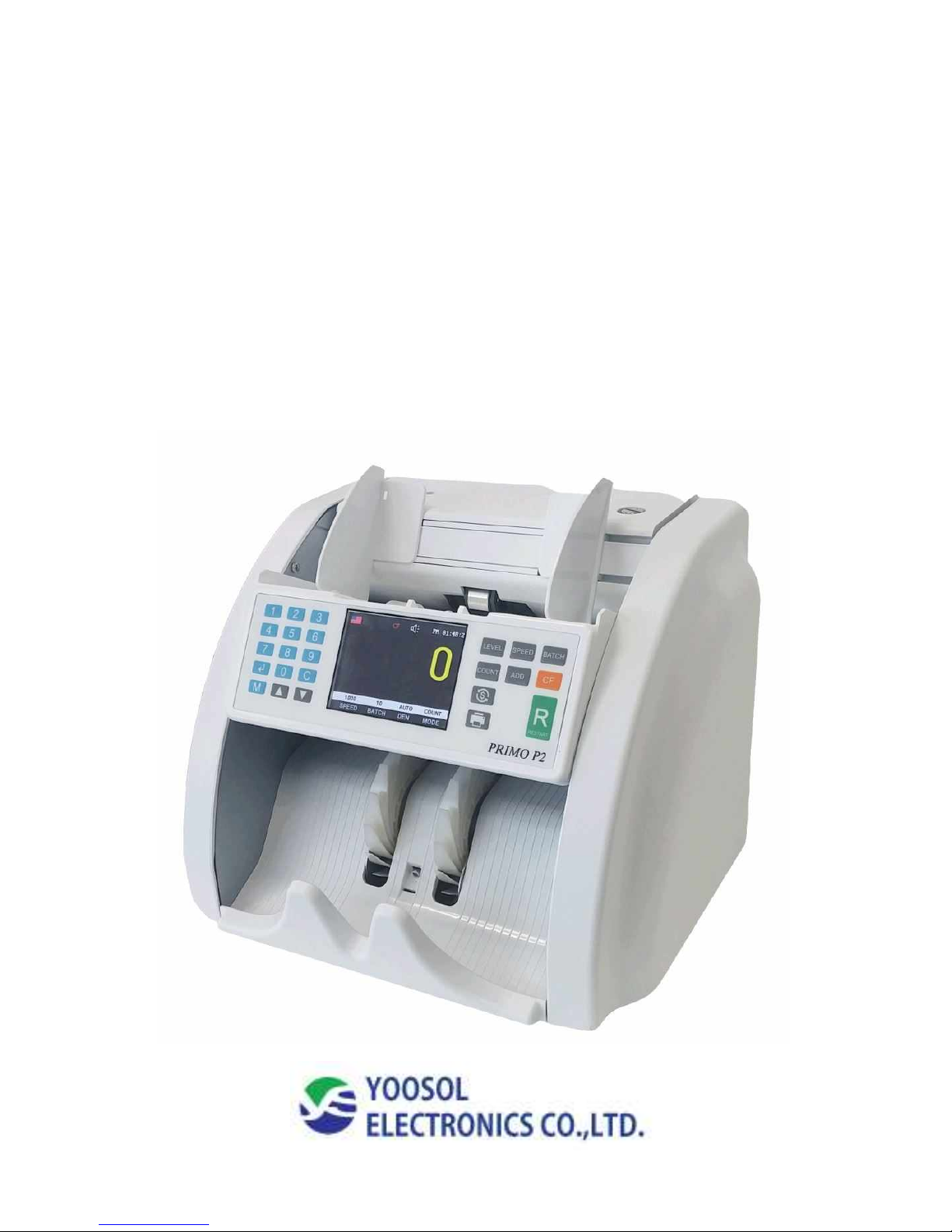
PRIMO- P2
1 Pocket Multi value note counter
Operation Manual
Rev 1.1
Page 2

- 2 -
CONTENTS
1. Specifications
2. Appearance
3. Sensor location
4. Display / Operation
4-1. Operation/ Count mode (Piece /Single/ Mix)
4-2. Operation/ Change speed
4-3. Operation/ Batch mode
4-4. Operation/ Currency(CUR) mode
4-5. Operation/ Add mode
4-6. Operation/ CF
4-7. Operation/ Density Setting (Adjustable 9 levels)
4-8. Operation/ Value list
5. Error code / Trouble shooting
6. Configuration
7. Accessories / Safety
Page 3
- 3 -
1. Specifications
Primo P2
Speed (4 Selectable speeds)
1,000 notes/min (Standard)
(800 / 1000 / 1200 / 1500 notes/min)
Count Mode
Mixed/Single/Piece count
Available currencies
USD/EURO/And local currency (up to 8 country)
Display
3. 5 inch Color LCD (320 x 240 Pixels)
Dimension(mm)
292(W) x 251(D) x 244(H)
Weight
Approx. 6.5Kg
Hopper capacity
Max. 300 notes
Stacker capacity
Max. 250 notes
Feed system
Roller friction system
Sensor
Full image sensor, UV, MG and IR
Interface
RS-232, USB upgrade (USB Memory stick)
Power supply
100~240V 50/60Hz Free voltage
Page 4
- 4 -
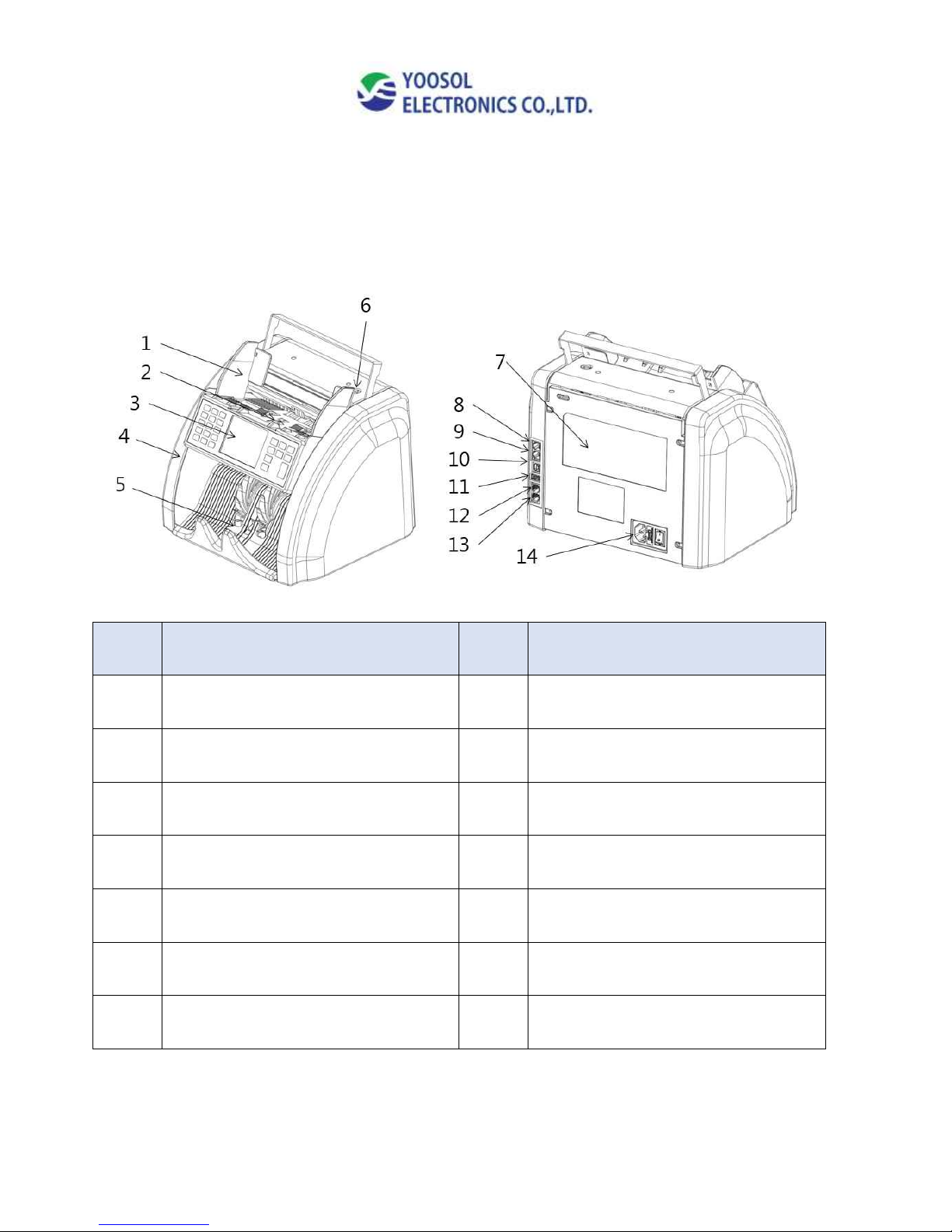
2. Appearance
No
Name
No
Name
1
Hopper Guide
8
RS232-Image Serial port
2
Hopper
9
RS232-Main Serial port
3
Display
10
USB 2.0 Data collection
4
Side case
11
USB(HOST) - Upgrade
5
Stacker
12
RS232 - Connect CD
6
Kicker roller
13
RS232 - Connect printer
7
Gate adjustment screw
14
Power Switch
Page 5
- 5 -
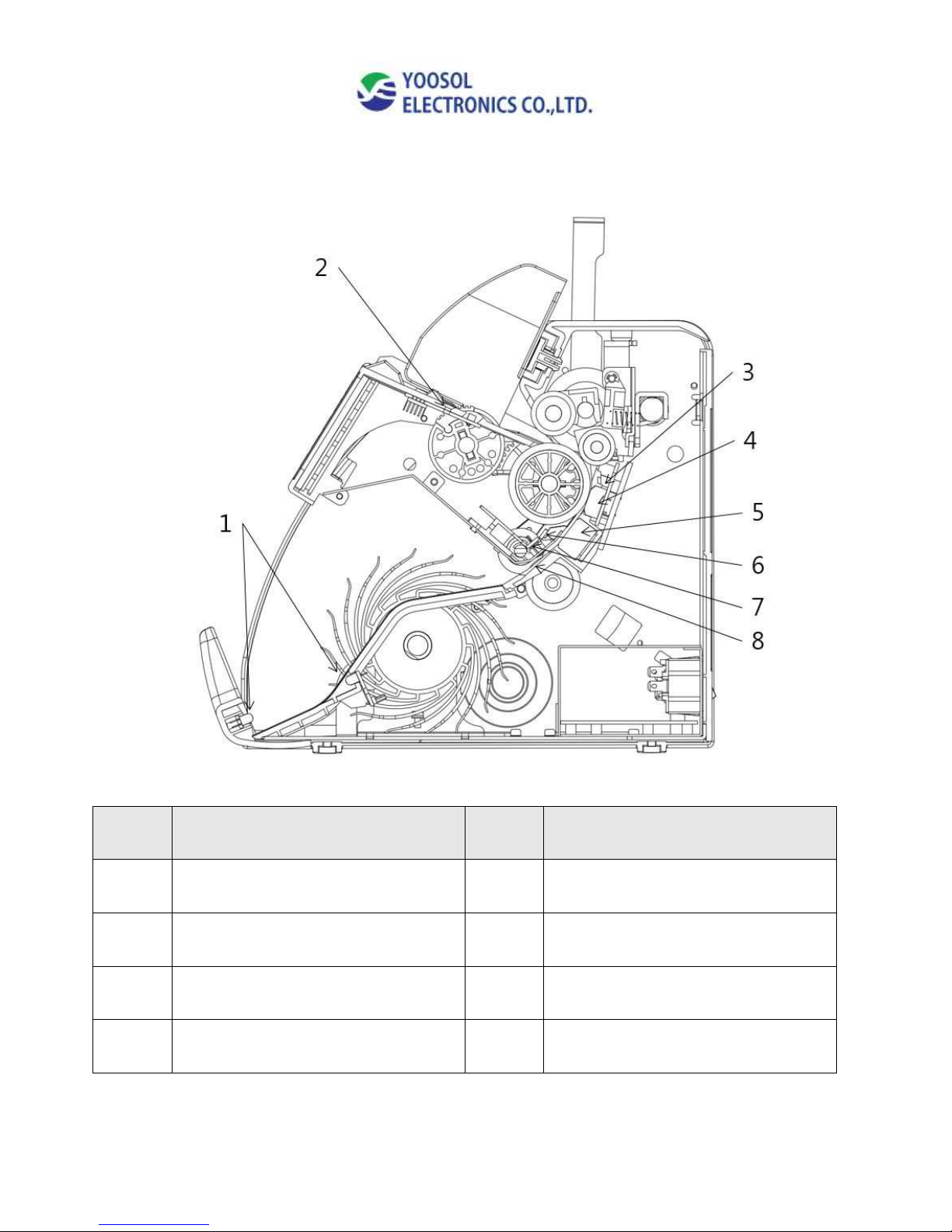
3. Sensor location
No.
Name
No.
Name
1
Stacker sensor
5
6CH Full line CIS sensor
2
Hopper sensor
6
IR array sensor
3
IR count sensor(In)
7
IR count sensor (Out)
4
MG sensor(6mm x 2 , 66mm x 1)
8
UV sensor
Page 6
- 6 -
4. Display
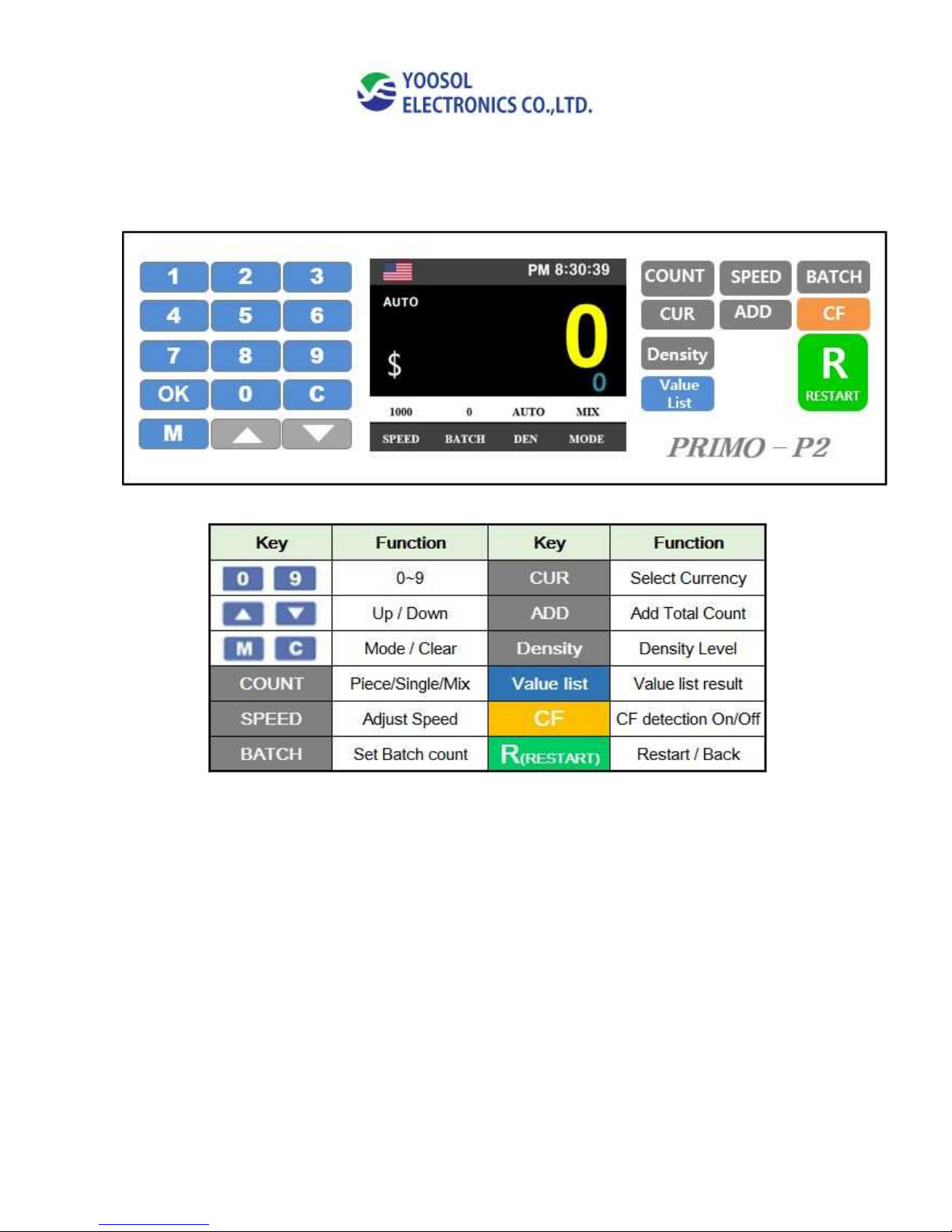
4-1. Operation/ COUNT mode (Piece / Single/ Mix)
Press “COUNT” Key
Select count mode as PIECE/ SINGLE/ MIX
Page 7
- 7 -
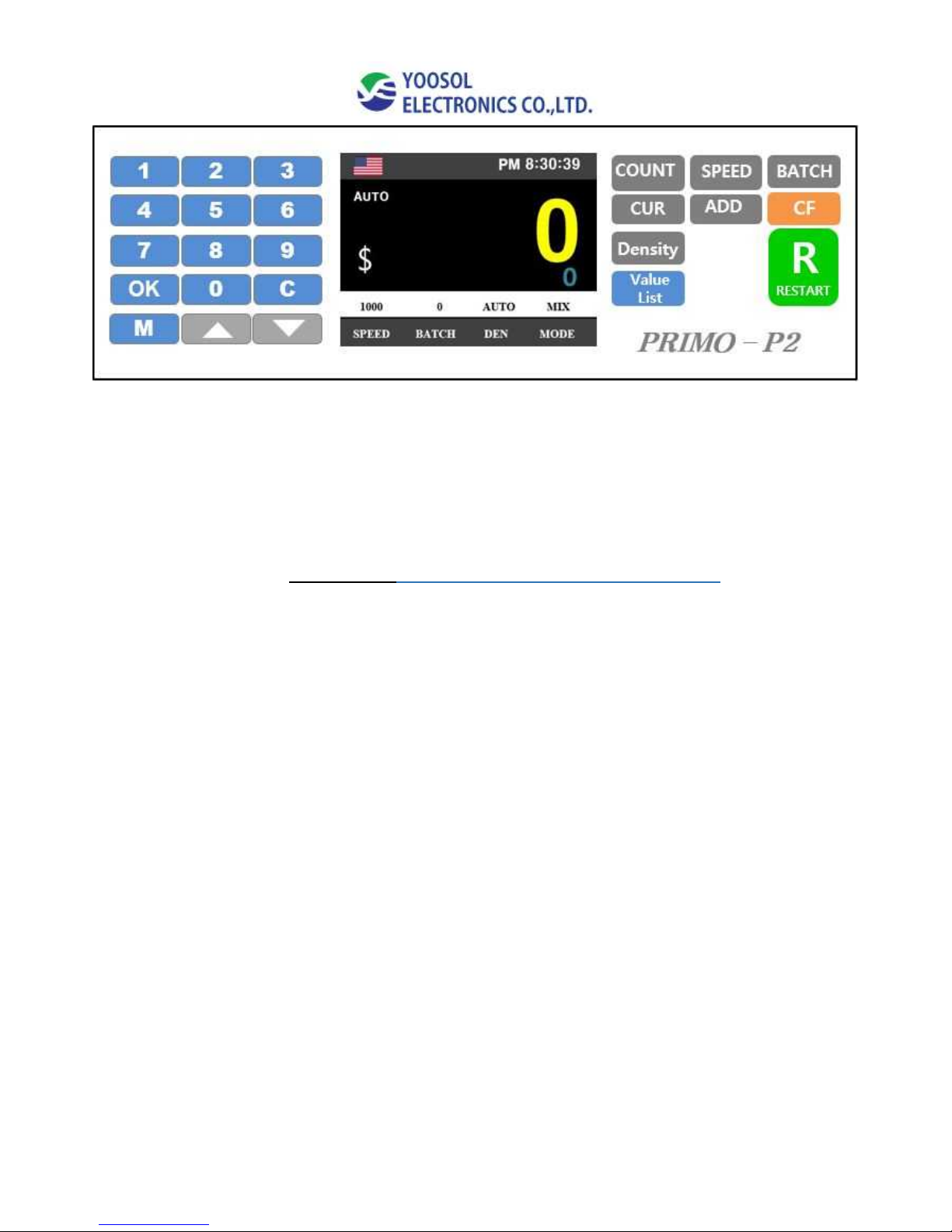
4-2. Operation/ Change Speed
Adjust Speed
- Default speed : 1,000 / min (Value count & CF detection speed)
- 4 Selectable speeds (800/1,000/1,200/1,500 notes / min)
Speed 1,500 / min (available for MG & UV detection only)
4-3. Operation/ Batch mode
Press “BATCH” Key
Select Batch number 10, 20, 50, 100, 200, 250 ~ unlimited) By BATCH Key.
Also select certain count number by Up/Down key.
Default set: 200/notes
Page 8
- 8 -
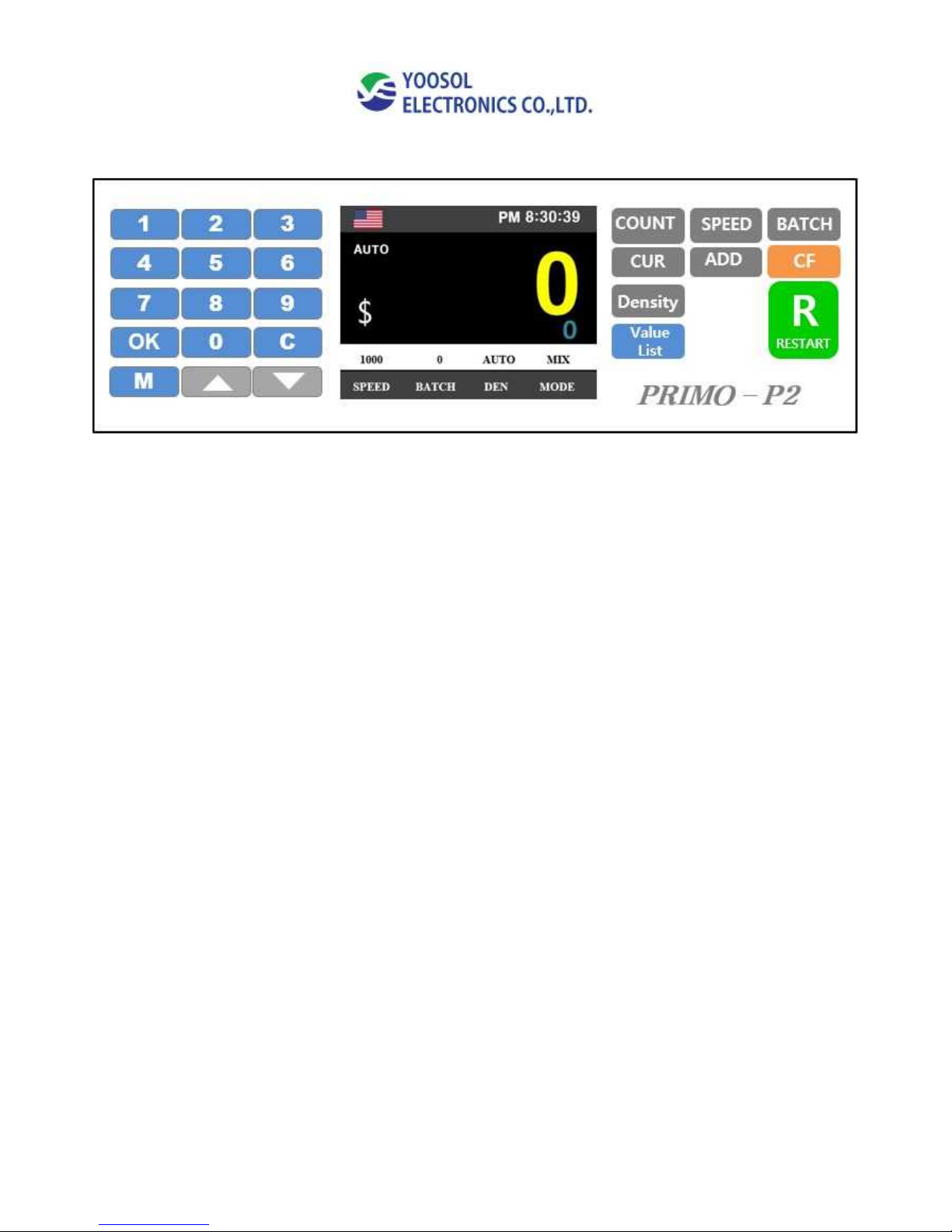
4-4. Operation/ Currency(CUR) mode
- Press “CUR” to Select Country currency
=> USD/ EURO/ Local currency
4-5. Operation/ Add mode
Add mode: Accumulative total of all counted bills
4-6. Operation/ CF
CF(Counterfeit) detection On/ Off
Page 9
- 9 -
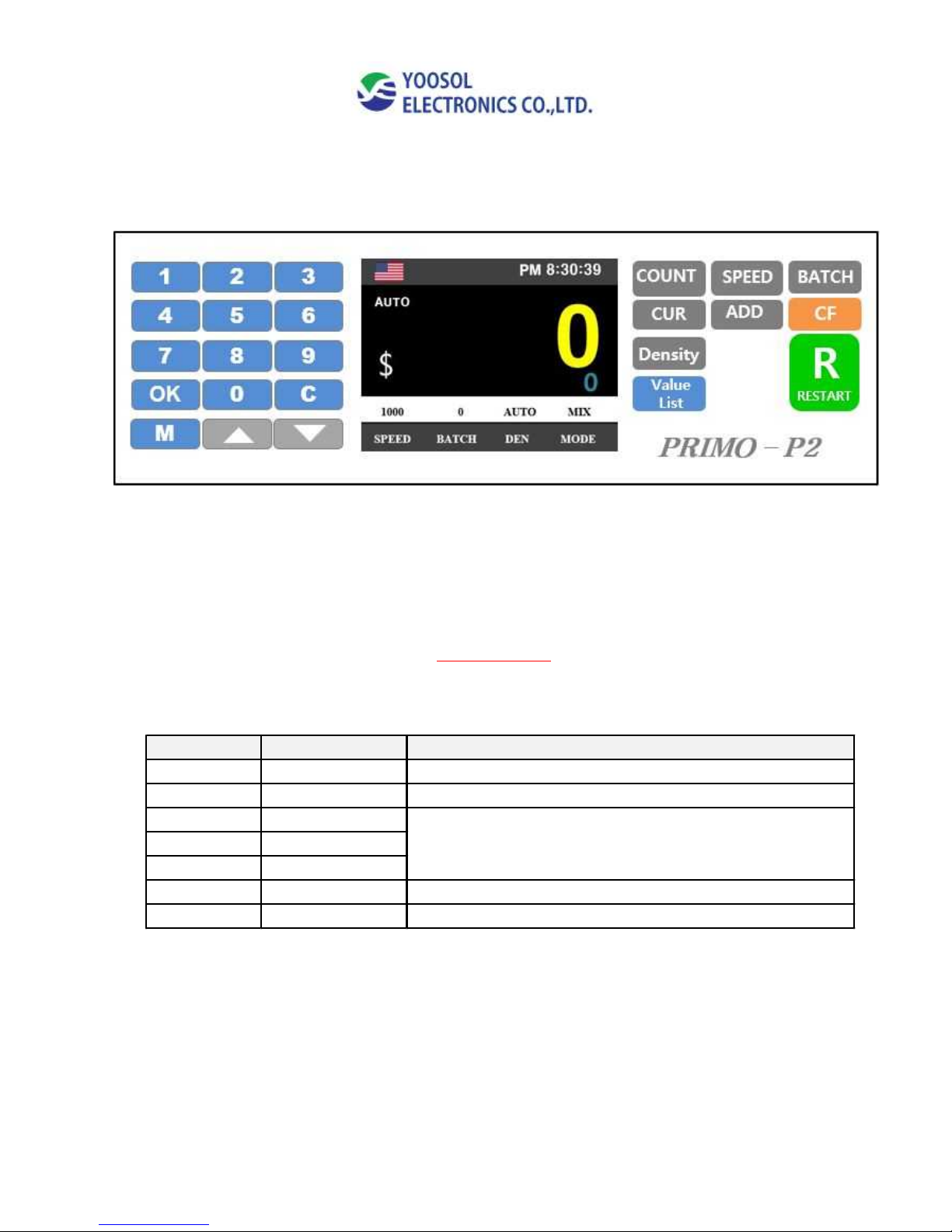
4-7. Operation/ Density Setting (Adjustable 9 levels)
Press Density Key
Default set: AUTO
- If machine count notes & show “Double error” many time, you can adjust
notes density manually by Density Key.
Density Level Double detection Description
LV1 ~LV2 Very low It's for high density level(dark) & thick notes
LV3 ~ LV4 low When count middle density value notes(Level 1~2)
LV5 ~ LV6 Middle
LV7 ~ LV8 High
LV9 Very high
OFF Off detection Ignore the any double notes
AUTO AUTO Automatically set density Level base on first note count
When count thin & bright notes
Page 10
- 10 -
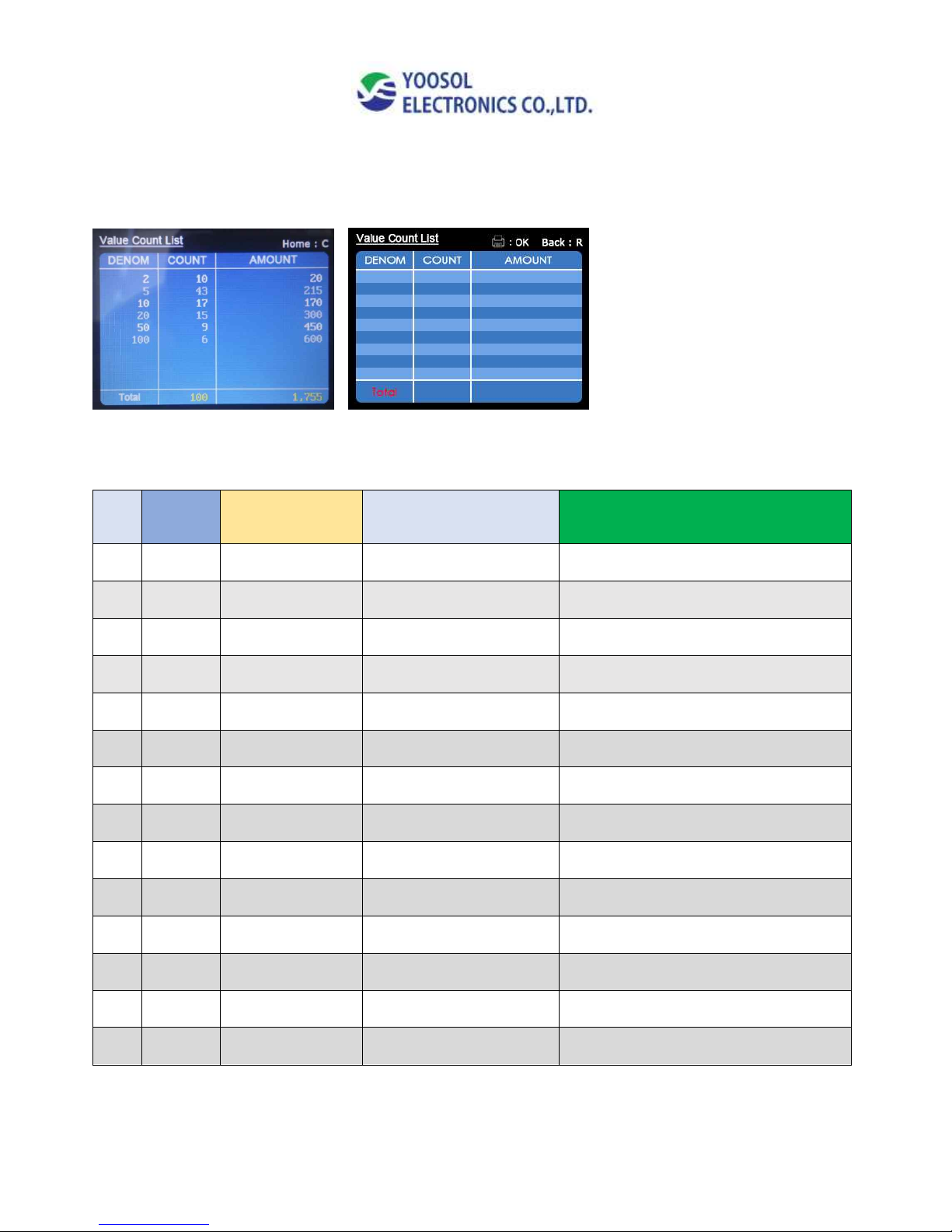
4-8. Operation/ Value List
Press “Value list” to switch the value count result. (AUTO)
Press OK to print out the value list
5. Error code / Trouble shooting
NO
Code
Display
Symptoms
Trouble shooting
1
Img1
Poor Img Error
Bad or dirty notes
Check the condition of notes & restart
2
Img2
Img(W) Error
Width Image Error
Check the condition of notes & restart
3
Img3
Img(H) Error
Height Image Error
Check the condition of notes & restart
4
Img4~ 7
Img Recog Error
Image Recognition Error
Remove suspect note & restart
5
Img8
IR Error
IR Error
Remove suspect note & restart
6
Img9
Fault image
Fault image
Check the condition of notes & restart
7
ImgT
Img T Error
Time Error
Restart counting operation
8
Dbl
Double Error
Double notes
Remove notes & restart
9
Skew
Skew Error
Skew notes
Remove notes & restart
10
Chain
Chain Error
Chain notes
Remove notes & restart
11
Half
Half Error
Half notes
Remove notes & restart
12
SH
Short Error
Short Error
Remove suspect note & restart
13
MG
MG Error
MG Error
Remove suspect note & restart
14
UV
UV Error
UV Error
Remove suspect note & restart
Page 11
- 11 -
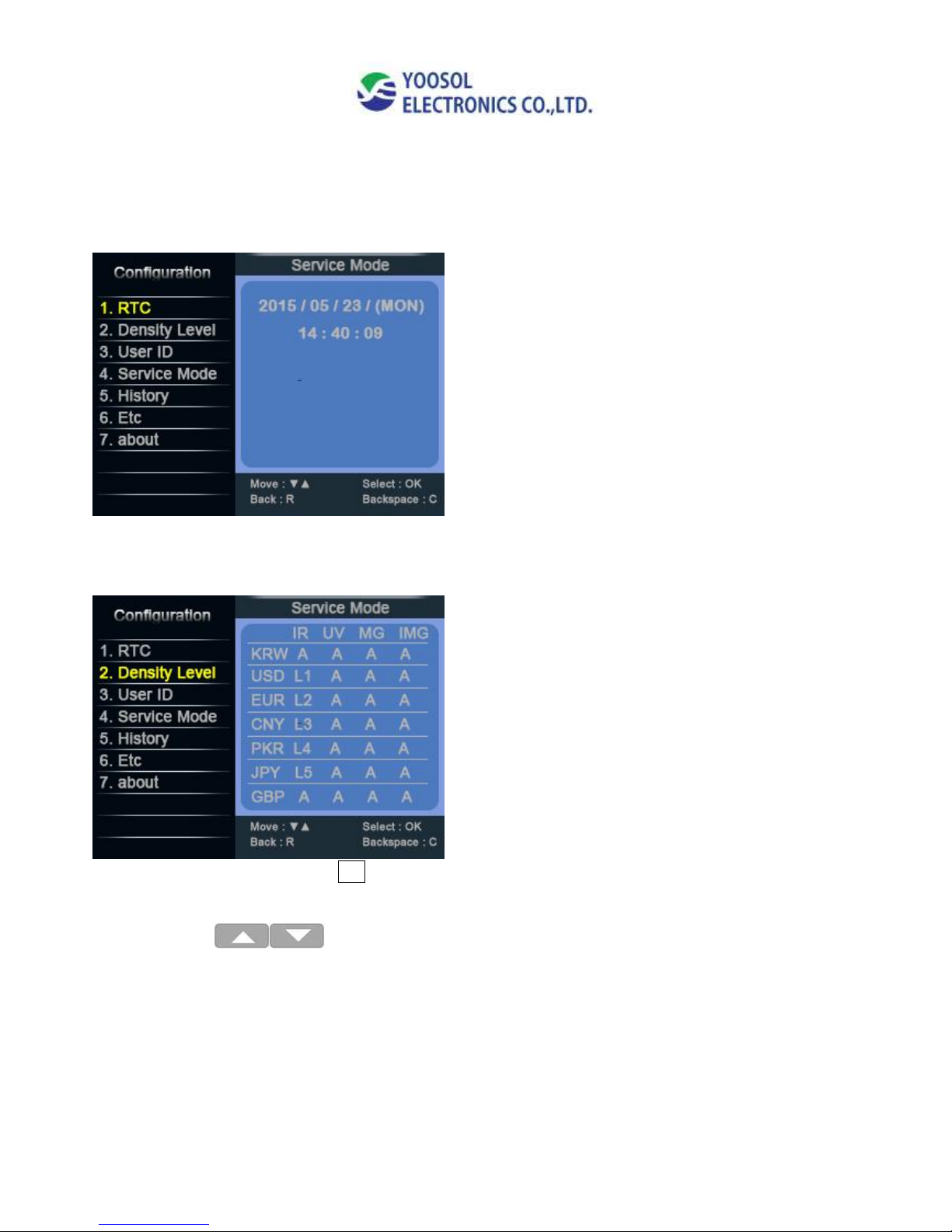
6. Configuration
- Press “M” key
1. RTC – Real time Clock
2. Density Level
Select Density Level & Press OK
l Move: M Key
l Select: - AUTO/ L1~ L9
l Back: R
l Default Value: AUTO
Page 12
- 12 -
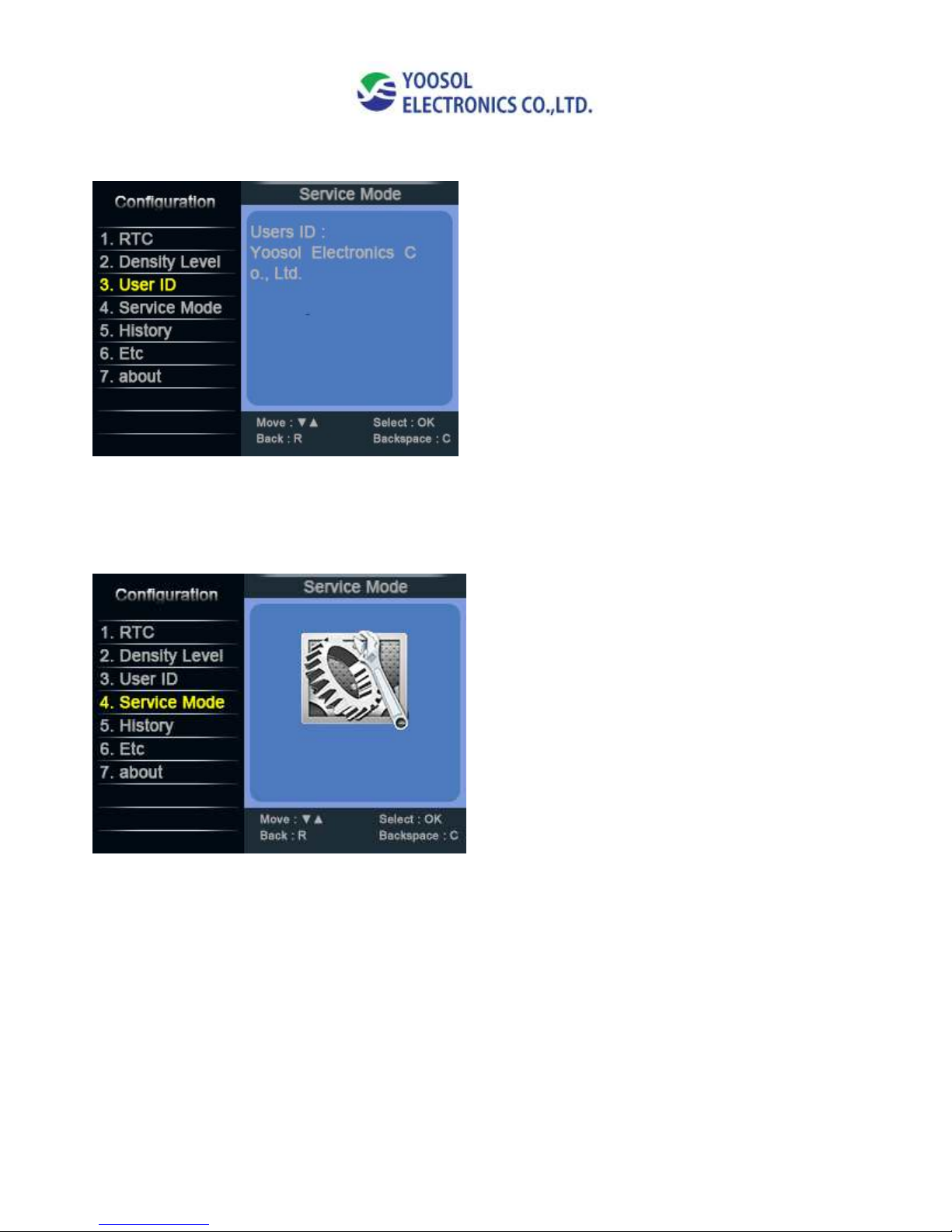
3. User ID
4. Service Mode
* For administrator access only – need password to access
Page 13
- 13 -
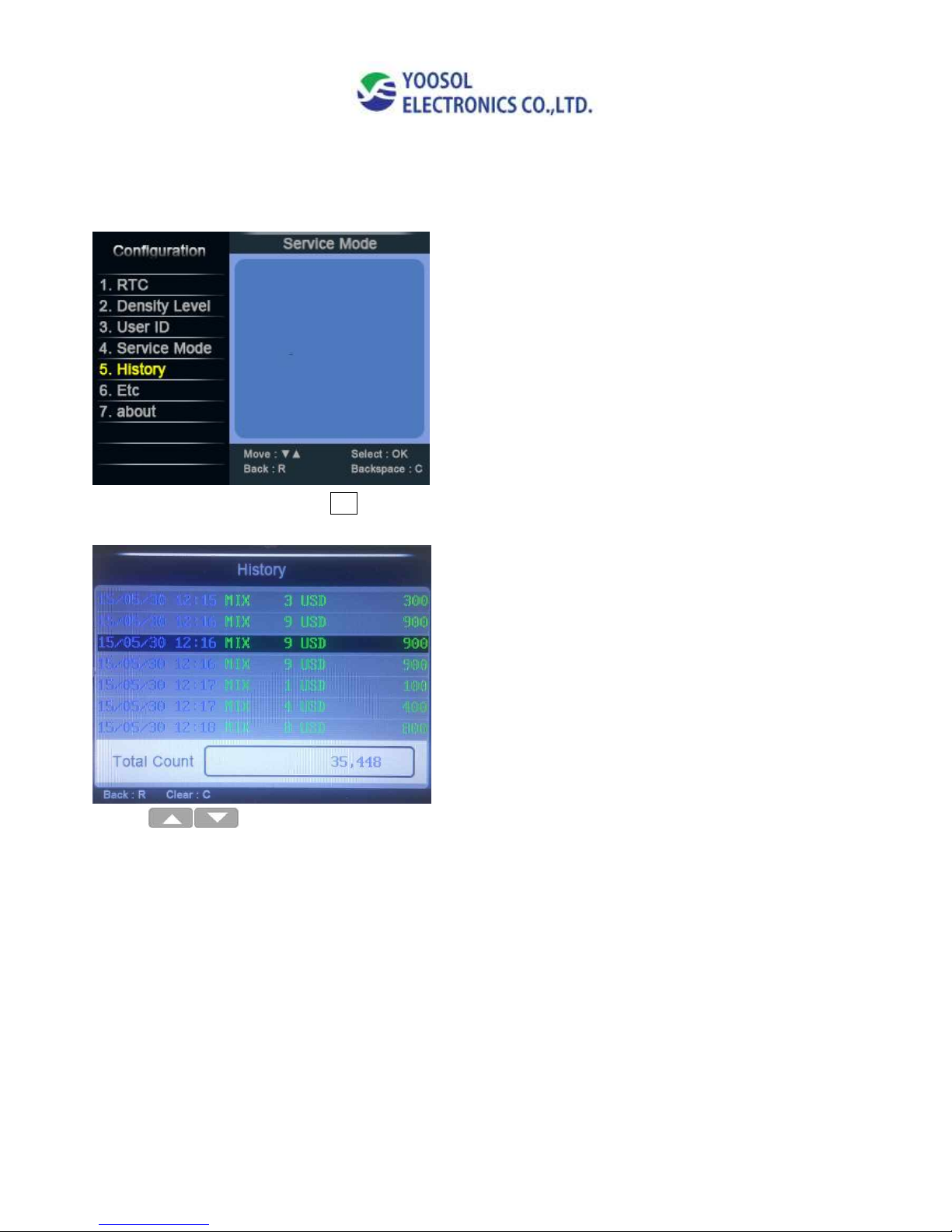
5. History
*Select 5. History and Press OK
* USE Up & Down Key to select history date
Page 14
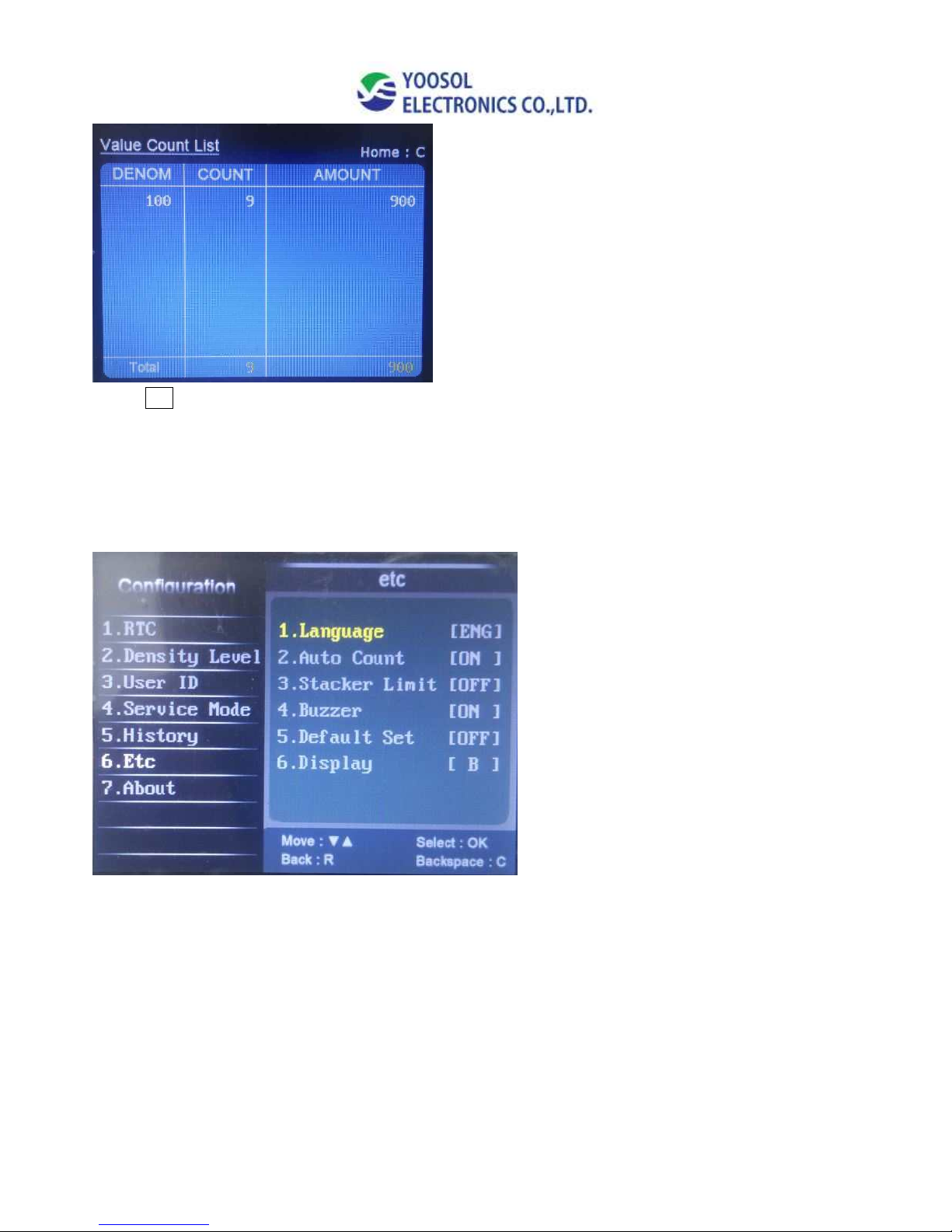
- 14 -
Press OK to check Value count list.
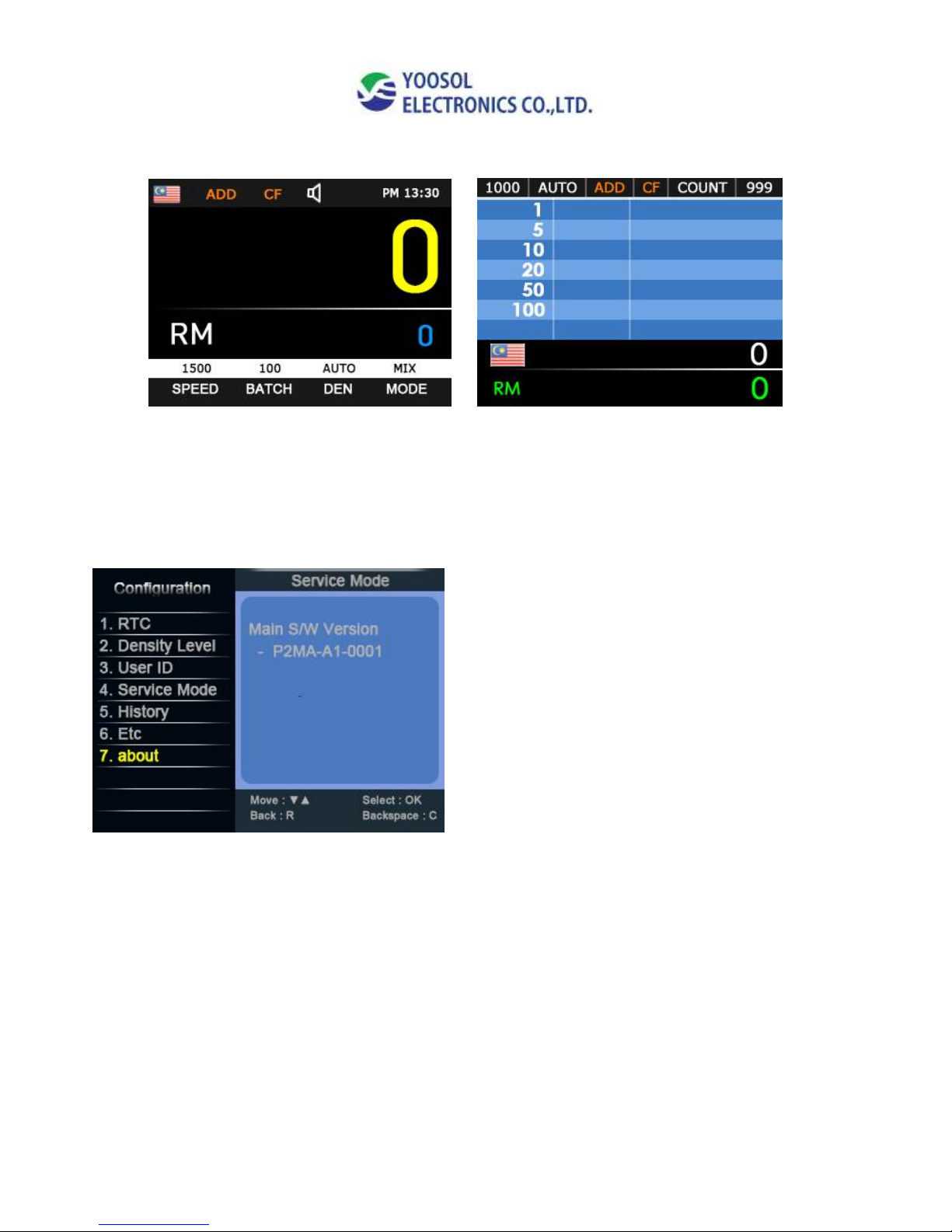
6. Etc
1. Language change(Default) - English
2. Auto Count On/ Off
3. Stacker Limit – Stacker will auto stop after count Max 200 notes (On/Off)
4. Buzzer On/Off
5. Default Set – Restore to the factory setting condition Yes/No
6. Display – Change Display mode
Page 15
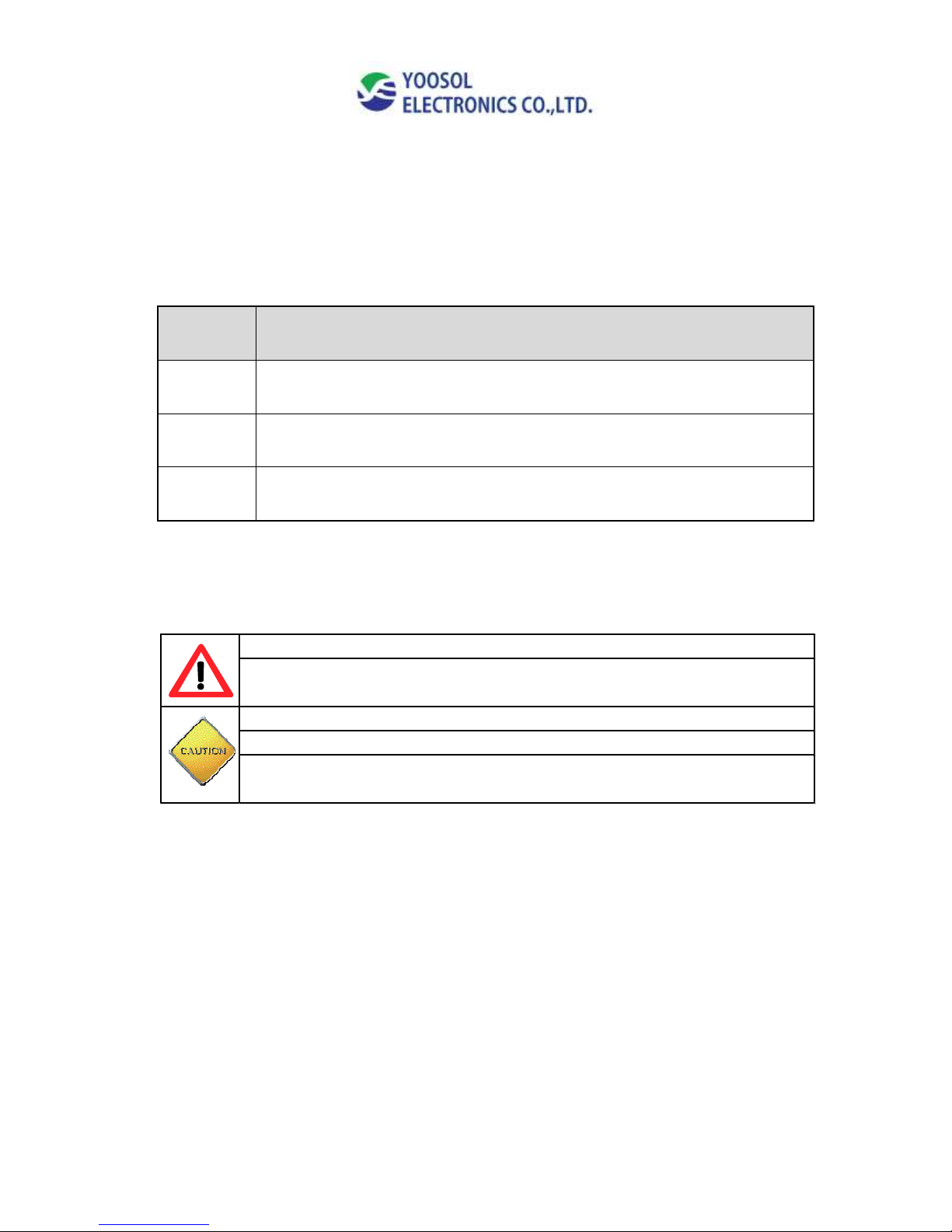
- 15 -
7.
Type [A] display screen Type [B] display screen
7. About
l Verify Main firmware / Image firmware version.
Page 16
- 16 -
6. Accessories / Safety
NO
NAME
1
Power cord
2
External Customer Display (Remote display)
3
Operation Manual
- Safety -
Do not touch the machine and power cable with moist hands
If you smell anything burning, immediately disconnect power.
And contact to your local agency for a checkup.
Never disassemble the machine without trained personnel.
Keep your work area dry.
Turn off the power when cleaning machine,
Do not use flammable gas spray for cleaning.
Page 17

- 17 -
- MEMO –
Page 18

- 18 -
- MEMO –
Page 19

- 19 -
- MEMO –
Page 20

- 20 -
Yoosol Electronics Co., Ltd.
#1004, ACE High End Tower 6,
Gasan-dong 234, Beotkkot-ro, Geumcheon-gu, Seoul Korea
Tel: 82-70-7425-1057 Fax: 82-2-2617-9622
Website: http://www.i-primo.co.kr/
E-mail: [email protected]
 Loading...