

Page 1
220mm (H) x 360mm (W)
Bluetooth Speaker
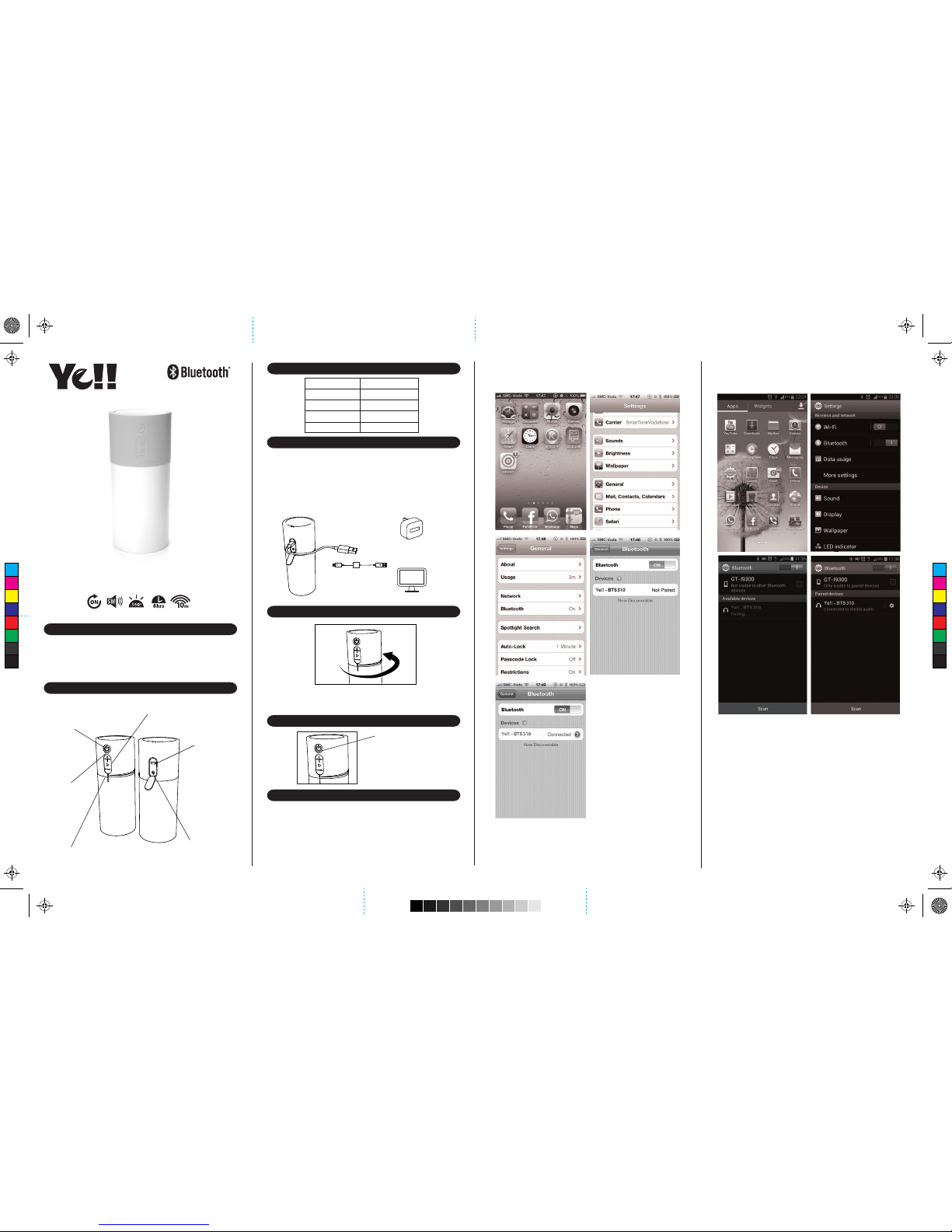
Power Button [On/O]
Volume & Play Button
Micro USB
Power Input
Line-in
Twist-to-Use Lantern
(With brightness control)
LED Indicator
RED
GREEN Fully Charged
Indicator Status
BLUE
FLASHING BLUE
Charging
Paired
Pairing Mode
amplify your life
Stellar+ | BTS310
Portable Bluetooth Speaker with Lighting
User Manual
Included In This Package
• Stellar+
• Micro USB Cable
• 3.5mm AUX Cable
• Wrist Strap
• User Manual
Overview
LED Indicators
How to Charge Stellar+
1. Plug the Stellar+ into your computer or USB compatible wall
charger via the included Micro USB Cable.
2. When the Stellar+ is fully charged, disconnect the cable.
Note: Approximately 4 - 5 hours required for full charge. Battery
will last up to 6 hours when connected wirelessly and up to 8
hours when connected through Line-in.
Using Stellar+
1. Twist Stellar+ to the end of the right hand side and
the lantern will turn on.
2. Twist Stellar+ back to the middle and it will turn o all the light.
Getting Connected
Bluetooth Pairing
1. Switch the Bluetooth Speaker to the BT mode.
2. The speaker is discoverable and ready for pairing.
3. The status indicator blinks blue.
4. On your Bluetooth music device, turn on Bluetooth and
scan for devices in its Bluetooth menu.
5. When the “Ye!! – BTS310” appears on the device list of your device,
select “Ye!! – BTS310”. The status indicator turns solid blue
after paired.
Computer
(not included)
USB Compatible
Wall charger
(not included)
or
Stellar+ allows you to
play with your music
device in two
dierent ways.
Pairing Button
Example: iPad / iPhone / iPod Touch
Press Settings > General > Bluetooth > Bluetooth ON >
Ye!! – BTS310 > Pair
Example: Android 4.3 Jelly Bean Smartphone
Press Settings > Bluetooth ON > Scan > Ye!! – BTS310 > Settings >
Check the Media audio box
Back View
Front View
C
M
Y
CM
MY
CY
CMY
K
Page 2
220mm (H) x 360mm (W)
Model No.
Output Power
Input Voltage
Input
Playback Time
Bluetooth Version
Operating Distance
Dimensions
BTS310
5W
DC 5V / 1A
Wireless Bluetooth & 3.5mm wired auxiliary
Up to 8 hours on Bluetooth
Bluetooth 2.1 with EDR
Up to 33 feet (10 metres)
200 x D90 mm
Weight 533 grams
Patent Pending No. 201120398615.6
811-BPR380-00-W
Reconnecting Bluetooth Device
Keep in mind that the Bluetooth Speaker has a 10 meter range in open
Bluetooth device, the Bluetooth Speaker will disconnect from your
device. To reconnect, simply follow the instruction in the “Getting
Connected” section.
Changing Connected Bluetooth Device
1. Disable the Bluetooth function of your Bluetooth device.
2. The Bluetooth Speaker can now be connected to
3. Following the instructions in the “Getting Connected” section
Play Audio from Non-Bluetooth Device
Troubleshooting
No connection between Bluetooth Speaker and your Bluetooth device.
• Make sure the Bluetooth Speaker is fully charged
• Make sure the BT mode is switched on.
• Make sure your Bluetooth device is available and supports
• Make sure the Bluetooth Speaker is within range of your
Bluetooth device.
Audio is not coming out from the Bluetooth Speaker after Bluetooth
device successfully paired.
• Make sure the Bluetooth device volume is set to
a comfortable listening level.
Audio is not coming out from the Bluetooth Speaker after the
non-Bluetooth device connected with the micro USB to USB and 3.5
mm splitter cable.
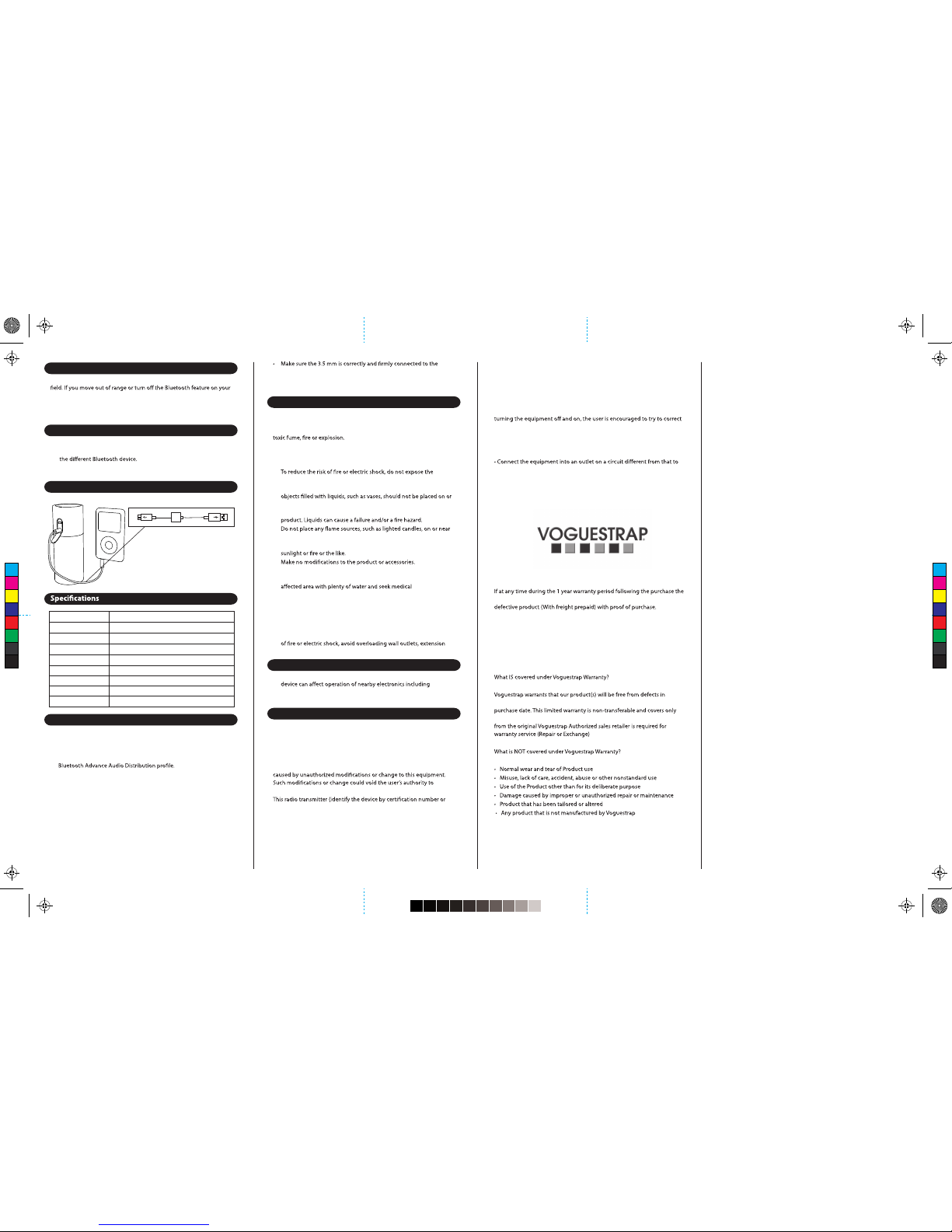
1. Connect the Bluetooth Speaker
and your non-Bluetooth audio
device via the 3.5 mm cable.
The speaker is ready
to play music.
Bluetooth Speaker and non-Bluetooth device.
• Make sure the non-Bluetooth device is set to a comfortable
listening level.
Safety Information
Read all information and warning before the use of this product.
Improper use of this product may lead to product damage. You (the
buyer) other than the dealer will be held liable for such as overheat,
• Do not attempt to charge the speaker by using any other method
other than USB Power Adapter or computer.
•
speaker to rain or moisture while charging.
• The speaker should not be exposed to dripping or splashing, and
near it while being charged or charging other devices. As with any
electronic products, use care not to spill liquids into any part of the
•
the speaker.
• Do not expose the speaker to excessive heat, including direct
•
• If the battery begins to leak, do not allow the liquid to come in
contact with your skin or eyes. If contact has been made, wash the
attention immediately.
• Do not step on, throw, or drop the speaker, or expose it to
a strong shock.
• Do not attempt to service the speaker yourself. Opening or
removing covers may expose you to dangerous voltages or other
hazards and will void the manufacturer’s warranty. To prevent risk
cords, or integral convenience receptacles.
Precautions
1. The radio waves emitted by the Bluetooth Speaker and Bluetooth
medical devices.
2. Keep the unit in a cool, dry place.
FCC ID:2AANE-BTS310
This device complies with Part 15 of the FCC rules. Operation is subject
to the following two conditions: (1) this device may not cause harmful
interference, and (2) this device must accept any interference received,
including interference that may cause undesired operation.
The manufacturer is not responsible for any radio or TV interference
operate the equipment.
model number if Category II) has been approved by Industry Canada
to operate with the antenna types listed below with the maximum
permissible gain indicated. Antenna types not included in this list,
having a gain greater than the maximum gain indicated for that type,
are strictly prohibited for use with this device.
This equipment has been tested and found to comply with the limits
for a Class B digital device, pursuant to part 15 of the FCC Rules. These
limits are designed to provide reasonable protection against harmful
interference in a residential installation. This equipment generates, uses
and can radiate radio frequency energy and, if not installed and used in
accordance with the instructions, may cause harmful interference to radio
communications. However, there is no guarantee that interference will not
occur in a particular installation. If this equipment does cause harmful
interference to radio or television reception, which can be determined by
the interference by one or more of the following measures:
• Reorient or relocate the receiving antenna.
• Increase the separation between the equipment and receiver.
which the receiver is connected.
• Consult the dealer or an experienced radio/TV technician for help.
The device has been evaluated to meet general RF exposure requirement.
For more information, please visit yell.voguestrap.com
Voguestrap provides a 1 year warranty with the purchase of your product.
To register your product, please visit yell.voguestrap.com
product fails due to defects in material or workmanship, return the
Please ship to the following address:
Voguestrap
Attn. Quality Assurance
5809 Foster Ave
Brooklyn, New York 11234-1006
workmanship and materials under normal use for one year from original
the product. Refunds are not given. An original or copy of a sales receipt
yell.voguestrap.com
Designed by Ye!! in Hong Kong
Made in China
C
M
Y
CM
MY
CY
CMY
K
The device can be used in portable exposure condition without
restriction.
 Loading...