

Page 1
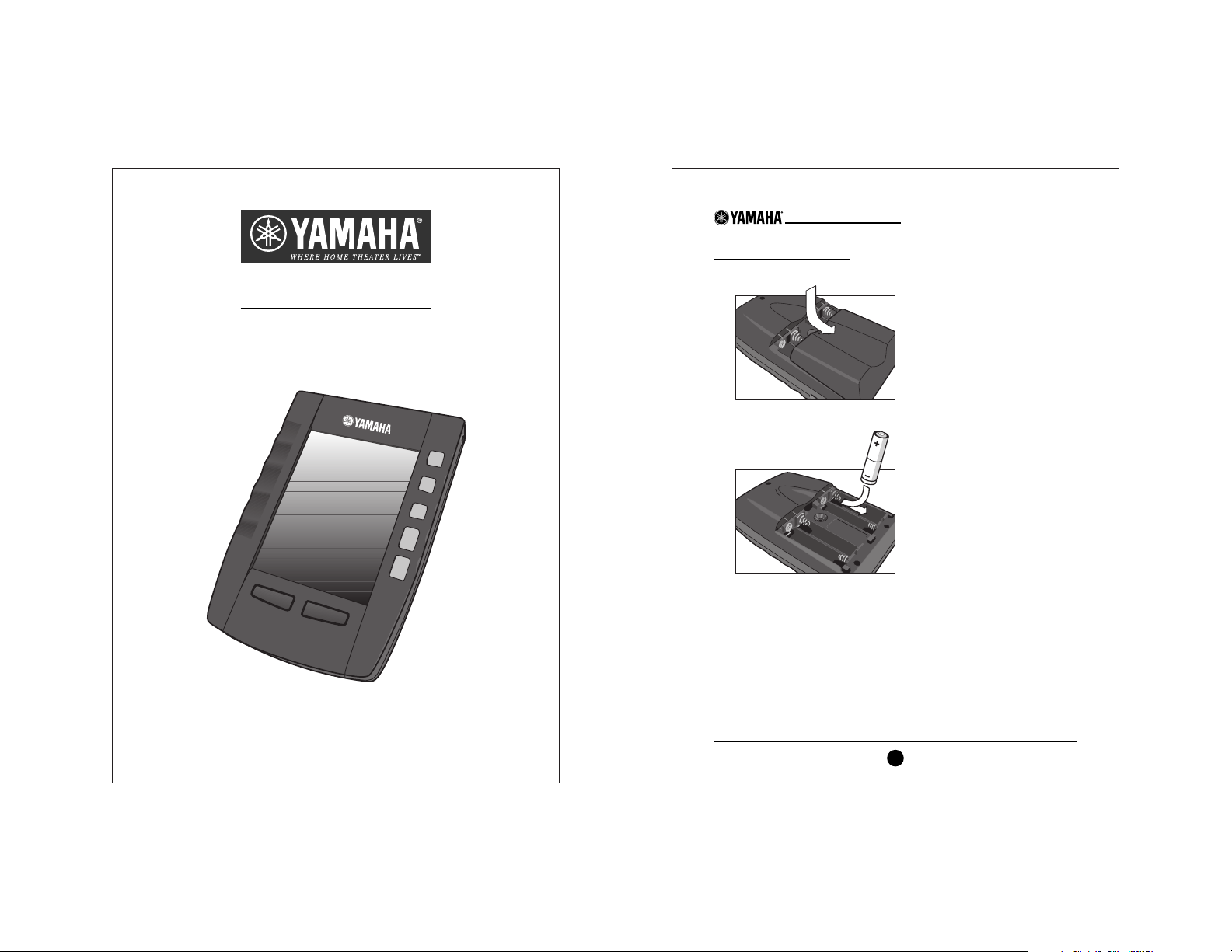
RAV-2000
Intelligent Touch Panel
Remote Control
Quick-Start Guide
INSTALLING THE BATTERIES
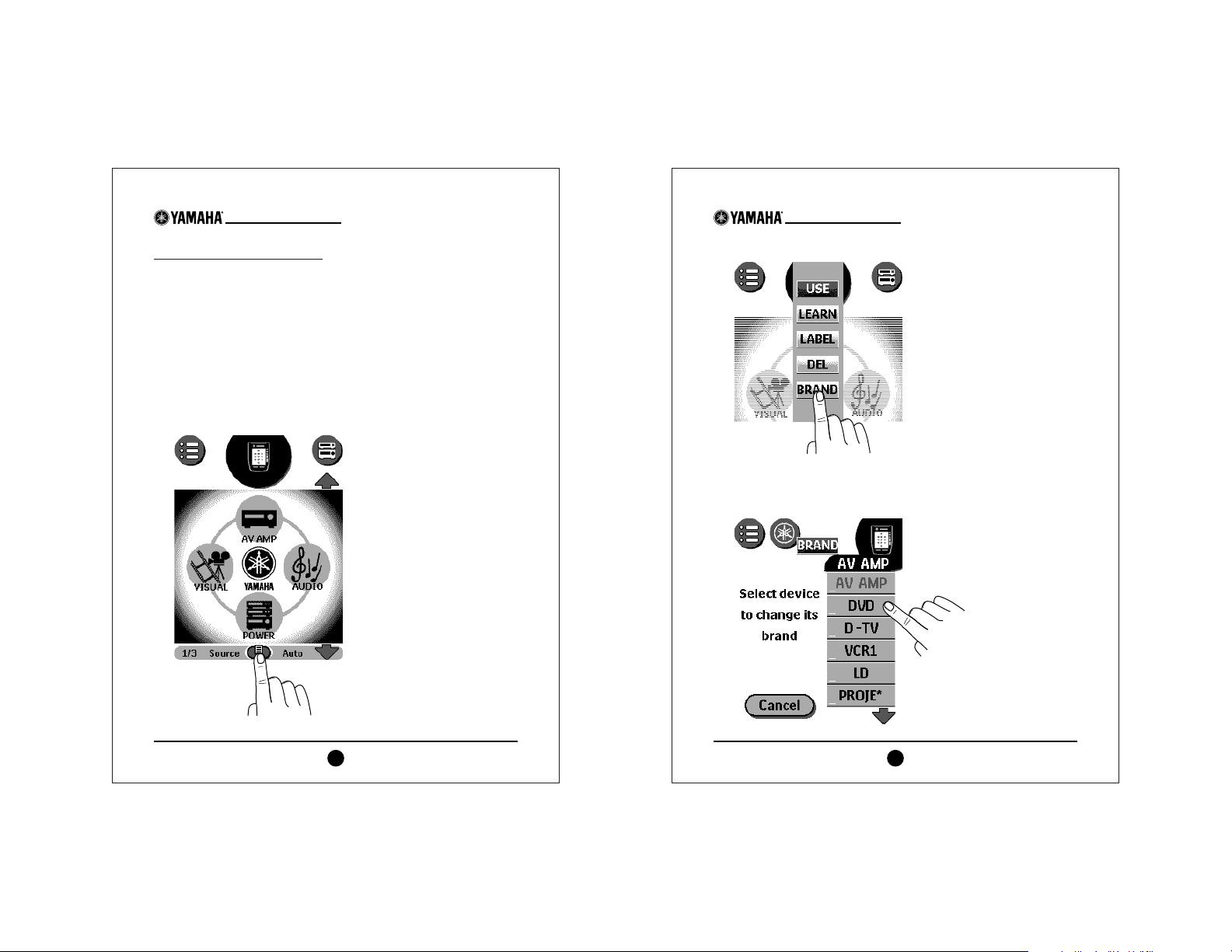
1. Locate the battery door on the RAV-2000’s back and slide it off.
2. Use the indicators to match and insert the four (4) AA
batteries (included).
3. Slide the battery door back on.
After a short time, the RAV-2000 will start up automatically and
beep twice to indicate it is ready to use.
NOTE: To adjust the contrast, use the Contrast Dial on the left side
of the unit.
RAV-2000 Quick-Start Guide
2
Page 2
PROGRAMMING THE RAV-2000
The following instructions list the basic steps for programming
sources into the Yamaha RAV-2000 Touch Panel Remote Control.
For additional details, see the RAV-2000 Owner’s Manual.
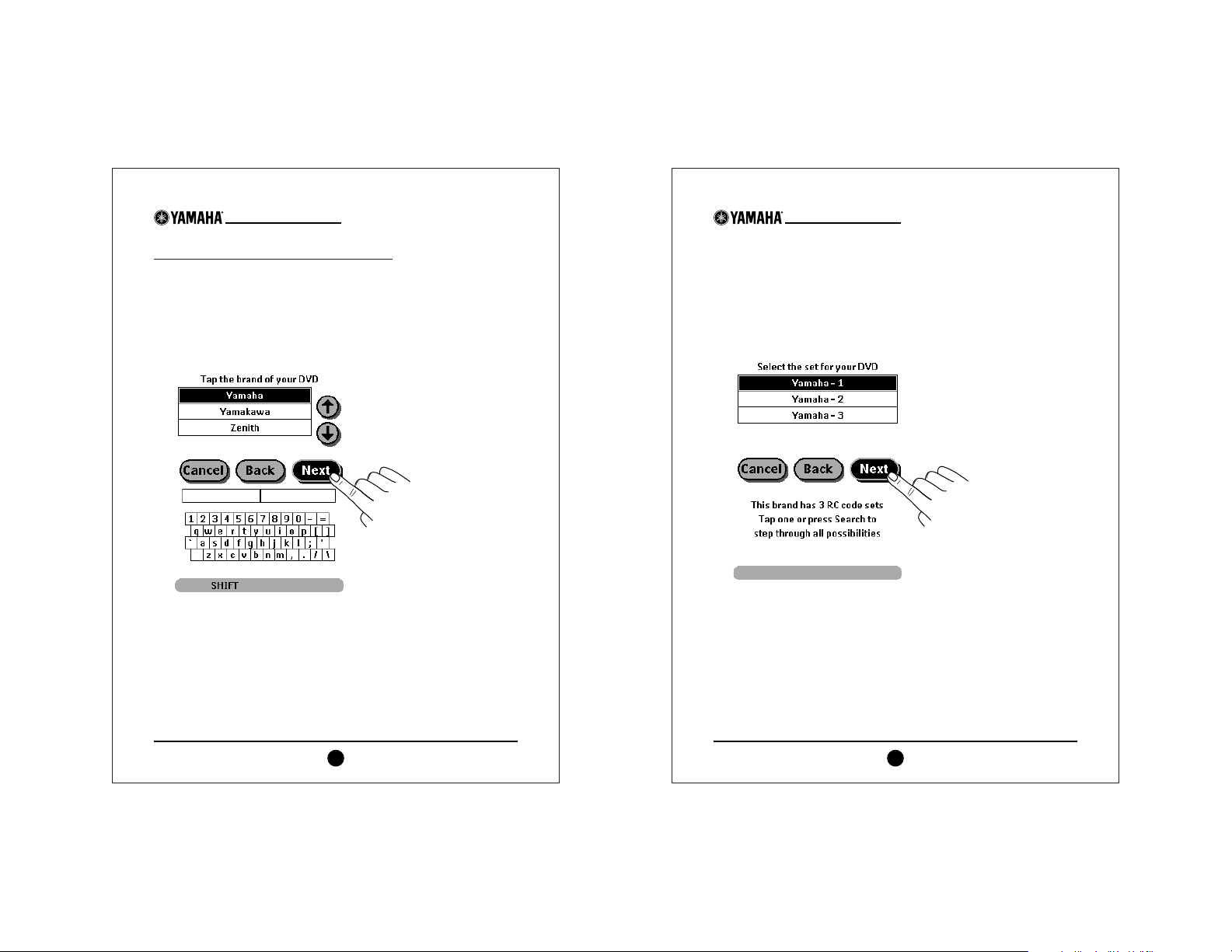
1. To activate the display,touch the screen anywhere.
NOTE: To conserve battery life, the display will turn off if the
RAV-2000 is idle for a few seconds. To adjust how long the touch
screen stays on, see page 9 of the RAV-2000 Owner’s Manual.
2. Touch the small icon at the center bottom of the display.
RAV-2000 Quick-Start Guide
3
3. On the next screen,touch the BRAND button.
4. From the list, touch the source (e.g.,
DVD) you wish to program.
If it is not shown, touch the Down Arrow to see more sources.
NOTE: To view receivers,
touch the
AV AMP
button.
...continued on next page
RAV-2000 Quick-Start Guide
4
Page 3
PROGRAMMING THE RAV-2000 (CONTINUED)
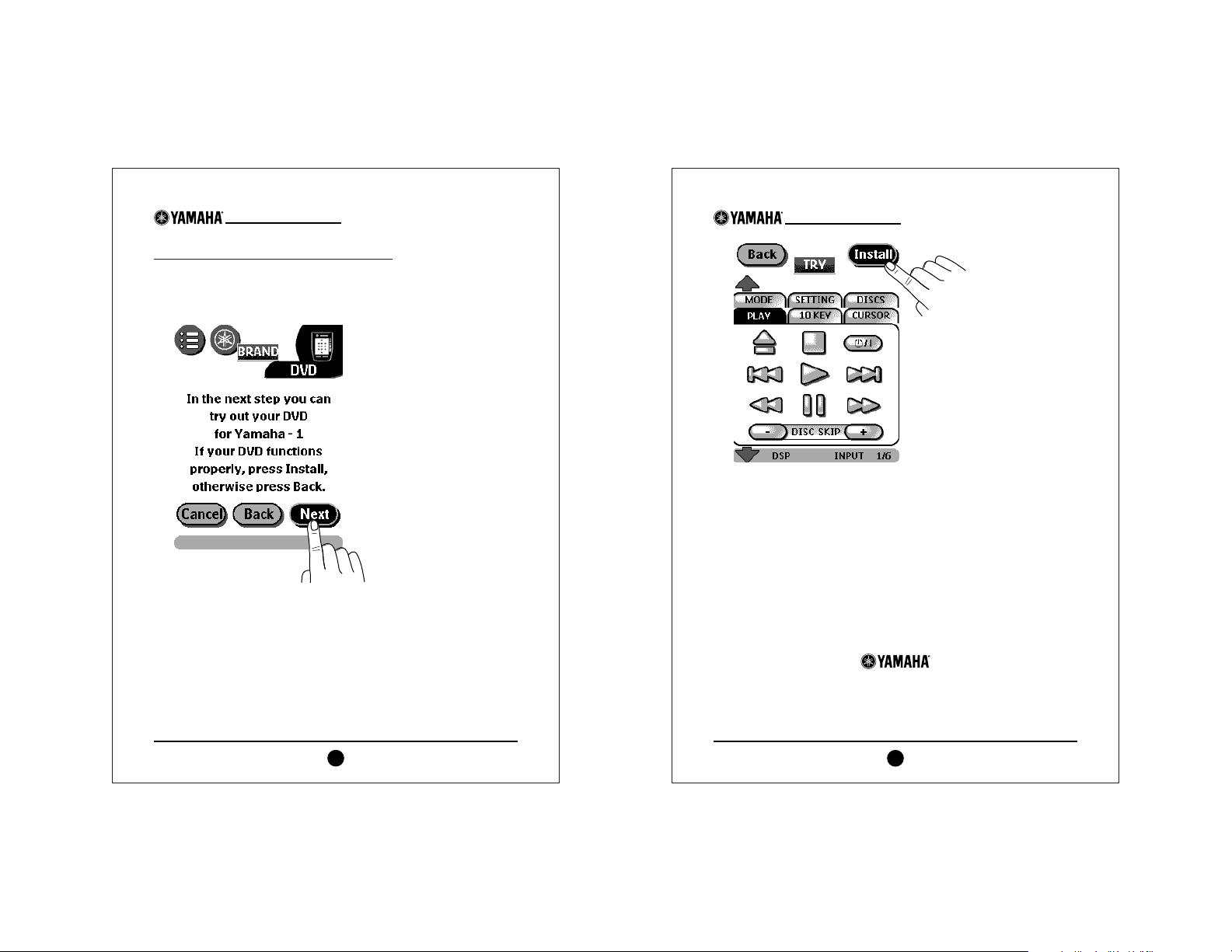
5. On the next screen,follow the displayed instructions and then
touch the NEXT button.
6. Using the scroll arrows,locate and touch the brand (e.g.,
Yamaha) for your selected source (e.g., DVD player).Then
touch the NEXT button.
RAV-2000 Quick-Start Guide
5
7. If the brand you’ve selected has multiple codes,the next screen
will display a list of RC (remote control) code sets.Touch a
code set (e.g., Yamaha-1) and then touch the NEXT button.
NOTE:As an alternative, you can use the RAV-2000 to search
for multiple RC codes. Please refer to the RAV-2000 Owner’s
Manual, pages 7 and 8,for details.
...continued on next page
RAV-2000 Quick-Start Guide
6
Page 4
PROGRAMMING THE RAV-2000 (CONTINUED)
8. On the next screen,follow the displayed instructions and then
touch the NEXT button.Then power on the source you are programming (e.g., DVD player).
9. On the next screen,try touching a function button (e.g., Play)
to verify the source is controllable.
If the source responds, touch the INSTALL button (as shown on
the next page). If it does not respond, touch the BACK button
and then touch a different set of RC codes (e.g., Yamaha-2).
Repeat steps 8 and 9 as many times as needed until you find a
set of codes that controls your selected source.
RAV-2000 Quick-Start Guide
7
10. To program other sources, simply repeat steps 1 through 9.
For further explanation of the RAV-2000’s remote control features,
please refer to the complete owner’s manual included with the unit.
For customer service contact:
Ya m ah a Cu st om e r S er vi ce at
(800)-292-2982, ext.6089;
Monday through Friday,
8 A.M.- 4 P.M., PST
RAV-2000 Quick-Start Guide
8
©2001 Yamaha Electronics Corporation,USA
6660 Orangethorpe Avenue
Buena Park,CA 90620
http://www.yamaha.com
 Loading...