

Page 1
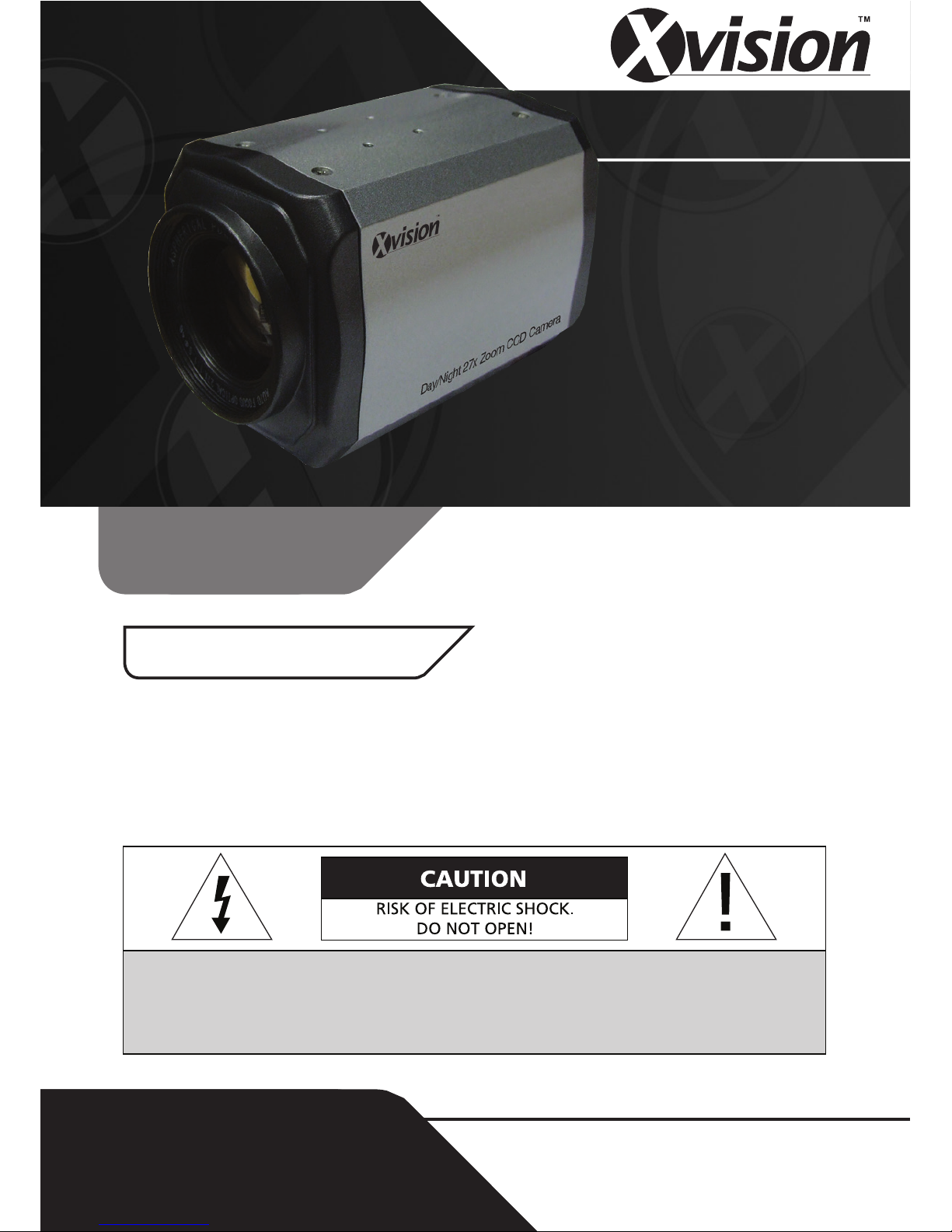
CCTV
Before you begin
Model:
PCC427
Day/Night 700 TVL Camera with
27x Zoom & Pelco D/P Control
CAUTION: TO REDUCE THE RISK OF ELECTRIC SHOCK, DO NOT OPEN OR REMOVE
COVER OR BACK. NO USER SERVICEABLE PARTS INSIDE.
REFER SERVICING TO QUALIFIED SERVICE.
z Please unpack the box carefully and identify that all the parts are present.
z Do not open the camera housing. This will void the warranty and break the
warranty seal inside the camera.
z Make sure you use only the recommended power supply. Damage caused
to the camera by incorrect voltage or wiring is not covered by the warranty.
Model: PCC427
Day/Night 700 TVL Camera with 27x
Zoom & Pelco D/P Control
Page 2
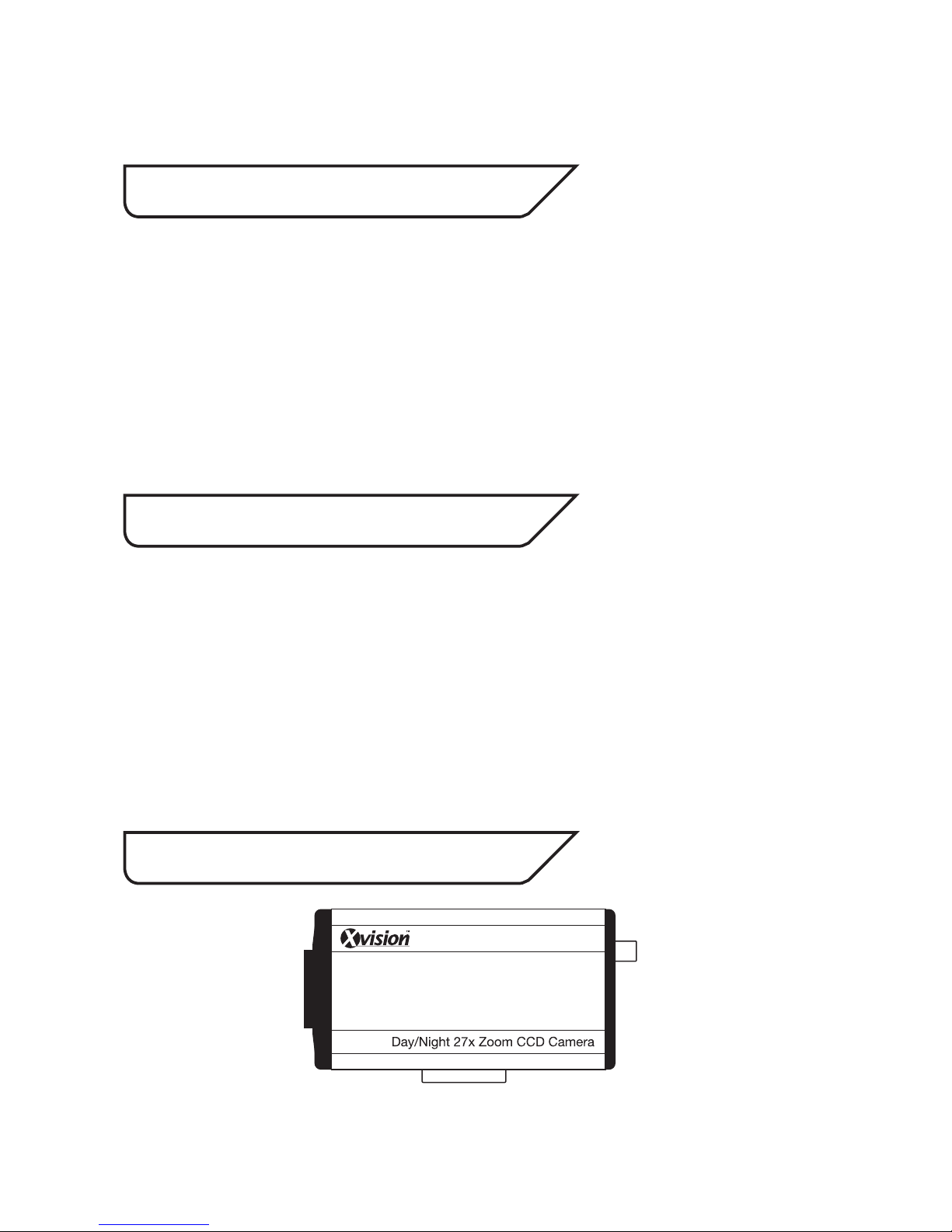
3. Contents
PCC427 Camera
Thank you for purchasing this Xvision camera. Before operating this product,
please read this instruction manual carefully.
1. Product Description
2. Features
The PCC427 is a high quality Colour Body Camera with a High Resolution
Sony 1/4” Super HAD CCD and Xvision IXC1HQDNE DSP for great colour
balance, resulting in a naturally vibrant image. The CCTV Camera is designed
for use in high risk applications where high resolution surveillance is
required. The camera is supplied without mounting equipment, however a
wide range of accessories are available for use with the camera, including
brackets and housings.
z Sony 1/4” Super HAD CCD image sensor for 700 TVL resolution colour
images in the day and in low light
z 27x Optical Zoom Lens with Auto Iris
z Suppports Pelco D/P Control
z 0.5 lux low light sensitivity
z The camera can be mounted internally or externally using optional
brackets and housings.
Page 3
4. Connections
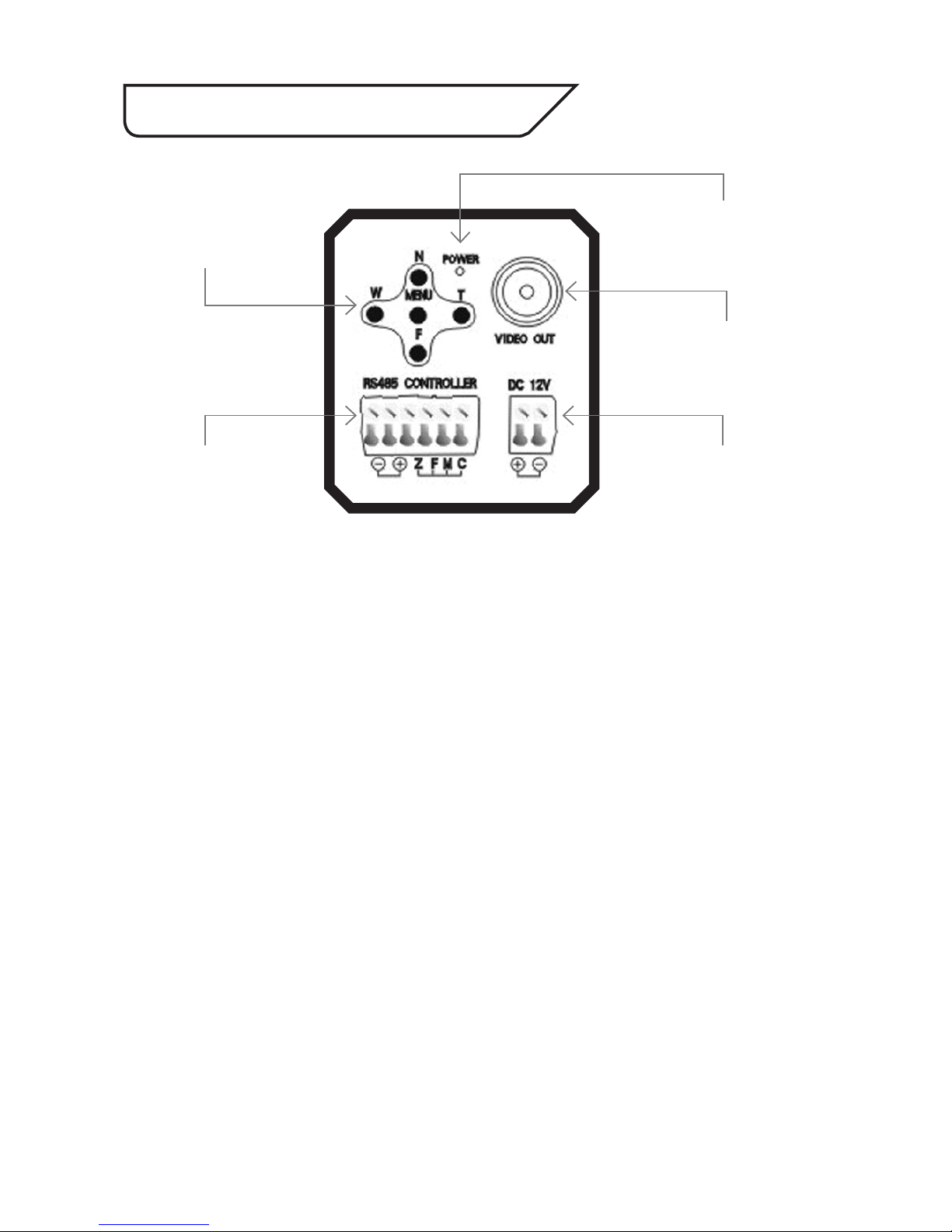
On the rear of the unit you will find the following:
VIDEO OUT - Allows you to connect BNC plug to enable Video.
POWER INPUT CONNECTIONS- Allows you to input 12V DC power using the - and
+ connectors.
REAR PANEL BUTTONS - Allows you to manually control the camera and its lens
functions:
• N (Near): Adjusts the focus for Near objects.
• F (Far): Adjusts the focus for Far objects.
• W (Wide Angle): Adjusts the optical zoom by zooming out.
• T (Narrow Angle): Adjusts the optical zoom by zooming in.
• Menu: Press to Enter/Exit the on-screen display menu
RS485 Camera Control Connections - Allows the camera to be controlled by a DVR
or Controller:
• RS485 (+/-): Use for RS485 Control
• Z (Zoom): Dry contact control
• F (Focus): Dry contact control
• M (Menu): Dry contact control
• C (Com): Dry contact control
Rear of PCC427
RS485 Camera
Control connections
Power Input
connections
Video Out
Power ON LED
Rear Panel Buttons
Page 4
5. How to Operate
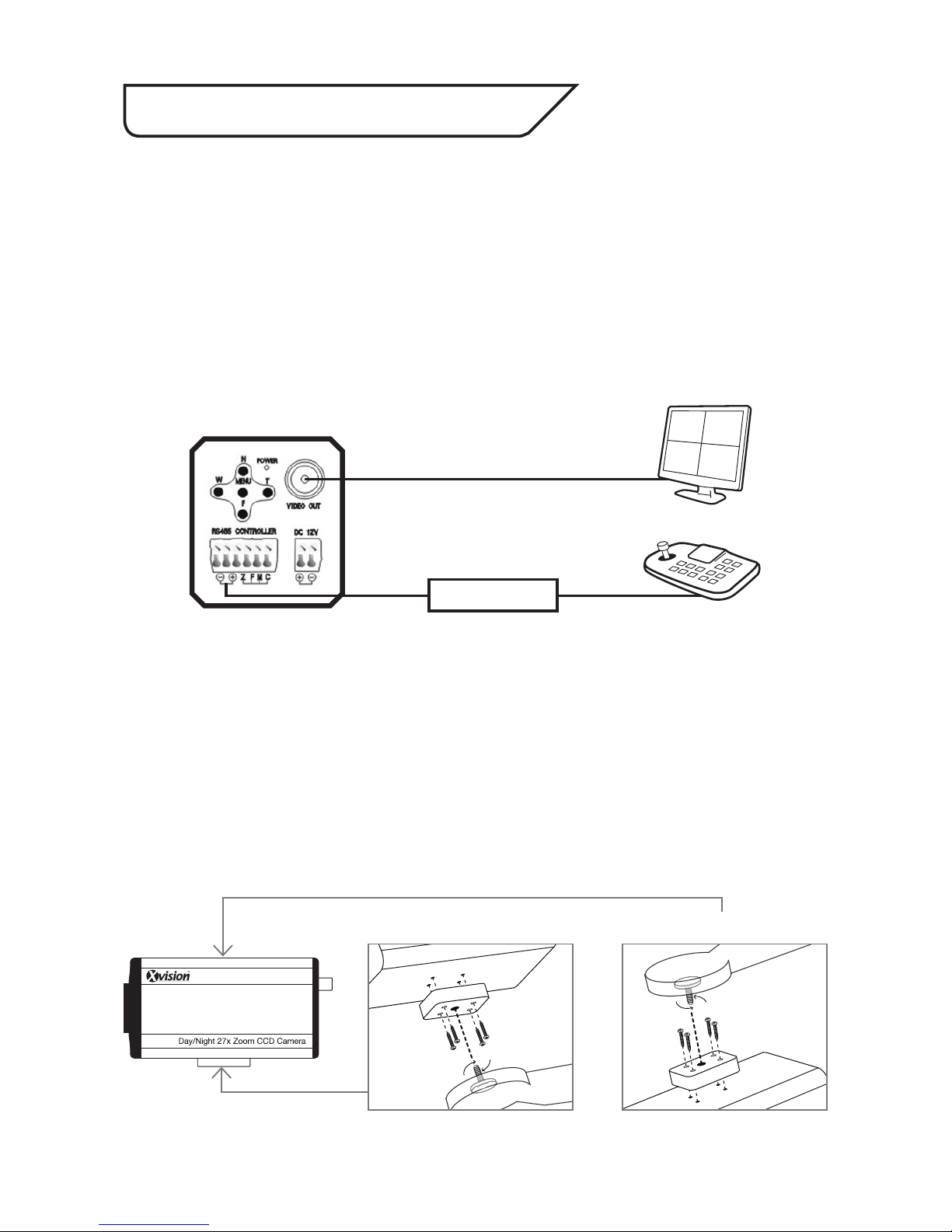
1. Connect the video output to the monitor or other video device through a 75
Ohms type coaxial cable.
2. Connect the power source with the 12V DC +/- connectors. The LED indicator
will light up.
3. Once the picture appears on the monitor, adjust the zoom, focus and menu
settings to obtain the best picture using the rear panel buttons.
RS485 Control
Connect the terminal connections to DVR or Controller:
How to Enter the RS485 OSD Menu Function
Call up the OSD menu via the DVR or RS485 Controller. (Press the Iris button on
the DVR or Controller, or Call Preset No. 20).
Note: Should you wish to use this camera externally, you will require an Xvision external
housing.
Bottom Mount (supplied fixed) Top Mount
Mounting the camera
Fix the mount to the casing in the correct area before attaching the bracket (not
supplied). See the diagram below illustrating how the mount for the bracket can be
fixed to either the top or the bottom of the camera:
Video Out
Data Cable
RS485
DVR or Controller
Monitor
Page 5
6. OSD Menu Options
Press the Menu Button
once to access the
Menu
ID Set
Baud Set <2400 / 4800 / 9600 / 19200 / 38400>
Zoom Speed <1~8>
Zoom Start <1~27>
Zoom Stop <1~27>
Focus State <FP / MF / AF>
Start Time <0~20 (Optional)>
Stop Time <0~20 (Optional)>
Init Set
Focus Sens <1~16>
OSD Mode <0 / 1 / 2>
IR Cut <OFF / AUTO / ON>
Mirror <ON / OFF>
Shutter <Auto, 1/500, 1/100, 1/250, 1/500, 1/1000, 1/2000, 1/4000, 1/10000>
WB Control <PUSH / U3 / MWB / U2 / HOLD / U4 / ATW / U1>
Day / Night
Brightness <0~48>
Sharpness <0~15>
Negative <ON / OFF>
Mask Set No <1~7>
Switch <ON / OFF>
H Start <0~252>
H End <0~252>
V Start <0~252>
V End <0~252>
Mask Color <0~3>
NR <ON/OFF>
D.=WDR <AUTO/ACQUIESCE AUTO/ON/OFF>
Back Light <BLC/HLC/OFF>
IR Bright <ON/OFF>
1
2
3
4
5
6
7
8
9
10
11
12
13
14
15
16
17
18
19
20
21
22
23
24
25
26
27
28
29
30
Page 6
1 > ID Set (Set ID of Camera)
The camera can be assigned a unique ID number so it can be identified if
using a controller or management system.
2 > BAUD (Baud Rate of Camera)
<Option: 2400 / 4800 / 9600 / 19200 / 38400>
The camera is factory programmed to operate with Pelco D/P protocol.
Set the baud rate to either 2400, 4800, 9600, 19200 or 38400.
3 > Zoom Speed <Option: 1~8>
Set the Zoom Speed to the rate you wish the camera to zoom in and out.
Set the speed between 1 and 8.
4 > Zoom Start <Option: 1~27>
Set the minimum Zoom limit between 1x and 27x.
5 > Zoom Stop <Option: 1~27>
Set the maximum Zoom limit between 1x and 27x.
6 >Focus State <Option: FP / MF / AF>
• FP (Triggered Focus): In this mode, if there is no motion before the
camera for 20 seconds after auto focusing, the focus will be fixed until
someone operates the camera via the rear panel or controller. This will
help to avoid the focus always changing if there are moving objects in
front of the camera.
• MF (Manual Focus): Select MF for Manual Focus Mode.
• AF (Auto Focus): Select AF for Auto Focus Mode.
7 > Start Time (Optional) <Option: 0~20>
When in Auto Zoom mode, set the start time of the zoom starting position.
6. OSD Menu Options continued
Page 7
6. OSD Menu Options continued
8 > Stop Time (Optional) <Option: 0~20>
When in Auto Zoom mode, set the stop time of the zoom stop position.
9 > Init Set <Option: 0~20>
Select this function to reset the camera position and settings.
10 > Focus Sens (Focus Sensitivity) <Option: 1~16>
Set the Focus Sensitivity of the camera. The higher the number, the more
sensitive. The focus will adjust according its sensitivity to the image change
or moving objects in front of the camera.
11 > OSD Mode <Option: 1 / 2 / 3>
• 1: Select option 1 for the menu to display in full screen with scrolling up
and down through the list.
• 2: Select option 2 for the menu to display one option at a time at the
bottom of the screen .
• 3: Select option 3 for the menu to display across three pages with the
menu options grouped 1 to 9, 10 to 18 and 19 to 26 in full screen.
12 > IR Cut (Focus Sensitivity) <Option: OFF / AUTO / ON>
Not available.
13 > Mirror <Option: ON / OFF>
• ON: Select ON for the camera image to be reflected on screen.
• OFF: Select OFF to leave the camera image unchanged.
14 > Shutter
<Option: Auto / 1/500, 1/100, 1/250, 1/500, 1/1000, 1/2000, 1/4000, 1/10000>
Set the shutter speed of the camera to Auto or to a fraction of a second.
Page 8
15 > WB Control (White Balance Control)
<Option: PUSH / U3 / MWB / U2 / HOLD / U4 / ATW / U1>
Adjust white balance of camera, so that white and other colours appear as
natural as possible depending on particular requirements/environment.
16 > Day/Night <Option: COLOR / B/W / AUTO>
• COLOR: Select ON for the camera image to be set to colour.
• OFF:Select ON for the camera image to be set to B/W.
• AUTO: Select AUTO for the camera image to automatically switch
from colour to B/W images depending on the light available.
17 > Brightness <Option: 0~48>
Set the brightness of the camera.
18 > Sharpness <Option: 0~15>
Set the sharpness of the camera.
19 > Negative <Option: ON / OFF>
• ON: Select ON for the camera image to be set to negative mode.
• OFF: Select OFF to leave the camera image unchanged.
20 > Mask Set No. <Option: 1~8>
There are a total of 8 optional masking areas that can be set.
21 > Switch <Option: ON / OFF>
• ON: Select ON for the camera masking area set to be turned ON.
• OFF: Select OFF for the camera masking area set to be turned OFF.
22/23 > H. Start / End. <Option: 0~252>
Set the Horizontal Start and End points of the Privacy Mask.
6. OSD Menu Options continued
Page 9
6. OSD Menu Options continued
24/25 > V. Start / End <Option: 0~252>
Set the Vertical Start and End points of the Privacy Mask.
26 > Mask Color <Option: 0 / 1 / 2 / 3>
Set the colour of the Privacy Mask. Choose from 4 colours.
27 > NR < Option: ON/OFF>
• ON: Switches on the Noise Reduction feature
• OFF: Switches off the Noise Reduction feature
28 > D.= WDR < Option: AUTO/ACQUIESCE AUTO/ON/OFF>
• AUTO: When the camera switches to Black & White (i.e. Nightvision
mode), WDR will switch itself on automatically
• ACQUIESCE AUTO: The WDR feature is switched off during the day
and on during night time mode.
• ON: Switches on WDR feature
• OFF: Switches off WDR feature
29 > Back Light < Option: BLC/HLC/OFF>
• BLC: Switches on Backlight compensation. The BLC function makes
objects in front of a bright scene (such as a window on a bright sunny
day) clearer to see by increasing their brightness and making the
background darker.
• HLC: Switches on High Light Control. This feature to select masking of
bright areas in the image, such as when viewing number plates when car
headlights are on.
• OFF: Switches off the Back Light functions
30 > IR Bright < Option: ON/OFF>
• ON: If the IR LEDs are on, this feature will reduce the IR exposure
allowing people’s faces to be viewed more clearly
• OFF: Switches off the IR Bright function.
Page 10

7. Troubleshooting
Problem Solution
No picture Check power supply for correct voltage and polarity
Buttons do not work
Check LOCK Menu to check if the rear button panel has
been locked
Picture is blurred
Check LENS Menu, if it is set to MF mode (manual focus),
change it to AF mode (Auto Focus mode)
Interference on camera
Power supply may be faulty.
Check for correct voltage and polarity.
May also be caused by other electrical equipment.
Page 11
Specifications
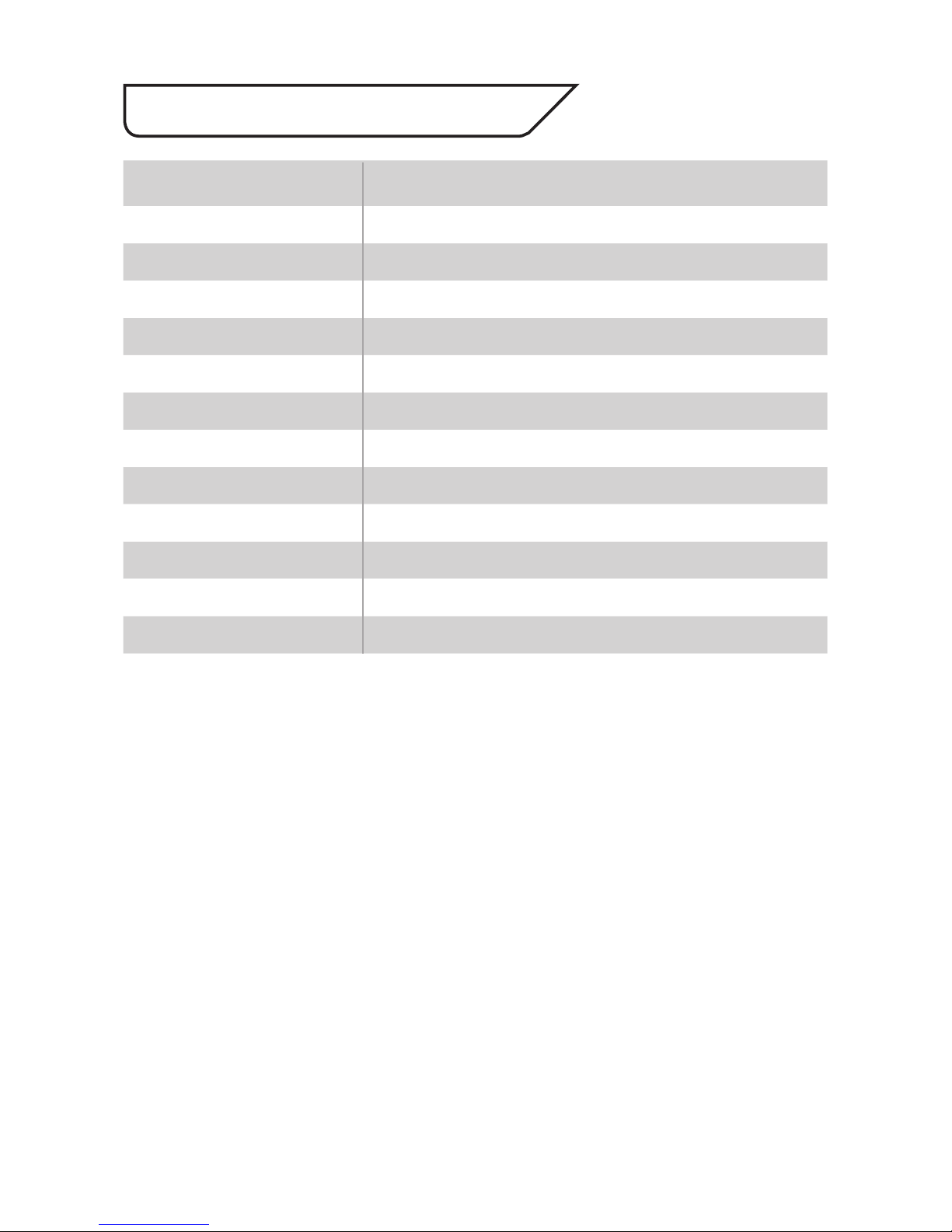
Model: PCC427
Picture Type: Day/Night (B/W & Colour)
Image Sensor: Sony 1/4” Super HAD CCD
DSP: Xvision IXC1HQDNE
Resolution: 700 TVL
Lens Viewing Angle: 1 to 60°
Minimum Illumination: 0.5 Lux
Audio: No
Operating Voltage: 12V DC 350mA
Suggested Power Supply: 12V DC 1250mA
Mounting: Wall/Ceiling (bracket required)
Weatherproofing: Yes (using optional housing)
Dimensions: (WxHxD) 63 x 68 x 93mm
Page 12
CCTV
UK/Europe
Xvision Group (UK)
Unit 2, Valley Point,
Beddington Farm Road,
Croydon, Surrey
CR0 4WP
Email: [email protected]
Far East
Kyoung Am Building
157-27 Samsung-dong
Kangnam-ku
135 090 Seoul
Korea
Email: [email protected]
Manufactured exclusively for Xvision - www.xvision.com
TECHNICAL SUPPORT:
For Technical Support for any Xvision product please contact your local distributor.
LIMITED WARRANTY:
This product is supplied with a 1 Year warranty. The Warranty excludes products that have been misused,
(including accidental damage) and damage caused by normal wear and tear. In the unlikely event that you
encounter a problem with this product, it should be returned to the place of purchase.
 Loading...