

Page 1
Screen Protector
User Manual
Thank you for choosing Xuma.
This screen protector is designed to protect
your iPhone’s screen from scratches, dust, and
smears. It’s easy to apply and remove, and it
adheres to the screen without leaving behind
any sticky residue.
Please read the instructions before applying
your Xuma screen protector.
Applying your Xuma Screen Protector
. Remove any films or other intervening
substances from your iPhone’s screen.
. Use the included microfiber cleaning
cloth to clean your iPhone’s screen,
making sure to remove any dust and
fingerprints. If needed, you can also use
the disposable dust sticker to attract any
remaining dust.
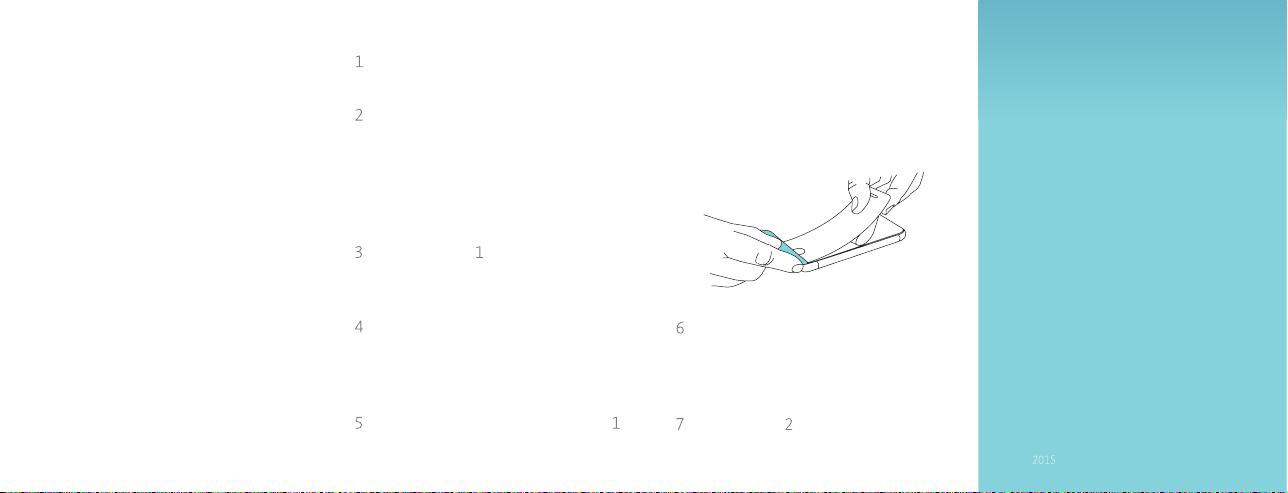
. Peel back mask about an inch from the
screen protector. Be sure not to touch
the exposed side of the screen protector.
. Make sure your iPhone is on a stable
surface, and align the screen protector
with your iPhone. Make sure the cutouts
are properly aligned.
. Hold the screen protector up by mask
while gently pushing down on the screen
protector with the included applicator
card. As you push the applicator card
further down the screen of the iPhone
to apply the screen protector, gradually
peel off the mask.
. Use the applicator card to smooth out
any remaining air bubbles by pushing
them out to the edge of the screen
protector.
. Peel off mask from the screen
protector.
Xuma is a registered trademark of the Gradus Group.
© Gradus Group LLC. All Rights Reserved.
www.XumaUSA.com
GG1
 Loading...