

Page 1
Quick User Manual
Wireless Charging Pad
IPU-WFP-13
Page 2

Contents
1. What is in the box
2. Product Introduction
3. Specification
4. How to use
5. Important Notification
6. FCC Statement & Warning
7. Trademark Acknowledgments
Thanks for purchasing this fantastic Qi Wireless charger. Please read the manual
in detail for proper operation before you get to start to use.
What is in the box
1) Qi Wireless Charger x1pc
2) Micro USB cable x1pc
3) Quick User Manual x1pc
Page 3
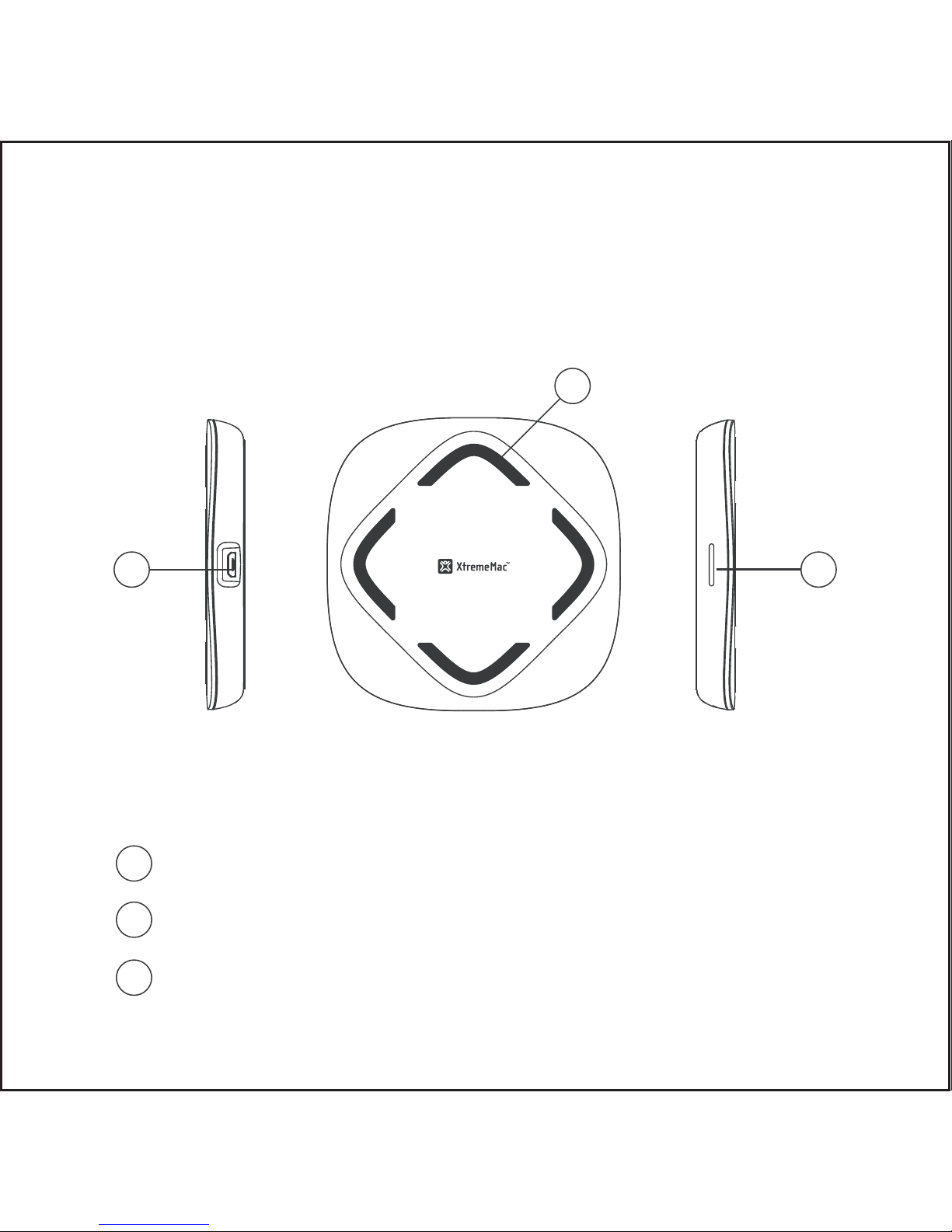
Product Introduction
Micro USB B Charging Port
LED indicator
Antiskid strip
1
2
3
1
2
3
1
Page 4

Features:
Main functions: single coil wireless charger transmitter;
Products applicable: all wireless charging equipment accorded with
Qi standard;
Charging type: one-on-one charge corresponding area;
Fast charging model only work with QC quick charger.
Standard version: WPC - 1.2.3;
The input voltage: DC 5V, 2A or QC2.0 / QC3.0;
Output power: 5 V, 1A or 9V, 1.1A (10W max.)
Wireless charging distance: 3mm to 8 mm;
Conversion efficiency: ≥ 70%;
Charging methods: induction model;
Working frequency: 100-200 KHZ;
Dimension: 86*86*12.5mm;
Product color: black
Specification
2
Page 5
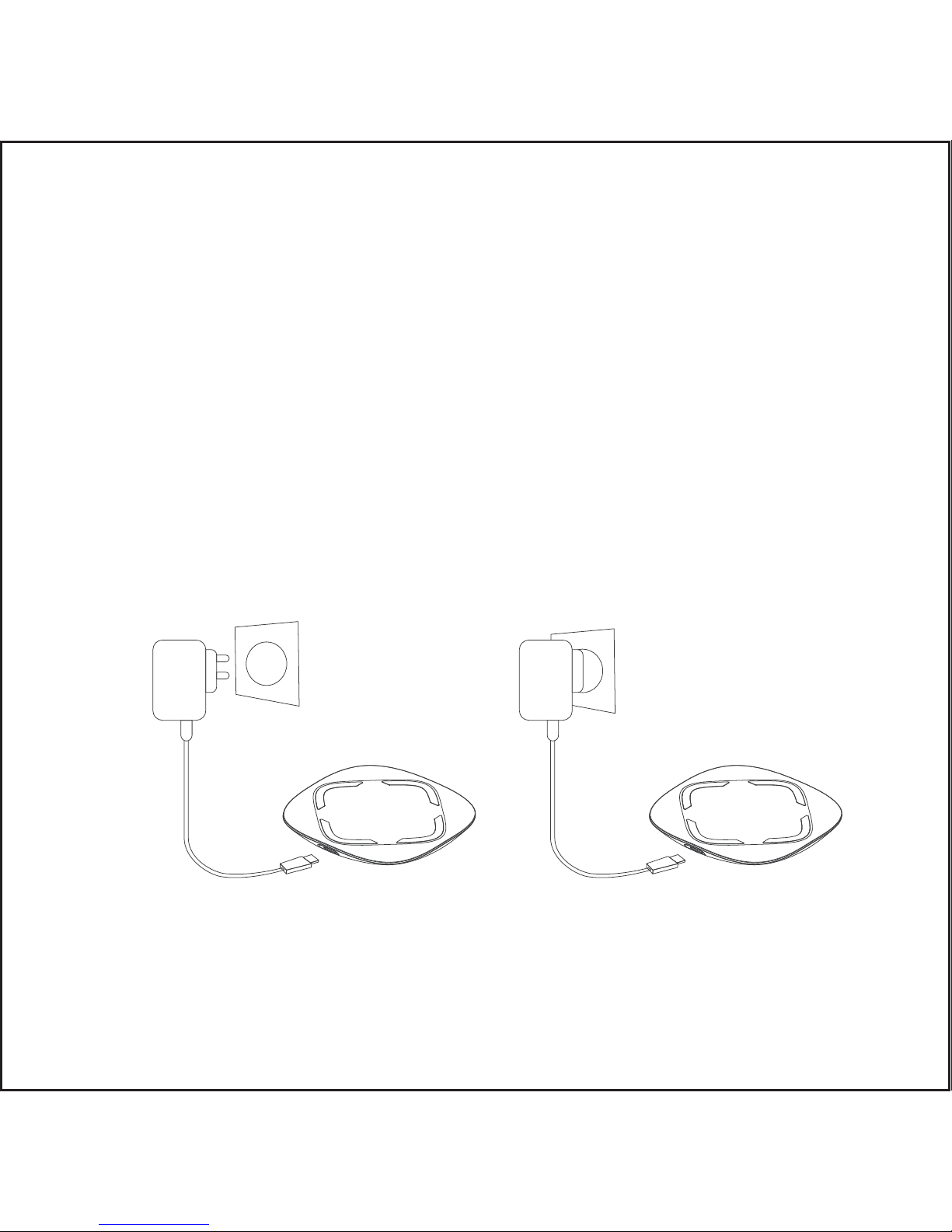
1. Plug Your Qi Wireless Charger to the Power Source
Plug the small end (micro USB B port) of the USB cord into the
side of the Qi charger. You can then plug the larger end (USB A
port) of the USB cord into the wall charger, and then plug the
charger into the wall, or you can plug the larger end into a PC
How to Use
USB Female Induction Zone
3
Page 6
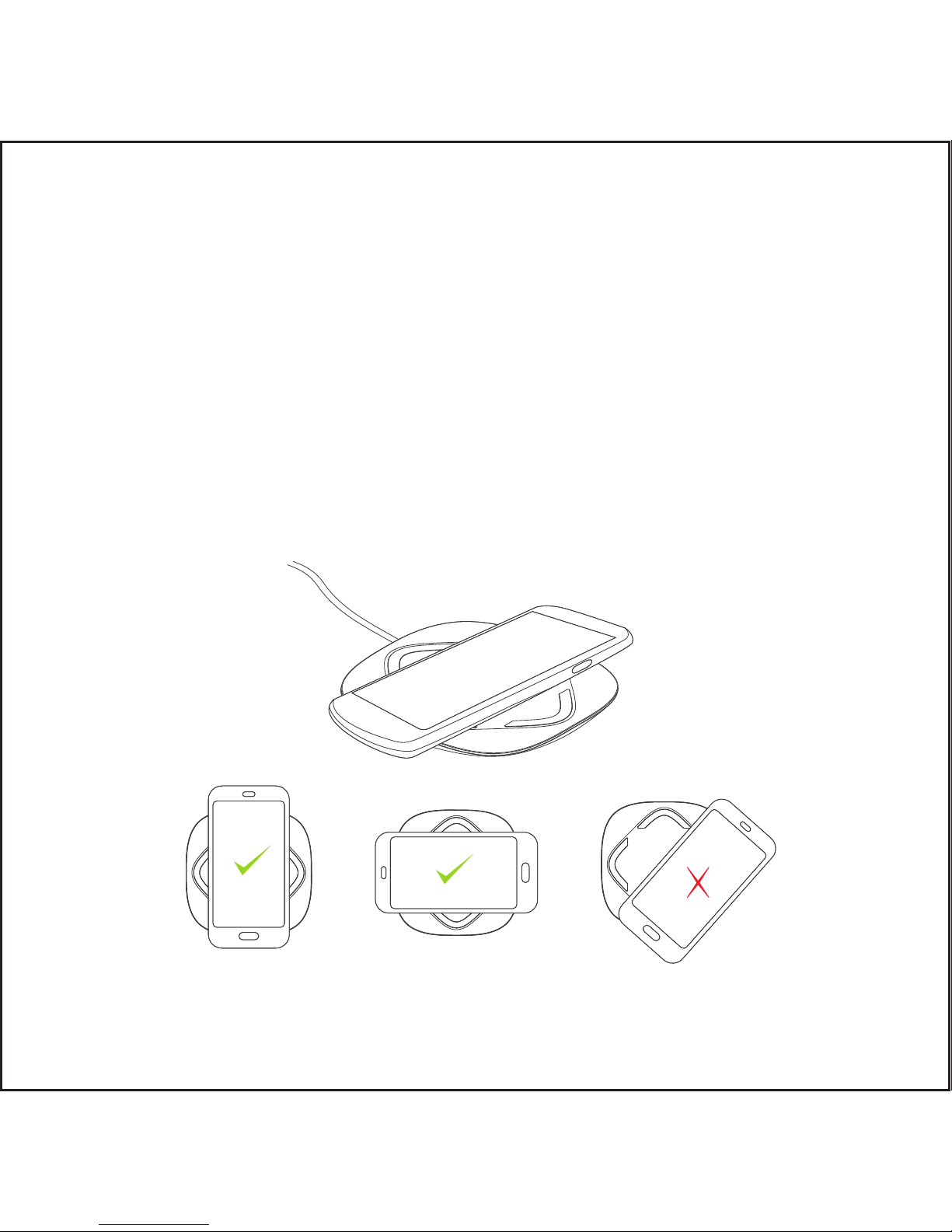
2. Place Your Cellphone on the Qi Charger
After you have connected the charger to a power source (either
your computer or a wall outlet), all you need to do to charge your
phone is simply place your phone on top of the charger.
Before you try to charge your phone with the charger, ensure that
your phone is compatible with Qi chargers and make sure that the
phone is well located at the charging area of wireless charger.
4
Page 7
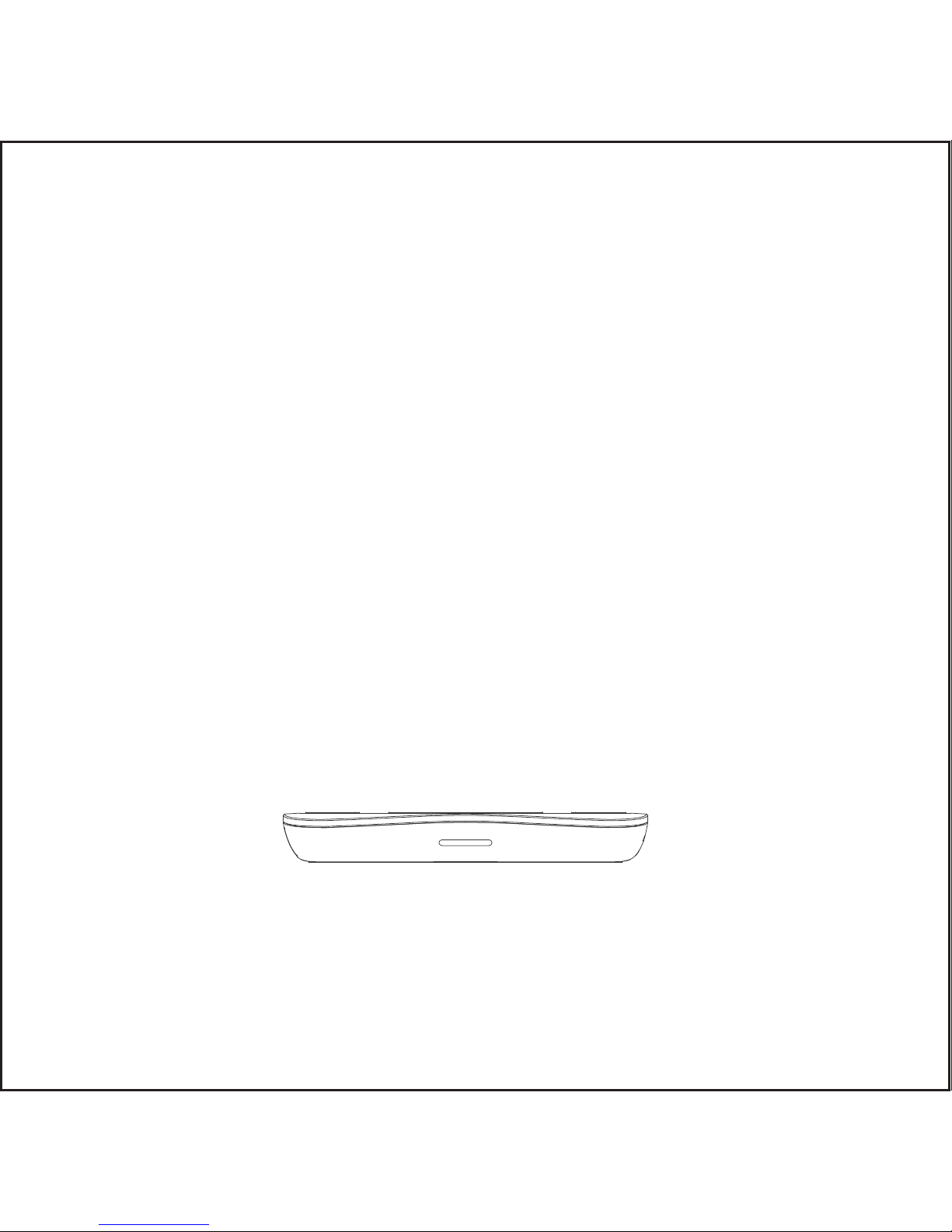
3. Charging Status Indicator
1) The indicator green light is on for 4s , then enters the standby
status, the green light goes out.
2) Please lay the device directly on wireless charger for charging, the
green light always stays on when the charger is in charging status
3) The transmitter has the function of detecting foreign objects(FOD).
If there is a foreign object on the transmitter, the green light will
flash.
5
Page 8

To p rotect people from h arm a nd p roperty loss, w e m ake a c lear
explanation o n w hat y ou d o should o bey:
A: T here are concerning the p ossibilities of d eath and severe w ound:
People w ho u se h eart-birth-maker should consult your d octor b efore
you u se this product; and p lease leave it at a d istance o f 2 2cm from t he
place w here y ou install your h eart-birth-maker, the e lectromagnetic w ave
have influence o n h eart-birth-maker’s w ork.
B: A ttention! It m ay lead t o h eat, fire a nd e lectric shock:
D o n ot put it into w ater o r any o ther liquid, D o n ot m ake it w et;
D o n ot pull the A C a dapter o ut w ith w et h a
nds; ensure t he safety a nd
integrity o f t he adapter;
D o n ot let t he d ust or o ther t hings accumulate o n t he p roduct and t he
AC a dapter;
D o n ot use the p roduct o utside t he temperature - 2 0 ℃ to 4 0 ℃;
D o n ot charge in p laces w here t he sun shine d irectly o r w ith h igh
temperature;
D o n ot use this product in p laces that are e asy to f all, so a s not to
break;
D o n ot lay the m agnetic card, magnetic record m edia and p recise
machine t oo close to the p rotect;
D o n ot decompose and r emold;
Important Notification
6
Page 9

D o n ot lay anything betw een t he n on-connection charging pad and
the charging m achine;
D o n ot surpass the r ated v alue w hen u sing the p lug and o ther w iring
layout;
D o n ot make any b reakage o n t he A C a dapter, please m ake sure y ou
connect the A C a dapter fully and t ake t he A C a dapter o ff t he p lug w hen
it’s not used;
D o n ot use travel converter;
Please teach y our children t o u se
FCC Statement & Warning
This device complies with part 15 of the FCC Rules. Operation is
subject to the following two conditions: (1) This device may not cause
harmful interference, and (2) this device must accept any interference
received, including interference that may cause undesired operation.
Warning: Changes or modifications to this unit not expressly
approved by the party responsible for compliance could void the
user’s authority to operate the equipment.
NOTE: This equipment has been tested and found to comply with the
7
Page 10

limits for a Class B digital device, pursuant to Part 15 of the FCC
Rules. These limits are designed to provide reasonable protection
against harmful interference in a residential installation. This
equipment generates uses and can radiate radio frequency energy
and, if not installed and used in accordance with the instructions, may
cause harmful interference to radio communications.
However, there is no guarantee that interference will not occur in a
particular installation. If this equipment does cause harmful
interference to radio or television reception, which can be determined
by turning the equipment off and on, the user is encouraged to try to
correct the interference by one or more of the following measures:
- Reorient or relocate the receiving antenna.
- Increase the separation between the equipment and receiver.
- Connect the equipment into an outlet on a circuit different from
that to which the receiver is connected.
- Consult the dealer or an experienced radio/TV technician for help.
The symbol and the name "Qi" are registered trademarks by WPC
(Wireless Power Consortium)
Trademark Acknowledgments
8
Made in PRC / Fabriqué en RPC
|
Designed in the EU | XtremeMac Sarl - 2, rue d’Arlon, L-8399, Windhof, Luxembourg.
All brands or product names are or may be trademarks of their respective owners.
Pictures and specifications are not contractual. 2 year warranty.
XtremeMac
@XtremeMac xtrememac_official
www.xtrememac.com
 Loading...