

Page 1
B-6~7F, 275-6, Samho Bldg,Yangjae-Dong Seocho-Ku, Seoul, Korea 137-130
TEL:82-2-3460-4500 FAX:82-2-578-7027 http://www.xrosstech.com
E-mail:[email protected]
Page 2

1
Preface
This user’s manual describes how to install and use
the CRUISER (XCM-2000) cable modem.
We recommend you to carefully read through the
manual before installing or using the CRUISER
(XCM-2000) cable modem.
The CRUISER (XCM-2000) cable modem is so
delicately designed that users do not need to open
the housing and touch the inside. Therefore, for
upgrade or repair, you should contact the dealer
who you purchased the modem or call at one of our
service centers to get help from a technician.
Please, give a call to the dealer for further questions
on the manual or while installing and using the
CRUISER (XCM-2000) cable modem.
INFORMATION TO THE USER (Part 15, Section 15.105(b))
INFORMATION TO THE USER
This equipment has been tested and found to comply with the limits for a Class B
digital device, pursuant to part 15 of the FCC Rules. These limits are designed to
provide reasonable protection against harmful interference in a residential
installation. This equipment generates, uses and can radiate radio frequency
energy and, if not installed and used in accordance with the instructions, may
cause harmful interference to radio communications. However, there is no
guarantee that interference will not occur in a particular installation. If this
equipment does cause harmful interference to radio or television reception, which
can be determined by turning the equipment off and on, the user is encouraged to
try to correct the interference by one more of the following measures:
-Reorient or relocate the receiving antenna.
-Increase the separation between the equipment and receiver.
-Connect the equipment into an outlet on a circuit different from that to which
the receiver is connected.
-Consult the dealer or an experienced radio/TV technician for help.
WARNING (Part 15, Section 15.21)
Changes or modifications not expressly approved by the manufacturer could void
the user’s authority to operate the equipment.
Page 3

3
Table of Contents
1. Overview of CRUISER (XCM-2000) Cable Modem
1.1 Features
1.2 Appearance
1.3 Product Specifications
2. Installation of CRUISER (XCM-2000) Cable Modem
2.1 Preparations
2.2 Contents
2.3 Connection of Cable Modem (Household Version)
2.4 Connection of Cable Modem (Office Version)
3. Use of CRUISER (XCM-2000) Cable Modem
3.1 Verification of Functions
3.2 Trouble shooting
4
5
6
7
8
9
10
11
14
Page 4
4
5
1. Overview of CRUISER (XCM-2000) Cable Modem
1.1 Features
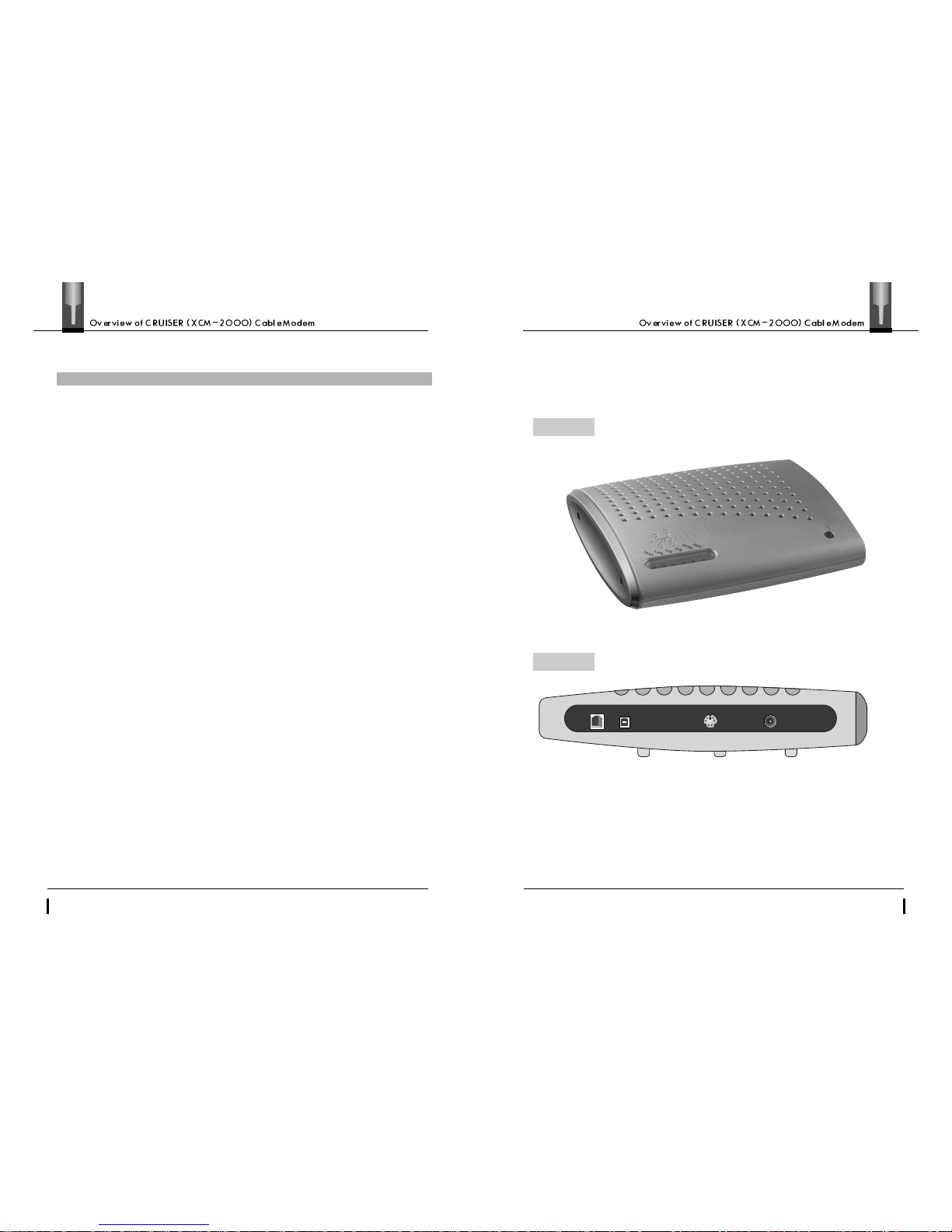
1.2 Appearance
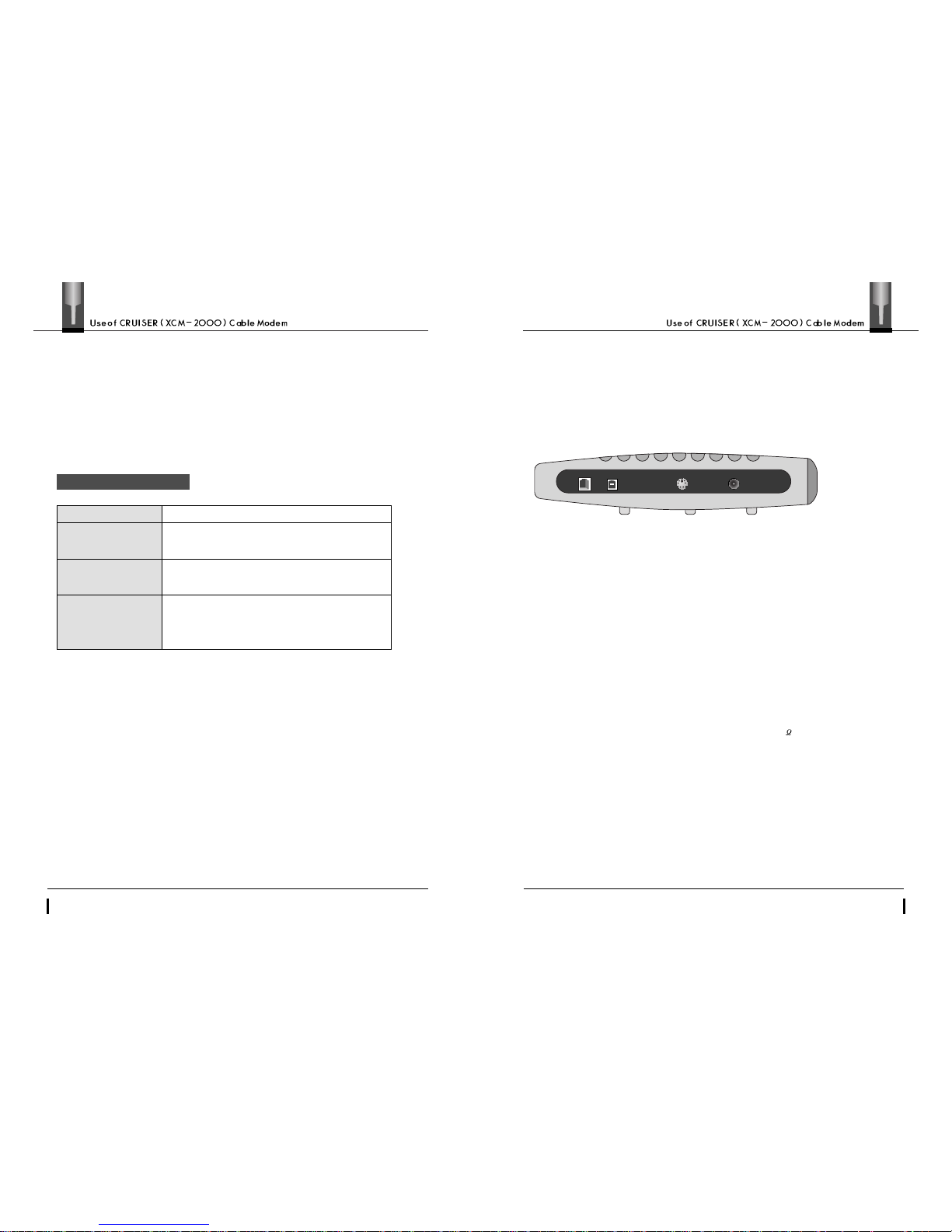
The CRUISER (XCM-2000) cable modem has been developed to
meet the specification, MCNS/DOCSIS V1.0. Hence, the
CRUISER (XCM-2000) cable modem is compatible with any other
cable modems which satisfy DOCSIS V1.0 and can interoperable
with any DOCSIS V1.0 head-end systems (CMTS).
The CRUISER (XCM-2000) cable modem provides high-speed
data services connecting a PC or local LAN to a high-speed
Internet or multimedia service network through the CATV
network. The CRUISER (XCM-2000) cable modem allows users
to transmit/receive data about 100 times as fast as existing other
modems which use telephone lines.
Once you set up the CRUISER (XCM-2000) cable modem, you
must feel a significant performance improvement when using
data services such as Internet (WWW), chatting, e-mail and FTP
and can improve the utilization factor of your PC or network.
※Read the page 11 ~ 13 for details of the switches, LEDs and terminals with the modem.
ETHERNET
CABLE
POWER
Front
Back
USB
Page 5
6
7
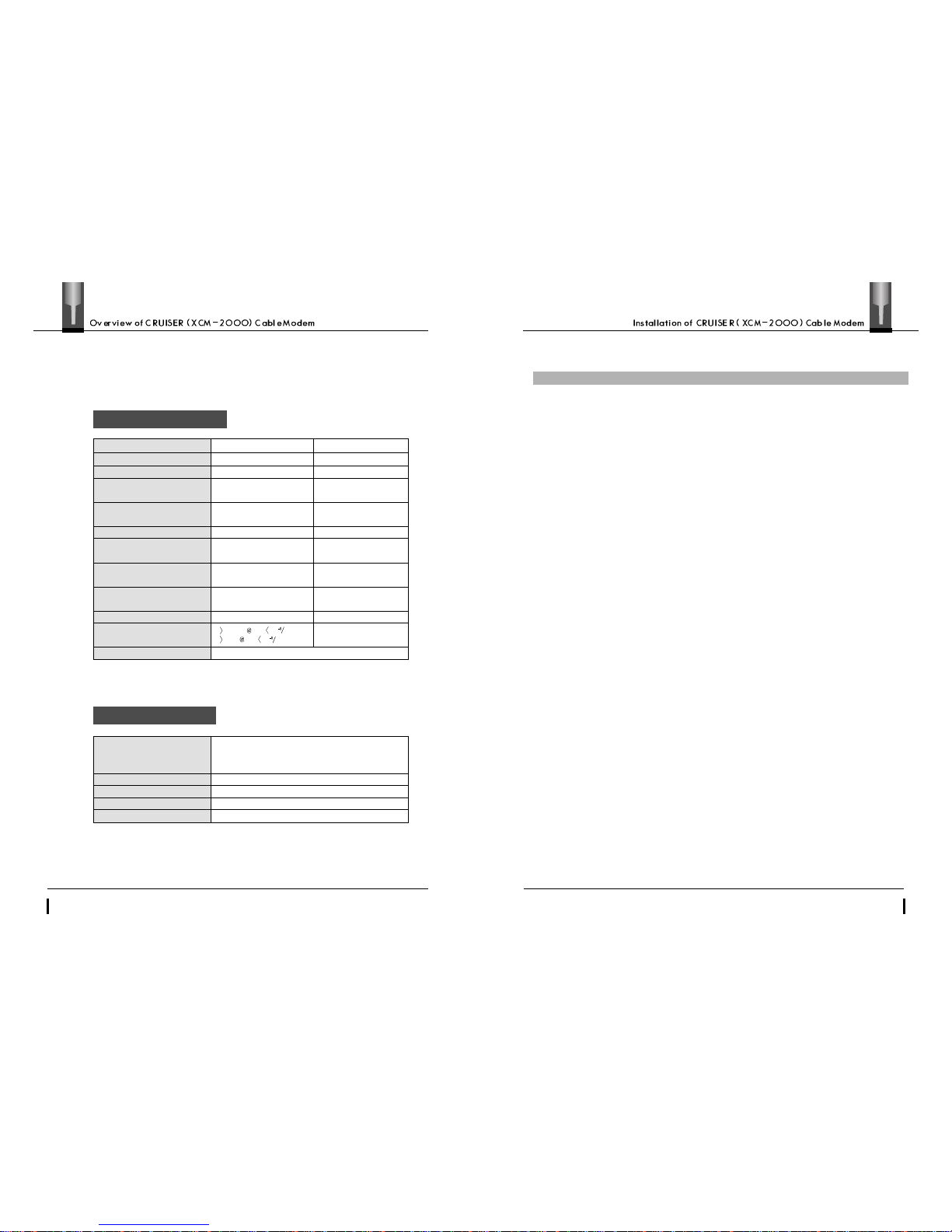
1.3 Product Specifications
2. Installation of CRUISER (XCM-2000) Cable Modem
2.1 Preparations
The following preparations are required to access highspeed data services using the CRUISER (XCM-2000) cable
modem.
Cable Modem Main Body
Power Adaptor
DOWNSTREAM
91~857MHz
64/256QAM
Max 30Mbps/64QAM
Max 40Mbps/256QAM
6MHz
RS(122,128)/Trellis
5.056941Msym/sec 64QAM
5.360537Msym/sec 256QAM
64QAM:6Bits
256QAM:8Bits
-15~+15dBmV
DES Decryption
160(MM )
X
160(MM) X45(MM)
UPSTREAM
5~42MHz
QPSK/16QAM
Max 5.12Mbps/QPSK
Max 10.24Mbps/16QAM
200K, 400K, 800K,
1.6M, 3.2MHz
Reed Solomon
160K, 320K, 640K,
1280K, 2560Ksym/sec
QPSK:2Bits
16QAM:4Bits
+8~+55dBmV/16QAM
+8~+58dBmV/QPSK
DES Encryption
Center Frequency
Modulation type
Data Rate
Channel bandwidth
FEC
Symbol rate
Bit per symbol
Level Range per channel
Security
Carrier to noise ratio
Dimensions
23.5dB BER 10 64QAM
30dB BER 10 256QAM
AC/DC Adapter(MAX 20W)
DC 3.3V/2A
DC 5.6V/1A, 30V/6mA
AC110V~220V(Free Voltage)
45~65Hz
119(MM)
X
61(MM)X345(MM)
UL/FCC Specification Approval
Dimensions
Type
Voltage
Input frequency
Safety specification
•One set of the CRUISER (XCM-2000) cable modem package
•CATV network service lines (coaxial cables)
•PC or network equipment mounting a LAN card inside
(hub, switch, router, etc.)
Page 6
8
9
2.2 Contents
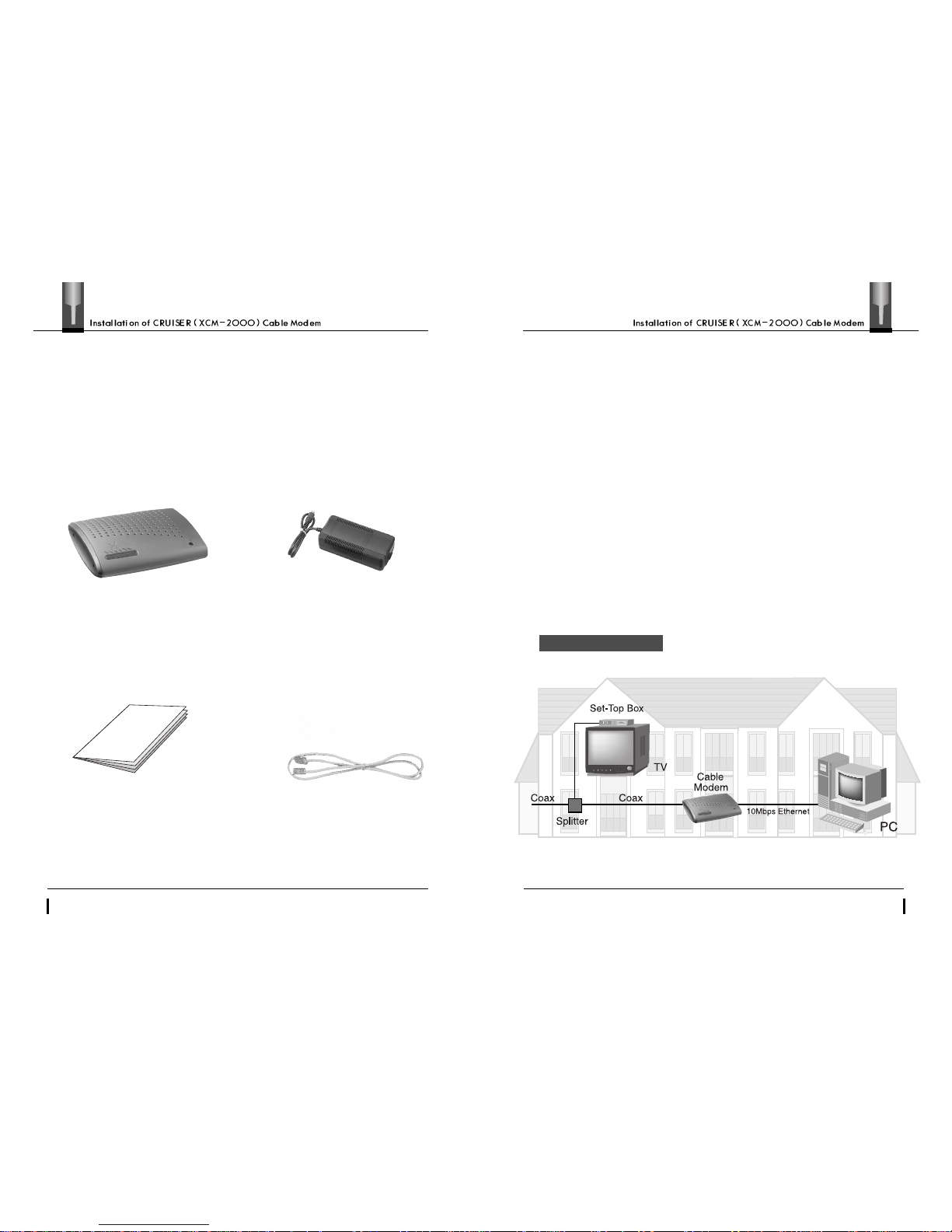
2.3 Connection of Cable Modem (Household Version)
·RJ-45 UTPCable
·CRUISER (XCM-2000) cable modem
dedicated adapter
·CRUISER (XCM-2000) Cable Modem
User’s Manual
·CRUISER (XCM-2000) cable modem
main body
The CRUISER (XCM-2000) cable modem should be connected to
the CATV network service line and user’s devices as described below.
•Connect the coaxial cable from a ‘CATV’ service provider to the terminal
‘CABLE’on the back panel of the modem.
•Connect either end of the RJ-45 UTP cable included in the CRUISER
cable modem package to the terminal ‘ETHERNET’on the back panel of
the cable modem and the other end to the RJ-45 port of the Ethernet card in your PC.
▶
At the moment, there is no need of splitter, set-top box and TV if you are subscribed to
the cable data service but not to the CATV service.
The CRUISER (XCM-2000) cable modem package includes the followings
On unpacking the modem package, you should check that there are all
components and accessories present in the pack.
Home Environment
Page 7
10
11
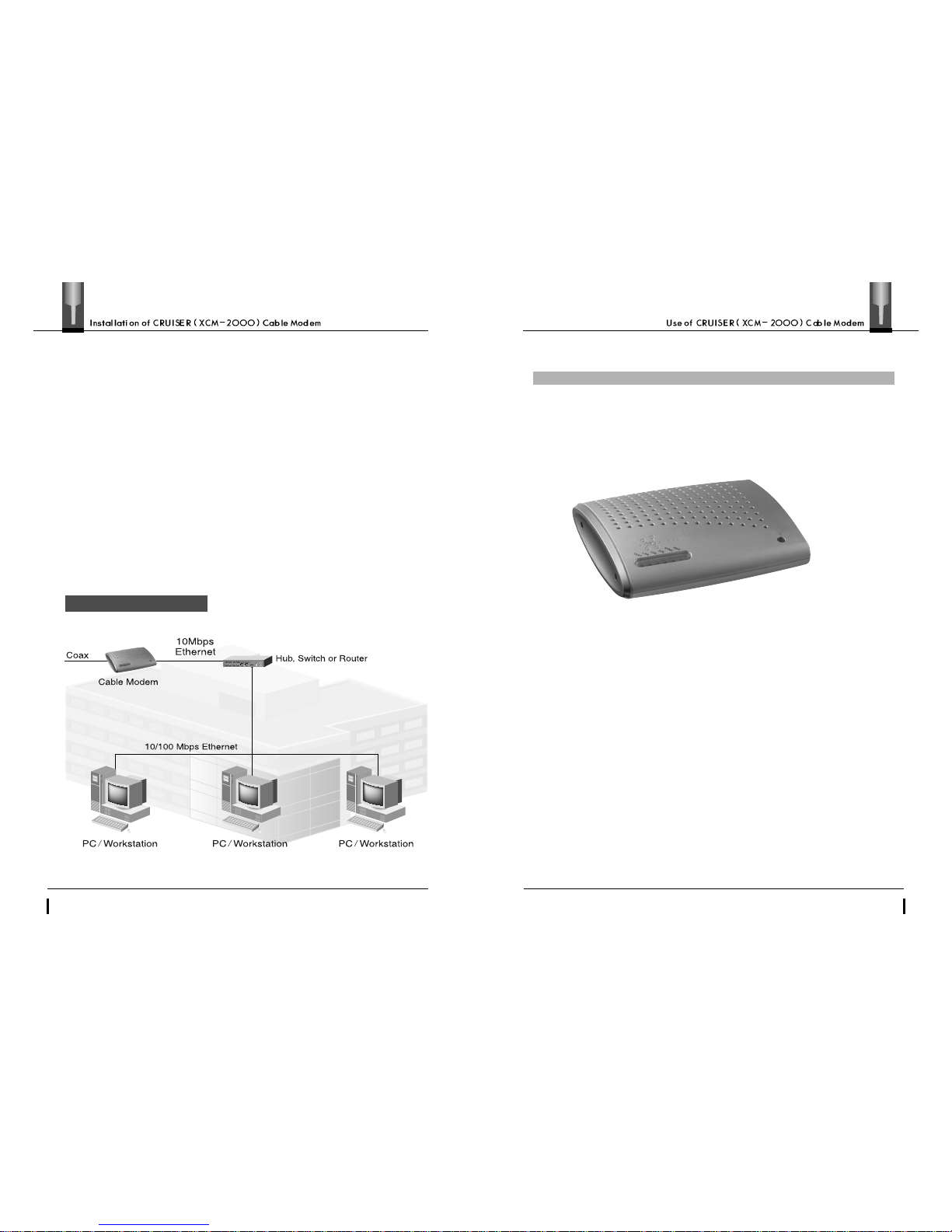
2.4 Connection of Cable Modem (Office Version)
The CRUISER (XCM-2000) cable modem should be connected to the CATV
cable and user’s devices as described below.
•Connect the coaxial cable provided by a ‘CATV’ service provider to the terminal
‘CABLE’on the back panel of the modem.
•Connect either end of the RJ-45 Ethernet cable to the terminal ‘ETHERNET’
on the back panel of the cable modem and the other end to the trunk
terminal of your network device.
3. Use of CRUISER (XCM-2000) Cable Modem
3.1 Verification of Functions
••
POWER(LED)
This LED indicates that the power of the cable modem is on.
••
TEST(LED)
This LED goes on to indicate that the circuit of the modem is being checked when
the power is initially applied to the modem or the modem is reset.
••
LAN(LED)
This LED flashes to indicate that the cable modem and your PC normally transmit/receive
data while the modem normally operates.
••
U/S(LED)
This LED flashes to indicate that the cable modem normally transmits data.
••
D/S(LED)
This LED flashes to indicate that the cable modem normally receives data.
••
SYNC(LED)
This LED indicates that the cable modem and head-end equipment(CMTS)
are synchronized for data transmission/reception as the modem is initialized.
It should be always on while the modem normally operates.
Business Environment
The LEDs functions on the front panel of the CRUISER (XCM-2000)
cable modem are as described below.
Page 8
13
12
••
RDY(LED)
This LED indicates that the cable modem completed all preparatory procedures and is
now ready to service. It should be always on while the modem normally operates.
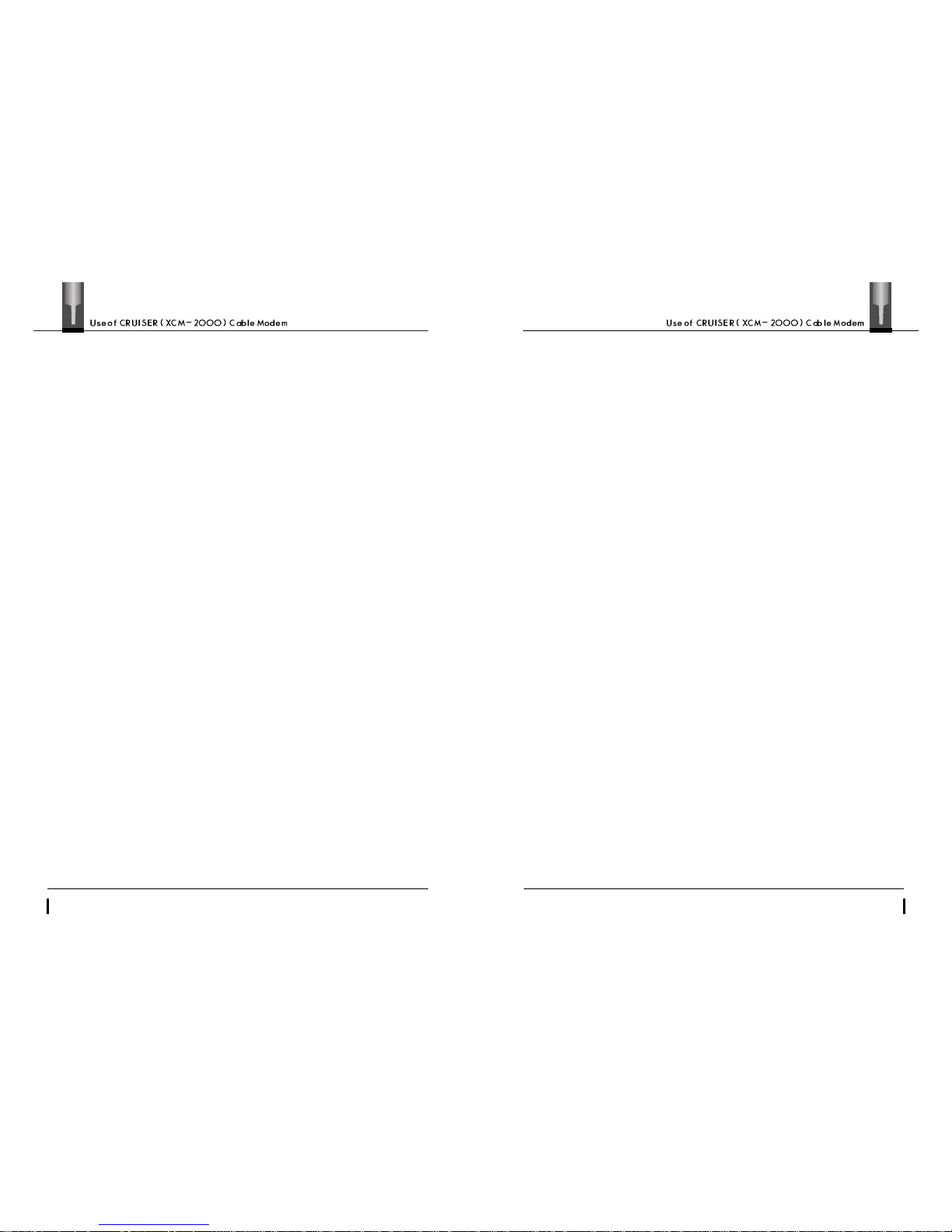
The parts on the back panel of the CRUISER (XCM-2000) cable modem
function as described below.
••
POWER(Socket)
This socket is a terminal to supply power to the cable modem connecting the
CRUISER (XCM-2000) cable modem dedicated power adapter to the modem.
¢”
Caution: You must use the dedicated power a dapter included in the CRUISER (XCM-2000) cable modem
package, otherwise the cable modem may be seriously damaged.
••
ETHERNET(Port)
This port is used in connecting your PC or network equipment (hub, switch, router, etc.).
You may use the RJ-45 UTP cable included in the CRUISER(XCM-2000)Cable modem
package to connect the port.
••
CABLE(Socket)
This socket is a terminal to connect the coaxial cable for cable modem which is fed
from outside. You are required to connect this terminal to the 75 coaxial cable provided by
cable data service provider.
ETHERNET
CABLE
POWER
LED
Status Summary
POWER LED
TEST LED
SYNC LED
RDY LED
LAN LED
U/S LED
D/S LED
Always “On”while the power is applied
“On”in the initialization stage and
“Off”during normal operation
Always “On”during normal operation
Flashing according to traffic during normal operation
USB
Page 9
15
14
3.2 Trouble shooting
Please contact the dealer or call at the service center for usage or post-sale service of
the CRUISER (XCM-2000) cable modem. We advise you to check the followings
before giving us a call.
•On unpacking the CRUISER(XCM-2000)cable modem package,You can request the
dealer to exchange the damaged or lost contents. ( damaged adapter, damaged
XCM-2000, defective contents, etc.)
•You must check the followings first if LEDs do not turn on at all or do not normally
operate in spite of a correct connection of the adapter.
-There may be a problem with the power connector or power adapter.
Therefore, you need to make sure that the power plug is correctly
connected to the power connector.
Note : Regarding power supply of XCM-2000, you do not need to worry about whether to set it
to 110V or 220V
nor to perform any user defined special operations.
•You can check the followings for bad connection.
-
There may be a problem with the cable if ‘RDY’and/or ‘SYNC’of the LEDs
do not turn on. You must check if the coaxial cable is correctly connected
and, if so, you should wait for minutes after pushing the ‘ RESET’key.
Nevertheless, if those LEDs ‘RDY’and ‘SYNC’do not turn on, you must
have it checked by the service provider.
-
If you are not able to access Internet despite that ‘RDY’and ‘SYNC’are on,
you can check the Ethernet port. Then, you must verify that your PC and
LAN card or the HUB port in use is on and check the Ethernet cable over
again. If you are still not able to access Internet, you can check if the LAN
card or HUB is correctly set up. Also, you may be able to get help from the
service provider on chronic troubles.
If the CRUISER (XCM-2000) cable modem does not properly work in spite of your
actions according to the instructions above, you can disconnect the power adapter
for about 5 ~ 10 seconds and then connect it to the modem again.
Since there are no further complicated items with the CRUISER (XCM-2000) cable
modem that users have to understand themselves besides connection of the power
adapter or cables, you would better get help (post-sale services) from the dealer for
chronic troubles.
 Loading...