

Page 1

Technical Update Bulletin
iX104
Issue Date: 08/23/2004
Last Updated: 08/23/2004
Document ID: IX104TU082304_v1
Operating System: Microsoft Windows 2000, XP Pro and XP Tablet Edition
Category: iX104 Batteries 41wh, 55wh
Distribution:
Application Models: iX104R, iX104RD, iX104T, iX104TD, iX104C2
Classification: External
Use of any software made available for download from this system constitutes your acceptance of the
Export Control Terms and the terms in the Xplore end-user license agreement.
Item 1 – iX104 Li-Manganese Batteries
Li-Manganese Batteries
Li-Manganese batteries are the newest technology batteries and offer several
advantages over NiMH and NiCd batteries. Li-Manganese batteries are
preferred for their lighter weight and higher performance. Lithium-ion batteries
are typically 20-35% lighter and will provide 10-20% better performance than a
NiMH battery of equivalent mAh rating. Lithium-ion batteries are also unique in
that they are not susceptible to the "memory effect".
A new Li-Manganese battery will benefit from an initial "conditioning" of the
battery. For the first 3 charge cycles, fully charge the battery overnight and allow
it to fully discharge before recharging. Once conditioned, Li-Manganese
batteries will perform best when charged at a rate somewhere between a
conventional slow charge and a rapid charge. When rapid charging, LiManganese batteries require a charger designed to charge Lithium batteries. To
achieve a true full charge when rapid charging, the battery needs to be slow
charged the last 10-15% of its charge cycle. Most "intelligent" desktop and
Lithium-battery rapid chargers provide this capability. A Li-Manganese battery
may be damaged by extensive overcharging (continuously on a charger for more
than 24 hours).
CONFIDENTIAL PRODUCT MARKETING BULLETIN IX104TU082304_v1 Page 1 of 4
Page 2

Item 2 – Bios Update
Please ensure that you have the latest Xplore Bios on your iX104 before you deploy our newest
Batteries.
If you do not you can go to www.xploretech.com and under the Customer Support tab you will
find downloads and the latest Bios. If you need assistance contact Xplore Customer Support.
Sample Bios download:
iX104 Bios A2I for DOS Download
Release Title: BIOS: iX104 System BIOS, English, A2I
Release Date: 7/15/2004
Category: FlashBIOS Updates
DA2IZip.exe Size: 1001 KB Estimated download time: 119 sec Format: Zip
Format Description:
This file contains a compressed (or zipped) set of files. Download the file to a folder on your hard drive, and then run (double-click) it to unzip the
set of files. Follow the instructions in the “Floppy Disk Upgrade Procedure” document to successfully update your system.
This is a self-extracting file that contains the A2I System BIOS for the iX104 tablet computer. For BIOS release notes please see the Fixes and
Enhancements section below.
Ensure the system's main battery and AC Adapter is connected prior to flashing the BIOS. This download can be used with any iX104 and all
versions of BIOS.
WARNING
Failure to follow the procedures can result in an iX104 which is no longer operable. Please read through all directions in “Floppy Disk Upgrade
Procedure” before beginning the procedure.
Fixes and Enhancements:
Reactive LCD Display when re-entering normal operating temperatures when unit on.
Adjust Battery Charge when battery is being charged outside recommend temperature range. Note: When Battery is being charged outside
recommended temp range Windows Battery Gauge will display that charger is plugged in and battery is not charging. This will change back
when battery in back in correct temperature range.
Item 3 – iX104 Dual Bay Battery Charger
1. Introduction:
This document shall assist you with the basic understanding and use of the iX104 Dual Bay Battery
Charger for charging and reconditioning iX104 series battery packs.
2. Description:
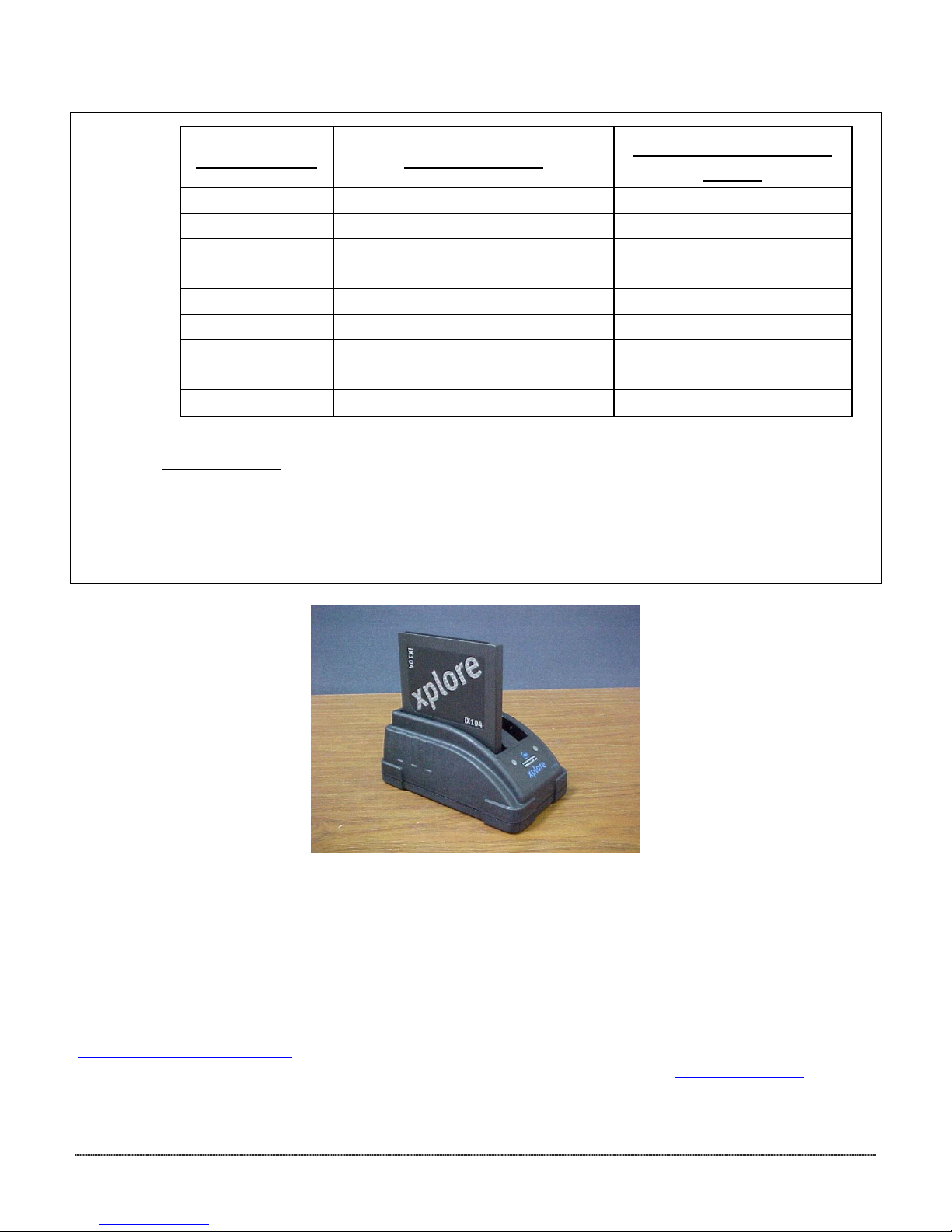
The iX104 Dual Bay Battery Charger provides charging and reconditioning functions of up to Two (2) of
the iX104 Lithium-
Manganese Battery Packs.
CONFIDENTIAL PRODUCT MARKETING BULLETIN IX104TU082304_v1 Page 2 of 4
Page 3
3. Features:
3.1 Two Bays for Battery Charging:
3.2 One Bay of Battery Reconditioning:
3.2.1 Only the left bay of the Charger provides battery reconditioning by a push-button (the center Blue
3.2.2 The recondition algorithm is a full charge + full discharge + final full charge.
The Charger provides two charging bays that will charge sequentially
3000mA per bay. The first battery inserted will get charged first.
Arrow button) activation.
. Charging is limited to
Note: Recondition does not affect the battery chemistry, but resynchronizes the SMBus fuel gauge
chip with the state of charge of the physical cells.
4. Status Indicators:
One Tri-Color LED will provide status indication for each charging or charge/ recondition bay. The color
codes are as follows:
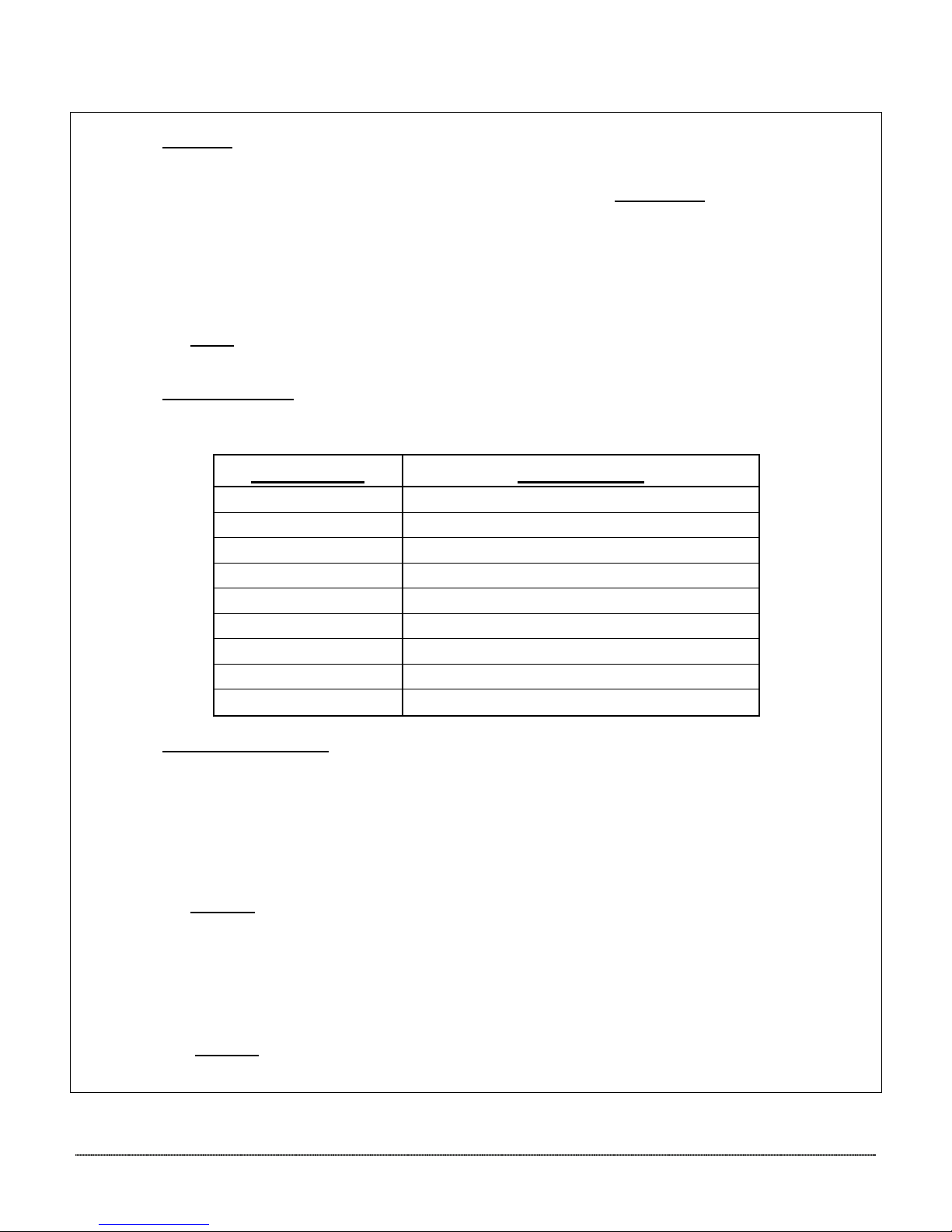
LED Color: Description:
Off No battery detected
Flashing Green Charging
Solid Green Fully charged
Flashing Yellow Recalibrating
Yellow/Green Recalibrated
Solid Yellow Standby (waiting for other bay to complete)
Flashing Red Error
5. Charging Instructions:
5.1 Charging:
5.1.1 Simply insert one (1) iX104 battery pack into one of the slots. If desired, you may place
another battery pack into the other slot (see note #1).
5.1.2 The first battery inserted will start to charge immediately, but it takes about 10-15 seconds
for the fan to turn-on, and the charging sequence to begin.
5.1.3 The second battery will remain waiting until the first battery has completed its charge cycle.
Note #1:
orientations.
5.2 Reconditioning: (see note #2)
Insert one (1) battery pack into the left bay, then press and hold the Reconditioning Button until the
Flashing Yellow LED is on.
Note #2:
three (3) months, or when the run time is significantly reduced.
The slots are keyed, so you can only place the batteries into them in the correct
Xplore Technologies, Inc. recommends reconditioning the battery pack once every
CONFIDENTIAL PRODUCT MARKETING BULLETIN IX104TU082304_v1 Page 3 of 4
Page 4
6. Battery Testing:
6.1 On the back side of the battery pack - locate the battery fuel gauge at the bottom
6.2 Press the furthest button on the right:
• The fully charged Li-Polymer battery should show five (5) green bars.
• The fully charged Li-Manganese battery should show one (1) yellow bar + four (4) green bars.
Conditions: Battery Pack:
Charge/Recalibrate
Time:
Charging 6.4V / 4500mAH Li-Polymer ≈ 1.5 hour
6.4V / 9000mAH Li-Polymer ≈ 3.0 hours
7.4V / 5700mAH Lithium-Ion (41wh) ≈ 1.9 - 2.0 hours
7.4V / 7600mAH Lithium-Ion (55wh) ≈ 3.5 hours
Reconditioning 6.4V / 4500mAH Li-Polymer ≈ 10.0 hours
6.4V / 9000mAH Li-Polymer ≈ 20.00 hours
7.4V / 5700mAH Lithium-Ion (41wh) ≈ 11.5 - 11.7 hours
7.4V / 7600mAH Lithium-Ion (55wh) ≈ TBD
of the battery.
If there are any further questions or issues, please contact Xplore Technologies customer support department at
[email protected] or you may call our toll free hotline, 1-866-296-8541 ext. 222. For International support
[email protected] or you may call +358 9 2510 7290. You may also visit us at www.xploretech.com
CONFIDENTIAL PRODUCT MARKETING BULLETIN IX104TU082304_v1 Page 4 of 4
Other Information
 Loading...