

Page 1
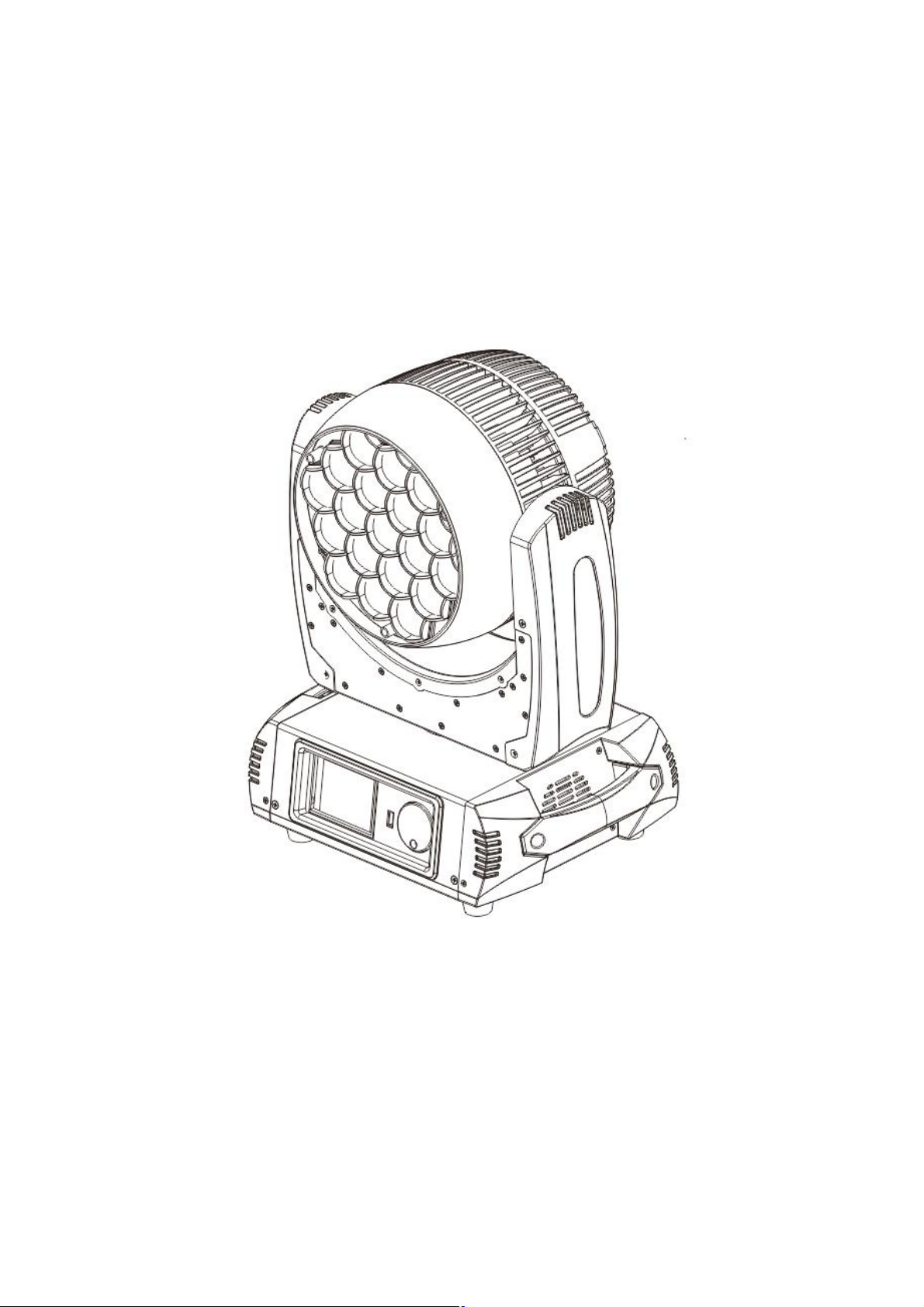
LED MOVING HEAD WASH
LM285
Weight :12.0KG
Power :400W
Color :RGBW
Page 2

Menu
1.Content........................................................................................02
2.Safety Information........................................................................03
3.Parts Introduce.............................................................................04
4.product size .................................................................................04
5.product information......................................................................05
6. Control Panel Operate..................................................................06
7. DMX Control Channel Mode........................................................10
Page 3
2
.SAFETY INFORMATION
Safety Warning: This product is only suitable for professional use, and does not apply to security
for other purposes. When you got the lights, please check the package whether have an
caused by transportation. If there is any damage, do not use this fixture, and please contact the
dealer or manufacturer as soon as possible. This product is only suitable for indoor, IP20
protection class. Lamps should be kept dry to avoid Moistu
Prevent lamps come into contact with water or any other liquid. The use of this product should pay
attention to: fire, heat, electric shock, ultraviolet radiation, the lamp to explode or Shedding caused
l injury. Please read the instructions before use energized or installing. Follow
through the operation of security methods and pay attention to the warning signs on the
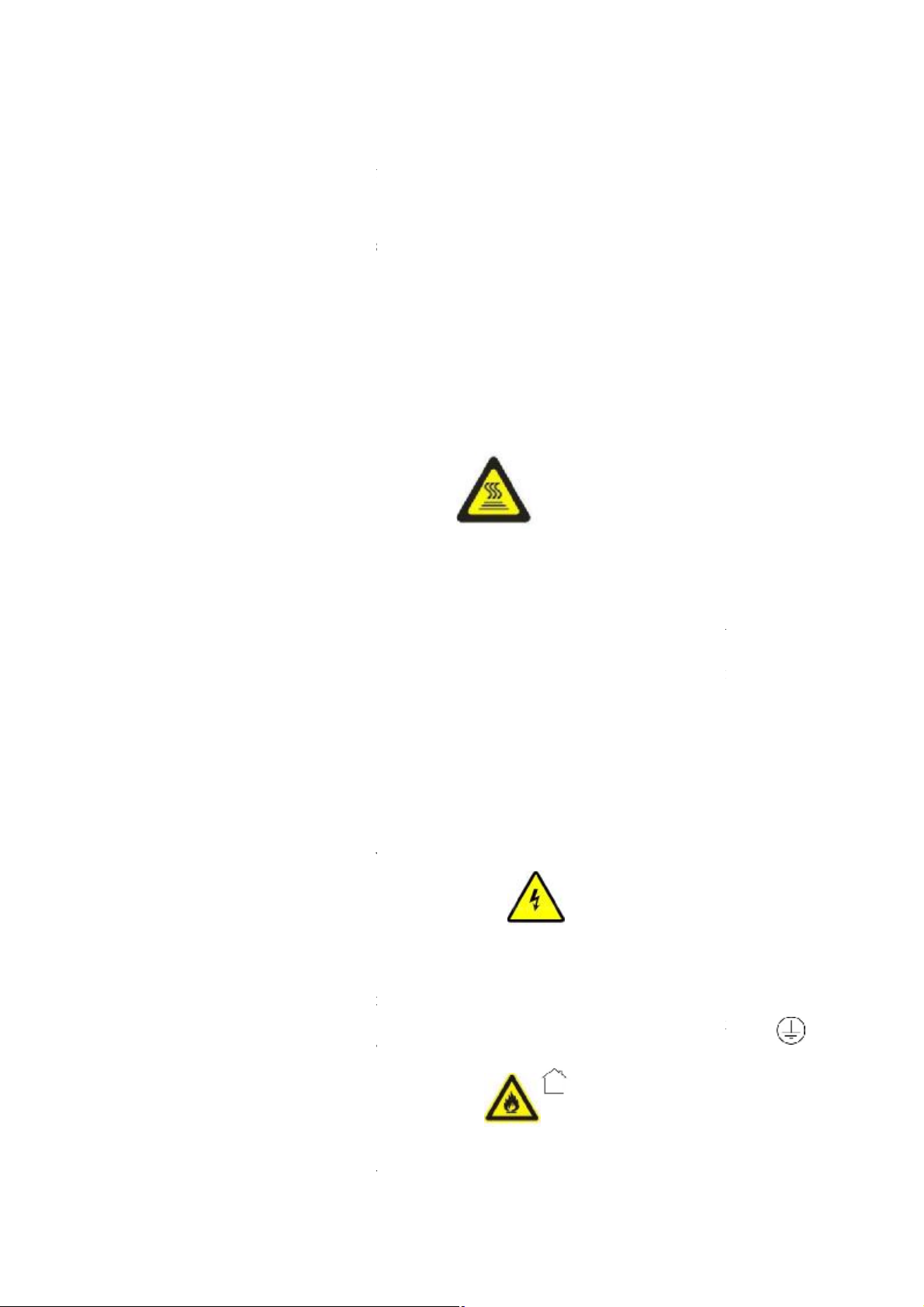
HIGH TEMPERATURE
e equipment if the temperature above 40
2.2 TO PREVENT FALLING WOUNDING
When Hang the fixture, please must verify that the facilities to be able to withstand at least 10
Please make sure the Mounting hardware is strong
the safety rope as auxiliary security fixed in other facilities will need to verify before installation.
Installing or removing the equipment, to make the pulley below the work location
raight viewpoint with exposed bulbs to avoid UV damage to the eyes;
Do not use the equipment without the lens screen and the lid;
The lens and the light head covers should be timely replaced if any damage to rupture.
2.4 PREVENTION OF ELECTIC SHOCK
electrical connection must only be carried out with corresponding qualifications;
Before installing, make sure you use the power voltage lamps must comply with the
identified power, voltage and have an overload or leakage protection;
properly grounded, installed in accordance with the relevant standards;
Cut off the power when stall or replace the lamp and the fuse;
he fixture in storm or wet environment.
2.5 TO PREVENT BURNING OR FIRE
ted directly on the surface of ordinary combustible material.
2. The equipment must be installed away from inflammable and explosive materials.
y damage
re, overheating or dusty environment.
enough no any damage, and insurance for
serious or fata
specification and equipment.
2.1 ANTI-
ta =40°C
Please don’t use th
times or more weight of fixtures.
2.3 UA PROTECTION
Forbid st
The
℃
Each fixture must be
Forbid using t
1. The fixture can't be moun
Page 4
3. The highest temperature is 40 ° C when the equipment is in stable state.
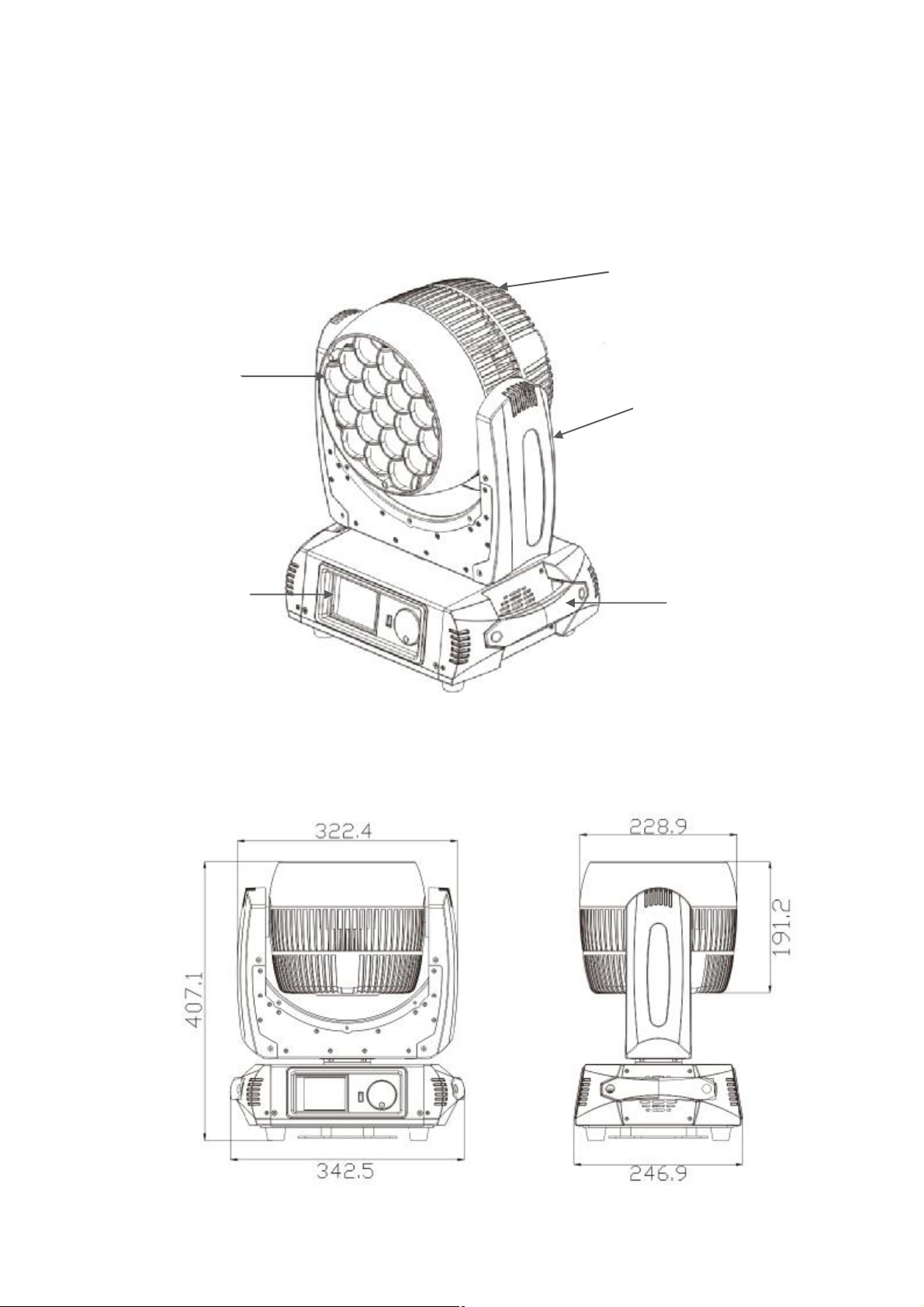
03 05 02 04 01
4. The equipment can not have an obstacle at least in the range of 0.5 meters.
5. Do not replace the non-original parts.
3.Product parts
4. Size
01 —body
02 —arm
03 —lens
04 —handle
05 —base bottom
Page 5
5. Specification
1.specification
Channels mode 14/25/90 CH
Lamp: OSRAM/TAIWAN 15W RGBW 4in1 LED;
power: 110-240V,50/60Hz;
Total power: 400W;
Display: LCD screen display, can reverse 180°;
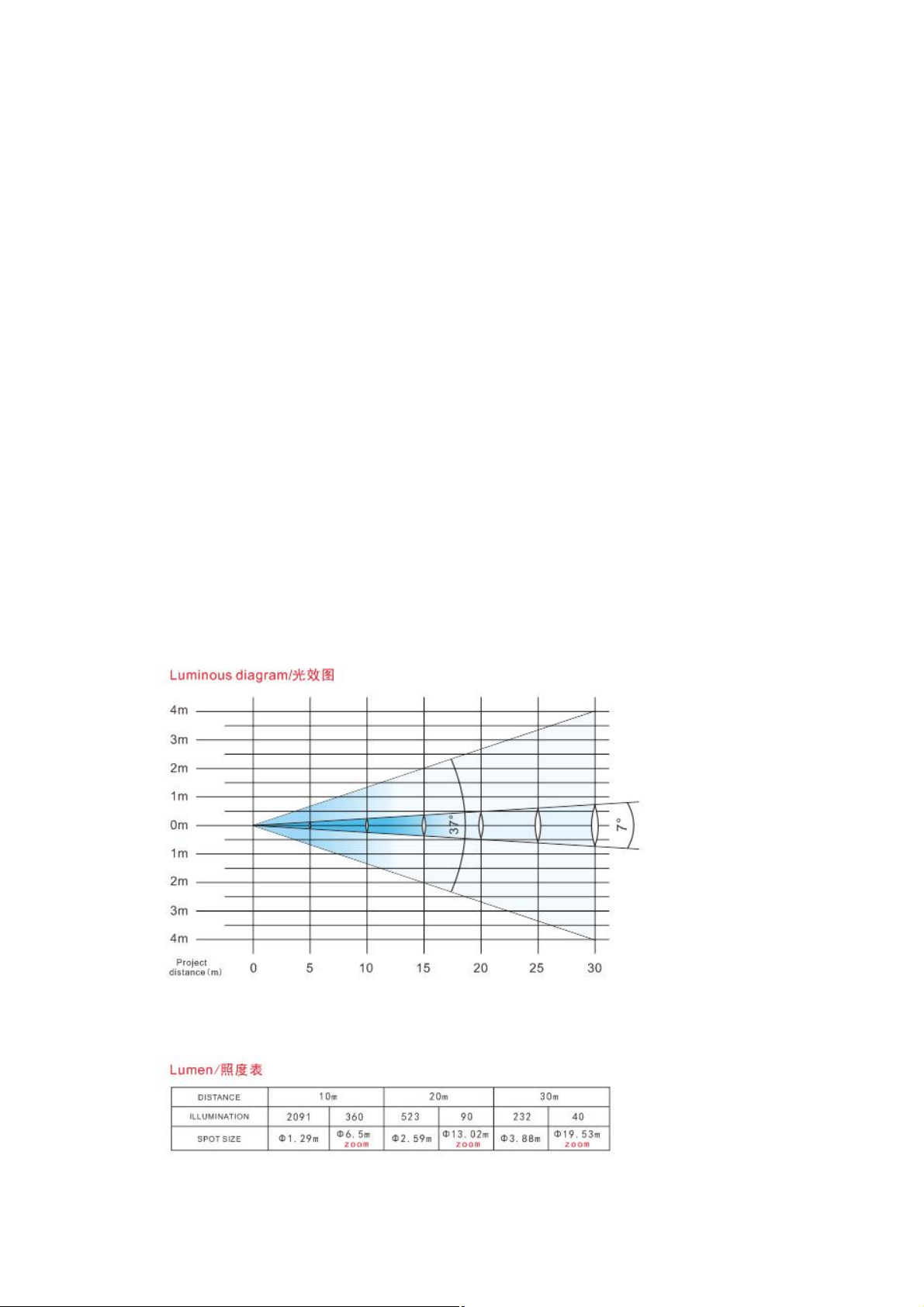
Lens: French lens, 8 degree;
Zoom angel : 7.9-38°;
Dimmer : 0-100% l inear adjustment ;
Pan : 540°; 8Bit/16Bit ;
Ti lt : 270°; 8Bit/16Bit ;
3-phase motor for Pan/Ti lt fast moving speed & noiseless;
IP Rate: IP20;
Flight case : 740x400x490 mm; carton : 460x305x420 mm;
Net weight : 12 KG;
Can make the clear spot when beam angel in7.9 degree, wash effect when in big angle
2.Luminous diagram
Page 6
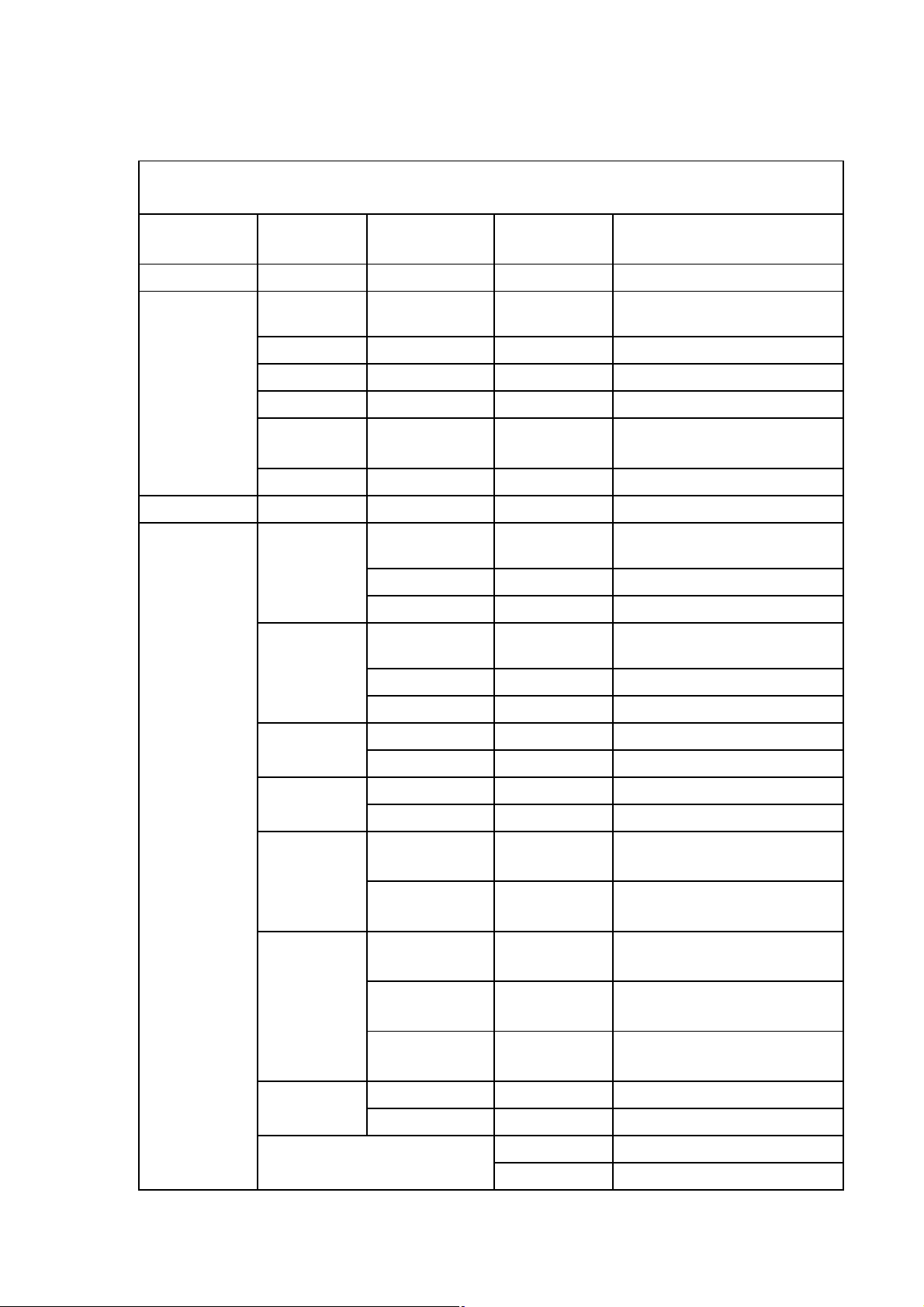
6.CONTROL PANEL MENU OPERATE
LM285 LCD DISPLAY CONTENTS
Function
Main Menu Submenu 1
<< 001-512 address minimum value 1
< address + 1
Submenu2
SET Function description
DMX
ADDRESS
FEATURES
SETTING
> address -1
<< address maximum value 512
save date and back to main
SAVE
ESC back to main interface
DMX DMX
Run Mode:
Channel
Mode:
Pan Reverse:
Tilt Reverse:
Opto Check:
PT Speed:
Wire inactive
Aoto inactive
14CH 14CH
25CH 25CH
90CH 90CH
Off Pan Scan Normal
On Pan Scan Reverse
Off Tilt Scan Normal
On Tilt Scan Reverse
Off
On
Noml
Slow
Fast
interface
Pan/Tilt optical sensor testing
off
Pan/Tilt optical sensor testing
on
Pan/Tilt Scan Speed setting
normal
Pan/Tilt Scan Speed setting
slow
Pan/Tilt Scan Speed setting
fast
Singl Clear:
Off keep signal data
On clear signal data
ADV. enter advanced function
RST. reset and back to main interface
Page 7
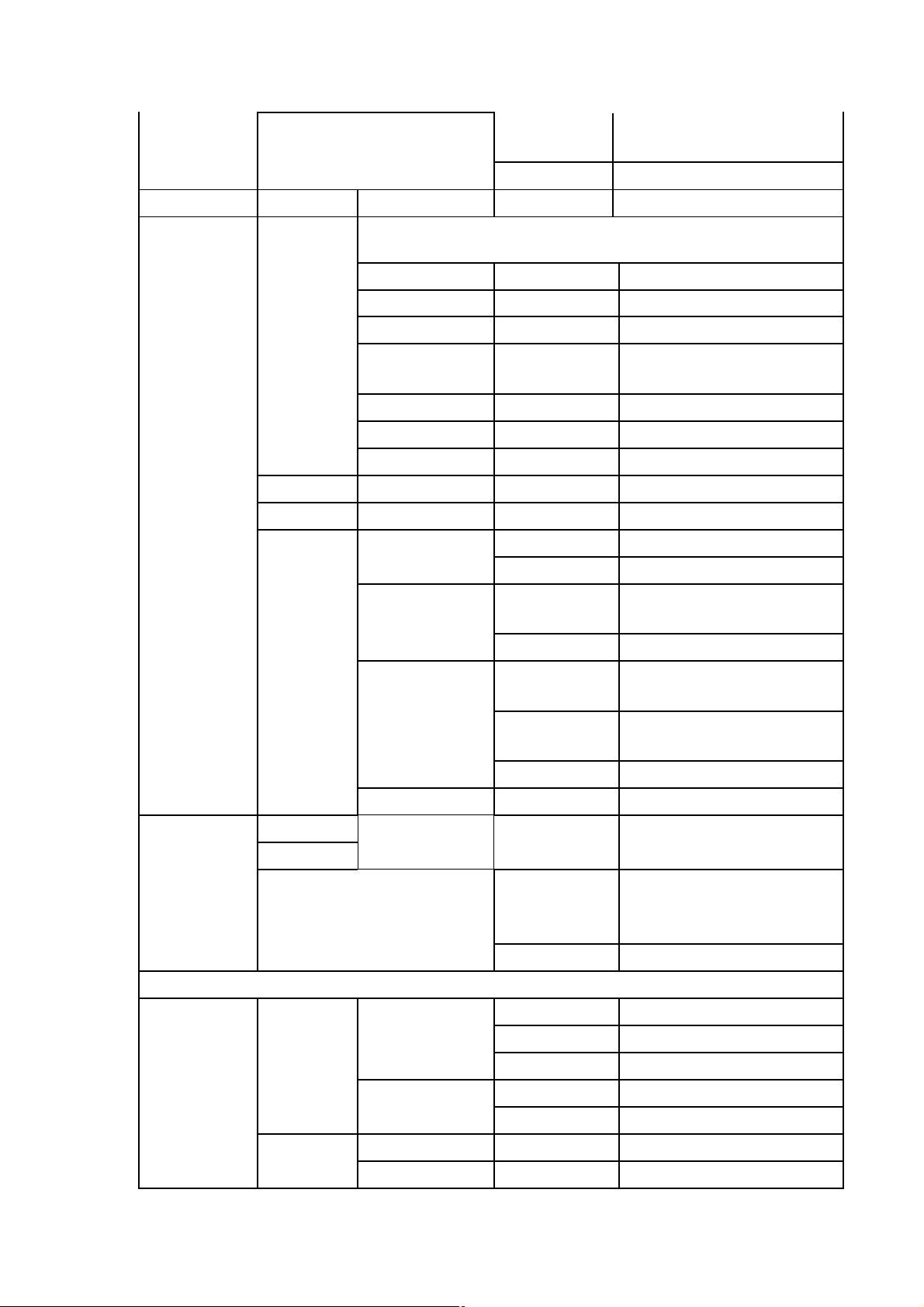
save date and back to main
SAVE
ESC back to main interface
ZEROSETTING
Pan: 0-255 Motor zero calibration
Tilt:
interface
ADVANCED
FUNCTION
Redress
ChanlDef inactive
FactSett
UseManage
Focus:
save date and back to last
SAVE
> the current value + 1
< the current value - 1
ESC back to last interface
Limit
DefConfig
FacConfig
LimitTime inactive
limitCont inactive
YES
NO exit from the current interface
SAVE
EPRT
ESC exit from current interface
interface
restore default and exit from
the current interface
save factory configuration ,exit
from current interface
export factory configuration
exit from current interface
UNLOCK
MANUAL
Verify1:
Verify2:
LAMP
REST
TEST RUN
ESC back to last interface
AUTO auto
SOUND sound control
0-255 unlocking code
password to enter the next
KEY
ESC
ALL MOTER all motors
XY MOTER function inactive
PART MOTER function inactive
YES Reset the selected motor
ESC back to last interface
interface, Otherwise the exit
from the current interface
exit from current interface
Page 8
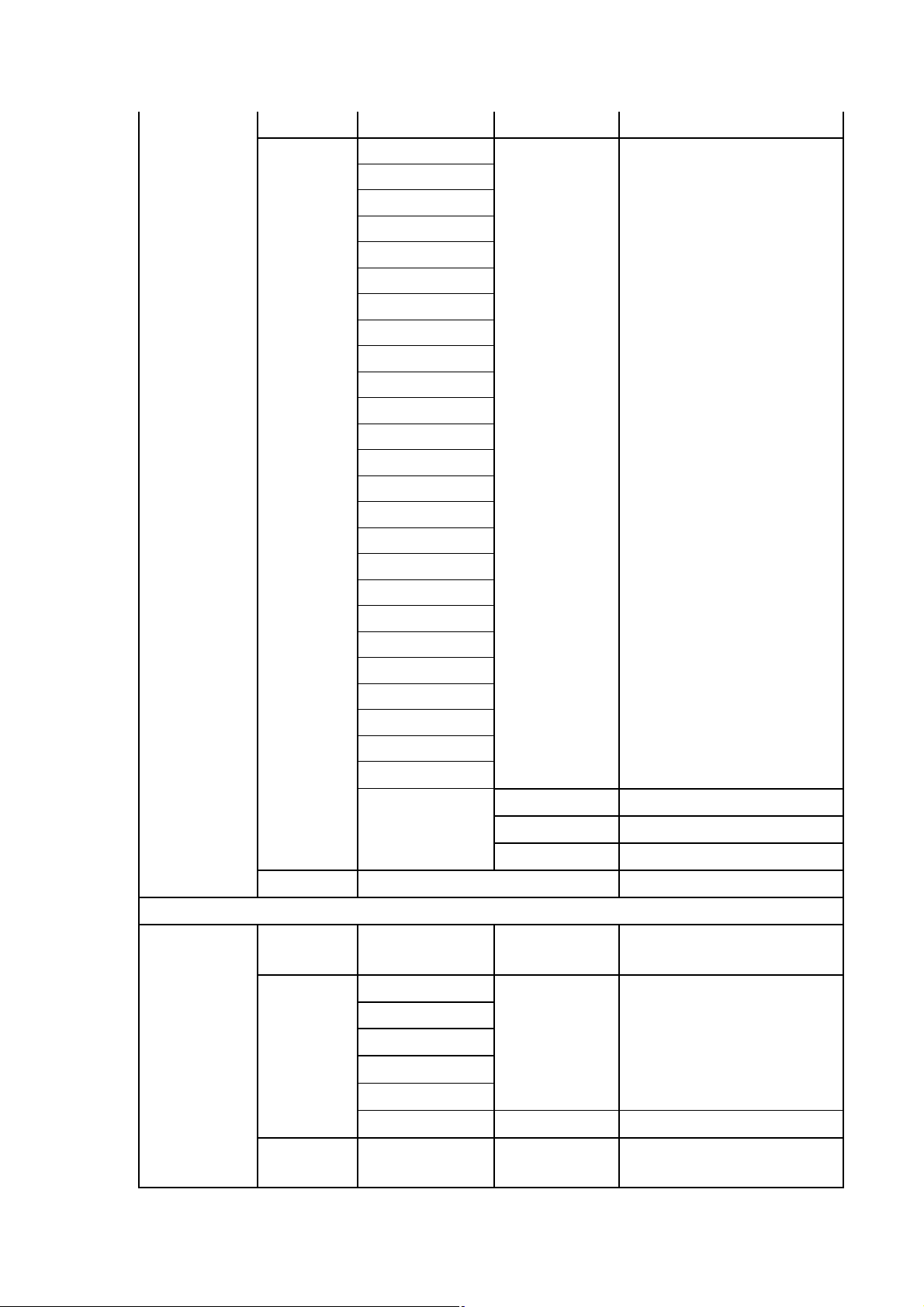
SMULATE
DMX
ESC back to last interface
Beam Strobe:
Beam Dimmer:
Focus:
Pan:
Pan Fine:
Tilt:
Tilt Fine:
Function:
Beam Macro:
Beam Red:
Beam Green:
Beam Blue:
Beam White:
Colour Grad:
Gobo:
Shape Selection:
Shape Speed:
Shape Fade:
Shape R:
Shape G:
Shape B:
Shape W:
Shape Dim:
Background Dim:
0-255 manual control
SYSTEM
INFO
ESC
DMX
VALUE
REST INFO
OTHER
INFO
Reserved:
CH00-CH25
Pan:
Tilt:
Focus:
Pan Opto:
Tilt Opto:
Run Time:
> current value + 1
< current value - 1
ESC back to last interface
0-255 DMX value number
Right/Erro Motor reset state
ESC
0-9999
back to main interface
back to last interface
fixture running how many
hours
Page 9
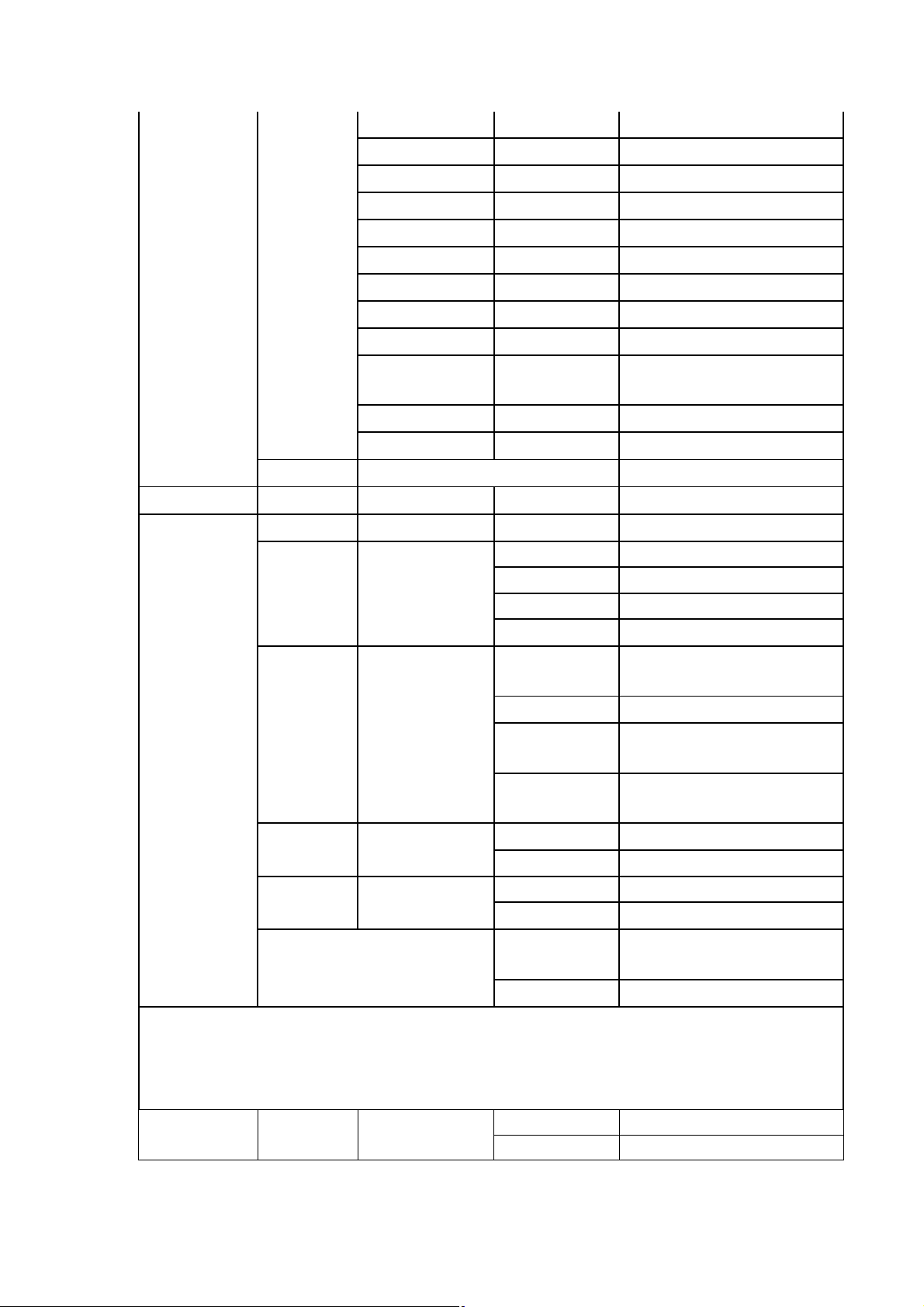
Run Count:
0-9999 fixture running times
Residue T:
Residue C:
Type:
Temp:
Fan 1:
Fan 2:
Lamp brand:
DisVersion:
XY Version:
M1 Version:
Most running hours unlimited
Most running time unlimited
LM285 light model
xxx led temperature
0-9999 Fan 1 rotate speed
0-9999 Fan 2 rotate speed
CN/OSM LED brand
Vxxx Panel software version number
XY Driver software version
Vxxx
number
Vxxx M1 software version number
ESC back to last interface
ESC
back to main interface
Light Set:
1-7Lev Backlight brightness Settings
On backlight keeps on
1Min backlight off in 1 minutes
Light Off:
2Min backlight off in 2 minutes
DISPLAY
SETTING
Menu Back:
Light Flash:
Touch Cali:
3Min backlight off in 3 minutes
close menu to return
Off
automatically
1Min The menu returns in 1 minute
The menu returns after 2
2Min
minute
The menu returns after 3
3Min
minute
Off Closing backlight flashing
On open backlight flashing
Off Close touch calibration
On open touch calibration
save the date and back to main
SAVE
interface
ESC back to main interface
DIMMER
SETTING
Dimmer
Mode:
Fast fast
Noml smooth
Page 10
Balance
SW:
Balance
Red:
Balance
Green: The white balance green
Balance
Blue: The white balance blue
Balance
White: The white balance white
Off The white balance off
On The white balance on
0-255
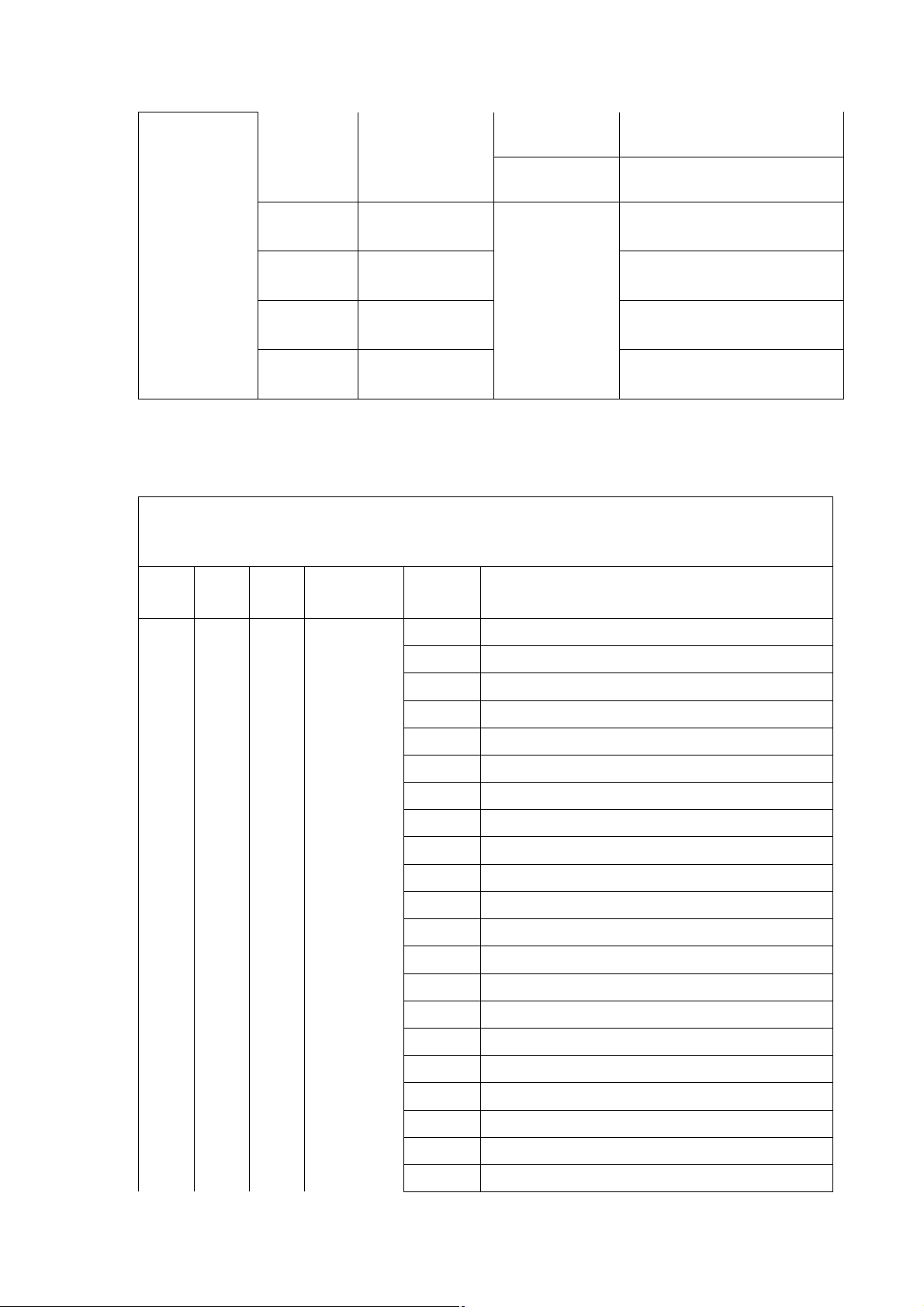
7. DMX Control Channel Mode
LM285 channel list
The white balance red
14CH 25CH 90CH Function
1 1 1 Strobe
DMX
value
0 -19 Strobe OFF
20 -24 Strobe ON
25 -64 Strobe Fast-Slow
65 -69 Strobe ON
70 -84 Slow input Strobe Fast-Slow
85 -89 Strobe ON
90 -104 Slow output Strobe Fast-Slow
105-109 Strobe ON
110-124 Random Strobe Fast-Slow
125-129 Strobe ON
130-144 Random Slow input Strobe Fast-Slow
145-149 Strobe ON
150-164 Random Slow output Strobe Fast-Slow
165-169 Strobe ON
170-184 Pulse Strobe Fast-Slow
Description
185-189 Strobe ON
190-204 Random Pulse Strobe Fast-Slow
205-209 Strobe ON
210-224 Strobe Fast-Slow
225-229 Strobe ON
230-244 Exposure Strobe Fast-Slow
Page 11
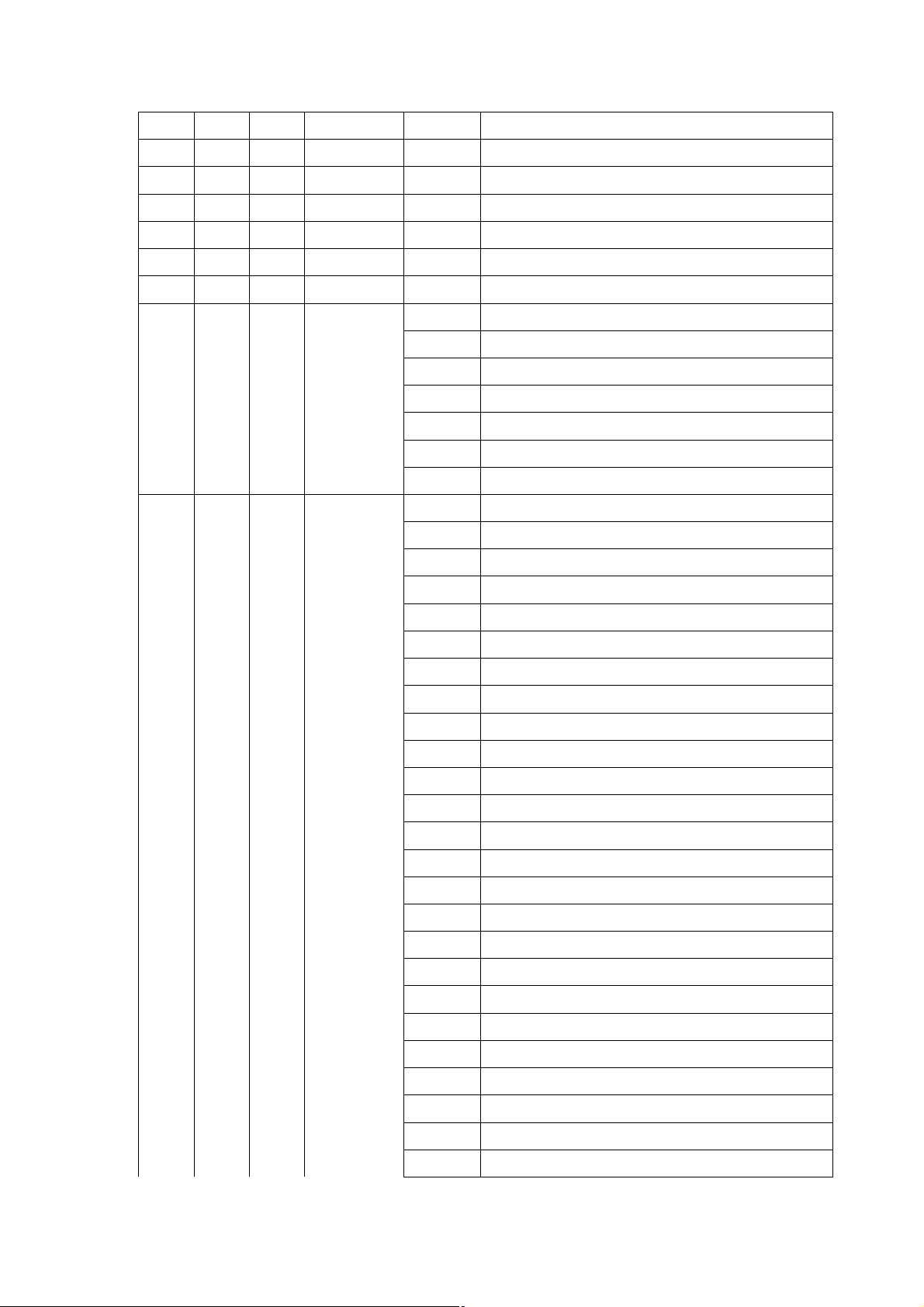
245-255 Strobe ON
ture or
2 2 2 Dimmer 0 -255 Linear Dimmer Dark-Bright
3 3 3 Focus 0 -255 Linear Focus
4 4 4 Pan Rotation 0 -255 0~540 degree
5 5 5 Pan Fine 0 -255 Pan Fine
6 6 6 Tilt Rotation 0 -255 0~270 degree
7 7 7 Tilt Fine 0 -255 Tilt Fine
0 -9 No function
10 -14 Whole light Reset
15 -39 No function
8 8 8 Function set
40 -44 XY Normal mode
45 -49 XY Fast mode
50 -54 XY Slow mode
55-255 No function
0 -9 No function
10 -14 Moroccan Pink
15 -19 Pink
20 -24 Special rose Pink
9 9 9
Color
tempera
color
25 -29 Follies Pink
30 -34 Fuchsia Pink
35 -39 Surprise Pink
40 -44 Congo Blue
45 -49 Tokyo Blue
50 -54 Deep Blue
55 -59 Just Blue
60 -64 Medium Blue
65 -69 Double CT Blue
70 -74 State Blue
75 -79 Full CT Blue
80 -84 Half CT Blue
85 -89 Steel Blue
90 -94 Lighter Blue
95 -99 Light Blue
100-104 Medium Blue Green
105-109 Dark Green
110-114 Primary Green
115-119 Moss Green
120-124 Fern Green
125-129 JAS Green
Page 12
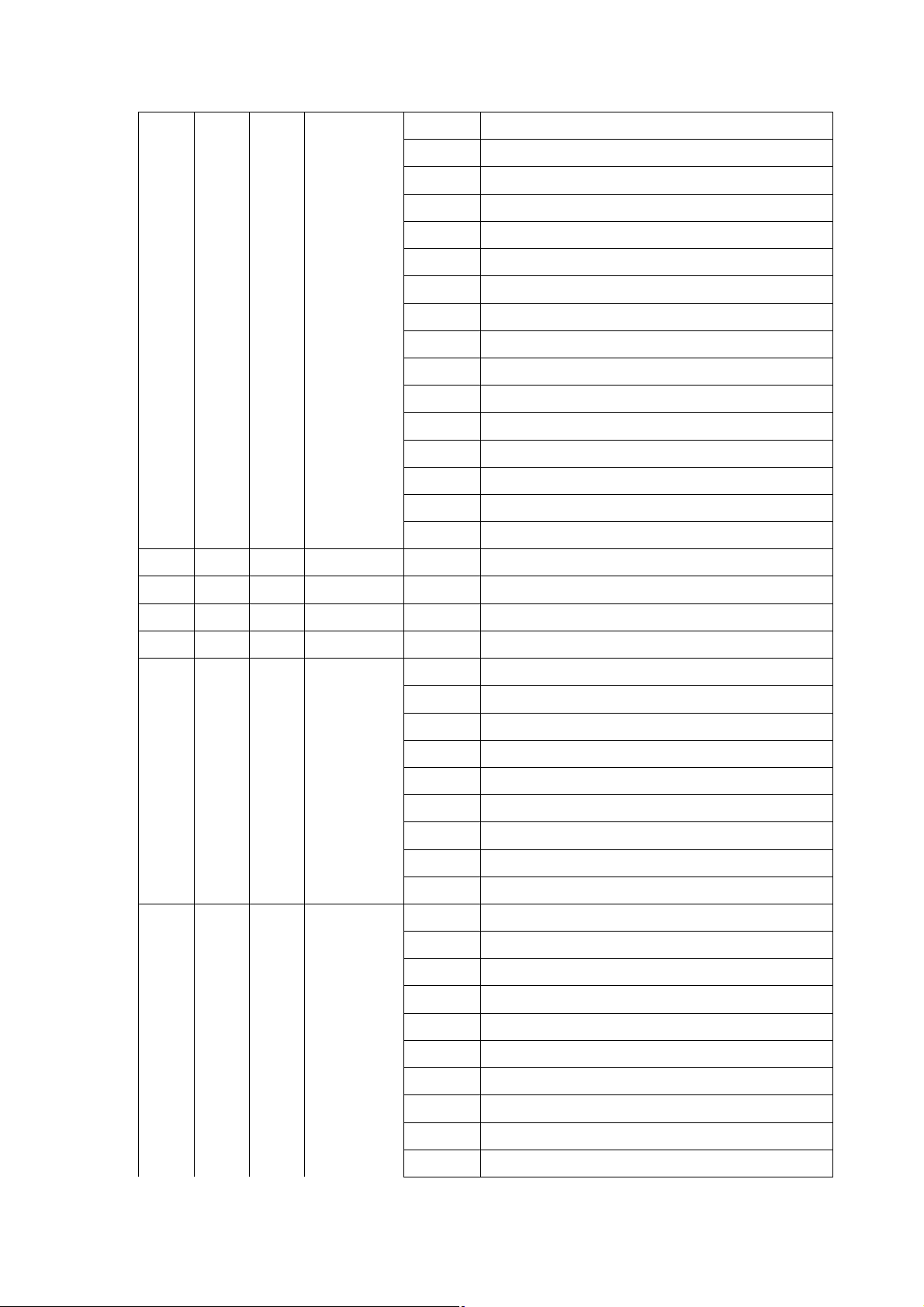
130-134 Lime Green
135-139 Spring Yellow
140-144 Deep Amber
145-149 Chrome Orange
150-154 Orange
155-159 Gold Amber
160-164 Millennium Gold
165-169 Deep Golden Amber
170-174 Flame Red
115-179
180-201 Color clockwise run from fast to slow
202-207 Stop
208-229 Color anticlockwise run from slow to fast
230-234 No function
235-249 Random color Fast-Slow
250-255 No function
10 10 10 Red beam 0-255 Red Dimmer Dark-Bright
11 11 11 Green beam 0-255 Green Dimmer Dark-Bright
12 12 12 Blue beam 0-255 blue dark - bright
13 13 13 White beam 0-255 white dark- bright
0 -7 --F82
8 -39 Red to Yellow
40 -71 Yellow to Green
14 14 14
15 LED gobo
Color slow
change
72 -103 Green to Cyan
104-135 Cyan to Blue
136-167 Blue to Magenta
168-199 Magenta to Red
200-231 Red to White
232-255 Color change slow - fast
0 -4 -F91
5 -9 Gobo 1
10 -14 Gobo 2
15 -19 Gobo 3
20 -24 Gobo 4
… …
185 -189 Gobo 37
190 -194 Gobo 38
195 -199 Gobo 39
200 -204 Gobo 40
Page 13
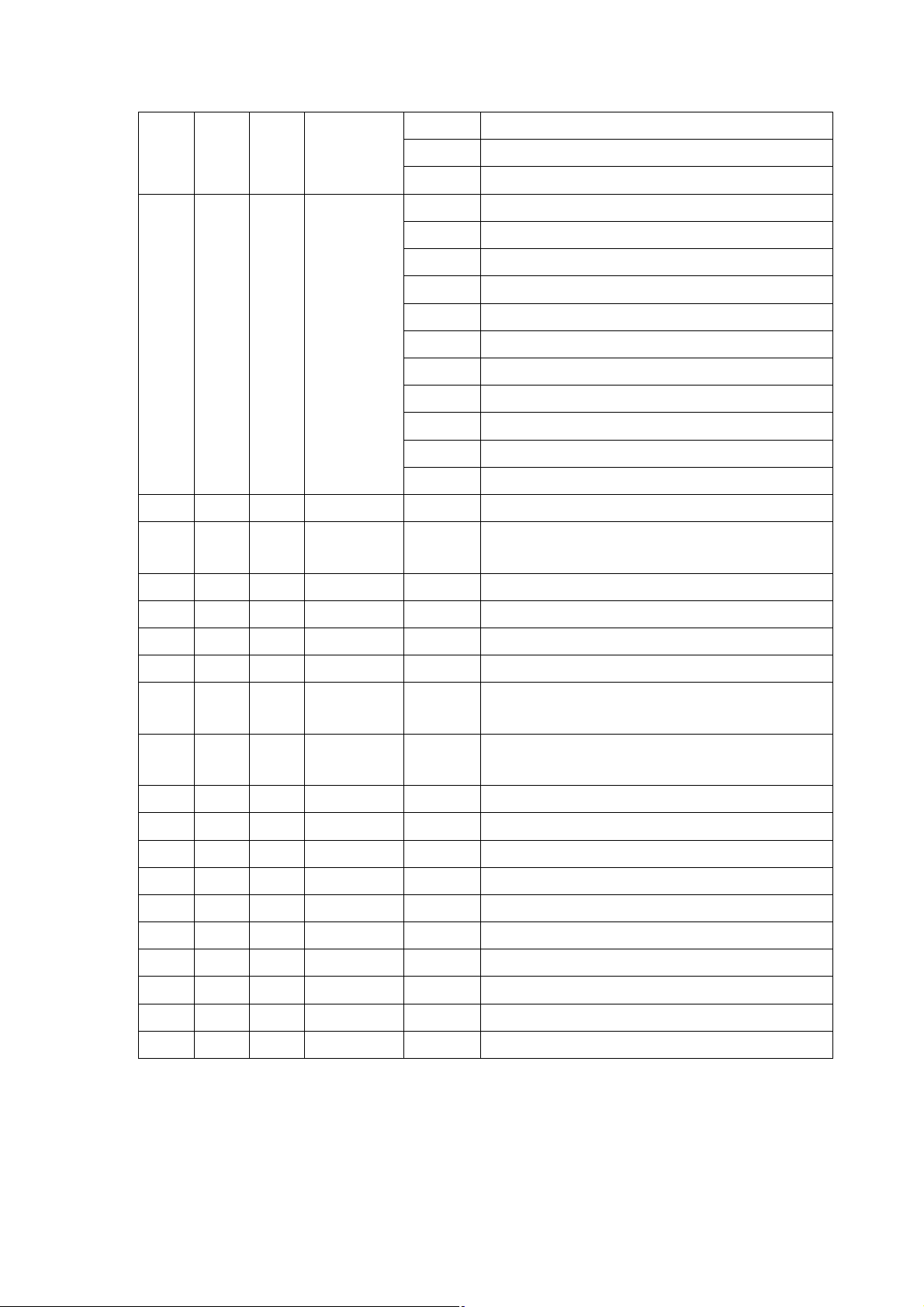
205 -224 Gobo clockwise run from fast to slow
225 -234 Stop
235 -255 Gobo anticlockwise run from slow to fast
0 -4 No function
5 -14 LED built-in effect1
15 -24 LED built-in effect2
25 -34 LED built-in effect3
16
17 Effect speed 0 -255 LED built-in effect speed Slow-Fast
18
19 Effect red 0 -255 Red Dimmer Dark-Bright
Built-in
effects
Effect slow
input
35 -44 LED built-in effect4
… …
155-164 LED built-in effect16
165-174 LED built-in effect17
175-184 LED built-in effect18
185-194 LED built-in effect19
195-255 Switch Auto. after 1 minute
0 -255 LED built-in effects Gradient Overlay
20 Effect green 0 -255 Green Dimmer Dark-Bright
21 Effect blue 0 -255 Blue Dimmer Dark-Bright
22 Effect white 0 -255 White Dimmer Dark-Bright
23
24
25 Reserve 0 -255
15 R1Dimmer 0 -255 R1Dimmer Dark-Bright
16 G1Dimmer 0 -255 G1Dimmer Dark-Bright
17 B1Dimmer 0 -255 B1Dimmer Dark-Bright
18 W1Dimmer 0 -255 W1Dimmer Dark-Bright
… … …
87 R19Dimmer 0 -255 R19Dimmer Dark-Bright
88 G19Dimmer 0 -255 G19Dimmer Dark-Bright
89 B19Dimmer 0 -255 B19Dimmer Dark-Bright
90 W19Dimmer 0 -255 W19Dimmer Dark-Bright
Effect
Dimmer
Effect
backlight
0 -255 Dimmer Dark-Bright
0 -255 Dimmer Dark-Bright
 Loading...