

Page 1
Quick Setup
XIAOMI-MI.COM
We thank you for choosing Mi Wi router with a hard drive
1 / 6TB! For starting a new Smart life need to be done just
3 steps:
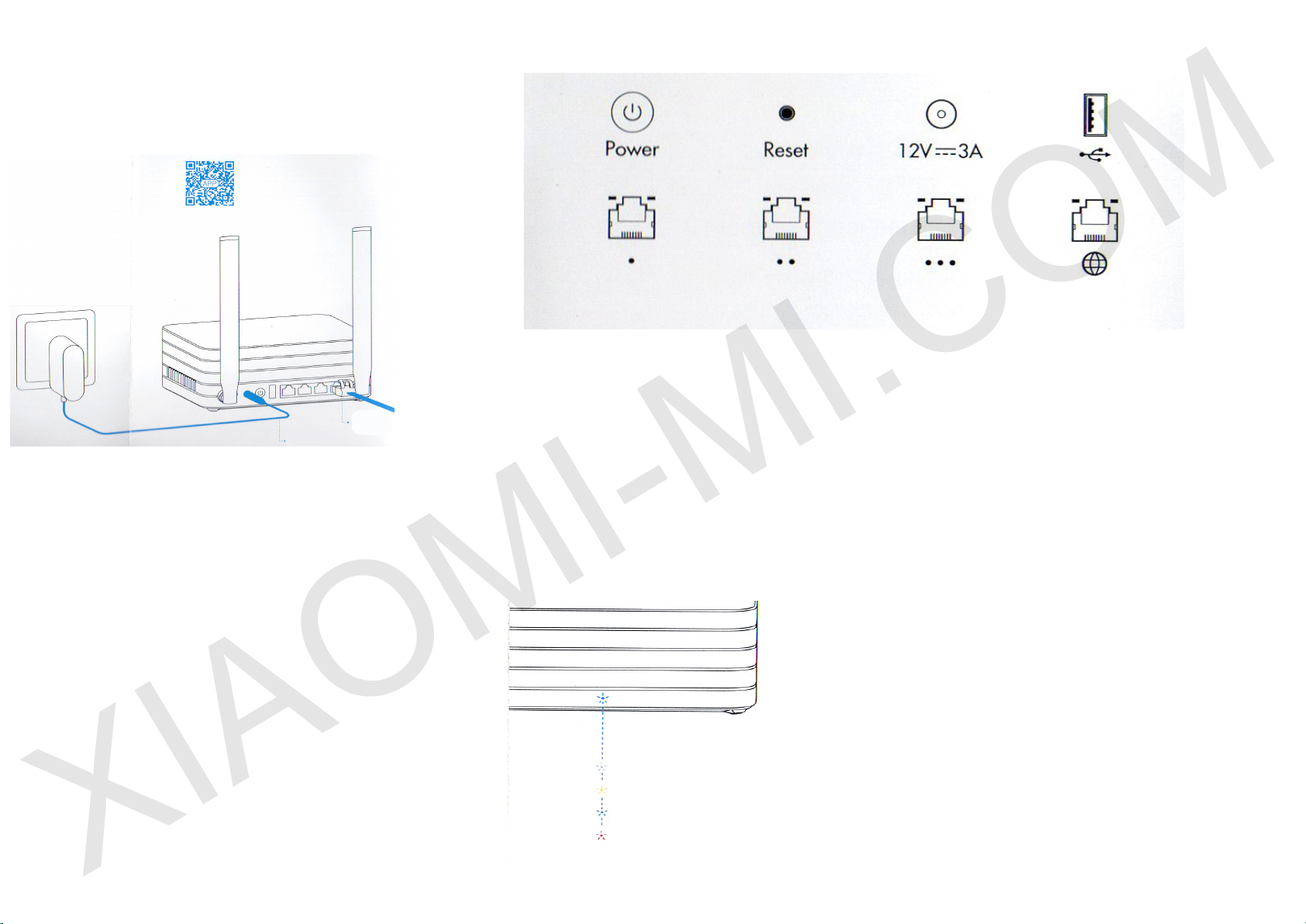
1. Connect power and cable
Connect the power adapter,
then plug the external network
cable into the appropriate
socket of the router.
* Connect one end of the
cable to the ber / home
gateway / ADSL modem.
If you are missing the above
devices, connect the router to
a home network cabling.
2. Connecting to the Wi
network
Use your smartphone or
computer to nd and connect
to a new created network Wi
Xiaomi _ xxxx.
* Skip this step if you
connect the router to the
computer via the network
cable
* XXXX last 4 MAC-address
of the router, to check
conrmation see the bottom
of the router
3. Open a web browser or
mobile application
For a successful
authorization Mi Wi router,
visit miwi.com or specify
the IP address of the modem
192.168.31.1, for router
application download, you
can also scan the QR-code.
Power Power button to turn on / o the device (one click)
Reset Reset button to reset the router (under normal operating condition, press
and hold the button until the blue color changes to yellow)
12V --- 3A jack for power for connecting the power adapter and power supply for
router
USB port for external USB devices (supports USB2.0)
Gigabit LAN port 1-3
Gigabit WAN port
Description of indicators
for connecting the network cable
for connecting router to the outside network
Dim color: o or no power
Yellow: power on / o
Blue: during normal operation
Red: in case of problems with the operation of the device
(see item "Frequently Asked Questions")
Page 2
Placement of the router
XIAOMI-MI.COM
The best signal coverage
For a good signal coverage is recommended to place
Mi Wi router with foreign PBC high-gain antenna in
the room, providing thus the widespread availability of
Wi signal.
* The vertical position of the antenna provides better
signal
Optimal heat dissipation
Mi Wi router is equipped with a smart system of
controlling the speed of heat removal. Therefore, to
ensure optimal system performance heat dissipation,
make sure that the two air outlets are not blocked.
Network
Interoperability of two ranges of
WIFI network
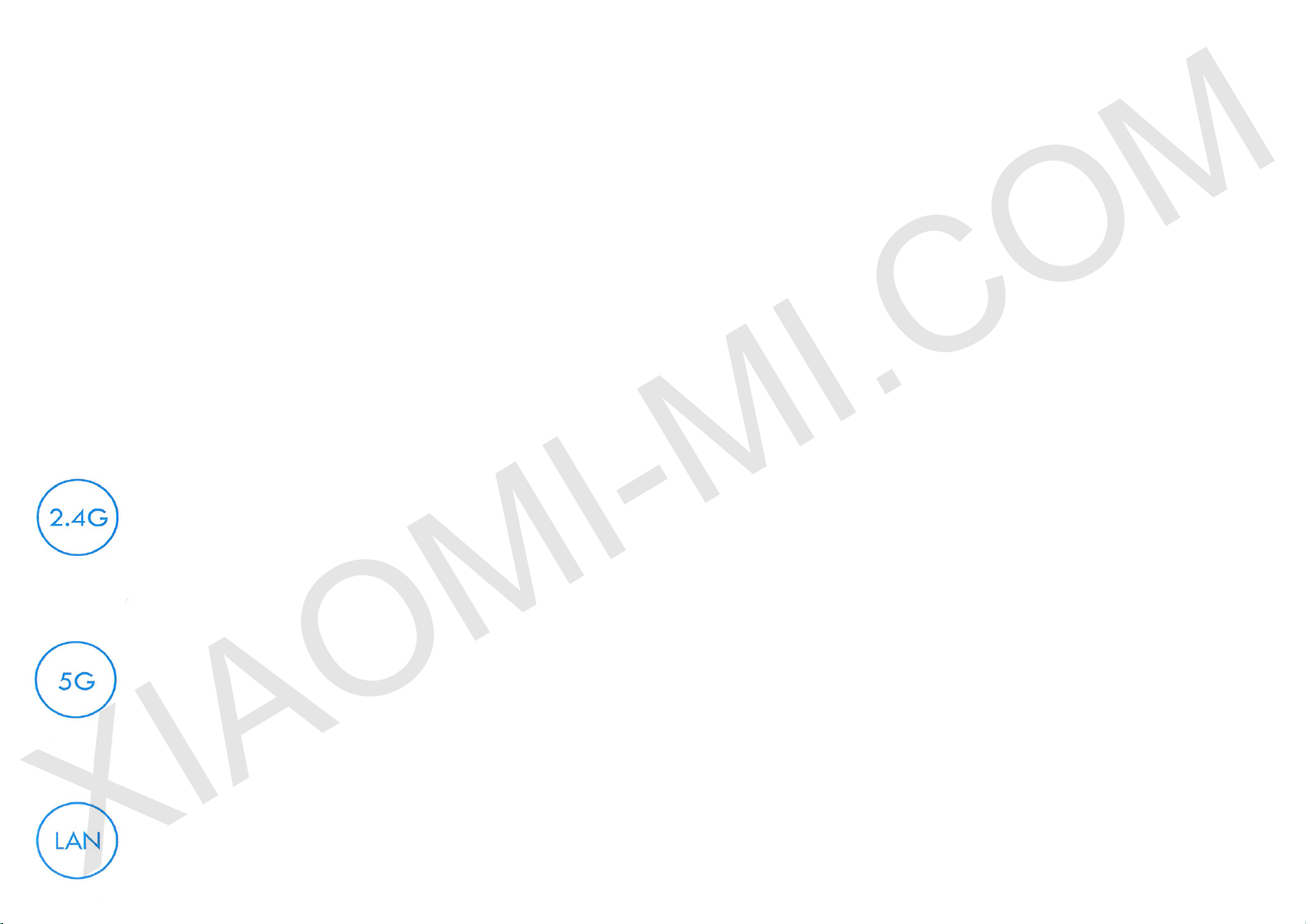
2.4G network supports the
agreement 802.11N, the
maximum data transfer rate up to
300Mbps, more comprehensive
signal, higher permeability of
the signal through walls, but the
bandwidth is slightly lower.
bandwidth 2.4G network.
5G network is suitable for shorter distances, and
there is a need to use devices for a suciently high
bandwidth (for watching a movie on the pad / TV).
Mi Wi router supports three Gigabit ports (data
transfer rate 1000Mbps), it is recommended to use
UTP cable (cat 5 and higher) for higher data rates.
* Network adapters, cables must support Gigabit
Ethernet
System
Built-in Smart OS Mi Wi Router
Security and stability
Mi Wi Smart system has a safety mechanism,
dual automatic switching is able to provide reliable
and stable operation of the router, under any
circumstances.
Constant updates
Mi Wi system is constantly updated. Through regular
updates OTA, continuously improving the work of the
router, eliminating any interference.
Monitoring 7 days a week / 24 hours a day, thanks
to built-in router 3.5-inch hard drive. For normal
operation of the router, do not let it shake or fall.
Sleep mode
Automatic switching functions operating mode /
sleep mode, low power consumption.
Switched o
If you need to turn o the router, simply press the
power on / o. Grey indicator indicates that router is
o. Before turning o the power adapter, rst make
sure that you have actually turned o the router.
"Health" of hard drive
It is recommended to regularly check the operating
status of the hard drive, using the software "control
of the magnetic disk", as well as to make a habit of
regularly backing up important data.
Hard Drive Warranty
We provide a guarantee for Mi router and hard
drive for one year. In case of problems in the hard
disk during the warranty period, you are eligible for
replacement.
2.4G network for is enough
for quite long distances, does
not require use of devices for
high throughput (to browse the
webpages on your smartphone).
5G network supports 802.11AS
agreement, the maximum data
transfer rate up to 867Mbps,
low noise, more powerful and
stable signal, but not better than
Outstanding work router
Mi Wi system can work independently with a large
512 MB ash memory and interact with 2 core
Broadcom CPU, all of which guarantees perfect and
error-free operation Mi Wi system.
HDD
Working condition
* In the case of renovation / repair of hard drive, all
data stored on it disappears. So before you give your
hard disk for repair, use the software and back up
important data.
Page 3
Conguration
XIAOMI-MI.COM
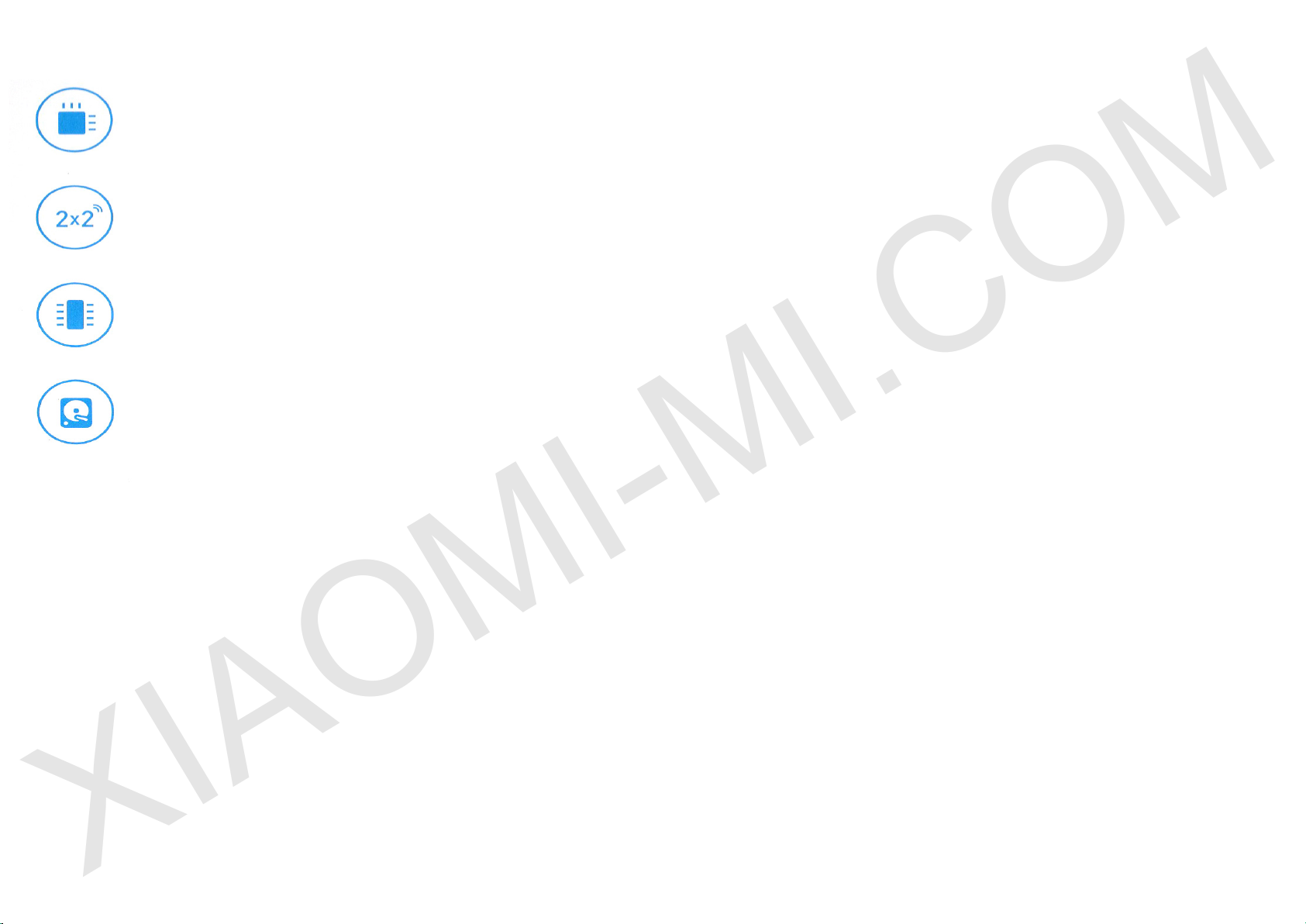
Broadcom BCM4709S, 2 core,
clocked at 1.4GHz
Dual Channel PCB antenna,
2.4G, the maximum gain to 4dBi,
5G, the maximum gain to 6dBi
Large memory,
512MB extensive memory,
Hosting OS Mi Wi Smart Router
HDD,
Monitoring of the internal hard disk
7 days a week / 24 hours a day,
Powerful home center storage and
data processing
Frequently Asked Questions
Why, after a successful connection of cable for
outside network and completion of all settings, an
error occurs accessing the network?
First, check whether you have connected the network
cable, and make sure your username and password is
correct; Visit any web page, via mobile app or a Web
browser, and using the smart error detection to nd
and resolve the problem. It may take a few minutes.
Error 678: The server operator does not take the
same login.
Error 691: The server operator shows an error in
login password or expiration of your account.
Remedy: Check whether the user name and password
are correct or enter a login and password on the
operator's website to check the details of payment
services.
If your operator does not specify an error number, we
recommend that you restart the device (optical ber /
home gateway / ADSL modem).
Is it possible to install the name of Wi network
(SSID) in Chinese? Why sometimes name of Wi
network is distorted?
Mi router supports Chinese names for WiFi network,
but for the normal image network name, you must be
connected to the router device (smart phone / pad /
computer) that also supports Chinese SSID.
Why I can not nd a 5G signal of Mi router?
To connect to the frequency of 5G, it is necessary that
the network card device also supports 5G. If you nd
that the device supports the signal 5G, but still can not
connect to it, in that case, the device does not support
the domestic channel signal 5G.
Recommended check which signals are supported
by the device, and then congure the operation of the
signal Mi router.
What is the IP address and password of web-tools?
IP address of the site Mi router miwi.com or
192.168.31.1. Password for utilities same as WiFi
password set during device initialization.
Red light on indicator shows the occurrence of system
errors or problems with operation of the device,
and indicates that you are in safe mode. During
safe mode, all the data stored on the router, will be
protected. You can restore the normal operation of
the device rmware via USB or call maintenance to
address this issue.
If red light is constantly showing up, the data stored
on the router, not lost, however, problems are arising
when switching on and during work of memory / card.
To resolve this issue, you can send the router for
repair or upgrade it, or be contacted by phone service
to address this issue.
Guarantee
In case of problems with the operation of the device
that is not related with the human factor, you can
obtain warranty service:
For 7 days from the date of purchase, in case of
problems with the operation of the device, service
center Xiaomi determines the cause of the problem,
after the presentation of the receipt, you can choose
a free replacement product, return or repair.
Within 15 days from the date of purchase, in case of
problems with the operation of the device, service
center Xiaomi determines the cause of the problem,
after the presentation of the receipt, you are entitled
to a free replacement item of the same model.
Warranty - 1 year
Remedy: once again pull out and reinsert the cable for
outer network, reboot the optical ber / home gateway /
ADSL modem, after 10 minutes, try to connect again.
If you have forgotten your password, go to the mobile
app to see the password, or click router reset.
Why after switching on router, red light indicates?
Page 4
Terms of warranty repair
XIAOMI-MI.COM
The list of circumstances (including, but not limited
to), under which compensation is not possible:
- No warranty card, check or expired warranty;
- Damage caused by force majeure, such as lightning,
re or ood
- Damage caused by improper use of the device, its
maintenance or storage;
- Damage caused by unauthorized repair work, etc.
Service Center;
- Do not meet the model or code on the device and in
the warranty card;
- Discoloration or deterioration of the device due to its
use.
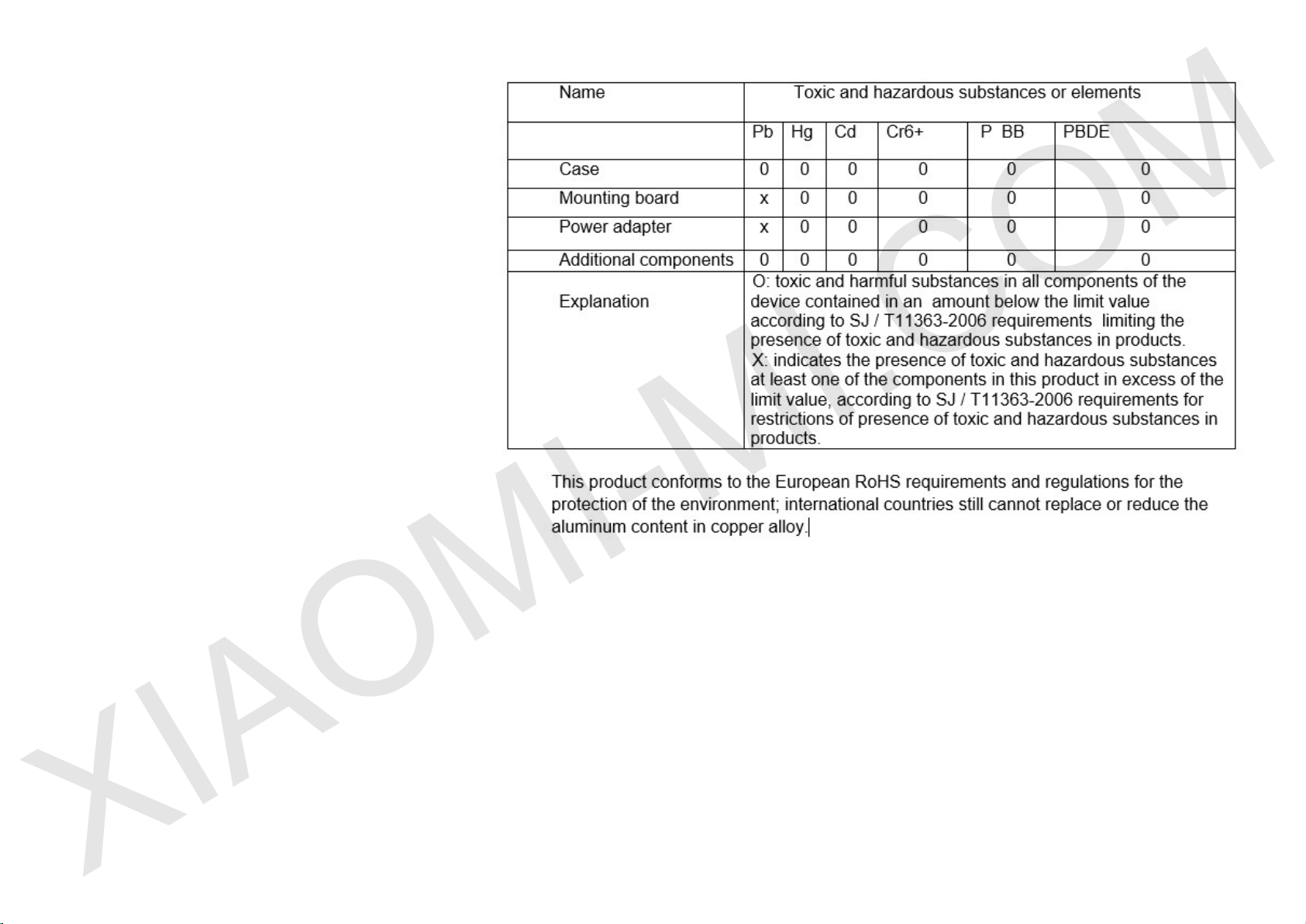
The presence of toxic and hazardous substances
In the case of the above problems, you have to solve
these problems on your own, or use the paid services
of the service center.
xiaomi-mi.com
 Loading...