

Page 1
MI Wi Fi router NANO
XIAOMI-MI.COM
Quick setup
Thank you for choosing Mi Router Nano (hereinafter as Mi
Router)
To start a new Smart life you need to do just 3 steps:
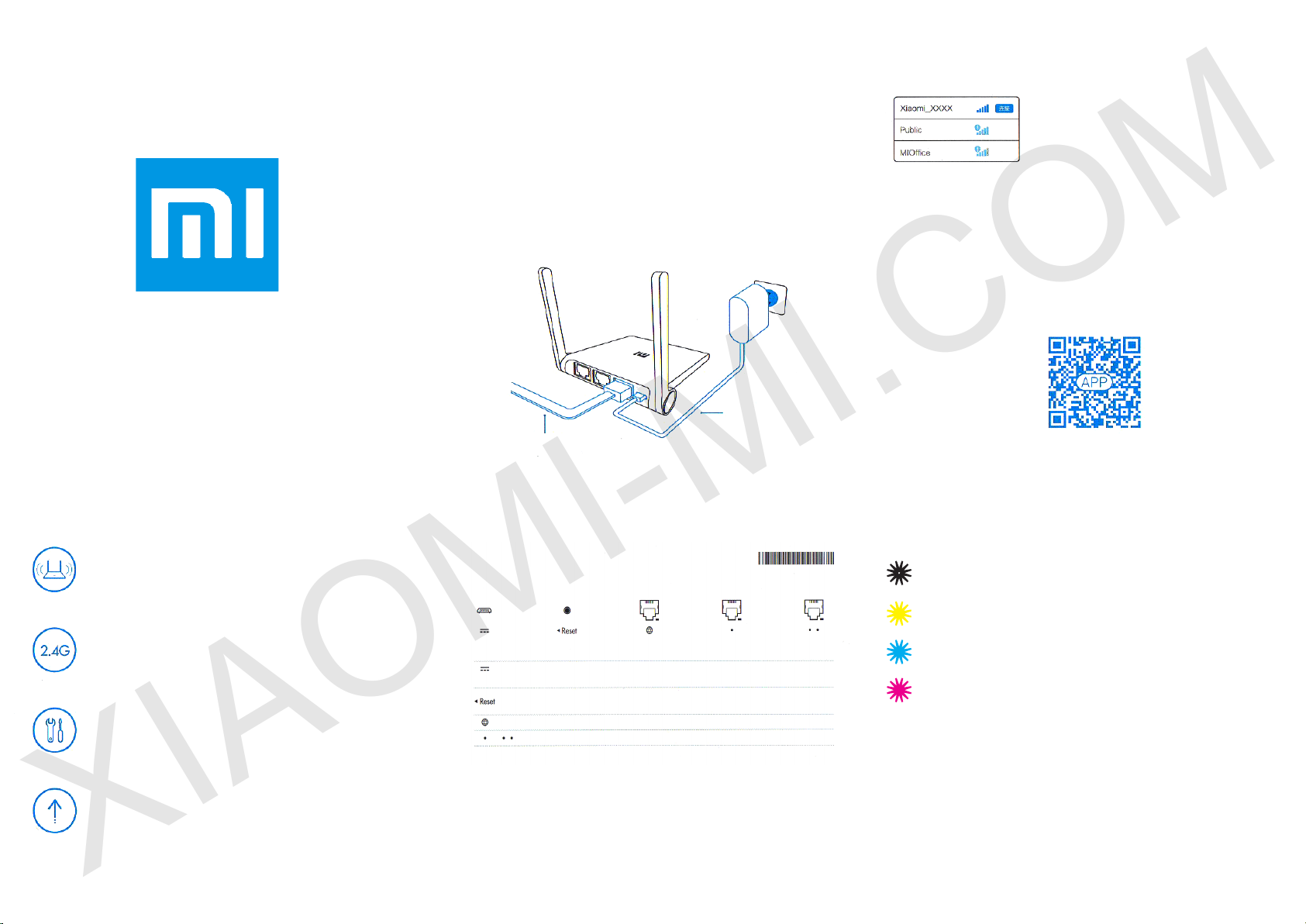
Plug in Power and Cable
Connect the power adapter, then plug the external network cable
into the appropriate socket of the router.
* Connect one end of the cable to the ber / home gateway / adsl
modem
If you are missing the above devices, connect the router to a
home network cable.
Connecting to Wi
Use your smartphone or computer to nd and connect to a new
network created Wi Xiaomi _ xxxx.
* Skip this step if you connect the router to
the computer via the network cable
* XXXX last 4 digit of the MAC-address of
the router, check the conrmation at the
bottom of the router.
Open a web browser or mobile application
For a successful authorization in Mi Wi router, visit miwi.com or
specify the IP address of the modem 192.168.31.1, download the
router application, you can also scan the QR-code.
XIAOMI-MI.COM
Short specs
Ultra small router with a strong signal.
PBC External antenna support functions «through
walls».
2.4G wireless network, a stable signal
Support 802.11b / g / n, support for almost all
devices with the wireless network, the maximum
speed of up to 300Mbps.
Multi-Tool, easy to use, fun entertainment.
Broadband acceleration, TGP games acceleration,
acceleration of the game Jian Wang 3, protection
against malicious websites.
Smart system, constant updating.
Have a router MiWi Smart system, constant
updating and optimization of the system, even
greater security router.
Power
WAN port
Plugs and buttons
power socket
reset
WAN port
LAN port
Do not use third-party adapters.
Under normal operating condition, press and hold the reset
button for 5 seconds. Reset hole on the left side of the router
near the directional arrows.
power on/o
reset all settings
connecting to outer network
connecting devices to a router
Indicators
Dim color: o or no power
Yellow: power on / o
Blue: during normal operation
Red: in case of problems with the operation of the device
(see item «Frequently Asked Questions»)
Page 2
Frequently Asked Questions
XIAOMI-MI.COM
Why, after a successful connection to the cable network and
on completion of all settings, an error occurs in accessing the
network?
First, check whether you have connected the network cable,
and make sure your username and password is correct; We
recommend visit any web page via mobile app or a Web browser,
and using the smart error detection to nd and resolve the problem.
It may take a few minutes.
Error 678: The server operator does not take the same login
Remedy: once again pull out and reinsert the cable outer network,
restart the ber / home gateway / adsl modem, after 10 minutes, try
to connect again.
Error 691: The server returns an error login password or
expiration of your account.
Remedy: Check whether the user name and password or enter a
login and password on the operator’s website to check the details
of payment services.
Is it possible to install the name of Wi network (SSID) in
Chinese? Why sometimes I have distorted name of Wi
network?
Mi router supports Chinese names in Wi network, but for the
normal functionality, you must be connected to the router device
(smart phone / pad / computer) that also support Chinese SSID.
Why after the switching of a router, the red light ashes?
The red LED indicates a system error or a problem with the
operation of the device, and indicates that you are in safe mode.
During safe mode, all the data stored on the router, be protected.
You can restore the normal operation of the device rmware via
USB or call maintenance to repair this issue.
At constant red light is lit, the data stored on the router, not lost,
however, problems arise on and working memory / card. To resolve
this issue, you can send the router for repair or upgrade it, or
contact by phone of service to address this issue.
Connecting Mi Smart Home
Quick control the router via Wi Smart House APP.
Accelerating network in one click.
Select «Acceleration Network» and the router will automatically
select the fastest and most stable signal, providing you with better
speed Internet network.
The screen lock.
Support system MIUI, screen lock control, as well as the control
and management of multiple Smart home
devices.
Download Mi Smart House APP in the APP Store, nd and
download the app «Mi Smart House» or scan shown below QR-
Code
Warranty
In case of problems with the operation of the device is not
connected with the human factor, you can obtain warranty service:
Within 7 days from the date of purchase, in case of problems with
the operation of the device, service center Xiaomi determines the
cause of the problem, after the presentation of the receipt, you can
choose a free replacement product, return or repair.
Within 15 days from the date of purchase, in case of problems with
the operation of the device, service center Xiaomi determines the
cause of the problem, after the presentation of the receipt, you are
entitled to a free replacement item of the same model.
XIAOMI-MI.COM
Terms of warranty repair
The list of circumstances (including, but not limited to), under which
compensation is not possible:
- No warranty card, receipt or the warranty period is ended;
- Damage caused by force majeure, such as lightning, re or ood;
- Damage caused as a consequence of using the device for other purposes,
improper care, or improper service;
- Problems that have arisen as a consequence of maintenance service
centers, another trade mark;
- The model number listed in the warranty certicate and the number on the
device do not match;
- Discoloration or deterioration as a consequence of operation of the device;
- The unlawful use of Internet resources.
If you encounter the aforementioned circumstances, you have to nd your
own solution or use the paid services in the service center.
The warranty period Mi Router - 1 year
From the moment you put the seal, guarantee certicate takes eect.
Adjusted warranty certicate is seen as invalid
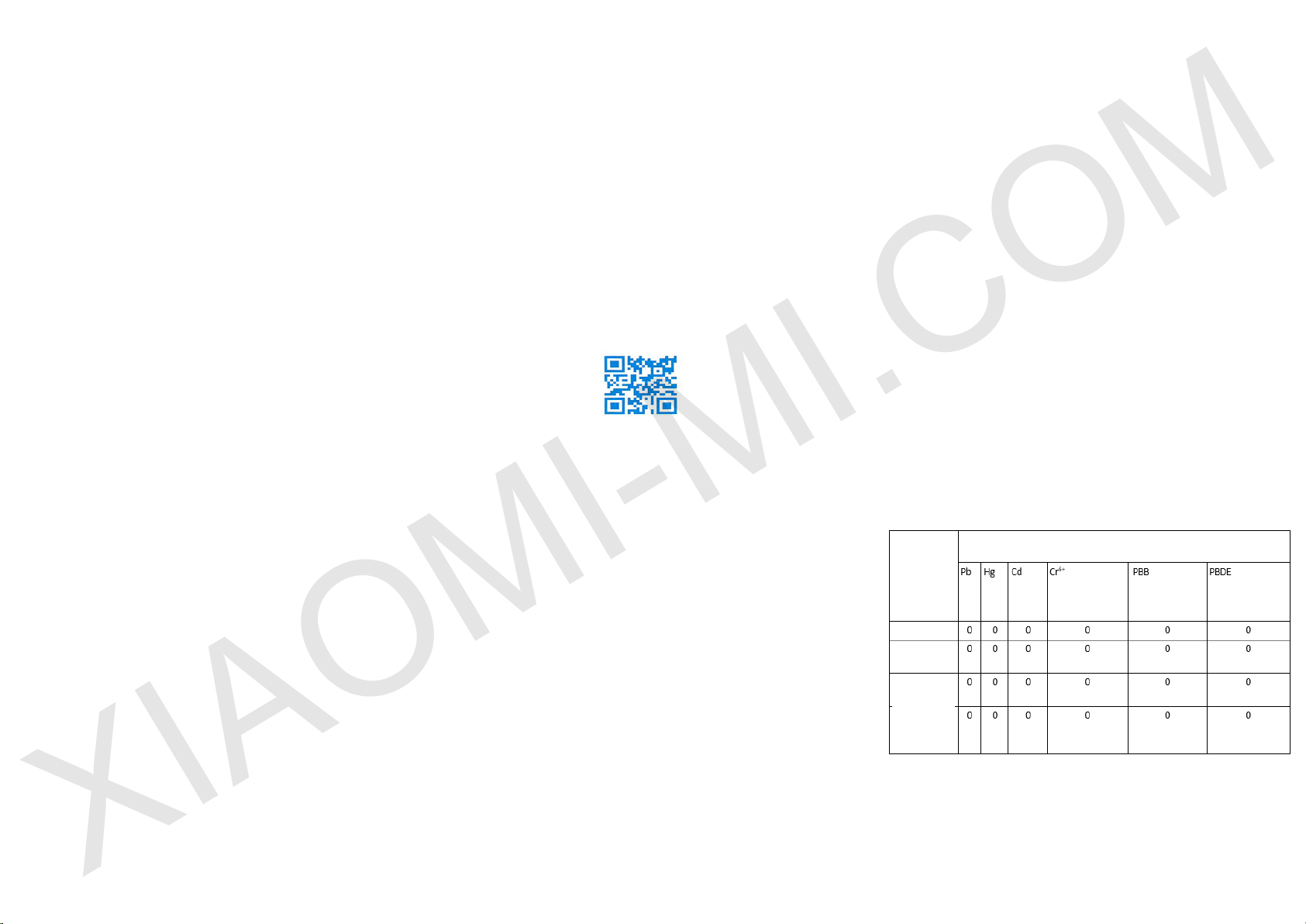
The presence of toxic and hazardous
substances
name
case
mainboard
power
adapter,
other
comps
O: toxic and harmful substances in all components of the device
contained in an amount below the limit value according to SJ /
T11363-2006 «requirements limiting the presence of toxic and
hazardous substances in products.»
X: indicates the presence of toxic and hazardous substances at
least one of the components in this product in excess of the limit
value, according to SJ / T11363-2006 «requirements limiting the
presence of toxic and hazardous substances in products.»
toxic and hazardous substances
 Loading...