

Page 1

Mi Drone User Guide
Please read this manual carefully before using
Page 2

2
Attention
This product is only for adults over 18 years old. .
Fly in open area. Keep enough distance from people, animals, trees, vehicles and buildings etc.
Be away from the circumstances such as airports, railways, high ways, tall buildings and electric wires etc.
The flying height, distance and zone are limited by relevant laws and regulations set forth by government.
All operator should compliance with safety precautions during using this product.
.
.
.
.
.
Scan & Install Mi Drone App
Page 3
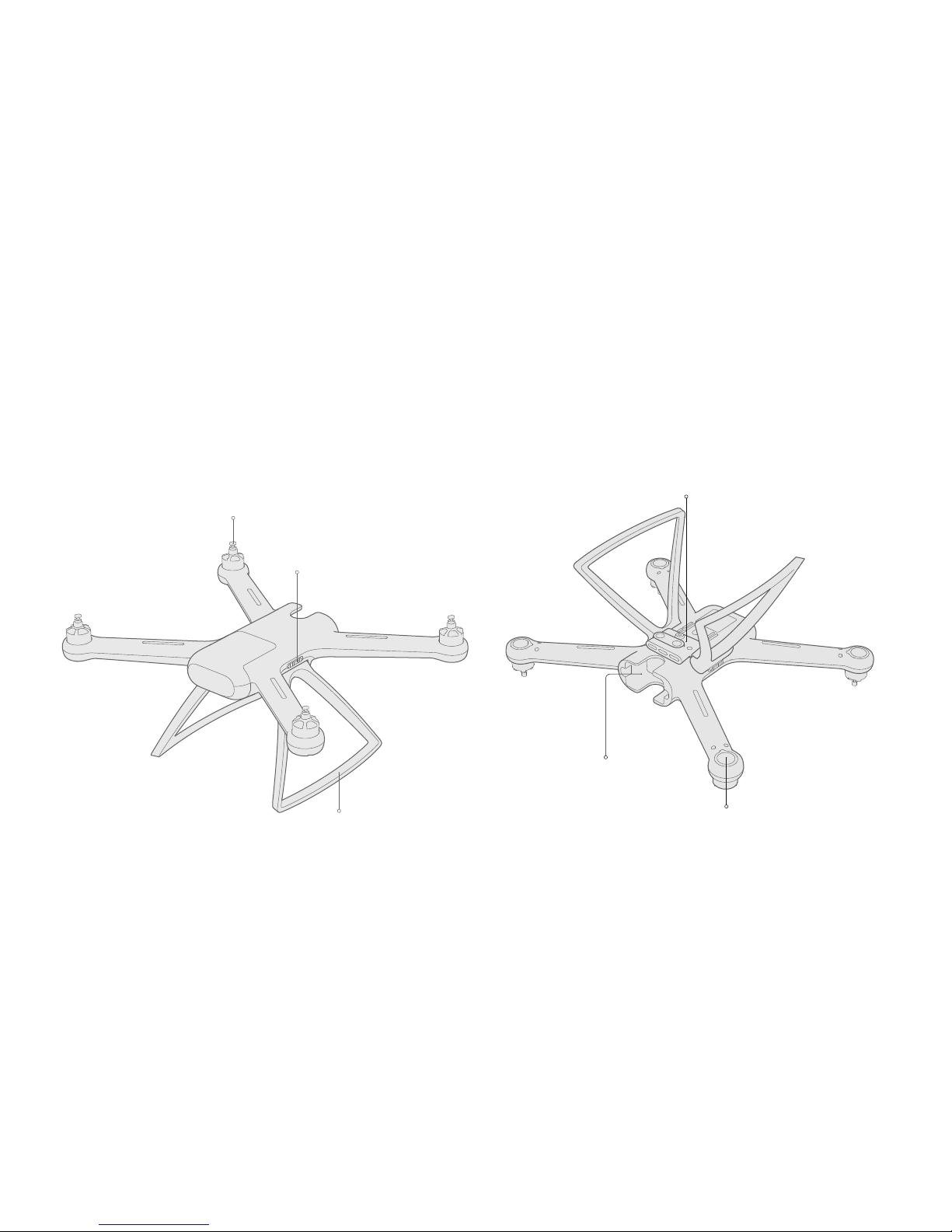
3
Motor
Undercarriage
Undercarriage Lock
Auxillary Positioning Module (Option)
Battery Compartment
Light
Prod ucts & Acc ess o rie s
1. Aircraft
Page 4
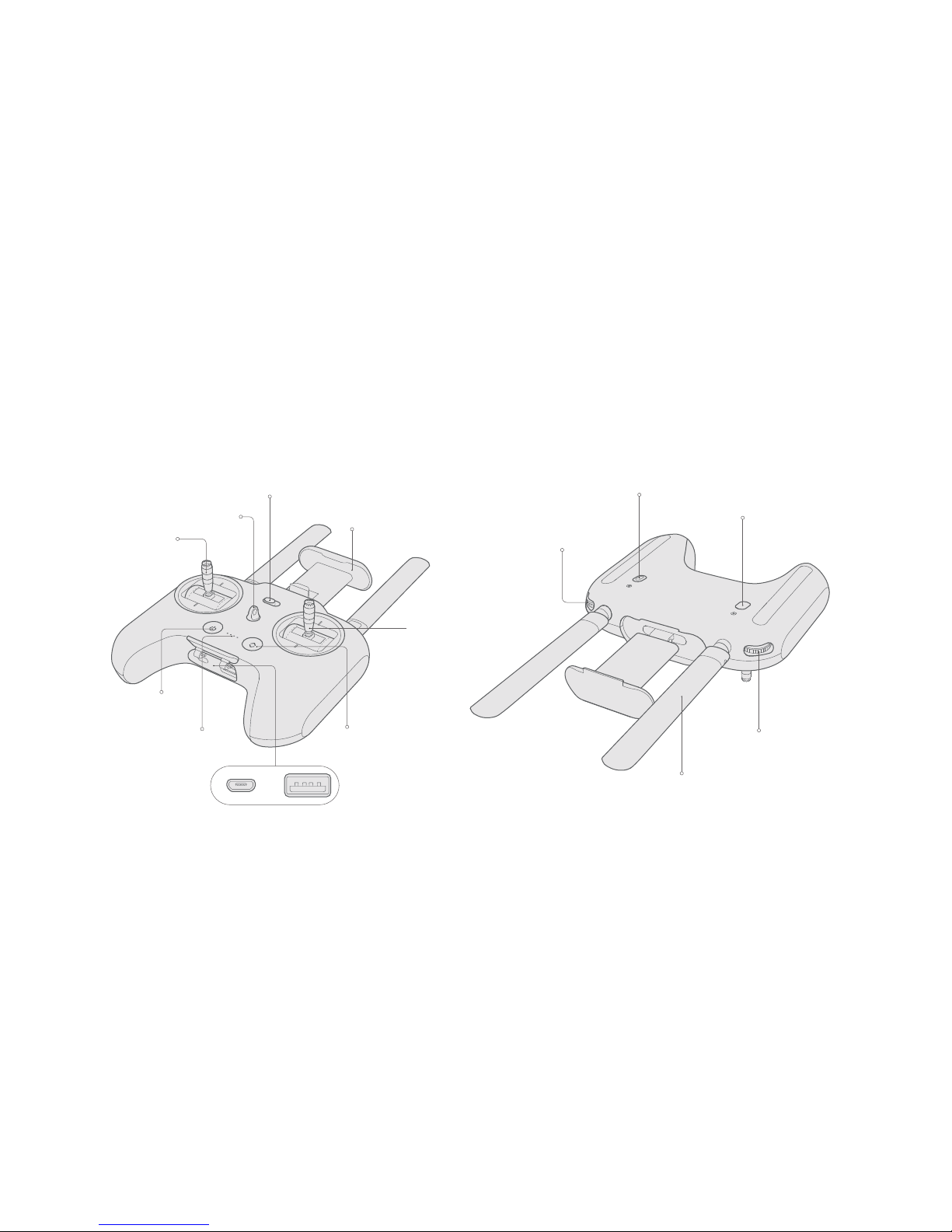
4
Mobile Device Holder
Left Stick
Belt Hole
Normal Flight/Auto Return Mode Switch
Antenna
Right Roller
Button B
Button A
Left Roller
Power Button
Battery Indicator Auto Take-off/Landing Button
Right Stick
USB Port(Connect Radio Controller and mobile device)
Pr odu c ts & Ac ces sor i es
2. Radio Controller
Charging Port
Page 5
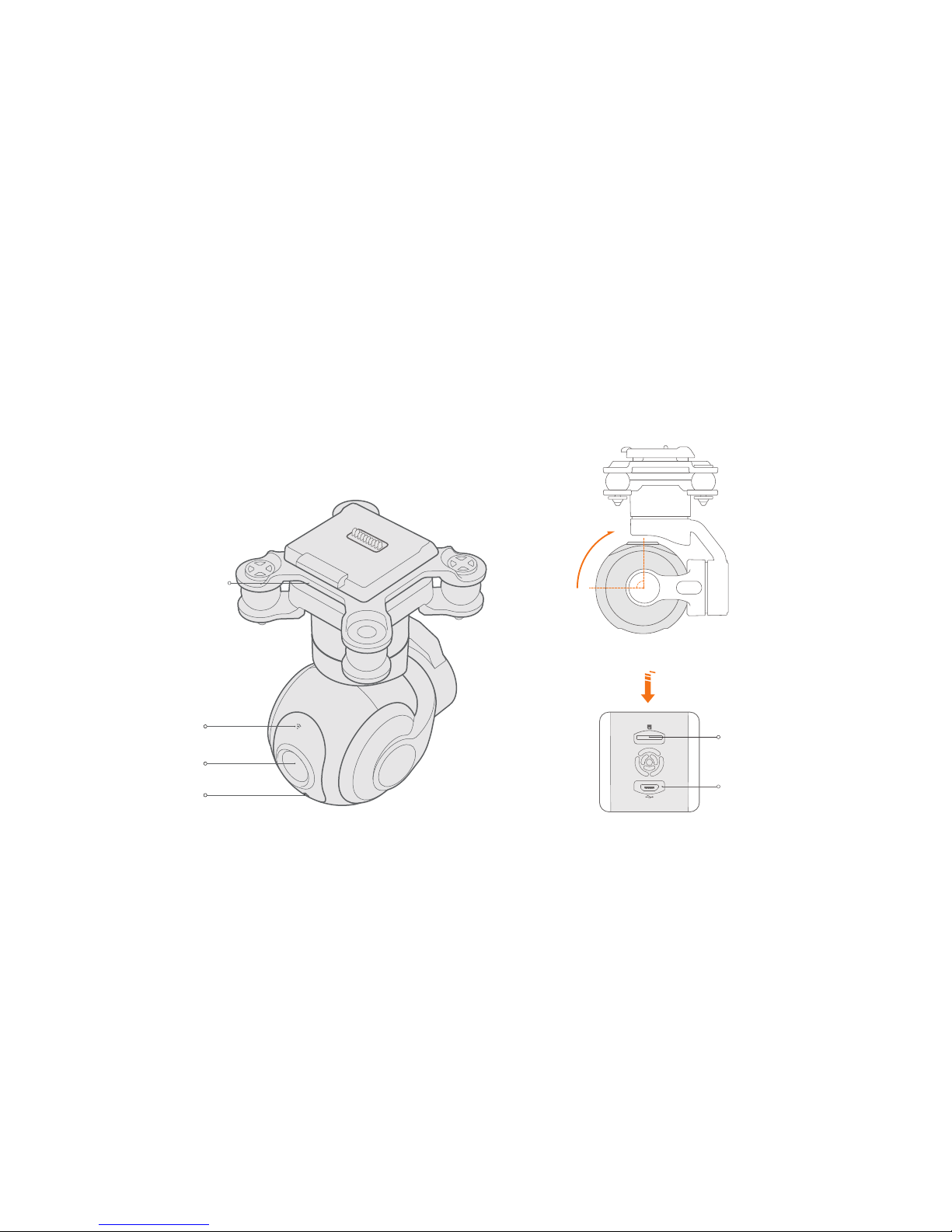
5
TF Card Port
Micro-USB Port
Camera Lens
Connection Indicator
Shock-Absorbing Frame
Shooting Indicator
Rotate Upward s
Prod ucts & Acc ess o rie s
3. Integraded Gimbal Camera
Page 6
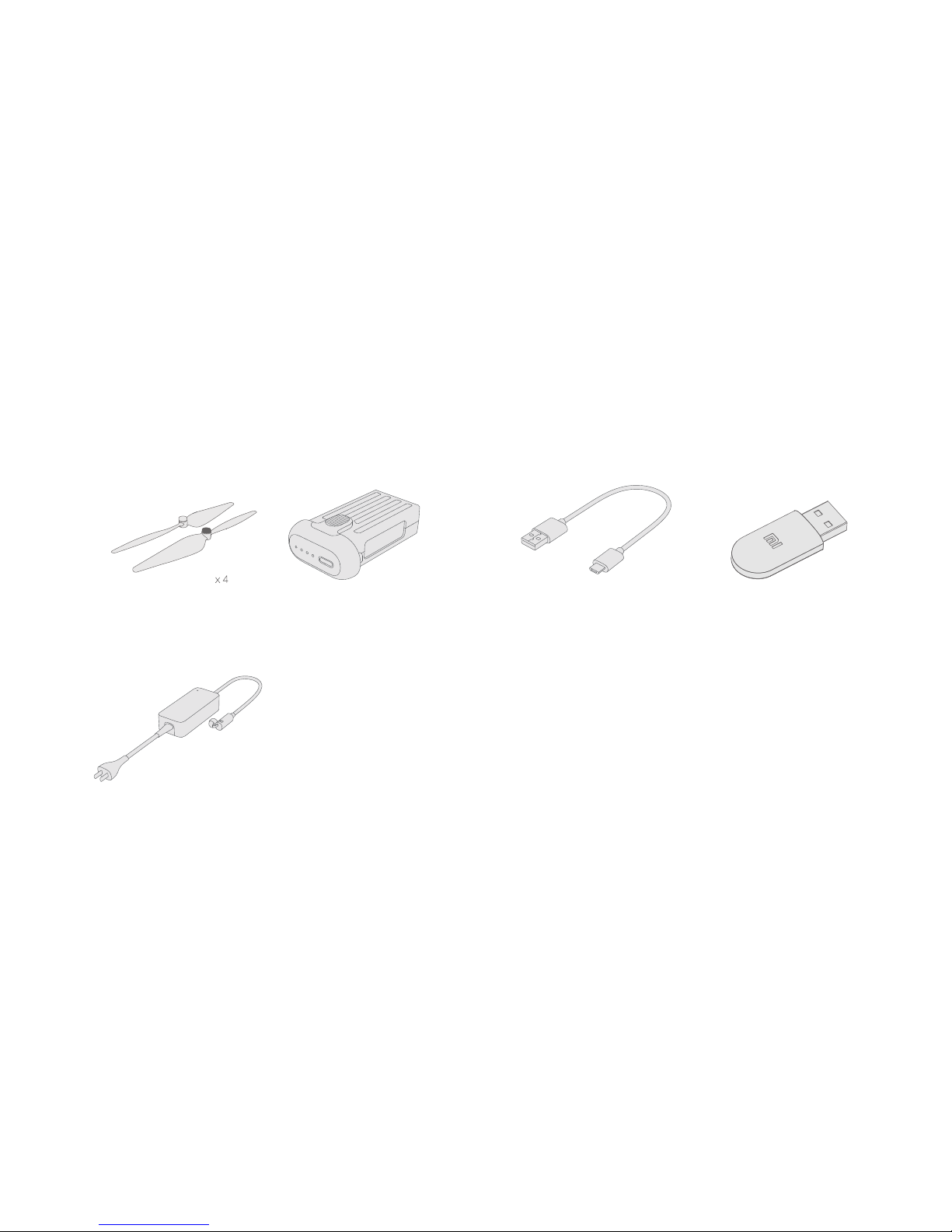
6
Quick-detachable Propellers
Battery Charger
USB Cable
Wireless Adapter
Battery
5. Tool Box
4. Accessories for Quadcopter
Pr odu c ts & Ac ces sor i es
Page 7
100 ~240 V
7
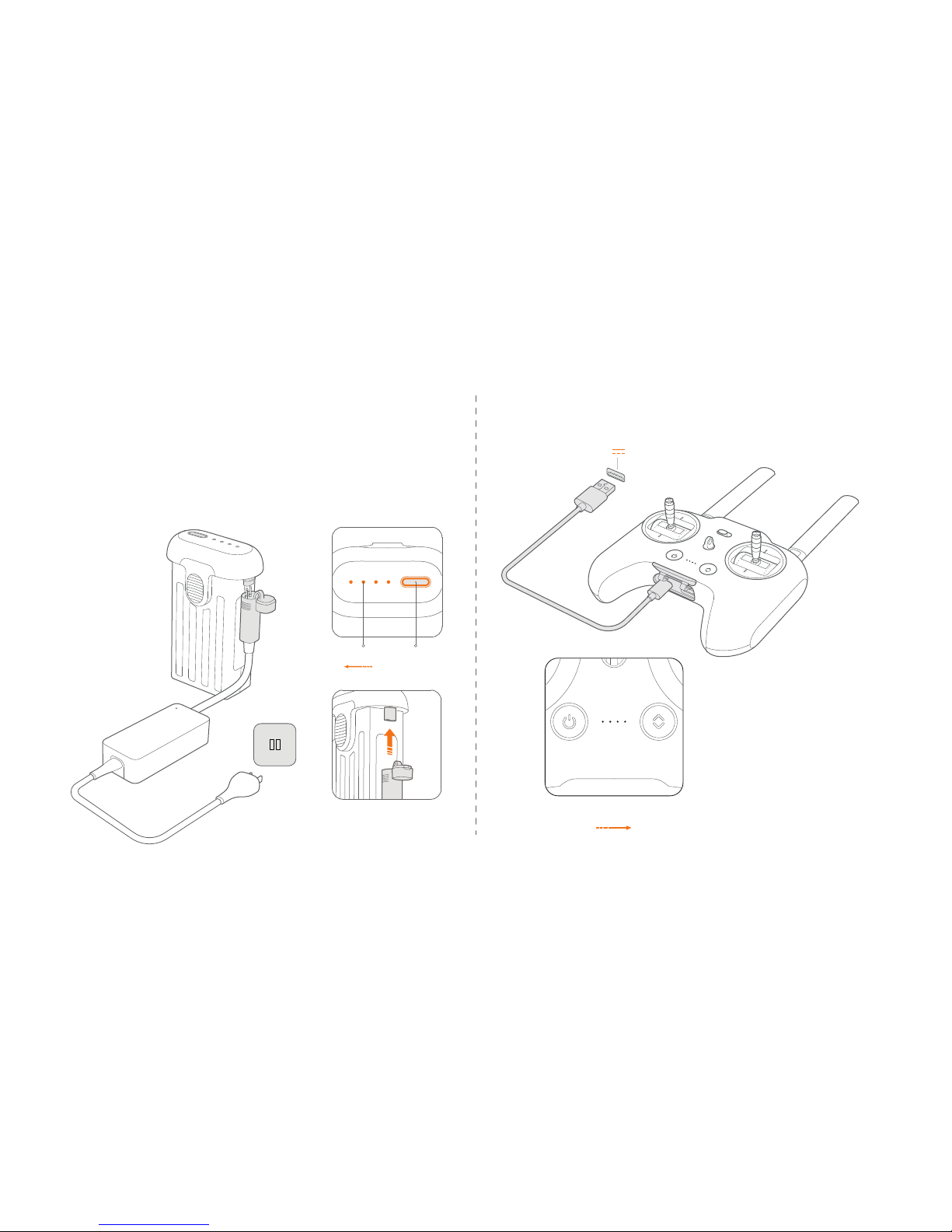
2. Charge the Radio Controller
5V 2A
Hig hLow
Indicat or
* Both battery ports could
be used
LowHigh
Indicat or Power
Charging
1. Charge the Battery
The indicator will be blinking during the charging
The indicator will be turned off when chariging is
completed
.
.
The indicator will be blinking
during the charging
The indicator will be turned off
when chariging is completed
.
.
Page 8
8
Prepare
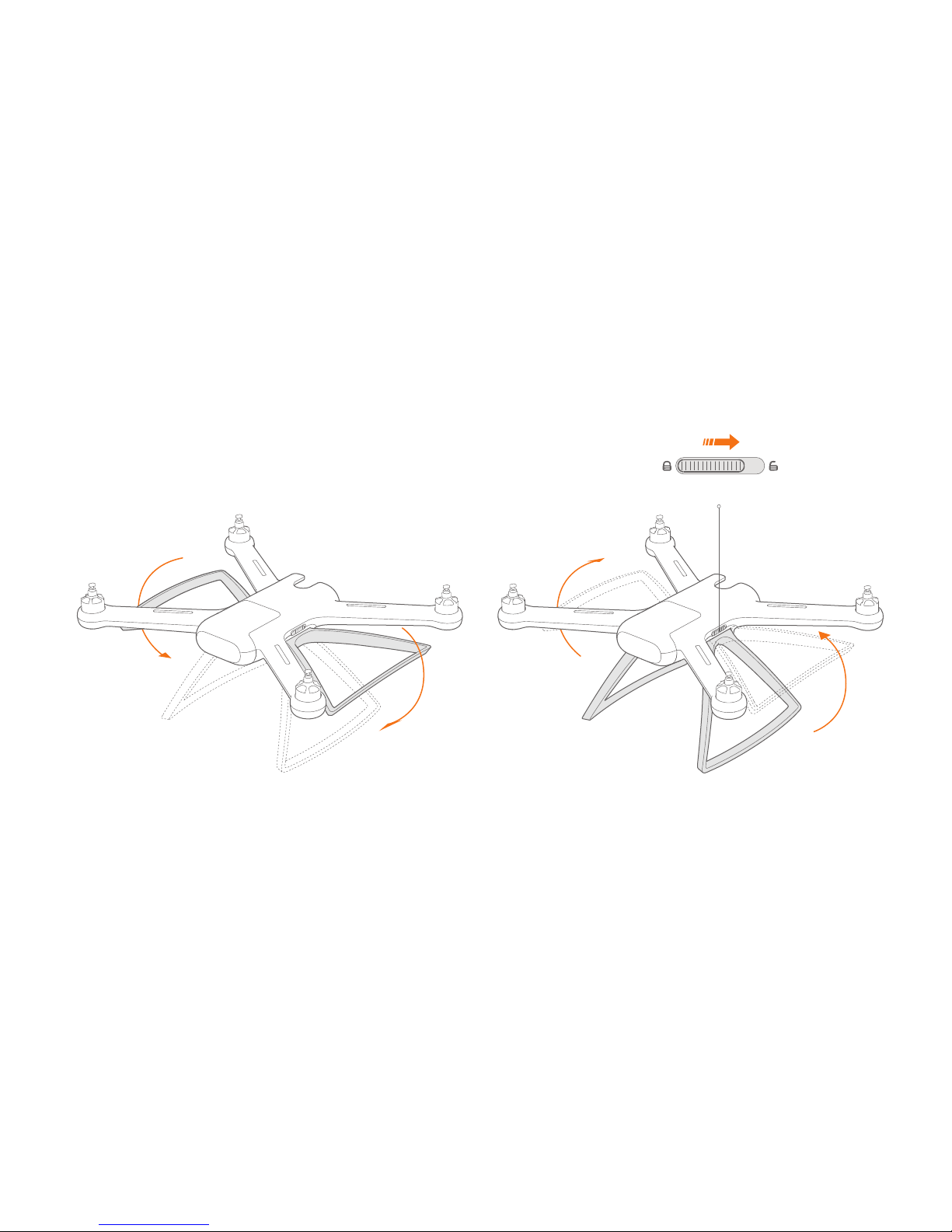
1. Prepare the Aircraft
a. Undercarriage
Turn down the undercarriage till hear clicking sound;
Note:
Before flight, the undercarriage MUST be turned down.
Turn and hold the undercar riage lock to unlock
positio n;
Pull up the undercarriag e.
Undercarriage lock
Page 9
9
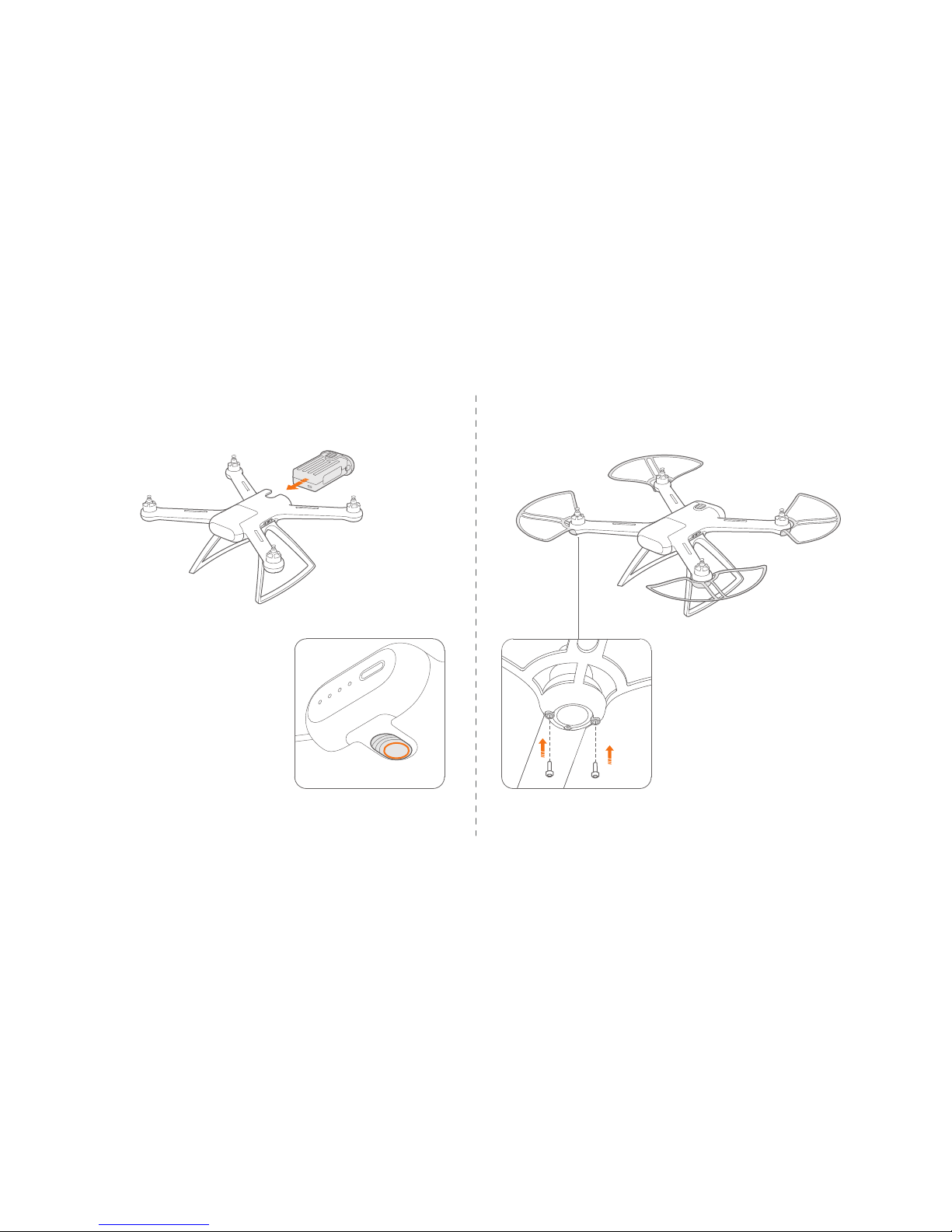
b. Battery c. Protective Frame
Please use included screws and
driver to assemble propeller frames.
Two screws are needed on every
propeller frame.
.
.
Push the battery into the battery
compartment till hear clicking sound.
Press the battery assemble switch
then can pull out the battery.
.
.
Battery Assembl e Switch
Page 10
10
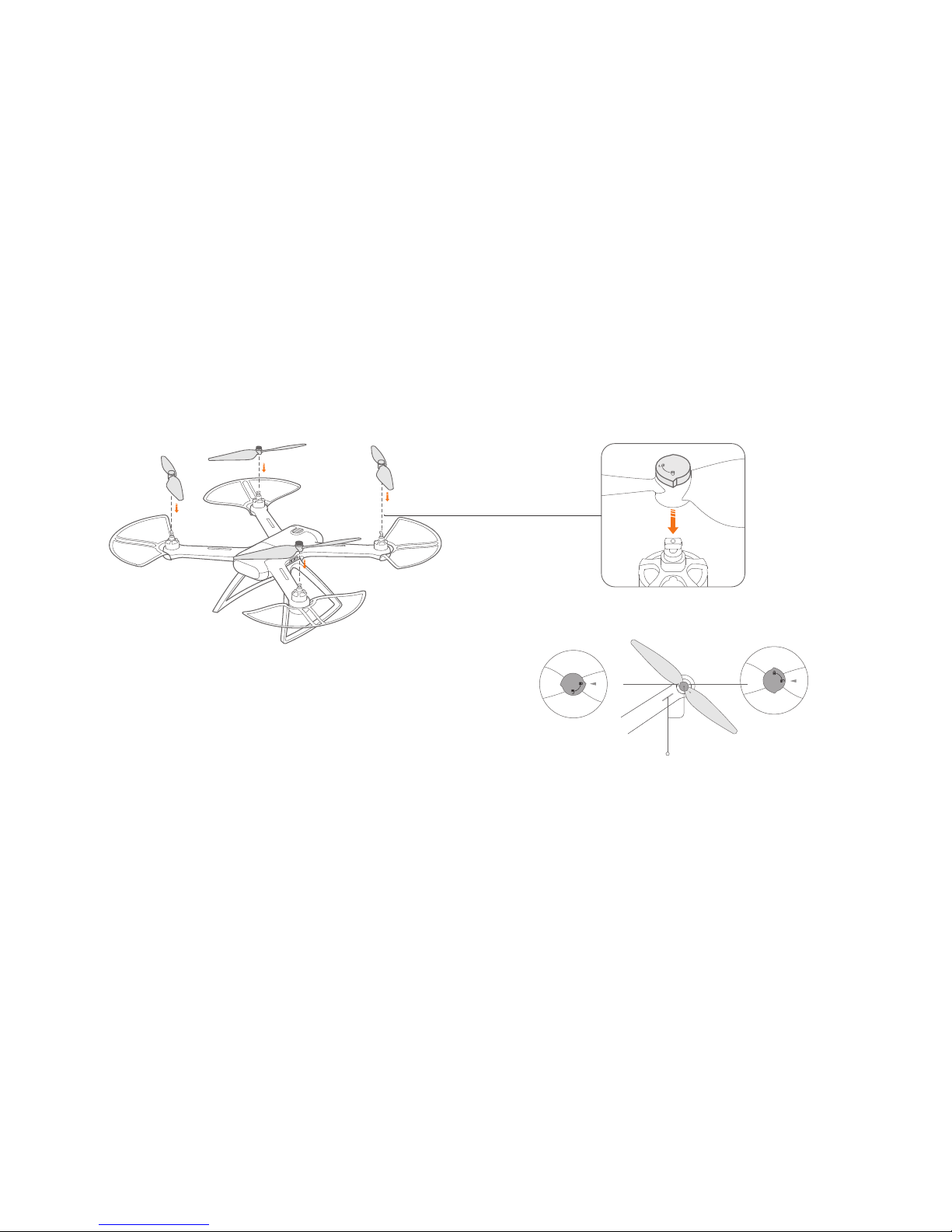
d. Propellers
.
.
.
Check propeller cap is on unlock position
Put the propellers on the top of motors with same color marks.
Press the propeller down onto the motor and rotate the propeller cap
in the lock direction untill it is secured.
.
Rotate the propeller cap in the unlock direction untill the propeller jump
up, then propeller can be removed.
Color Mark
Disassemble
Assemble
Page 11
.
11
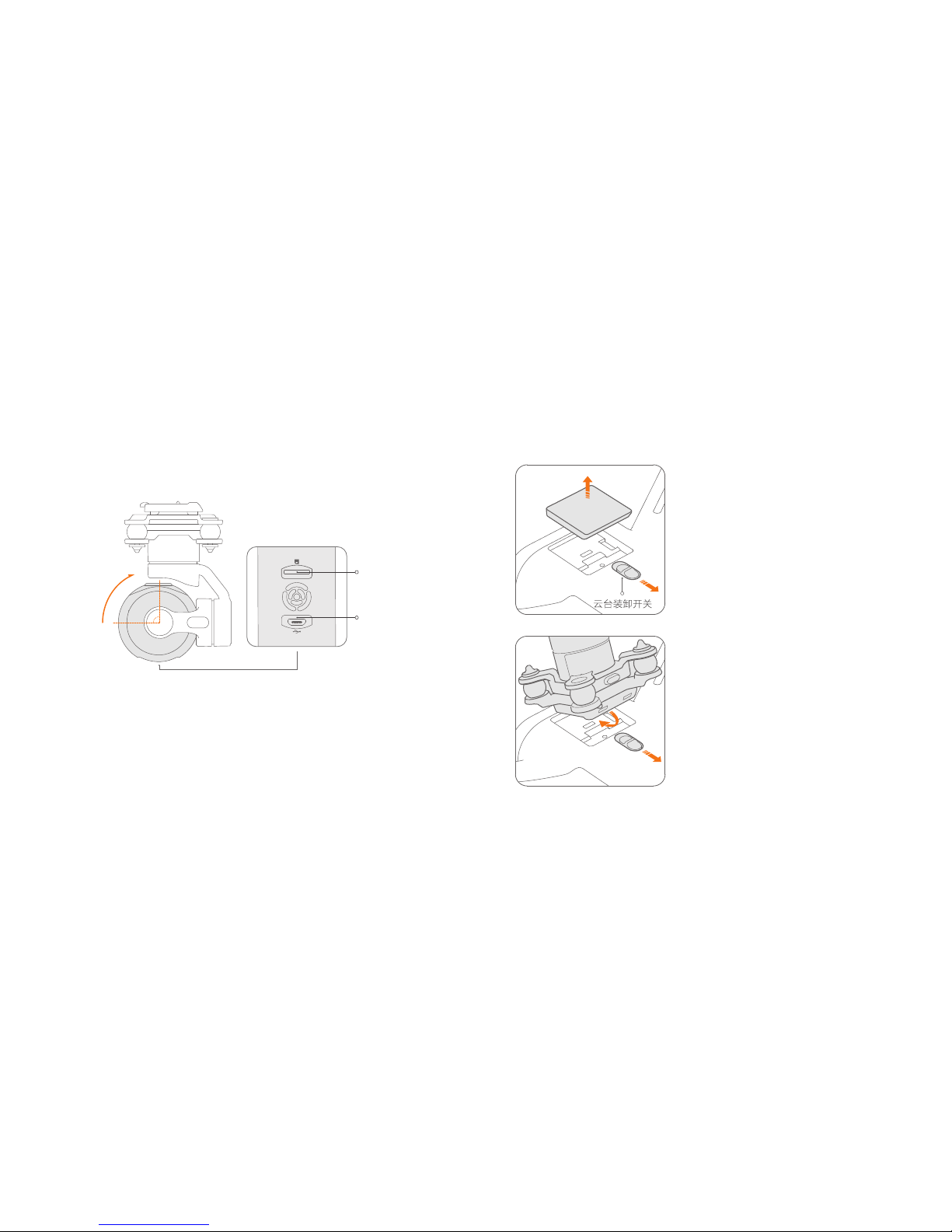
Please choose mainstream band TF cards,
Class 10 and 16G at least.
Insert TF Card
Prepare the Gimbal Camera
TF Card Port
USB Port
Upwards rotate 90°
Turn and keep the gimbal
switch to unlock position,
remove the gimbal cover.
Insert gimbal camera into
the cavity with 45° tilt degree,
press gimbal camera down
firmly till hear click sound.
Page 12
12
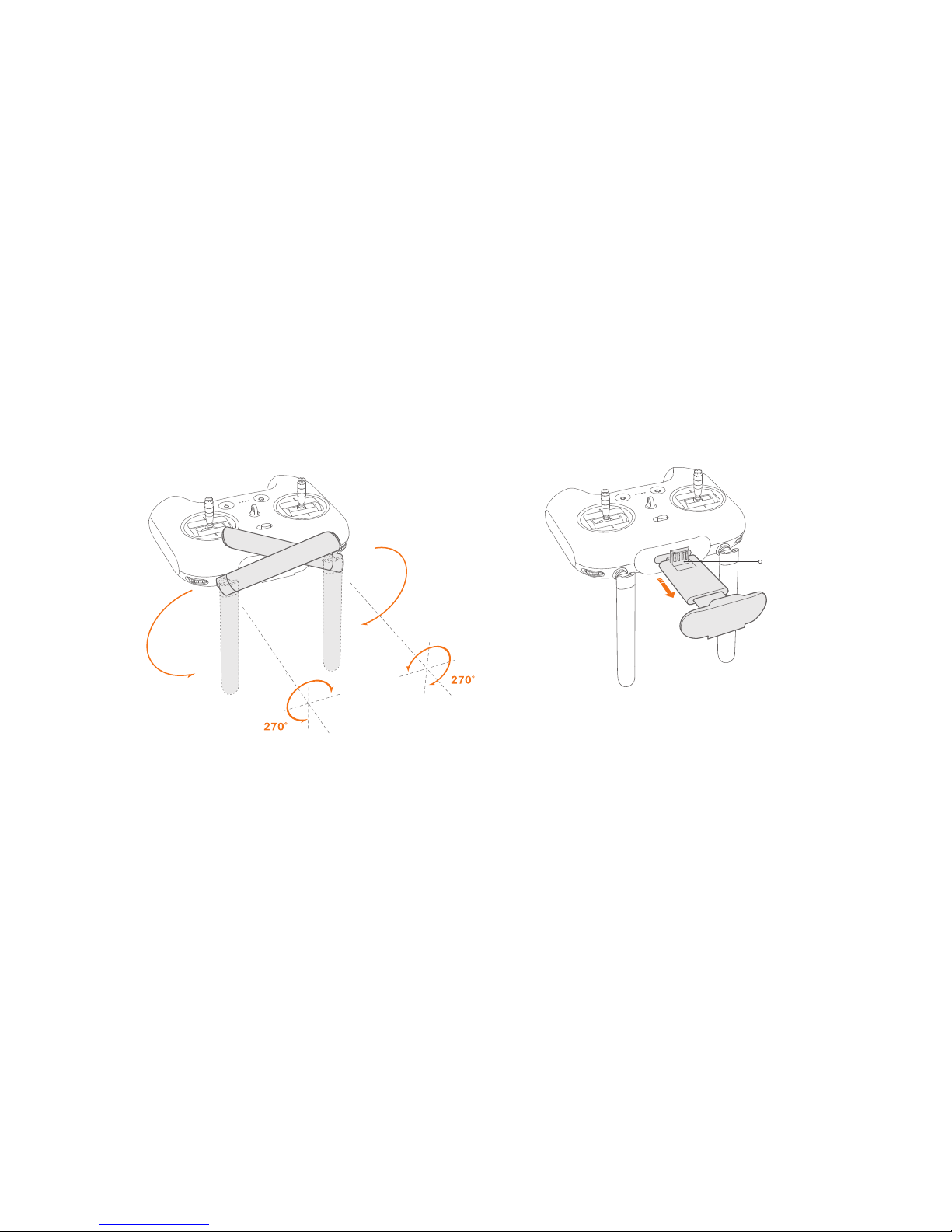
Unfold the antennas as shown figure.
Note:
Please keep the vertical surface of antennas toward
aircraft to get the more stable singnal level.
Pull out moble device holder untill the clip pop up.
Prepare the Radio Controller
Clip
Page 13
13
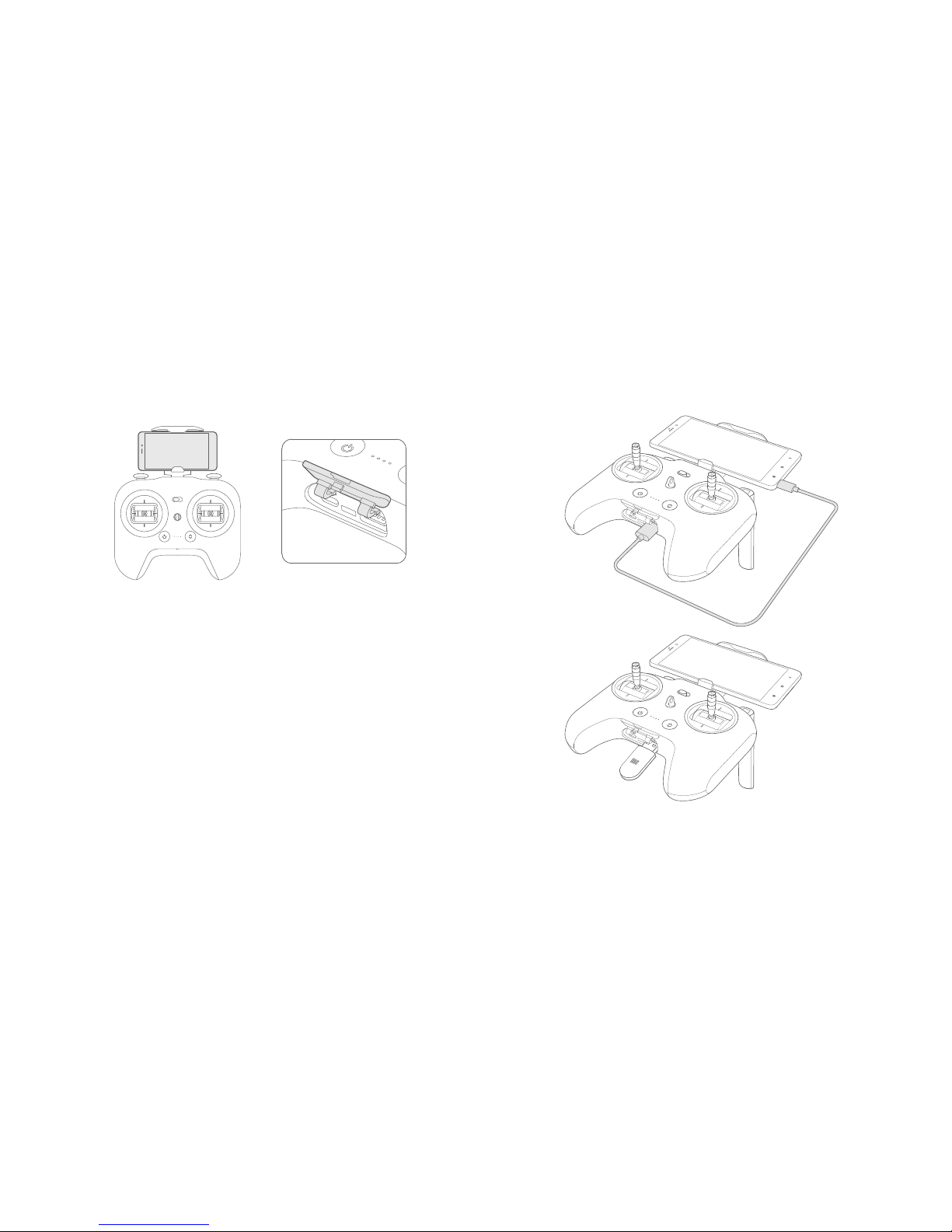
Place the mobile device on the holder, please beware of the
mobile device's power key not be touched.
Open the cover on the bottom of radio controller
Connect the radio controller with mobile device by USB cable
or wireless adaptor
.
.
Refer to Mi Drone APP instruction to complete connection.
Note:
Due to size limitation, Some mobile device MAY NOT be placed on the holder.
.
.
Page 14
14
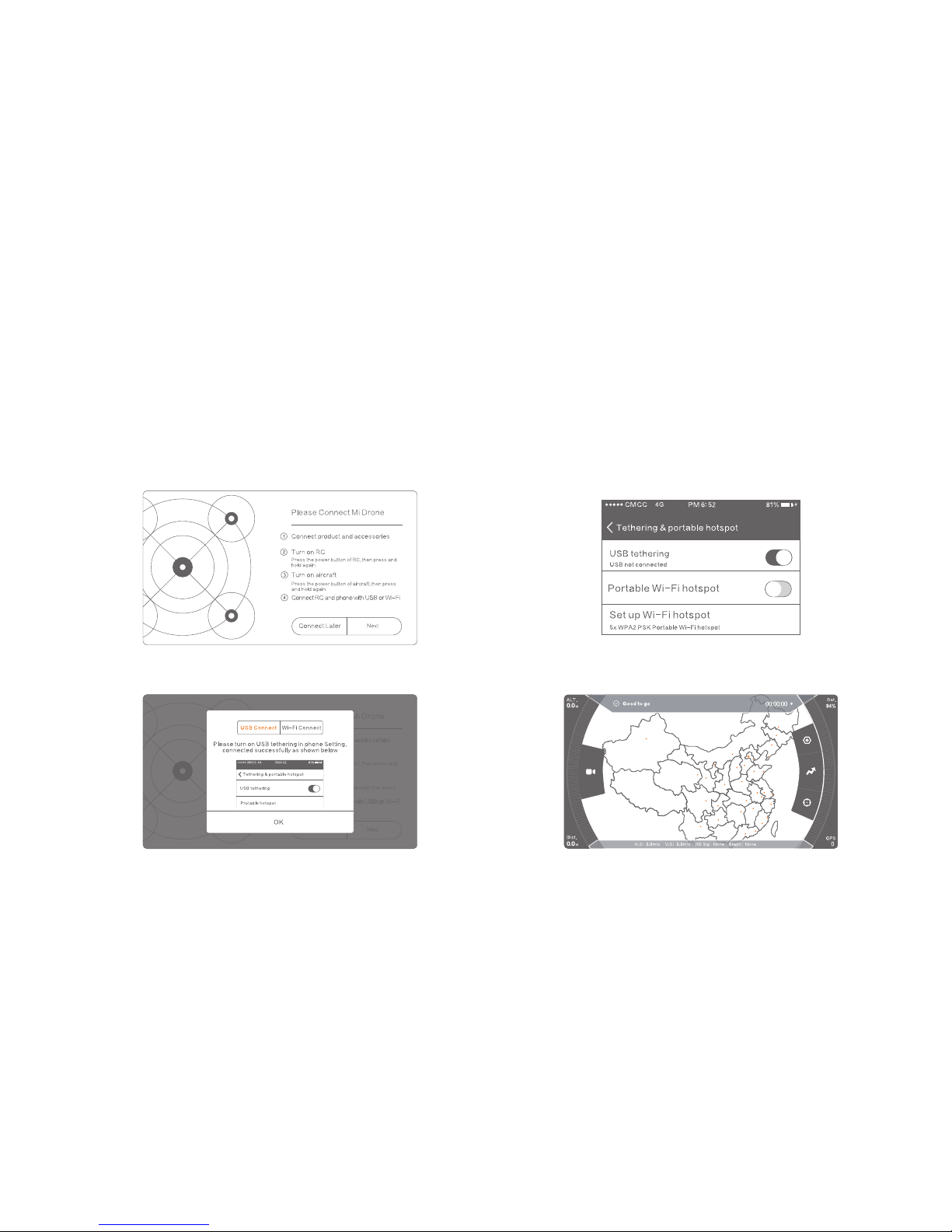
Choose USB cable to connect the
radio controller and mobile device
1 . Open Mi Drone APP, select “ Next” button
2 . Pop up dialog box, select “USB connection”, tap
“ OK” button
.
1 . Open Mi Drone APP, select “ Next” button
2 . Pop up dialog box, select “USB connection”, tap
“ OK” button
 Loading...