

Page 1

G
G
P
P
S
S
T
Trr
a
a
c
c
k
k
e
err
103-2 Quick start guide
Page 2

Thanks for choose our product. This Quick Start guide tells you how to se
t up your GPS Tracker.
See picture 1 connect antennas in right way and put antennas outside.
See picture 2 inside two SIM cards and TF card.
See picture 3 connect wires in right way.
Unit will turn on automatically when put the SIM card in,the red LED con
verted to one second flashes, SIM card Registration Successful,LED light w
as converted to three seconds blinking GPS positioning success.
Confirm your SIM card have calling, send SMS, GPRS function.
Confirm your SIM card have enough balance (money).
Confirm your SIM card can show caller ID and don not use call forwarding
function.
Now you can operate the function .Begin!
Page 3
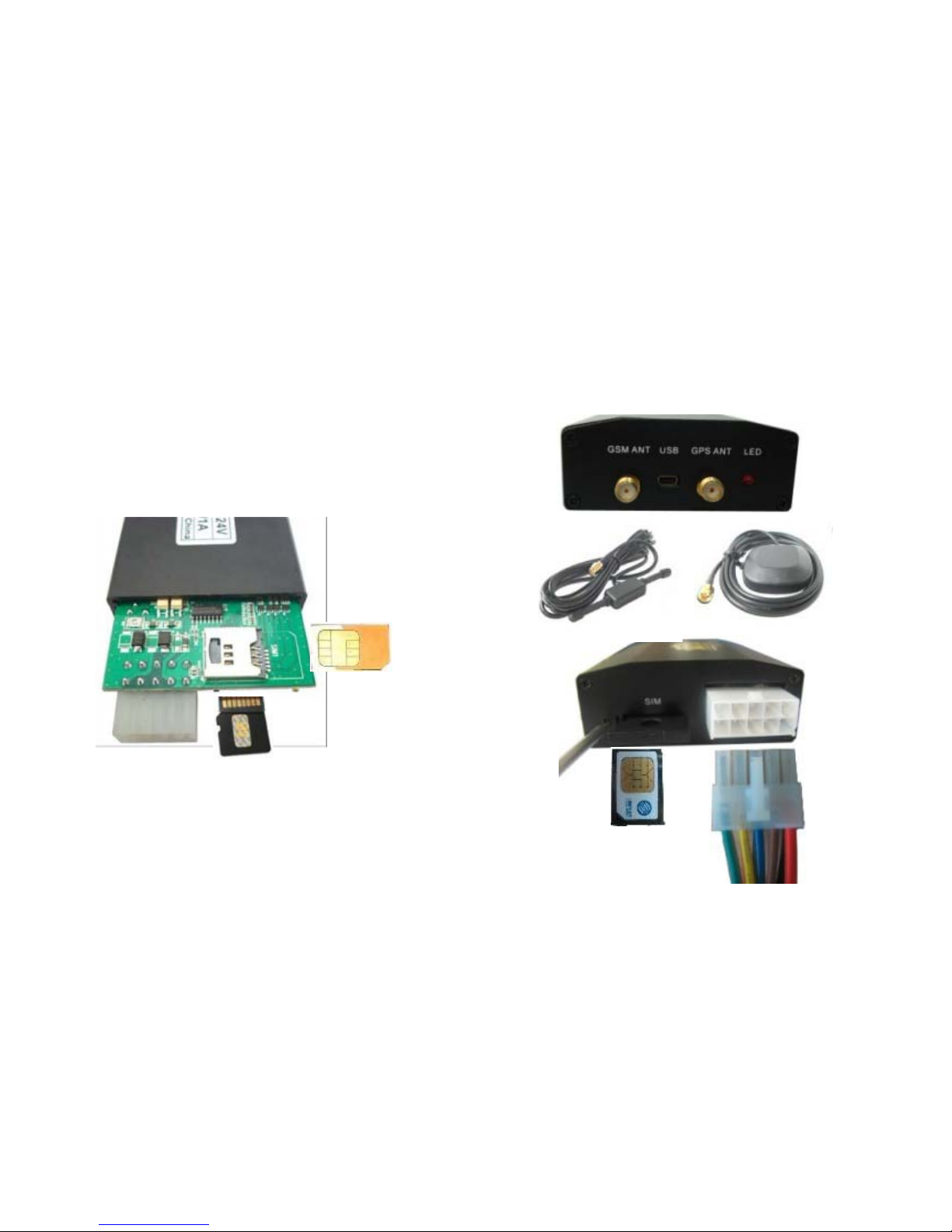
How to connect the antenna.
Page 4
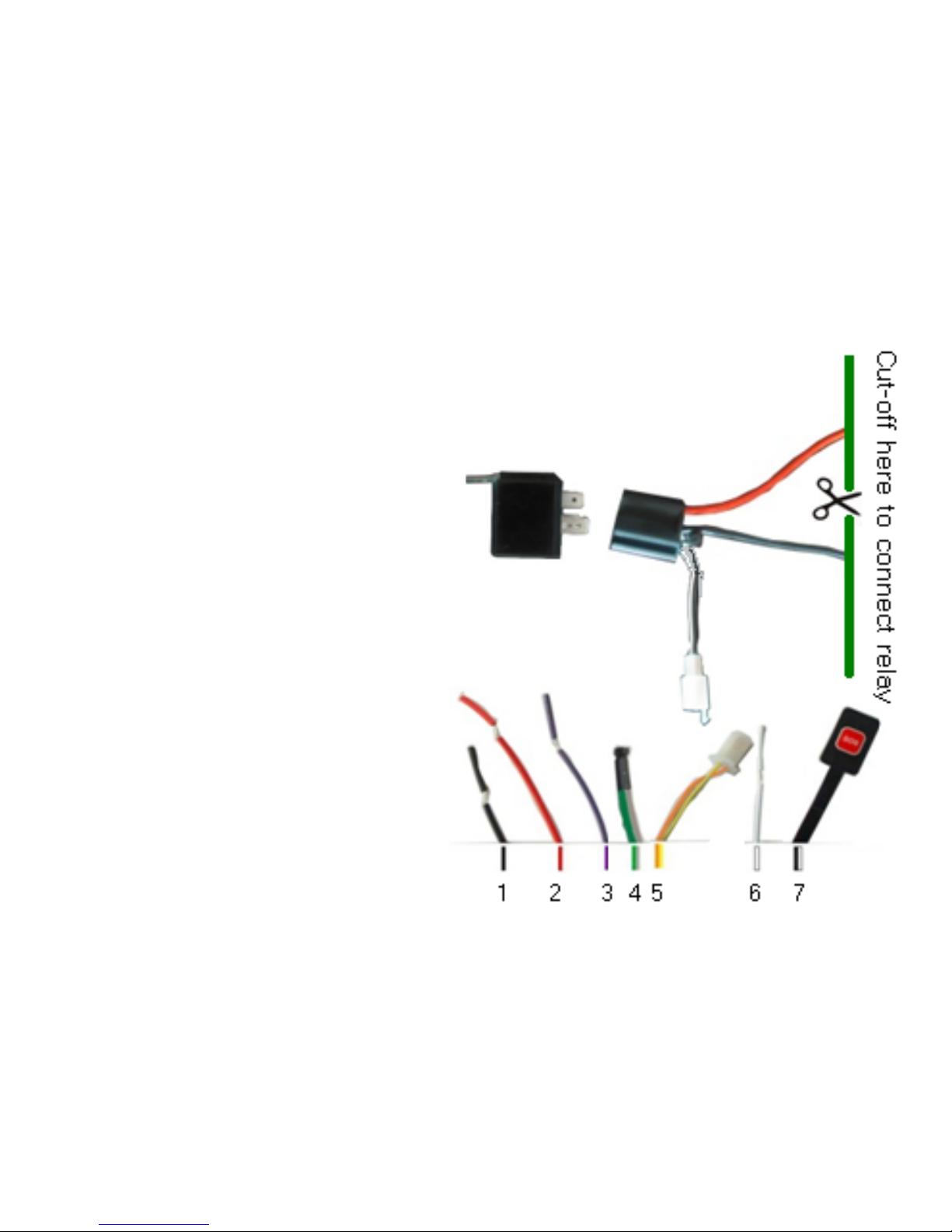
Wires connection.
⒈ Black wire: -12V
⒉ Red wire: +12V
⒊ Purple wire : ACC
⒋ Microphone
⒌ Connect relay.
⒍ White wire: connect guard
against theft implement.
⒎ SOS.
⒏ Oil and Power
8
Page 5

Two SIM card.
Unit will turn on for another one automatically When no fee with one SIM
card.
TF card*.
Support 2GB TF card, over-the-air update, resume from break point cannot
work without TF card.
Over the air update.
Update can be finished by SMS ,and also the software on our website will
be update occasionally
Breakpoint continuingly.
Date will be saved at SD card when in weak GPRS signal and will be send to
platform automatically again when have GPRS signal.
Page 6

Password.
We suggest change the password and keep it in mind.
Please contact with
franchiser if you forgot it
Authorization.
, Unit only work with correct one.
SMS will be send to Authorized number. Authorized number can send the
command without password.
Traffic Mode
When moved ,the device will send GPS data to monitor platform or mobile
phone automatically; when stay still, the device will go to sleep to save power.
Page 7

Internet monitor.
Set APN.
APN stands for Access Point Name. For
example picture ,China mobile “CMNET”,
send SMS“123456apn cmnet”to the unit;
if APN have user name and password, For
example picture ,Microcell,APN is
internet., user name:fido , password:
fido
Page 8
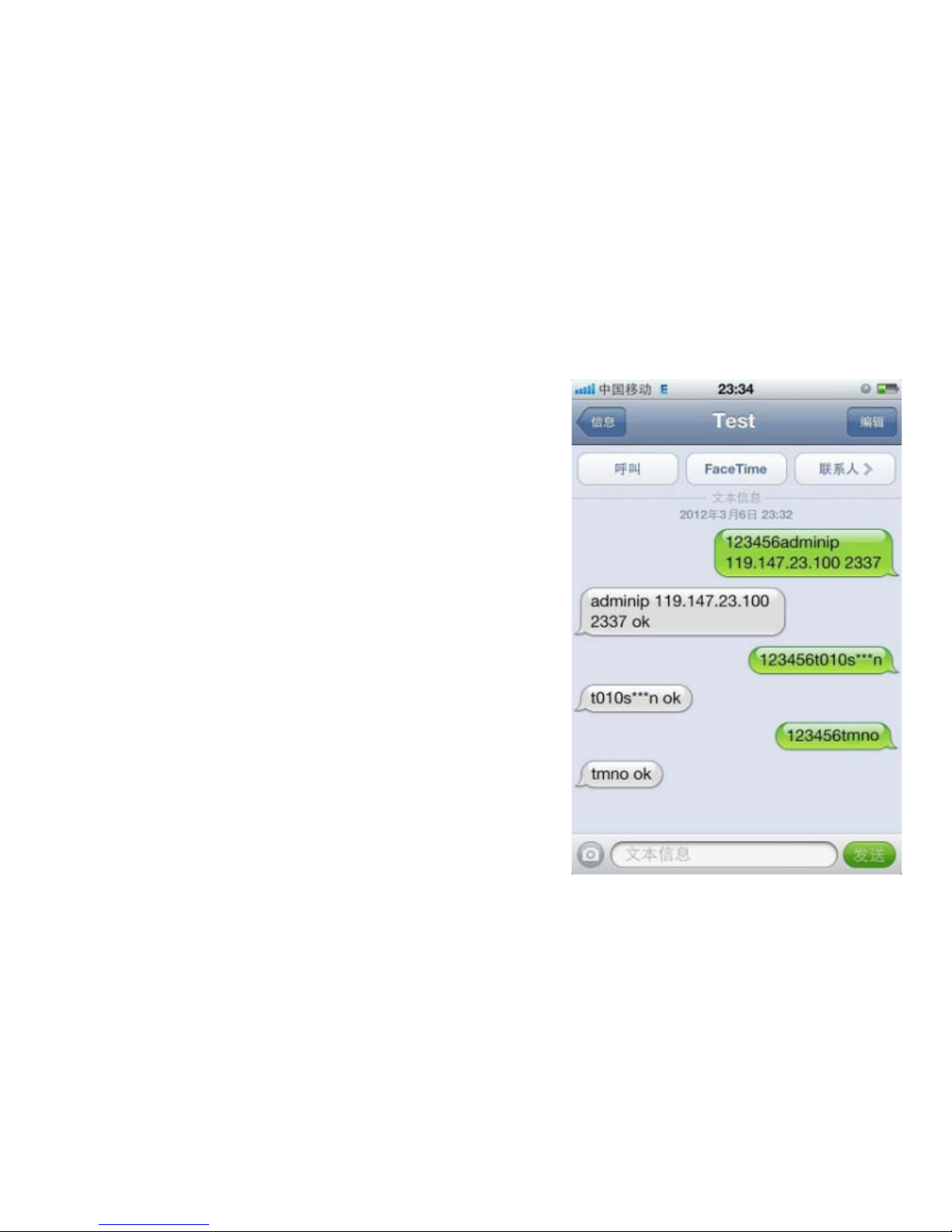
IP and port.
When APN setting succeed, send SMS“123
456adminip 119.147.23.100 2337”,it will
reply“ADMINIP ok!”.“2337”is port number
Data transmission.
Send SMS:“123456t010s***n”to the unit,
will reply”t010s***n ok”.Data will be
transmissionto the platform every 10
seconds. stop send sms“123456tmno”
Page 9
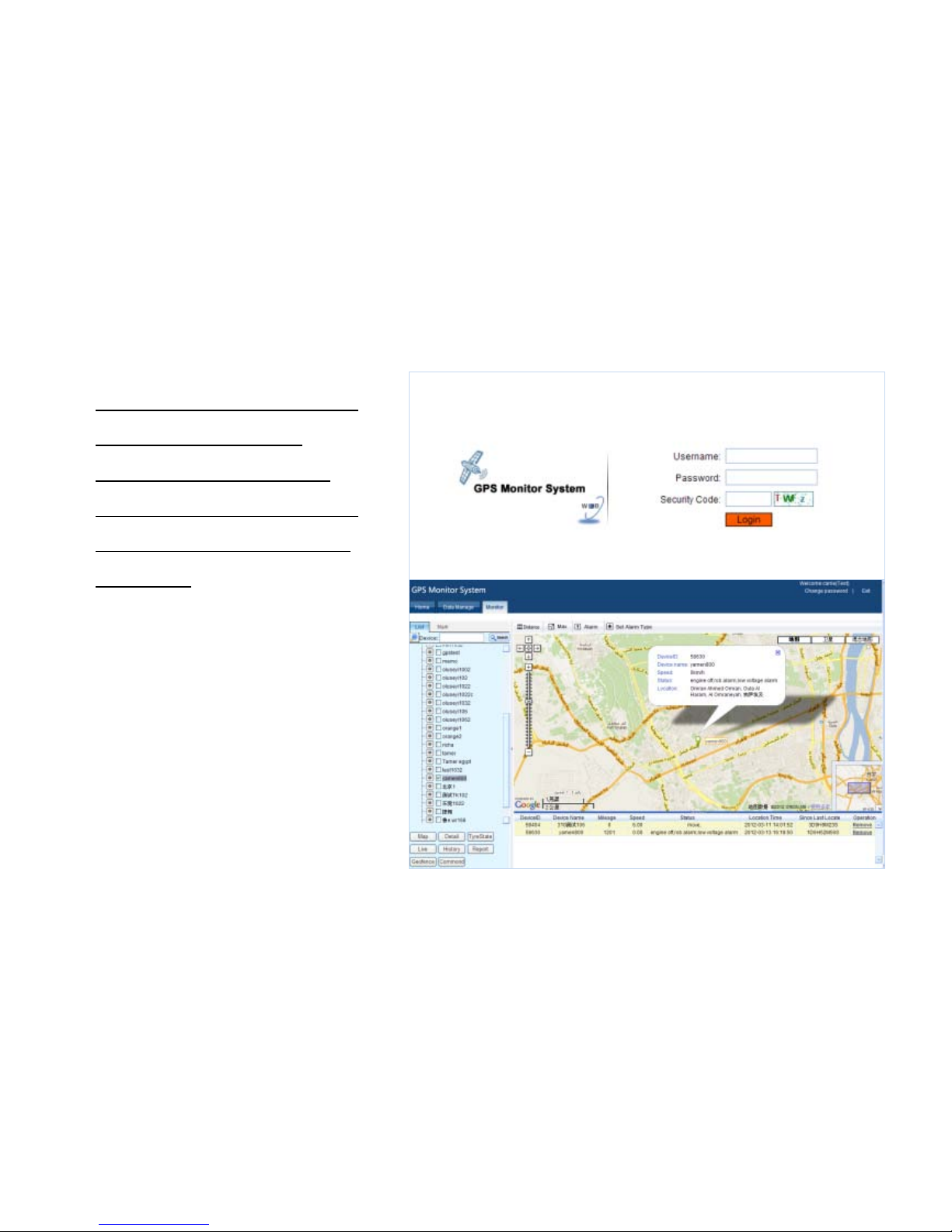
Internet platform.
Please contact franchiser.
They will supply you
platform website, User
name, Password and help
you to add your unit into
platform.
You can check more inf
ormation about platform i
n CD-ROM.
Page 10
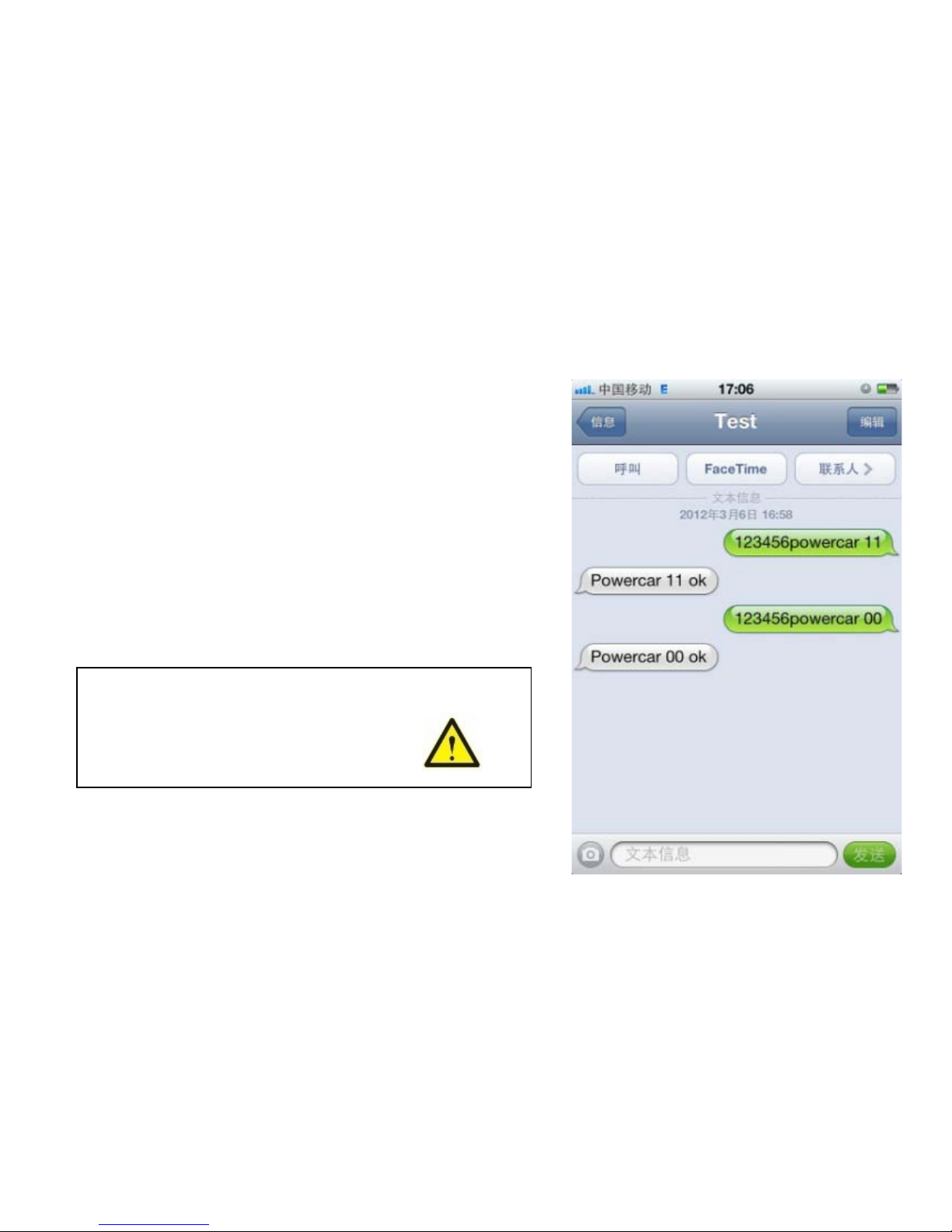
Remote control oil and circuit.
Send SMS“123456powercar 11”to cut
off oil and circuit;Send
SMS“123456powercar 00”to supply oil and
circuit again.
Warning:Please make sure the vehicle
stay still before using this order.
Page 11
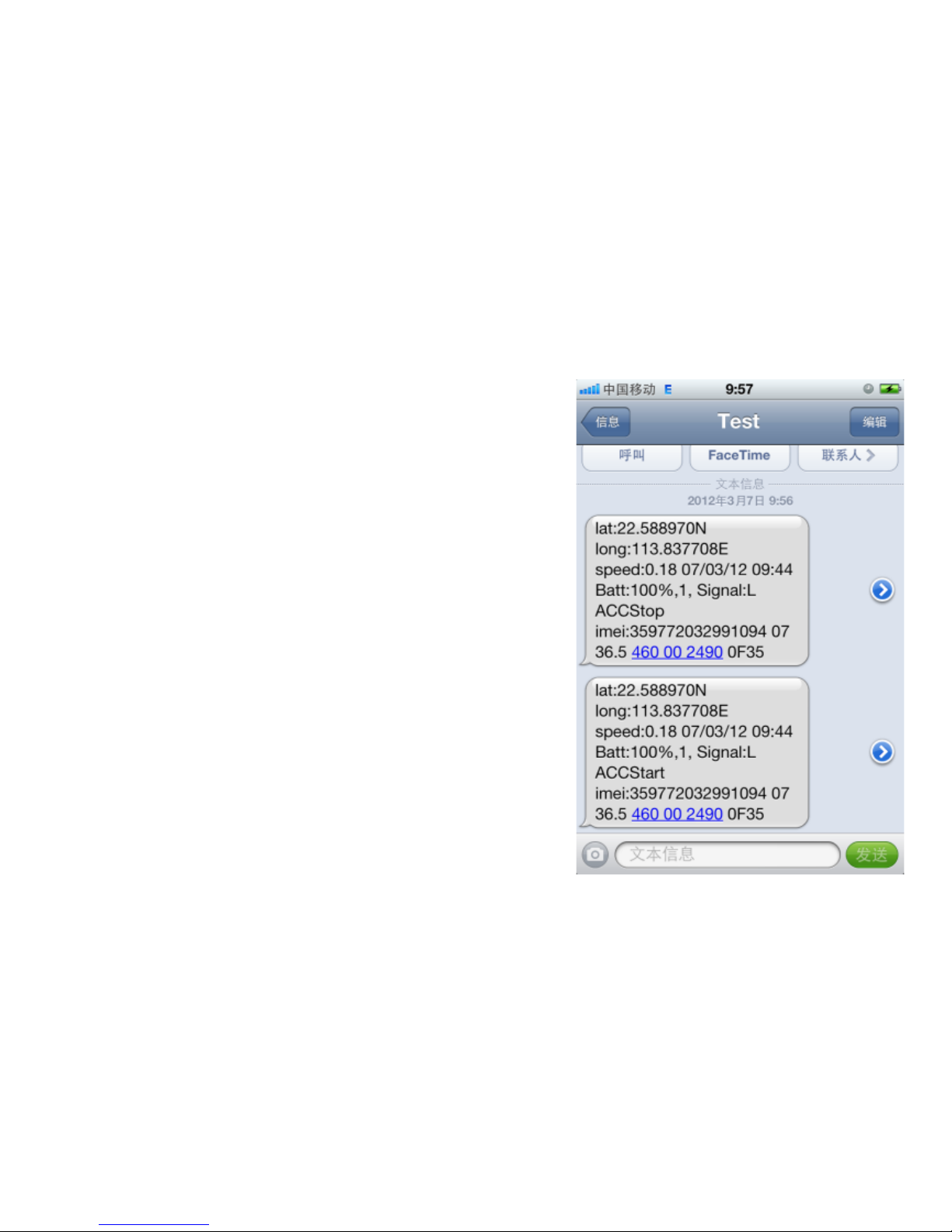
Engine alarm (ACC) and Fortifying mode
Engine alarm (ACC), After purple ACC line
connected to the car engine
ignition wire,
every time when engine start and stop,
tracker will report to authorized mobile
and platform. Engine stop: "ACCStop";
Engine Start : "ACCStart".
Fortifying mode, send SMS command :
"123456 fortify" to tracker, tracerk device
reply to “fortify ok” . When in fortifying
mode, LED light will flash every 4 seconds.
Page 12
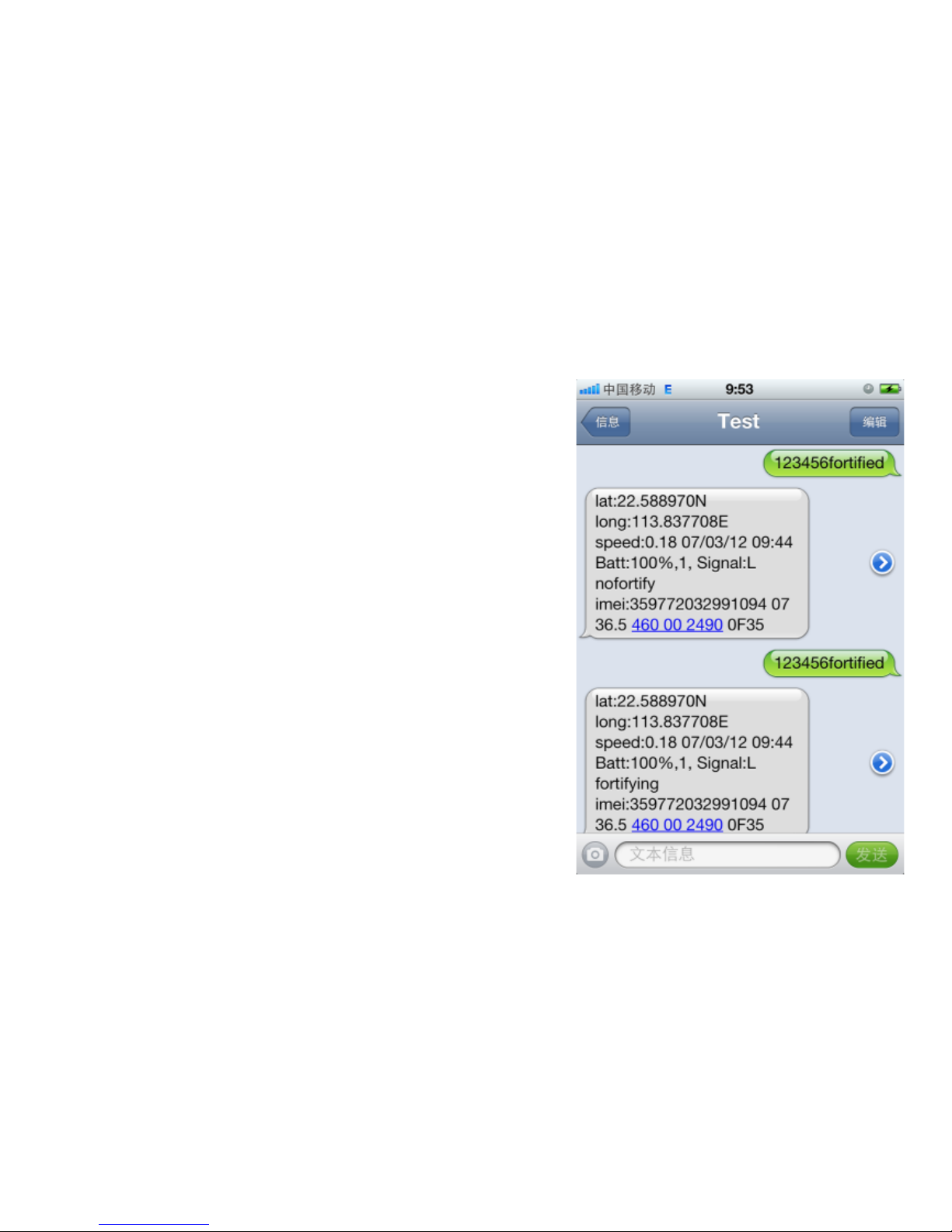
Fortify or no Fortify
call tracker can switch fortify and ”no
fortify”. call one time, the tracker will go to
“no fortify” model. Call again, switch into
“fortify” model. If set fortify successfully,
will receive a SMS reply of “ move in+
Longitude and latitude”.
Then when the car move more than
200m, the tracker will send alarm sms to
authorized phone and platform. Inquires
the tracker state send sms”123456foftified”.
Page 13
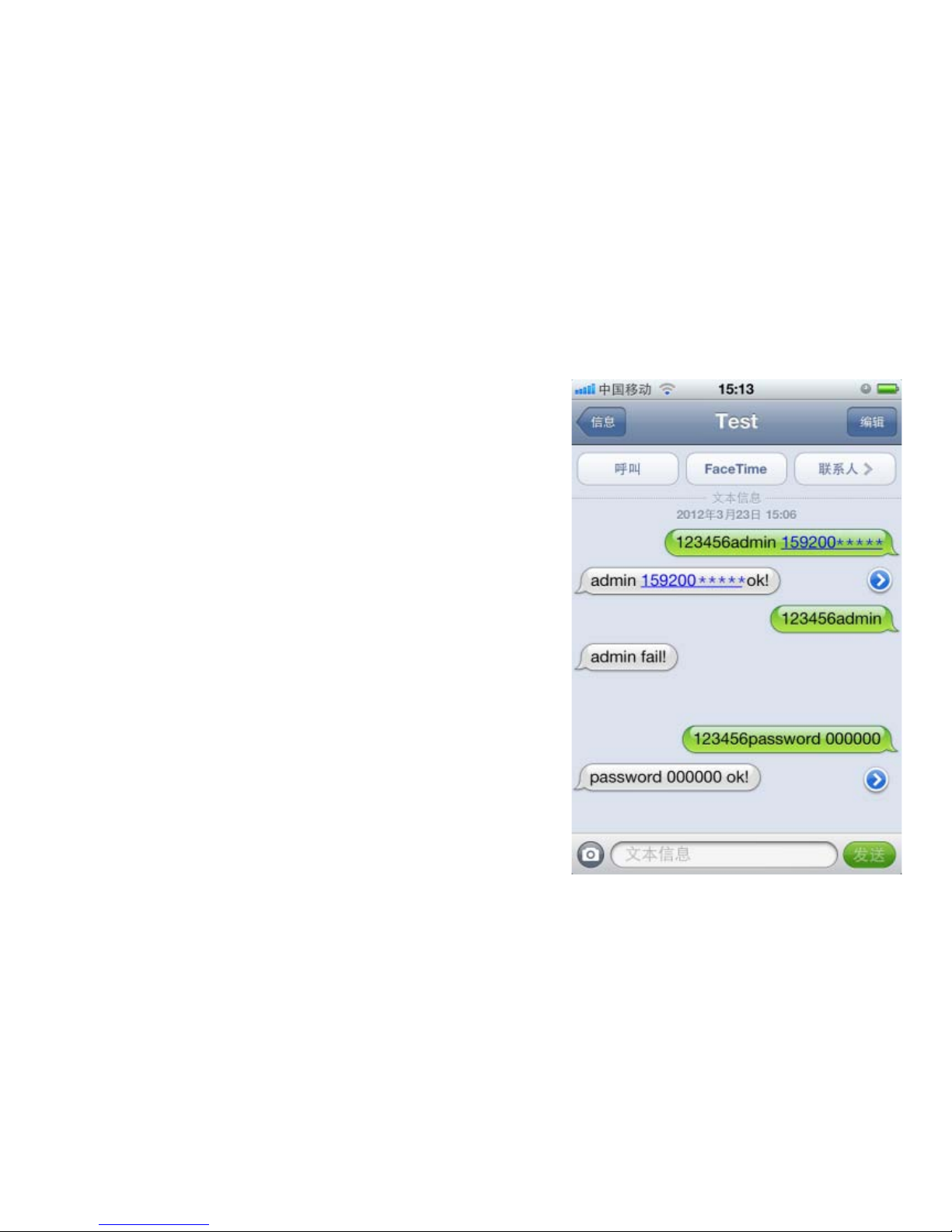
Authorization and Password.
Call the unit for 10 times and
successful positioning. This number will be
the default for authorized number.
Send SMS "123456 admin
159200XXXXX" to the unit,it will be
authorized of this number.Only 5 numbers
able to be authorization.If need cancel,
send”123456admin”.
Send SMS“123456password 000000”to
unit,will reply“password 000000
ok!”.Notice:123456=old password;
000000=new password.
Page 14
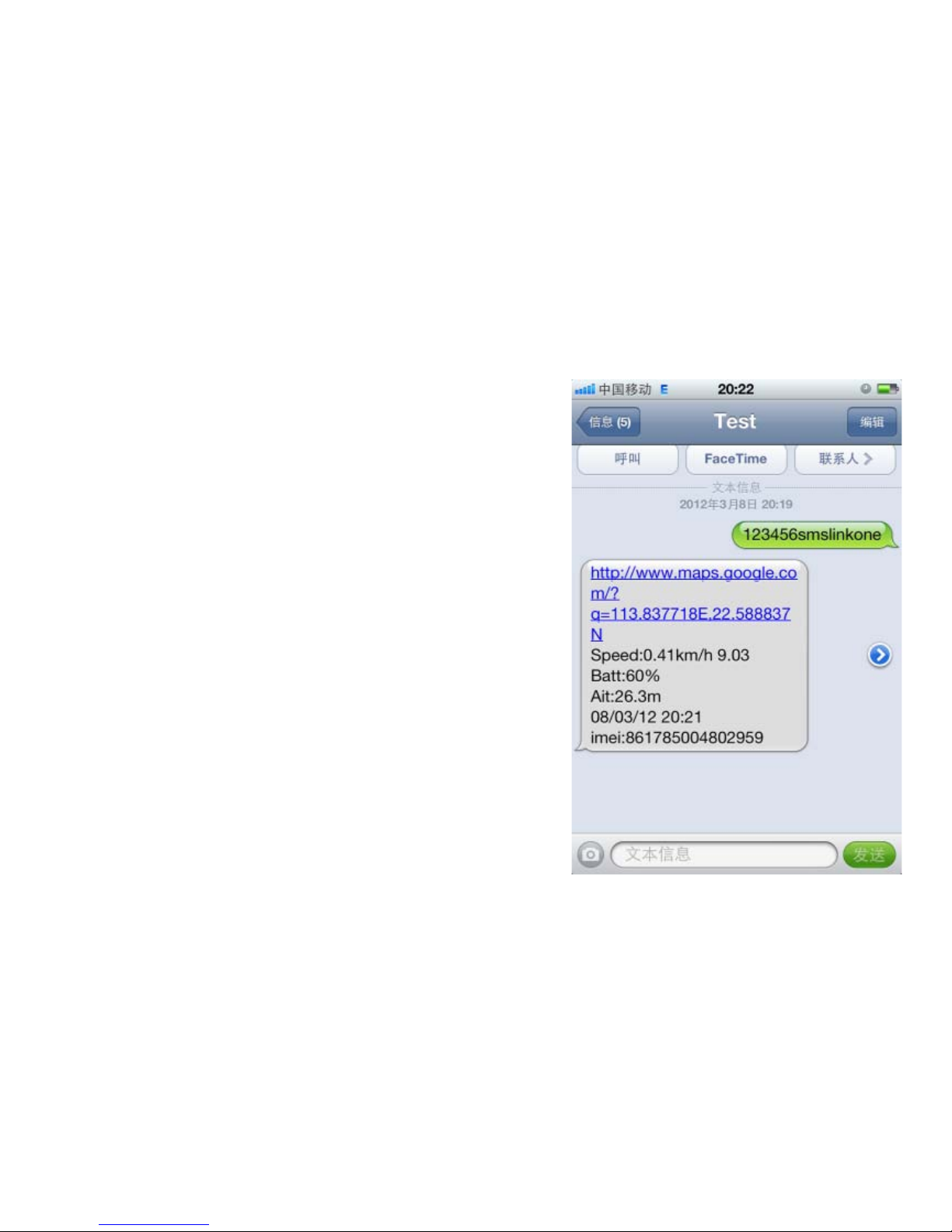
One time.
Using your mobile phone call the
inside number of unit .it will hang up and
reply to a real time positioning messages.
Contents include: latitude, longitude,
speed, date, battery, signal, IMEI number.
Send SMS "123456smslinkone" to the
unit, will replylocation SMS.
Page 15
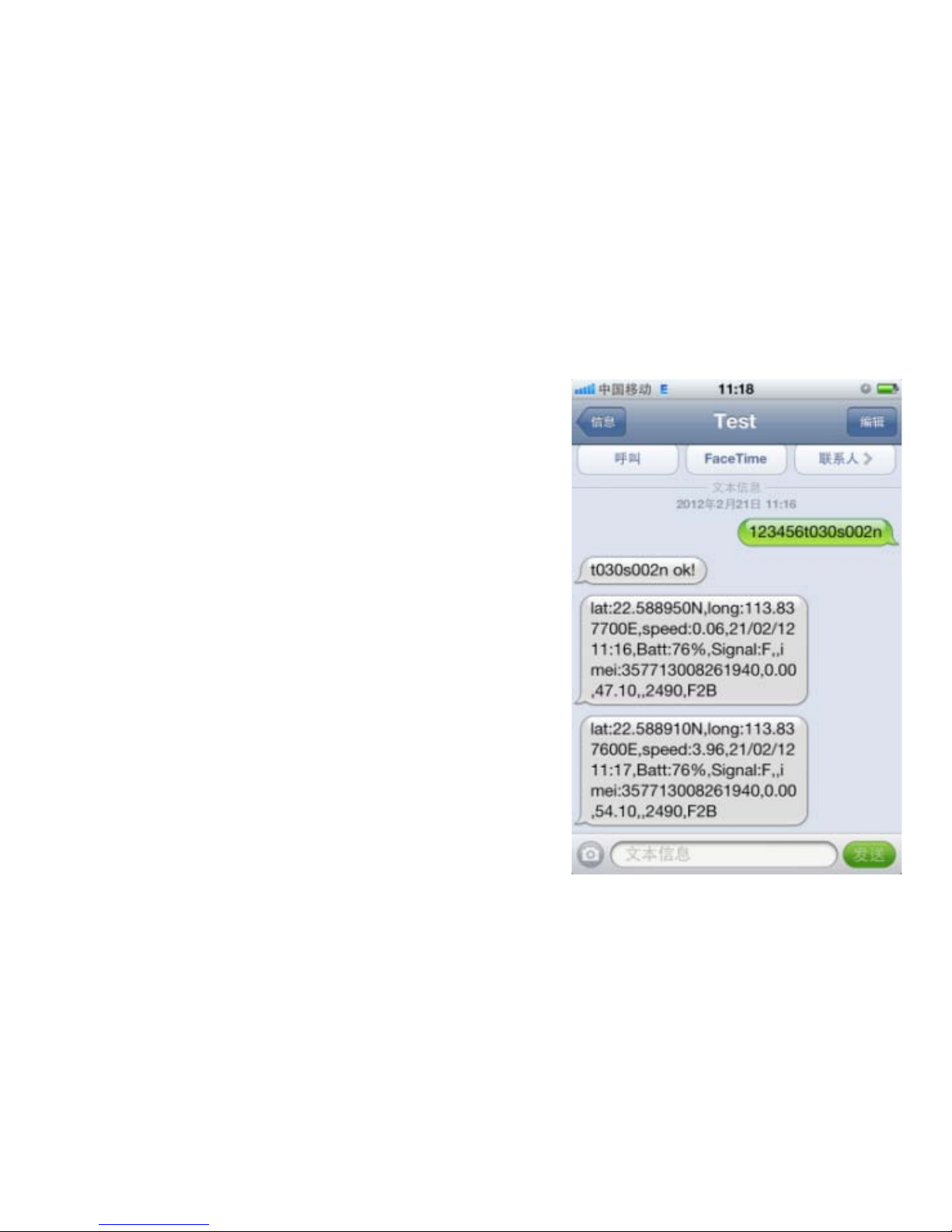
Successive positioning.
Send SMS “123456t030s002n” to the
unit, Will reply “t030s002n ok!” It will
report the real time SMS at 30s interval for
2 times. Notice: s=second, minute, h=hour.
The shortest interval time is 005s, the
longest interval time is 255h; Reply the
most times is 999n, Unlimited times is***n.
Page 16
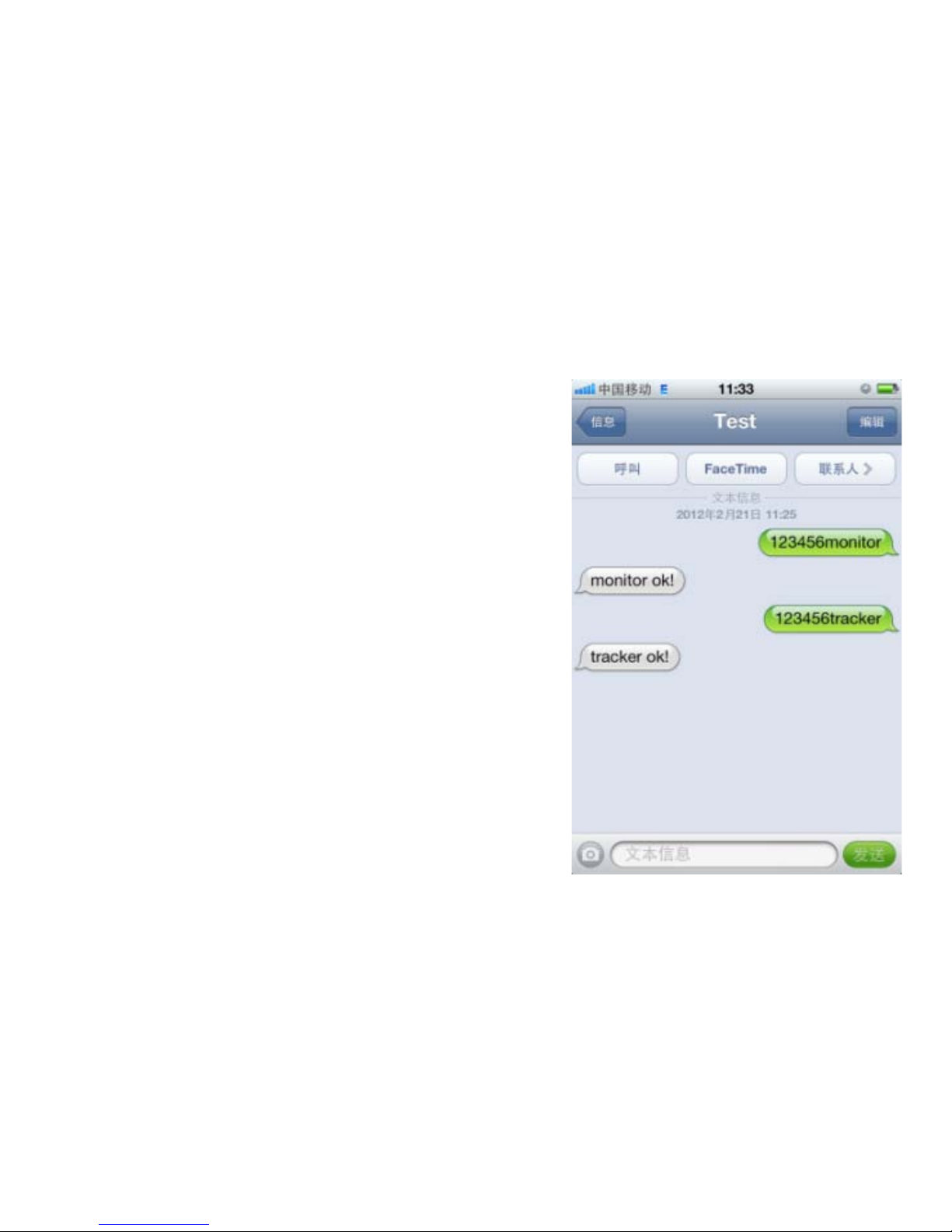
Monitor.
Send "123456monitor”to the unit, will
reply”monitor ok!”,then call the unit to
enter into the monitor mode .Send
“123456tracker”to the unit when need to
cancel ,it will reply “tracker ok!”back into
the positioning mode again.
Page 17
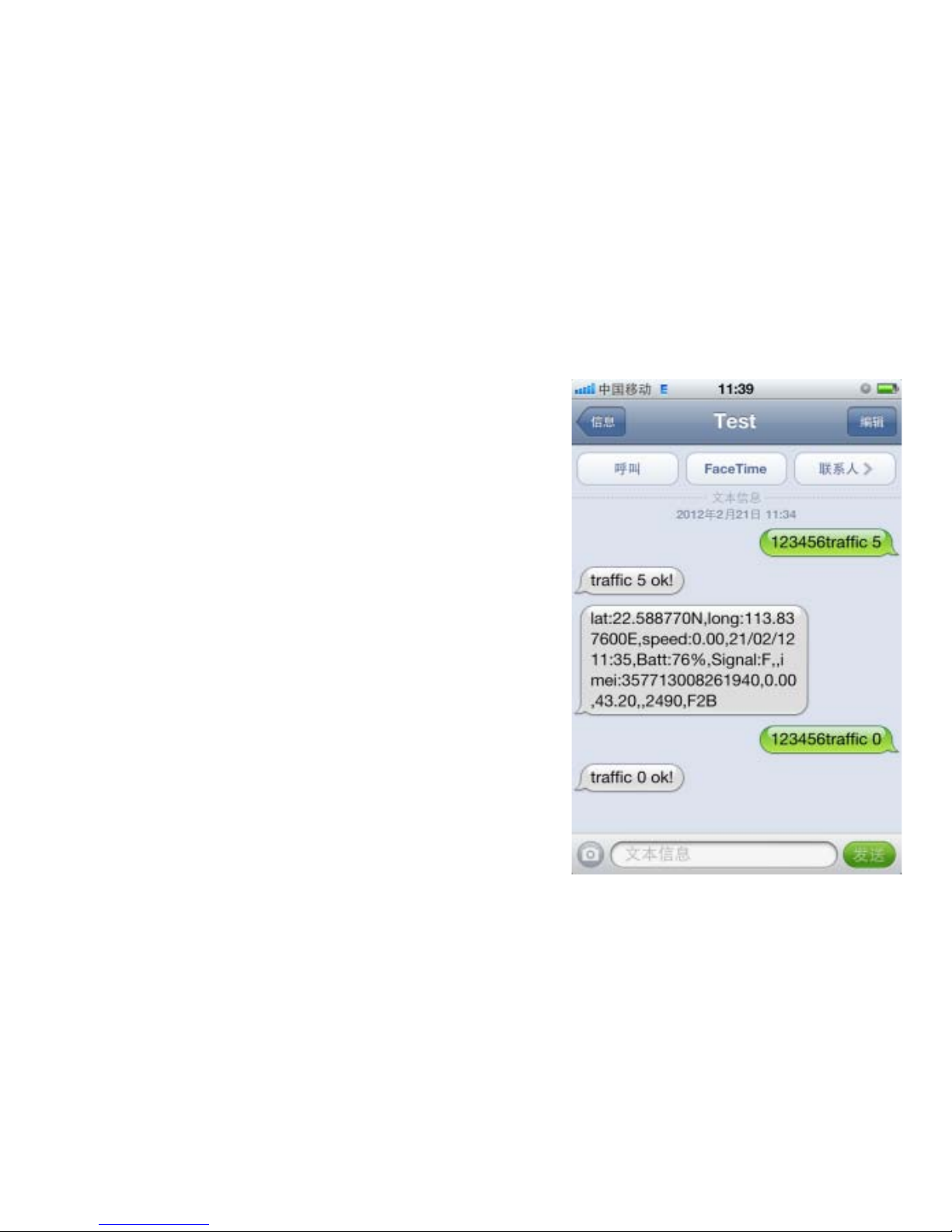
Traffic mode.
Send SMS "123456traffic 5" to the unit,
will reply "traffic 5 ok!". 5 stands for the
sensibility level, setting from 0 to 10. 0
means closing the function. When moving,
the unit will send GPS data to monitor
platform or mobile phone automatically
every 30 seconds; when stay still, the unit
will go to sleep. Send "123456traffic
0”when needs to cancel.
Page 18
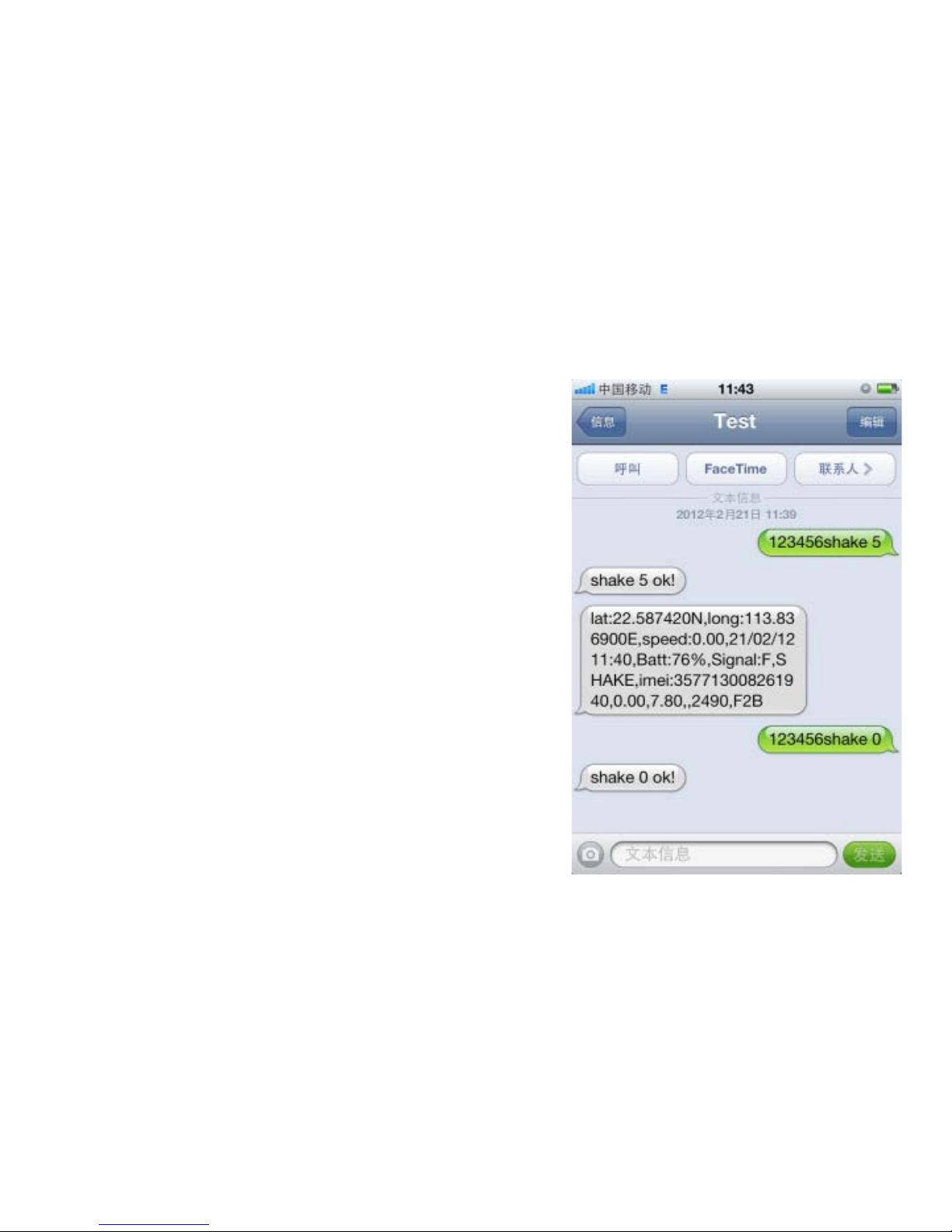
Sensor alarm.
Send SMS "123456shake 5" to the
unit,it will reply "shake 5 ok!". The unit will
send alarm message to phone when shake.
Send SMS“123456shake 0” when needs to
cancel the function.Number 5 stands for
the sensibility level, setting from 0 to 10. 0
means closing the function.Notice: This
function cannot work when in traffic mode.
Page 19
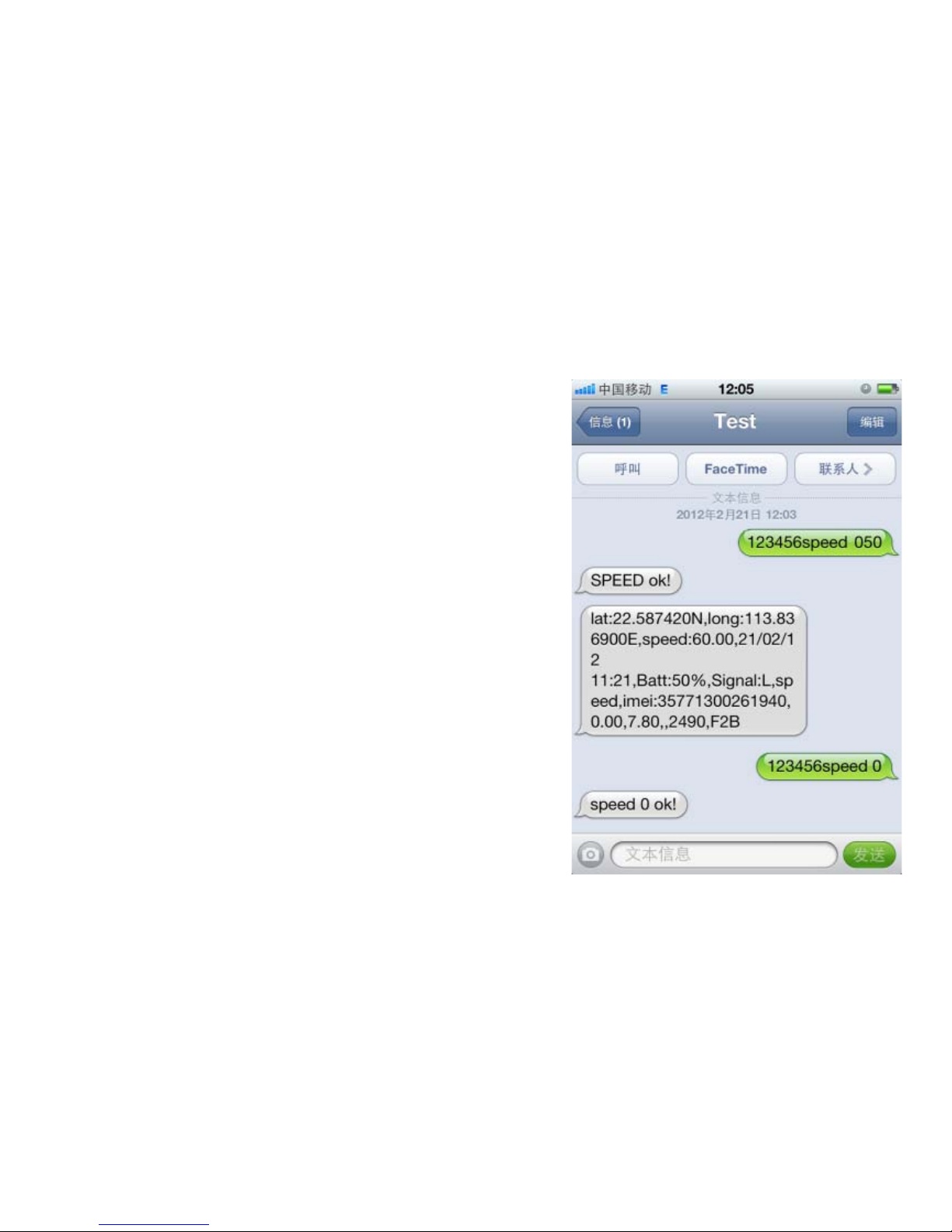
Overspeed alarm.
SendSMS“123456speed 050”to the
unit,it will reply “speed ok!”. When the
unit moves exceeding 50 km/h, the unit
will send SMS alarm. When the speed is no
more than 50km/h, it will send alarm as
well. Send “123456speed 0”when needs to
cancel. Notice: Speed alarm is set at least
50km/h.
Page 20
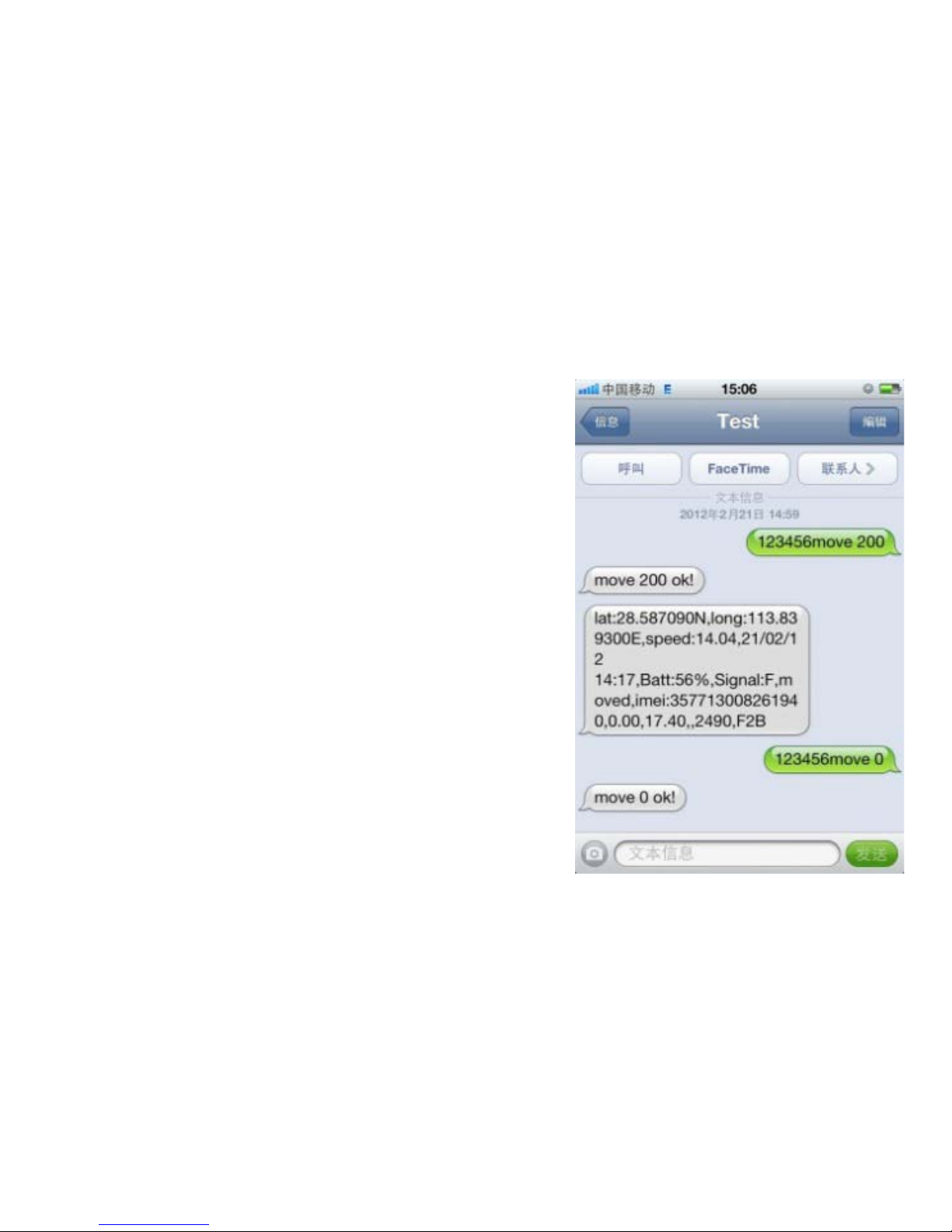
Movement alarm.
When the unit stays immobile in a plac
e for more than 3 minutes, send SMS“1234
56move 200”to the unit, it will reply“move
200 ok!". It will send alarm SMS when mov
es out of 200 meters.Send SMS“123456mo
ve 0”when needs to cancel.
Page 21
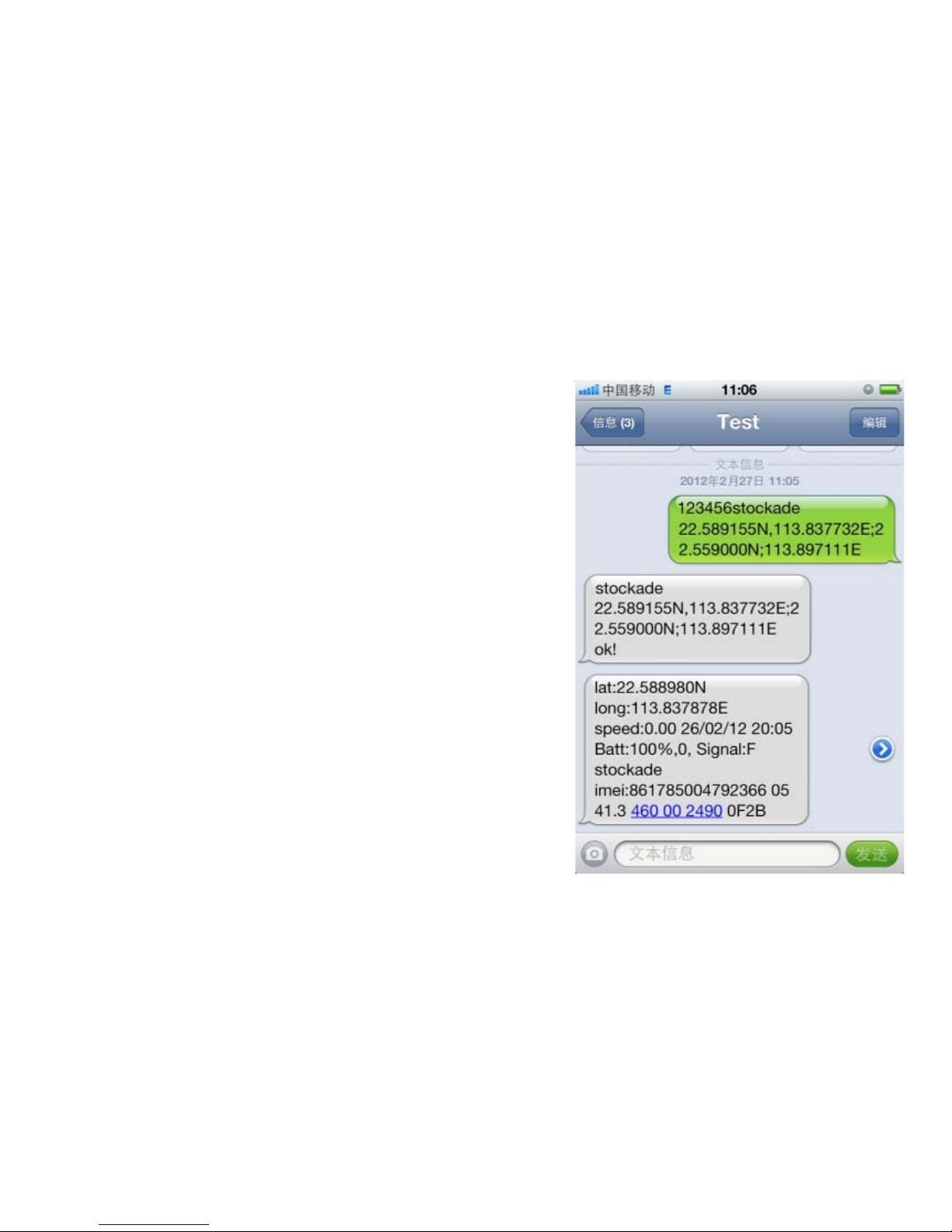
Geo fence.
Set Geo fence for the unit to restrict it
movement within a district. The unit will se
nd SMS to the authorized numbers when it
breaches the district. If needs Send SMS"1
23456stockade 22589155N,113.827732E;2
2.559000N,113.897111E”.
Stop send“123456stockade”
Page 22

Total mileage calculation.
If you want to calculate the mileage,
according to the following steps:
1. Send SMS“123456gprsdata 1”to the
unit.
2. Send SMS “123456t010s***n”to the
unit.
3. Send SMS “123456km0”to the unit.
4. Send SMS “123456km?”,it will reply
the mileage dates.
Page 23
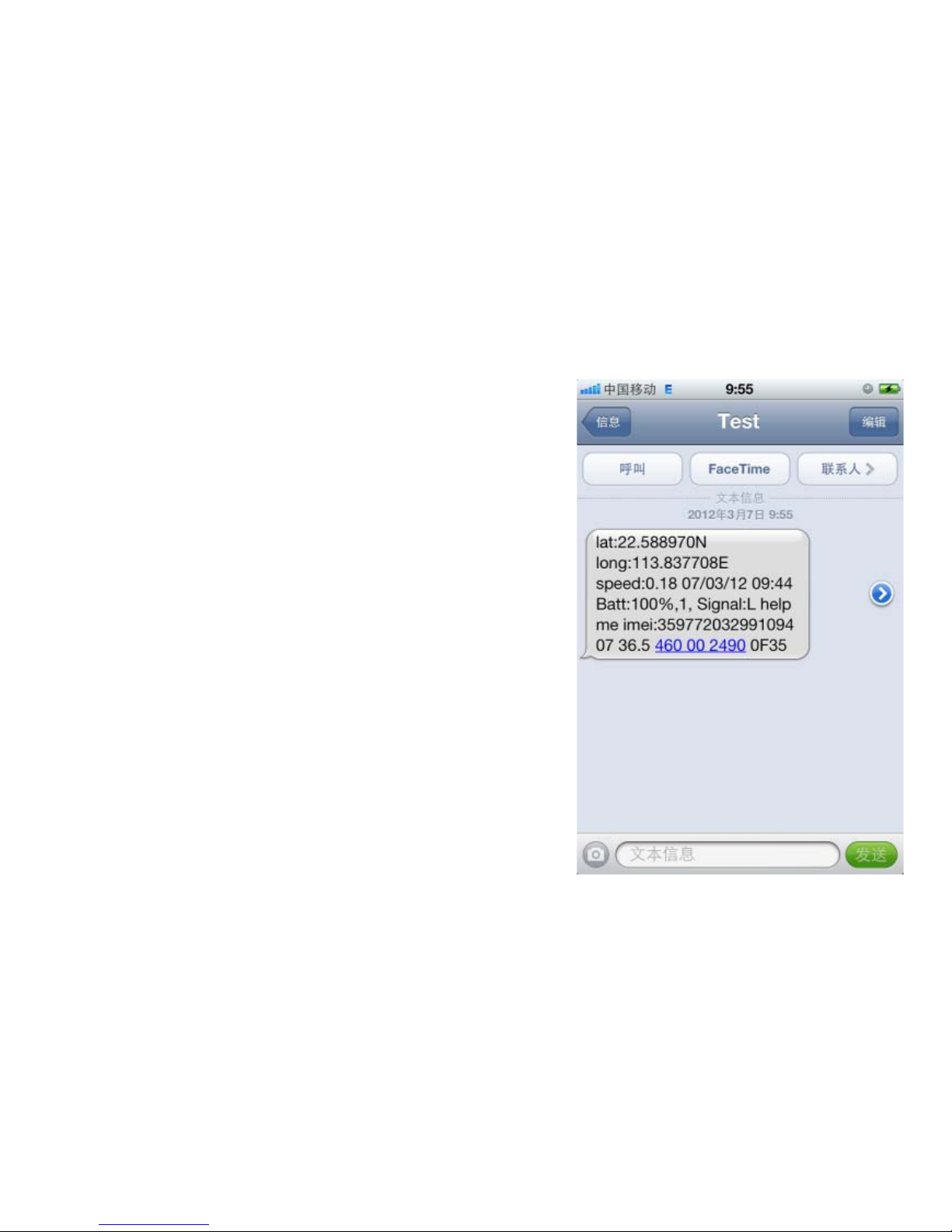
SOS.
Press the SOS for 3 secondwhen
dangerous. It will send“ help me ” to all the
authorized numbers
Page 24
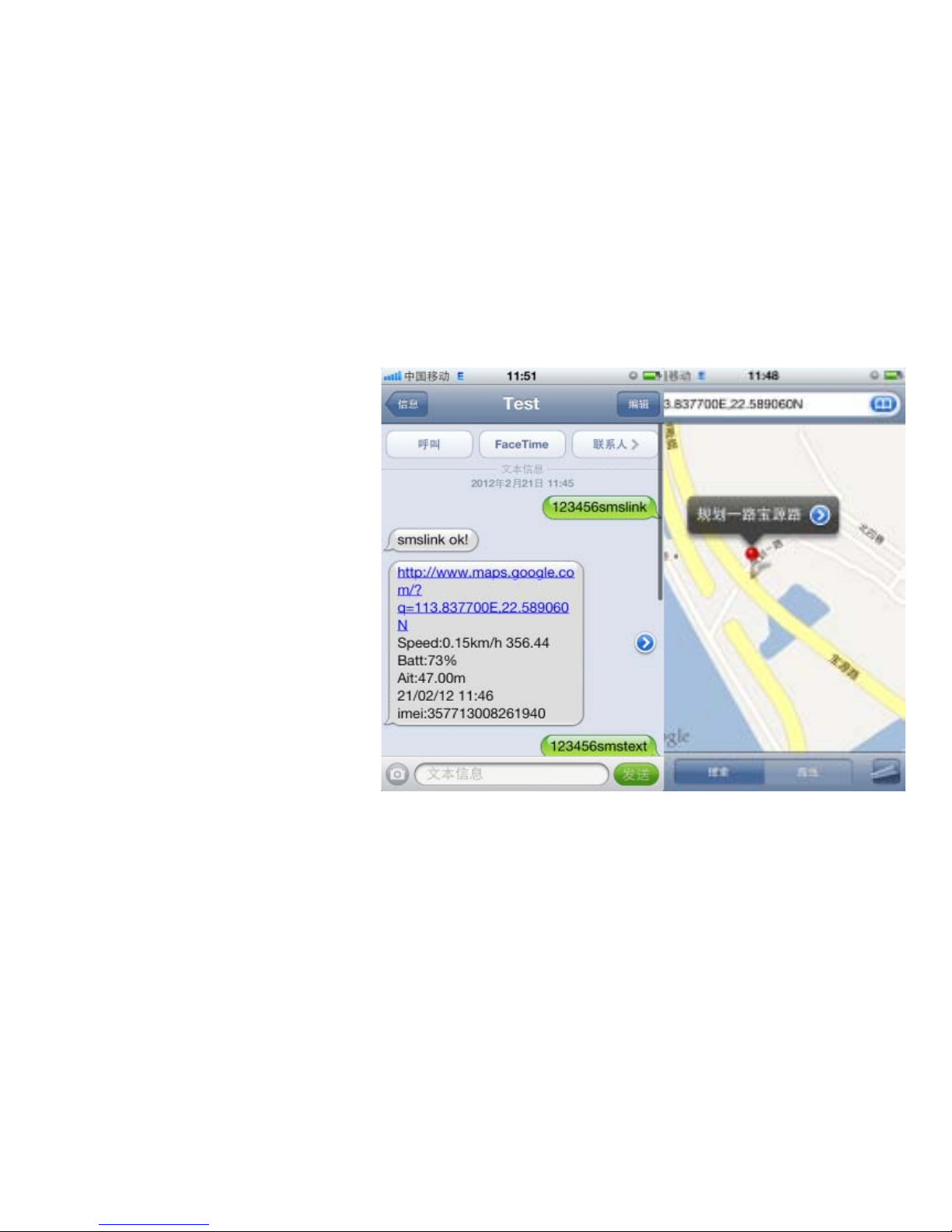
Map link.
There are two
formats: date format,
map link format. Send
SMS“123456smslink ”to
the unit, it will reply
“smslink ok”,then call
the unit again, it will
reply map link, access to
this website may view
location map. Send
SMS“123456smtext”to
the unit will restore to date format.
Page 25
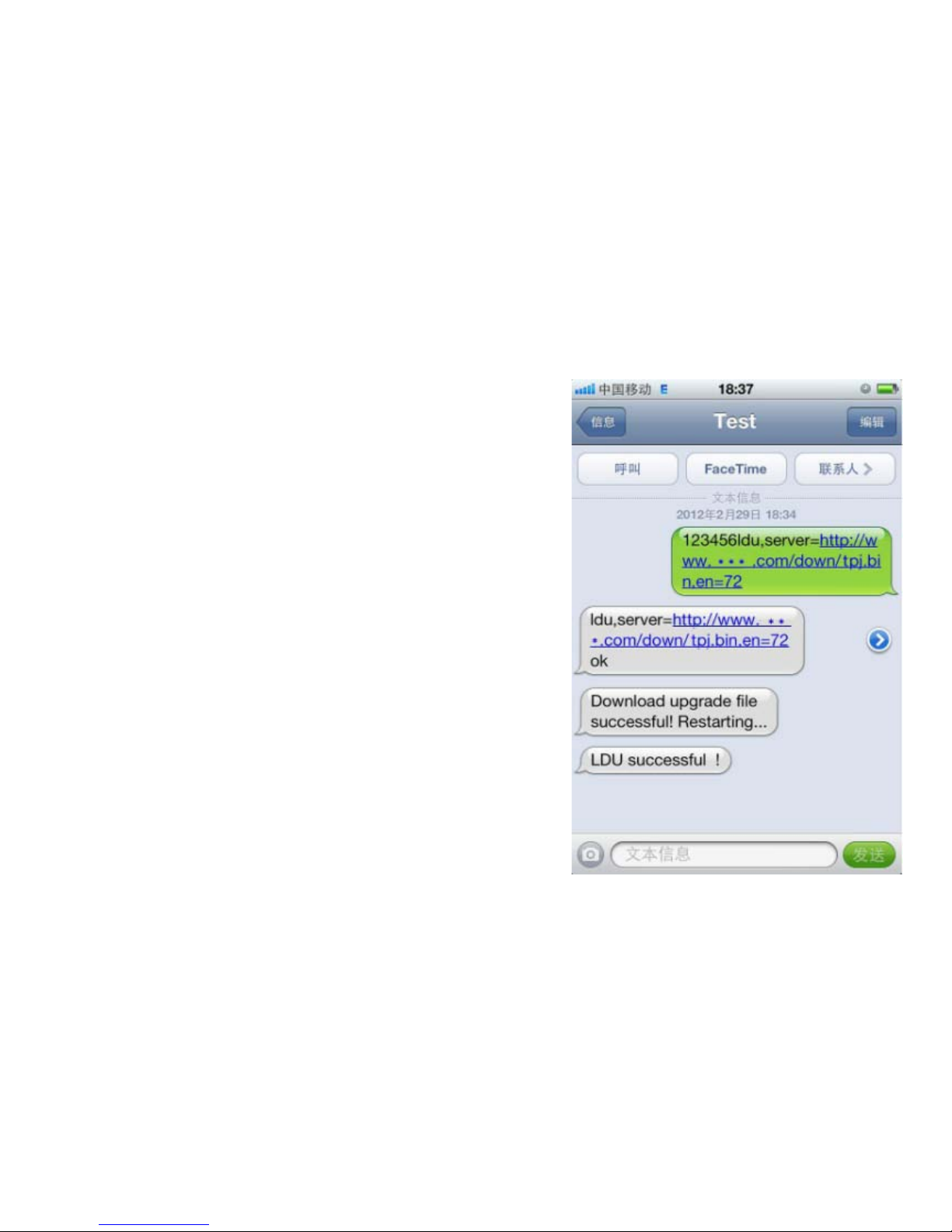
Overtheairupdate*.
We will update software, if you need
update tracker, please install memory card
(TF), and send SMS
“123456ldu,server=http://www.***.com/
down/vpj.bin,en=72”. After you receive
3pcs of related message, it means updated
successfully.
Notice:Need about 5 min to do
updating.
“***“it represent the server domain of
the equipment supplier
Page 26
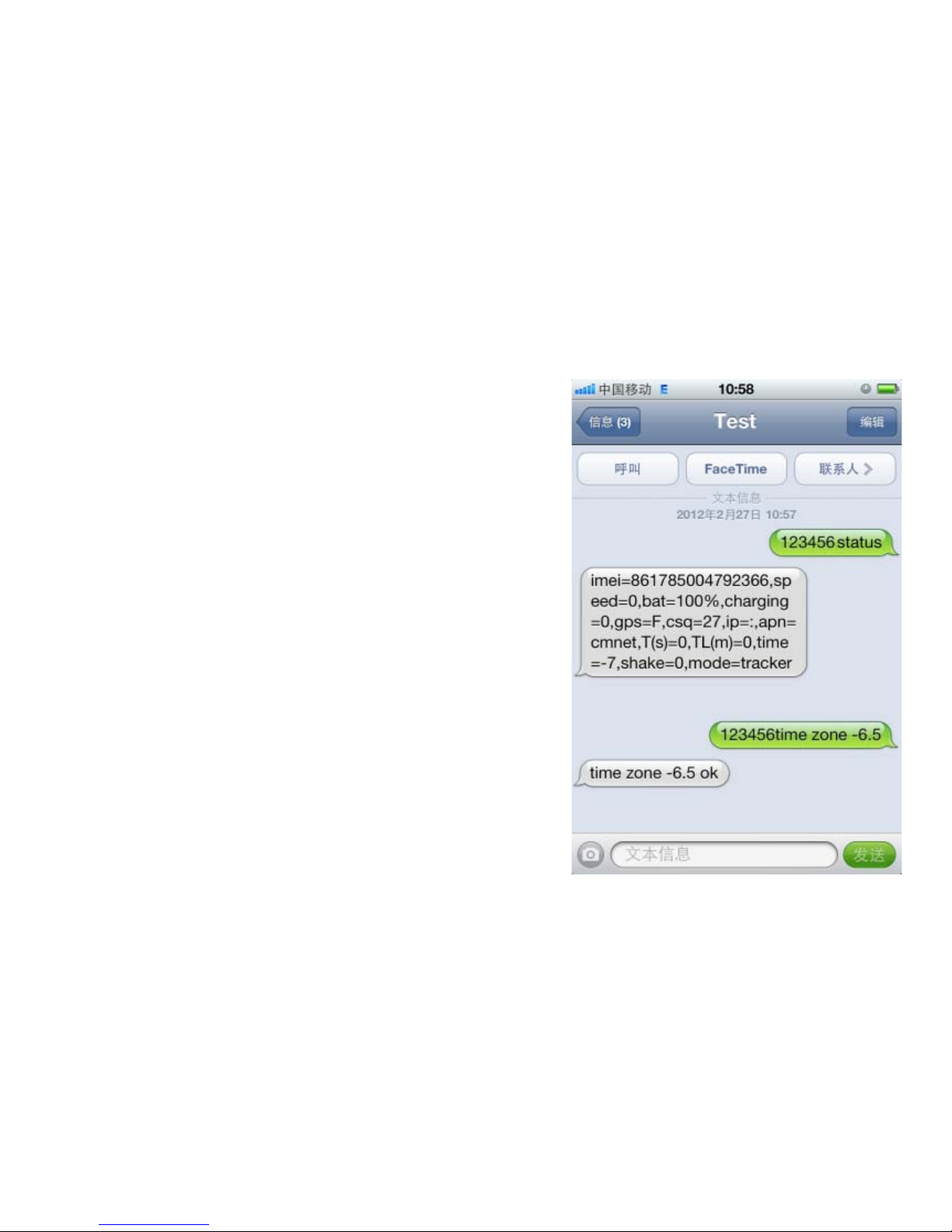
Status and Time
Send“123456status”to unit ,it will re
ply SMS. Include: IMEI、speed、battery、
position state、time、IP、APN、Port etc.
Default is Beijing time, if you want to C
hange time, send SMS“123456time zone -
6.5”.Notice:“+”no need to write,“-”must
write; 6.5=6:30.
Page 27

UDP/TCP.
Default is TCP,if you want to change
into UDP,Send SMS“123456gprsmode 1”
to unit,if you want change back to TCP,
send SMS“123456gprsmode 0”.
Version.
Send SMS“123456version”to unit ,it
will reply version information
Reset.
Send SMS“123456begin”to unit, it will
reply“begin ok!”, then unit will back to
default settings.
Page 28

Product parameter
GSM/GPRS module: SIMCOM SIM900
Band: 850/900/1800/1900Mhz
Communication protocol: TCP/UDP
CPU: ARM7.
GPS chip: SIRF3 sensitivity: -159dBm accuracy: 5-20m
Time To First Fix: Cold status 45s Hot status 1s
Car charger: 12-24V input 5V output
Battery: 3.7V 1200mAh Li-ion battery
Storage Temp: -40°C to +85°C
Operation Temp: -20°C to +55°C
Humidity: 5%--95% non-condensing
 Loading...