

Page 1
User Manual
Page 2
Product Overview
www.xerall.comwww.xerall.comwww.xerall.com
1. Introduction
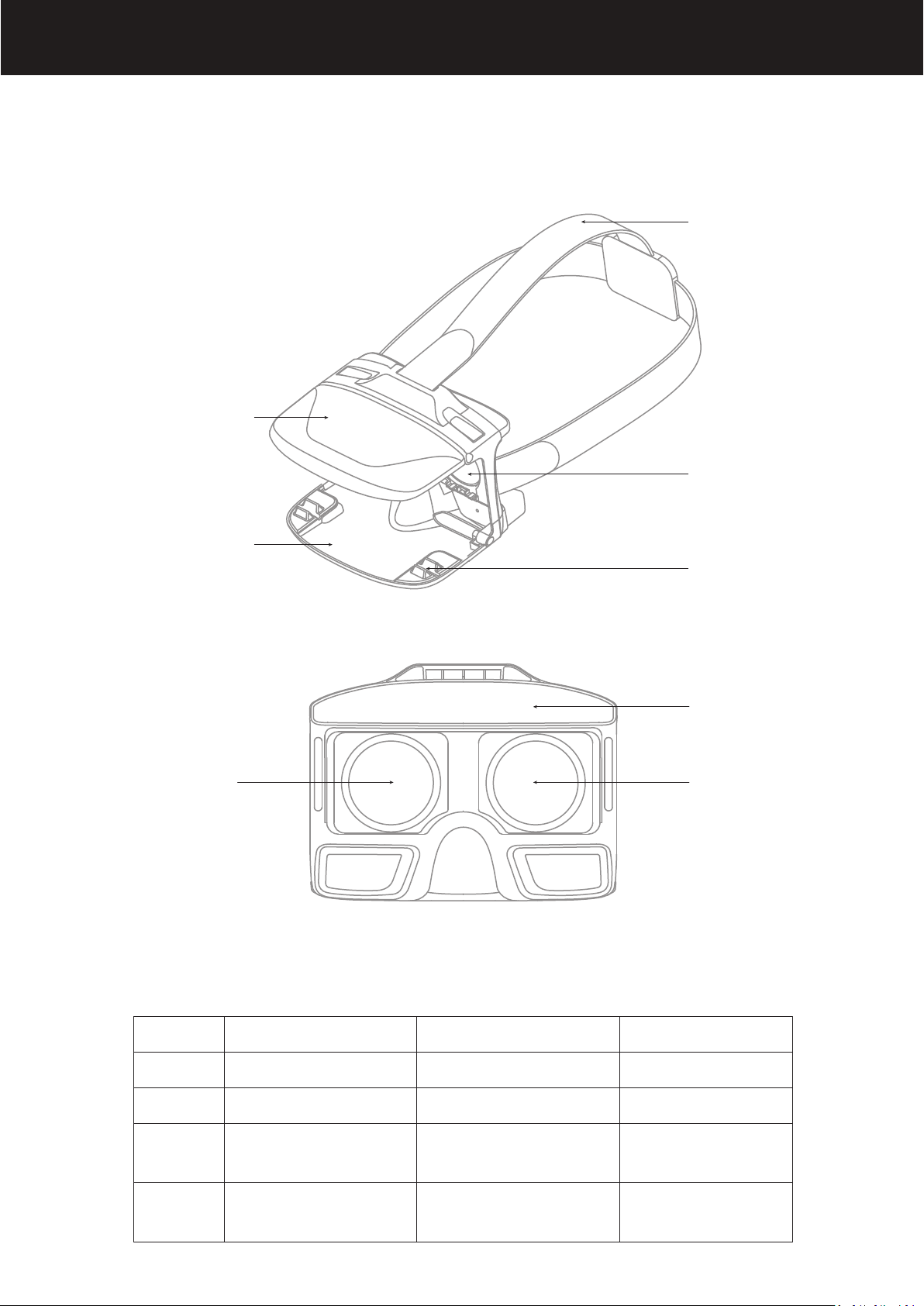
Upper Mobile
Phone Holder
Lower Mobile
Phone Holder
Headband
Lens
Slot
PU Foam
Left Lens Right Lens
2. Specification
Product
Weight
Lens
Headband
Folding VR Headset
192g
Anti-Blue Light Lens
Elastic Headband
Item NO.
Size
Eyeshade
Distance between Lends
and Mobile Phone
VR-2
138*108*64mm
PU Foam Eyeshade
60mm
Pupillary
Distance
59.5mm / 65.0mm /
70.5mm
Mobile Phone
Size Range
4.7 - 6.0 inches
Page 3
3. Mobile Phone Size Range
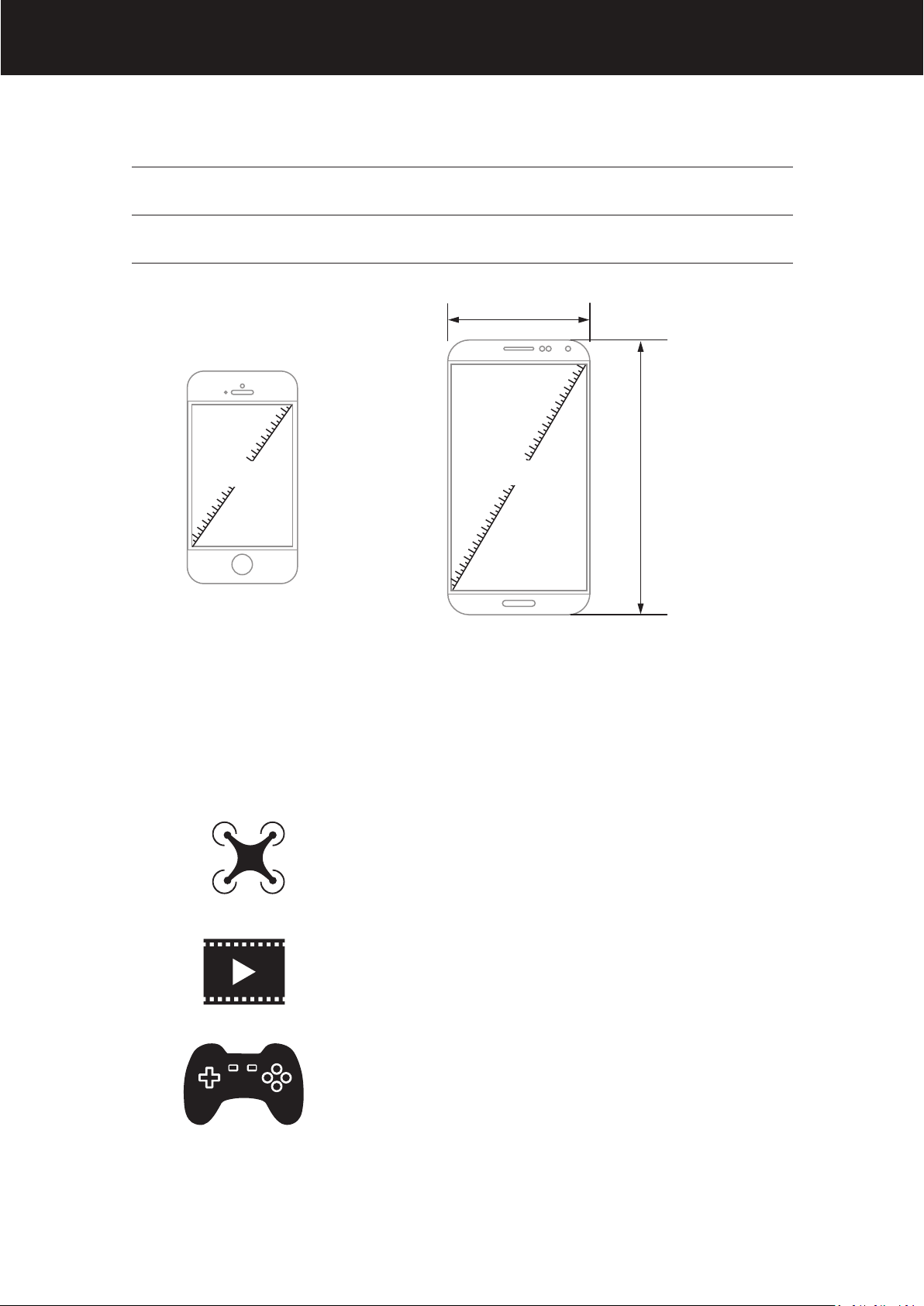
Compatible for Smart Phone 4.7 - 6.0 inches
Max Smart Phone Size 175mm (L) *90 mm (W)
90mm
www.xerall.com
4.7”
6.5”
175mm
4. Functions
1. To watch live video (in split screen mode)
transmitted from WiFi drone with APP control
function.
2. To watch 3D movie.
3. To watch virtual reality game.
Page 4
www.xerall.com
Operation Instruction
1. WiFi Control
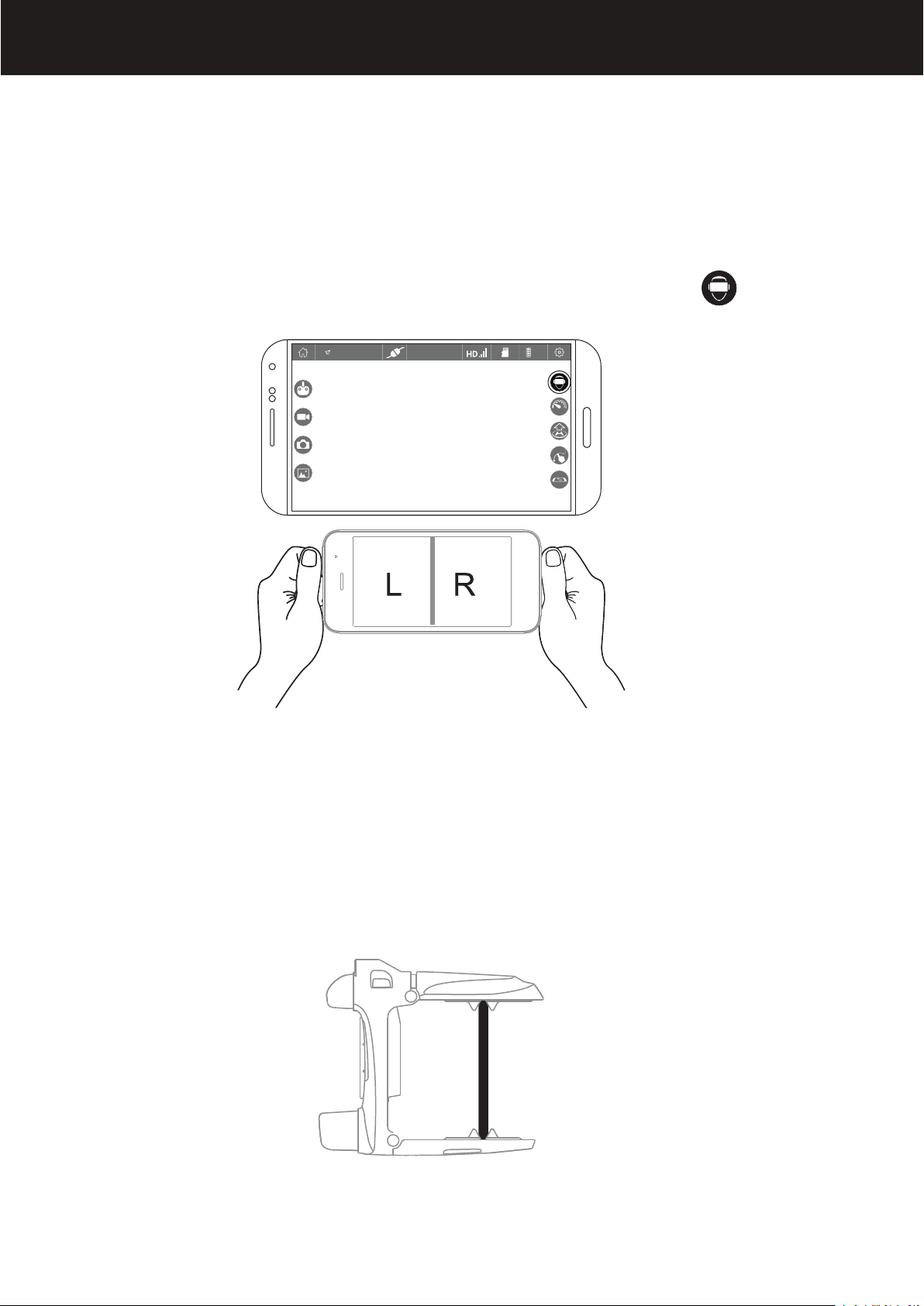
① Turn on the APP (please refer to the drone user manual for
APP instruction) and enter the control interface. Click on to
enter split screen mode.
Altitude:1000m
EMERGENCY
100%
② Remove the lens’s protective film. Open the mobile phone
holder, open the lower holder. Lift up the upper holder and put
the mobile phone into the holders slots. Adjust the mobile phone
to the best viewing position and then release the upper holder. In
order to remove the smartphone, lift up the upper holder and
slide off the smartphone.
Tip: ensure the mobile phone screen faces to the lens, and keep
the split screen center line and the VR center line overlapping.
Page 5
www.xerall.com
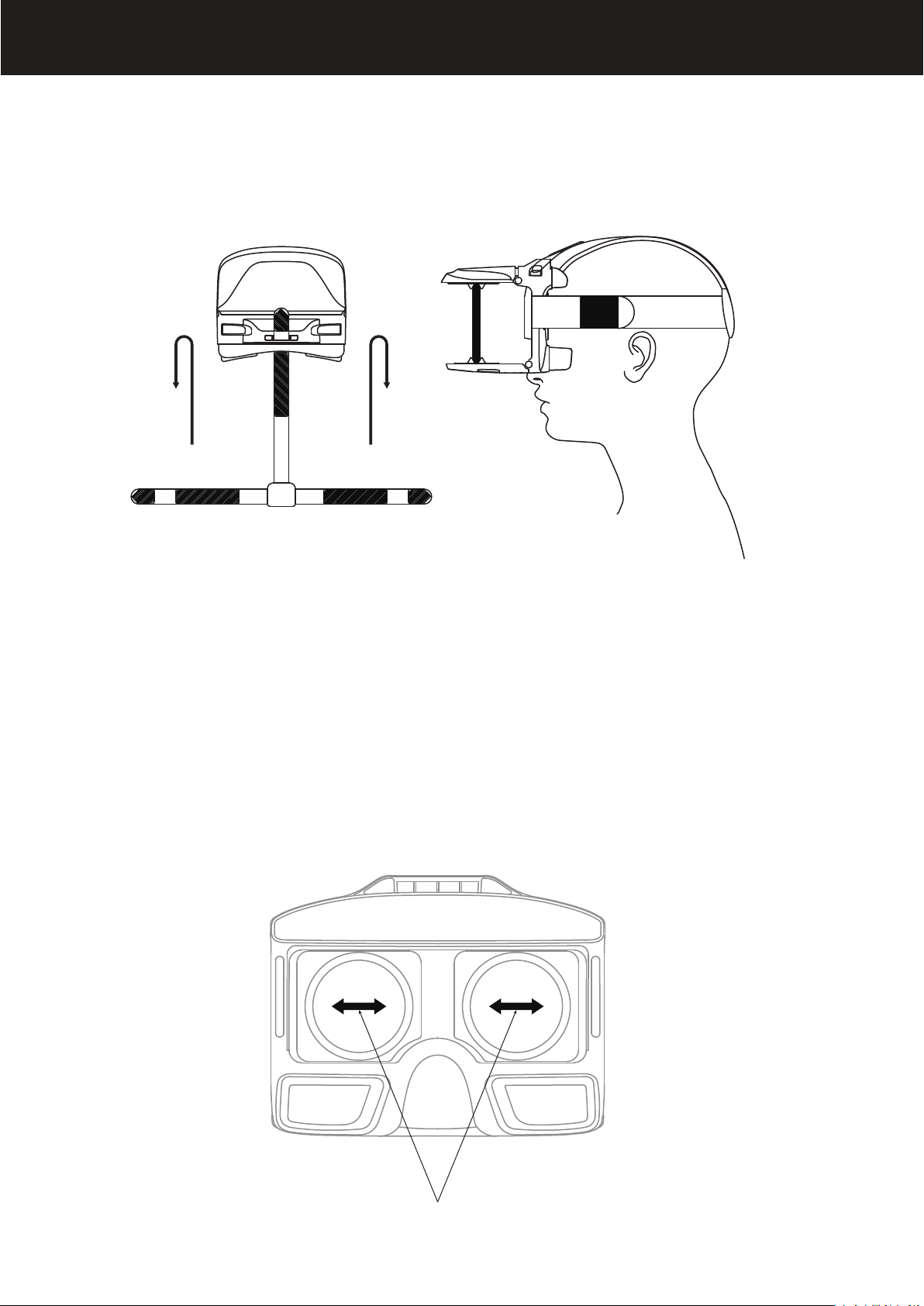
③ Adjust the headband. Adjust the tightness of the three head-
bands to the most comfortable position.
Tip: The Velcro should be outwards, which is convenient to adjust
the headband.
④ Adjust the pupillary distance. If there is double image
dispayed, move the lens till the image is clear, which
also available for short-sighted user.
Page 6
www.xerall.com
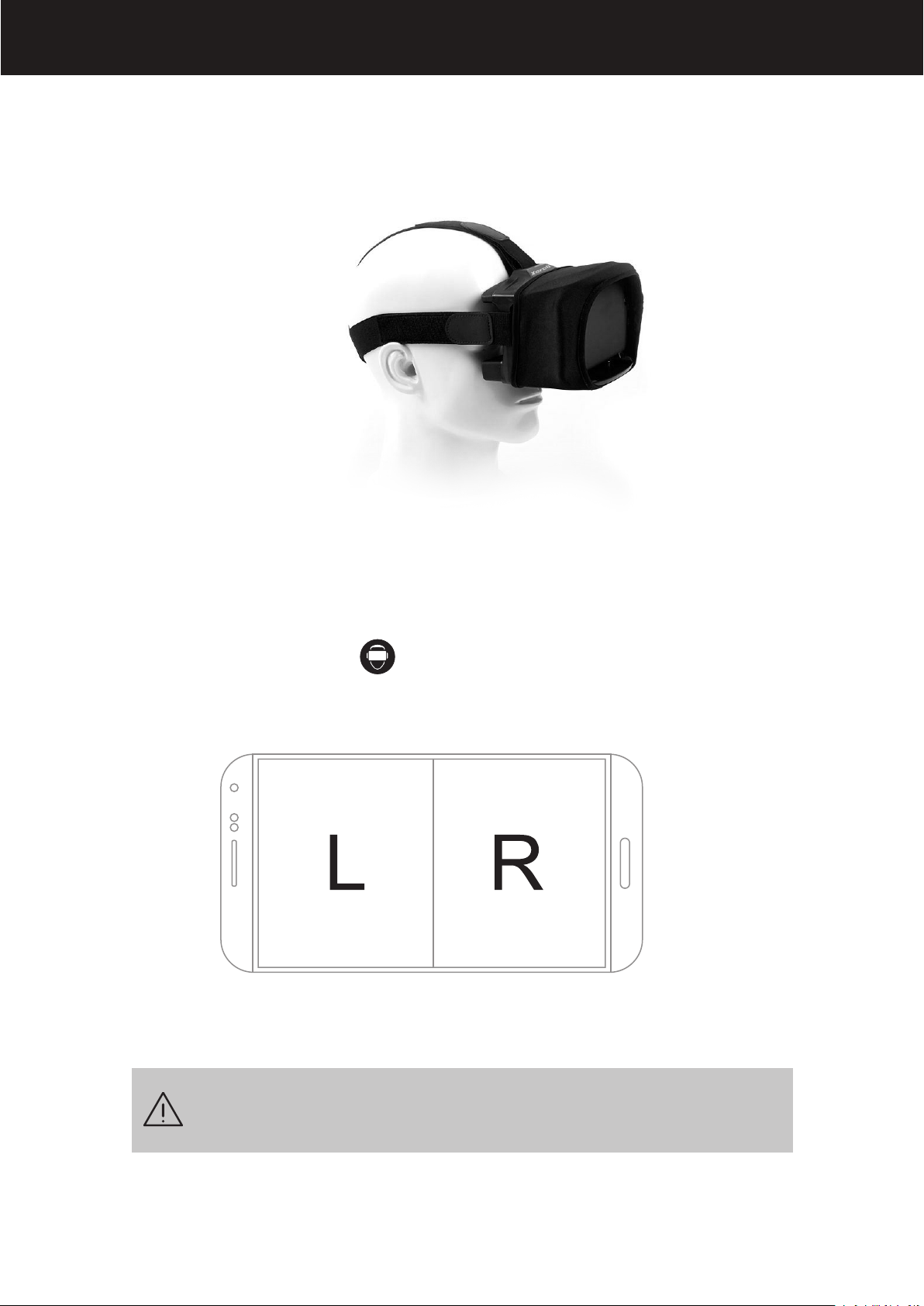
⑤ Shade cloth. When the lights is too strong to view the video
clearly, hitched the VR Glasses by the shade cloth to protect the
screen from strong lights.
⑥ To exit from split screen mode
Click on the screen and icon appears. Click on EXIT to exit
from split screen mode.
EXIT
Watching for a long time your eyes may feel uncomfortable.
It's recommended to take a rest per 30 minutes.
 Loading...