

Page 1
XCM Cross Fire Converter 3.0
Usage manual
--------------------------------------------------------------------Before using the product, read this manual carefully and retain it for future reference.
---------------------------------------------------------------------
Product feature:
● XCM Cross Fire Converter 3.0 is an adapter that allows you to connect your Xbox one™/PS3™ /Xbox 360™
wired/Wireless controller to your PS4™ console;
● Built in Rapid fire function;
● Support firmware update via PC;
● Plug and play.
Device introduction:
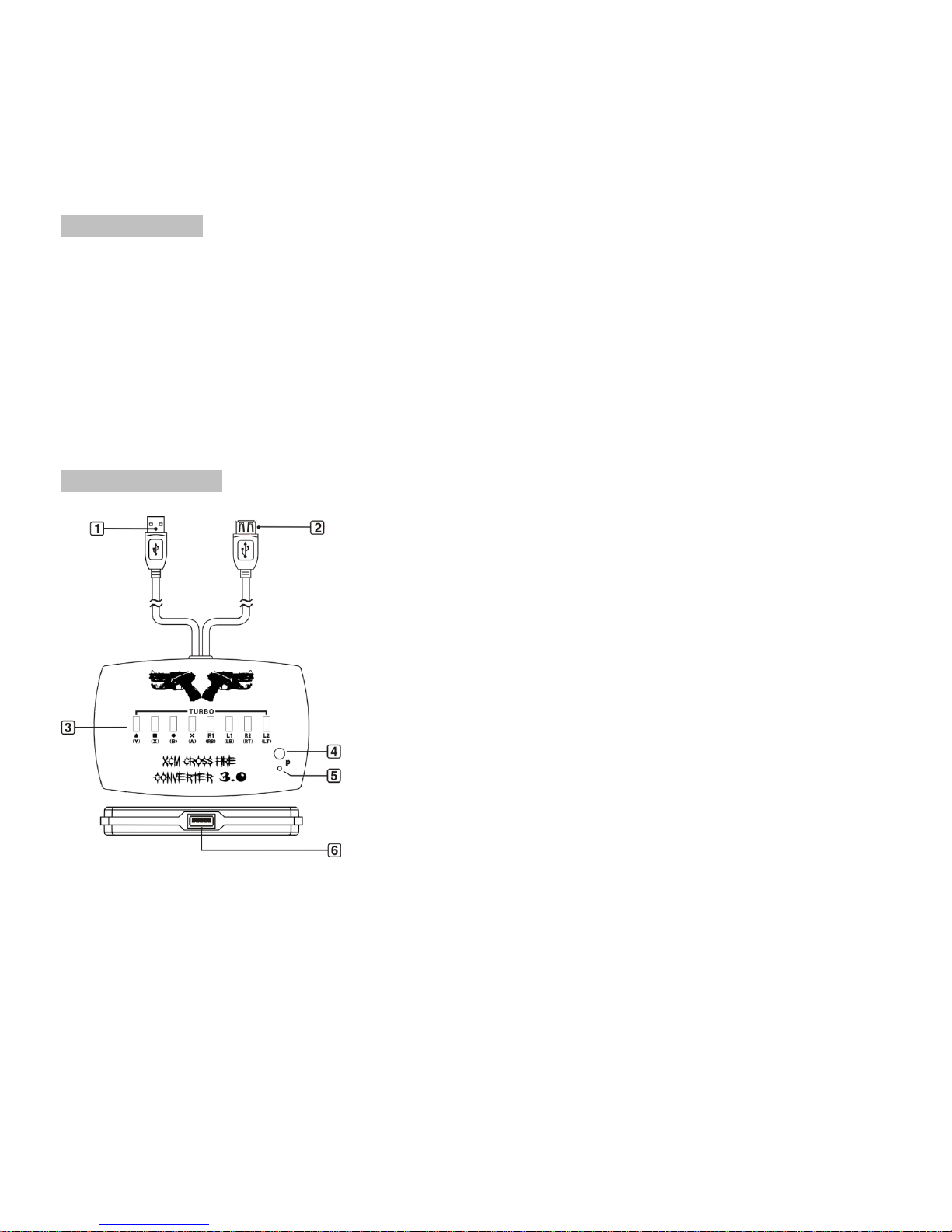
<1> USB port
Connects to PS 4™ console.
<2> USB port.
PlayStation 4™ wired controller port (connect via charging cable)
<3>Rapid Fire/Turbo Switch
ON---High Speed Firing(30 shots per second)
OFF---Normal (off)
Page 2
<4> Update Button
Use to update new firmware via PC
<5> Update LED indicator
<6>USB Port
Xbox 360™ or Xbox one™ or PS3™ / Xbox 360™PC Wireless Gaming Receiver
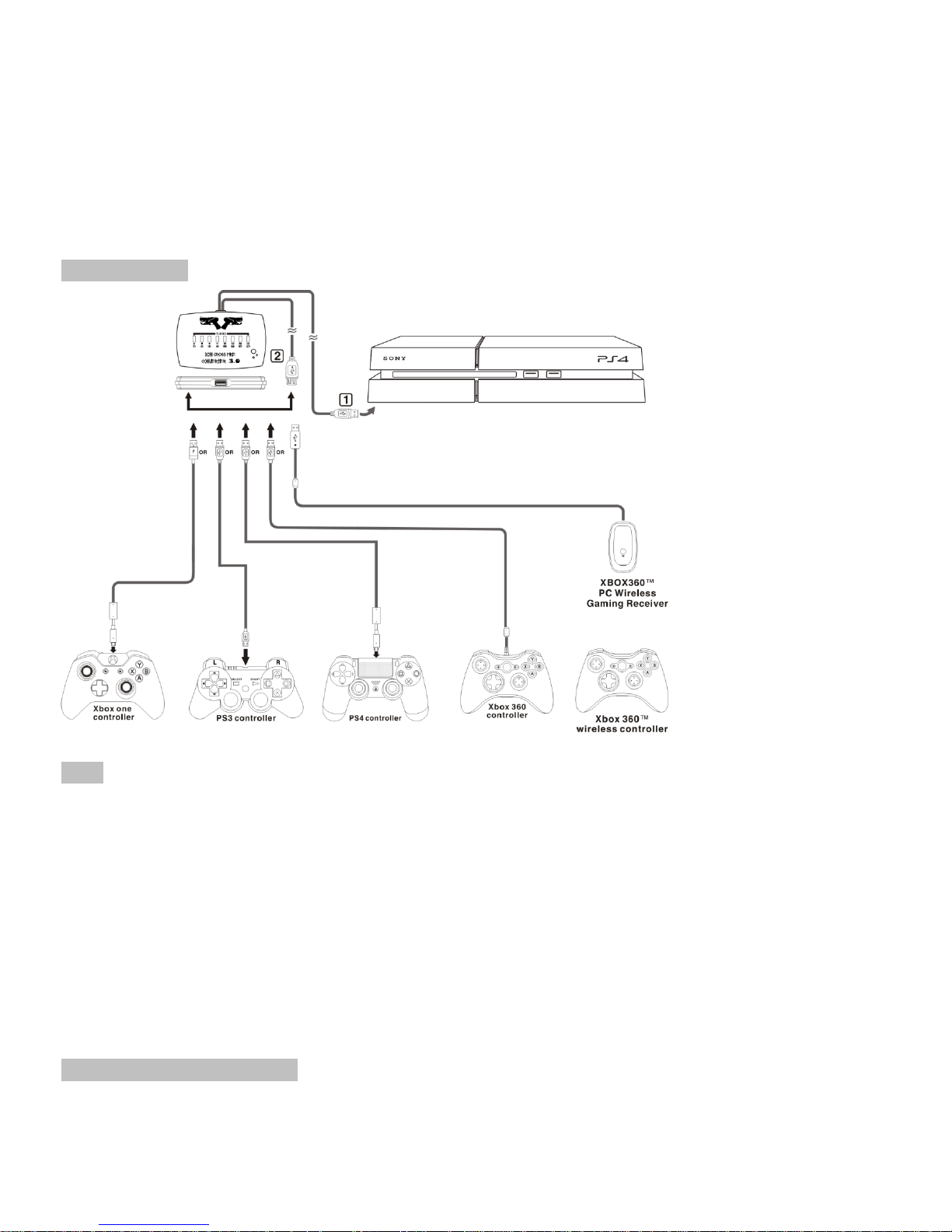
How to connect:
Note:
The Official WIRED PlayStation 4™ Dualshock 4 controller (with charge cable) must be required to use on
XCM Cross Fire Converter 3.0 . The steps are shown below:
1. Plug the DualShock4 wired controller (with charge cable) to the XCM Cross Fire Converter 3.0
2. Connect XCM Cross Fire Converter 3.0 to PlayStation 4™, and wait until the light bar on the DualShock4 lights
up in blue, the connection is successful.
3. Plug in the Xbox one™/PS3™ /Xbox 360™ wired/Wireless controller ;
4. PS4 Dual shock 4 wired controller (with charge cable) must be connected to Cross fire converter 3.0 during
gameplay.
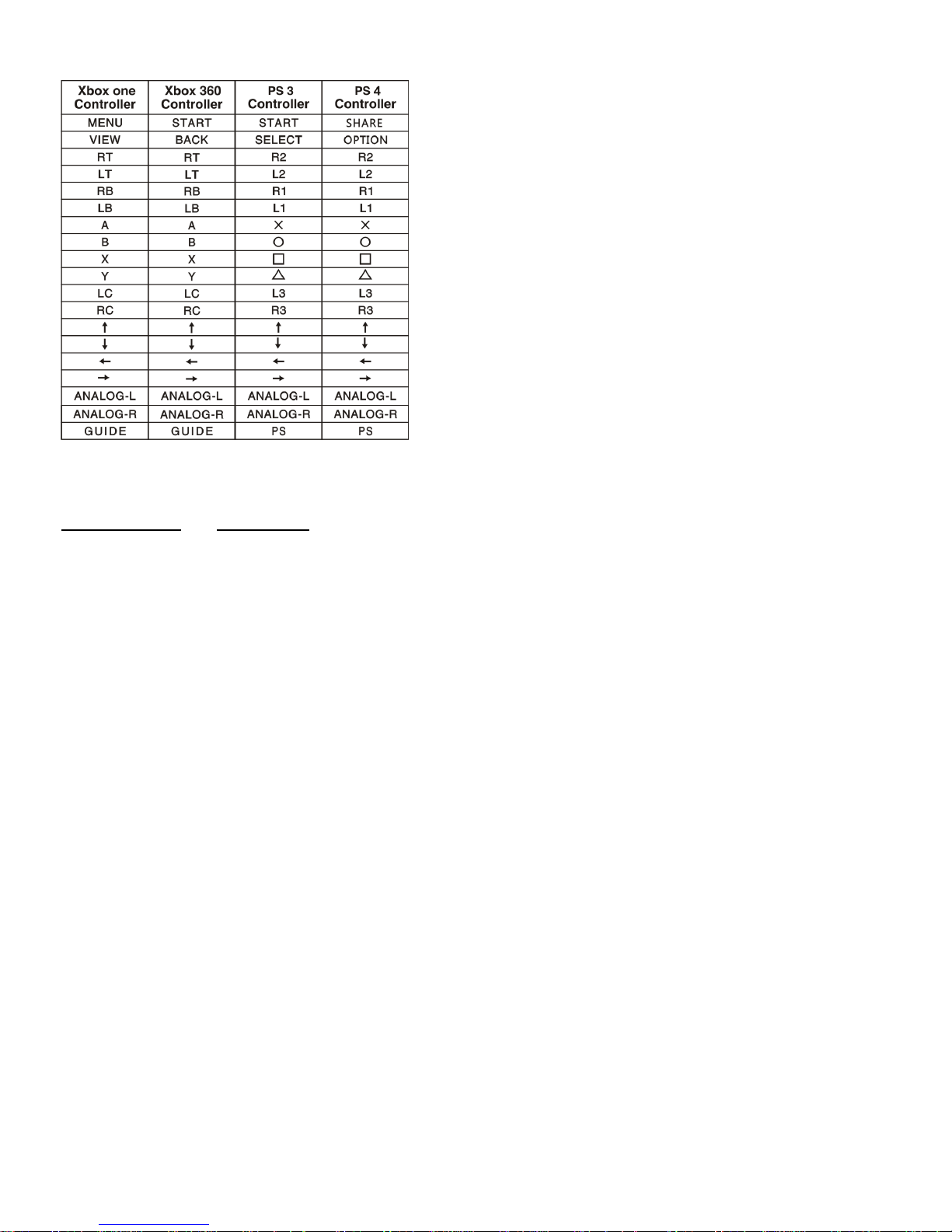
Default configuration chart:
The default buttons mapping to PS 4TM /Xbox 360
TM
/PS 3TM / Xbox one
TM
controller, is shown on the table
below
Page 3
XCM Cross Fire Converter 3.0 firmware can be upgraded via PC. More information can be found on
www.maxbuy.cc and www.xcm.cc
 Loading...