

Page 1
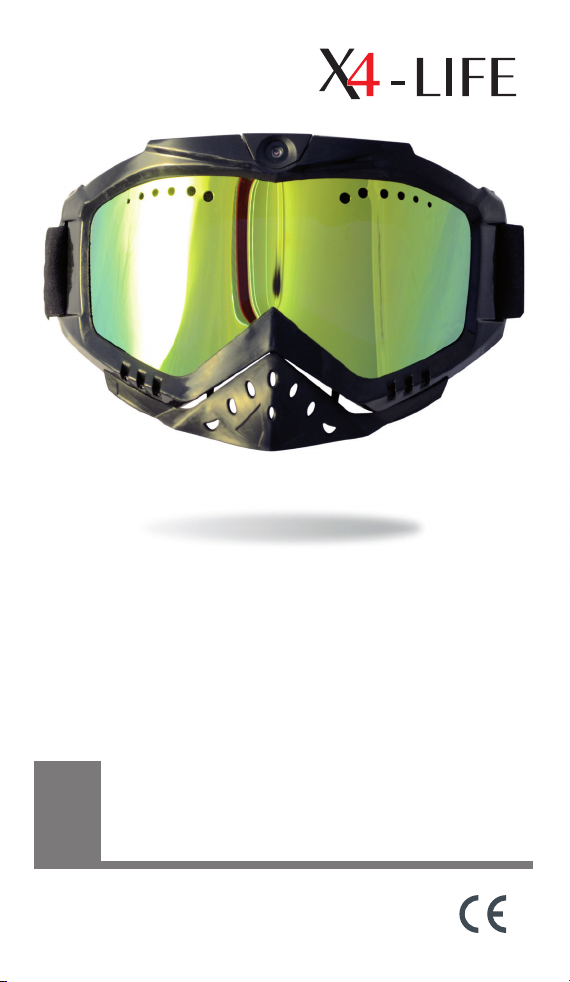
Video Ski Goggles HD1
GB
Art.-Nr. 701084
USER MANUAL
Page 2

GB
Contents
1. Information on this user manual. .......................................................................15
2. Checking the contents ........................................................................................... 15
3. Contents ...................................................................................................................... 15
4. Specications ............................................................................................................ 16
5. Designated use ......................................................................................................... 16
6. General notes ............................................................................................................ 16
7. Importer and service .............................................................................................. 17
8. Safety Guide............................................................................................................... 18
9. Getting started ......................................................................................................... 19
9.1. Charging the goggles.................................................................................20
10. Camera functions ..................................................................................................... 20
10.1. The SD- Card .................................................................................................. 20
10.2. Switching the Camera On/O ................................................................. 21
10.3. Video and photo function ........................................................................ 21
10.4. Viewing videos and pictures ....................................................................22
11. Settings........................................................................................................................ 22
12. Cleaning and maintenance .................................................................................. 23
13. Troubleshooting ....................................................................................................... 23
14. Disposal ...................................................................................................................... 24
3
Page 3

USER MANUAL
GB
We are pleased that you have decided to buy our product.
We wish you a lot of fun with this product.
1. Information on this user manual
This user manual contains important information for the safe
use of the product. Therefore, for your own safety and for a
successful use, please read this user manual completely before
assembling and using the product.
2. Checking the contents
When unpacking your package make sure that all components are there and intact. If any components are missing
or damaged please contact a specialist or your local dealer
immediately.
Keep the packing and user manual in a safe place for future
transport. When passing on the product to another person,
be sure to include the user manual.
3. Contents
• Video Ski Goggles
• USB cable
• Power supply: 110 – 240 V AC - 5 V/100 mA
• Carrying bag
• User manual
15
Page 4

Video Ski Goggles HD1
4. Specications
• 12/5 15 mpix CMOS Kamera
• 142° wide angle HD-lense
• AVI Videoformat:
1920 x 1080 pixel / 25 frames/sec.
1280 x 720 pixel / 50 frames/sec.
1440 x 1080 pixel /30 frames/sec.
• 15 mpix Foto, JPEG
• Integrated Microphone
• Micro-SD* cards up to 32 GB
• Connection: USB 2.0
• Operating voltage 3.6 V
• USB power supply 110 – 240 V AC - 5 V/100 mA
• Rechargeable battery 3.6 V 750 mAh
5. Designated use
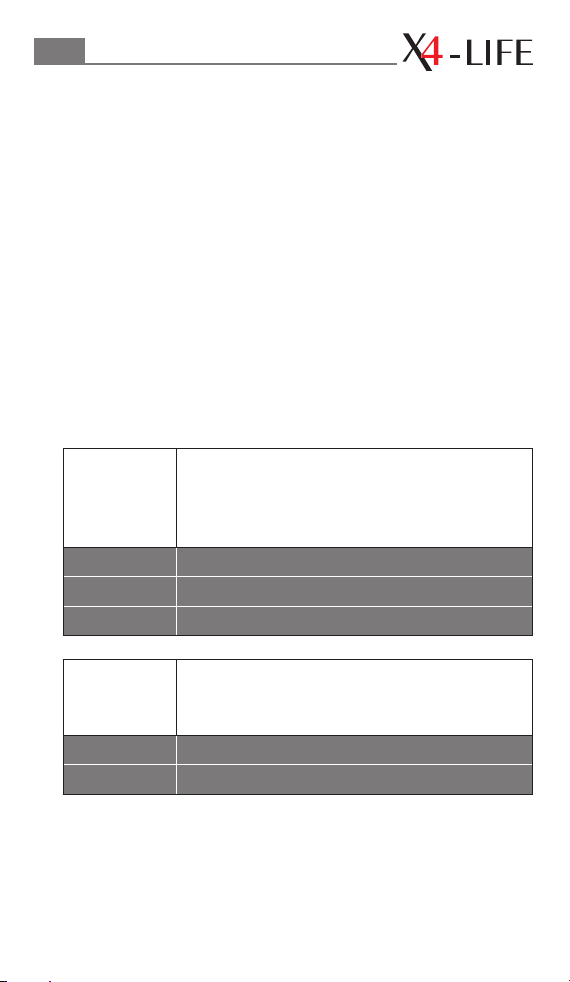
These sports glasses with integrated camera are designed for
the use during sports activities. They have been designed not
only to protect the eyes but also have the possibility of recording the activity onto a SD-card with the integrated camera.
The designated use is also dened by the instruction manual
and in following the appliance and the warnings mentioned
in this user manual. This device is not designed for commercial
or industrial use.
6. General notes
All mentioned company and product names are registered
trademarks under the rights of their owners.
© All rights reserved.
No liabilities will be taken for damages or claims resulting out
of not reading and/or not following the user guide and/or any
form of modication on or in the product.
Under these circumstances, no warranty services will be given.
*Micro-SD not included in delivery
16
Page 5
USER MANUAL
GB
Liability cannot be taken for consequential damages.
The contents of this user manual may dier from the product.
If so, please consult additional manuals in the packing. Keep
this user manual in a safe place. If you give this product away
to a third party, make sure that you also pass on the user
manual.
The CE conformity has been declared and proven, and the
corresponding documents have been deposited with the
manufacturer. For the reason of safety and CE-licensing it is
not allowed to modify this unit in any way and/or use it for
functions, other than the designated use.
7. Importer and service
Service
Address
Address lived non food GmbH
lived non food GmbH
TOR 8 – 9
Donaustraße 20
D-38120 Braunschweig
Donaustraße 20
D-38120 Braunschweig
17
Page 6

Video Ski Goggles HD1
8. Safety Guide
Please read the safety guide before using the product. This
information is for your safety and the protection of the device
and devices connected. You will also nd specic safety
instructions in the following chapters of this user manual.
This product is not a toy and should not be handled by
infants and small children. Children cannot assess the dangers
connected with electrical devices.
Do not leave the packaging material lying around. Children
might play with the plastic bags and risk suocation.
This device should only be opened and/or repaired by an
expert or a person who is qualied to do so. Only original
spare parts may be used.
The product may not be subjected to extreme heat or cold.
Do not expose the product to intense sunlight, open re or
other heat sources. Working temperature: - 30°C to + 40°C
These sports glasses may not be used when driving on public
roads.
Broken visors should be replaced immediately. If not, there is
the danger of injury.
If the product is brought in from the cold to a warm area (e.g.,
during transport), condensation can occur within the unit. Let
the device reach room temperature, before using it.
If you have doubts on the function or questions, please
contact your local dealer or our service center.
18
Page 7
USER MANUAL
GB
9. Getting started
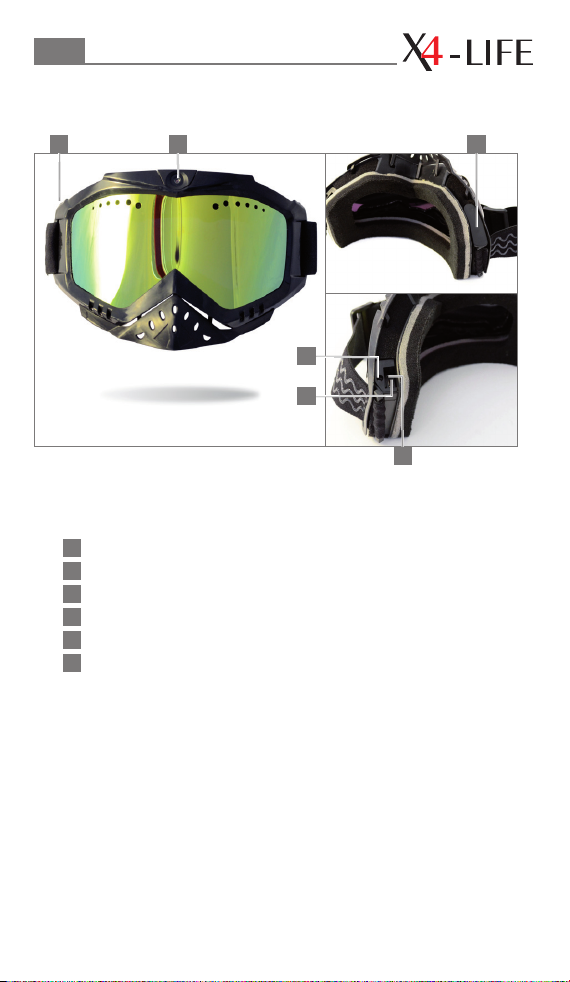
2 31
4
5
1
On/o switch
2
Camera lens
3
Battery compartment (Can not be opened)
4
Micro SD-card slot
5
USB connector
6
Reset (Reboot the device)
6
19
Page 8

Video Ski Goggles HD1
9.1. Charging the goggles
Please charge the battery fully when rst unpacking and using
the goggles. To charge the battery, remove the cover of the
USB socket (5). Please use the supplied USB cable and the supplied power supply or a computer by inserting the USB cable
into the USB socket (5) in the goggles and connect it to the power source. Charge the battery for a minimum of four hours.
During charging session the blue LED, situated in the top right
hand corner on the inside of the goggles, will continuously
blink. The LED will stop blinking and go permanently on when
the charging cycle is completed.
Advice on the lifetime of batteries:
It is advisable to let the battery go fully at from time to
time and then recharge it again fully for several hours. This
refreshes the battery.
10. Camera functions
10.1. The SD- Card
To be able to record the pictures from a camera Micro SD-card
is needed. The card can have a capacity of up to 32 GB. If it
is not formatted, it can be preformatted on your Notebook
or PC. It should be formatted in FAT 32. 1 GB corresponds to
approximately 15 minutes of recording time with the default
presets.
Note: it is recommended to use a fast Micro SD-card (minimum class 10). Slip the SD-card into the slot next to the USB
connector (5). The contacts should be facing the USB connector. Press the card down until it automatically clicks in.
Note: if there is a problem with the format of the Micro SDcard, in the LED in the top right hand corner on the inside of
the glasses will blink rapidly for approximately 20 seconds and
20
Page 9

USER MANUAL
GB
then switch o. If no action is taken the device will switch o
after the 20 seconds.
To take out the Micro SD-card, remove the cover, press the
card down until you feel the click. The card will now eject itself
automatically.
10.2. Switching the Camera On/O
To switch on the camera, press the On/O button (1) for
approximately 2 to 5 seconds. The blue LED in the top right
hand corner will come on and start blinking slowly.
Note: if the LED lights up permanently, the SD-card is missing
or has not been inserted correctly.
To switch o the camera, press the On/O button (1) for
approximately 5 to 7 Seconds. The blue LED will switch o.
10.3. Video and photo function
Starting the recording:
The recording will automatically start approximately
2 seconds after the device has been switched on. The LED
in the top right hand corner of the goggles will blink slowly
when recording.
Note: if the recording is not stopped, the le will automatically
be saved to the SD card after 10 minutes with a date and time
stamp.
Stop the recording:
To stop the recording, click go to the On/O (1) button.
The blue LED will stop blinking and become permanent.
The device is now in Standby Mode.
21
Page 10

Video Ski Goggles HD1
Taking pictures:
After the recording has stopped, the blue LED will be permanently on. In this Standby Mode pictures can be taken. To take
a picture press the On/O (1) button once. The blue LED will
switch o and on. The picture has been taken.
10.4. Viewing videos and pictures
Switch the goggles o. Connect the goggles to your PC, using
the supplied USB cable. The SD-card will pop-up in your
explorer as an external drive. You can now watch and modify
the les.
11. Settings
To change the video format connect the switched o goggles
to your PC. Open the removable medium. Click on your right
mouse button, select “New” and choose “Text Document”.
Rename the new le “size” and open it. Enter one of the
following digits to change resolution:
0 = 1920 x 1080 pixel / 25 frames/sec.
1 = 1280 x 720 pixel / 50 frames/sec.
2 = 1440 x 1080 pixel / 30 frames/sec.
Note: default setting is 2 = 1440 x 1080 pixel / 30 frames/sec.
Save and close the le.
The le needs to be in the root directory of your Mirco SDcard, don’t save it in a subdirectory.
Putting a timestamp on your photos and videos:
To add a timestamp to your photos and videos, connect
the switched o goggles to your PC. Open the removable
medium. Click on your right mouse button, select “New”
22
Page 11

USER MANUAL
GB
and choose “Text Document”. Rename the new le “time”
and open it. Input the current date and time in the following
format and save the le:
year.month.day hour:minute:second
For example: 2013.08.24 18:05:55
To eliminate the timestamp, you need to enter a date before
the year 2013.
For example: 2011.08.24 18:05:55
General note:
In case your computer shows extensions of le types, rename
the above mentioned data “size.txt” and “time.txt”.
12. Cleaning and maintenance
• Always use a soft, dry and lint-free cloth to clean the unit’s
exterior. If the device is extremely dirty you can use a soft
cloth, dampened with water or a mild cleaning solution to
clean.
• Never use any abrasive or harsh cleaning agents (e.g. alcohol,
petrol or thinners) as these could damage the controls, casing
or any markings and labels found on the device.
13. Troubleshooting
The device cannot be switched on.
➝ Has the battery been fully charged?
➝ Make sure that the power supply is correctly connected.
The device ‘freezes’.
➝ Press the On/O switch for approximately 10 seconds until the
blue LED switches o.
23
Page 12

Video Ski Goggles HD1
The blue LED is blinking fast and the camera switches o.
➝ The SD card is either full, not formatted or damaged.
Change the SD card, format it or copy the les to your PC.
The blue LED is continuously blinking and the camera
switches o.
➝ There is no SD card in the slot or the SD card has not been
inserted correctly.
The blue LED lights up for a few seconds and then it
switches o.
➝ Recharge your battery.
14. Disposal
Electrical- and electronic devices must never be disposed of
in the regular household waste!
Consumers are legally obligated and responsible for the
proper disposal of electronic and electrical devices by
returning them to collecting sites designated for the
recycling of electrical and electronic equipment waste. For
more information concerning disposal sites, please contact
your local authority or waste management company.
Do not throw batteries and rechargeable batteries into
household waste!
Consumers are legally obligated to return used
batteries, whether they contain harmful substances or
not, to designated recycling areas, disposal sites, or
stores where batteries can be bought. Make sure batteries are
completely discharged before disposing.
24
Page 13

GB
USER MANUAL
25
Page 14

8. 2013
 Loading...