

Page 1
Hi!
Let’s get started.
Page 2
Quick Guide
Premium III
MENU
INFO
AUDIO
PR+
OK
PR-
VOL- VOL+
SAT
PLAY
RECALL
STOP
REC
EXIT
Remote
control A
WEATHER
RECALL
Wi Fi NEWS
IPTV
VOL-
VOL+
VOL- VOL+
CH-
CH+
CH-
CH+
FAV
OK
EXIT
SLEEP
TEXT SUB
DISPLAY
TV/RAD
SAT USB
0
7 8 9
4 5 6
1 2 3
EPG TIMER
MENU
AUDIO PAUSE ZOOM INFO
FIND
MAP
YOUTUBE
Remote
control B
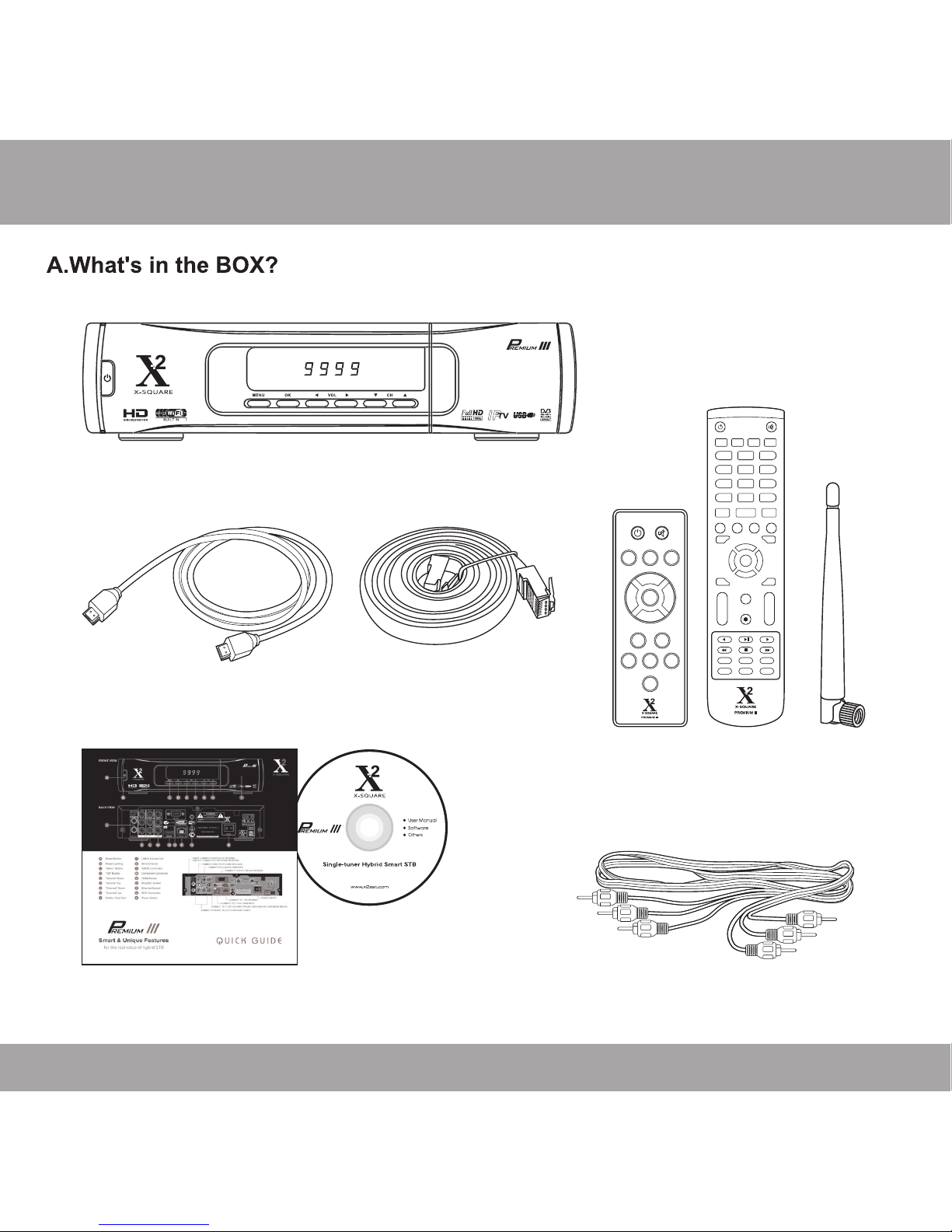
HDMI Cable
3v3 Cable
WiFi
Antenna
Ethernet Cable
Quick Guide
& CD
Page 3
Quick Guide
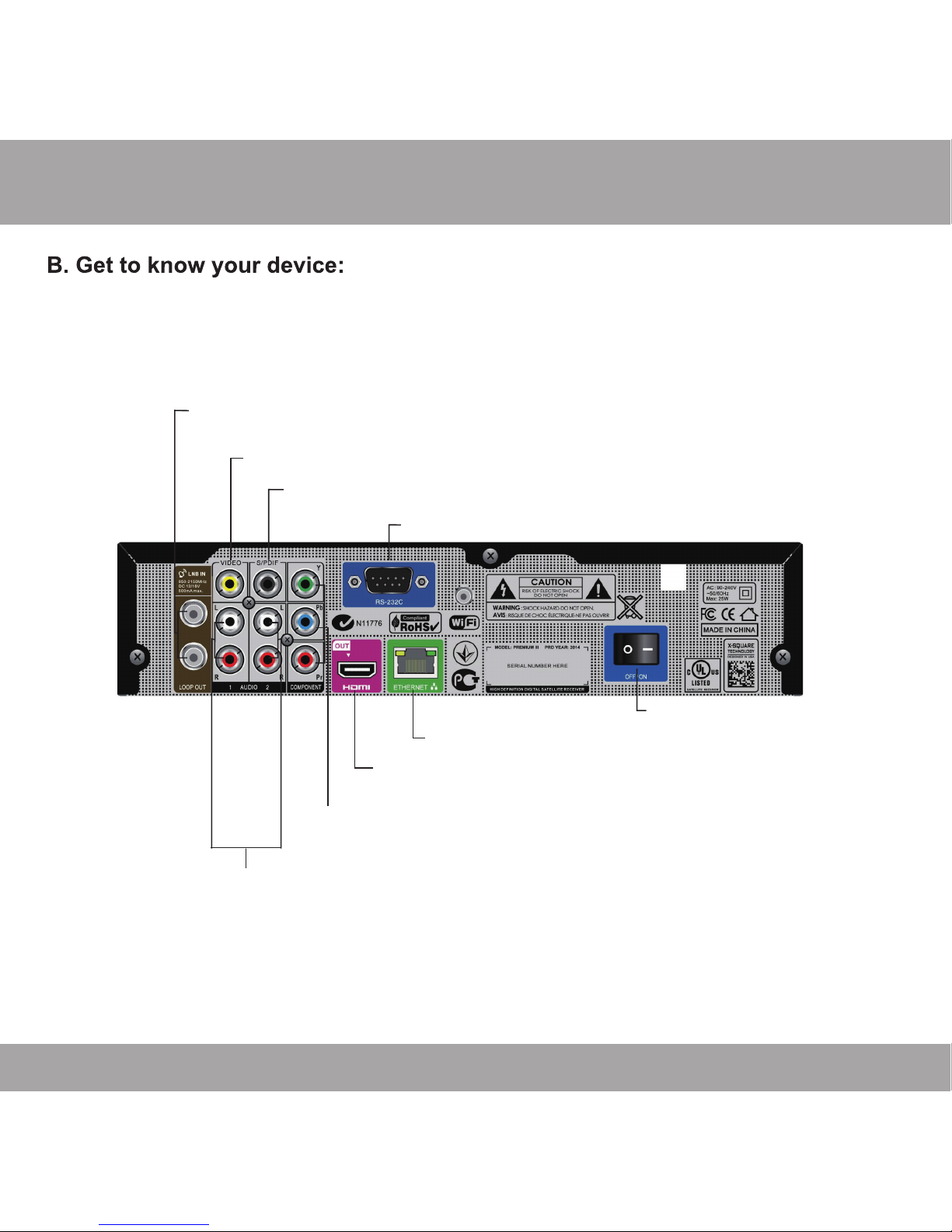
LNB IN: CONNECT TO SATELLITE ANTENNA
LNB OUT:CONNECT TO THE OTHER RECEIVER
CONNECT TO TV SET HDMI INPUT
CONNECT TO THE INTERNET
CONNECT VIDEO TO TV USING RCA JACK
CONNECT TV SET OR VIDEO PROJECTOR YPbPr OR COMPONENT INPUTSTO
CONNECT TO A PC FOR S/W UPGRADE
CONNECT TO A DIGITAL AMPLIFIER
CONNECT TO AUDIO R / L TO TV OR AUDIO TUNER
POWER ON/OFF
Page 4
Quick Guide
Page 5
Quick Guide
WEATHER
RECALL
Wi Fi NEWS
IPTV
VOL-
VOL+
VOL- VOL+
CH-
CH+
CH-
CH+
FAV
OK
EXIT
SLEEP
TEXT SUB
DISPLAY
TV/RAD
SAT USB
0
7 8 9
4 5 6
1 2 3
EPG TIMER
MENU
AUDIO PAUSE ZOOM INFO
FIND
MAP
YOUTUBE
MENU
INFO
AUDIO
PR+
OK
PR-
VOL- VOL+
SAT
PLAY
RECALL
STOP
REC
EXIT
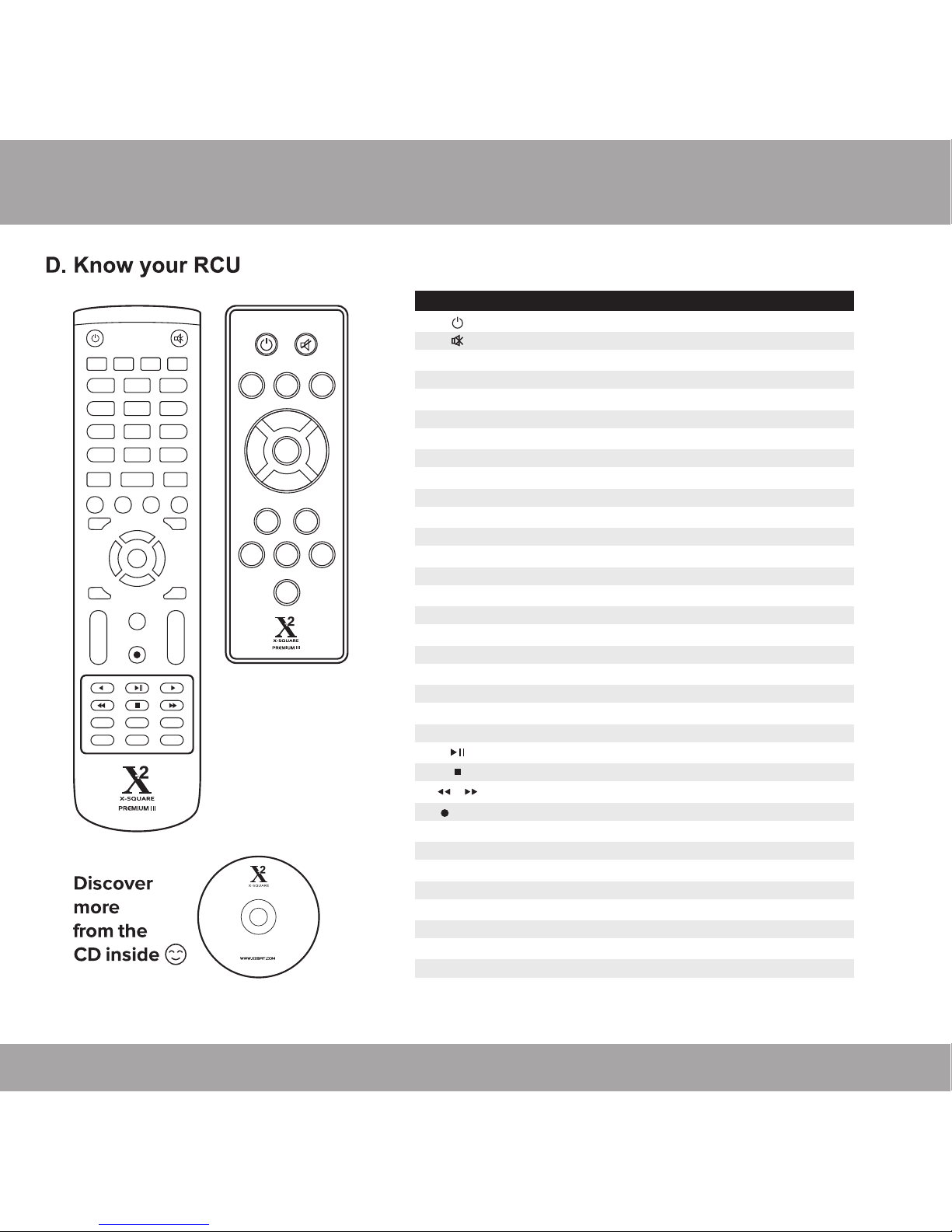
KEY FUNCTION
0~9
MENU
EXIT
OK
CH+,CH-
VOL+,VOL-
USB
REC
TV/RADIO
RECALL
FAV
SAT
FIND
INFO
PAGE+, PAGE-
AUDIO
SLEEP
TEXT
ZOOM
SUB
EPG
PAUSE
DISPLAY
WEATHER
WIFI
NEWS
IPTV
MAP
YOUTUBE
Standby/On, Standby/O
Record the program
Stop recording
Display youtube window
Display map window
Display IPTV window
Display RSS window
When watching a channel, mute the sound
Enter number of the required menu item or select a channel number to watch
Switches between TV and Radio mode
Switches to previous channel
Displays the favorite group list
Display the satellite window
Display the Find window
Show information of the current channel
Press this key one time to run menu onscreen
Display external device window
Executes the selected item in the menu screen or enters the desired value in any input mode
When watching a channel, change channels or move to the next higher or lower item in the menu
When watching a channel, adjust the volume or move to the left or right item in the menu
Return to the previous menu on the menuscreen or escape from the menu
Page up and page down
Display the Audio window
Enter into the sleep in mode
Switch to teletext mode
Enter into zoom in mode
Switch to subtitle mode
Call up the EPG (Electronic Program Guide)
Play and pause
Press to fast forward or fast backward
Press once to pause the screen picture, pressonce again to go to the normal mode
Transform the video format
Display WEATHER window
Display Network Setting window
Page 6
Quick Guide
Page 7
Quick Guide
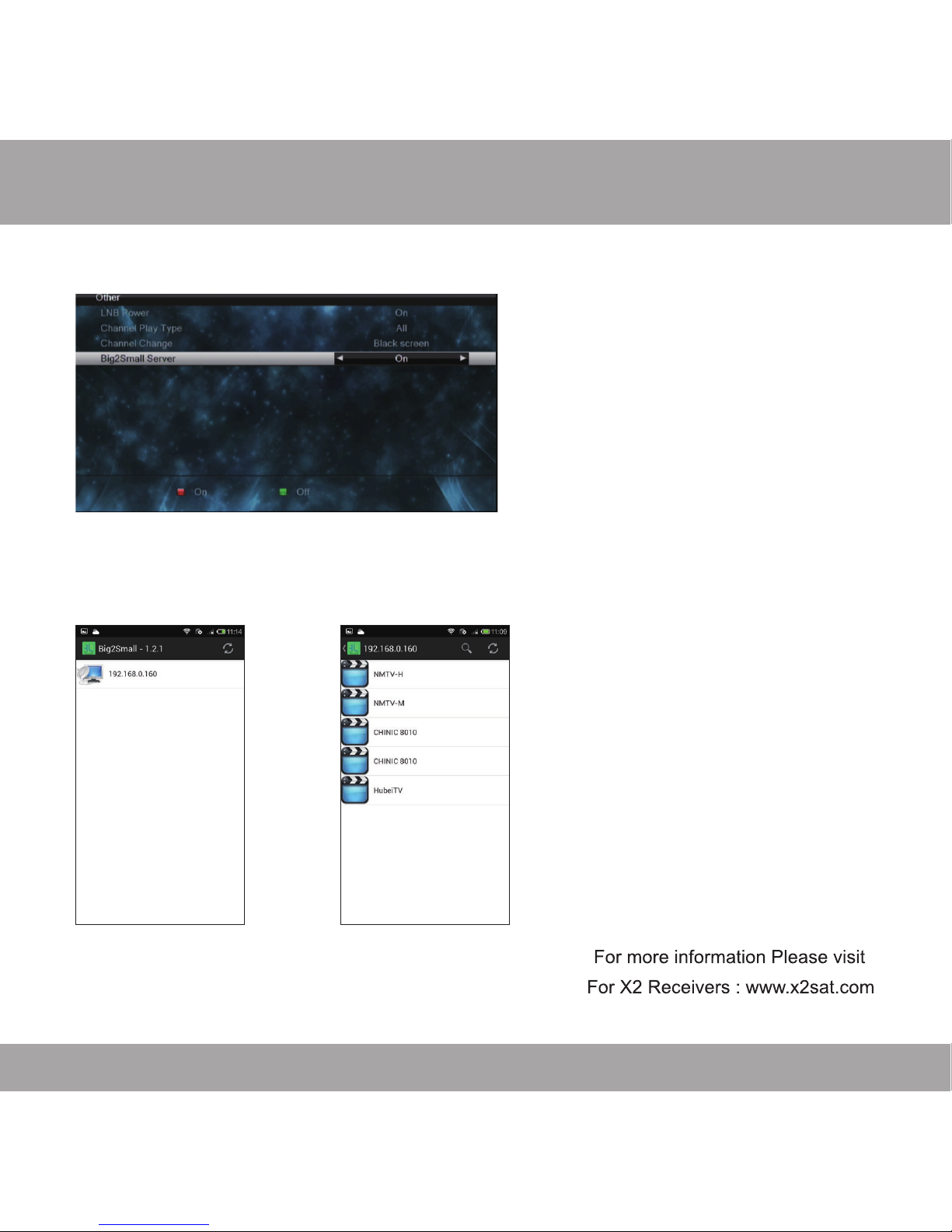
F. Big2small Guiding Document
4. Make sure that the Big2Small apk is installed to your cell phone.then activate the
Big2Small application.
5. The apk will scan the STB automatically.then you can enjoy the program now.
Big2Small is a function that make your cell
phone receive the program which your TV is
playing.You need to set the cell phone and
STB as following:
1. Make your STB connected to the WIFI.
2. Make your cell phone connected to the
same WIFI which your STB connect to
3. Enter the STB main menu->system
setting->other,set the Big2Small Server to On
 Loading...