

Page 1

What’s inside:
Mini Cube HD camera
Add-on Device
Quickstart Guide
Model No.IPC2202
1x Mini Cube HD camera
Add-On Device Quick Start Guide
1x Power Adapter 1x Power Cable
All WWAlarm add-on devices have to work with WWAlarm systems
Mounting
accessories
Page 2
Add-On Device Quick Start Guide
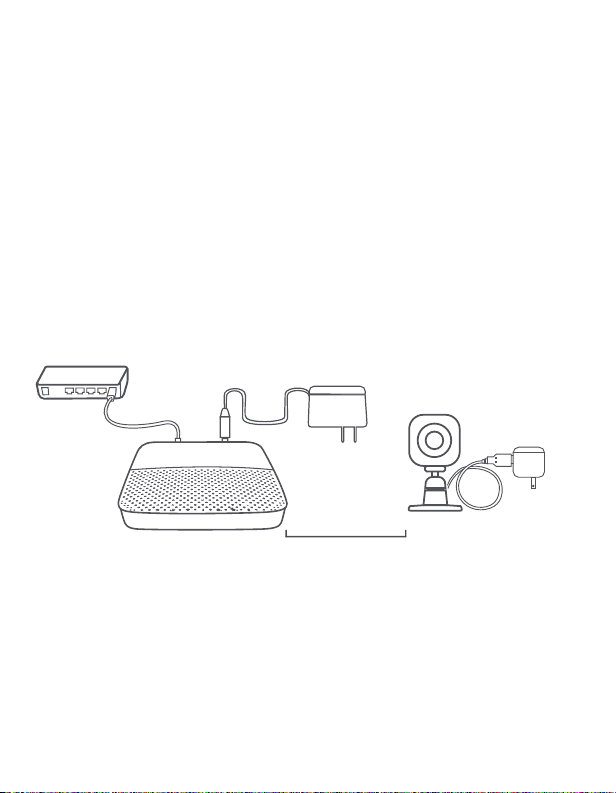
Step 1: Assemble your device and accessories
1. Unpack your camera and accessories.
2. Pair the Camera with the Security Shuttle within
1-10 feet to make sure the connection is working well.
3. Connect the included power adapter to the Mini cube
HD Camera and plug it in.
1-10 ft
Page 3
Add-On Device Quick Start Guide
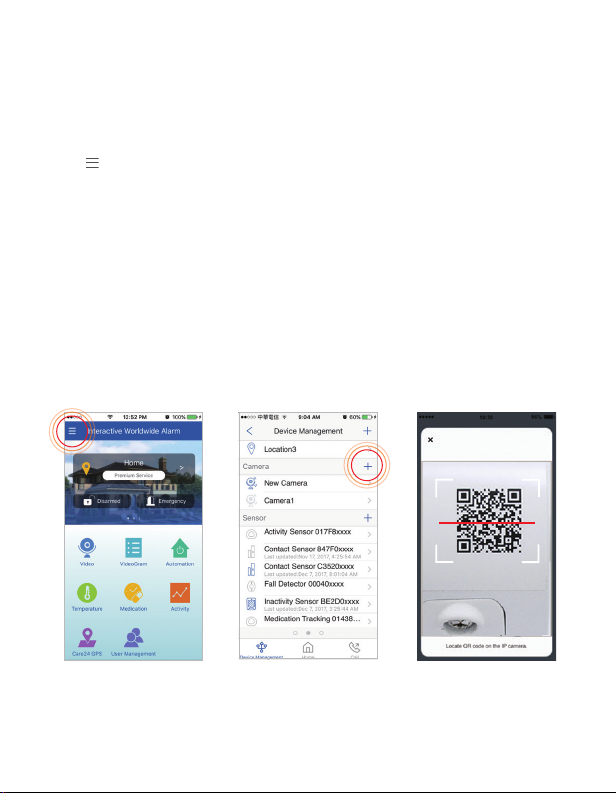
Step 2: Add a device
1 . Open the WWAlarm app, tap on the the menu button
" " and select “Device Management”.
2. Press the add button ‘+’ next to Camera List.
3. Follow the app instructions to scan the QR code
located on the device.
Note: If the scan is incomplete, you will be asked to enter the serial number
(SN) of the device.
Page 4
Add-On Device Quick Start Guide
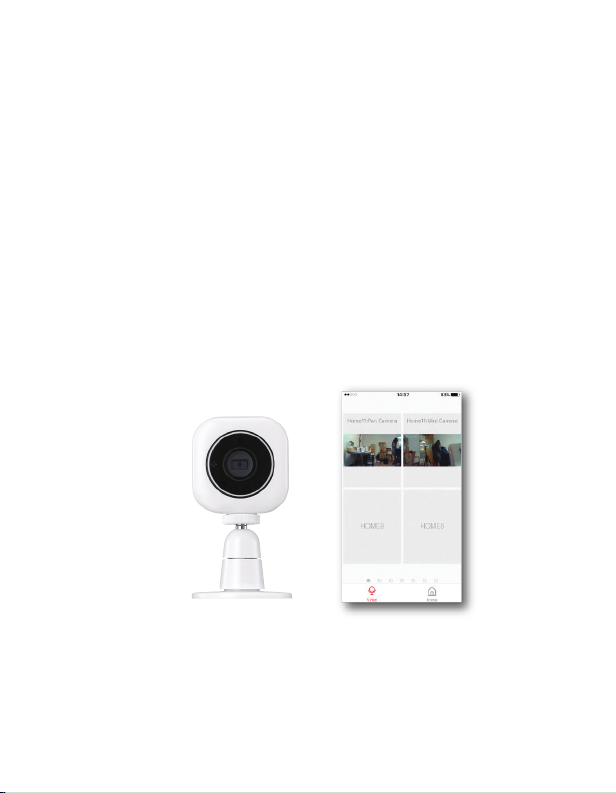
Step 3: Place your device
Before you mount your device, see if it's within
Security Shuttle’s range.
1. Take it to the room you want to use it in and plug it in.
2. Access your WWAlarm app, tap on the Video, wait until
you see live streaming video from the app, it is
connected to the system.
Now you can place your camera and enjoy.
 Loading...