

Page 1
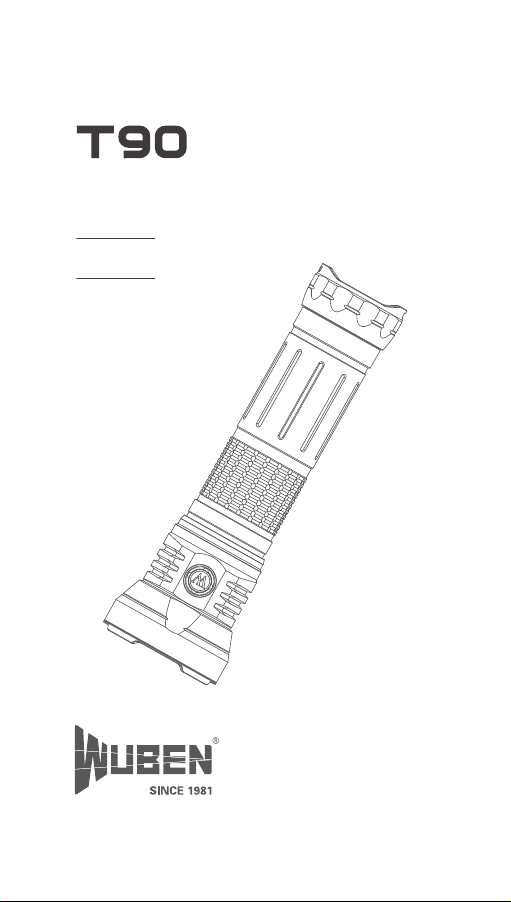
User Manual
V 1.0
Page 2
WARNINGS
Please read user manual carefully before using the light.
Product will generate heat while working, please be cautious
with that to avoid any possible harm.
Please don’t shine into eyes directly to avoid harm to eyes.
Please keep the light away from children.
Please use WUBEN or WUBEN recommended batteries.
Please don’t disassemble the light or it will not be covered by
WUBEN warranty policy.
Please don't throw the product into fire.
This is not a diving product, please don't use it underwater for
a long time.
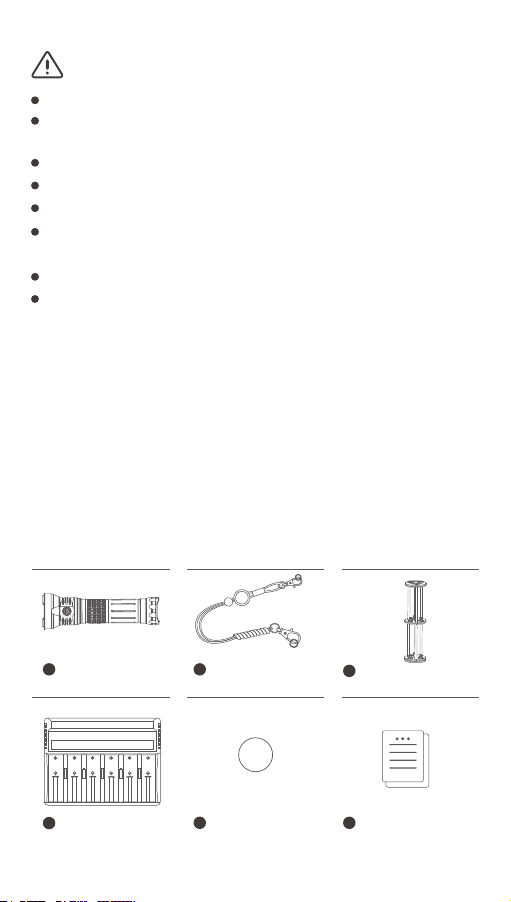
Package List
Before using this product, please check whether the
contents of the package are complete.
1
T90 x 1 Lanyard x 1
4
Charger x 1
2
5
Spare O-ring x 2
3
18650 battery holder
x 1
6
User manual/Quality
certificate x 1
Page 3
Product Operation
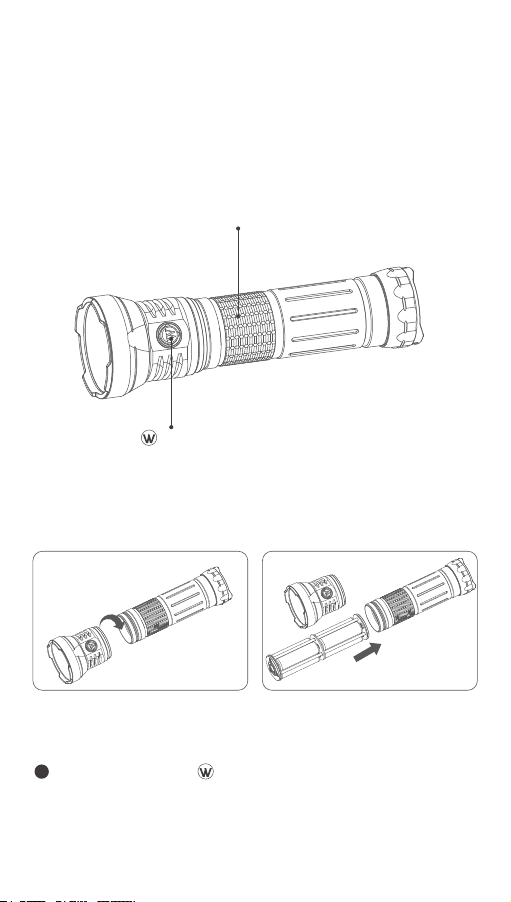
1. About product:
T90 is a high-performance flashlight. Utilized 3*CREE XHP
70.2 LEDs, powered by 6 pcs 18650 batteries, it emits
10000 lumens max output. Side switch design for one
hand operation.
Switch
(battery indicator)
2. Installation
Please take out the battery holder as instructed.
Please load batteries as instructed.
Body
3. Constant on mode
1
Turn ON: Click on switch to turn on the flashlight.
This flashlight has output memory function, it will be
turned on the output level on which it was turned off
last time.
Page 4
2
Output selections: Single click on switch to cycle
through Low- Med- High- Turbo.
3
Turn OFF: Press and hold switch for 2s to turn off
the light.
4. Flash Mode
Whenever the light is on or off, double click on switch
to activate Strobe, double click again to activate SOS,
single click to return to the previous status.
5. Continuous output selections:
When the light is off, 4 times click on switch to activate
Low output level, press and hold switch, the light will
ramp from to Turbo continuously, and then from
Turbo to, release the switch to lock the output.
6. Instant Turbo
When the light is off, press and hold switch to activate
Turbo constant on, click to turn off.
7. Lockout and Unlock
When the light is off, triple click on switch. White light
will blink to indicate lockout. Any operation on the switch
will activate nothing but blue light blink underneath switch
nnless another triple click on the switch to turn the light
on Low output to indicate unlock.
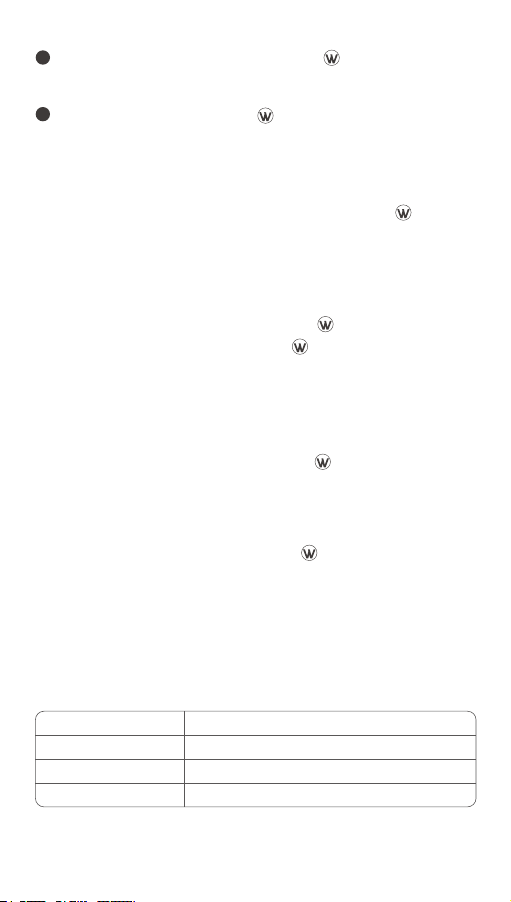
8. Low power indication
Power 100%~91%
Power 40%~15%
Power less than 15%
Blue light constant on (Off after 5s )
Blue light flashes (Off after 5s )Power 90%~41%
Red light constant on (Off after 5s )
Red light flashes
Page 5
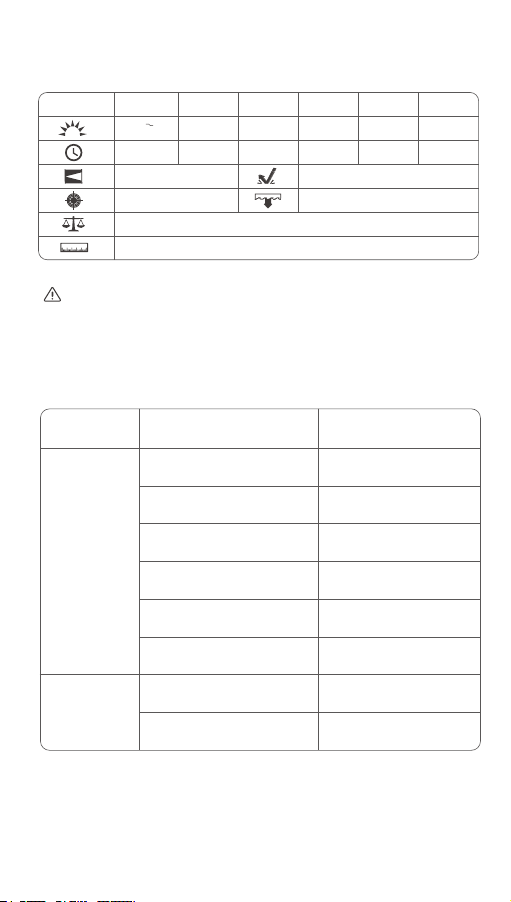
Parameter
ANSI Standard
Turbo High Mid Low SOS
10000 4000
LM
3+210
mins
410m
42000cd
502g/ 17.71oz (without battery) |784g/27.65oz (with battery )
225.4mmX 68mm|8.87in x 2.68in (L X D)
LM
5000
1000LM 100LM 100LM
4h 11h 86h
Strobe
10000LM
/ /
1m
IP68 (2m underwater for 1h)
All data from experiments of WUBEN lab, may vary because of
different experiment equipments, experiment environment or
other factors.
FAQs
Problems
Abnormal
flash or failure
to turn on
Abnormal
noise
If your problems still not solved yet, please contact seller
for after-sales service.
Causes
Check if the flashlight is
lockout
Check if the switch is turned
on correctly
Check if it is assembled in
place
Check if the battery is no
power
Check if the battery is
reversed
Check if the conductive
position is dirty
Check if foreign matter falls
in the tube
Part damage
Solutions
Unlock
Turn on the switch
Tighten the assembly
parts
Use the charger to check
the battery
Remove the battery and
reassemble it correctly
Clean the surface with
alcohol
Pour out possible foreign
matter
Return the light to local
distributor
Page 6

Maintenance
The O-ring may be damaged for a long time use, please
replace the O-ring in time to ensure the waterproofness
of the product.
Please use WUBEN battery or WUBEN recommended
batteries.
When the flashlight indicates low power, please charge
or replace the battery in time to avoid affecting the
durability of the battery.
Please use alcohol and rag to clean the conductive parts
of the flashlight in time.
When not in use for a long time, please remove the
battery to prevent the battery from leaking or exploding,
and store the flashlight in a dry and ventilated place.
Warranty policy
1. Warranty coverage
15 days replacement: Within 15 days from the date of
purchase, if the product has quality problems,
customers can request free replacement.
1 year warranty: Within 1 year from the date of
purchase, if the product has quality problems, WUBEN
will offer free repair.
5 years warranty: Within 5 years from the date of
purchase, if the product (accessories excluded) has
quality problems, WUBEN will offer free repair for
WUBEN registered customers.
Lifetime maintenance: From the date of purchase,
if the product has problem after 5 years, WUBEN will
offer paid repair for WUBEN registered customers .
Page 7

If proof of purchase cannot be provided, it will be
counted on the date of manufacture.
If there is any dispute, the two parties will coordinate
to solve.
2. Beyond warranty
Man-made damage.
Damage caused by not following the instructions.
Damage caused by improper use of the battery.
Abnormal wear and tear.
Damage caused by irresistible factors.
Gifts.
The final interpretation right is reserved by WUBEN.
SHENZHEN SHENGQI LIGHTING
TECHNOLOGY CO., LTD.
E-mail: [email protected]
Web: www.wubenlight.com
Add: 202#, Building A, Jihe E-Business Park,
No. 33 Yangmei Road, Bantian Street,
Longgang District, Shenzhen, China
WUBEN website
facebook
 Loading...