

Page 1

W&T
Manual
WuTooth
Typ Bluetooth
Modell 97100, 97101
Release 1.02, Nov 2012
Page 2

W&T
© 11/2012 by Wiesemann & Theis GmbH
Subject to errors and modifications:
Since we can make mistakes, none of our statements should be
used without verification. Please inform us of all errors or
misunderstandings which you become aware of so that we can
recognize and eliminate them as quickly as possible.
Only perform work on and with W&T products if it is described
here and you have completely read and fully understood the
manual. Unauthorized actions can result in hazards. We are not
liable for the consequences of unauthorized actions. When in
doubt, please contact us our your dealer!
Page 3
W&T
Introduction
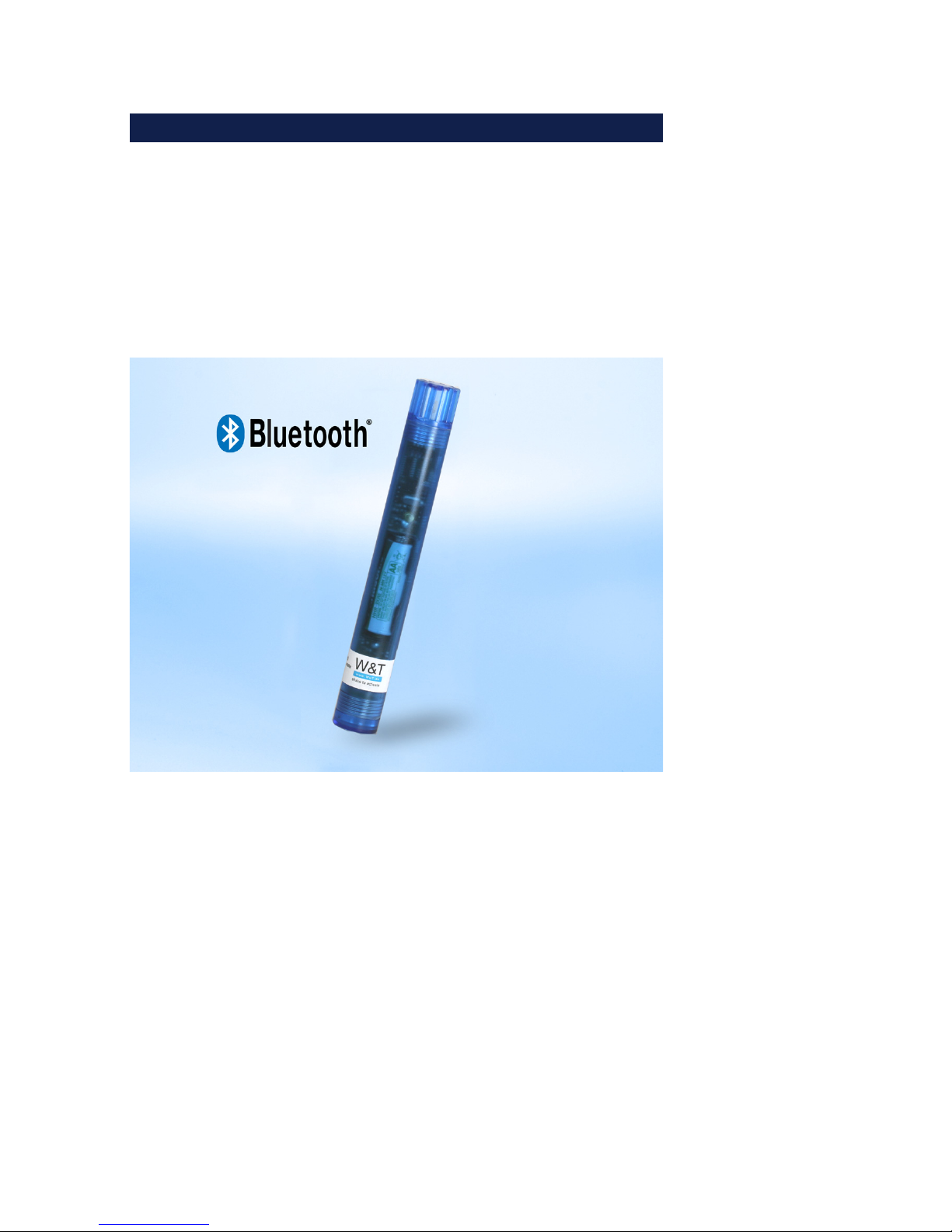
The W&T WuTooth allows you to measure air temperature and
relative humidity, log the information and use your Android
smartphone to access it via Bluetooth.
Page 4

W&T
Content
Introduction ......................................................................... 3
1 Commissioning ................................................................. 5
1.1 Powering with AA / rechargeable battery ...................... 5
1.2 Powering from the USB interface .................................. 6
2 Connecting the WuTooth ................................................... 7
2.1 Pairing ...................................................................... 7
3 WuTooth App .................................................................. 10
4 Indicators ........................................................................13
4.1 LED indicators .............................................................. 13
5 Activating Bluertooth ....................................................... 14
5.1 Mode: Shake to activate ............................................ 14
5.2 Mode: On every x minutes ........................................ 15
5.3 Mode: Always on ...................................................... 15
6 Instructions according to the German Battery Law .............. 16
7 Technical data ................................................................. 17
8 Weak points ..................................................................... 19
8.1 Bluetooth Stack ........................................................ 19
8.2 WuTooth construction ............................................. 19
Page 5
5
W&T
1 Commissioning
The W&T WuTooth can be powered by a AA battery (also
rechargeable) or a USB interface.
1.1 Powering with AA / rechargeable battery
The unit is supplied with a battery already installed and ready
to use. To change the battery proceed as follows:
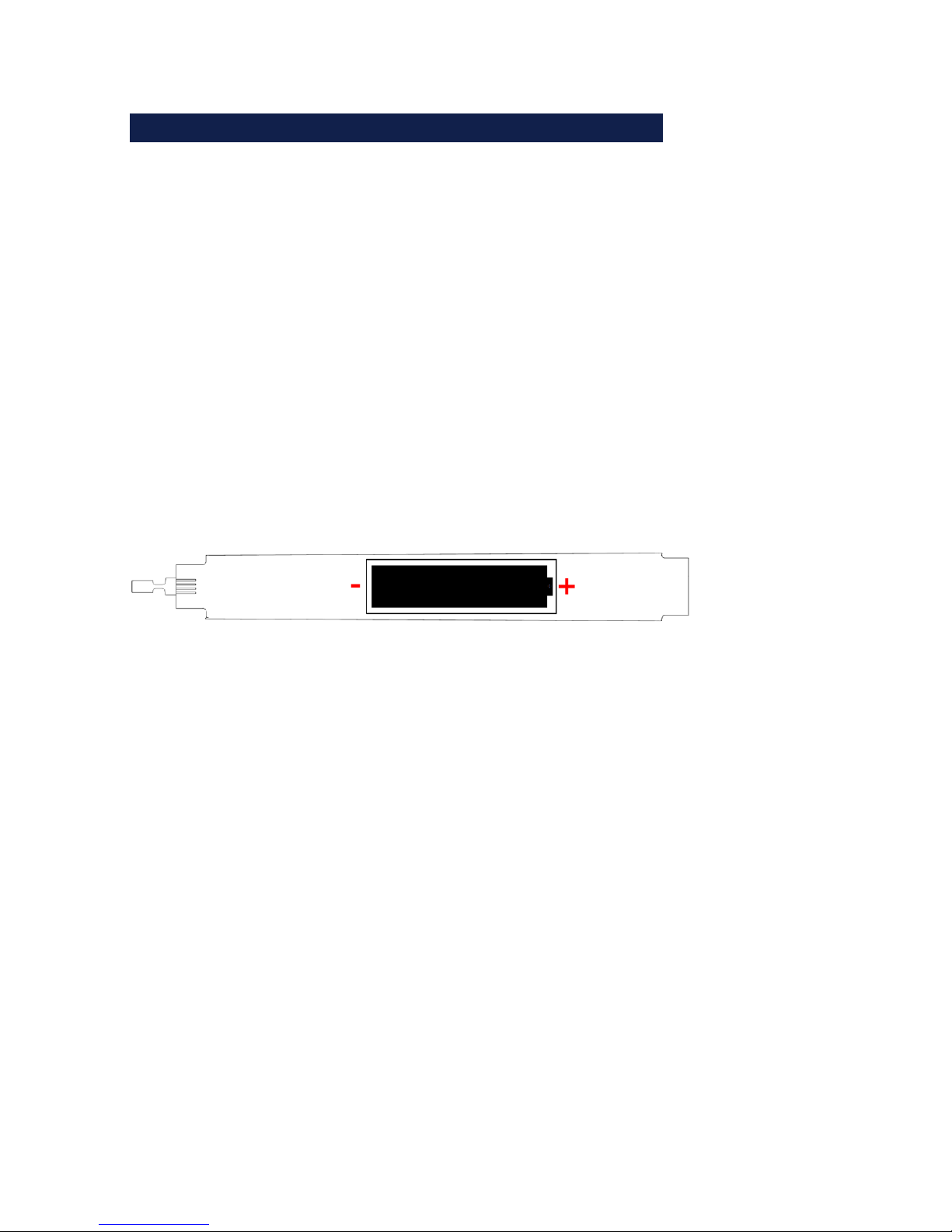
Open the housing by turning the lower latch and remove the
board.
Change the (rechargeable) battery and observe the correct
polarity indicated in the battery holder.
Replace the board and tighten the latch.
!
A rechargeable battery cannot be charged while in the
device. Instead use an appropriate charger.
Page 6

6
W&T
1.2 Powering from the USB interface
Connect the Micro-USB cable (available as an accessory) to the
WuTooth by connecting the plug to the WuTooth through the
opening in the lower cover. The device can now be powered by
a USB plug-in power supply or from any computer USB port.
!
The USB port is intended only for power and is not a
data interface.
Page 7
7
W&T
2 Connecting the WuTooth
2.1 Pairing
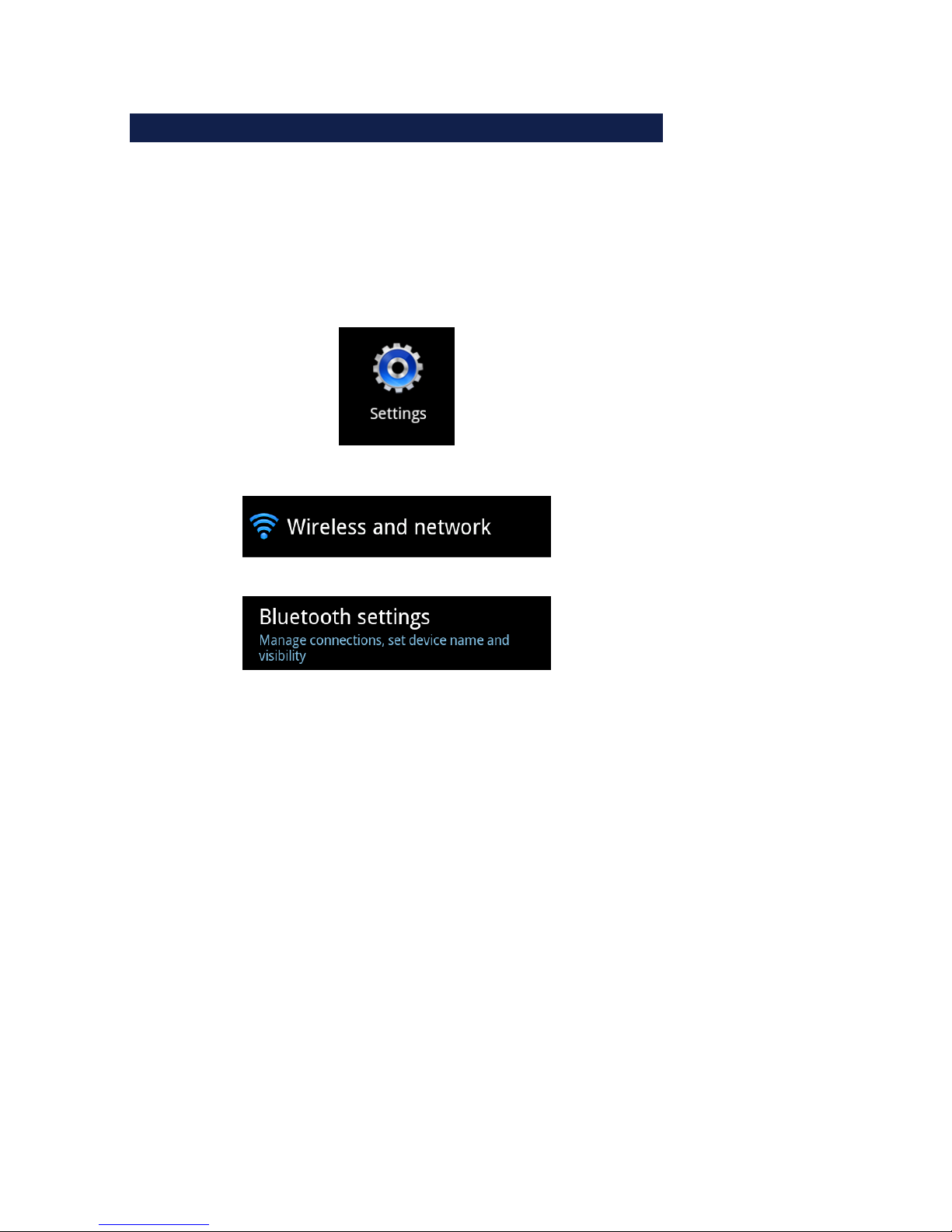
To use the WuTooth in the app the device must first be paired
in your smartphone settings. This is done under:
Page 8
8
W&T
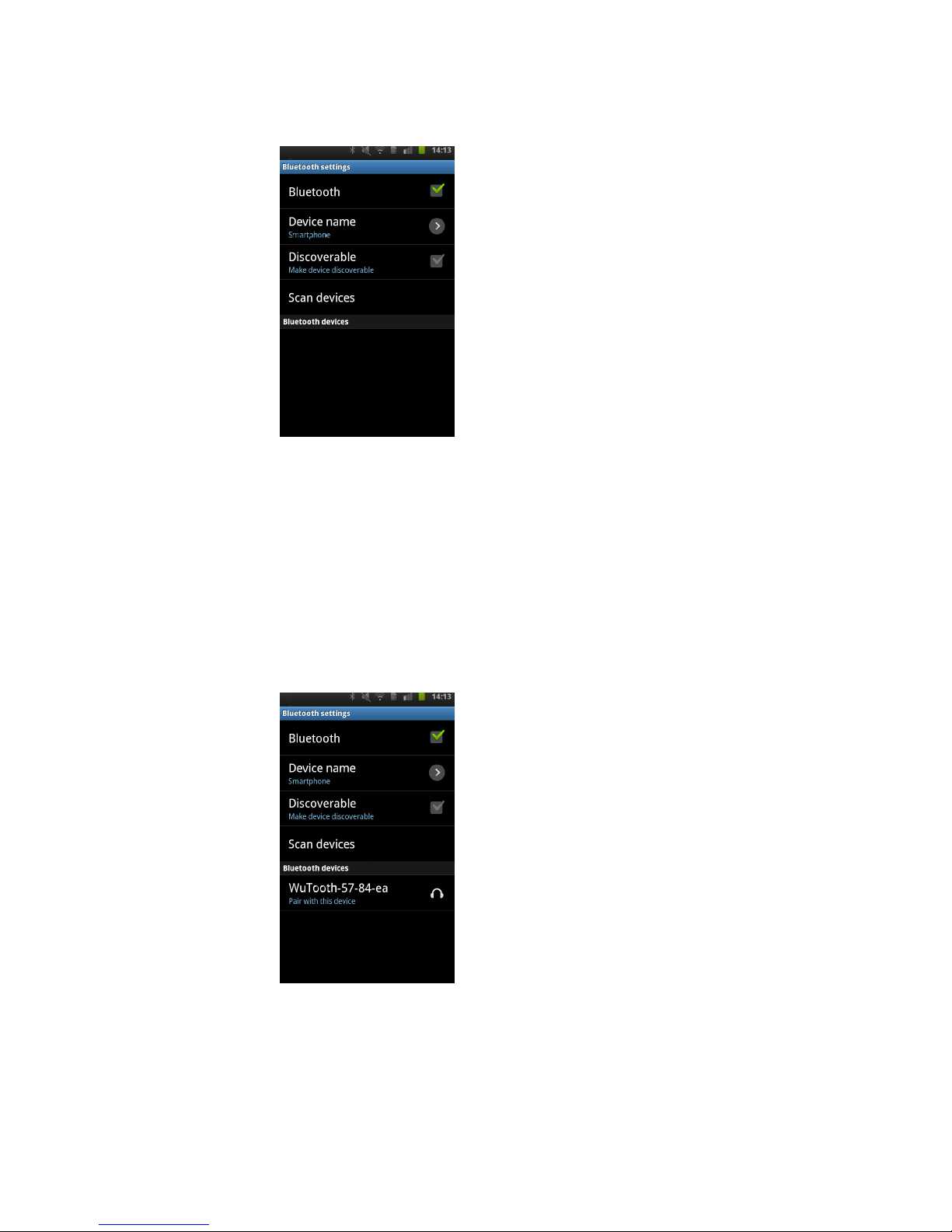
Activate the WuTooth by shaking until the red LED inside
begins to flash.
Now tap on “Find device” on your smartphone. After a short
time your device will be shown in the list:
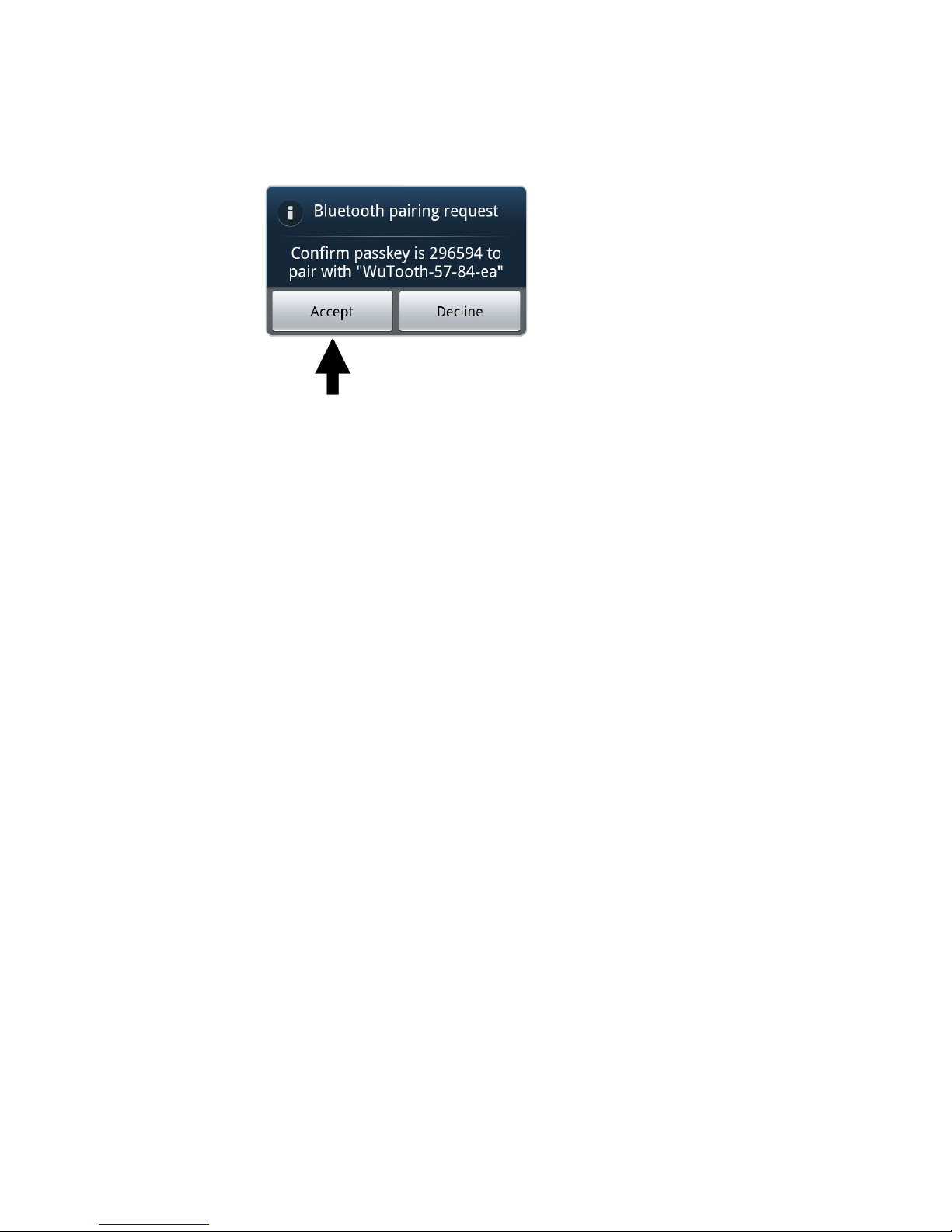
Now tap on the desired WuTooth and confirm the following
coupling prompt with “Accept”.
Page 9
9
W&T
Page 10
10
W&T
3 WuTooth App
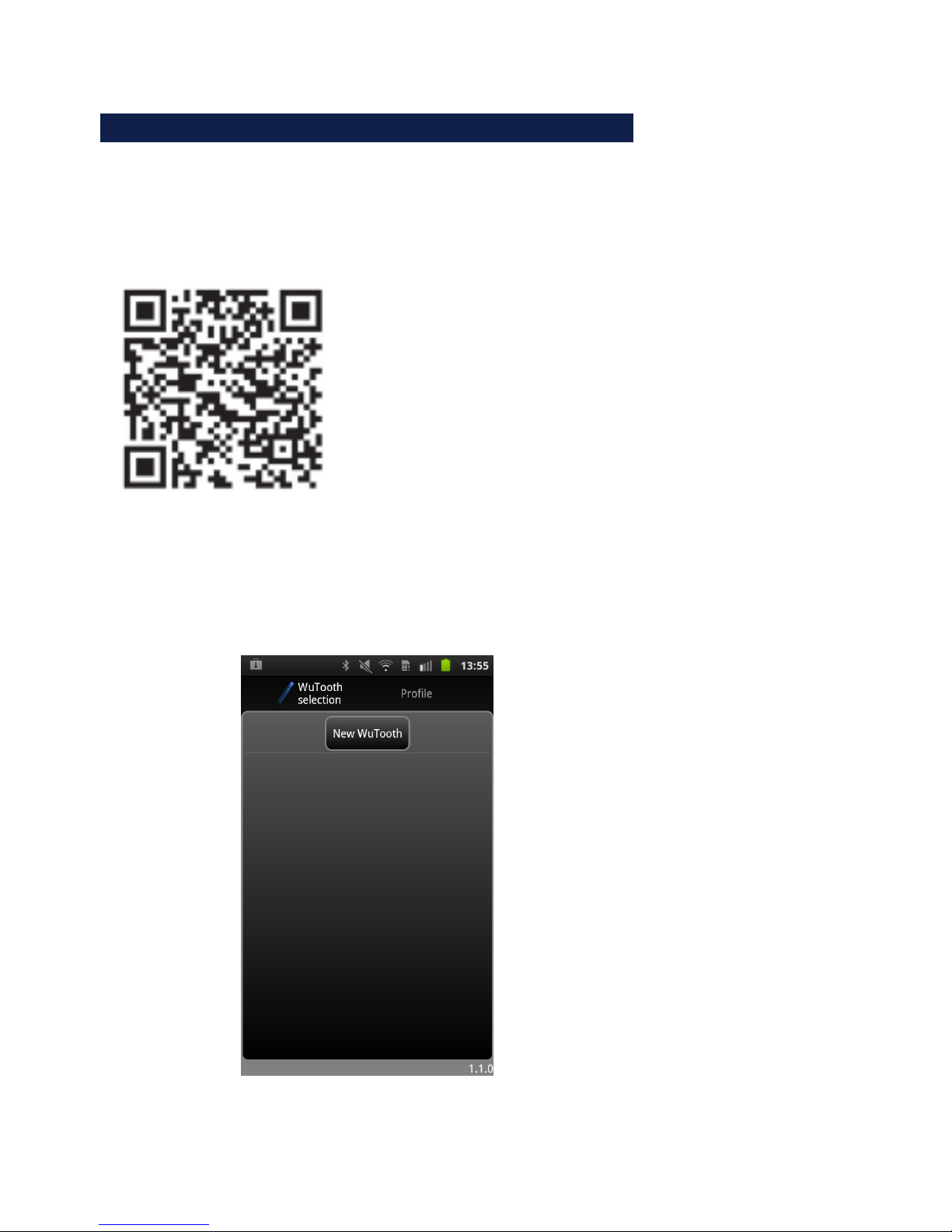
The WuTooth app can be downloaded at no charge from the
Google Play Store.
Start the app after downloading from your smartphone menu.
Page 11
11
W&T
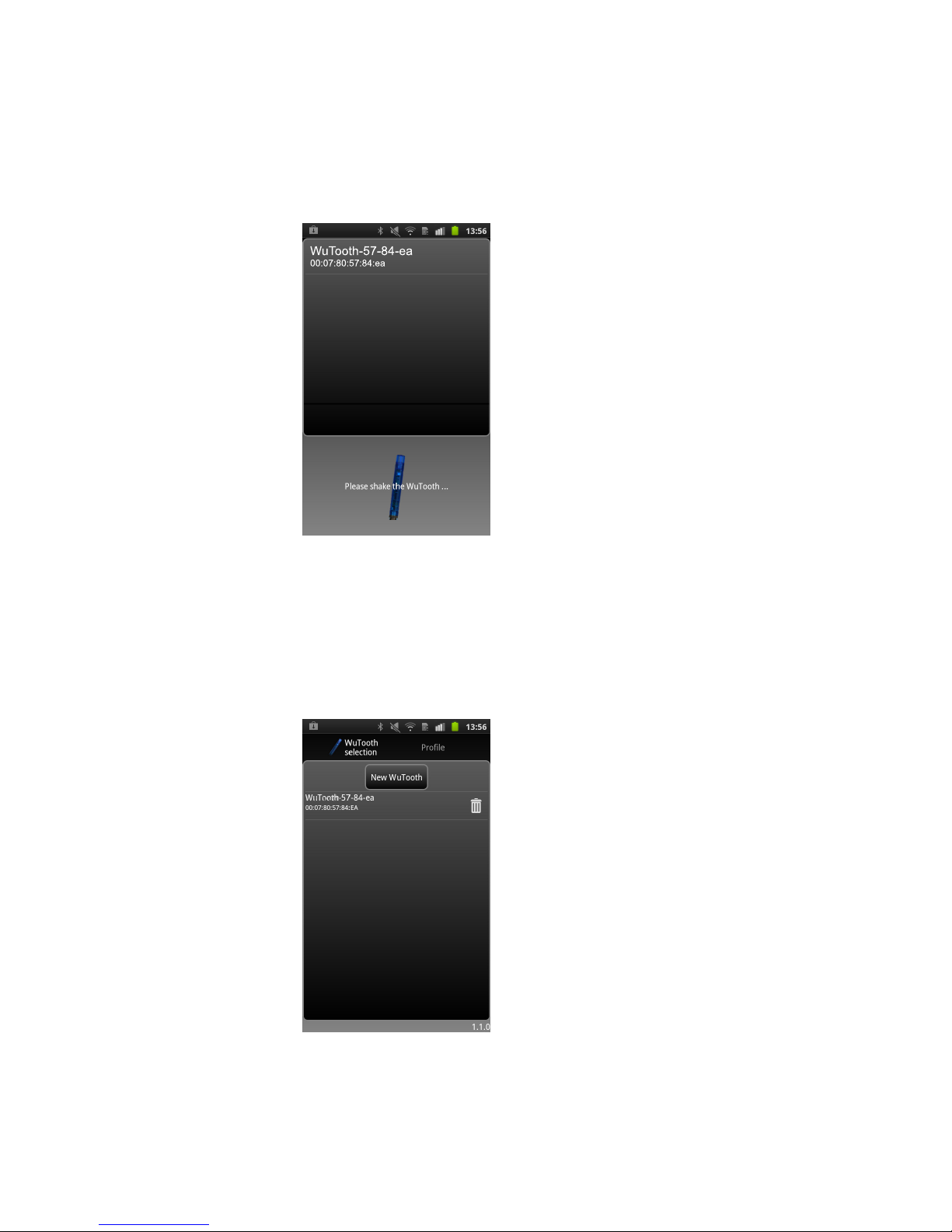
Shake the WuTooth and tap on “New WuTooth”. The
smartphone now begins to search for all devices within range.
As soon as your WuTooth is displayed, select it by tapping on
it.
Page 12

12
W&T
The device now appears in your inventory list.
Tapping on the WuTooth in your inventory list takes you to the
device overview where you can use all the functions:
- Display the current measurement values
- Select, save and delete measurement series
- Display average values
- Display the saved measurement data in table format
- Display the saved measurements as a graphic
- Display multiple measurement series in a common graphic
- Configure the WuTooth
More information about the individual functions can be found
in the context menu of the app under “Help”.
Page 13
13
W&T
4 Indicators
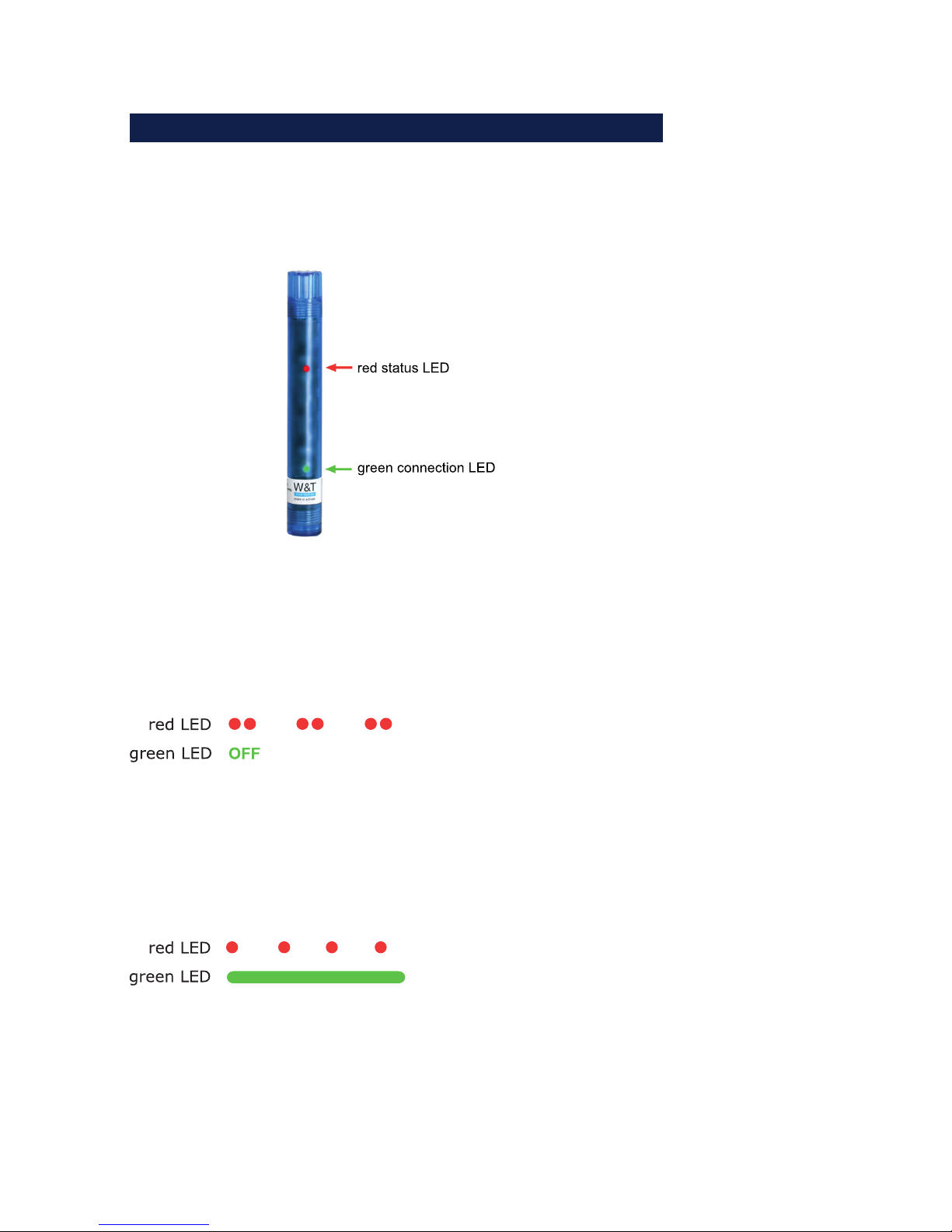
The WuTooth has two internal LEDs which indicate the status
of the device.
4.1 LED indicators
Red LED flashes twice briefly, green LED off:
Ready for a connection. A connection to the device can be
established.
Red LED flashes once a second, green LED on:
There is a Bluetooth connection
Page 14
14
W&T
5 Activating Bluertooth
The various operating modes are configured using the
configuration software.
5.1 Mode: Shake to activate
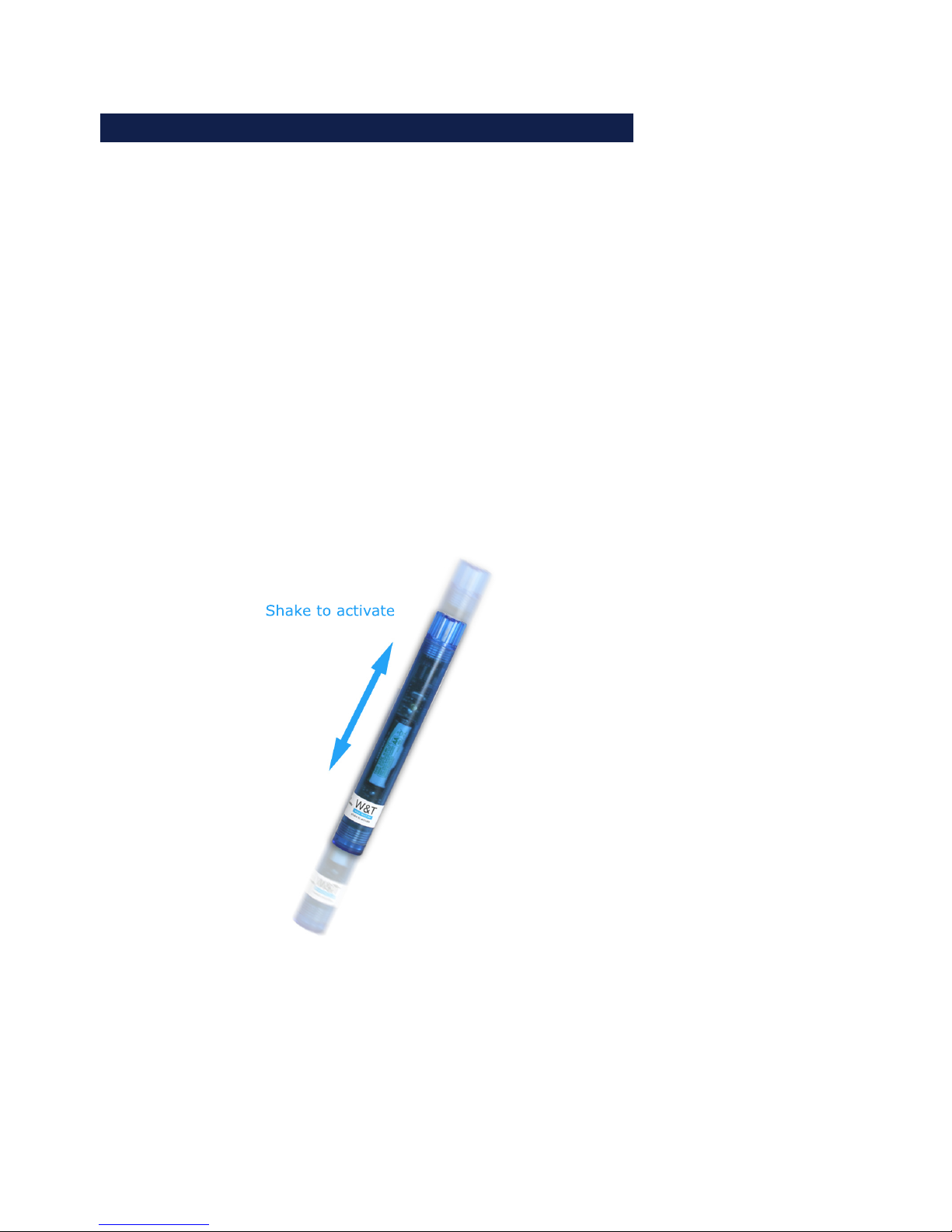
In standard mode you activate the device by shaking it. This
turns the unit on and causes it to wait for a connection. If no
connection is established within 50s, the unit turns itself off
and must be reactivated.
!
The data logger continues to run even when the stick is
deactivated.
Page 15

15
W&T
5.2 Mode: On every x minutes
The device is activated as in “Shake to activate” mode. In
addition, the device activates itself automatically every full
minute for 10s to enable a connection.
This mode is recommended if the device is kept in a difficult to
access location.
5.3 Mode: Always on
In this mode the device is continually ready to receive and can
accept connections.
This mode is only recommended if the USB power source is
used, since the device uses more power which would drastically
reduce the battery life.
Page 16

16
W&T
6 Instructions according to the German Battery Law
Since the W&T WuTooth contains a battery or rechargeable
battery, we are obligated by the German Battery Law (BattG) to
inform you of the following. Batteries and rechargeable batteries
may not be disposed of with household waste, rather you are
legally required to return used batteries and rechargeable
batteries. Used batteries can contain hazardous materials which
if not properly stored or disposed of can harm the environment
our your health.
Batteries also contain important raw materials such as iron, zinc,
manganese or nickel and are recycled. You can either return
used batteries to us or turn them in at no charge to a dealer or
municipal collection point near you. Returning to sales
locations is restricted for end users to normal quantities and to
such used batteries which the seller carries or has carried for
sale as new batteries.
The crossed-out trash container indicates that you are not
permitted to dispose of batteries and rechargeable batteries
along with household waste.
Pb = Battery contains lead
Cd = Battery contains cadmium
Hg = Battery contains mercury
Page 17

17
W&T
7 Technical data
Prod. No.: 97100
Communication: Bluetooth
1 AA rechar
g
eable battery, 1.2V, or 1 AA battery 1.5
V
Alternative: USB Micro Port for 5V supply via power suppl
y
Measuring unit:
Sensor: Tem
p
erature senso
r
Measuring range: -25°C...85°C
Resolution: 1/100 °C
Measurin
g
error: Temperature:
t
yp
. @ 25°C ±0.2°C
max. @ -25..85°C ±0.5°C
Refresh rate: 1
, 5,
10, 15 min.
Memor
y
depth: min. 88 days (refresh rate 1x per minute)
max. 3.6
y
ears (refresh rate every 15 minutes)
Other data:
AA standard or rechar
g
eable battery 1.2-1.5
V
or USB 5V AC adapter
AVG < 1mA
Bluetooth active: max. 70mA
Bluetooth inactive: max. 12m
A
Housing: Plastic housing length 187mm, diameter approx. 24.5mm
Wei
g
ht: approx. 80g incl. batter
y
Ambient storage temperature: -40..+85°C
Ambient operating temperature: -25 .. +85°C (observe operating parameters of the actual
batter
y
)
Current consumption:
Power supply:
Power supply:
Page 18
18
W&T
Prod. No.: 97101
Communication: Bluetooth
1 AA rechar
g
eable battery, 1.2V, or 1 AA battery 1.5
V
Alternative: USB Micro Port for 5V supply via power suppl
y
Measuring Unit:
Sensor: Combined tem
p
erature and humidity senso
r
Measuring range: -25°C...85°C, 0..100% relative humidit
y
Resolution: 1/100 °C, 1/100% relative humidit
y
Measuring error: Temperature:
t
yp
. @ 25°C ±0.3°C
max. @ -25..85°C ±2°C
Relative humidit
y
:
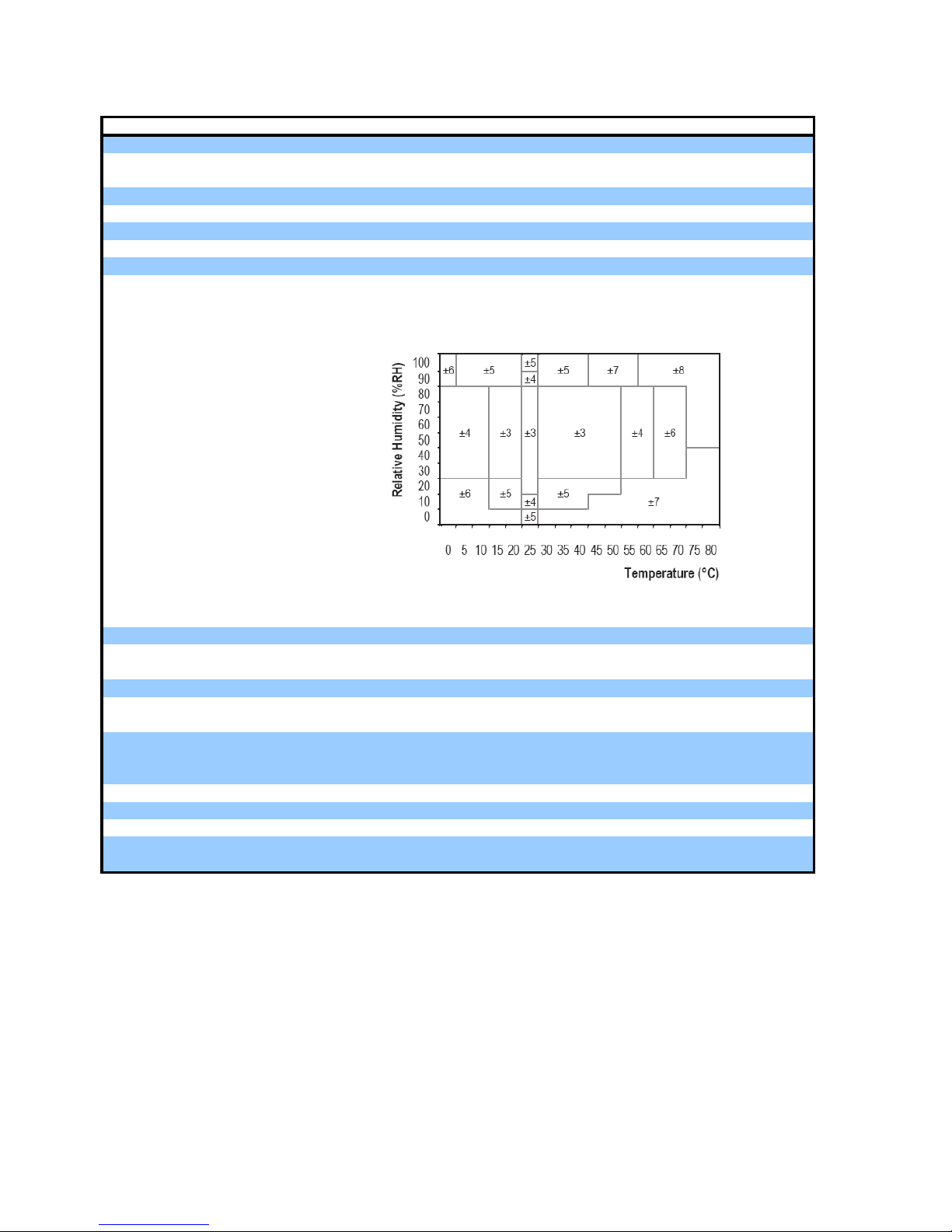
Maximum absolute error of the relative humidit
y
in th
e
temperature range of 0 .. 80 ° C
Refresh rate: 1
, 5,
10, 15 min.
Memor
y
depth: min. 88 days (refresh rate 1x per minute)
max. 3.6
y
ears (refresh rate every 15 minutes)
Other data:
AA standard or rechar
g
eable battery 1.2-1.5
V
or USB 5V AC adapter
AVG < 1mA
Bluetooth active: max. 70mA
Bluetooth inactive: max. 12m
A
Housing: Plastic housing length 187mm, diameter approx. 24.5mm
Wei
g
ht: approx. 80g incl. batter
y
Ambient storage temperature: -40..+85°C
Ambient operating temperature: -25 .. +85°C (observe operating parameters for the actual
batter
y
)
Power supply:
Current consumption:
Power supply:
Page 19

19
W&T
8 Weak points
!
W&T is known as a manufacturer of long-lived, reliable
products. But even we aren’t perfect. Especially when we
take on new areas it can happen that weak points
become evident whose solution we are already working on but
which we unfortunately cannot resolve in our accustomed rapid manner:
8.1 Bluetooth Stack
The Android Bluetooth-Stack is unstable at times, which can
result in freezing or crashing of the app. In this case you are
forced to quit the app using Settings -> Applications and turn
the app off and then on again. This restores function. The app
is currently undergoing revision to eliminate this problem.
8.2 WuTooth construction
The WuTooth circuit board is very thin where the battery
compartment is located and should be handled with care to
avoid breaking the webs. In addition the battery compartment
may have contact problems. In this case you must open the
WuTooth and reinsert the battery into its compartment. This
design will be improved in future versions.
 Loading...