

Page 1

Manual
USB-Hub Industry
Release 1.01, July.2011
Model 33601
W&T
Page 2

2
W&T Notes
© 08/2009 by Wiesemann und Theis GmbH
Subject to errors and changes:
Since we can make mistakes, none of our information should
be used without verification. Please tell us of any mistakes or
unclear information so that we can remedy them as quickly as
possible.
Perform work on or with W&T products only as described here
and after you have read and understood the manual
fully. Unauthorized actions may result in hazardous situations.
Weare not liable for the consequences of unauthorized actions.
If in doubt please contact us or your dealer first!
Page 3

3
W&T Introduction
Irrtum und Änderung vorbehalten
Introduction
Technology is unthinkable today without the USB interface.
Even in industry the USB is gaining in significance. Accordingly, W&T has developed an industry-compatible USB hub. The
„W&T USB -HUB Industry“ differs from commercial office USB
hubs in that the device is housed in a DIN rail enclosure. In
addition, the hub requires the industry standard voltage of 24 48V DC and can be used in an extended temperature range of
from 0 - 70 °C.
The hub features four downstream USB ports to which any USB
device can be simply connected using plug & play. The
downstream ports as well as the uplink port are USB 2.0
(Highspeed) compatible. This means they are also compatible with
USB 1.0 devices (Low- / Full-speed).
By cascading multiple hubs (max. 6 in a row) it is possible to
connect up to 127 different USB devices to one USB host.
Page 4

4
W&T Contents
Inhalt
Introduction ......................................................................... 3
Overview ..............................................................................5
Mounting ............................................................................. 6
Installation ........................................................................... 7
Display Elements ................................................................ 10
Technical Data ................................................................... 11
Page 5

5
W&T Introduction
Irrtum und Änderung vorbehalten
Overview
• Meets USB 2.0 Specifikation
• Downward compatible with USB 1.0 Specification
• Data rates: 1.5 / 12 / 480 Mbit/s
• Plug & Play
• Operating system neutral (no driver required)
• Protected against over-current/short-circuit
• One status indicator per port
• Multiple hubs can be cascaded
• DIN rail mount housing
Page 6
6
W&T Installation
Mounting
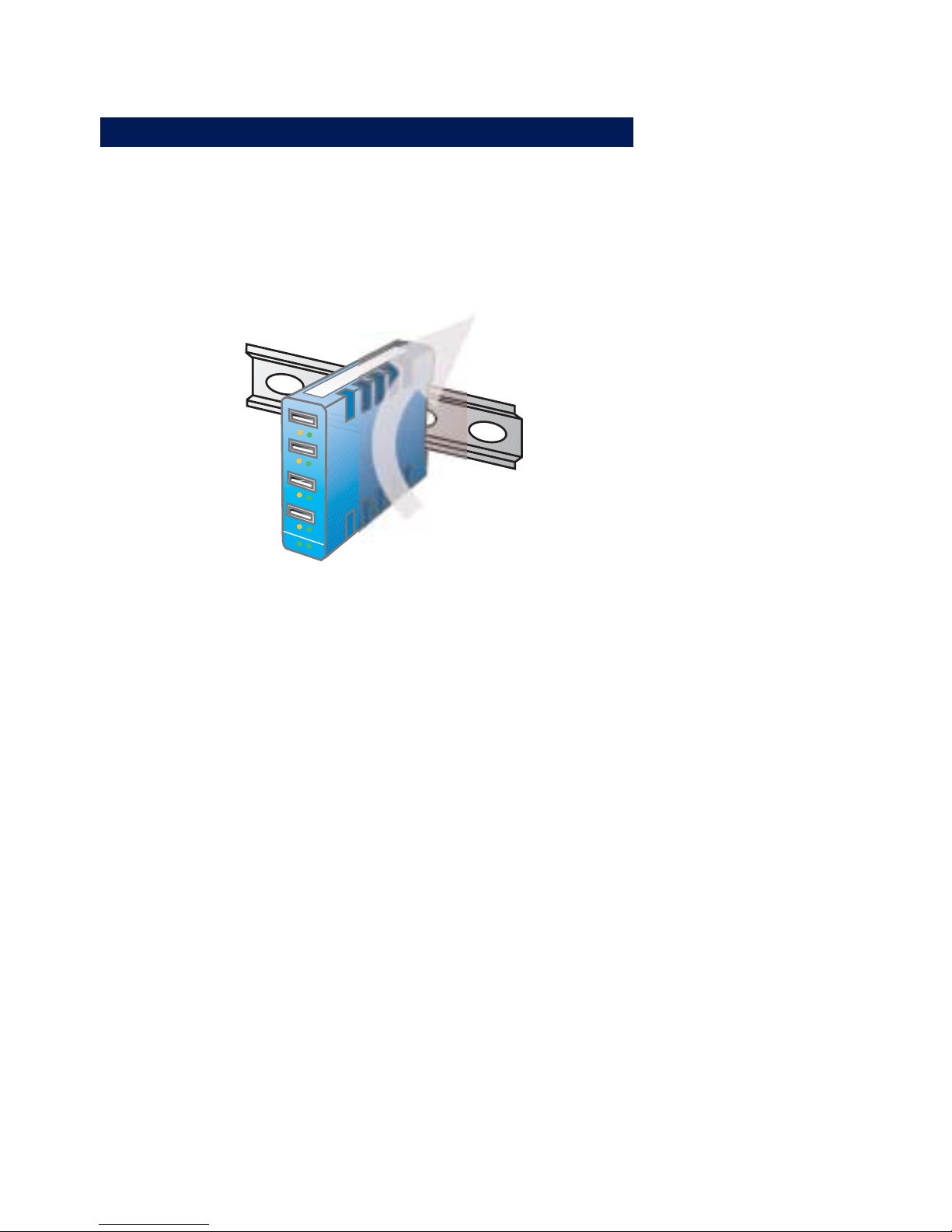
The housing of the W&T USB Hub and the arrangement of the
vent.
4
1
2
3
L
S
F
S
Po
w
er U
plink
a
i
r
c
i
r
c
u
l
a
t
i
o
n
1
Especially in ambient operating conditions with elevated
ambient temperature you must provide for adequate air
circulation when using alternate mounting solutions.
Page 7
7
W&T Installation
Irrtum und Änderung vorbehalten
Installation
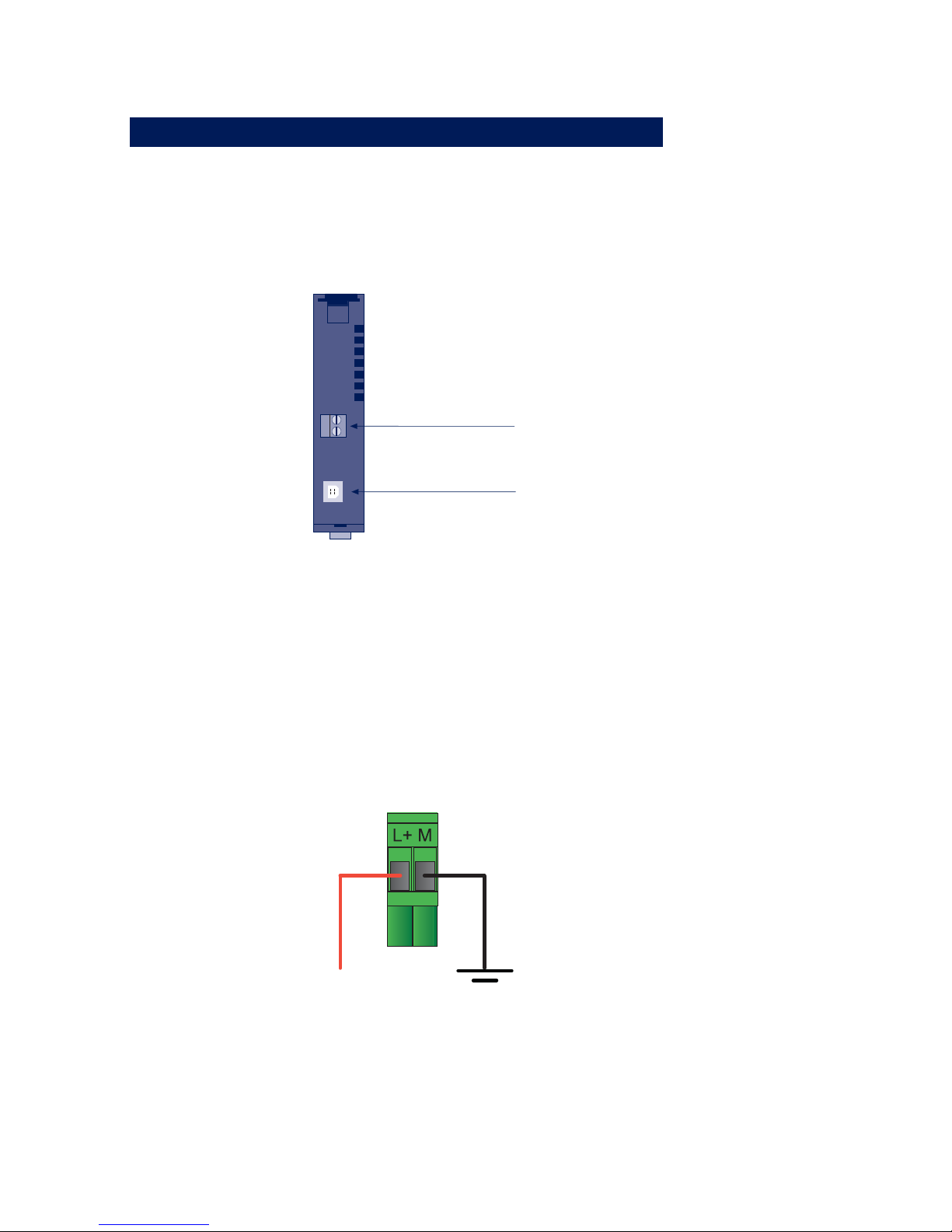
1. Connect the USB-Hub to a 24-48V DC power supply using
the provided screw terminal. (Power LED is green)
When connecting DC power supplies, please observe polarity
as indicated on the screw terminal adapter:
If you are using the W&T power supply, screw the power supply
connector on to the screw terminal adapter:
24-48V DC
Power supply
24-48V DC
Screw terminal
USB Uplink
Page 8
8
W&T Installation
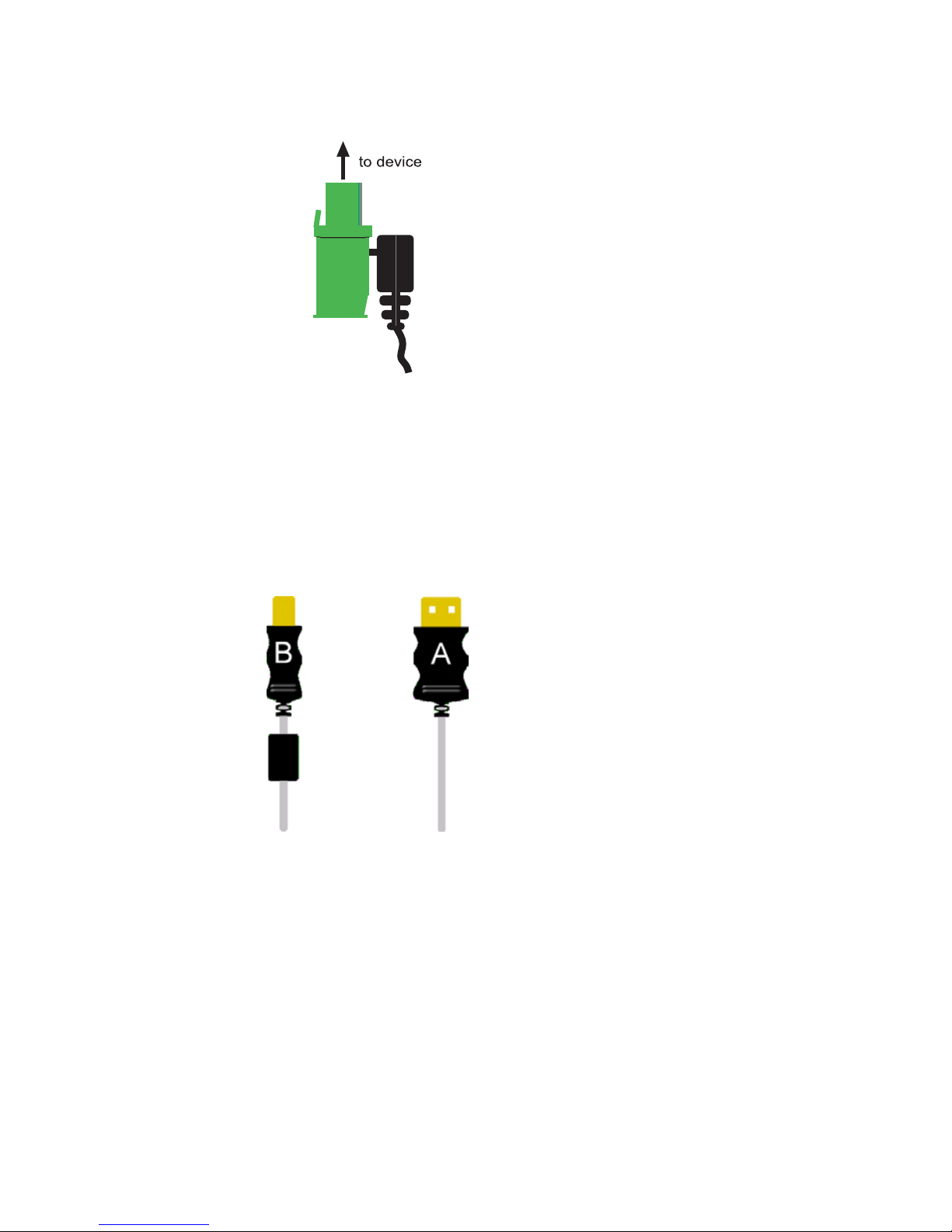
2. Plug the USB cable provided to the USB-B plug on the side of
the USB-Hub and connect the USB-A plug on the cable to the
computer.
3. The operating system detects a new USB device and installes a
new standard USB-Hub without asking for a driver.
Page 9
9
W&T Display Elements
Irrtum und Änderung vorbehalten
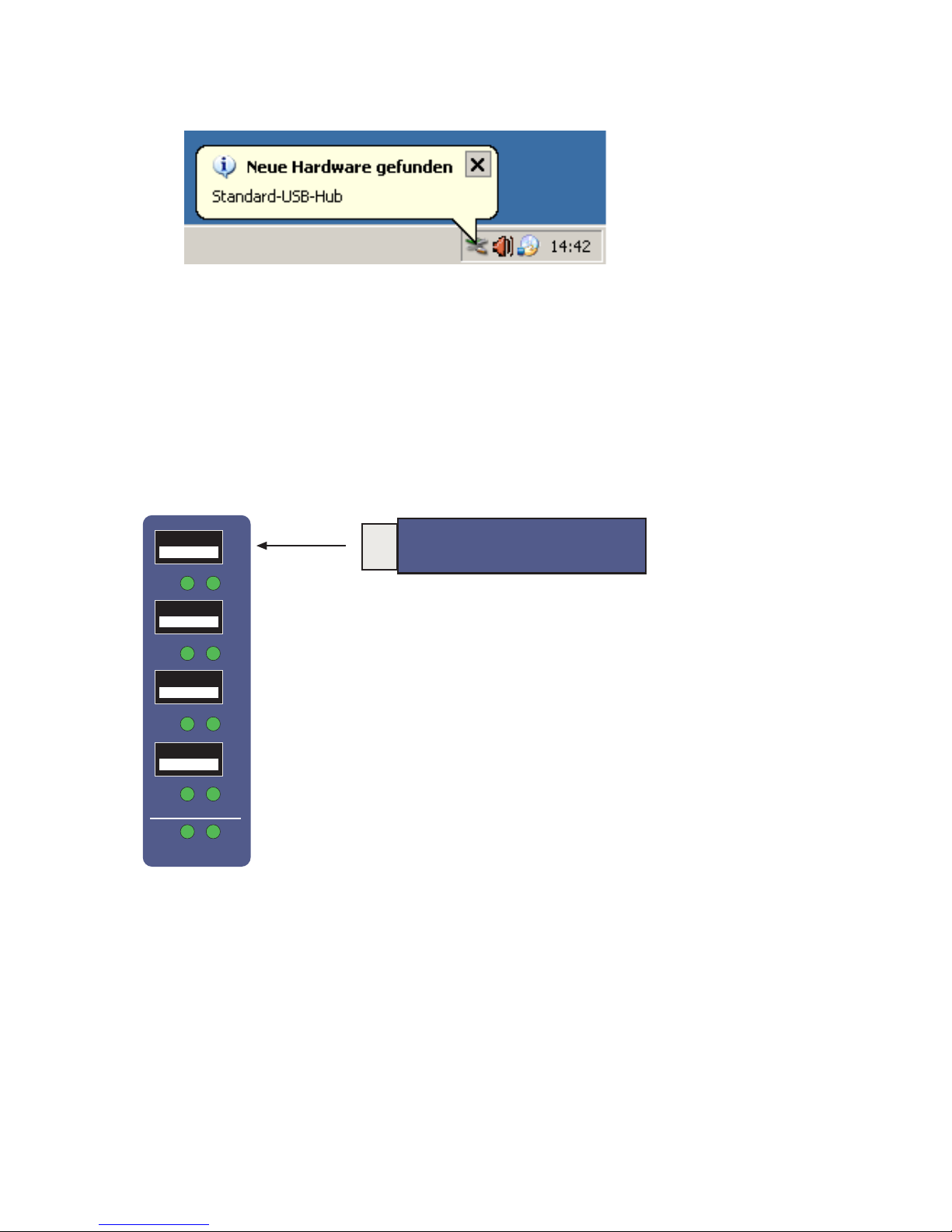
4. Plug a USB device into one of the four USB ports on the front
side of the USB-Hub. The asociated driver is installed and the USB
device is ready to use.
1
2
3
4
LS
FS
Power
Uplink
USB-Stick
Page 10

10
W&T Installation
Display Elements
Power LED
Off No power
Green Power OK
Uplink Speed LED
Off Fullspeed (FS)
Device connected,
max. speed 12 Mbit/s
Green Highspeed (HS)
Device connected,
max. Speed 480 Mbit/s
Port status LEDs (FS / LS)
Off No device connected or
device not ready
Yellow Lowspeed (LS) device
connected,
max. speed 1.5 Mbit/s
Green Fullspeed (FS)
Device connected,
max. speed 12 Mbit/s
Yellow and Green Highspeed (HS)
Device connected,
max. speed 480 Mbit/s
Page 11

11
W&T Technical Data
Irrtum und Änderung vorbehalten
Technical Data
Upstream ports (USB-B) 1
Downstream ports (USB-A) 4
Power supply mode External with power supply
Power supply DC 24V .. 48V (+/-10%)
Port supply DC 5V / 500 mA
No-load current typ. 30 mA @24V
Max. current draw 480 mA @24V
Operating temperatures
Storage -40 ..... +85 °C
Non-cascaded 0 ..... +70 °C
Cascaded 0 ..... +60°C
Housing Plastic compact housing for
DIN rail mount per
Din EN 50022-35
Dimensions 105x75x22mm
Weight approx. 110g
Scope of delivery USB-Hub
USB A/B cable
 Loading...