

Page 1
World Vision
QUICK GUIDE FOR DECO WORLD VISION
Thank you for purchasing the WVT50C HD receiver. It is supplied already configured
so that it is very easy to install it yourself. Simply by connecting you can enjoy over
200 TV and radio channels. If you change the channel list at any time, when you turn
on your receiver you will see a message announcing the change, and asking if you
want to accept the new list, you must select and press YES from your remote
control.
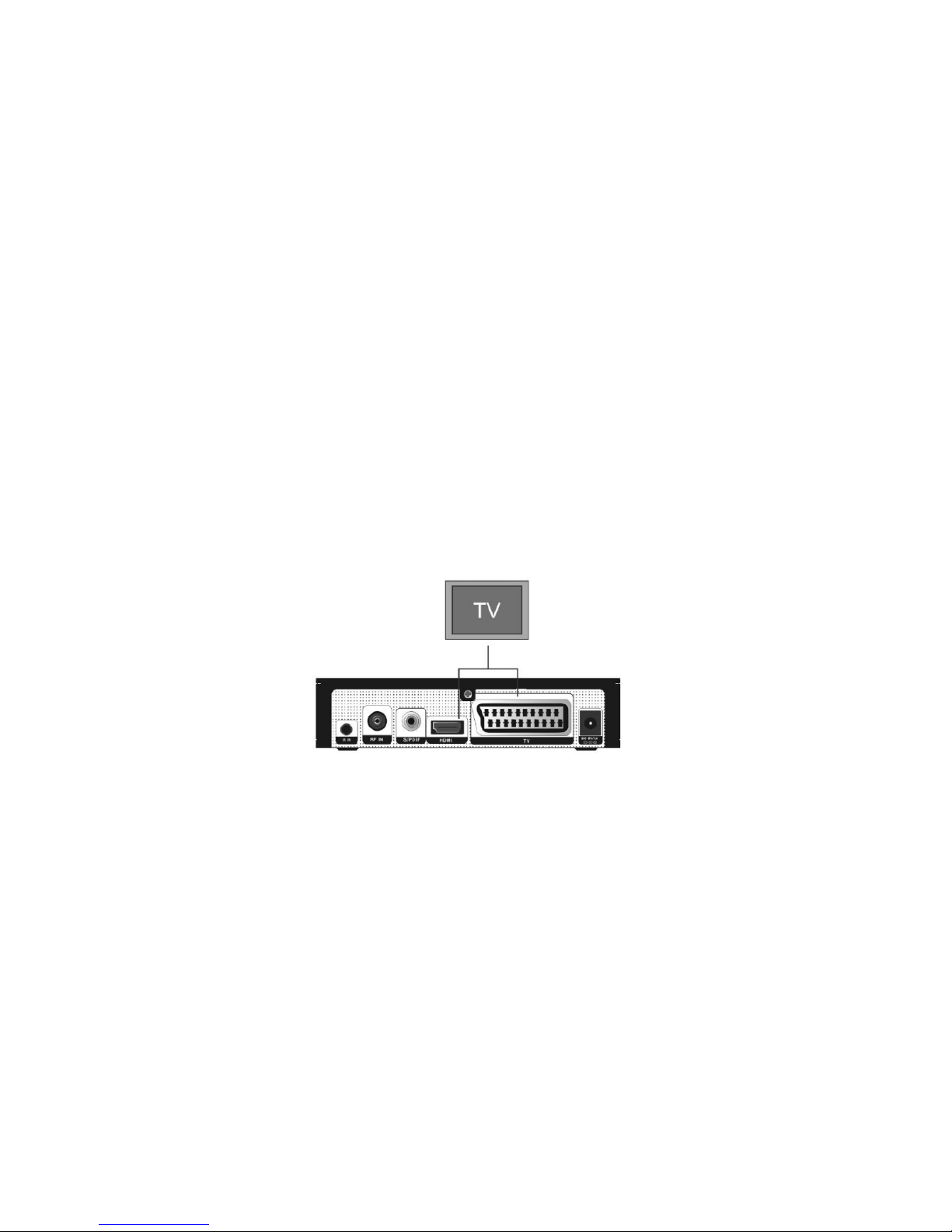
Connect the antenna cable to RF IN and the power adapter supplied to the power
supply and DC 5V / 1A to the receiver. If your TV has HDMI you should use an HDMI
cable for best results, plug one end of the cable into the receiver's HDMI jack and the
other end into the corresponding jack on your TV. In this case, you do not have to
make audio connections because the HDMI connector has stereo audio output or
Dolby Digital audio. If you have a standard definition TV, connect one end of the
SCART cable to the SCART connector on the back of the receiver and the other end
to a SCART connector on your TV.
Now you can comfortably watch and receive digital broadcasts of music, news,
movies and cable sports in your office or at home.
You can save TV and radio channels and organize them into favorites, with the
search, delete, move and sort functions. You can also record using the timer or direct
recording by connecting a USB memory or USB hard disk
The menu is very modern and supports multiple languages. All functions can be
performed using the remote control and some of the functions can also be
performed using the front panel. The HD Receiver is easy to use and adaptable to
future developments. If you have any difficulties regarding the Cableworld Operation
of your HD receiver, refer to the corresponding section of the instruction manual
found in the box, including 'Troubleshooting'. This manual will provide you with
Page 2
useful information on using the HD receiver. Here are some of the most common
functions in a simple way.
PERFORM AN AUTOMATIC SEARCH OF CHANNELS If you already have a previous
channel list, you will have to delete it beforehand.
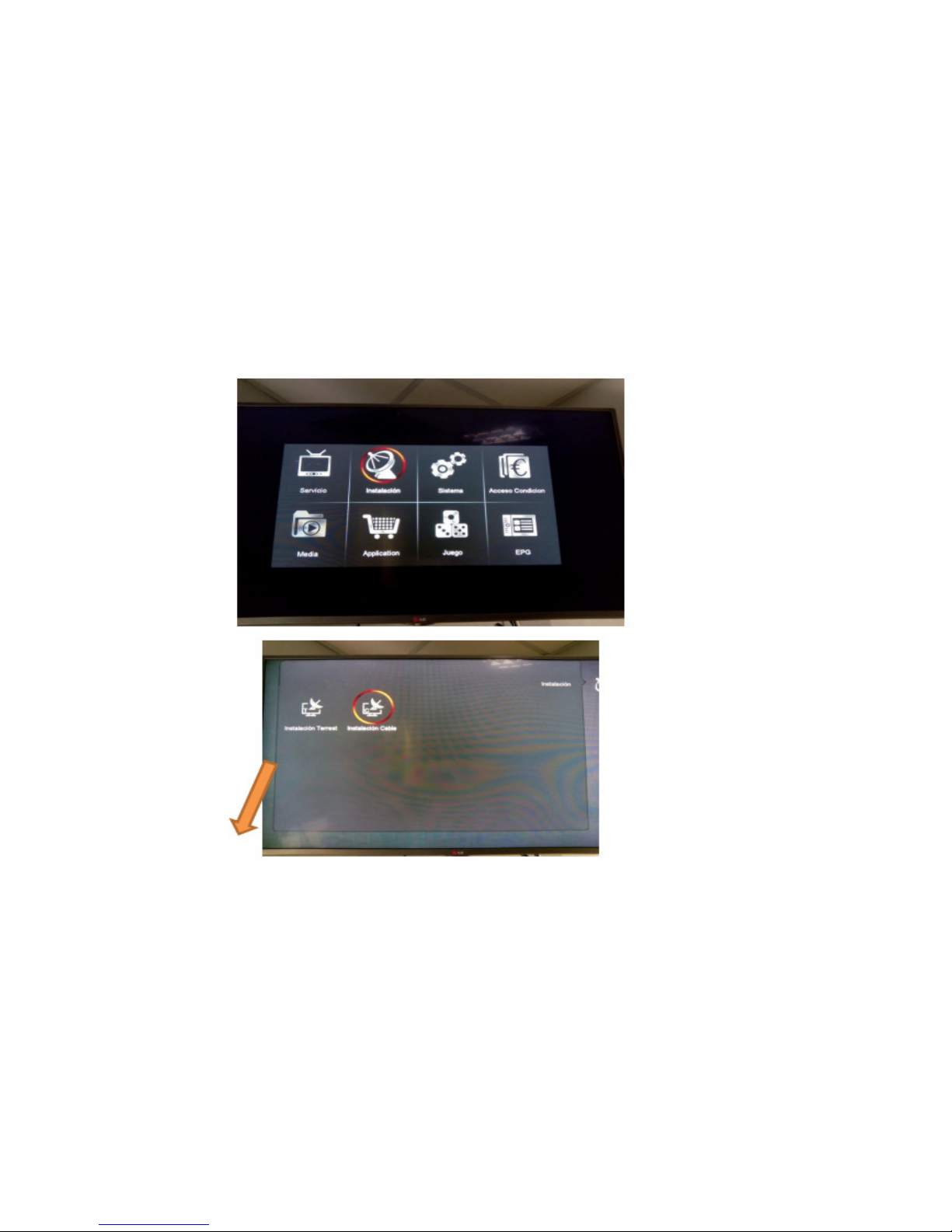
Press MENU - SYSTEM - DEFAULT SETTINGS - DELETE ALL CHANNELS - EXIT
TO TUNE AGAIN PRESS MENU - INSTALLATION - CABLE INSTALLATION.
Elda / Petrer towns, select cable installation Sax / Monovar / Murcia towns, select
Terrestrial installation
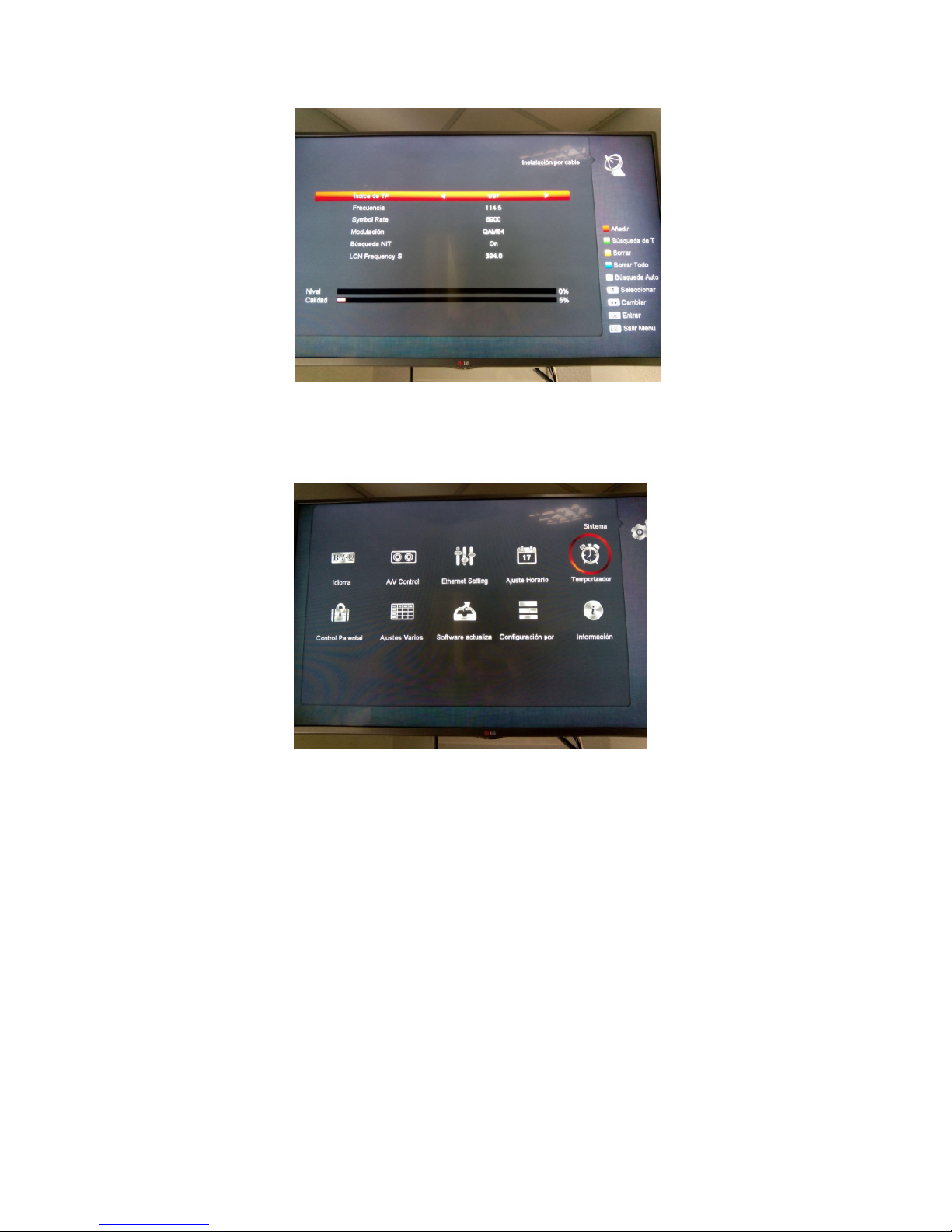
IF you have deleted by accident AND HAS DELETED THE CONFIGURATION, YOU
MUST INCLUDE THE FOLLOWING DATA: CABLE: FREQUENCY 378 - SIMBOL RATE
6900 - MODULATION QAM64 - SEARCH NIT ON - LCN FRECUENCY 378 and white
button Land: Select Country Spain and press red button IF IT WAS PROPERLY
SELECTED BY CLEARING CHANNELS: ON THE REMOTE CONTROL PRESS THE
WHITE BUTTON FOR SEARCH AUTO IN CABLE (ELDA AND PETRER) AND RED
BUTTON IN TERRESTRIAL (MONOVA AND SAX) SINCE THE DATA ALREADY HAVE IT
Page 3
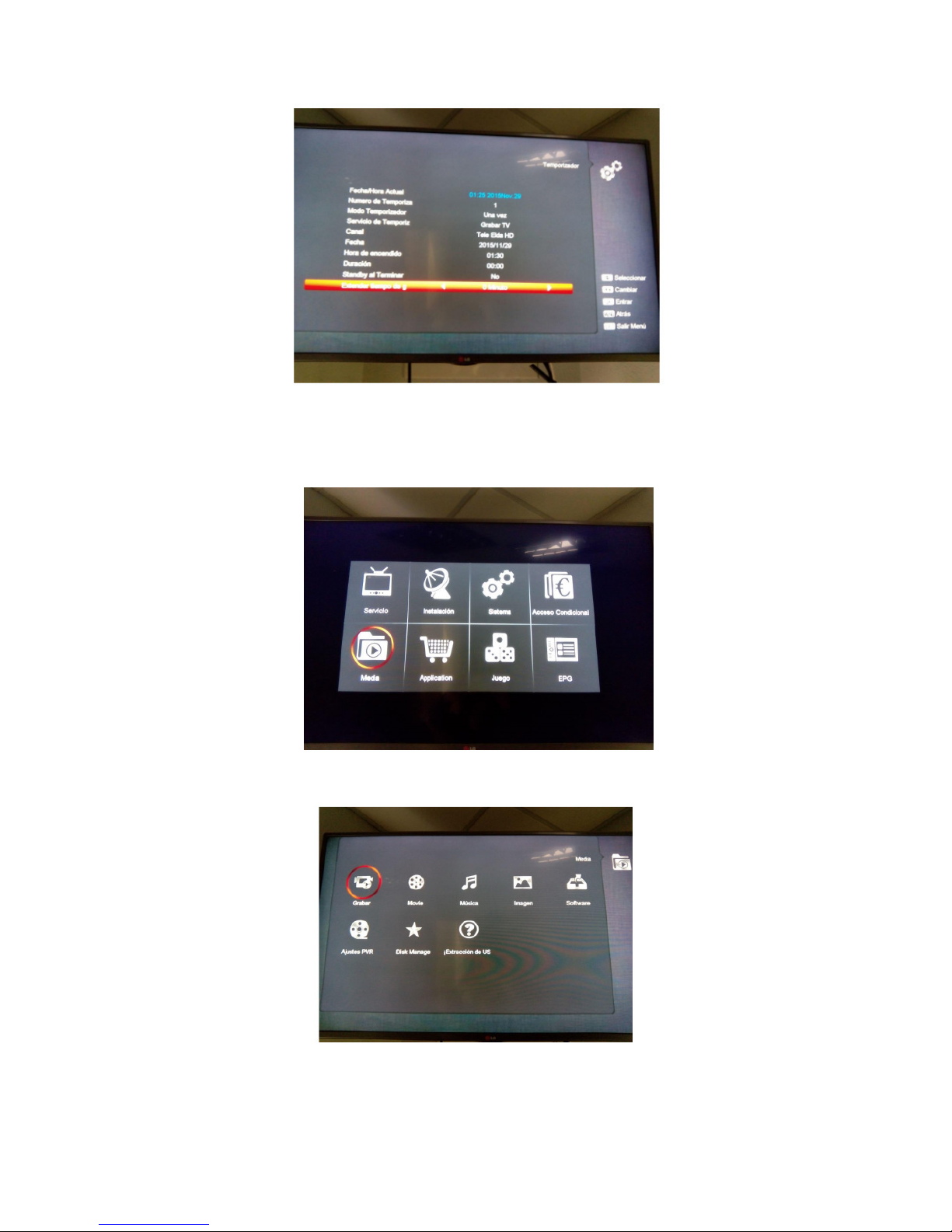
YOU CAN RECORD BY PUSHING THE REC BUTTON ON THE REMOTE CONTROL OR
USING THE TIMER. PRESS MENU - SYSTEM – TIMED
SELECT TIMER NUMBER, RECORD TV OR RECORD RADIO, CHANNEL, DATE, TIME,
DURATION, ETC..
Page 4
PUSH MENU - HALF YOU CAN SEE THE CONTENTS OF THE USB MEMORY
CONNECTED.
IF YOU SELECT REC
ORD YOU CAN SEE YOUR RECORDINGS
 Loading...