

Page 1

WT100CR operation manual
1, Touch remote controller battery install
Use AA size battery x 2
Note: DO NOT touch the “Touch Area” while placing the battery
2. Functions of Touch PAD
a. move coursor
touch and move touch-pad by finger
b. simulate mouse left button
a short touch (click)on touch pad
c. simulate mouse right button
a long touch(no moving approx. 1 second) on touch pad
3. Auto search RF receiver dongle
press and simultaneously until LED off then release keys ,
when you see blue LEDs keep ON, it means that the WT100CR is looking
for the RF dongle; when you see blue LEDs blinking quickly, it means that
both remote controller and RF dongle had been successfully connected!
Note : if you replace WT100CR battery, you have to reconnect RF dongle.
Page 2
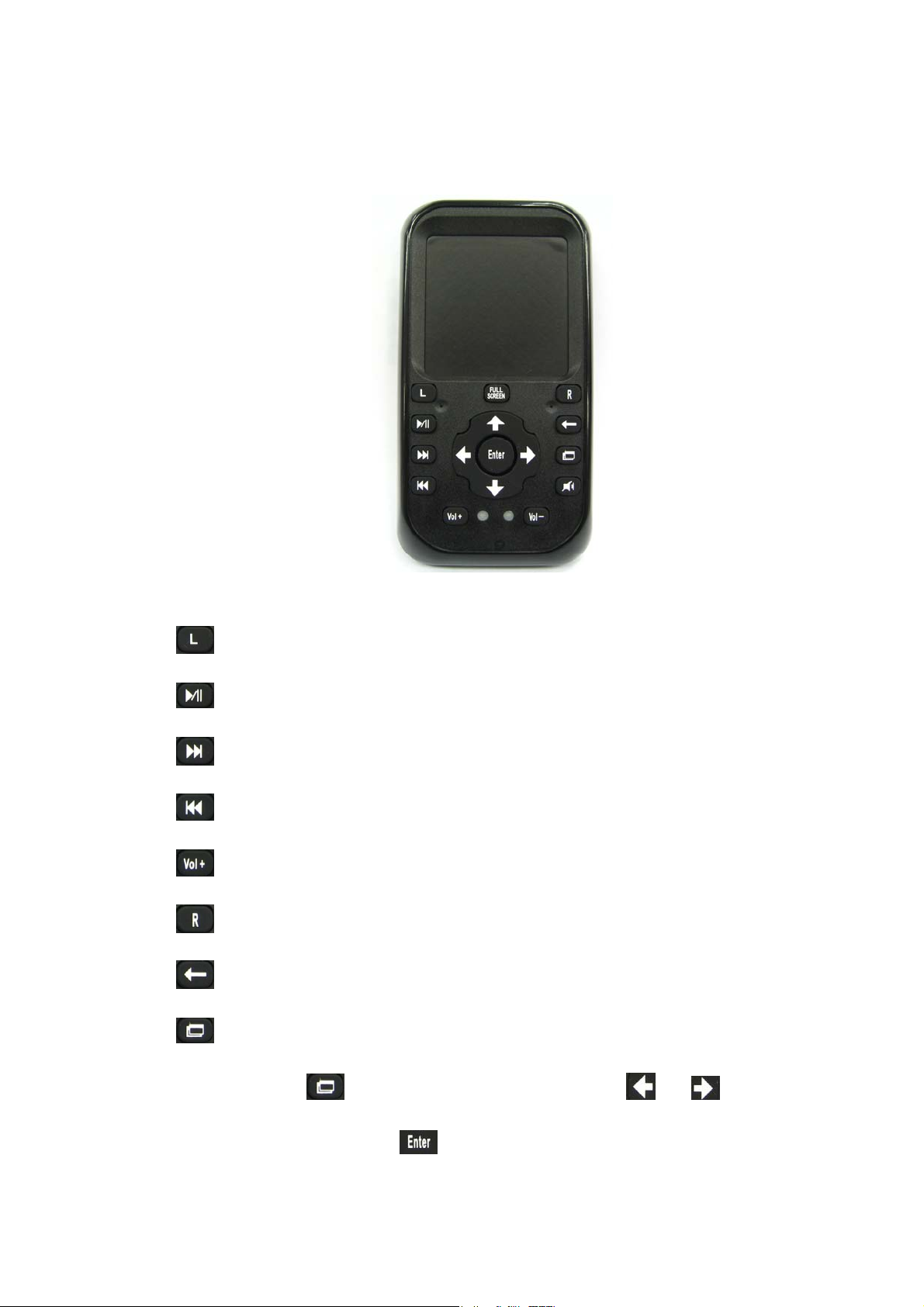
4. Key operation
mouse Left button
play/Pause in Windows Media Player
fast forward in Windows Media Player
fast backward in Windows Media Player
increase volume
mouse right button
Backspace
task window switching
Press , PC pop all active task iterm, or select
task, press switch to your task window
Page 3

mute
decrease volume
arrow up
arrow right
arrow down
arrow left
ENTER
full screen in Windows Media Player
5. RF Receive Dongle install
Plugin RF receive dongle to your PC/NoteBook USB port, PC/NoteBook
find a new device and install driver automatically.
This device complies with Part 15 of the FCC Rules. Operation is subject to the
following two conditions:
(1) This device may not cause harmful interference, and (2) This device must
accept any interference received, including interference that may cause
undesired operation.
 Loading...