

Page 1
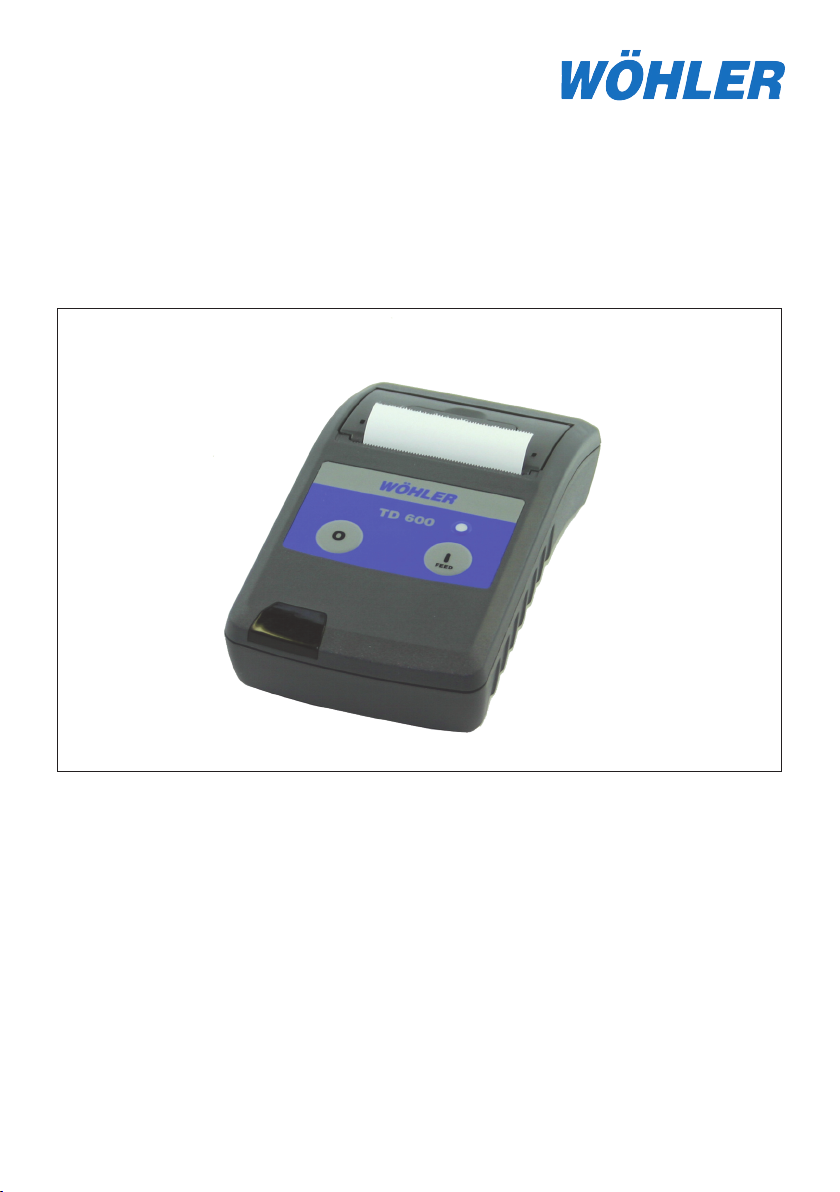
TD 600 Thermo-Fastprinter
Content
1. Specification .......................... 2
2. Operating elements ..............
3. Setup ........................................
4. Operating ................................
designed solutions - professional grade instruments
05.24.05
5. Maintenace, Cleaning .......... 5
2
3
4
6. Declaration of conformity ...
7. Warranty and Service ..........
6
7
Page 2

1. Specification
1. Specification
The Wöhler TD 600 Thermo-Fastprinter allows the user to obtain a hard copy of information held on their measuring device by utilizing the infra red communication facility
on their instrument.
Environmental Limits:
Operating temperature: 0 °C to 50 °C (32 °F to 122 °F)
-10 °C to 60 °C with special paper
Storage temperature: -40 °C to 60 °C (-40 °F to 140 °F)
Humidity: 5 % to 95 %, non condensing
Power: 4 x Batteries (AA)
Paper: Thermopaper 57mm wide
Part Nr.: 5145
2. Operating elements
TD 600
4
2
8
1 Button I Power on and paper feed
2 Button O Power off
3 LED Status
green flashing = Printer online
red flashing = Printer shutting down
4 Paper compartment lid
5 Opening lever for paper compartment lid
6 Battery tray
7 Opening lever for battery lid
8 Window for IR transmitter / receiver
5
3
1
6
7
2 Tel: 919-678-9809 Fax: 919-678-9897
Page 3
3. Setup
3. Setup
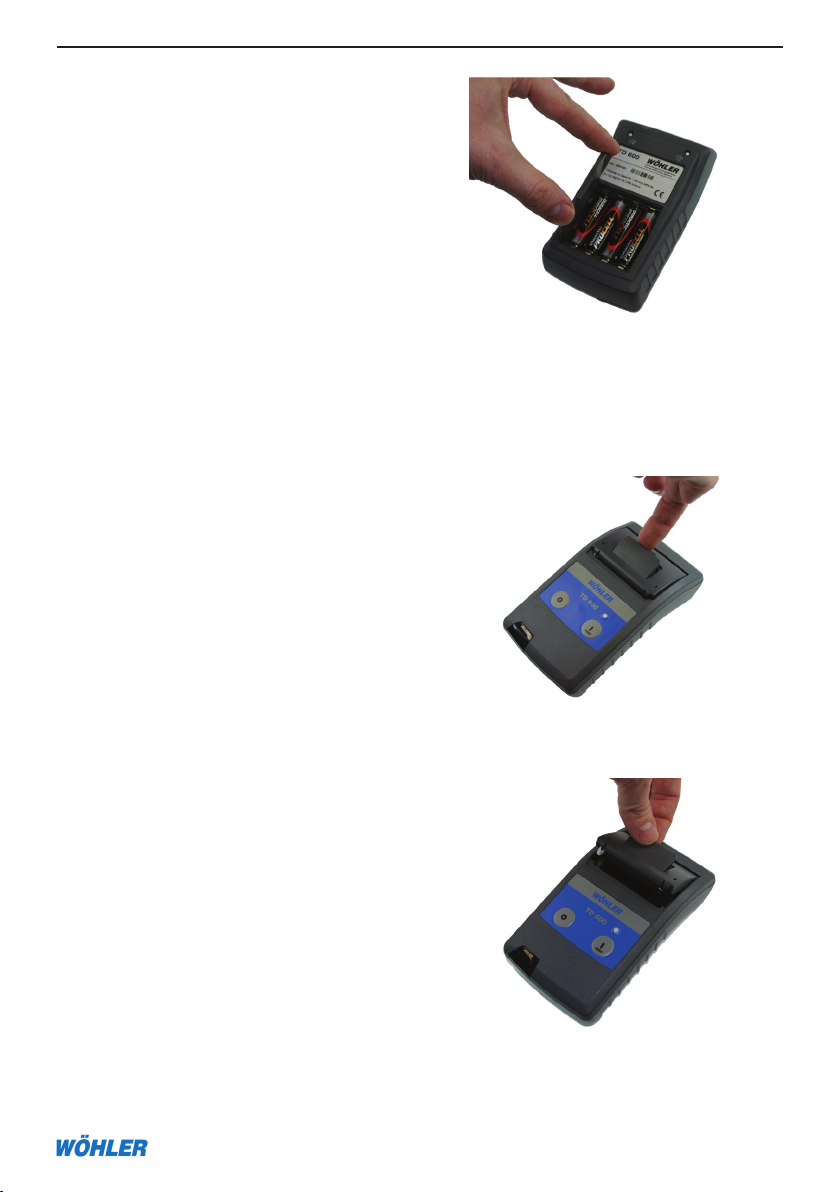
3.1 Inserting / Exchanging batteries
The lid of the battery (6) compartment on
the bottom of the printer can be opened by
pressing a coin against the spring latch (7).
Each cell has to be oriented according to
the polarity as shown at the bottom of the
compartment (alternating from one position
to the next) Please use only non-rechargable
batteries..
3.2 Inserting / Replacing paper
Open the lid of the printer (4).
TD 600
Now you are able to lift the lid.
Page 4

4. Operating
Put the paper roll in the paper compartment making sure that the outside is
turned toward the printer mechanism.
Close the lid by pressing on it till the lid
snaps into place.
TD 600
4. Operating
Switch the printer on by pressing the Button 1 (1). The green flashing LED (3) shows
that the printer is ready to use. You now can start a transfer from your transmitting
device. The distance to the printer should be less than 2m/6ft. and the angle to the
printer less than +/-15°.
By holding the Button O (2) for 3 seconds you can turn the printer off at any time.
The printer activates a sleep mode after being idle for 10 Minutes. You can restart the
printer by pressing the Button I. (1).
4 Tel: 919-678-9809 Fax: 919-678-9897
Page 5

5. Failure Corrective Action
TD 600
5. Maintenance, Cleaning
5.1 Selftest
If you are not certain that the printer is operating correctly, run the self-test as follows:
Turn the printer off by holding the O Button. Now hold the button I until the printer
starts printing.
5.2 Battery condition reference
Please run first the printer self-test as described in 5.1.
The printout contains a line with the voltage of the batteries U
: x.xV. New batteries
bat
should have a voltage of 6.0V.
5.3 Maintenance, Cleaning
Periodically and after a long print, it may be
necessary to clean the print head, sensor,
and the platen roll, especially, if some areas
are no longer printing properly.
- open paper supply lid and remove paper
- loosen dirt particles at the paper sensor
and the tear-off bar with a small soft brush
9
- blow forcefully into the paper supply compartment in order to remove the coarse dust
- soak Q-Tip in isopropanol (IPA) and gently
10
clean the print head
Never use sharp objects for cleaning. This
might cause damage to the print head.
11
9 Paper tear-off bar
10 Print head
11 Paper sensor
Page 6

TD 6006. Declaration of conformity
5.4 Missing or misformed characters
The ? character is printed if information is lost because the printer cannot print fast
enough to keep up with incoming data. The ? character will also be printed if the printer has detected incorrect data due to interference with, or interruption to, the stream
of incoming information. Common causes for this error include incorrect positioning
of the printer with reference to the instrument (this can either be due to the distance
or the angle of operation), obstruction of the infrared signal or even interference from
another infrared emitting source.
6. Declaration of conformity
The following product: TD 600 Thermo-Fastprinter
complies with essential protection requirements of Council Directive (89/336/EWG)
on the approximation of the laws of the Member States relating to electromagnetic
compability and to the low voltage directive (73/23/EEC).
Assement of compliance of the product with the requirements relating to electromagnetic compability was based on the following standards:
EN 55081-1
EN 55082-1
EN 61010-1:1993
This declaration is based on the measurements of the producer.
6 Tel: 919-678-9809 Fax: 919-678-9897
Page 7

7. Warranty and Service
TD 600
7. Warranty and Service
7.1 Warranty
Please read fully!
Warranty TD 600 Thermo-Fastprinter
TD 600 Fastprinter Hardware: WöhlerUSA Inc. warrants to the original end user (Customer) that this product will be free from defects in workmanship and materials, under
normal use, for one year from the date of original purchase from WöhlerUSA Inc. or its
authorized reseller. WöhlerUSA Inc.’s sole obligation under this express warranty shall
be, at WöhlerUSA Inc.’s option and expense, to replace the product or part with a comparable product or part or to repair the product or part. Replacement products or parts
may be new or reconditioned. WöhlerUSA Inc. warrants any repaired or replaced parts
for a period of ninety (90) days from shipment or through the end of the original warranty obligation, which ever is longer. All parts or products that are replaced become
the property of WöhlerUSA Inc.
Obtaining Warranty Service:
The Customer must contact WöhlerUSA Inc. during the normal business hours of 9:00 and 4:00 EST
Monday through Friday, excluding statutory and other noted holiday periods, within the applicable warranty
period. Dated proof of purchase, the Invoice, and the applicable serial numbers of the warranted products is
required. WöhlerUSA Inc. is not responsible for Customer products returned without prior return authorization. WöhlerUSA Inc. may, at its sole option, provide advance shipment of replacement parts prior to receiving
the original product or part (advance exchange). If advance exchange is not available, then the repaired product will be shipped as soon as possible. Repaired or replaced product or parts will be shipped at WöhlerUSA Inc’s expense. Products or parts returned by the Customer to WöhlerUSA Inc are done at their risk and
must be sent prepaid and packaged appropriately for safe shipment. It is recommended that they be insured
or sent by a method that provides for the tracking of the package. When advance exchange is provided and
the Customer fails to return the original product or part to WöhlerUSA Inc. within fifteen (15) days from the
date the warranty service authorization was issued, WöhlerUSA Inc. will charge the Customer the then current published catalog price of such product or part. To obtain warranty service please call WöhlerUSA Inc.
at 919-678-8766 , or email [email protected] during the business hours mentioned above.
Warranties Exclusive:
If this product does not operate as warranted above, the Customer’s sole remedy for breach of that warranty
shall be replacement or repair of the product or part. To the full extent allowed by law, the foregoing war
ranties and remedies are exclusive and are in lieu of all other warranties, terms, or conditions, express or
implied, either in fact or by operation of law, statutory or otherwise, including warranties, terms, or conditions
of merchantability, fitness for a particular purpose, satisfactory quality, correspondence with description, and
non-infringement, all of which are expressly disclaimed. WöhlerUSA Inc. neither assumes nor authorizes
any other person to assume for it any other liability in connection with the sale, maintenance or use if its
products. WöhlerUSA Inc shall not be liable under this warranty if its testing and examination of returned
product shows that the alleged defect or malfunction does not exist or was caused by the Customer’s or any
third person’s misuse, neglect, improper installation or testing, unauthorized attempts to open, repair or modify the product or any other cause beyond the range of intended use, or by accident, fire, or any other hazards or Acts of God. This warranty does not cover physical damage to the surface of the product including
cracks or scratches. This warranty does not apply when the malfunction results from the use of this product
outside of specified operating conditions or with accessories, other products, or peripheral equipment and
WöhlerUSA Inc. determines that there was no fault or failure of the product itself.
-
Page 8

TD 6007. Warranty and Service
Limitation of Liability: To the full extent allowed by law, WöhlerUSA Inc. also excludes for itself and its suppliers any liability, whether based on contract or Tort (Including Negligence), for incidental, consequential,
indirect, special, or punitive damages of any kind for loss of business, profits, information or data or images,
or other financial loss arising out of or in connection with the sale, installation, maintenance, use, performance, failure or interruption of this product, even if WöhlerUSA Inc. has been advised of the possibility of
such damages, and limits it’s responsibility to the replacement or repair of the product or part. This Limited
Warranty is governed by the Laws of the Sate of Delaware.
SERVICE:
WöhlerUSA Inc.
1933 Evans Road. Cary, NC. 27513
919-678-8766, Email: [email protected]
8 Tel: 919-678-9809 Fax: 919-678-9897
 Loading...