

Page 1
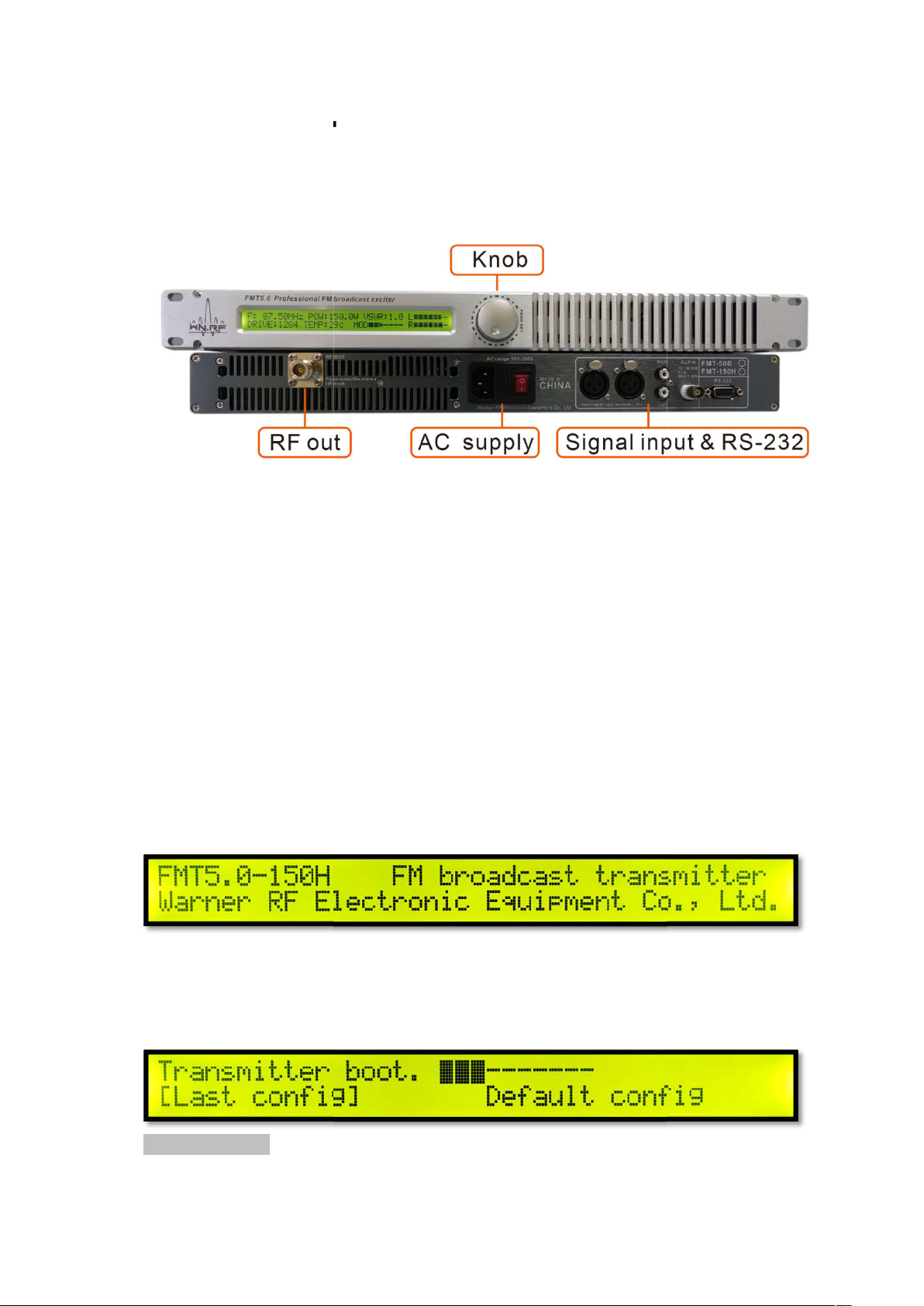
FMT5.0
nitial preparation work:
First set up the antenna cable
port, then plug the power cord into the transmit
t the audio cable to the XLR
divided into two channels. Connection is complete, please turn on the
transmitter panel POWER button, the device starts.
Transmitter boot interface
Model / equipment name / manufacturer information
starts
The progress bar e
the knob to select, short press the knob to confirm.
anual
and connect it to the transmitter's RFOUT
, the outlet is
about 10 seconds. Turn
User M
I
inser
header or RCA outlet
The transmitter
Transmitter boot.
default configuration
nters the selected setting in
Page 2
Last config
Last configuration,
default configuration, the system default frequency 98MHZ / power OW /
stereo + external modulation / audio pre
10 seconds.
Current power
TEMP:
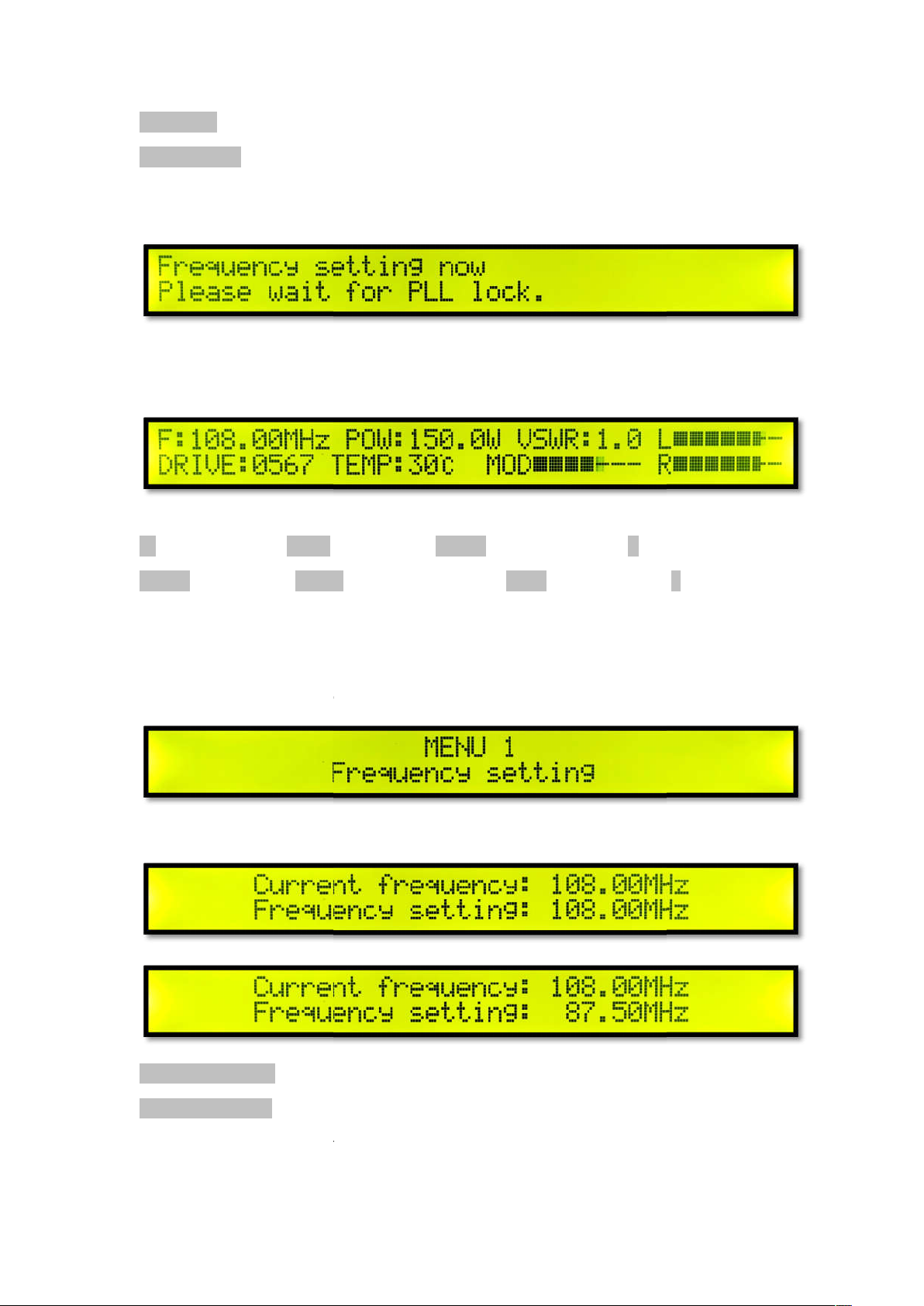
Short press the knob to enter the menu settings, turn the knob to s
Menu 1 frequency setting
Short press the knob to enter the frequency setting.
current frequency
Set the frequency
Turn the knob to adjust the frequency setting, short press the knob to confirm the frequency
Left channel level
Modulation Level
the latest shutdown configuration.
Default config
PLL lock wait
Waiting time about 2-
Main interface
F: Current frequency POW:
DRIVE: Amplifier Push
Amplifier Temperature MOD
level
-emphasis 0 / volume gain 0dB.
VSWR: Standing wave ratio L
R Right channel
menu.
Current frequency:
Frequency setting:
setting.
Page 3
again for each frequency setting. After the lock is completed, return to menu 1
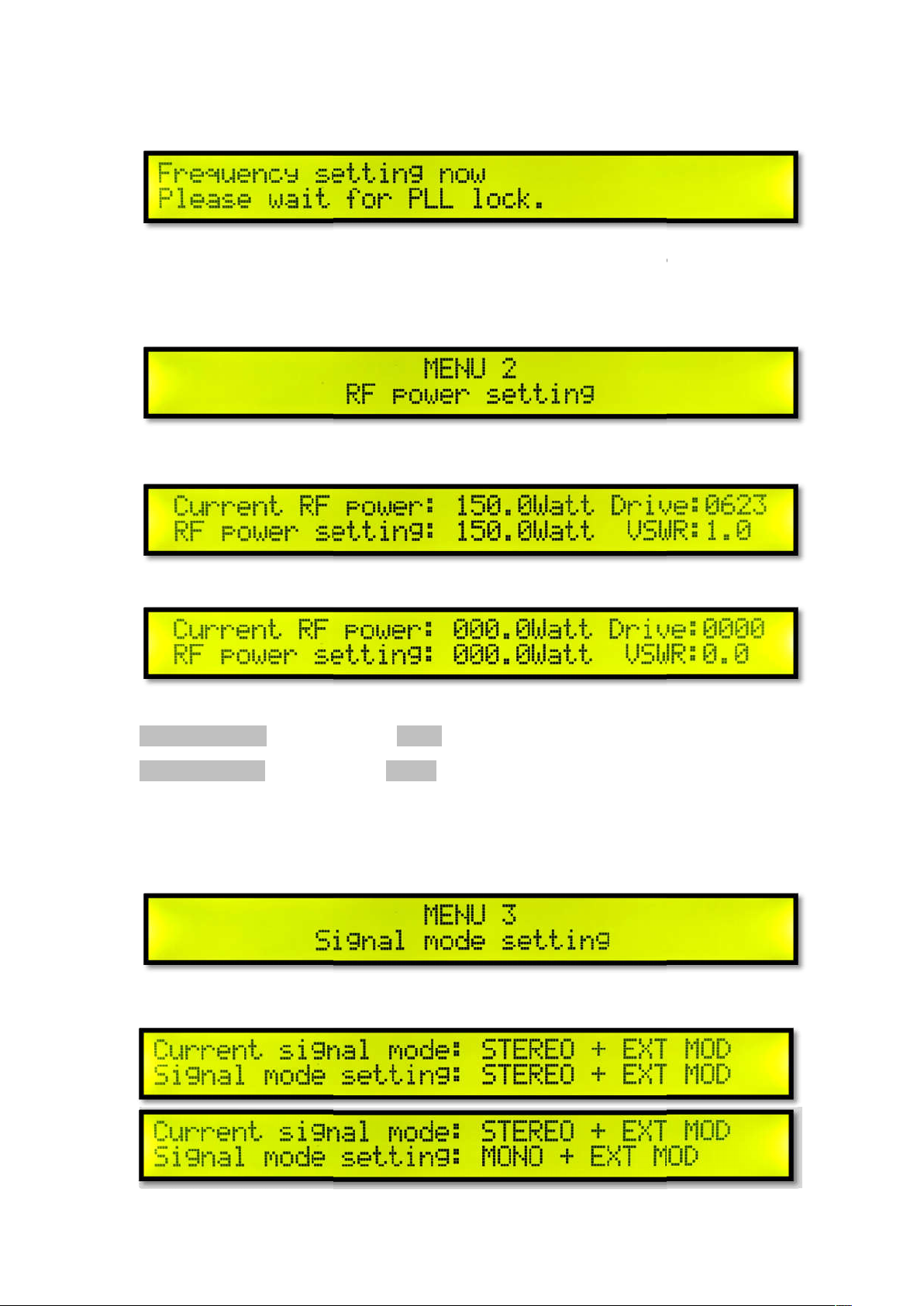
Menu 2 power settings
Short press the knob to enter the power setting.
Current RF power
power setting
Turn the knob to adjust the power setting, press the knob to confirm the power setting. And
return to menu 2 power settings.
enu 3 signal modulation settings
Short press the knob to enter the signal modulation setting.
The PLL locks
frequency setting.
Current RF power:
RF power setting: RF
M
Drive: Amplifier push
VSWR: VSWR
Page 4
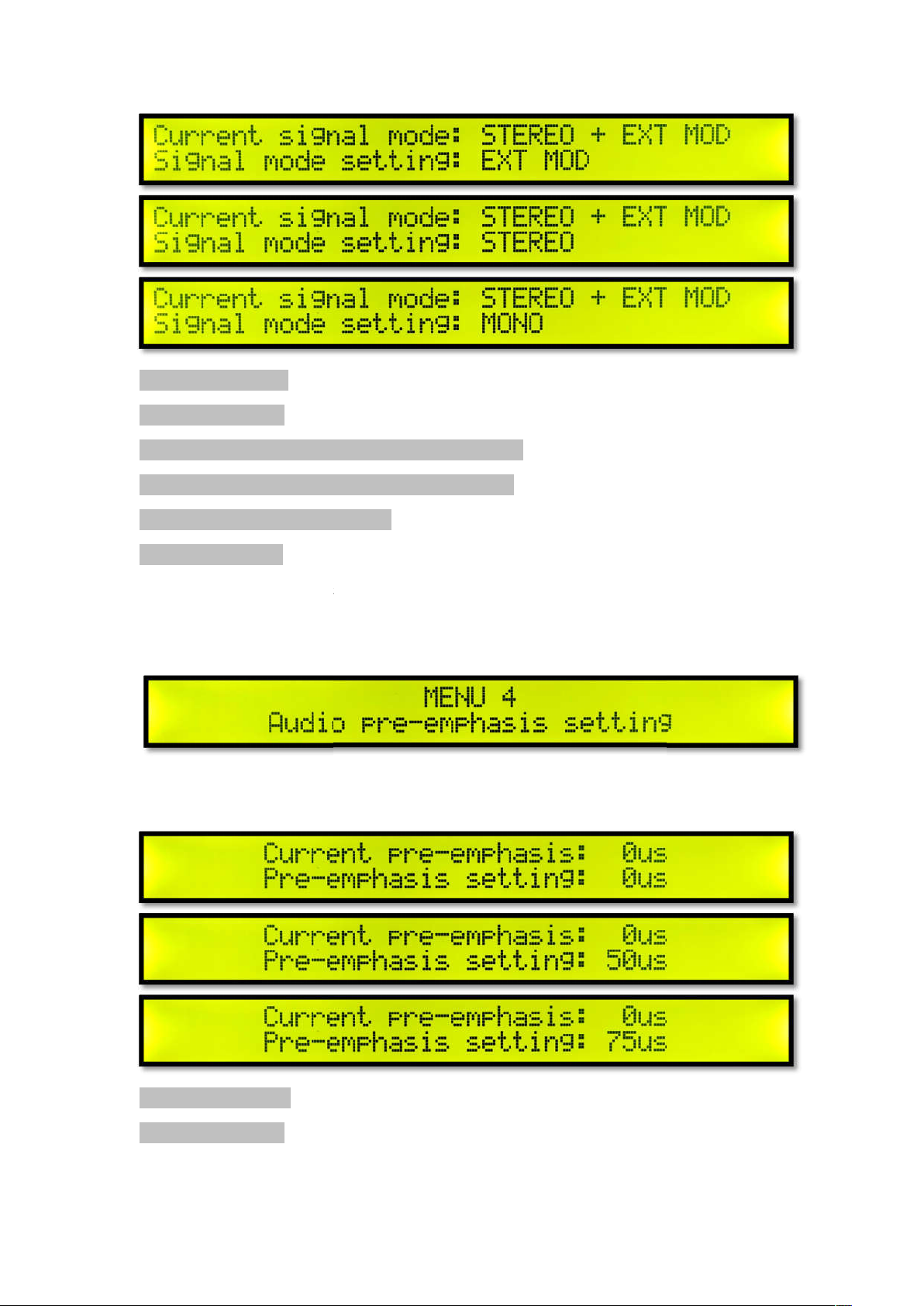
Current signal mode
Signal mode setting
STEREO + EXT MOD Stereo + External Modulation Input
MONO + EXT MOD Mono + External Modulation Input
EXT MOD External Modulation Input
adjust the signal mode setting, short press the knob to confirm the signal
mode setting. And return to menu 3 signal mode setting.
emphasis settings
Short press the knob to enter the short press knob to enter the signal modulation setti
: The current pre
emphasis setting
Current signal mode:
Signal mode setting:
STEREO Stereo Input
Turn the knob to
Menu 4 audio pre-
ng.
Current pre-emphasis
Pre-emphasis setting: Pre-
-emphasis
Page 5
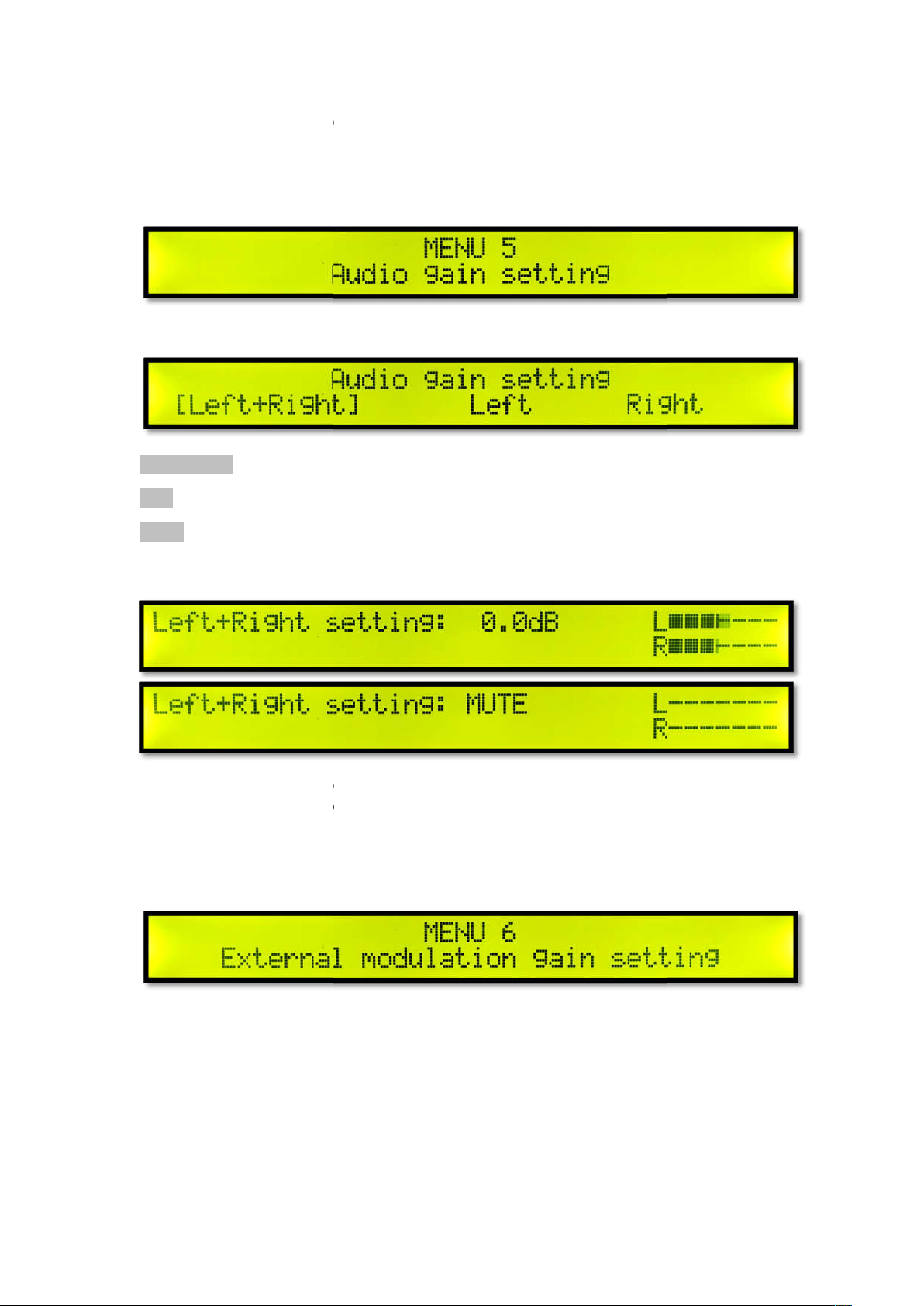
Turn the knob to adjust the audio pre
emphasis setting. And return to menu 4 Audio Pre
Menu 5 Audio Gain Setting
Short press the knob to enter the audio gain setting.
Left channel +
Turn the knob to select the audio channel setting, short press the knob to confirm the
Turn the knob to adjust the audio channel gain in real time.
try adjusting the L and R levels to full without OVER. If
to MUTE. Short press the knob to exit the audio gain setting. And return to menu 5
Menu 6 External Modulation Gain Setting
Short press the knob to set the external modulation gain.
emphasis setting, short press the knob to
you want to set mute, adjust
confirm the audio preSettings.
-
-emphasis
Left + Right
Right channel
Left Left channel
Right Right channel
audio channel setting.
quality,
audio gain setting.
Page 6
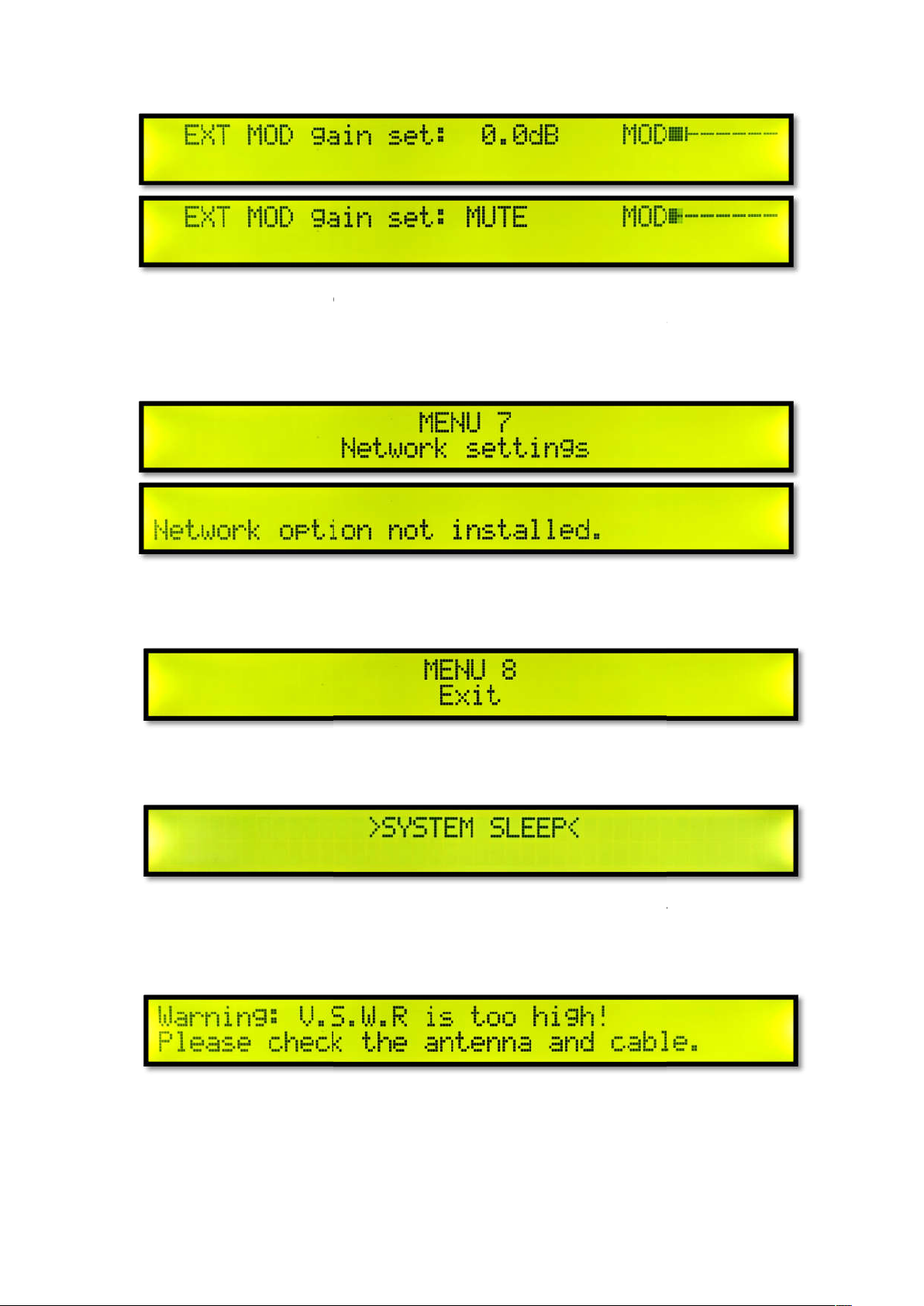
ust the external modulation gain in real time. If you want to set
mute, adjust to MUTE. Short press the knob to exit the external modulation gain
setting. And return to Menu 6 External Modulation Gain Setting.
Menu 7 network settings
cted not installed. Short press the knob to exit.
the menu
Short press the knob to exit the menu and return to the main interface.
Long press the knob in the main menu page to sleep the system, short press the
system hibernation.
System alarm prompts
Warning: V.S.W.R standing wave high! Please check the antenna and cable
Turn the knob to adj
Network option dete
Menu 8 exit
System sleep
knob to exit the
connection.
Page 7
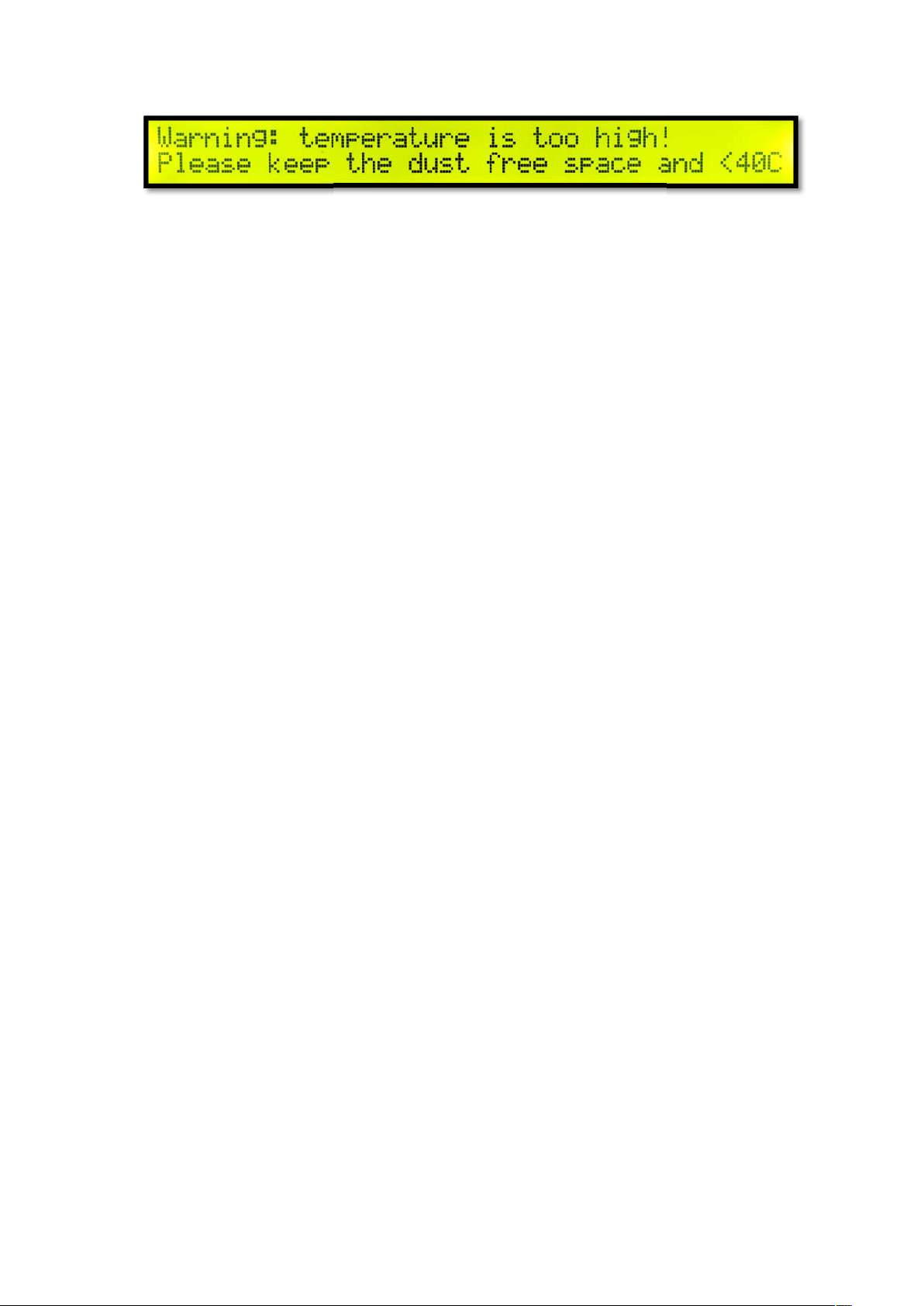
Warning: the temperature inside the machine is high! (More than 70
the room clean and does not exceed 40
℃.
) Please keep
 Loading...