

Page 1

User Manual
Safety precautions
-- Please use standard car charger to charge. Using other car charger may break down and
produce danger.
-- Batteries and internal components can only be removed and replaced by professional
people.
-- Do not use power adaptor in the humid environment. Do not touch the power adaptor when
hands and feet are wet.
-- Please make sure the wind of the area is good before use power adaptor. Do not let the paper
or other goods cover the power adaptor, which will influence its speed of cooling.
-- Do not repair the unit by ownself, if the machine is damaged or in the humid environment,
please replace the unit.
Warranty statement
--The warranty applies to accessories and technology service of the product which is
produced. The warranty period is one year from the date of purchase. Under the normal use
situation, we provide free maintenance services.
Important:
1. Note:The warranty does not apply to product damage which is caused by following
factors: remove the machine by ownself to modify, misuse, abuse, or accidents and
other irresistible factors. Using parts which are not produced, repairing the machine by
other people.
2. Consumable components are not included in the warranty.
3. No liability for damage or loss of any program, material or removable storage media.
Product Introduction
-- Full HD 1080P
-- 1.5-inch LCD screen.
-- H.264 MOV Image Compression technology.
-- Higher power/higher angle/lower illumination/suitable for day and night to record video.
-- 6x digital zoom lens.
-- Recording video automatically while driving and charging, power off automatically while
parking.
-- Support anti-shock function while recording video.
-- Loop recording function.
-- Support lock or unlock the important video file while recording video or in the review mode.
-- Seamlessly recording.
-- Support TF-Card max to 64GB
-- G-Sensor function, the current video file will be locked when cars are collided.
Charging
Connect the machine to the power supply via car charger.
Insert TF-card
Place a TF-Card into the TF-Card slot until it clicks into place.
Press the top of the TF-Card to remove the TF-Card.
Page 2
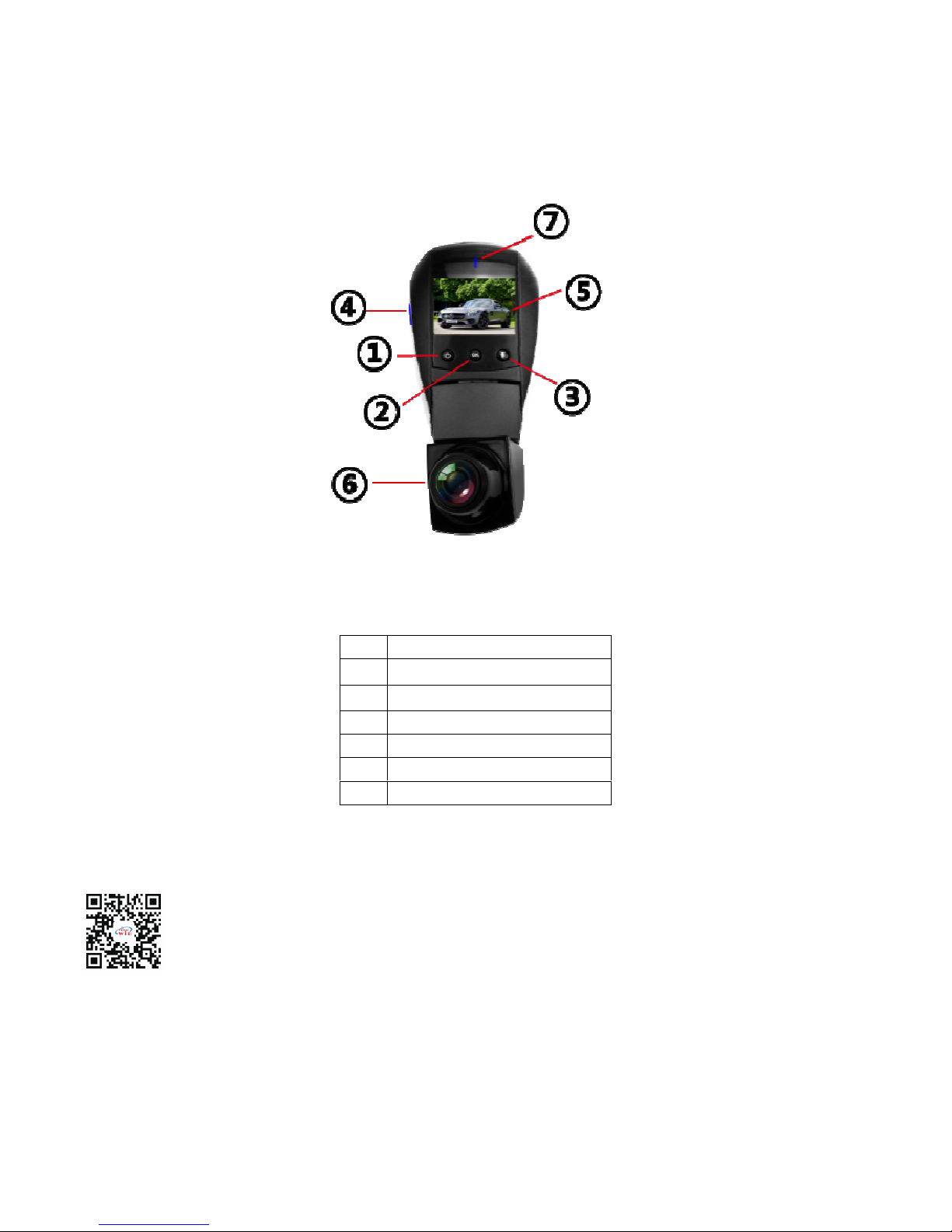
Product Pictures
APP :
Scan the QR to download the APP, or search “TimaCam” in the application center.
WiFi Name:BOC
WiFi Password:12345678
1
Power/Mode
2
Menu/Ok
3
Audio/Down
5
Display
4
MicroSD Card Slot
6
Lens
7
light
Page 3
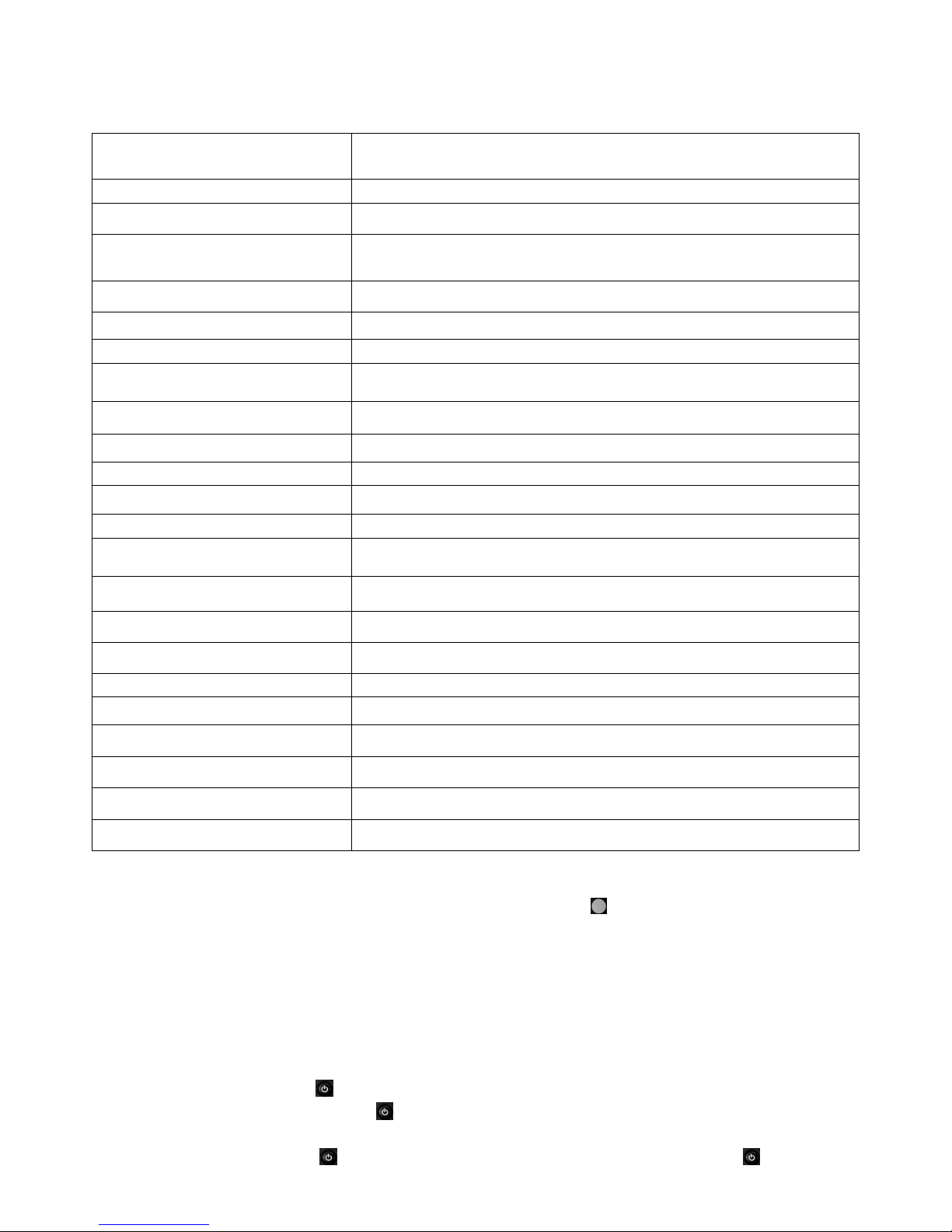
Menu Function Explanation :
1. Menu
Press menu button to enter menu mode.
Resolution
1080FHD 1920*1080, 720P 1280*720
WVGA 848*480, VGA 640*480
Loop recording Off/1 min/3 min/5min/10min
HDR Off/On
Exposure
+2.0, +5/3, +4/3, +1.0, +2/3, +1/3, +0/0, -1/3, -2/3, -1.0, -4/3,
-5/3, -2.0
Motion Detection Off/On
Record Audio Off/On
Date Stamp Off/On
Gravity sensing Off/Low sensitivity/Medium/High
Parking movie Off/On
Wifi On/Off
Date/Time YY/MM/DD
Auto Power Off Off/3min/5min/10min
Beep Sound Off/On
Language English /Simplied Chinese/Traditional Chinese
Frequency 50Hz/60Hz
Screen Saver Off/1min/3min/5min
Delayed shutdown Off/10sec/20sec/30sec
Plate Number Off/On
Format All data will be deleted Cancel/OK
Default Setting Return menu setting to defaults Cancel/OK
input voltage DC5V
Current 1.5A
Version K6_20180727.V0.1
2. Function
When the engine is on, it will record video automatically, and the light will flash.
In the main menu of APP, press ok button to start record, the red cycle is flashing.
When the engine is off, it will save the video and turn off automatically. The recording videos are saved on the
TF card, if the TF card is full, it will cover the earlier segment
【
Reminder】A: the time of recording can set in the menu:1min/3min/5min/10min, if choose any one of “1/3/5/10”,
when the TF card is full, it will cover the earlier segment.
B: the recording files for video and photo will be saved under the file “CARDV”, video in file of “MOVIE”
and photo in the file of “PHOTO”.
3. photo function
In the non-video status, press
for 3 seconds then you can enter photo mode, press ok can take one picture,if
need to go back the main menu, press for 3 secondes again.
4. playback
In the non-video status, press for 3 seconds then you can enter photo mode, then press for 3 secondes
Page 4
again to enter playback mode,press Ok to playback.
5. lock function
During recording,press will lock the recording video,and the locked video will not coverd by later segment.
6. mute function
In the main menu or during recording, press to open/close audio.
【
Reminder】the setting will be saved automaticlly,you don’t need to set the mute again next time.
7. Time/Date set
In the menu,set the time and date
【Reminder】Before use the dash camera please set the time and date to make sure the dash camera can
record the right time and date of the car accident.
8. Motion Detection
In the main menu set the Motion Detection on/off, When it is on, there is a sign of“F”on the top left cornor in
LCD screen.It will record automaticlly when there is anything/object moves in front of camera or when camera lens
moving. It will stop recording when no object move in 10 seconds.
9. G-sensor
In the main menu set the G-Sensor,When G-Sensor is on,there is a sign of G on the middle right of the LCD.
If car collision,G-sensor will work and automatically save and lock the file,video can not be covered.
10. Parking Monitor/Parking Mode
In the main menu set Parking mode,there is a sign of parking will show on the middle left side of LCD.When
Parking mode is on and the machine is off, When vehicle vibrate by collision, and vibration strength reach the parking
mode operating range, the vehicle will auto on and record, after 24 seconds camera will auto off and save and lock
the current video at the same time, which also never be covered by cycle video.
TECHNICAL SPECIFICATIONS
LCD Display Screen
1.5-inch LCD Screen
Language
English/Simple Chinese/Traditional Chinese
Field of View
Super wide angle; 150 Degrees
Video Resolution
1080FHD 1920X1080 30fps
720P 1280X720 30fps
File Format
Picture: JPG Video: MP4
Wide Dynamic Range (WDR)
Support
Seamless Record
Support
G-Sensor Auto Recording
Support
Motion Detecting Recording
Support
External Storage
MicroSD Card (64GB max.)
HDMI Interface
Built-in
USB function
Built-in
Microphone Speaker
Built-in
Package :
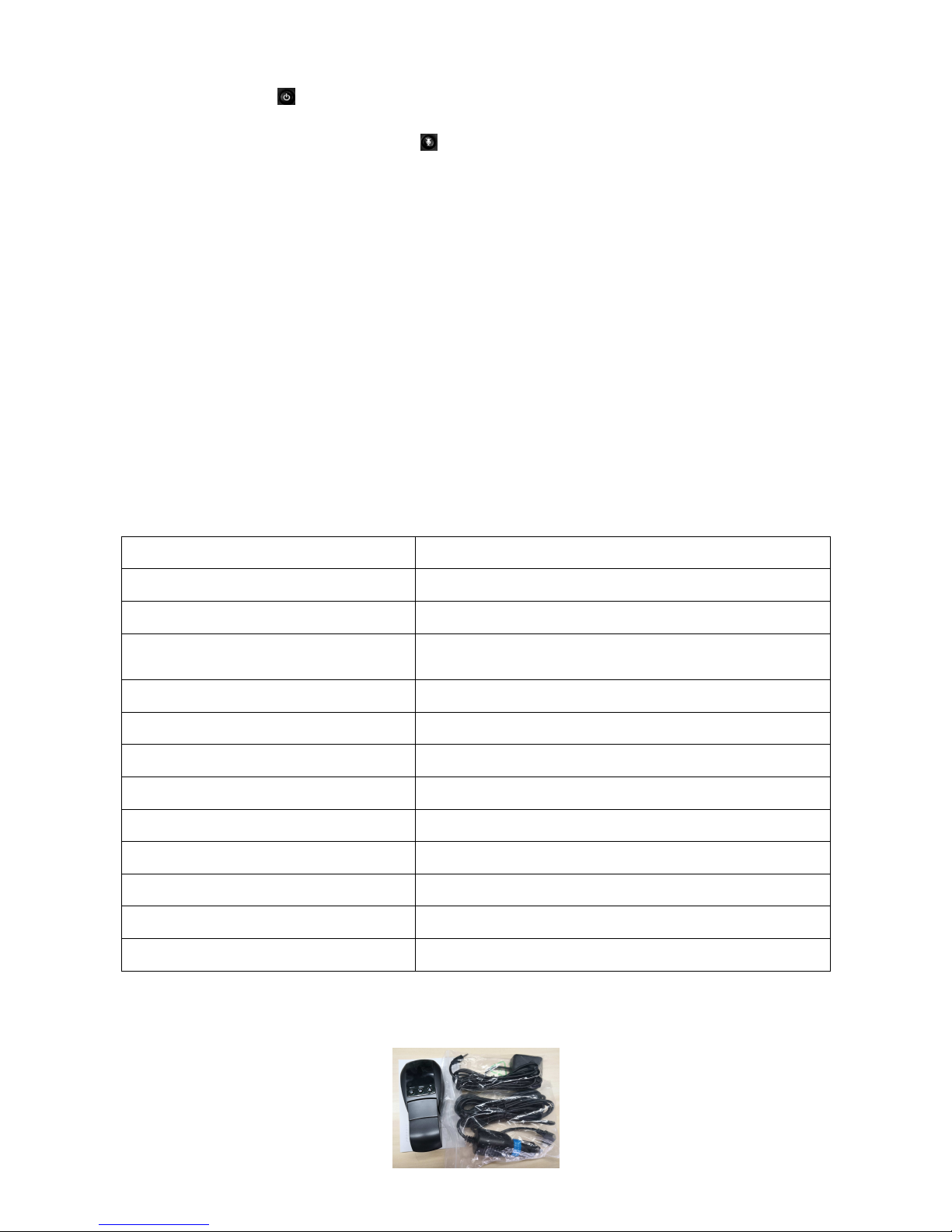
1 pcs ON-CD31, 1 pcs car charger, and 1 pcs user manual
 Loading...