

Page 1
Wi-Watch A3 User Manual
Page 2
1.1Failure to comply with the following precautions may be dangerous
or illegal. Please read below carefully before using A3
Drive safely at all times
• Do not use a hand-held phone while driving. Park your vehicle rst.
Switch o A3 when refueling
• Do not use the A3 at a refueling point (service station) or near fuels or
chemicals.
Switch o in an aircraft
• Wireless phones can cause interference. Using them in an aircraft is
both illegal and dangerous.
Switch o A3 near all medical equipment
• Hospitals or health care facilities may be using equipment that could
be sensitive to external radio frequency
Interference
• All wireless phones may be subject to interference, which could affect
their performance.
Precautions
Page 3

Be aware of special regulations
• Meet any special regulations in force in any area and always switch off
your phone whenever it is forbidden to use it, or when it may cause
interference or danger.
Sensible use
• Use only in the normal position. Avoid unnecessary contact with the
antenna when the phone is switched on.
Keep your A3 away from small children
• Keep the phone and all its parts, including accessories, out of the reach
of small children.
Accessories and batteries
• Use only approved batteries and accessories, such as headsets and PC
data cables.
Use of any unauthorized accessories could damage you or your phone
and may be dangerous.
Qualied service
• Only qualied service personnel may repair your phone.
• Use A3 away from sources of heat and high voltage, such as kitchen
appliances or other electrical appliances. Use at temperatures above 55 °
Page 4

C or below 10 ℃ damage the phone.
• Pay attention to re prevention. Your A3 must be turned off when in
chemical plants, gas stations, fuel tanks and other ammable materials.
• Do not place A3 above car airbags. Could cause physical damage if it
explodes in an accident.
• Disassemble mobile phone without the manufacturer's authorization is
strictly prohibited.
• Keep A3 away from other electronic equipment such as televisions,
radios or personal computers. Do not place your A3 near credit cards or
a magnetic eld, which is strictly prohibited.
• Do not expose to mechanical vibration or strong agitation. Do not
touch the screen with a sharp object, it is strictly prohibited.
• Note that the use of plastic cases can damage the lining original
mobile phone.
• Do not use ammable substances, such as benzene or corrosive
chemicals, unsuitable cleaners, thinner or alcohol. Wipe the phone's
casing with a dry cloth, rubbing gently.
• Do not expose your phone in the sun or spaces with a lot of smoke or
dust.
Page 5

• Be careful when using headphones and other accessories. Use only the
supplied accessories; unauthorized use of accessories can cause
damage.
• Never pull the cord to disconnect the phone. Always hold the plug
head.
1.2When using the battery, please be aware of the following
precautions.
This A3 has a built-in battery . Do not disassemble. If the abuse or
neglect of these precautions causes damage to persons or property , the
seller will not be responsible .
Leave A3 in a cool and ventilated place to charge the battery .
Otherwise, excessive temperature during the charging process (heat ,
smoke , re ) can deform the battery , or even cause an explosion .
It is strictly forbidden to open the battery if not authorized. Otherwise, it
will cause breakage and leakage of liquid crystal panels . If the liquid
comes in contact with eyes, there is a high risk of blindness. Immediately
ush eyes with water ( do not rub your eyes) , and go immediately to the
hospital.
Do not expose the battery to mechanical vibration or strong agitation.
Page 6

Be especially careful not to short-circuit it, as this may damage it. A short
circuit can be caused by placing the battery very near metal objects
such as coins or metal elements of everyday objects.
Do not use damaged or depleted batteries.
Do not place the battery near excessively hot or cold.
Never dispose of batteries in a re. This will cause an explosion and
fumes.
Do not put the battery in water. Otherwise it will cause an internal short
can cause, deformation, damage, smoke, and even explosions.
Please dispose of batteries in accordance with the rules ( such as
recycling ) . Do not dispose of household waste container, are highly
polluting.
Keep batteries out of reach of children and keep them in safe places to
avoid danger.
This battery is fed by a charger. Please do not hold the charge for more
than 24 hours.
Keep batteries out of reach of children a safe place to prevent danger.
Page 7

1.3When using the charger, please adhere to the following
precautions.
Before using for the rst time a charger, read and consider carefully the
instructions and the label.
Do not disassemble or modify the charger. It is strictly prohibited to use
the cable from the power supply if it is damaged, as this may cause
electric shock, re and damage to the charger and people.
Do not touch the charger with wet hands. If the charger comes in
contact with water or other liquids, cut off the supply of energy.
Do not expose the charger to mechanical vibration or strong agitation.
Do not expose the charger directly to sunlight.
Do not use the charger in a high humidity such as bathrooms. The
device is not waterproof, so it is strictly forbidden to use it in the rain or
in very humid environments.
Do not use near televisions, radios and other electrical appliances.
To remove the charger, do not pull the power cord, can damage wiring
or tears.
Please put the charger in a safe place out of the reach of children.
Page 8

1.4 Icons and Denition
Alarm is on
battery
Network signal
WLAN
Bluetooth is on
Music is on
New message
Missed call
Meeting mode
Flight mode
Mute mode
USB mode
Page 9

Main features as below:
2.1 phone
Inserting a micro SIM card, you can make a phone call.
Main Features
Page 10

2.2Messaging
You can view the coming message, write a new message and delete the
message. Message settings allows you to customize the message tones
etc.
2.3 Contacts
You can add a new contact, revise the contact, delete and check the
contacts,make a phone call or send message directly to the contact
Page 11

2.4 Clock
You can set the time and date when clicking the ;
you can set the alarm after clicking . Timer is on after clicking the Timer
icon:
Page 12
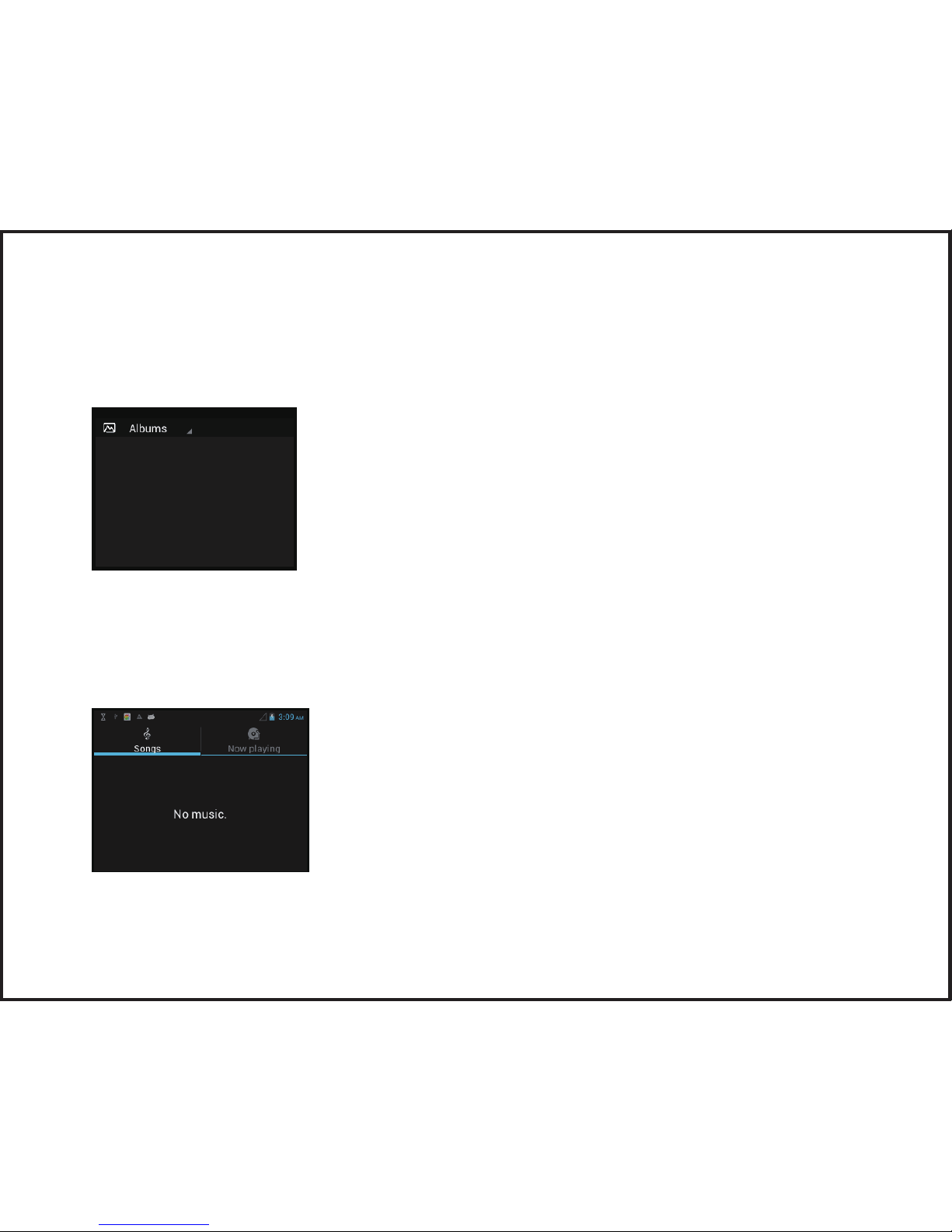
2.5 Gallery
You can check all the audio and video saved in your phone in this le.
2.6 Music
In this menu, you can view all the audio les in this le and play the
music in the music player interface.
Page 13

2.7 Email
2.7.1 Add a new account
2.7.2 Write an Email
2.7.3 Delete the Email
2.8 Gmail
Page 14

2.9Facebook
Click the Facebook icon, you need to register a new account if you do
not have one.
2.10 Twitter
Register a new account or log in with your existing account and
password.
Page 15

2.11 GPS Navigation
2.12 APPs
All the APPs are located under this menu, you can also download the
APP from Play Store
2.13 Browser
Page 16

2.14 Video Player
2.15 Pedometer
Pedometerallowsyoutorecordthesteps,viewtheburntcalories,
setupdailyworkoutplanandtracktheresults.
TapPedometertoopenthePedometerpage and set your personal data.
Page 17
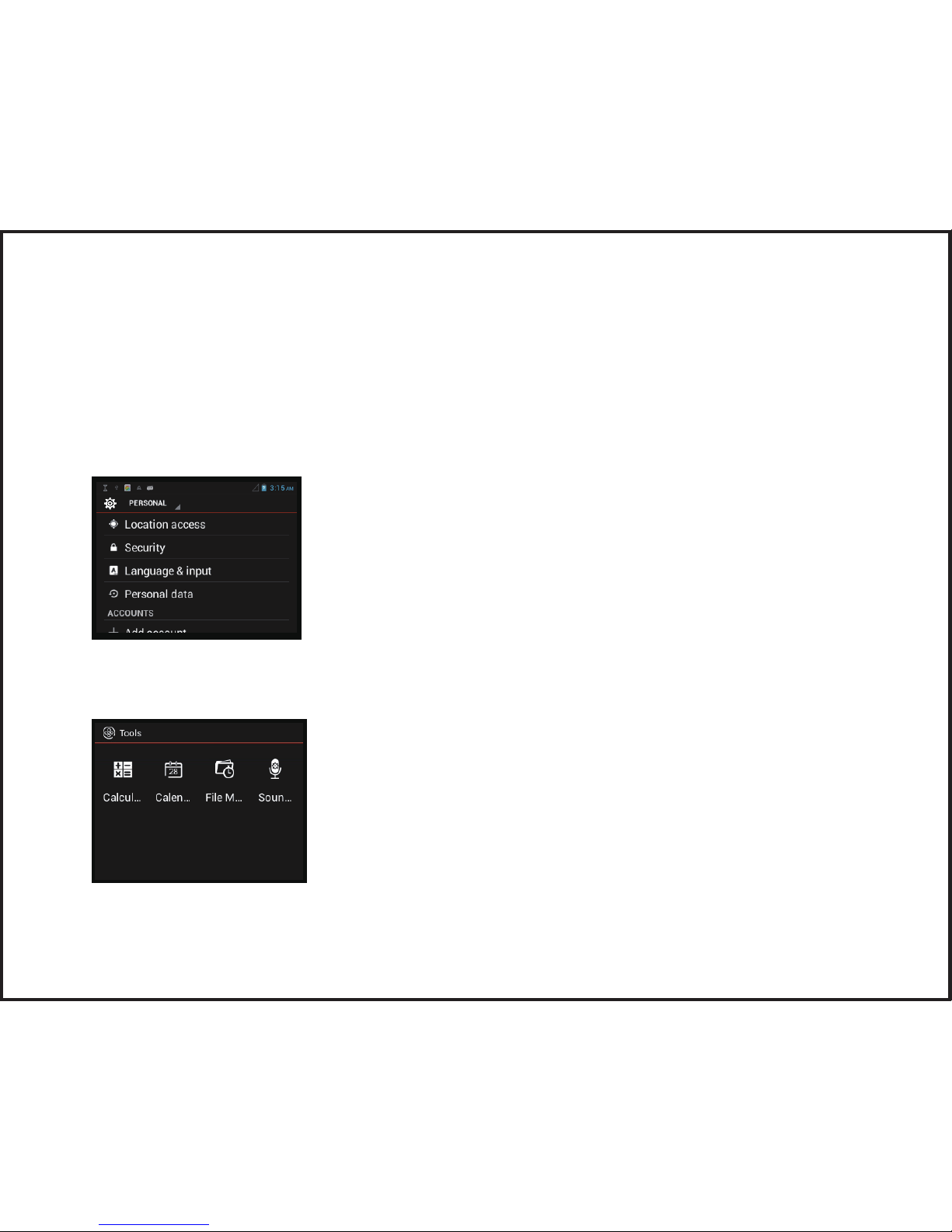
2.16 Settings
TapSettingstocongurethewatch phoneparameters, set Location access,
Security,
timeanddate,language&input,congureprole-relatedinformation
andpersonal data, add Google account.
2.17 Tools
In this menu, you can use Calculator, Calendar and Sound recorder.
Page 18

2.18 File Manger
In this menu, you can check all the les in A3.
Page 19

It has more than 2G of memory inside,can communicate data with PC
FCC Statement:
1. This device complies with Part 15 of the FCC Rules. Operation is subject to the following
two conditions:
(1) This device may not cause harmful interference.
(2) This device must accept any interference received, including interference that may cause
undesired operation.
2. Changes or modifications not expressly approved by the party responsible for compliance
could void the user's authority to operate the equipment.
NOTE:
This equipment has been tested and found to comply with the limits for a Class B digital
device, pursuant to Part 15 of the FCC Rules. These limits are designed to provide reasonable
protection against harmful interference in a residential installation.
This equipment generates uses and can radiate radio frequency energy and, if not installed
and used in accordance with the instructions, may cause harmful interference to radio
communications. However, there is no guarantee that interference will not occur in a
particular installation. If this equipment does cause harmful interference to radio or television
reception, which can be determined by turning the equipment off and on, the user is
encouraged to try to correct the interference by one or more of the following measures:
Reorient or relocate the receiving antenna.
Increase the separation between the equipment and receiver.
Connect the equipment into an outlet on a circuit different from that to which the receiver is
connected.
Consult the dealer or an experienced radio/TV technician for help.
Page 20

SAR Information Statement
Your wireless Smart Watch is a radio transmitter and receiver. It is designed and
manufactured not to exceed the emission limits for exposure to radiofrequency (RF) energy
set by the Federal Communications Commission of the U.S. Government. These limits are
part of comprehensive guidelines and establish permitted levels of RF energy for the
general population. The guidelines are based on standards that were developed by
independent scientific organizations through periodic and thorough evaluation of scientific
studies. The standards include a substantial safety margin designed to assure the safety of
all persons, regardless of age and health. The exposure standard for wireless Smart Watch
employs a unit of measurement known as the Specific Absorption Rate, or SAR. The SAR
limit set by the FCC is 1.6 W/kg. * Tests for SAR are conducted with the watch transmitting
at its highest certified power level in all tested frequency bands. Although the SAR is
determined at the highest certified power level, the actual SAR level of the watch while
operating can be well below the maximum value. This is because the watch is designed to
operate at multiple power levels so as to use only the power required to reach the network.
In general, the closer you are to a wireless base station antenna, the lower the power
output. Before a watch model is available for sale to the public, it must be tested and
certified to the FCC that it does not exceed the limit established by the government
adopted requirement for safe exposure. The tests are performed in positions and locations
(e.g., at the ear and worn on the body) as required by the FCC for each model. The highest
SAR value for this model watch when tested for use at the mouth is 0.609W/Kg and when
worn on the Wrist, as described in this user guide, is 1.19W/Kg(Wrist-worn measurements
differ among watch models, depending upon available accessories and FCC requirements).
While there may be differences between the SAR levels of various watches and at various
positions, they all meet the government requirement for safe exposure. The FCC has
granted an Equipment Authorization for this model watch with all reported SAR levels
evaluated as in compliance with the FCC RF exposure guidelines. SAR information on this
model watch is on file with the FCC and can be found under the Display Grant section of
http://www.fcc.gov/ oet/fccid after searching on
Page 21

• FCC ID: 2AC3S-WI-WATCH-A3 Additional information on Specific Absorption Rates (SAR)
can be found on the Cellular Telecommunications Industry Asso-ciation (CTIA) web-site
at http://www.wow-com.com. * In the United States and Canada, the SAR limit for
mobile watches used by the public is 1.6 watts/kg (W/kg) averaged over one gram of
tissue. The standard incorporates a sub-stantial margin of safety to give additional
protection for the public and to account for any variations in measurements.
• To comply with RF exposure requirements, a minimum separation distance of 10mm
must be maintained between the user’s mouth, including the antenna.
• Device is restricted to worn on the wrist operations.
 Loading...