

Page 1
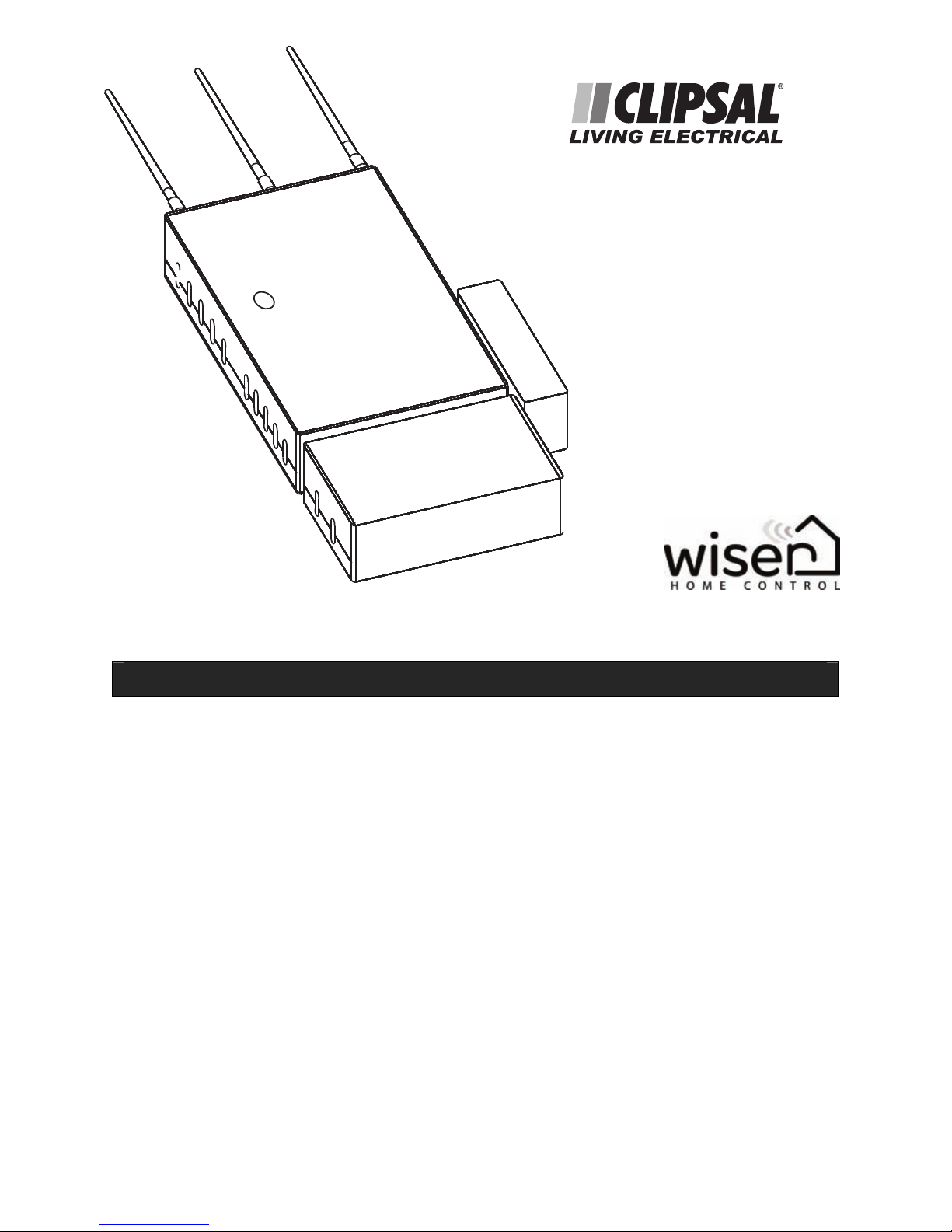
Wiser Home Controller 5200PG
Setup Sheet
The 5200PG Wiser Home Controller provides an easy-to-use graphical user interface
(GUI) to access the home C-Bus network and other home applications. The Wiser Home
Controller lets you monitor and control your home environment locally, or remotely
over the Internet.
The following items make up your Wiser Home Controller system:
• Wiser Home Controller router
• C-Bus Network Interface (CNI)
• Busbar assembly
• 1 GB USB drive (with links to software and documentation)
• Power supply
• Cat.5e network cable
• Link and support stand
• Wiser Home Gateway Setup Sheet
Page 2
Wiser Home Controller Setup Sheet
2
Welcome
This Setup Sheet provides basic information. For complete instructions, refer to the
Wiser Home Controller Installation Instructions found on the provided Wiser USB thumb
drive.
Load Software and Documents on your PC
The provided USB drive (thumb drive) contains the link to the required Wiser software
package. Open the readme.htm file and follow the instructions. Also, download the
latest version of Clipsal C-Bus Toolkit from the Internet at http://clipsal.com/cis/
select downloads. Install the software setup packages on your PC.
Assemble the Wiser unit
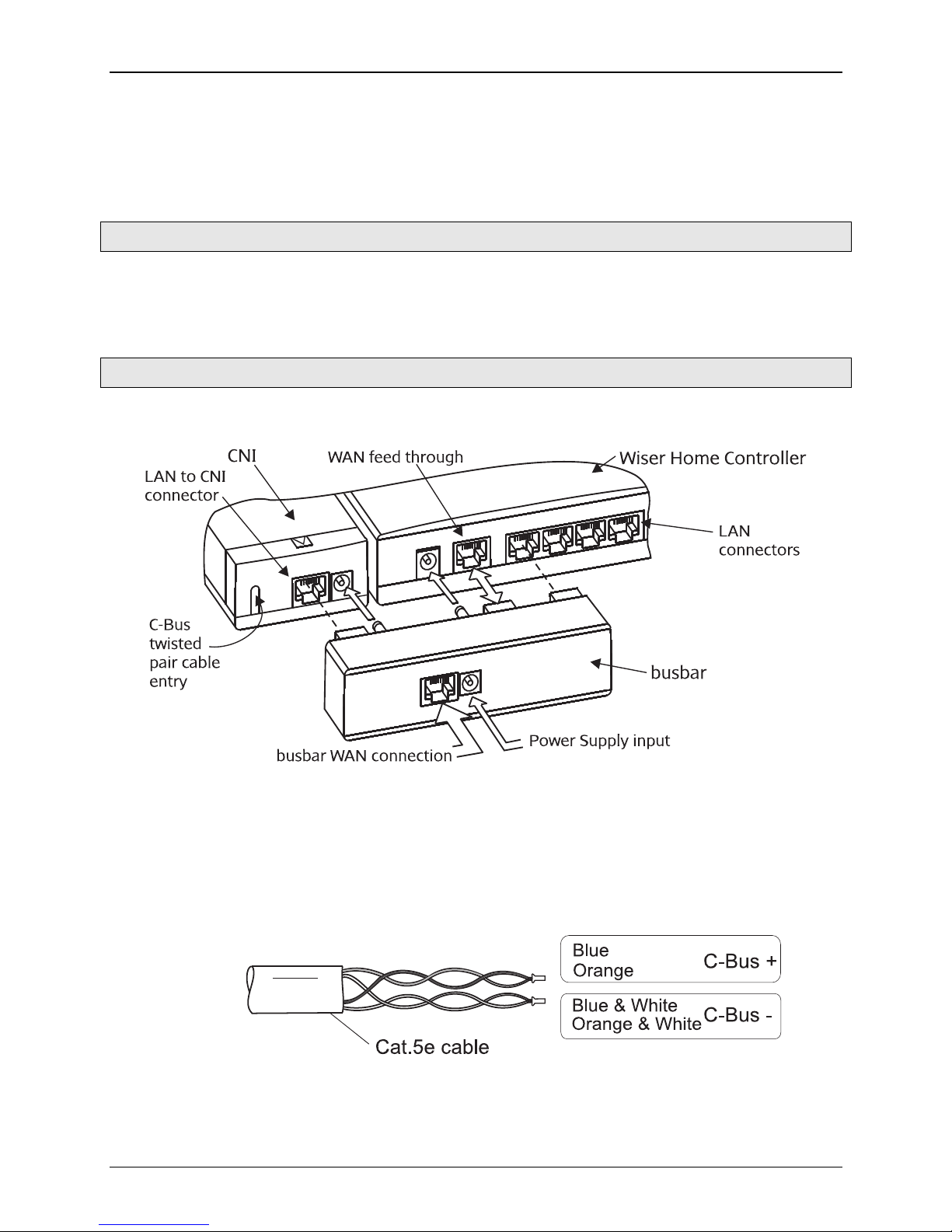
The assembly of the equipment is very straightforward. Use the figures and instructions
to assemble the main components.
Figure 1. Busbar Power and Signal Connections
1. Connect the CNI to the C-Bus Network Cable
a. Open the cable access door on the CNI unit.
b. Crimp the wire pairs using bootlace connectors. Connect the twisted pairs
for C-Bus positive (+) and C-Bus negative (-) to the screw terminals on the
PCB connector.
Figure 3. C-Bus cable details for the C-Bus network
Page 3
Wiser Home Controller Setup Sheet
3
c. Install the plastic strain relief piece. The strain relief is in the shape of the
letter 'H,' and then close the access door. The CNI is now ready for
attachment to the router and busbar.
Do not connect the C-Bus side of the CNI to an Ethernet LAN. Damage to the
equipment will occur The C-Bus network and the Ethernet LAN are electrically
isolated inside the CNI unit. The C-Bus network provides power for the C-Bus
side of the CNI circuit board
Note: Wireless C-Bus devices require a C-Bus Wireless Gateway unit. They do not
communicate directly with the Wiser Home Controller's wireless LAN.
Configuration
To access the user interface (GUI) and router configuration pages use an Internet
browser such as Microsoft Internet Explorer or Firefox on the configuration PC and enter
the following address:
http://192.168.2.1 username is admin and the password is admin
GNU General Public Licence
The software included in this product contains copyrighted software that is licensed
under the GNU GENERAL PUBLIC LICENSE Version 2, June 1991. A copy of that licence
is included in the Installation Instructions.
You may obtain the complete Corresponding Source code from Clipsal for a period of
three years after our last shipment of this product, by downloading it from
http://www.clipsal.com/cis_wiser_home_control
http://www.clipsal.com/cis_wiser_home_control/index.html
or by sending a money order or cheque for AUD $100 drawn in favour of 'Clipsal
Australia Pty Ltd.' Send your request to:
CIS Technical Training and Support
12 Park Terrace
Bowden, South Australia
Australia 5007
Please write the following on the front of the money order or cheque:
"Source code for Wiser Home Controller-2009"
This offer is valid to anyone in receipt of this product.
Page 4
Two-Year Warranty
The 5200PG Wiser Home Controller carries a two-year warranty against
manufacturing defects. The warranty statement can be found in the Installation
Instructions.
For all warranty enquiries, contact your local Clipsal sales representative. The
address and contact number of your nearest Clipsal Australia office can be found at
http://www.clipsal.com/locations or by telephoning Technical Support.
Technical Support and Troubleshooting
For further assistance in using this product, consult your nearest Clipsal
Integrated Systems (CIS) Sales Representative or Technical Support Officer.
Technical Support Contact Number
Australia 1300 722 247 (CIS Technical Support Hotline)
New Zealand 0800 888 219 (CIS Technical Support Hotline)
Technical Support email: [email protected]
Product of Clipsal Australia Pty Ltd
A member of Schneider Electric
Contact us clipsal.com/feedback
National Customer Service Enquiries:
Tel 1300 2025 25
Fax 1300 2025 56
F2167 March 2009 1036674
© 2009. Clipsal Australia Pty Ltd. All rights reserved. Printed in Australia.
clipsal.com
 Loading...