

Page 1

Pen-Tablet User Manual
Model No. UW-504
Page 2

Introduction
Chapter 1
Congratulations on your purchase of Paint Pal Deluxe!
Paint Pal Deluxe is the perfect tool for creating art on
your computer. Paint Pal Deluxe replaces a traditional
Mouse with a flexible pen tablet, giving you a more
natural way to draw, trace, write, and design. Paint Pal
Deluxe also comes bundled with advanced drawing software that will get you started right away.
Suggested uses for Paint Pal Deluxe
Paint Pal Deluxe is a powerful aid in creating computer graphics and for any application that requires
the accuracy of hand held writing tools. Possible uses
for Paint Pal Deluxe include:
!
Drawing and graphic design
!
Handwriting
!
Signatures
!
Computer-aided design
!
Image Editing
!
CAI
!
Picking commands on a template
Welcome !
- 1 -
Page 3
System requirements
!
Intel Pentium level computer or compatible.
!
Windows 95/98 operating system.
!
32MB RAM
!
80 MB hard disk space
!
256 color VGA display adapter(Hi-color or Truecolor preferred)
!
USB port
!
CD-ROM drive
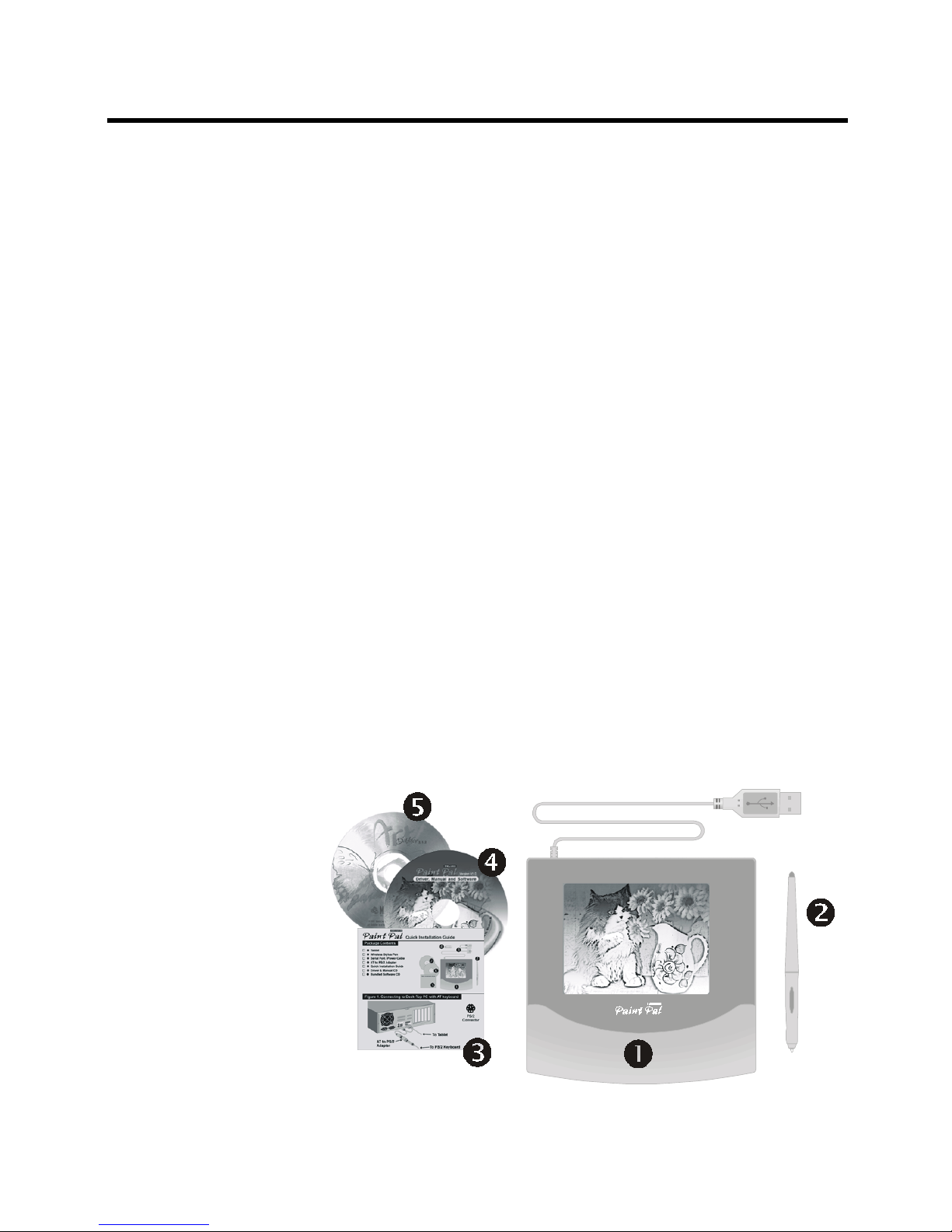
Package contents
After you open the box, please check the package
contents carefully. You should have the following
items:
" Tablet with USB port cable
# Cordless Stylus Pen
$ Quick Installation Guide
% Driver & Manual CD
& Art Dabbler CD
Introduction
- 2 -
Page 4
Installing the Hardware
Chapter 2
Getting familiar with Paint Pal Deluxe
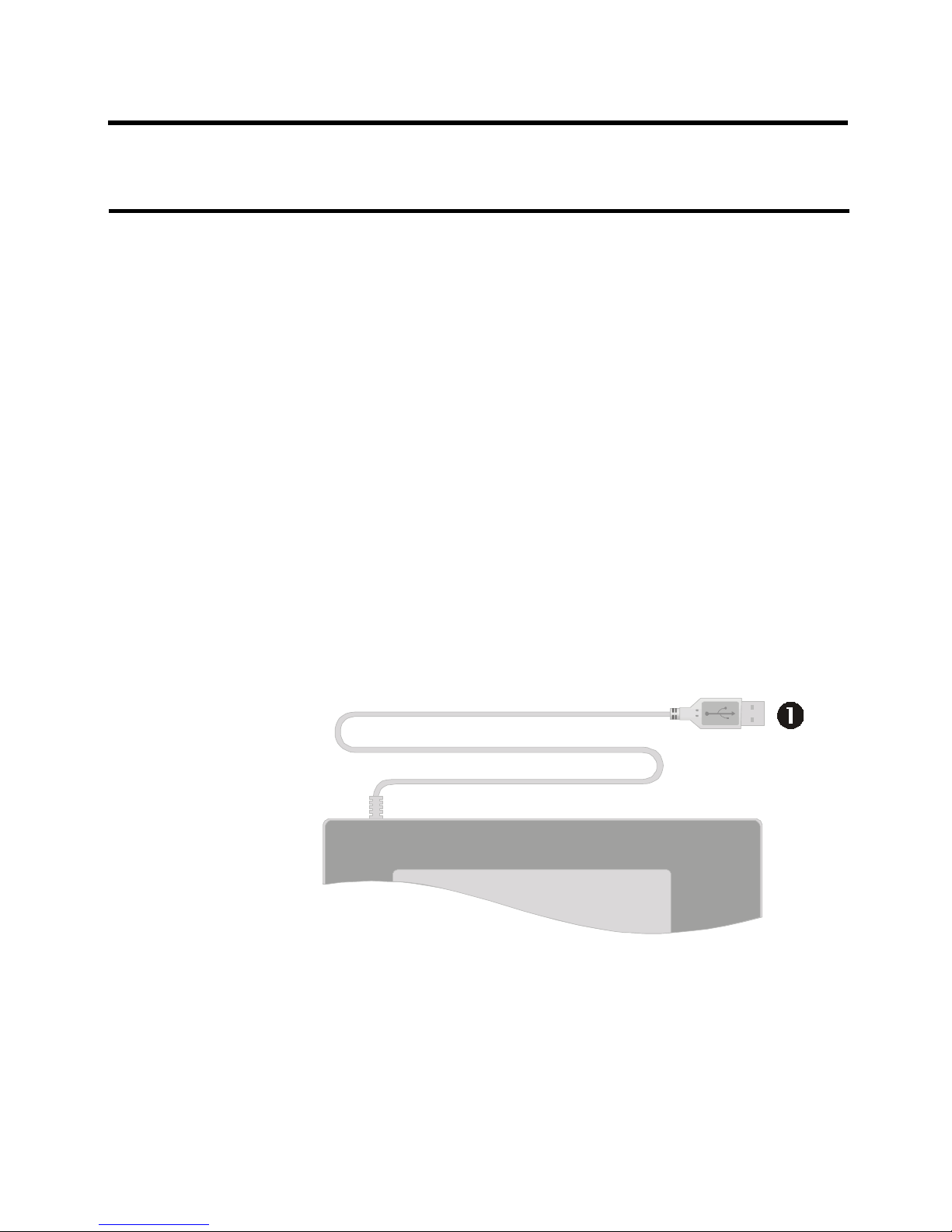
Before you install Paint Pal Deluxe, take a few minutes
to inspect the parts and get familiar with how Paint Pal
Deluxe connects to your computer (see the diagrams
below).
Conntors
""
""
" USB Port Connector
- 3 -
Page 5
Stylus Pen buttons
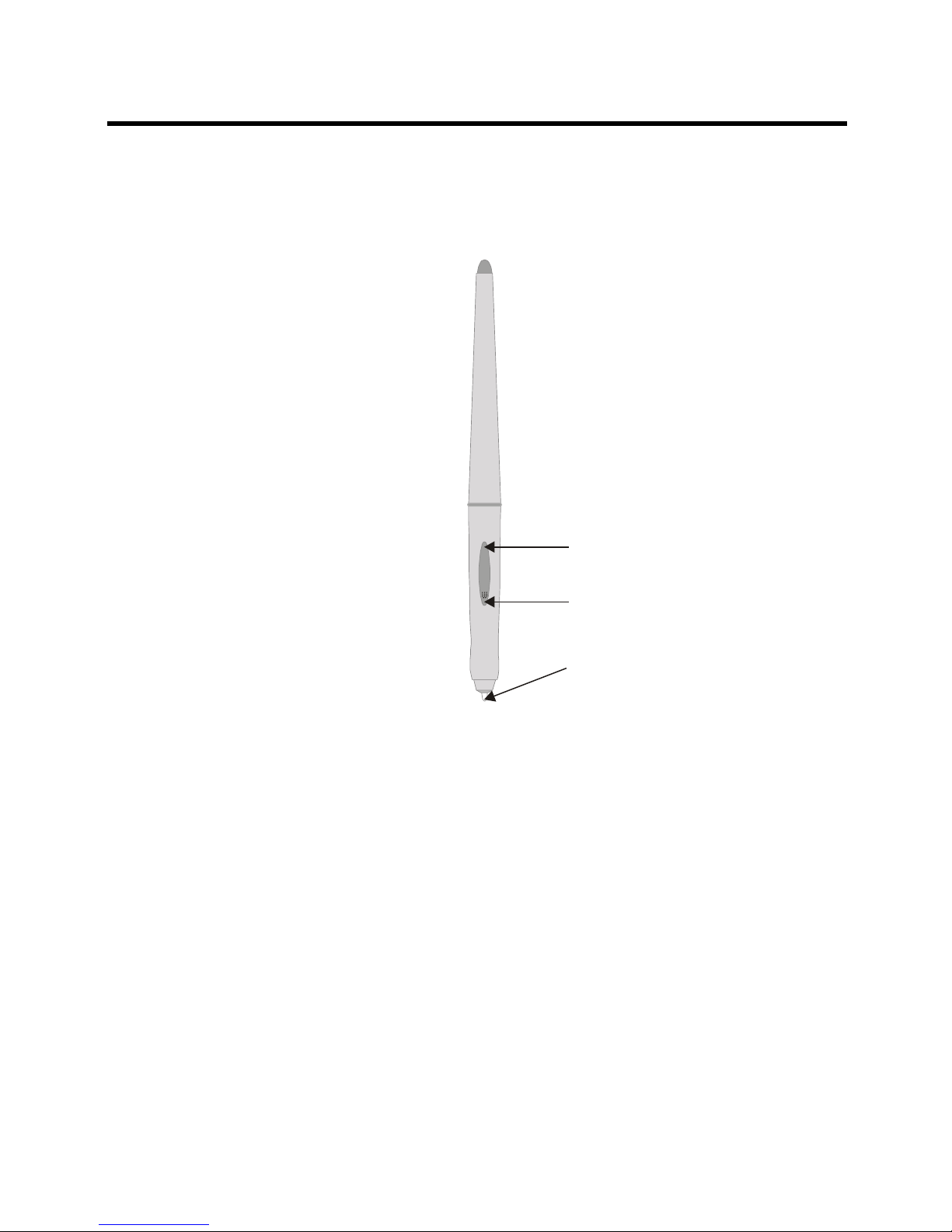
There are three buttons on the Stylus Pen :
Button 1 - Also called Tip Button. This button
works like Mouses left button. It is not
programable.
Button 2 - This button works like Mouses right
button. User may set its function in
Control Panel (see description on
page 11).
Button 3 - This button works like Mouses middle
button. User may set its function in
Control Panel (see description on
page 11).
Installing the Hardware
- 4 -
Button 3
Button 2
Tip Button
(Button 1)
Page 6
Connecting to a desktop system
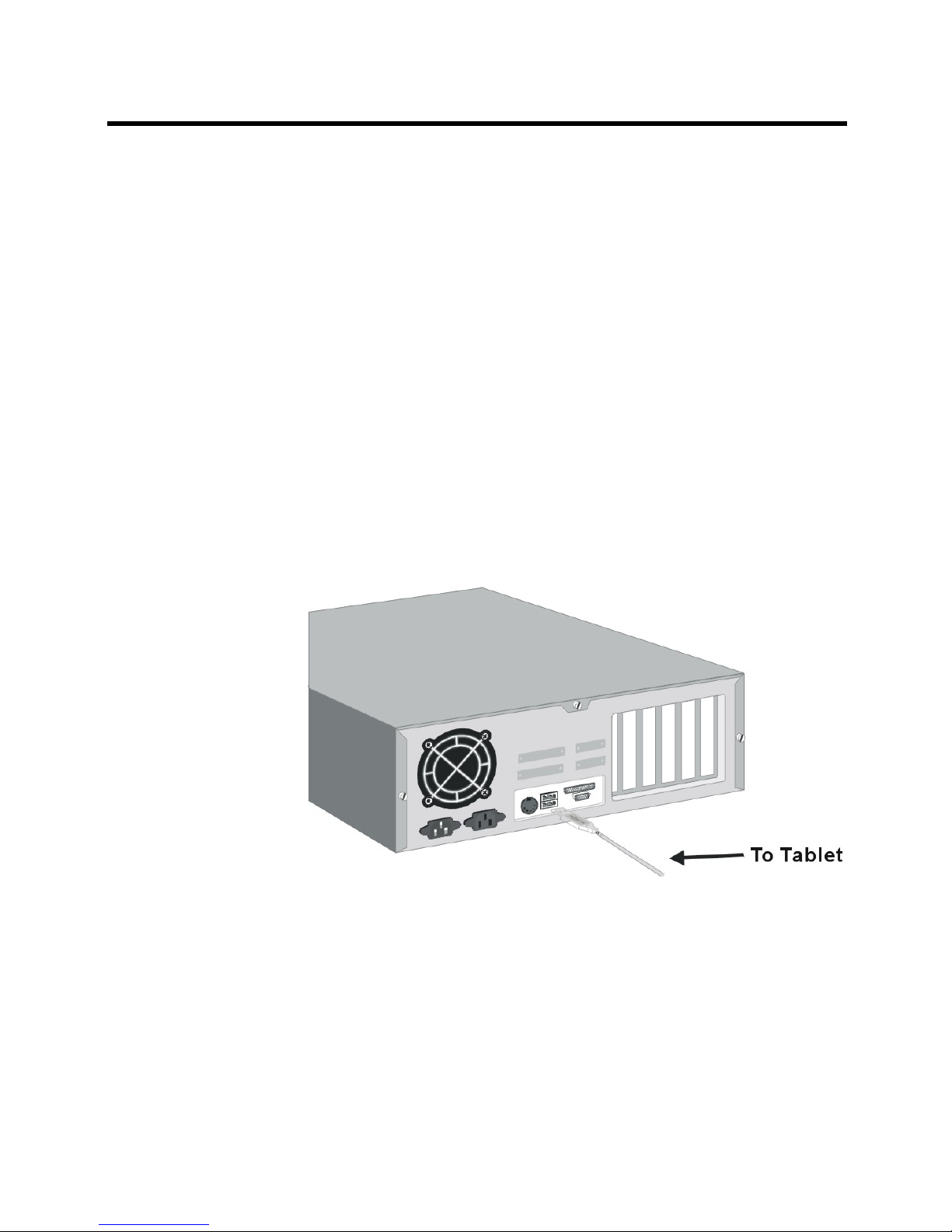
Follow these simple procedures to connect Paint Pal
Deluxe to a desktop system:
1. Turn off your system and any other devices connected
with the system.
2. Paint Pal Deluxe needs to connect to your system
and to an available USB port.
- 5 -
Installing the Hardware
Page 7
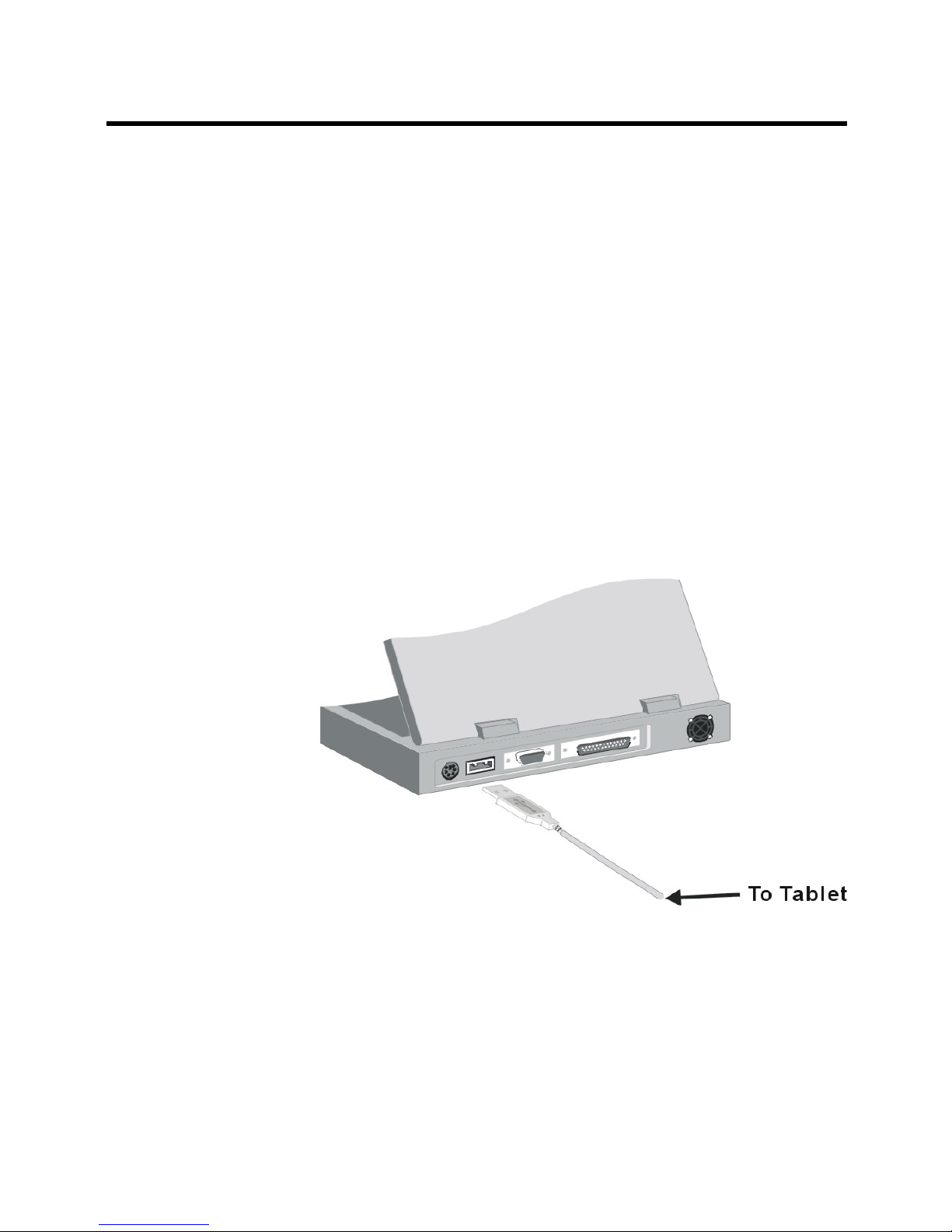
Connecting to a Notebook computer
Follow these simple procedures to connect Paint Pal
Deluxe to a Notebook computer:
1. Turn off your Notebook and any other devices
connected with the Notebook.
2. Connect Paint Pal Deluxe to an USB port connector .
- 6 -
Installing the Hardware
Page 8

Specifications
Appendix A
Model : UW504
Active Area : 5 x 3.75 inches
Resolution : Default 1000, can be set up to
2048 lpi
Accuracy : +/- 0.5mm / 0.0125 inches
Proximity : 0.5 inch
Report Rate : Up to 120 per second
Pressure Level : 512 levels
Technology : Electromagnetic
Certifications : FCC Class B, CE, BCIQ, UL
Data Format : Packed binary
Interface Type : USB
Dimensions : 205.5 x 207.1 x 10.5 mm
(L x W x H)
Weight : 400 g
Operation Temp. : 5o to 40oC (32o to 132 oF)
- 7 -
Page 9

FCC Compliance StatementFCC Compliance Statement
FCC Compliance StatementFCC Compliance Statement
FCC Compliance Statement
Appendix DAppendix D
Appendix DAppendix D
Appendix B
This equipment has been tested and found to comply with the limits for
a Class B digital device, pursuant to Part 15 of FCC Rules. These limits
are designed to provide reasonable protection against harmful interference when the equipment is operated in a residential installation.
This equipment generates, uses, and can radiate radio frequency energy and if not installed and used in accordance with the instruction
manual may cause harmful interference to radio communications. However, there is no guarantee that interference will not occur in a particular
installation.
If this equipment causes harmful interference to radio or television reception, which can be determined by turning the equipment off and on,
the user is encouraged to try to correct the interference by one or more
of the following measures:
lReorient the receiving antenna.
lIncrease the separation between the equipment and receiver.
lConnect the equipment into an outlet on a circuit different from that
to which the receiver is connected.
Changes or modifications not expressly approved by the party responsible for compliance can void the user's authority to operate the equipment. This product is equipped with a shielded cable. Extension cable,
if used, must be shielded in order to comply with the emission limits.
Operation of this device is subject to the following conditions: (1) This
device may not cause harmful interference, and (2) this device must
accept any interference received, including interference that may cause
undesired operation.
- 8-
Page 10

Warranty and Trademarks
Appendix C
Limited Warranty
Wintime warrants that the enclosed Hardware Device
will be free from defects in materials and workmanship
under normal use and service for a period of one year
from the date of purchase. Any support services provided by Wintime shall be substantially as described in
applicable written materials provided to you by Wintime.
Some states and jurisdictions do no allow limitations on
duration of an implied warranty, so the above limitation
may not apply to you. To the extent allowed by applicable
law, implied warranties on the Hardware Device, if any,
are limited to one years.
Should you have any questions concerning this Warranty, please contact your dealer or you may visit the
Wintime web site at http://www.wintime.com.tw
Trademarks Information
Wintime and Paint Pal Deluxe are the trademarks of
Wintime Electronics Inc. IBM is a trademark of the International Business Machine Corporation. Microsoft and
the Windows Logo are registered trademarks and Windows is a trademark of Microsoft Corporation. All brand
names and trademarks are properties of their respective
owners.
- 9 -
 Loading...