

Page 1
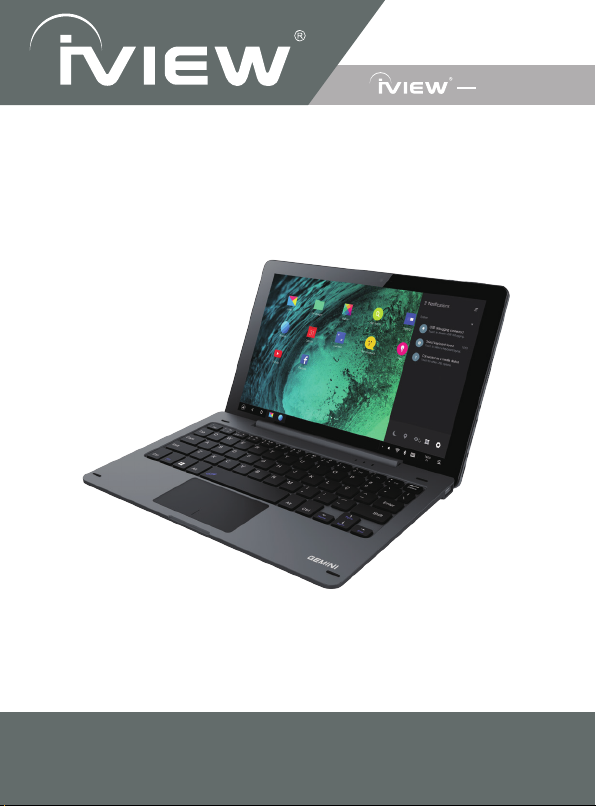
User Manual
GEMINI
NOTE: For Spanish users, go to “Control Panel", then go to “Clock, Language,
and Region", then go to “Language” to change to Spanish Language OSD.
10.1" Detachable Laptop
To assure the product to work in best status
please read the guide carefully before operation and keep it well for future use
Page 2
Laptop with Touch - 360° Rotation
★ MEGATRON
(14.1" Intel Quad Core, Windows 10, 360° Rotation)
★ ULTIMA
(13.3" Intel Quad Core, Windows 10, 360° Rotation)
★ MAXIMUS Pro
★ MAXIMUS
★ UNISON
Intel Windows Laptop
★ 1410NB
★ 1330NB
Detachable Touch 2 in 1 Laptop
★ MAGNUS
★ MAGNUSII
★ GEMINI
★ i896QW
Windows Tablet
★ i895QW
★ OPTIMUS (8" Intel Quad Core, Windows 10)
Intel Android Tablet
★
Android Tablet
★ 1070TPC (10.1” Quad Core, BT)
★ 1060TPC (10.1” Quad Core, BT)
★ 930TPC (9” Quad Core, BT)
★ 769TPC (7" Quad Core, BT)
★ 766TPC (7" Quad Core)
★ 744TPC (7" Quad Core, BT, Leather Case)
★ 744TPC (7" Quad Core, BT)
★ 733TPC-K (7" Quad Core, USB Keyboard Case)
★ 733TPC (7" Quad Core)
Smart Phone / Tablet with 3G / 4G
★ M-1000Q (10.1” Quad Core with Phone, BT, GPS, 3G)
★ S7-Q (7” Quad Core with Phone, BT, GPS, 3G)
★ M6 (6” Quad Core with Phone, BT, GPS, 3G)
★ 600 (6” Dual Core with Phone, BT, GPS, 3G)
★ M45 (4.5” Dual Core with Phone, BT, GPS, 3G)
(11.6" Intel Quad Core, Windows 10, 360° Rotation)
(11.6" Intel Quad Core, Windows 10, 360° Rotation)
(11.6" Quad Core, Remix OS, 360° Rotation)
(14.1” Intel Quad Core, BT, Windows 10)
(13.3” Intel Quad Core, BT, Windows 10)
(10.1" Intel Quad Core, Windows 8.1, Android 4.4)
(10.1" Intel Quad Core, Windows 10)
(10.1" Quad Core, Remix OS)
(9" Intel Quad Core, Windows 10)
(8.95” Intel Quad Core, Windows 10, BT Keyboard Case)
i708Q (7" Intel Quad Core, BT)
Page 3
Wearable
★
S5 (Smart Wrist)
Converter Box
★ 3500STBII (Converter Box)
★ 3200STB (Converter Box)
★ 3200STB-A (Converter Box, with External Antenna)
The Smallest PC
★ CYBER DONGLE (Micracast / WIFI Display on TV)
★ CYBER PC (Intel Quad Core, BT, Windows 8.1, Android 4.4)
★ CYBER PC Pro (Intel Quad Core, BT, Windows 10)
New Product
★ 360° 3D gogle - VR Zone
★ 3D gogle - VR Zone S
★ Popup Zoo
★ Smart Speaker - Genie
★ Pet Robot - Pamigo
★ ATSC Receiver - Air Stick
Page 4

iVIEW's new 10.1'' SupraPad GEMINI is the next-generation tablet PC. It features with
10.1'' screen and strong processors of Quad Core Cortex A7 CPU providing access to
the web for news, weather, or local business info; downloading thousands of Apps from
the Play Store to tap your need, such as games, favorite movie clips, music, and videos.
With built-in bluetooth function you are able to connect to your bluetooth speaker
system/bluetooth earphone to listen to music, or connect to a bluetooth keyboard for
easy typing, and send files to another tablet or mobile phone with bluetooth function.
Equipped with memory of 16GB, you may store plenty of pictures, movies, and
documents. Expansion storage is available via Micro Card Reader slot, up to 48GB.
iVIEW-GEMINI is your all-in-one tablet that you can't live without.
Notes:
* This is a high-density electronic product; please do not dismantle it by yourself.
* Avoid strong beat and collision.
* Avoid using this product in the following environments: High and low temperature,
humidity. dusty. with strong magnetic and long-term exposure to the sun.
* Wipe the product shell by using dry wet cotton cloth gently; the use of other chemical
cleaning is prohibited. This product should keep away from water drop and water
splash, so cups filled with liquids should not be placed near the product.
* Use the headset long time, high volume may cause permanent damage to hearing.
* Do not use headphones when going across a road, driving a motorcycle or bicycle, in
order to avoid traffic accidents.
* Please use permitted battery, charger and accessories only, the use of any other type
of product would be a breach of warranty regulations, and may be dangerous.
* Please deal with waste machinery and accessories according to local environmental
regulations.
* If you have any questions in the process of using of the product. please contact the
local dealer or contact Wiltronics customer service center directly.
* For any file loss caused by product damage, repair or other causes of product
damage, Wiltronic shall not be responsible for it. Please follow the user's guide and
timely backup your files.
Page 5

* This device complies with part 15 of the FCC Rules. Operation is subject to the
condition that this device does not cause harmful interference (1) this device may not
cause harmful interference, and (2) this device must accept any interference received,
including interference that may cause undesired operation..
* Any changes or modifications not expressly approved by the party responsible for
compliance could void the user's authority to operate the equipment.
* NOTE: This equipment has been tested and found to comply with the limits for a
Class B digital device, pursuant to Part 15 of the FCC Rules. These limits are
designed to provide reasonable protection against harmful interference in a residential
installation. This equipment generates, uses and can radiate radio frequency energy
and, if not installed and used in accordance with the instructions, may cause harmful
interference to radio communications. However, there is no guarantee that
interference will not occur in a particular installation.
* If this equipment does cause harmful interference to radio or television reception,
* which can be determined by turning the equipment off and on, the user is encouraged
to try to correct the interference by one or more of the following measures:
* -- Reorient or relocate the receiving antenna.
* -- Increase the separation between the equipment and receiver.
* -- Connect the equipment into an outlet on a circuit different
* from that to which the receiver is connected.
* -- Consult the dealer or an experienced radio/TV technician for help.
* The device has been evaluated to meet general RF exposure requirement. The
device can be used in portable exposure condition without restriction.
* FCC ID: 2AAWC-GEMINI
*
Page 6
ES file explorer
2
3
3
4
5
5
6
7
8
8
9
10
11
11
12
13
14
15
16
17
18
18
19
22
23
23
Page 7
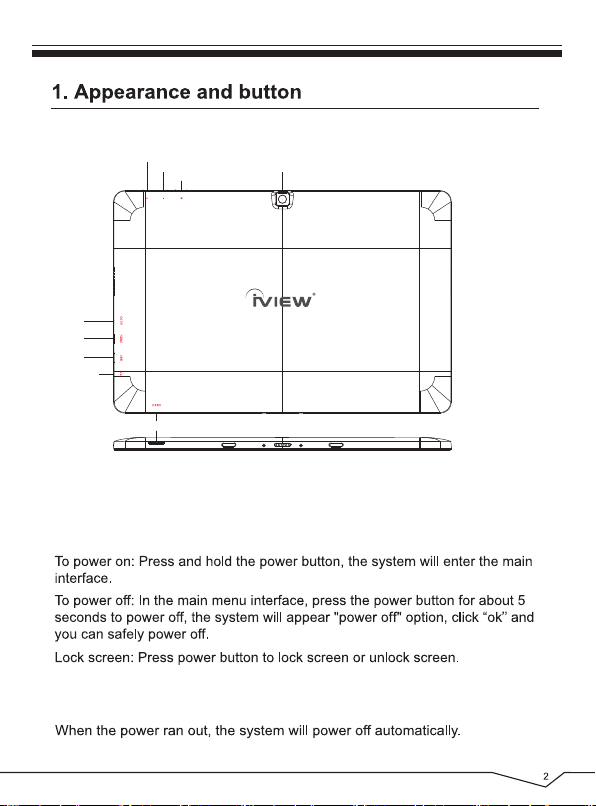
DC 5V
HDMI
USB
Earphone Jack
Volume+
Volume-
Card Reader
Power
Back Camera
【Note】
Screenshot: Press the Power and Volume- buttons at the same time, and hold
for 3 seconds.
Page 8
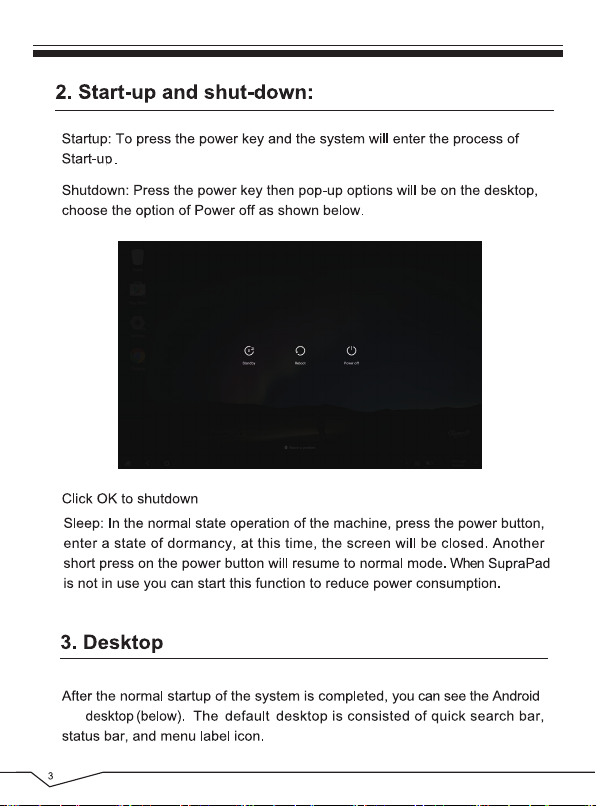
6.0
Page 9
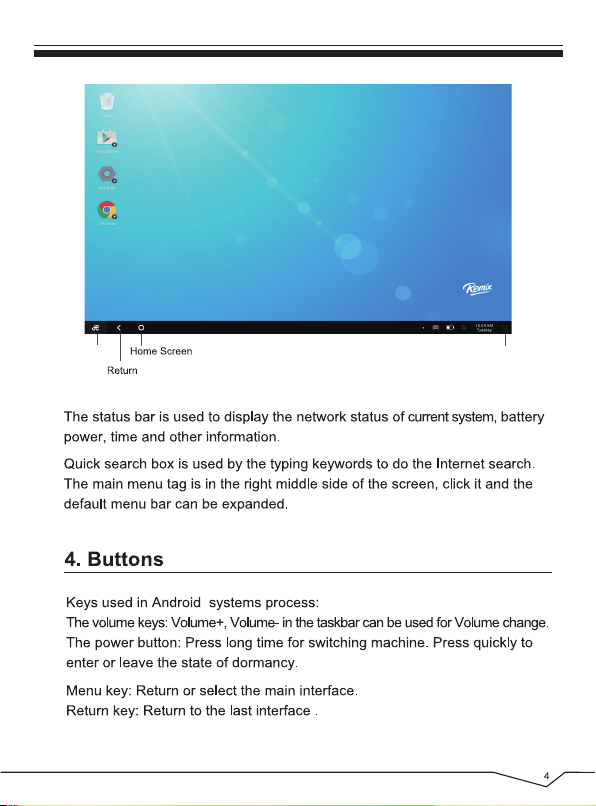
Menu Notice Center
Page 10
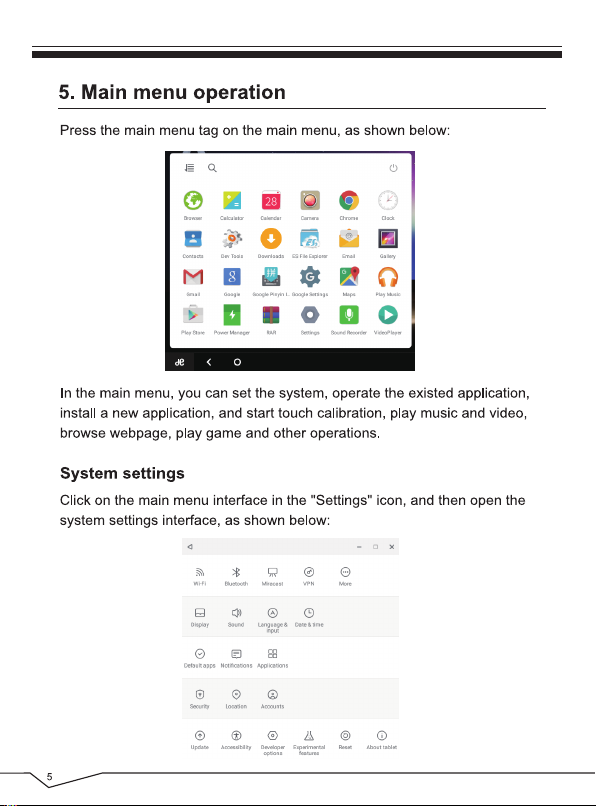
Page 11
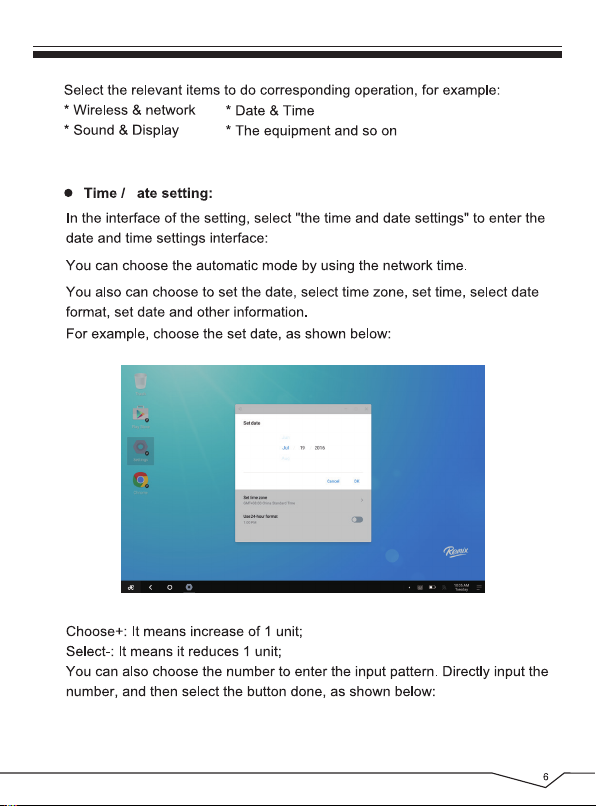
d
Page 12
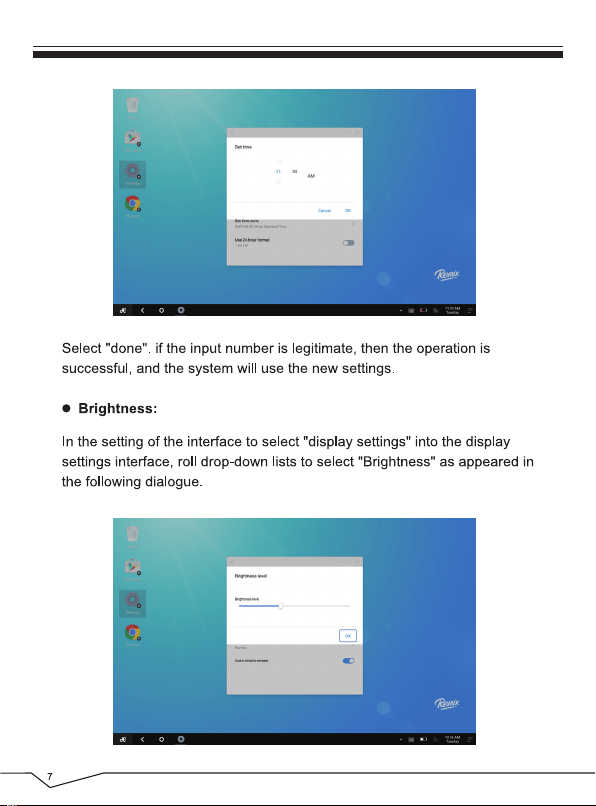
Page 13
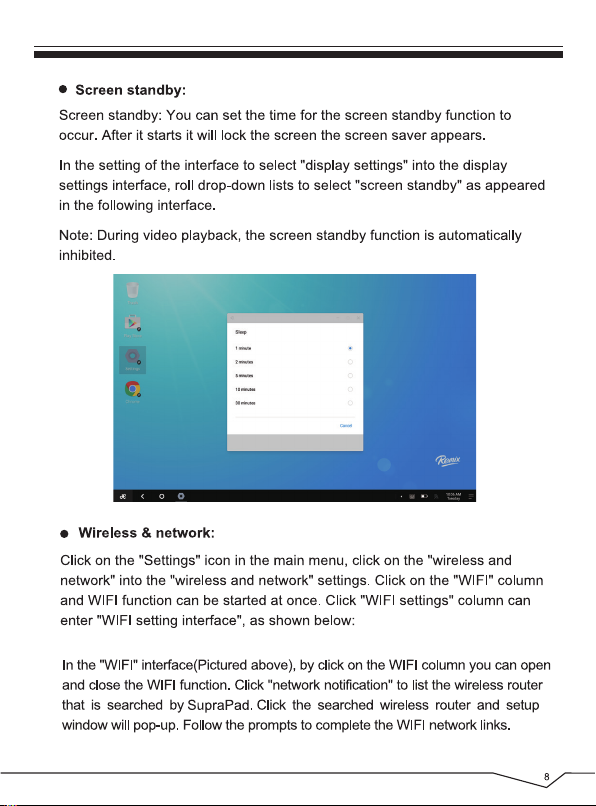
Page 14
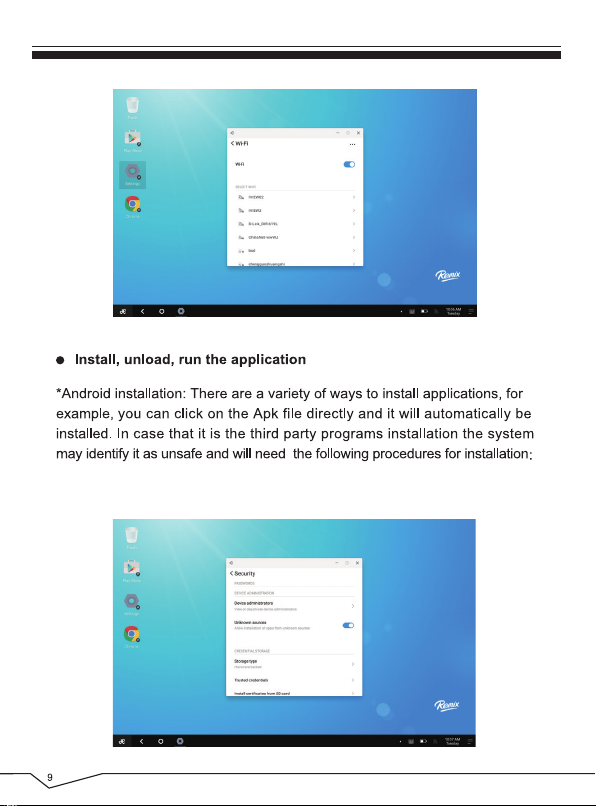
Enter "Settings">"Security", select "Unknown sources", then "OK".
Page 15
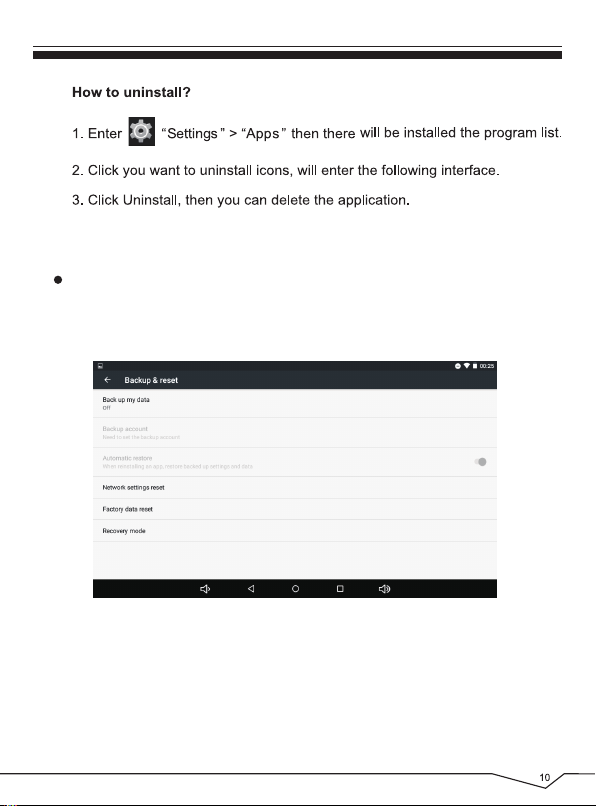
Backup & reset
Click on the “Settings” icon in the main menu, click on the “Backup & reset”.
Page 16
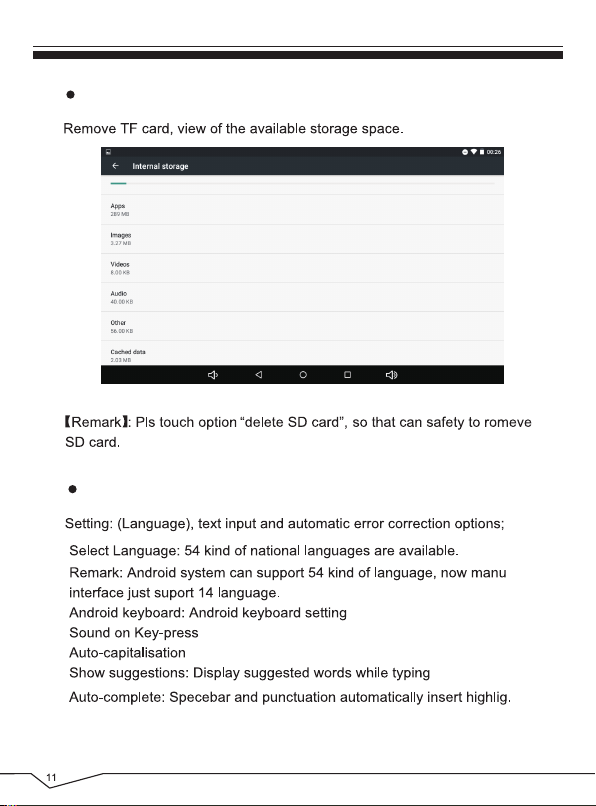
Storage
Language & keyboard
Page 17
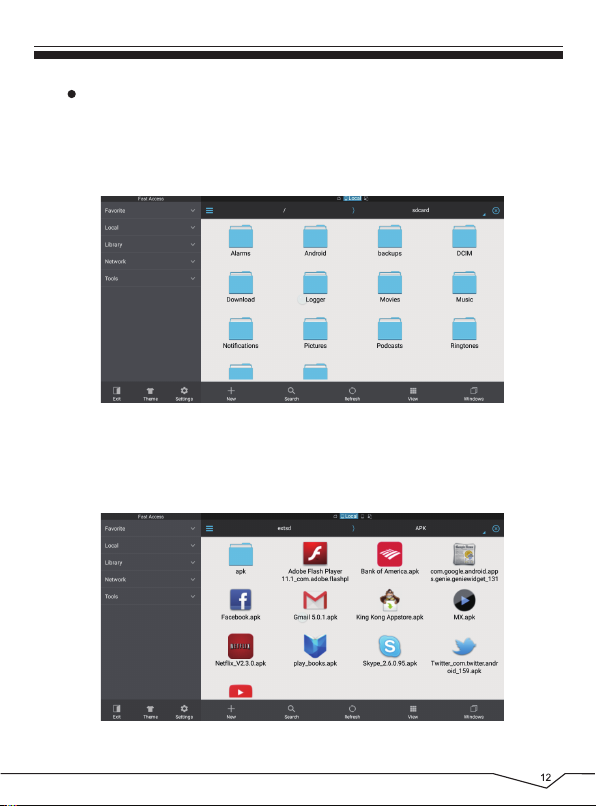
ES file explorer
In the main menu interface, you can manage your files and install APK
software with “ ES File Explorer ”. Tap the “ES File Explorer”, you can
choose the directory from SD Card, Internal Memory, or USB disk.
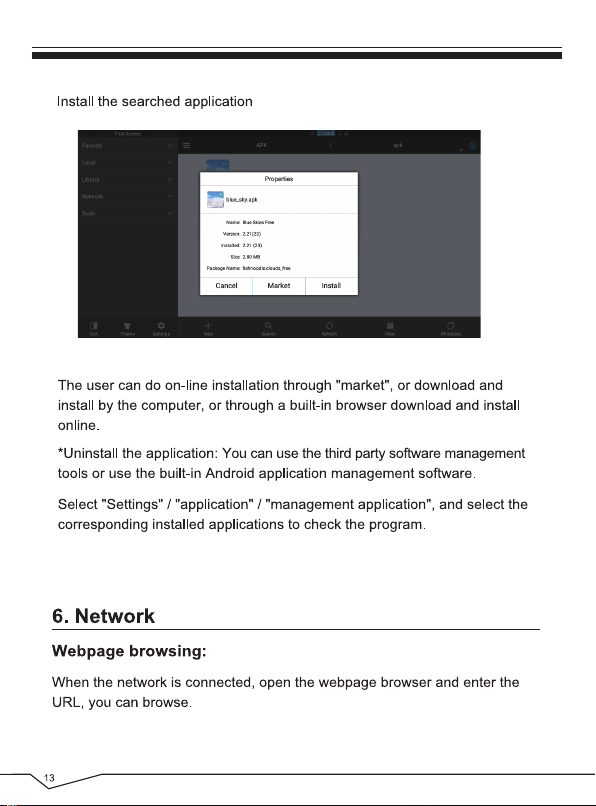
If you want to install application, open the directory of APK via
ES File Explorer.
Page 18
:
Page 19
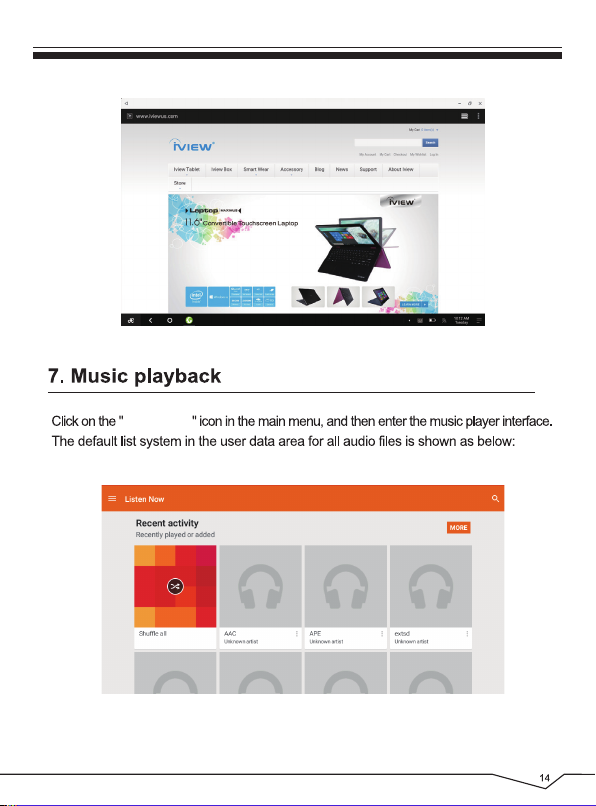
Play Music
Page 20
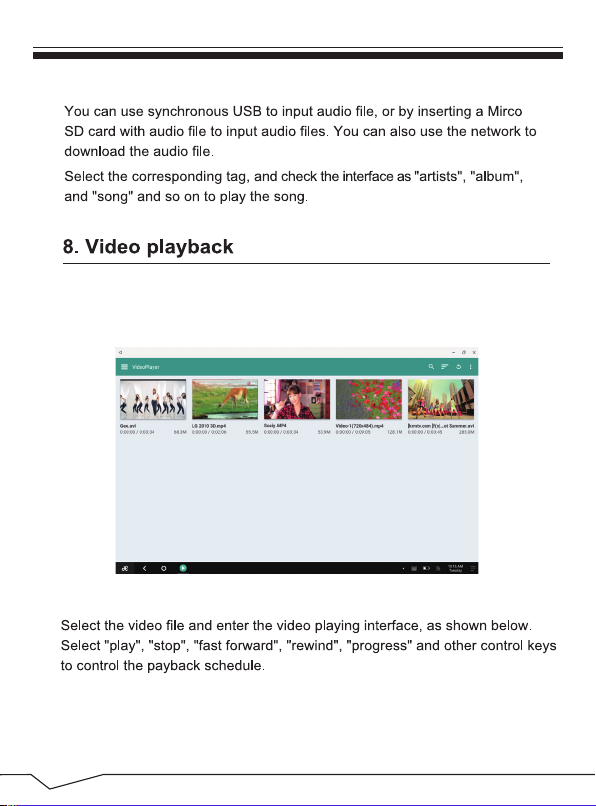
Click on the “Video Player” in the main menu, to enter the “Video
Player” main interface. It lists all video files as shown below:
15
Page 21
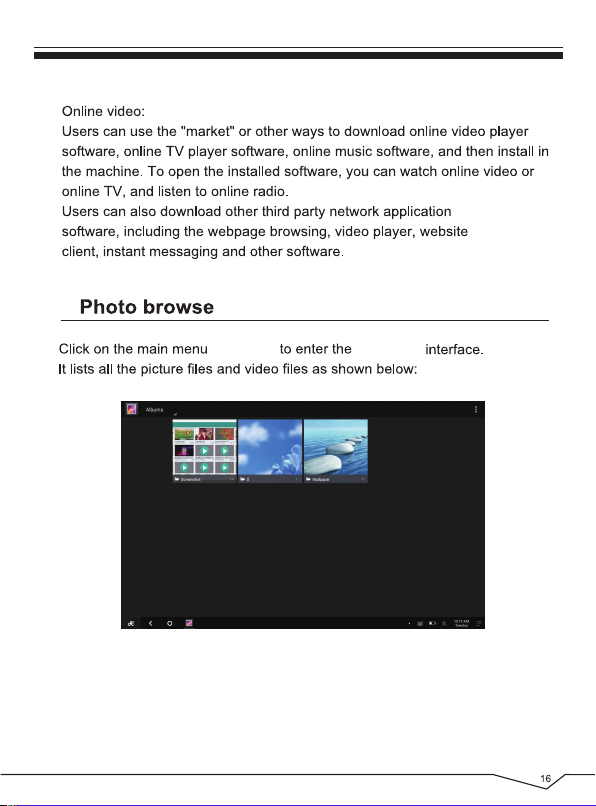
9.
“ Gallery ” “ Gallery ”
Select a picture file, enter the picture play interface. Select “zoom”, “narrow”
“set” and “delete” operation.
Page 22
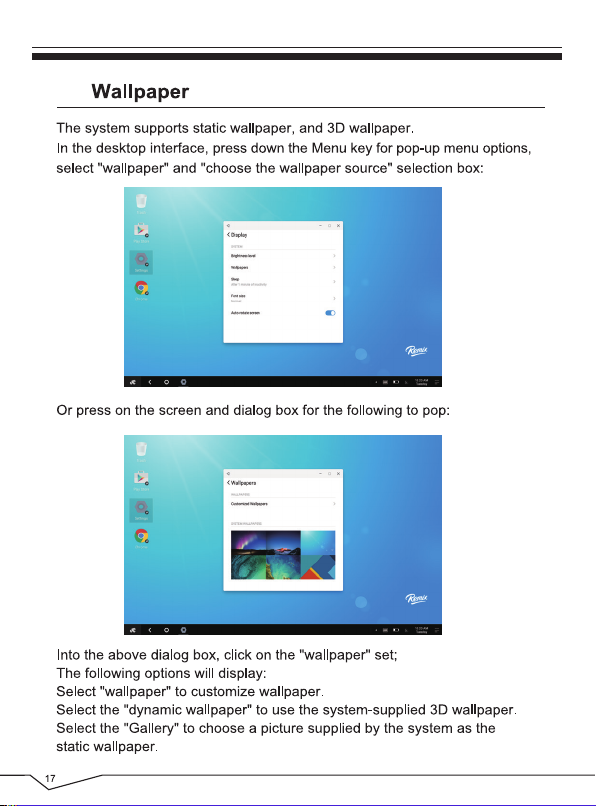
10.
Page 23
11.
R
12.
R
S S
Page 24
13.
Page 25
Page 26
Page 27
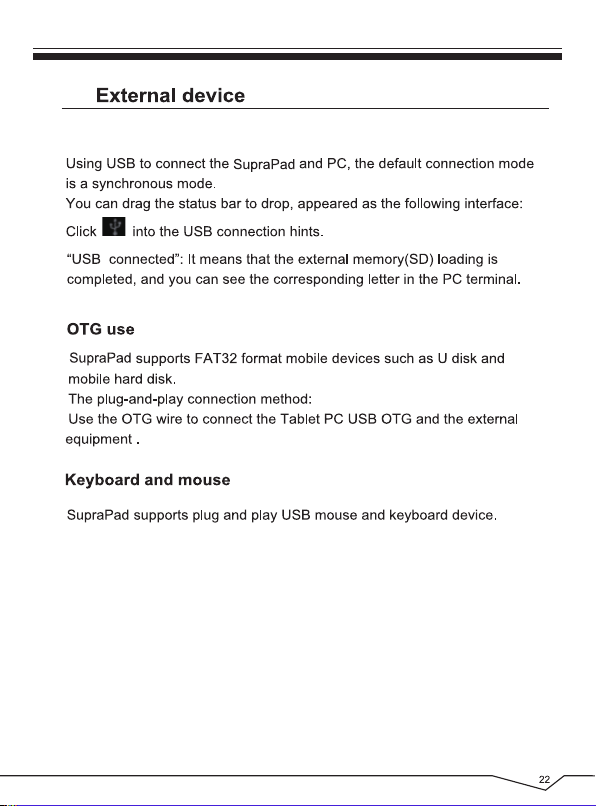
14.
Page 28
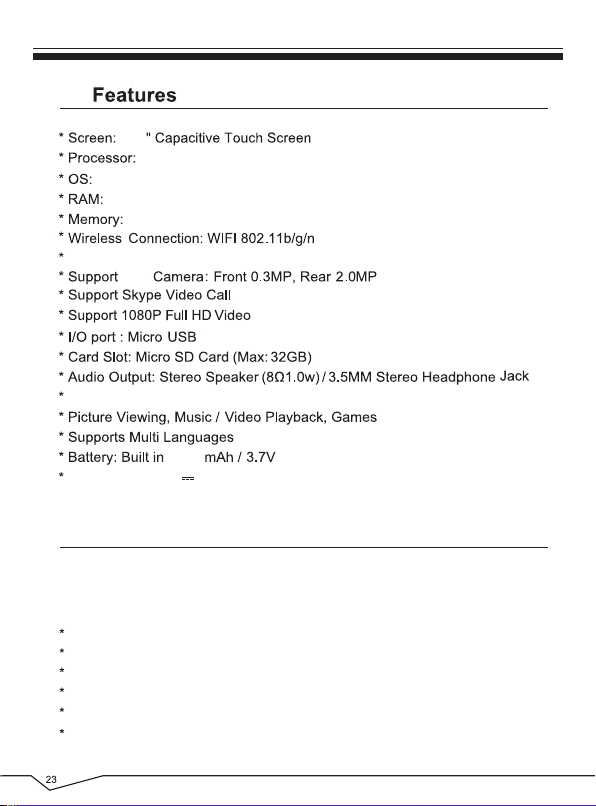
15.
10.1
Quad Core, Cortex A53, 1.2GHz
Remix OS by Android Lollipop
1GB
16GB
Build in Bluetooth 4.0
Dual
Play Store, Calendar, Calculator, E-mail
6000
Power Source: 5V 2A
Li-ion, Rechargeable
16. Accessories
Below items are included in your package:
Complete Device
Power Adapter
OTG Cable
USB Cable
Earphone
User Manual
Detachable Keyboard
, 800 x 1280 Resolution
Page 29
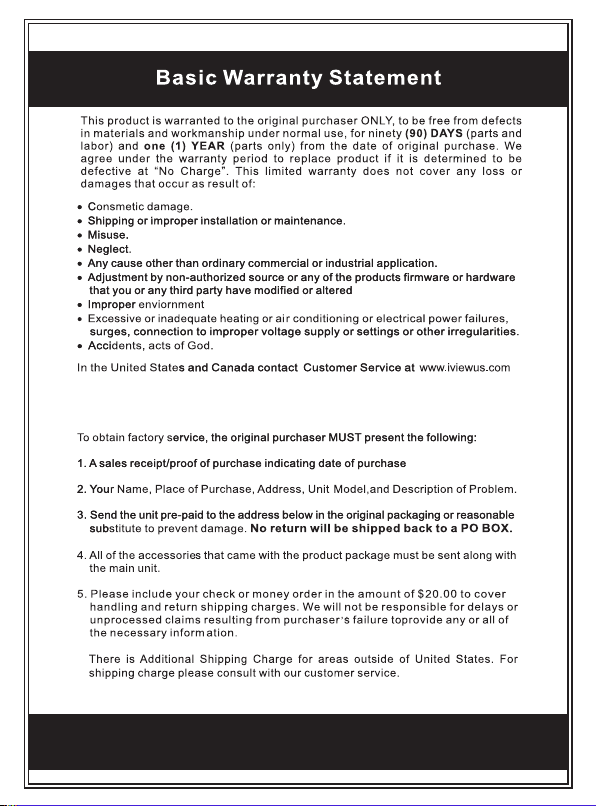
* Please note that in order to have your merchandise repaired and replaced by
warranty, you must contact our customer service representatives by email, and
get RMA number.
6.
Page 30

 Loading...