

Page 1
User Guide
BOLLA
For more Information:
www.wiltec.hk
Model No.:WT-0067
Page 2
6
3
5
7
1
2
4
1
8
Page 3

2
INTRODUCTION
Thank you for choosing BOLLA, the wise baby monitor. This
appliance is an electronic wireless communication system that
allows you to keep an eye on baby while he is asleep using your
Android smartphone via Bluetooth.
PACK CONTENTS
1 BOLLA baby monitor unit
1 main supply adapter
2 NiMH, 1.2V, 550mAh AAA batteries
1 Quick Start Guide
WARNING
- This baby alarm CANNOT IN ANY CIRCUMSTANCES REPLACE the
supervision of the baby by an adult.
- Always make sure that electrical appliances and their wires are
kept out of children’s reach.
- Remove all the batteries from the battery compartment when
the device is not going to be used for long periods.
- If there is too short a distance between the device and your smart
phone, you may obtain a Larsen eect (very shrill sound).
To avoid this, simply increase the distance between the product
and your smart phone or lower the volume on the receiver.
- The appliance’s range varies according to the obstacles it meets
(lie of the land, number of partition walls between the transmitter
and the receiver, the presence of metal structures, level of charge
of the batteries, etc.).
- The system should not be used to eavesdrop on private
conversations. This type of use is strictly illegal.
- Please read all the instructions carefully before you use the
product.
- Keep the appliances well away from all sources of heat (maximum
40°C) and humidity.
Page 4

3
WARNING
- Check regularly that the product is working properly.
- Clean the appliance with a soft, dry cloth. Do not immerse it in
water or expose it to water drops or splashes.
- The adapters may become warm when the appliance is in use;
when you use them, make sure that the heat can disperse and do
not cover them.
- The appliance should not be dropped or subjected to violent
impacts.
- Use this product only with the electrical connection included or
supplied as an accessory.
- Do not place sources of naked ames, such as lit candles, on the
appliance.
- Please care for the environment: do not throw used batteries out
with the household rubbish, dispose of them in the collection
points provided.
- Do not install new batteries with used ones and do not mix
dierent types of batteries
- To avoid all risk of electrocution, do not expose the appliance
to rain or damp conditions.
- Batteries should not be exposed to excessive heat (sun, re, etc.)
- The power supply adapter acts as an insulation device and should
be easily accessible.
- Batteries should not be exposed to excessive heat from the sun, a
re or other similar origin.
- The electricity supply switch should be easily accessible.
- The product should be placed approximately 1 – 1.5 metres away
from the child, on a at, stable surface, with the microphone facing
the child.
-The product, the main supply adapter and wire should be kept
out of the child’s reach.
Page 5

4
ATTENTION!
TO REDUCE THE RISK OF ELECTRIC SHOCK, DO NOT REMOVE THE
PROTECTION OR ATTEMPT TO OPEN MAINS ADAPTERS.
DO NOT WET MAINS ADAPTERS, THE BABY UNIT OR PARENT UNIT.
DO NOT EXPOSE TO HUMIDITY OR ATTEMPT TO OPEN THEM.
THIS MAY BE A SOURCE OF DANGER AND SHALL VOID THE
WARRANTY.
PRODUCT DESCRIPTION
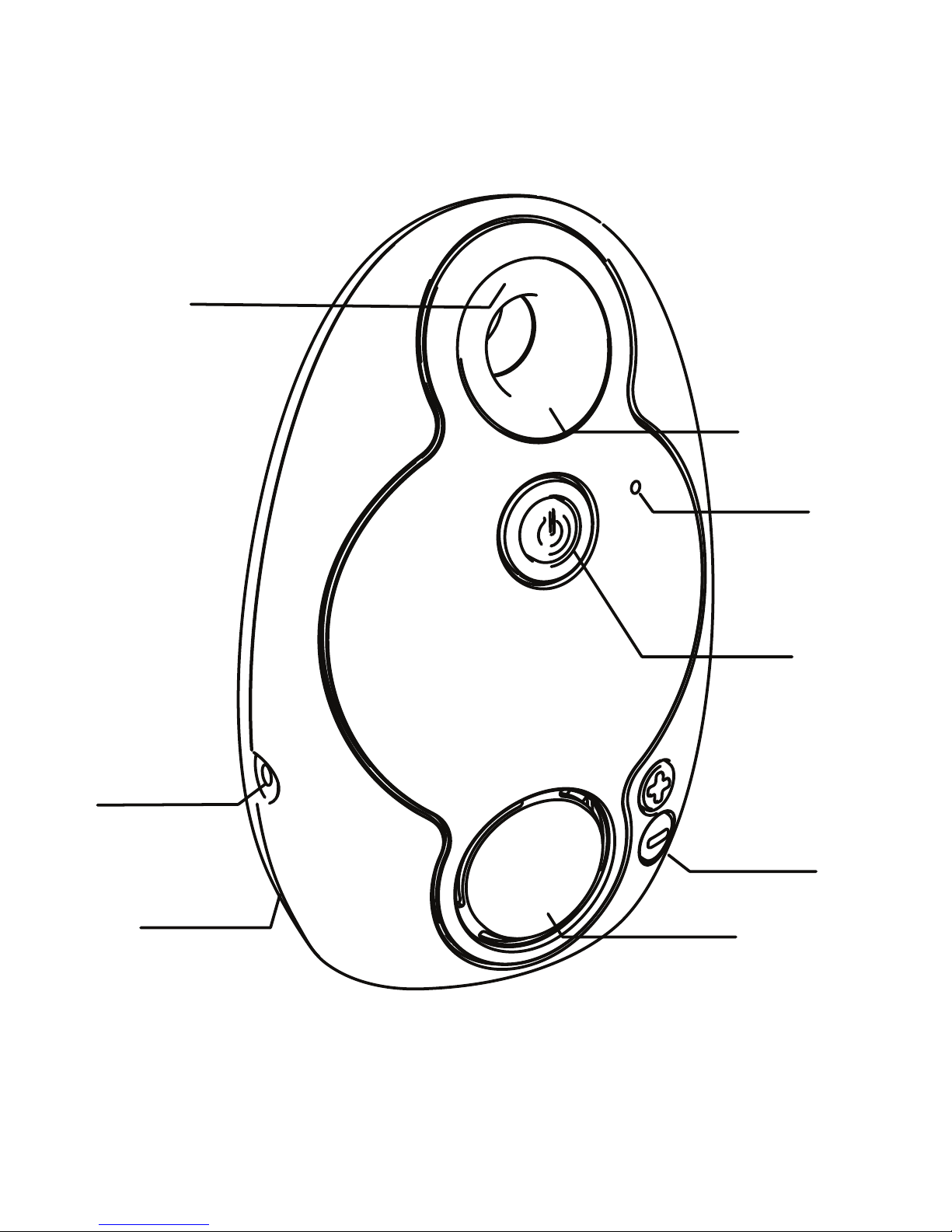
1. On/O Button
2. Volume +/- Button
3. Main Supply Socket
4. Battery Compartment
5. Indicator Light
6. Night Light
7. Microphone
8.. Speaker
WARNING
- Improper or incorrect use of batteries may cause corrosion or
battery leakage, which could cause personal injury or damage to
property.
- Install the batteries correctly by following the polarity (+ and -)
indications in the battery compartment.
- Use only the types of the batteries which are indicated in this
manual.
- Do not dispose the used batteries as domestic waste. Dispose
them in accordance with local regulations.
Page 6
5
SETTING UP BOLLA
Turning on BOLLA
The Bolla baby monitor runs on either 2 AAA batteries or with a
main supply adapter.
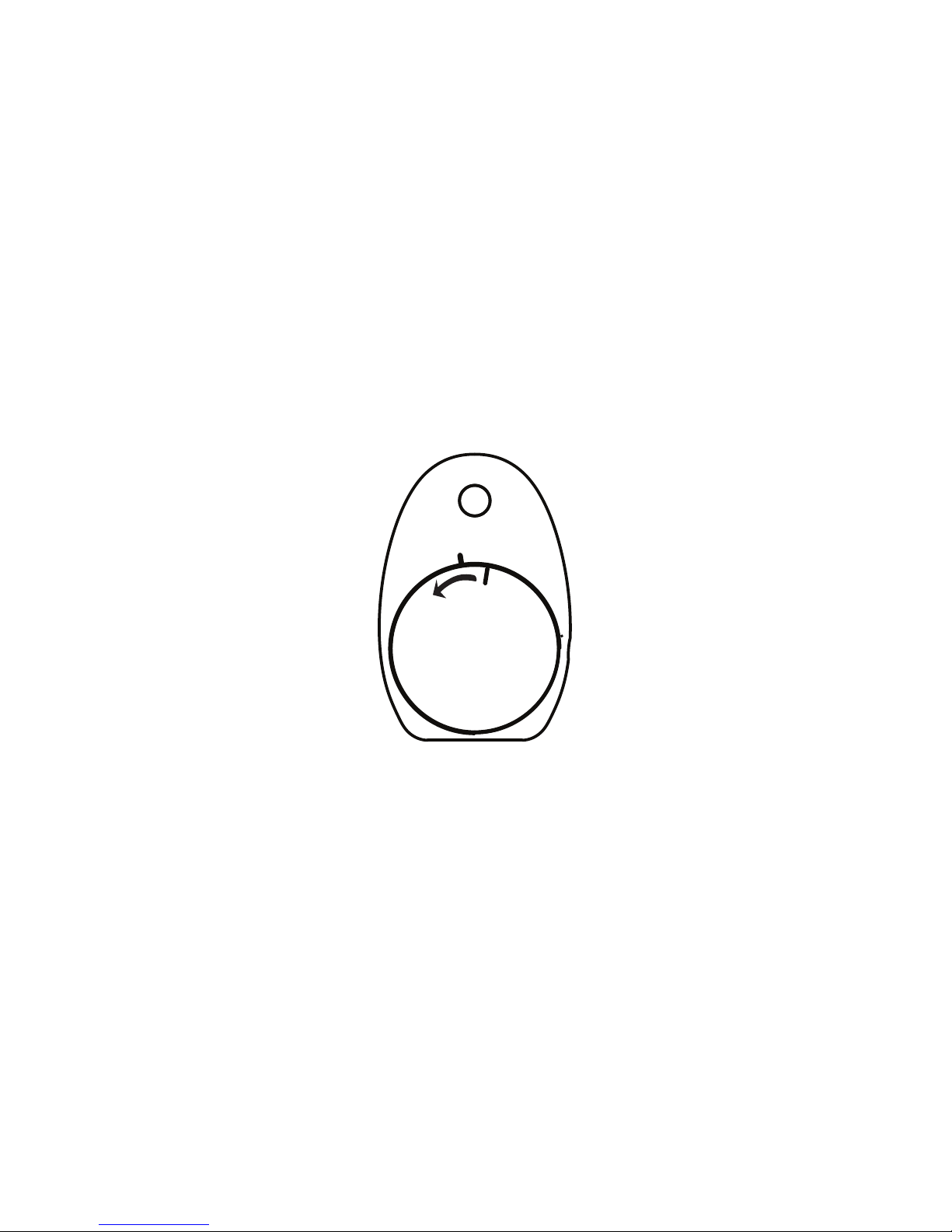
Use with batteries: open the battery compartment by turning the
cover counterclockwise, insert the 2 AAA batteries, observing the
correct polarity, then close the compartment.
Use only the provided batteries
Make sure the compartment is rmly shut to prevent children from
swallowing the batteries.
Use with supplied adaptor: Plug the power adaptor cable into the
main supply socket on the Bolla unit and plug the other end into
the mains power, the indicator light turns RED as the BOLLA is
plugged into the power supply.
Use only the supplied adaptor.
Press the “On/O” button to turn on the unit, the “Indicator light”
LED will be blinking in BLUE.
If BOLLA is plugged into the main power supply, the “Indicator light
” LED will be alternating between PURPLE AND RED.
Page 7
6
SETTING UP BOLLA
Smartphone
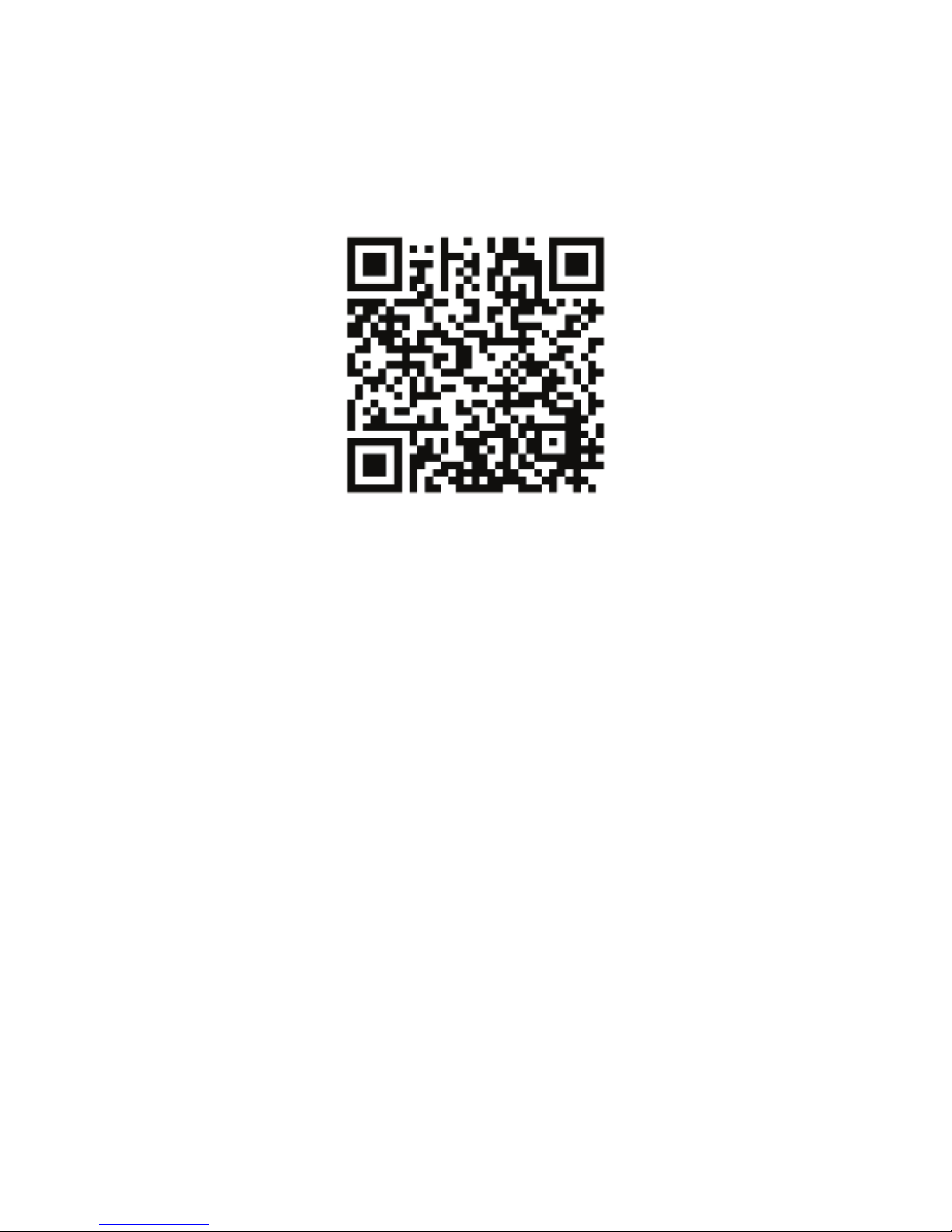
Install the “BabyMon” APP on your Android Device, which can
be found by scanning the QR code below with a 3rd party APP.
Note that the “BabyMon” APP only supports Android Device
with Android 4.4.2 or above. If your device has system lower than
that, please update it to Android 4.4.2 or above.
Open the Bluetooth setting menu on your smartphone and turn
on the Bluetooth function.
Search the Bluetooth device and select the “Bolla” and let the
Android system pair with it.
After successfully complete the pairing and connecting process,
the “Indicator light” LED will stop blinking and become steady on.
Page 8
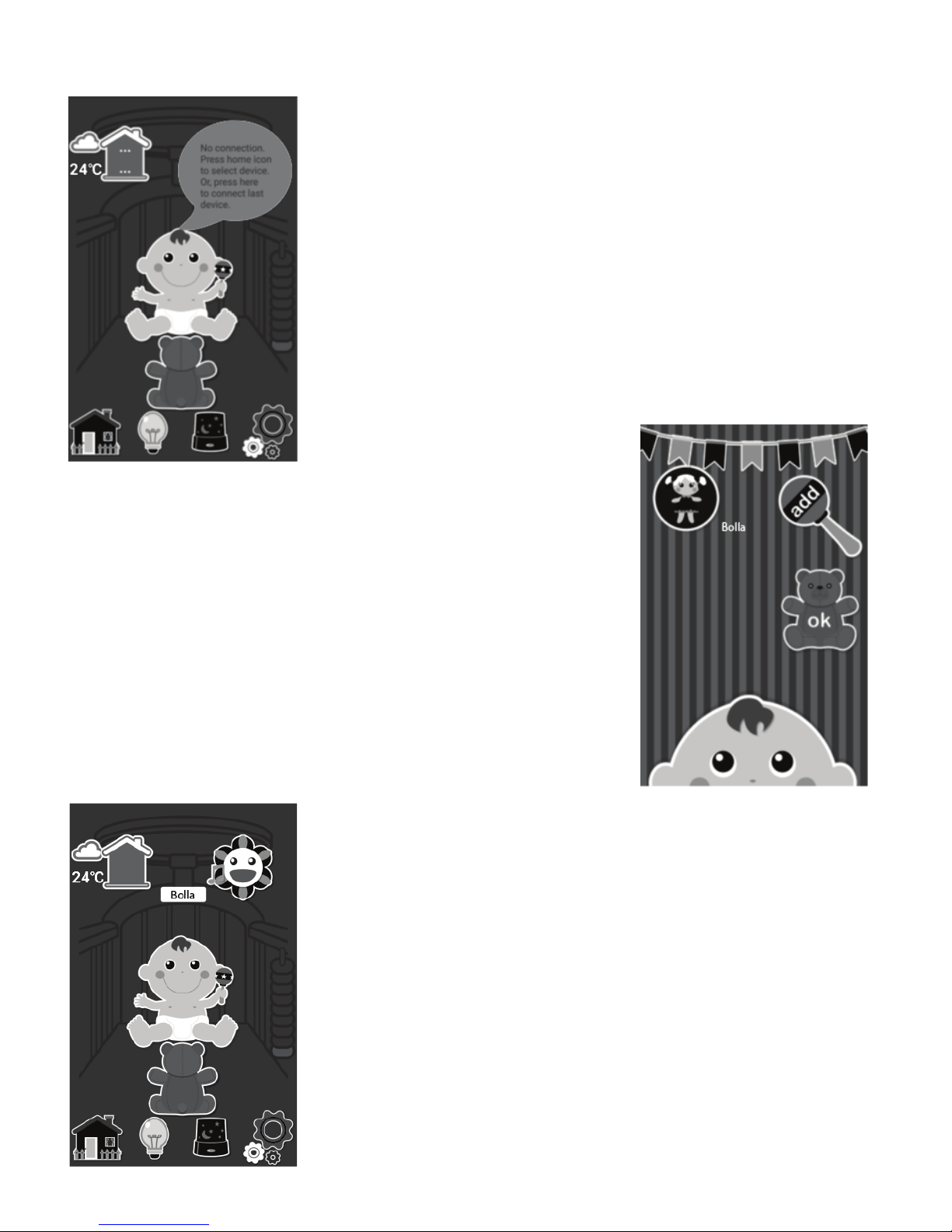
7
Connecting YOUR BOLLA
Tap on the “Home” icon on the lower left
corner to enter the add device interface.
Or you can tap on the pop-up on upper
right corner of the Main Menu to connect
to last connected device if there is device
connected before.
And tap on the “add” icon to get the paired
device list. The “Bolla” device will be displayed,
tap on it to assign the name and then select
an icon to represent it.
To connect a device, tap on the assigned icon
and tap ok.
“Bolla” will be shown above the baby in APP.
The BOLLA is ready to use now.
(If the Bluetooth function of smartphone is
not activated, the APP will request to enable
the Bluetooth.
Please select “YES” to activate the Bluetooth
on Smartphone rst.)
Page 9
8
Using Your BOLLA
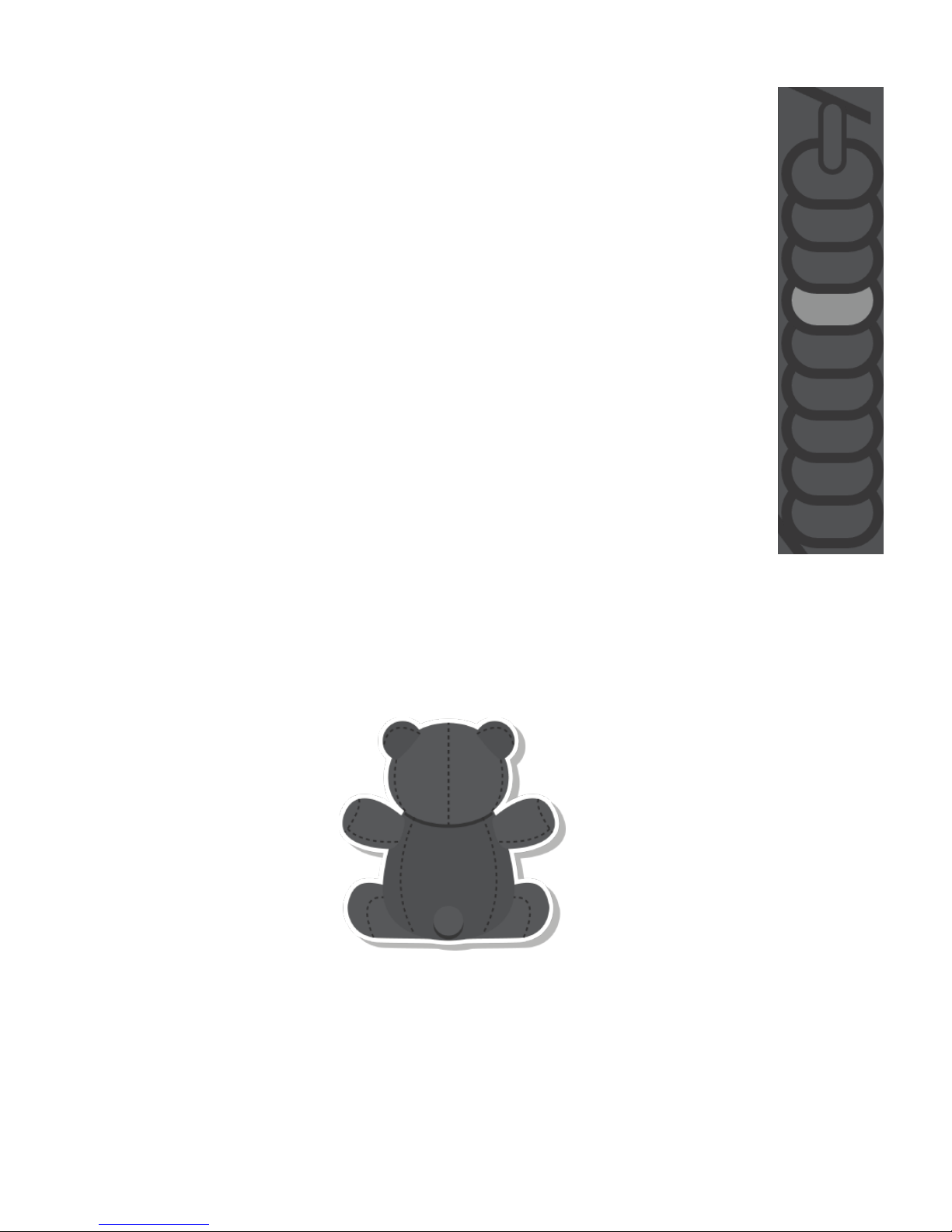
Adjust the Crying Level
The “BabyMonitor” APP has eight crying alert levels, and
it is represented by beads on the right hand side of the
Main Menu.
The selected bead will be highlighted. You can tap on a
bead to set the crying level. Once the crying/sound level
at the side reaches this level, the sound will be
transmitted to the smartphone/APP.
If you select a higher bead, the sound on Bolla side needs
to be louder to activate the sound transmission.
Talk Back
You can activate the Talk back function by tapping and holding
the little bear in the Main Menu.
The Talk Back will be continued until you release the bear. Talk to
the smartphone and your baby can hear your voice.
Please note that when using Talk Back you will not be able to hear
your baby until the talk back ends.
Page 10
9
Using Your BOLLA
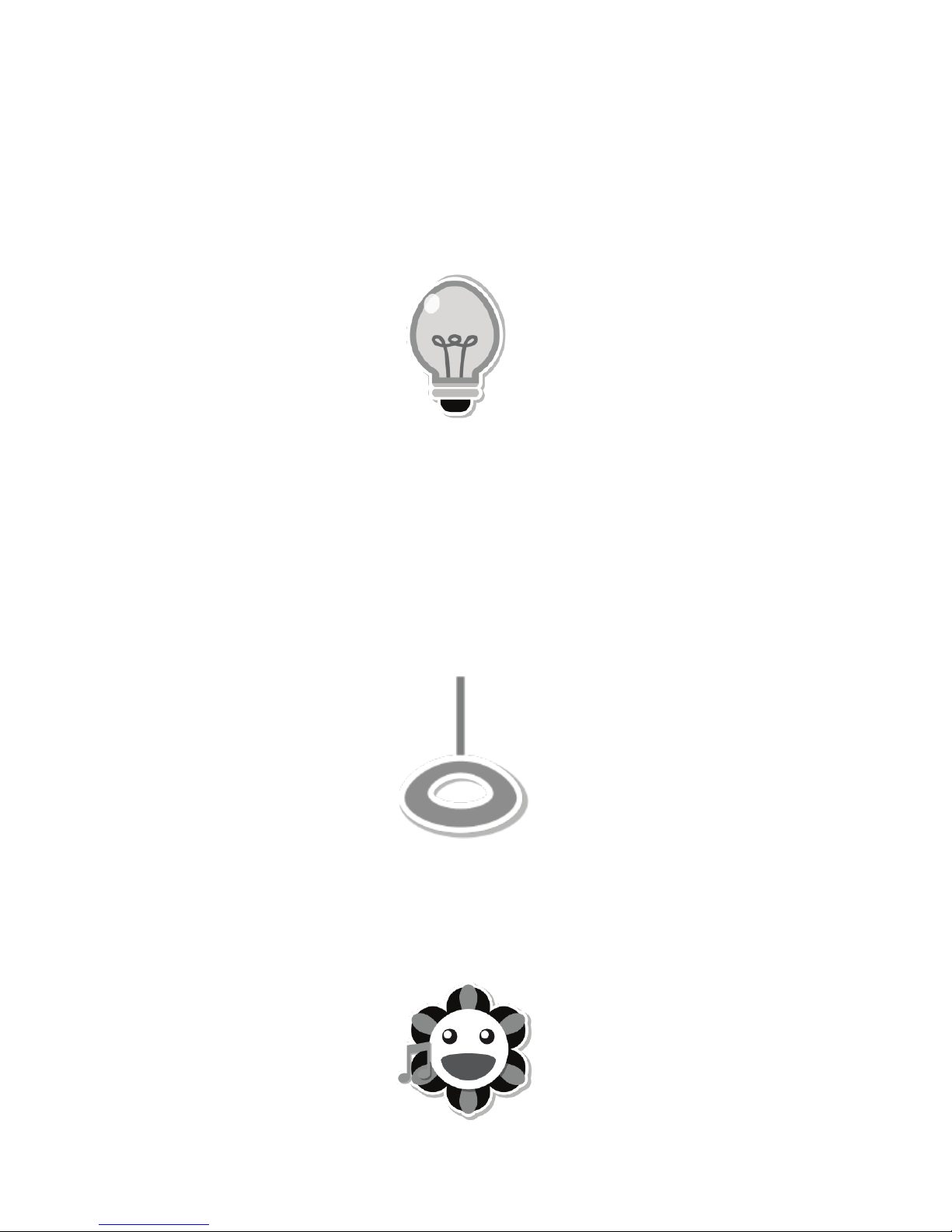
Nightlight
You can set a comforting nightlight on the BOLLA.
Tap on the Nightlight icon in the APP Main Menu, the Nightlight on
the unit will be switched on/o.
Play Lullaby
The BOLLA unit has lullabies that can be played to gently soothe
your baby. Also, you can choose songs/storys from your smart
phone to play.
By default, the unit will play 3 lullaby repeatedly. Tap the handle
icon in the APP Main Menu, the Bolla will start to play the lullabies.
Play Music/ Story
To play the song or story from the smartphone, press the ower
icon; the APP will jump to browse your music directory.
Search and select your song/ story by tapping on it, and then the
unit will start to play the song/story.
Page 11

10
Using Your BOLLA
Adjust the Loudspeaker Volume
There are 5 volume levels.
To change volume of Talk back/ playing lullaby, press “Volume +/-“
buttons on BOLLA to adjust the volume.
To change volume of playing music from your smart phone, press
“Volume +/-“ buttons on your phone to adjust the volume.
(While the BOLLA is not in Talk Back mode or playing music, if you
try and set the volume higher or lower than the 5 settings
available on the unit, you will hear an error tone.)
Page 12

11
Using Your BOLLA
Change Country/City of Weather Forecast
You can change the country/city by tapping the country/city
setting icon on the right lower corner in the APP Main Menu.
In the select country or city interface, enter your preferred country
or city, and then the weather information of the selected country/
city willbe changed.
Weather Forecast
If your smartphone is connected to the internet, the APP will
collect the weather information from the internet and display on
the top left corner.
You can switch the information from current weather to tomorrow
forecast.
Tap on the temperature; the weather information will change to
display the tomorrow forecast for 5 seconds.
Page 13

12
TECHNICAL SPECIFICATION
BOLLA
Power:
Internal:
2 NiMH, 1.2V, 550mAh type AAA batteries
External:
via 100-240V~ 50/60Hz /6V 500mA main switching adapter
Transmission Frequency: 2400 - 2483.5MHz
Transmission power: 20dBm max
Main Supply Adaptor
Tempao : S003GV0600050/S003GB060050
Input:100-240V ~50/60Hz 150mA
Output: 6.0V 500mA
N.B. Use only with provided adaptor.
Postal Address:
Ten Pao Industrial Co., Limited
Room 10-12, 6/F,
Kwong Sang Hong Centre,
151-153 Hoi Bun Road, Kwun Tong,
Kowloon,
Hong Kong
Battery
GREPOW Ni-MH AAA550 1.2V
OR
CORUN Ni-MH AAA550 1.2V
N.B. Use only with provided batteries.
Page 14

13
Declaration of Conformity
Hereby, Wiltec declares that Wise Baby Monitor is in compliance
with the essential requirements and other relevant provisions of
Directive 1999/5/EC.
The Declaration of Conformance for Wise Baby Monitor is available
from:
www.wiltec.hk/DOC
Page 15
Wiltec HK Company Limited
Model : WT-0067
Use only power supplies and
batteries listed in user manual
Made in China
All rights reserved.
 Loading...