

Page 1
User Guide
For more Information:
www.wiltec.hk
BESS
Page 2
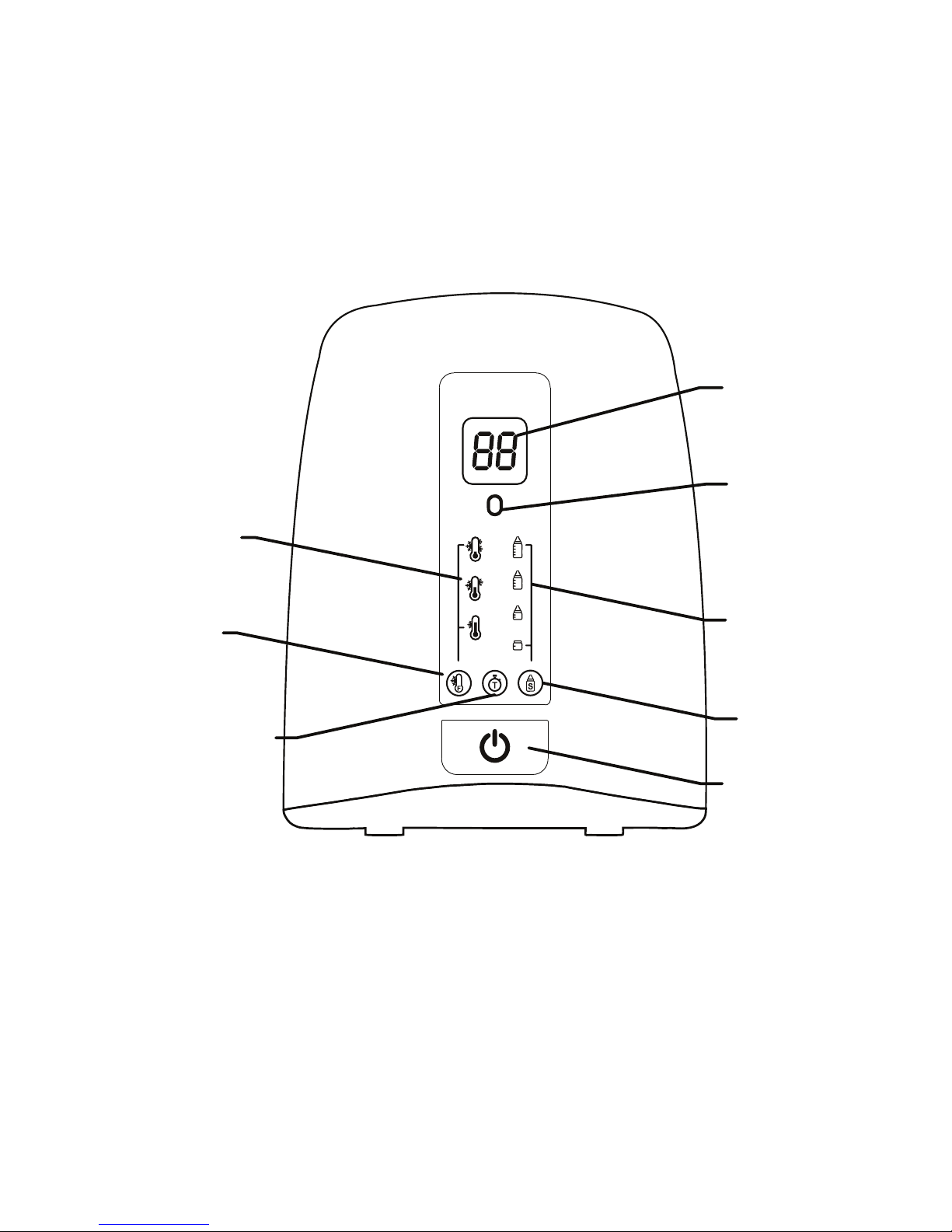
Starting temp. button
On/O button
Bottle size selection
button
Timer button
Link indicator
Timer display
Starting temp. indicator
Bottle size selection
indicator
1
Page 3

INTRODUCTION
Thank you for choosing BESS, the wise bottle warmer. This
appliance is an electronic wireless communication system that
allows you warm your baby food easily with or without your
Android smartphone via Bluetooth.
Please retain your original dated sales receipt for your records. For
warranty service of your Wiltec product, you will need to provide a
copy of your dated sales receipt to conrm warranty status.
Registration is not required for warranty coverage.
For product related questions, please contact the shop or agent
you purchased Wiltec product.
This User Guide provides you with all the information you need to
get the most from your product.
Before you can use the bottle warmer, we recommend you fully
charge the battery of your smartphone, so that it continues to
work if you disconnect it from the power supply to carry it to
another location.
Please read the Safety Instructions on page 3 before you install
the units.
PACK CONTENTS
1 BESS bottle warmer unit
1 Baby food jar/feeding bottle support
1 Quick Start Guide
2
Page 4

WARNING
- Always make sure that electrical appliances and their wires are
kept out of children’s reach.
- The appliance’s range varies according to the obstacles it meets
(lie of the land, number of partition walls between the transmitter
and the receiver, the presence of metal structures, etc.).
- Please read all the instructions carefully before you use the
product.
- Keep the appliances well away from all sources of heat
(maximum 40°C) and humidity.
- Check regularly that the product is working properly.
- Clean the appliance with a soft, dry cloth. Do not immerse it in
water or expose it to water drops or splashes.
- The appliance should not be dropped or subjected to violent
impacts.
- Do not place sources of naked ames, such as lit candles, on the
appliance.
- To avoid all risk of electrocution, do not expose the appliance
to rain or damp conditions.
- This appliance is intended to be used in household and similar
applications such as:
- sta kitchen areas in shops, ocers and other
working environments;
- farm houses;
- by clients in hotels. Motels and other residential
type environments;
- bed and breakfast type environment
3
Page 5

WARNING
- The electricity supply switch should be easily accessible.
-Test this product and all its functions so that you are familiar with
it prior to actual use.
-Do not touch the plug contacts with sharp or metal objects.
-This appliance can be used by children aged from 3 years and
above if they have been given supervision or instruction
concerning use of the appliance in a safe way and if they
understand the hazards involved.
-Cleaning and user maintenance shall not be made by children
unless they are older than 8 and supervised.
- Keep the appliance and its cord out of reach of children aged
less than 8 years.
-Appliance can be used by persons with reduced physical ,
sensory or mental capabilities or lack of experience and
knowledge if they have been given supervision or instruction
concerning use of the appliance in a safe way and understand
the hazards involved. Children shall not play with appliance.
-Appliance must not be immersed.
-Check food temperature not too hot (not over 37°C) before
feeding.
-When not use the equipment, please unplug from the mains.
-Do not move the product during use.
-Plug this appliance into a wall socket easily reachable by an
adult but out of reach of children.
-Do not cover the appliance with a cloth or other objects
(re hazard).
-Do not handle the appliance with moist or wet hands.
-In the case of failure do not try to open or repair the appliance
since it does not contain parts that can be repaired or replaced
by the user.
4
Page 6

ATTENTION!
TO REDUCE THE RISK OF ELECTRIC SHOCK, DO NOT REMOVE THE
PROTECTION OR ATTEMPT TO OPEN THE P[RODUCT.
DO NOT EXPOSE TO HUMIDITY OR ATTEMPT TO OPEN THEM.
THIS MAY BE A SOURCE OF DANGER AND SHALL VOID THE
WARRANTY.
5
Page 7

Turning on BESS
Plug in power, “Link indicator” ashing in blue, means the unit has
not connected with mobile app.
Press the On/o button to turn on the unit and the button
ashing in AMBER.
In this stage, the unit is waiting for the user to select the
temperature and bottle size.
SETTING UP BESS
Smartphone
Install the “Warmer” APP on your Android Device, which can
be found by scanning the QR code below with a 3rd party APP.
Note that the “Warmer” APP only support Android Device
with Android 4.4.2 or above. If your device has system lower than
that, please update it to Android 4.4.2 or above.
6
Page 8

Smartphone
Open the APP on smartphone, it will display the Main Menu.
The APP will auto connect to bottle warmer unit.
If the Link indicator stop ashing and turn steady blue, the bottle
warmer unit has connected with the mobile APP,
and the link button on the app Main Menu disappeared.
If the Link indicator on bottle warmer unit keep ashing, press
once the link button on the upper left corner of Main Menu.
SETTING UP BESS
7
Page 9
USING YOUR BESS
Before performing the steps illustrated below, make sure the
power cord is unplugged from the mains socket.
1. Place the bottle warmer on a at, level surface.
2. Pour water inside the main body as follows:
3. Slowly insert the baby food jar/feeding bottle support inside
the main body.
4. Plug in power. Press the On/o button) to turn on the unit.
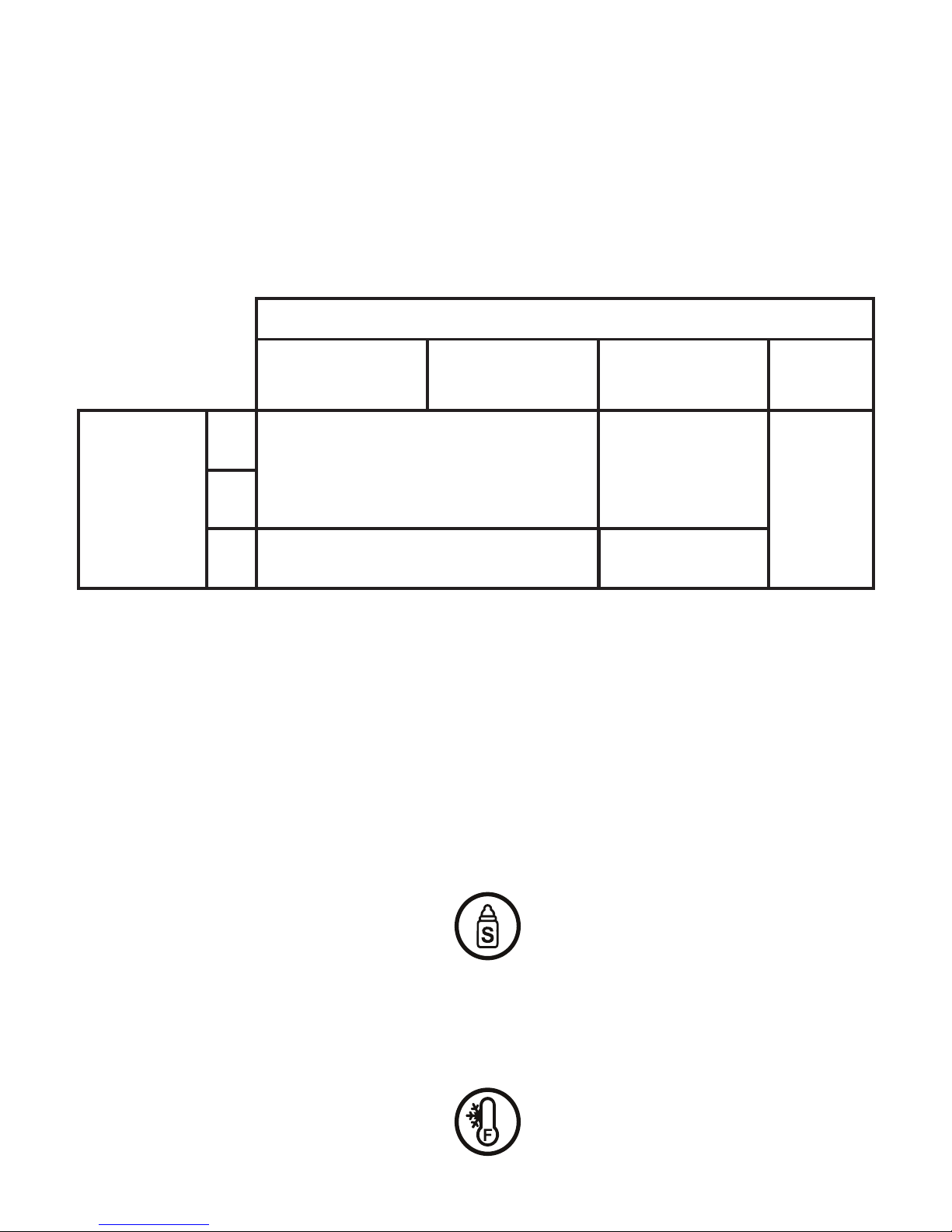
5.Select the type/capacity of the bottle to be warmed by pressing
the Bottle size selection button until the AMBER LED is positioned
on the desired option.
6. Set the starting temperature of the food by pressing the
starting temp selection button until the AMBER LED is positioned
on the desired option.
Feeding Bottle (capacity) or jar
Feeding bottle approx.
150 ml/5 oz
Feeding bottle approx.
250 ml/9 oz
Feeding bottle approx.
330 ml/11 oz
Baby food jar
Starting
temperature
20°C
5°C
-10°C
30 ml 60 ml
60 ml
80 ml
60 ml
8
Page 10

7 . Press the On/O button again to start, it stop ashing and
keep in RED and timer will be shown on the LCD.
8. Upon nished heating, the On/O button LED would be
steady in GREEN.
9. After 3 minutes, the unit will go to standby mode.
The ON/OFF button LED will ashing GREEN and LCD will turn
OFF.
10. After use, press and hold the On/O button LED for 3
seconds will switch the bottle warmer o
Using the schedule timer function
This feature can be used to warm-up the food in advance
(up to 1 hour before).
- Press the timer button until you reach the time interval within
which the contents should be ready.
Time intervals: 15min, 30min, 45min, 60min.
- Press the On/O button to start the selected heating mode.
- The LED on the On/O button will go AMBER and blink until the
actual warm-up cycle begins.
USING YOUR BESS
Feeding Bottle (capacity) or jar
Feeding bottle approx.
150 ml/5 oz
Feeding bottle approx.
250 ml/9 oz
Feeding bottle approx.
330 ml/11 oz
Baby food jar
Starting
temperature
20°C
5°C
-10°C
5 mins 15 secs
7 mins 00 secs
17 mins 25 secs
5 mins 30 secs
8 mins 30 secs
17 mins 40 secs
7 mins 20 secs
10 mins 40 secs
23 mins 00 secs
6 mins 25 secs
8 mins 20 secs
19 mins 30 secs
9
Page 11
USING YOUR BESS WITH SMARTPHONE
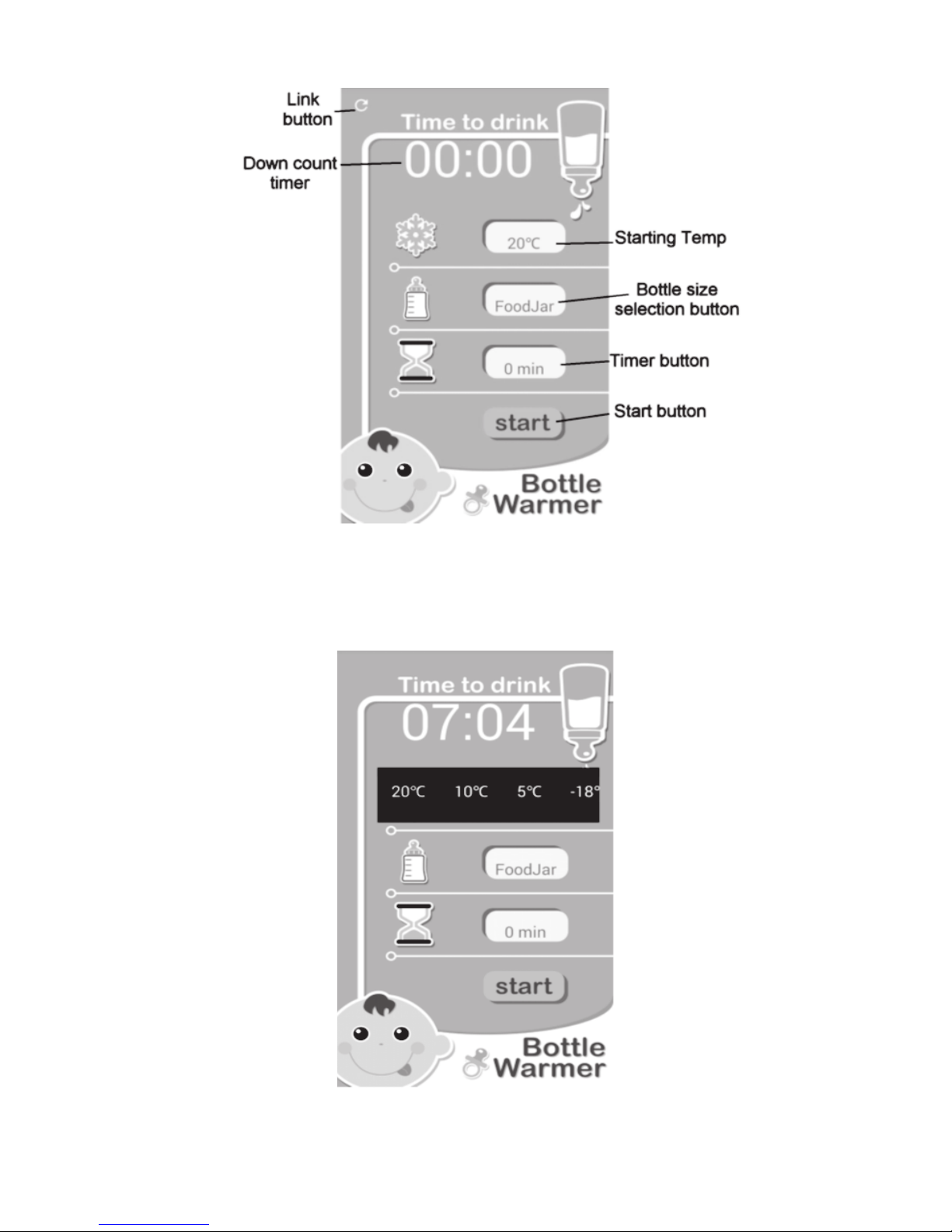
Set Starting Temp.
Set the starting temp of the food by pressing on the temperature
selection icon on Main Menu then selection bar will be shown.
Select the desire starting temp by tapping on the selection bar.
10
Page 12
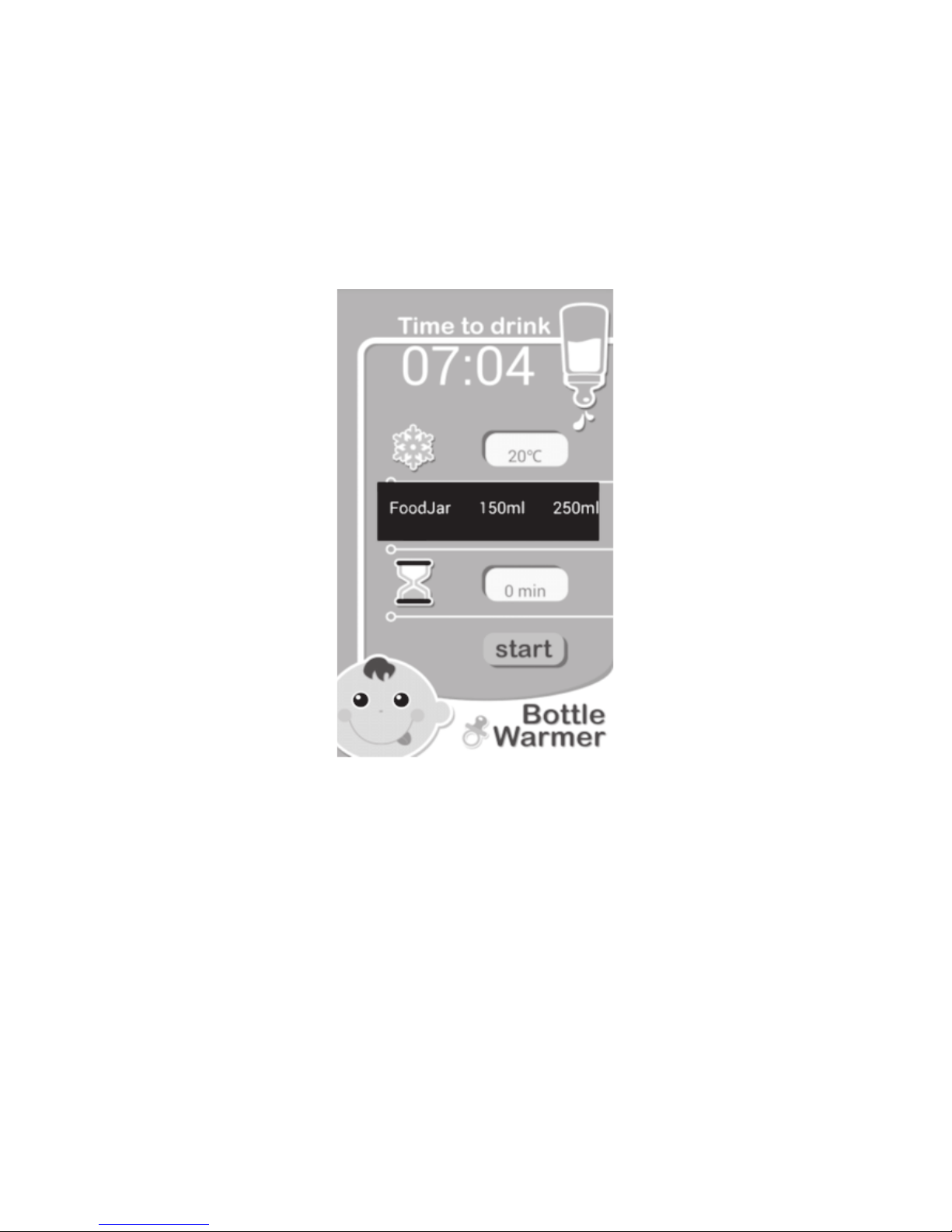
Select bottle size
Select the bottle size by pressing on the bottle size selection icon
on Main Menu.
then selection bar will be shown.
Select the desire bottle size by tapping on the selection bar.
USING YOUR BESS WITH SMARTPHONE
11
Page 13
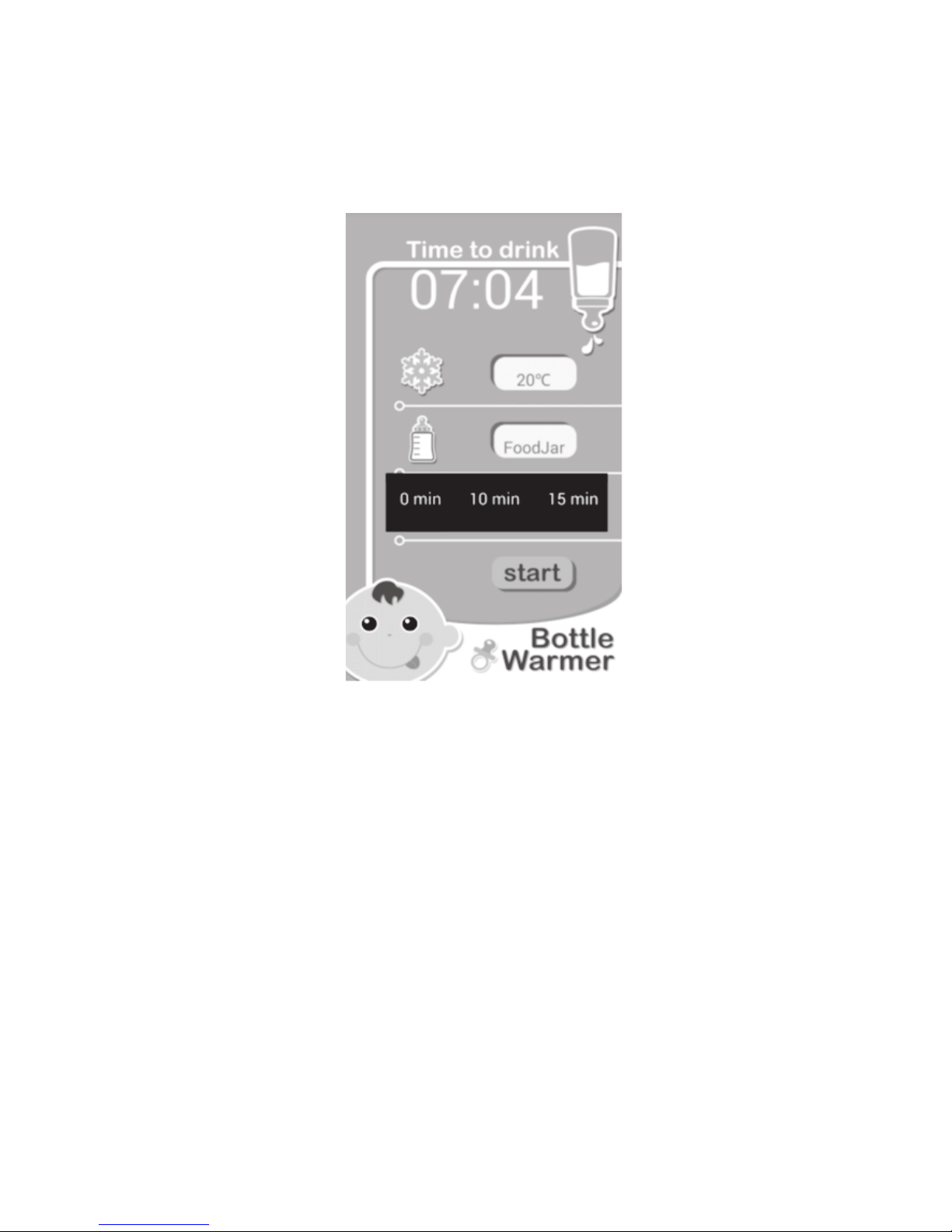
Set the schedule timer
Set the timer by pressing on the timer button on Main Menu then
selection bar will be shown.
Select the time by tapping on the selection bar.
USING YOUR BESS WITH SMARTPHONE
12
Page 14
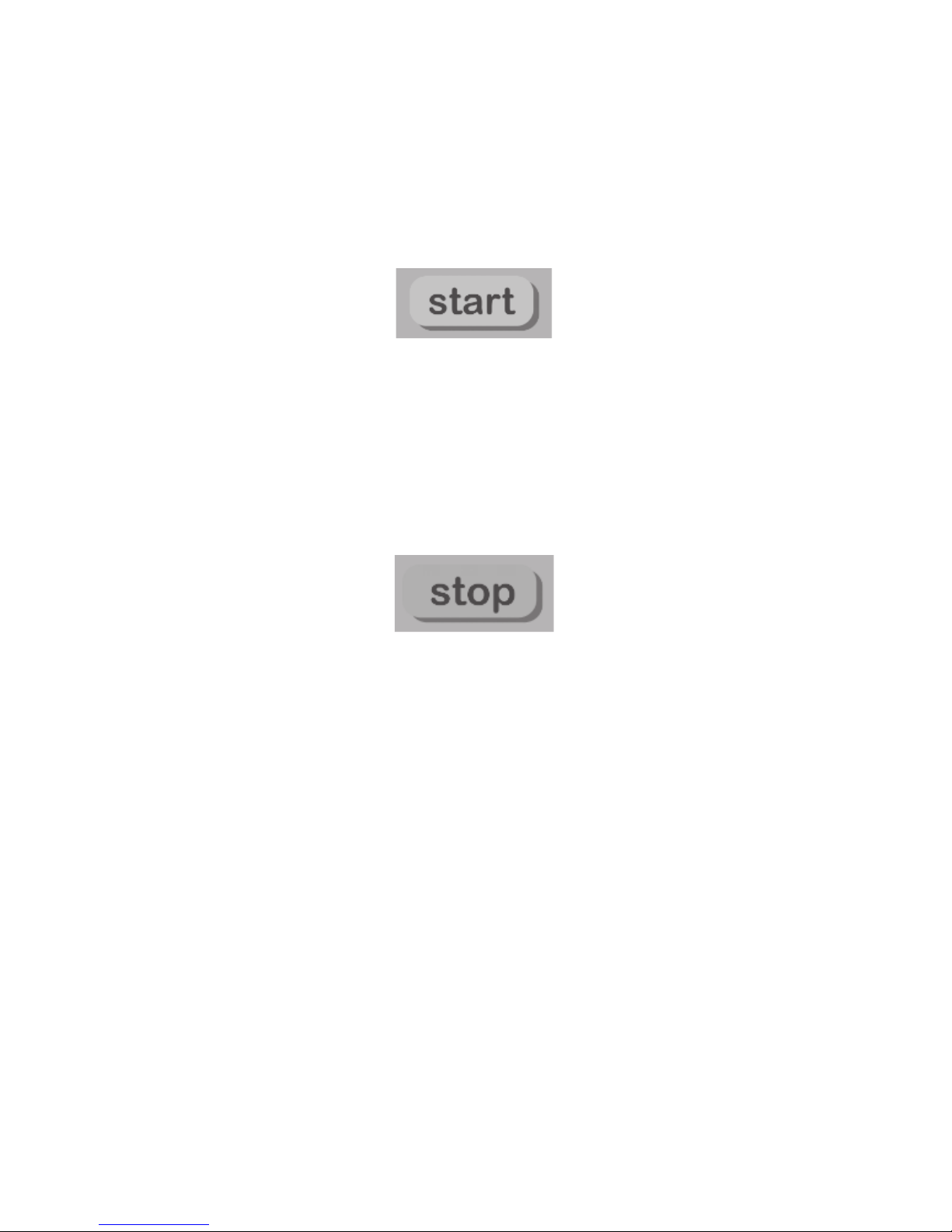
Start heating
Start the heating cycle by pressing on the Start button on Main
Menu then timer display on Main Menu start showing the
countdown.
And the On/O button LED will be steady AMBER.
During heating, you can stop the heating at any time by tapping
on
the stop button.
In case of overheating, there will be warning message on
smartphone.
Bottle warmer unit will also generate warning tone.
USING YOUR BESS WITH SMARTPHONE
13
Page 15
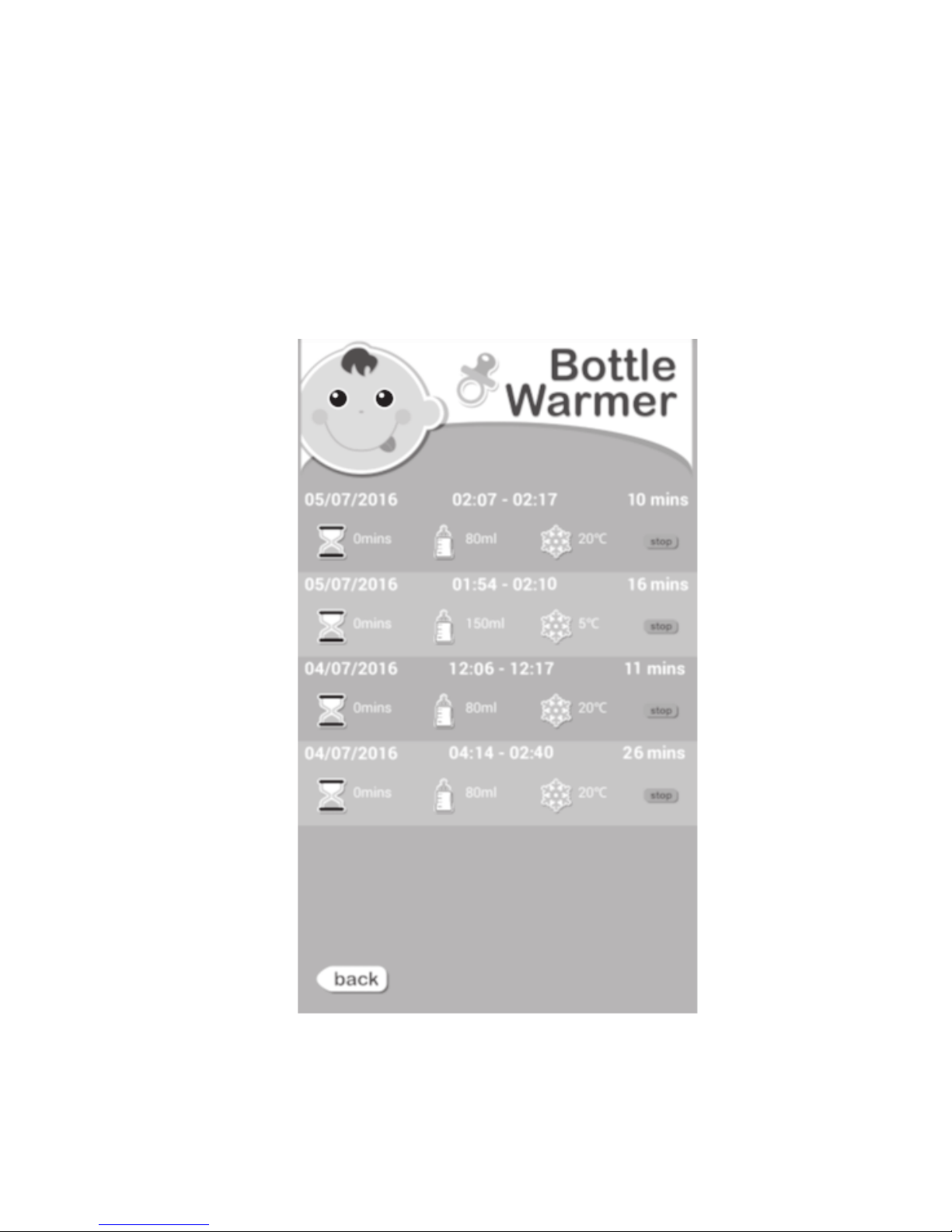
Check the history record
You can check the heating history by tapping on the down count
timer on the Main Menu.
Apps will show the history screen
USING YOUR BESS WITH SMARTPHONE
14
Page 16

BESS
Input : 220-240V~ 50/60Hz 170W
Transmission Frequency: 2400 - 2483.5MHz
Transmission power: 10dBm max
TECHNICAL SPECIFICATION
Declaration of Conformity
Hereby, Wiltec declares that Wise Bottle Warmer is in compliance
with the essential requirements and other relevant provisions of
Directive 1999/5/EC.
The Declaration of Conformance for Wise Bottle Warmer is
available from:
www.wiltec.hk/DOC
15
Page 17

Wiltec HK Company Limited
Model : WT-0069
Made in China
All rights reserved.
 Loading...