

Page 1
Antenna
Installation
Guide
iDEN Glass
Mount
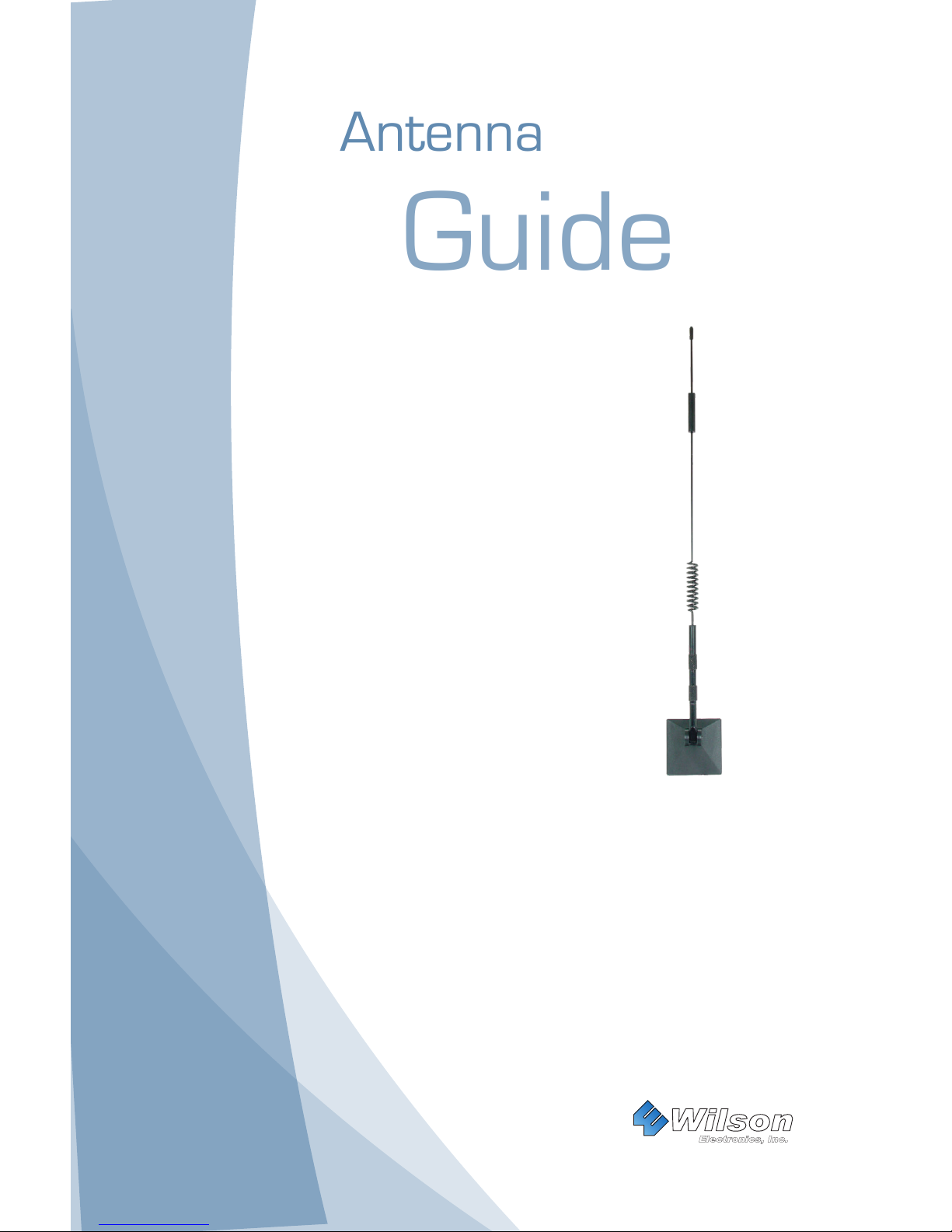
Antenna
PART# 304201
Features:
• iDEN/PCS frequencies (800/900/1900 MHz)
• Vehicle, home or ofce use
• Installs Easily
• Permanent installation
• Built-in ground plane
• Requires antenna adapter (sold separately)
• Compatible with Wilson Electronics signal boosters
Wilson
®
Electronics, Inc.
Page 2
1
Contact Wilson Electronics Technical Support Team with any questions at 866-294-1660
or email: [email protected]. Hours: 7 am to 6 pm MST.
2
How They Work
Wilson Electronics Tri-Band Glass Mount antenna will collect the cell tower signal
and send it through the cable to a signal booster or directly to the cell phone or
cellular data card. When the cell phone or cellular data card transmits, the signal
is transferred to a signal booster or directly to the antenna and broadcast back to
the cell tower.
Antenna Adapter (Sold Separately)
In order to attach your antenna to your cellphone you will need an adapter.
The adapter connects the phone to the antenna coax and transfers signal to
and from the antenna. If you need help locating an adapter for your phone call
Wilson toll-free at 1-866-294-1660.
Item List
1. Glass Mount Antenna
2. Interior Coupling Box and Coax
Installing the Glass Mount Antenna
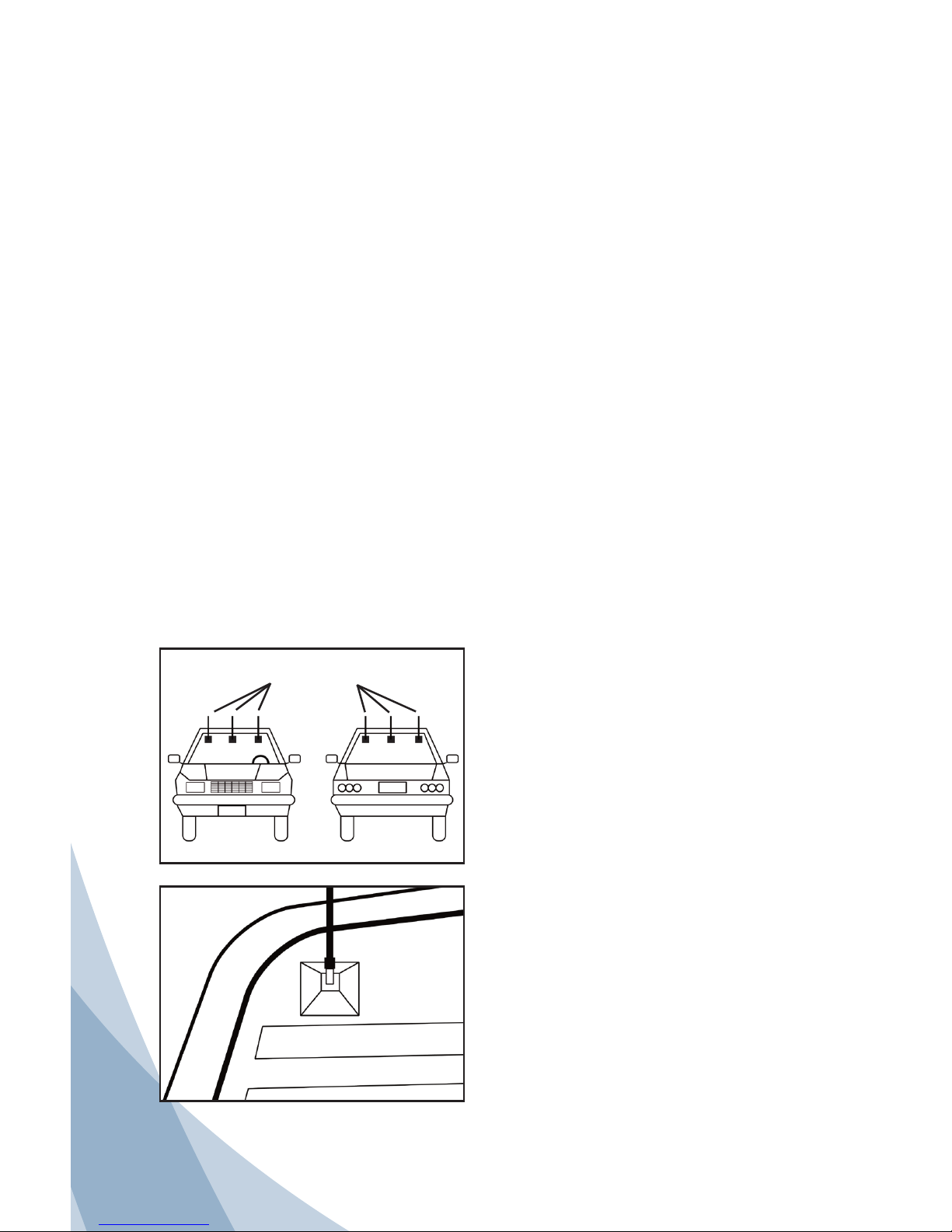
The Glass Mount Antenna may be
mounted along the top of the front or
rear window. For best performance
do not mount on rear window of
trucks or SUVs. Check to insure your
mounting location will not interfere
with windshield wiper operation.
Keep the antenna away from the
defogger wires. If the antenna
must be mounted on the defogger,
center it between the defogger wires
as much as possible. Clean the
exterior window surface with provided
alcohol swab. Be sure the same
location inside the window is clear
of obstacles. Remove the protective
paper on the base to expose the
adhesive pad and rmly press the
antenna into place on the outside of
the window. Make sure the whip is
screwed securely to the antenna.
Avoid
Defogger
Wires
Possible Mounting
Locations
Wilson Electronics Signal Boosters Amplify Coverage
A Wilson Electronics signal booster (sold separately), when used in conjunction
with your antenna, can improve your cell phone and laptop data card coverage
signicantly. Wilson Electronics manufactures a wide range of wireless and
direct connect signal boosters for mobile or in-building use. See your dealer for
details or visit www.WilsonElectronics.com.
3. Alcohol Swabs (2)
4. Antenna Adapter (Sold Separately)
Page 3
2
Contact Wilson Electronics Technical Support Team with any questions at 866-294-1660
or email: [email protected]. Hours: 7 am to 6 pm MST.
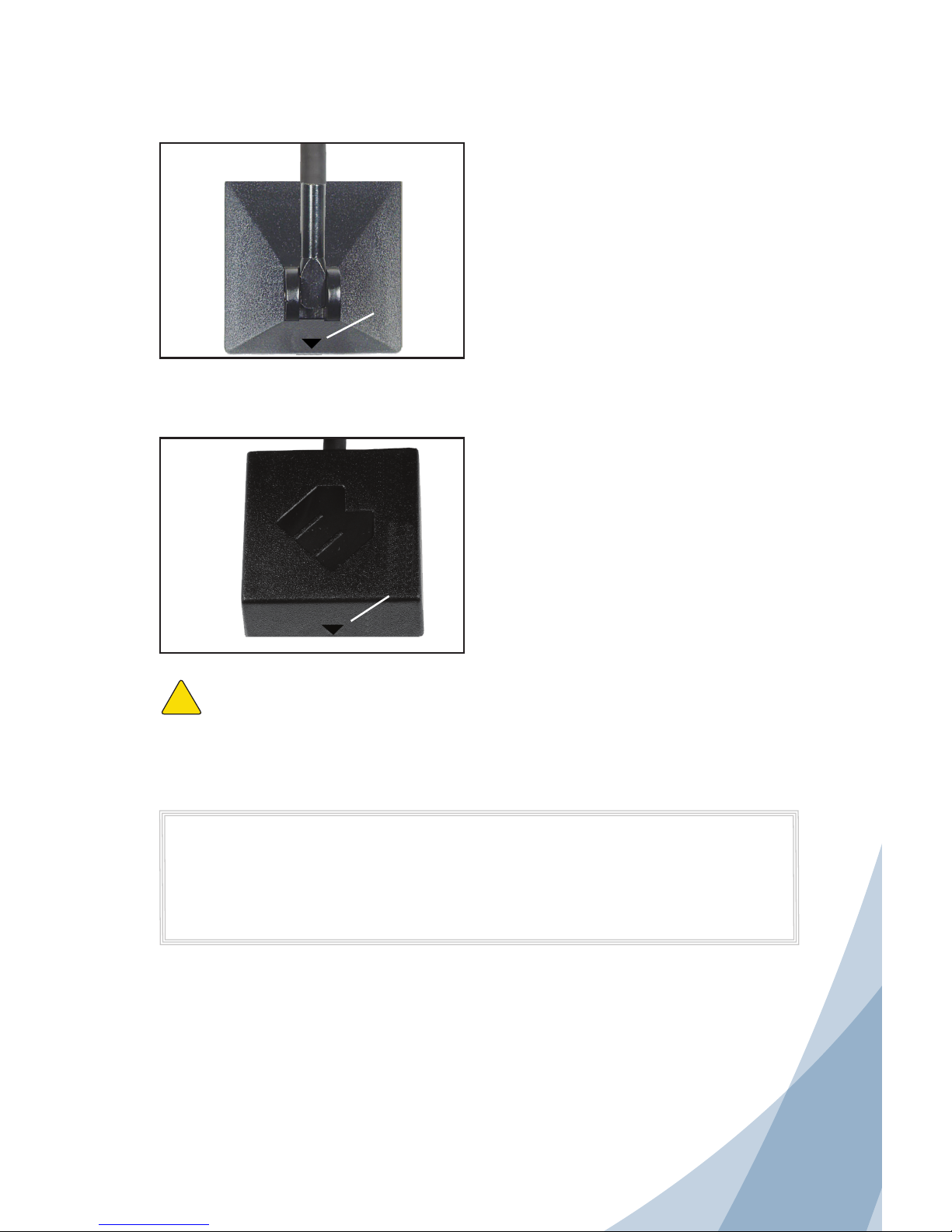
Warning: The antenna and coupling box must be properly aligned or the
antenna will fail to function. The arrow indicators on the antenna base and
coupling box must face the same direction when installed.
!
Disclaimer: The information provided by Wilson Electronics, Inc. is believed to
be complete and accurate. However, no responsibility is assumed by Wilson
Electronics, Inc. for any business or personal losses arising from its use, or for
any infringements of patents or other rights of third parties that may result from
its use.
Copyright © 2011 Wilson Electronics, Inc. All rights reserved.
Direction
Indicator
Direction
Indicator
Antenna
Base
Coupling
Box
Note: If installing on a home or ofce
window, ensure that it is not dual pane
glass.
Installing the Interior Coupling Box
The coupling box is installed on the glass
inside the vehicle. Be sure to align it with
the antenna base on the outside of the
glass. Clean inside glass with the provided
alcohol swab where you will mount the box.
The coupling box must be installed so
it’s arrow indicator faces in the same
direction as the arrow indicator on the
antenna base. Remove the protective
paper to expose the adhesive pad and
rmly press the coupling box into place.
Connect the coax cable to your adapter
cable.
Both arrows MUST be facing same direction
(up or down - as long as they are together)
Page 4
Wilson
®
Electronics, Inc.
Antenna Specications
Part Number 304201
Frequency Range 824-894 MHz / 880-960 MHz / 1850-1990 MHz
Impedance 50 ohms
Antenna Gain
3.5 dBi 824-894 MHz / 3.5 dBi 880-960 MHz /
4.5 dBi 1850-1990 MHz
Radiation Omni
Polarization Vertical
Ground Plane Built-in ground plane
Connector FME-Female
Material Whip - stainless steel
Coax Cable RG58 - 14 feet / 4.27 meters
Height 15 inches / 38.10 cm
Mount Glass mounting with 3M™ adhesive
30-Day Money-Back Guarantee
All Wilson Electronics products are protected by Wilson Electronics 30-day money-back guarantee. If, for
any reason, the performance of any product is not acceptable, simply return the product directly to the
reseller with a dated proof of purchase.
90-Day Warranty
Wilson Electronics antennas are warranted for ninety (90) days against defects in workmanship and/or
materials. Warranty cases may be resolved by returning the product directly to the reseller with a dated
proof of purchase.
Antennas may also be returned directly to the manufacturer at the consumer’s expense, with a dated proof
of purchase and a Returned Material Authorization (RMA) number supplied by Wilson Electronics. Wilson
Electronics shall, at its option, either repair or replace the product. Wilson Electronics will pay for delivery of
the repaired or replaced product back to the original consumer.
This warranty does not apply to any antennas determined by Wilson Electronics to have been subjected to
misuse, abuse, neglect, or mishandling that alters or damages physical or electronic properties.
RMA numbers may be obtained by phoning Technical Support at 866-294-1660.
3301 East Deseret Drive, St. George, UT 84790
For additional Technical Support visit www.WilsonElectronics.com
or email at: [email protected]
Phone: 866-294-1660 Local: 435-673-5021 Fax: 435-656-2432
www.twitter.com/WilsonCellular www.facebook.com/WilsonCellular
Part #103021 AIG DBGM 002 / 6.3.11
 Loading...