

Page 1
Antenna
Installation
Guide
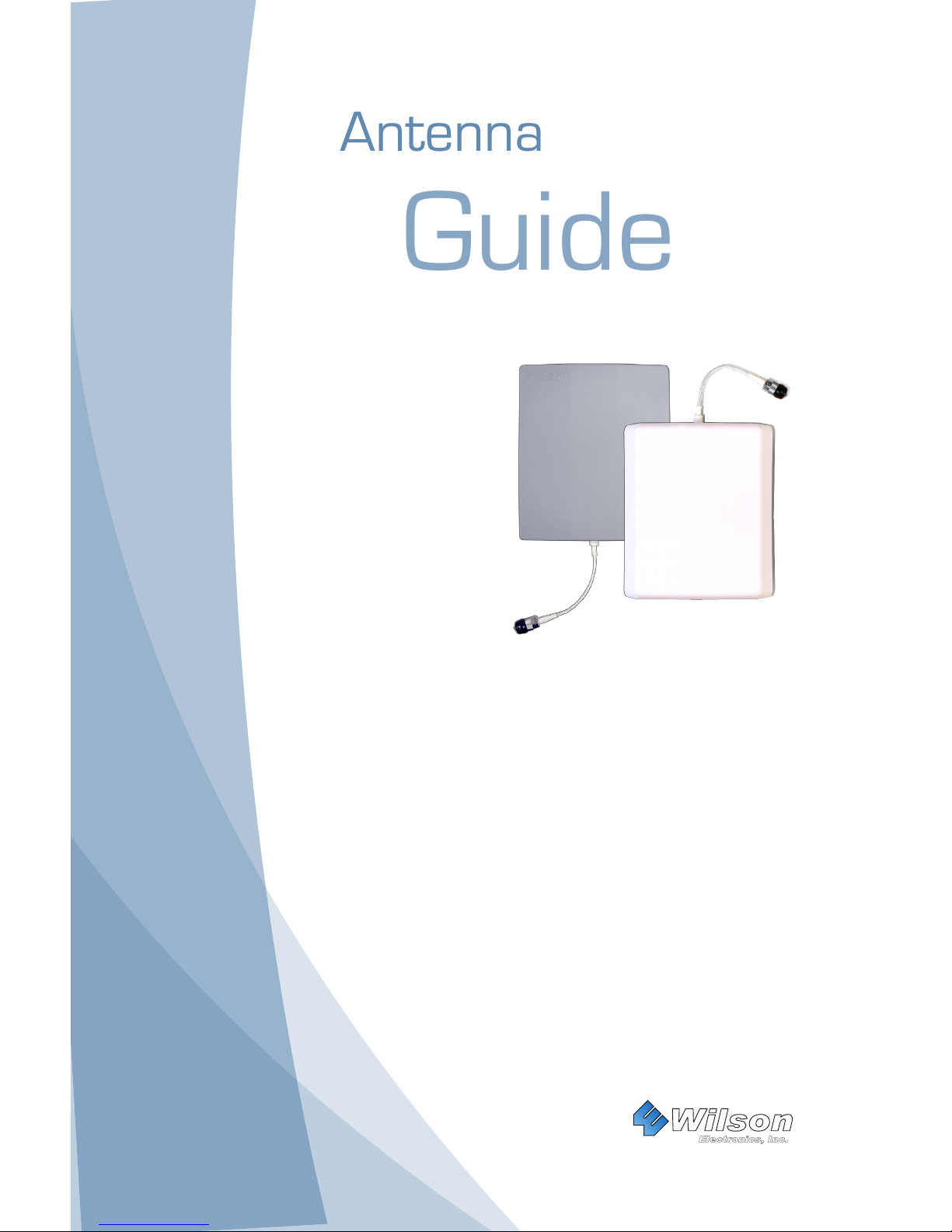
Wide-Band
Panel Antenna
PART# 301134
PART# 301135
PART# 301147
PART# 301155
Wilson
®
Electronics, Inc.
The wide-band panel antenna is vertically polarized. For
optimum performance, install the antenna with the cable
running from the bottom or the top.
Page 2
1
Contact Wilson Electronics Technical Support Team with any questions at 866-294-1660
Or email: [email protected] Hours: 7am to 6pm MST.
2
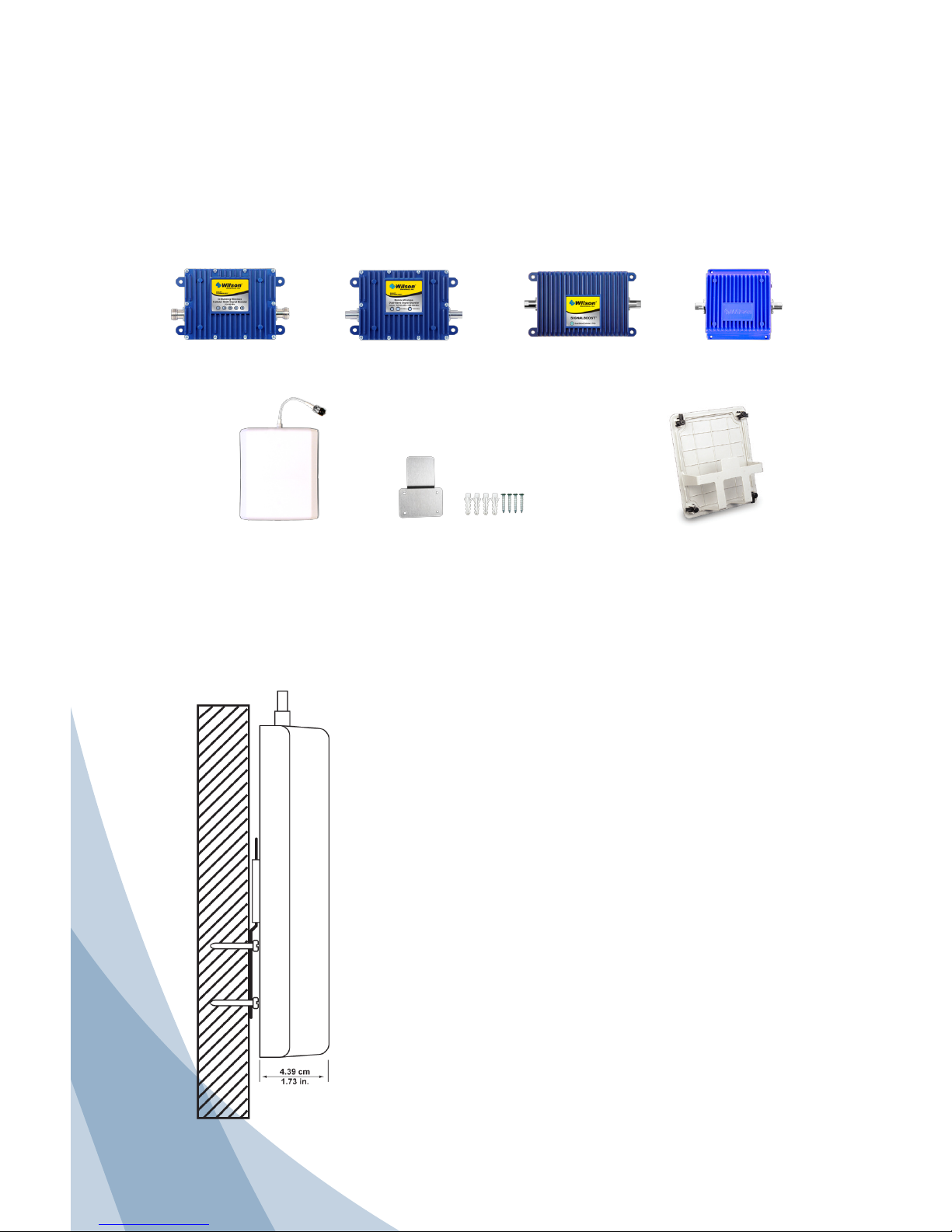
Inside this Package:
Wide-Band
Panel Antenna
(301134, 301135,
301147, 301155)
In-Wall Mounting
Bracket
(901123)
Optional:
Antenna Installation Kit
Wilson Signal Boosters Amplify Coverage
When used in conjunction with your antenna, a Wilson Electronics Signal Booster
can improve your cell phone and laptop data card coverage area up to 20 times.
Wilson Electronics manufactures a wide range of wireless and direct-connect
signal boosters for mobile or in-building use. See your dealer for details or visit
www.WilsonElectronics.com.
Inside Antenna Wall Installation (part # 301135, 301147 & 301155)
Find the desired location for the panel antenna.
Verify that the panel antenna and the outside
antenna have the necessary separation (see
signal booster instructions for requirements.)
For optimum results, the antenna should be
mounted a minimum of 6 feet from the oor.
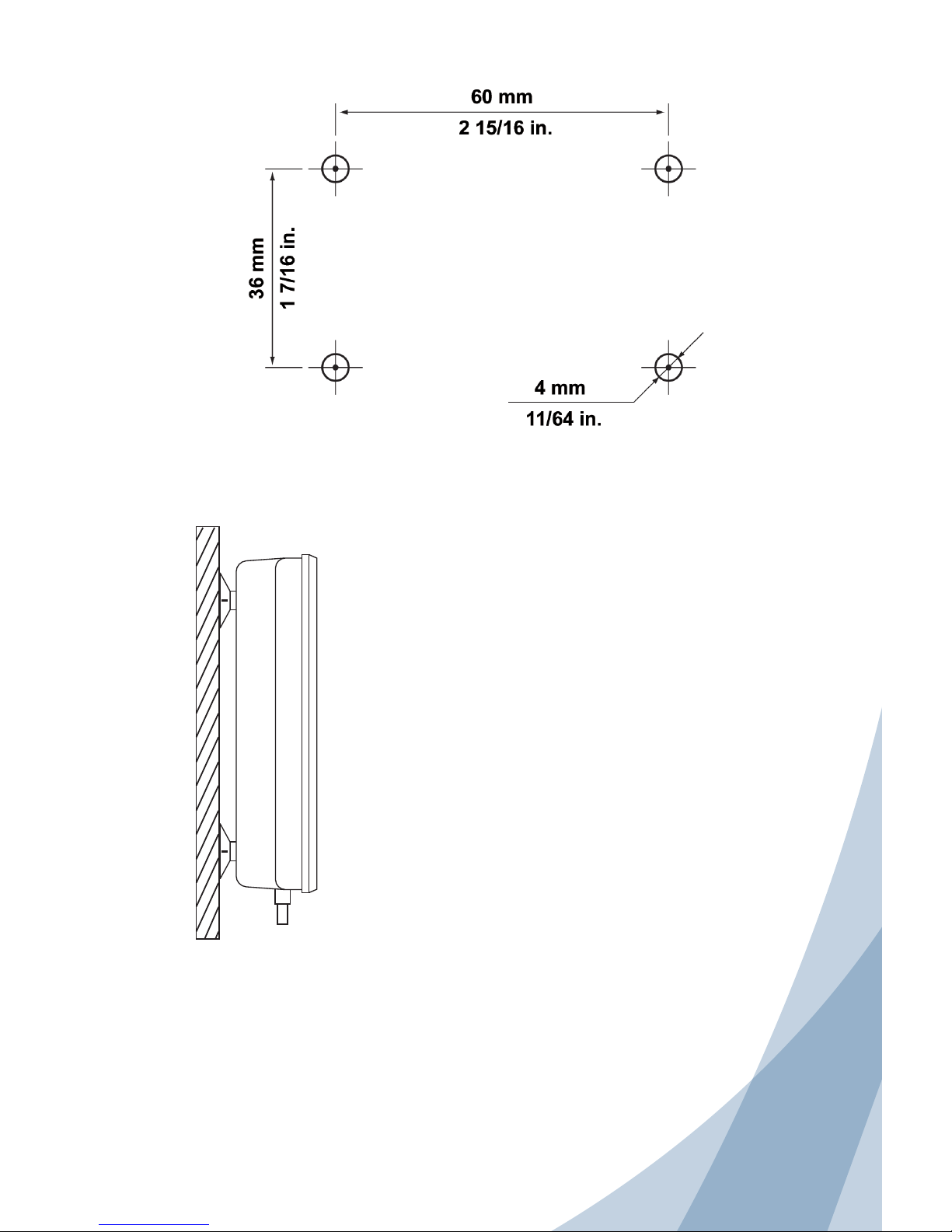
Place the template where the panel antenna is
to be installed.
Attach the template with masking tape or other
suitable adhesive tape.
Drill out the four holes as indicated on the
template. Install wall anchors provided with a
small hammer. Place the mounting bracket over
the wall anchors, insert the screws and tighten.
Slide the panel onto the installation bracket.
To be used as an outside antenna which communicates with the cell phone
Page 3
2
Contact Wilson Electronics Technical Support Team with any questions at 866-294-1660
Or email: [email protected] Hours: 7am to 6pm MST.
Outside Antenna Window (part # 301134)
Adjusting the Antenna for Maximum Performance
Find the window that faces the direction of the
nearest cell tower. The signal strength function
on your cell phone can help you determine this.
See the Technical Support section of Wilson
Electronics website, www.WilsonElectronics.com,
for instructions on accessing the signal strength
function on your particular phone.
Choose an inside window location where the
antenna will be hung. Clean the window and
the suction cups with the alcohol swab.
It is important that the small tabs on each
suction cup be facing outward so they may be
used to remove the antenna from the window if
desired. Use rm and even pressure to attach
the antenna to the window without breaking
the glass. Avoid excessive or sudden pressure
against the glass.
For a more permanent installation, remove the
suction cups and use the two-sided tape to afx
the antenna.
To be used as an outside antenna which communicates with the cell tower
Wall Installation
Hole Template
Put the cell phone in test mode and turn the Yagi in 10-degree increments while checking
the cell phone’s signal level. At each point you may need to wait a few seconds as your
cell phone updates. To find your phone’s test mode, visit www.WilsonElectronics.com.
Signal readings usually appear as a negative number (for example, -86). The larger the
number, the more powerful the signal (-75 is stronger than -84).
Page 4
Part# 104072 Rev 14 / 06.10.11
Wilson
®
Electronics, Inc.
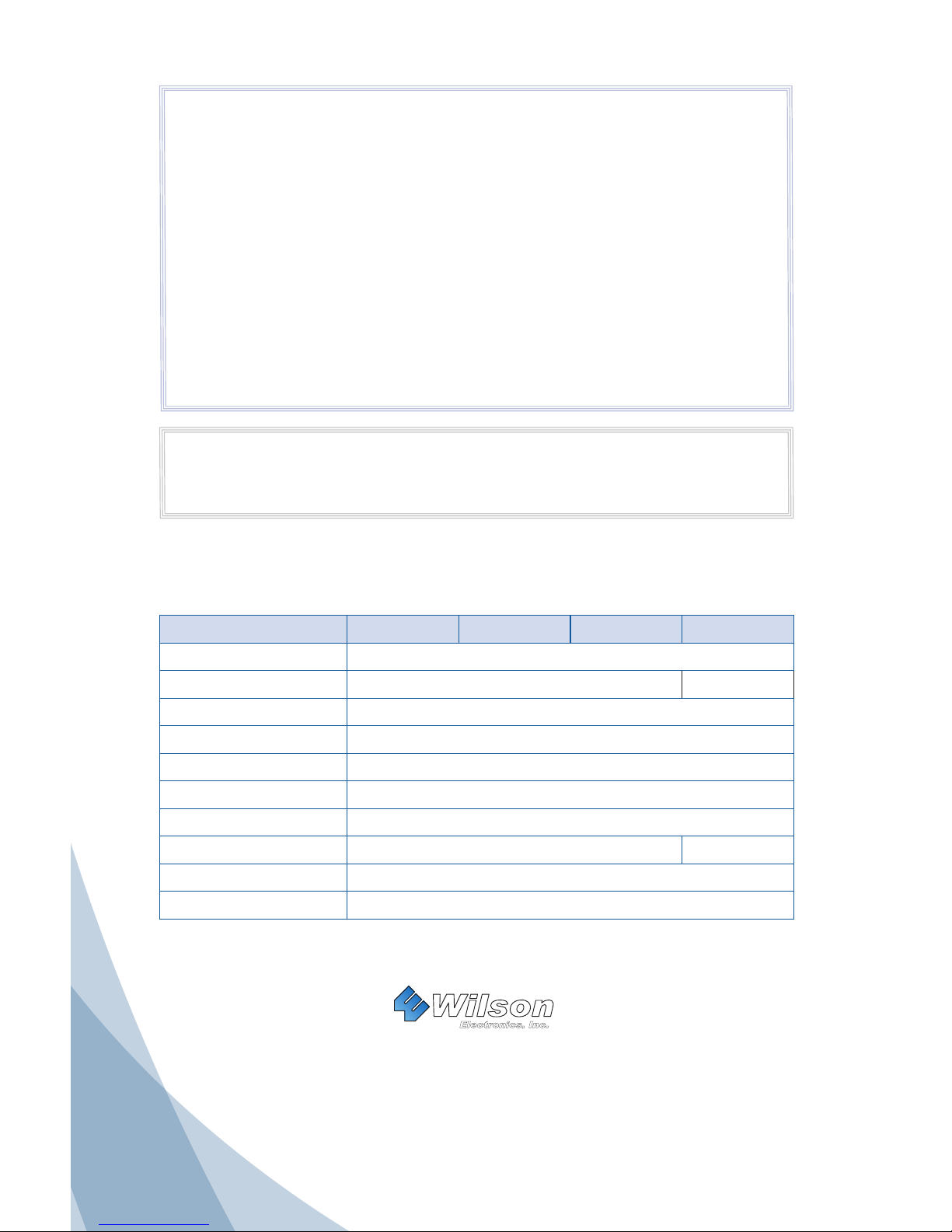
Antenna Specications
Part Number 301134 301135 301147 301155
Frequency Range 700-2700 MHz
Impedance 50 ohms 75 ohm
Gain 4 dBi / 10 dBi
Polarization Vertical
Beamwidth Horizontal Plane 70 / 60 Deg
Beamwidth Vertical Plane 50 / 45 Deg
Max Power 50 watts
Connector N-Female F-Female
Dimension 8.27 x 7.09 x 1.73 (inch) / 21 x 18 x 4.39 (cm)
Weight 1.32 lbs / 0.6 kg
30-Day Money-Back Guarantee
All Wilson Electronics products are protected by Wilson Electronics 30-day money-back guarantee. If,
for any reason, the performance of any product is not acceptable, simply return the product directly to
the reseller with a dated proof of purchase.
90-Day Warranty
Wilson Electronics antennas are warranted for ninety (90) days against defects in workmanship and/
or materials. Warranty cases may be resolved by returning the product directly to the reseller with a
dated proof of purchase.
Antennas may also be returned directly to the manufacturer at the consumer’s expense, with a dated
proof of purchase and a Returned Material Authorization (RMA) number supplied by Wilson Electronics.
Wilson Electronics shall, at its option, either repair or replace the product. Wilson Electronics will pay for
delivery of the repaired or replaced product back to the original consumer.
This warranty does not apply to any antennas determined by Wilson Electronics to have been subjected
to misuse, abuse, neglect, or mishandling that alters or damages physical or electronic properties.
RMA numbers may be obtained by phoning Technical Support at 866-294-1660.
Disclaimer: The information provided by Wilson Electronics, Inc. is believed to be complete and
accurate. However, no responsibility is assumed by Wilson Electronics, Inc. for any business or
personal losses arising from its use, or for any infringements of patents or other rights of third parties
that may result from its use.
Copyright © 2011 Wilson Electronics, Inc. All rights reserved.
3301 East Deseret Drive, St. George, UT 84790
For additional Technical Support visit www.WilsonElectronics.com
or email at: [email protected]
Phone: 866-294-1660 Local: 435-673-5021 Fax: 435-656-2432
www.twitter.com/WilsonCellular www.facebook.com/WilsonCellular
 Loading...