

Page 1
Antenna
Installation
u
ide
Features:
• High-gain
• Directional
• Single-band (800 MHz)
• Pipe mounting hardware included
• Easy to install
Wilson
®
Electronics, Inc.
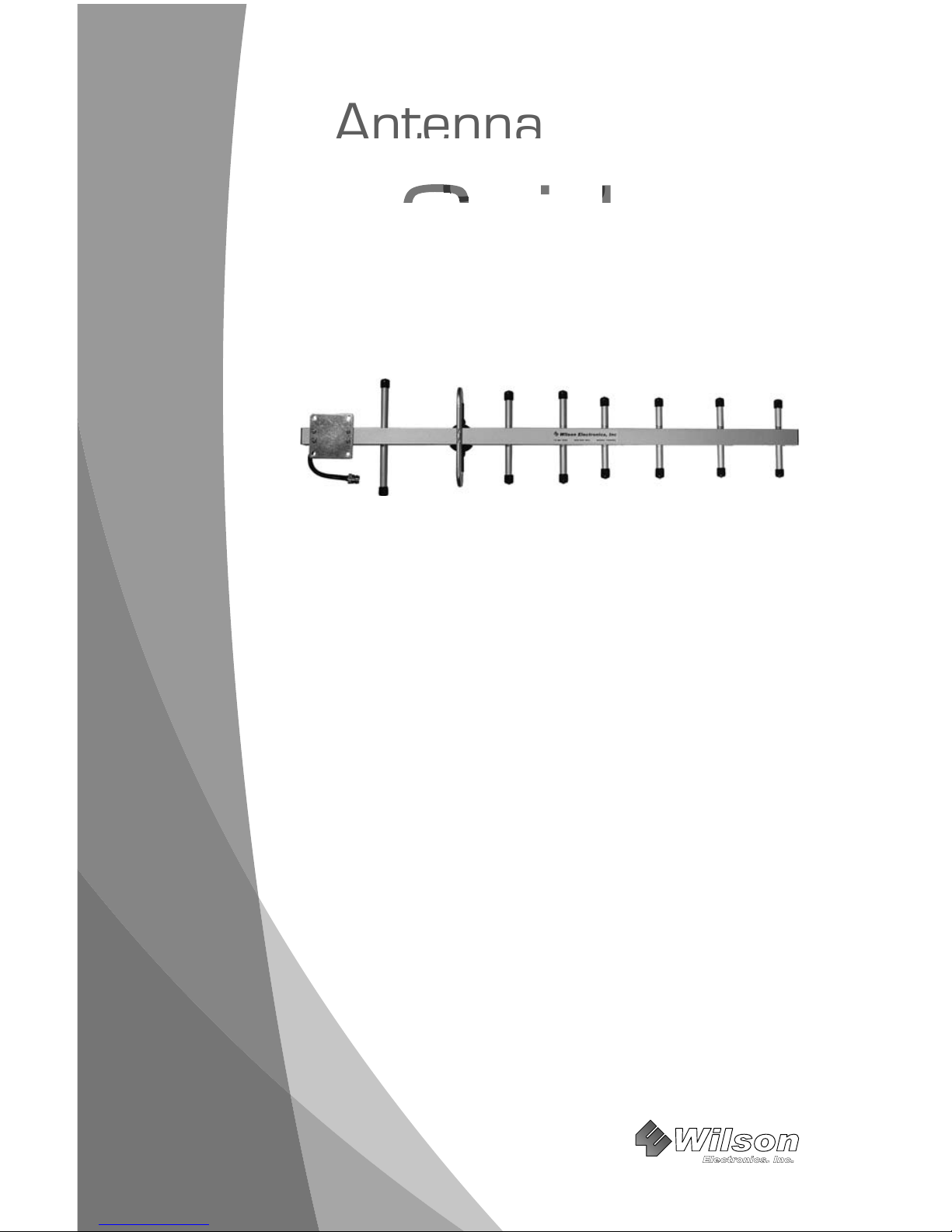
13 dB 800 MHz
Yagi Cellular
Antenna
PART# 301111
Page 2
1
30-Day Money-Back Guarantee
All Wilson Electronics products are protected by Wilson’s 30-day money-back
guarantee. If for any reason the performance of any product is not acceptable,
simply return the product directly to the reseller with a dated proof of purchase.
90-Day Warranty
Wilson Electronics antennas are warranted for ninety (90) days against defects in
workmanship and / or materials. Warranty cases may be resolved by returning the
product directly to the reseller with a dated proof of purchase.
Antennas may also be returned directly to the manufacturer at the consumer’s
expense, with a dated proof of purchase and a Returned Material Authorization
(RMA) number supplied by Wilson Electronics. Wilson shall, at its option, either
repair or replace the product. Wilson Electronics will pay for delivery of the repaired
or replaced product back to the original consumer.
This warranty does not apply to any amplifi ers determined by Wilson Electronics
to have been subjected to misuse, abuse, neglect, or mishandling that alters or
damages physical or electronic properties.
RMA numbers may be obtained by phoning Technical Support at 866-294-1660.
How It Works
Wilson’s 13 dB 800 MHz Yagi Antenna will collect the cell tower signal and send it through
the cable to an amplifi er or directly to the cell phone or cellular data card. When the cell
phone or cellular data card transmits, the signal is transferred to an amplifi er or directly to
the antenna and broadcast back to the cell tower.
Antenna Adapter
An 18-inch external adapter is required to connect the cell phone or cellular data card
to the Yagi antenna. The external adapter is cell phone/data card specifi c and may be
purchased through a local retailer. Refer to Wilson’s Adapter Guide to identify the right
adapter for your cell phone or cellular data card. The Adapter Guide is available through a
local retailer. It is also available on our web site, www.wilsonelectronics.com, or you may
call Technical Support at 866-294-1660.
Disclaimer: The information provided by Wilson Electronics, Inc. is believed to
be complete and accurate. However, no responsibility is assumed by Wilson
Electronics, Inc. for any business or personal losses arising from its use, or for
any infringements of patents or other rights of third parties that may result from
its use.
Copyright © 2007 Wilson Electronics, Inc. All rights reserved.
Page 3
2
Package Contents
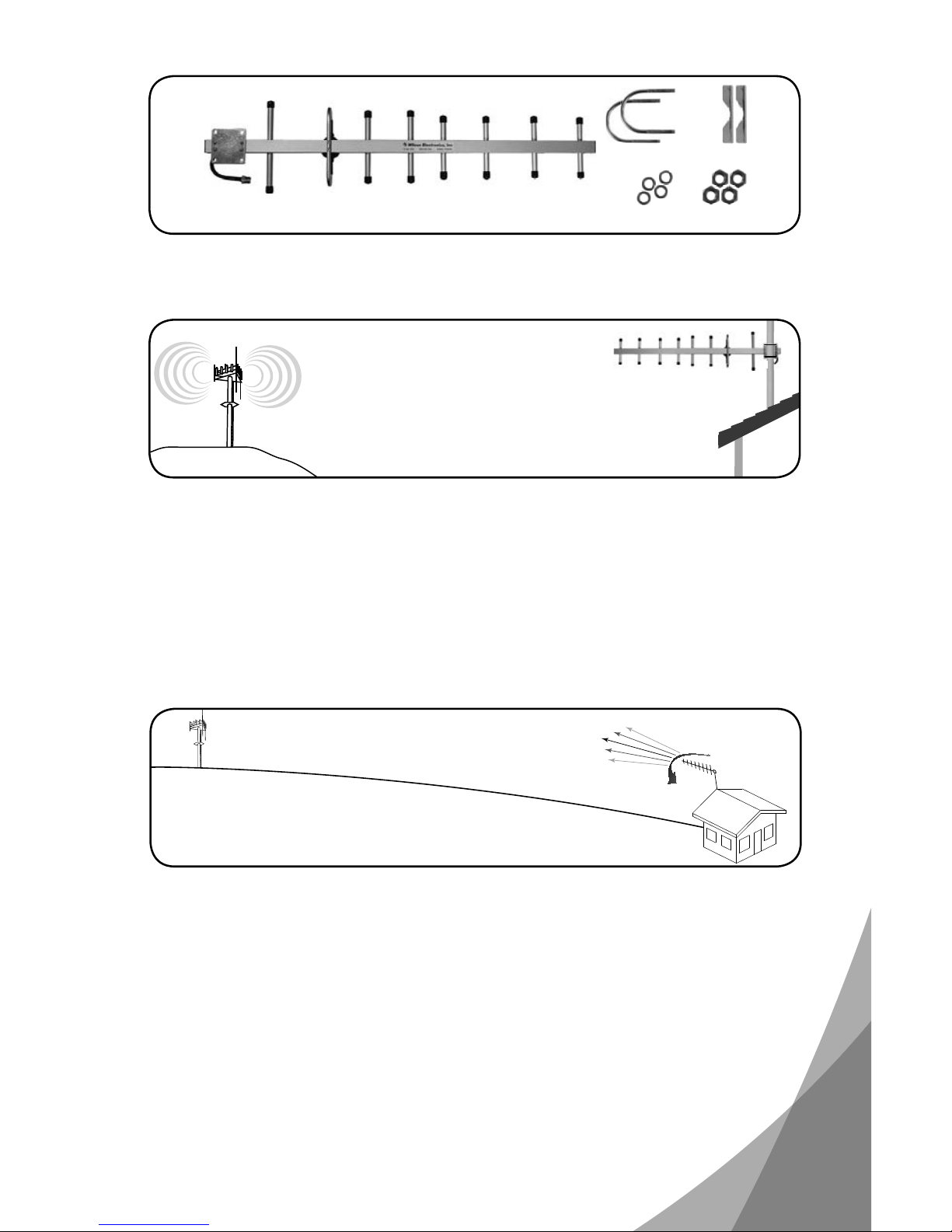
Wilson Yagi (#301111) contents include (A) Yagi antenna with N-Female End Connector,
(B) 2 - U-Bolts, (C) 2 - Pipe Brackets, (D) 4 - 1/4” Split-Lock Washers, (E) 4 - 1/4”-20 nuts.
Antenna Installation
The Yagi antenna should be mounted horizontally with the elements vertical. The included
mounting bracket is adjustable and will accommodate pipe diameters from ½” to 2” (pipe
not included). Mount the Yagi so that there is 3 feet of clearance in all directions around it.
Position the Yagi so that it has the most unobstructed line of sight to the cellular service
provider’s strongest signal. If you are using a wireless amplifi er, make sure the Yagi is not
pointing across your own roof.
Warning: Lightning protection is recommended for all installations (Wilson Part
#859902). Take extreme care to ensure that neither you nor the antenna comes
near any electric power lines.
A
BC
DE
Cell Tower
Cell Tower
RF Signal
Yagi External
Antenna
Adjusting the Antenna for Maximum Performance
To adjust the Yagi antenna for best performance, connect it to your cell phone with an
external adapter and a length of coaxial cable. External antenna adapters and coaxial
cables are sold separately (see the back cover). Put the cell phone in test mode and
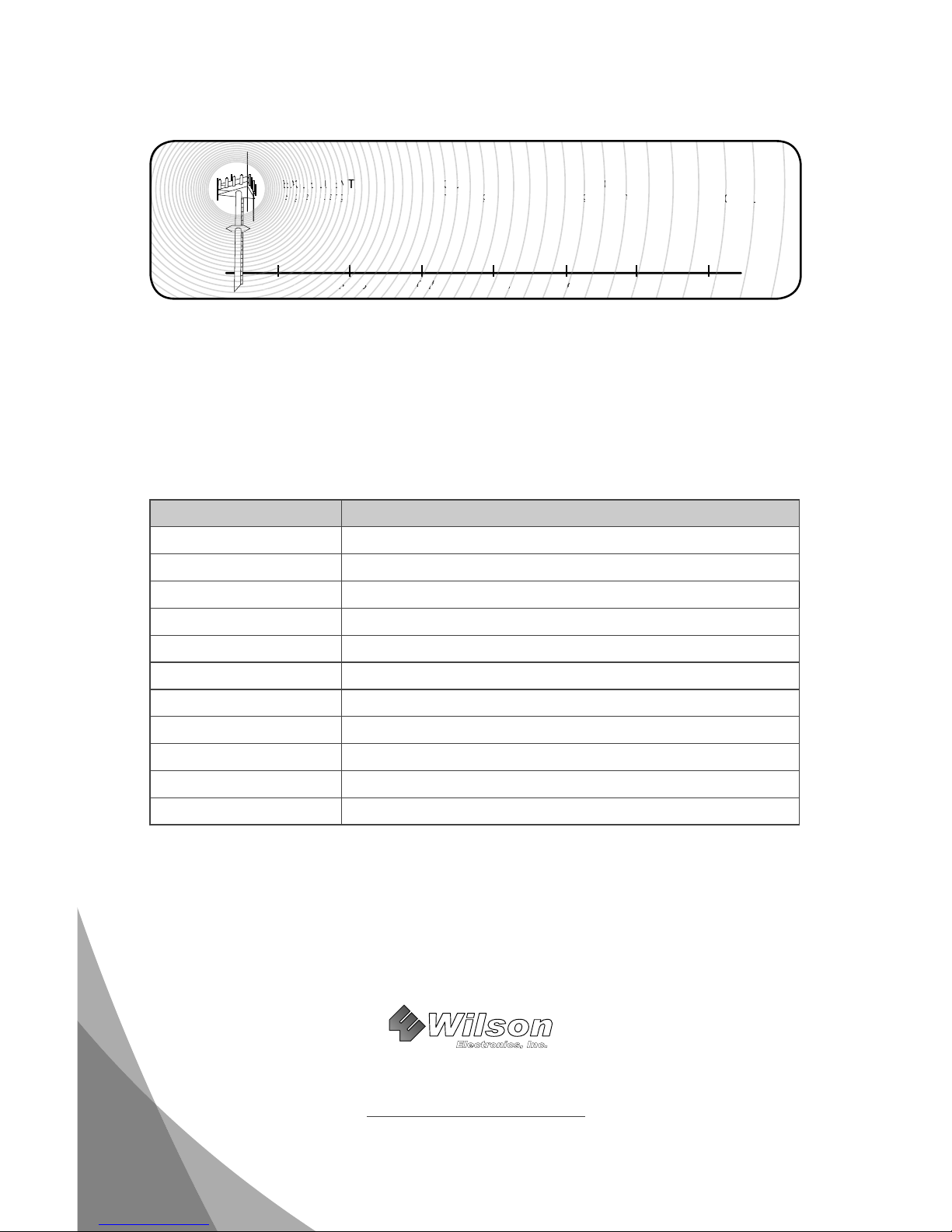
turn the Yagi in 10-degree increments while checking the cell phone’s signal level. At
each point you may need to wait a few seconds as your cell phone updates. To fi nd your
phone’s test mode, visit www.wilsonelectronics.com. Signal readings usually appear as a
negative number (for example, -86). The larger the number, the more powerful the signal
(-75 is stronger than -84).
Important: If you are using a wireless amplifi er, be sure the Yagi is not pointing
across the building in which you are trying to get coverage. The antenna should
point away from the building to help prevent oscillation (feedback).
Page 4
3301 East Deseret Drive, St. George UT 84790
For additional Technical Support visit
www.wilsonelectronics.com
Phone: 866-294-1660 Fax: 435-656-2432
Part #103011 AIG YAGI-A 009 / 08.21.08
Wilson
®
Electronics, Inc.
Antenna Specifi cations
Part Number 301111
Number of Elements 8
Frequency Range 806-900 MHz
Impedance 50 ohms
Gain 13 dBi
Maximum Power 50 watts
Polarization Vertical
Connector N-Female
Length (w/ mount) 32.5 in / 82.6 cm
Weight (w/ mount) 1.31 lbs / 597 kg
Material Aluminum
Wind Surface Area < 100 cm²
Once you have obtained the strongest signal (see below), fully tighten the mounting
hardware. After the amplifi er and the rest of the system is installed and performing
correctly, weatherproof all connections.
-50dB -60dB -70dB -80dB -90dB -100dB -110dB
EXCELLENT
Signal Strength
GOOD
Signal Strength
POOR
Signal Strength
NO
SIGNAL
-50dB
-60dB
-70dB
-80dB
-90d
N
E
Sl ig
E
Ultra low loss coax is recommended for lengths 20’ or greater to prevent signifi cant signal
loss. Wilson offers ultra low loss cable in several lengths from 20-100 feet. Wilson also
offers a wide range of phone adapters to connect your cell phone to an amplifi er or directly
to the antenna. To fi nd the adapter for your phone, visit www.wilsonelectronics.com or call
toll free 866-294-1660.
 Loading...