

Page 1
Wildix BRI Media gateways
Updated on 21.07.2015
Quick Installation Guide
Page 2

The steps below help you to connect and configure the media gateway.
1. Connection to power supply (old generation models without PoE)3
2. Connection to Ethernet 3
3. Connection to the line 4
4. Provisioning and configuration of the gateway 4
5. Reset of the gateway 4
Wildix BRI Media Gateways - Quick Installation Guide 2
Page 3
1. Connection to power supply (old generation models
without PoE)
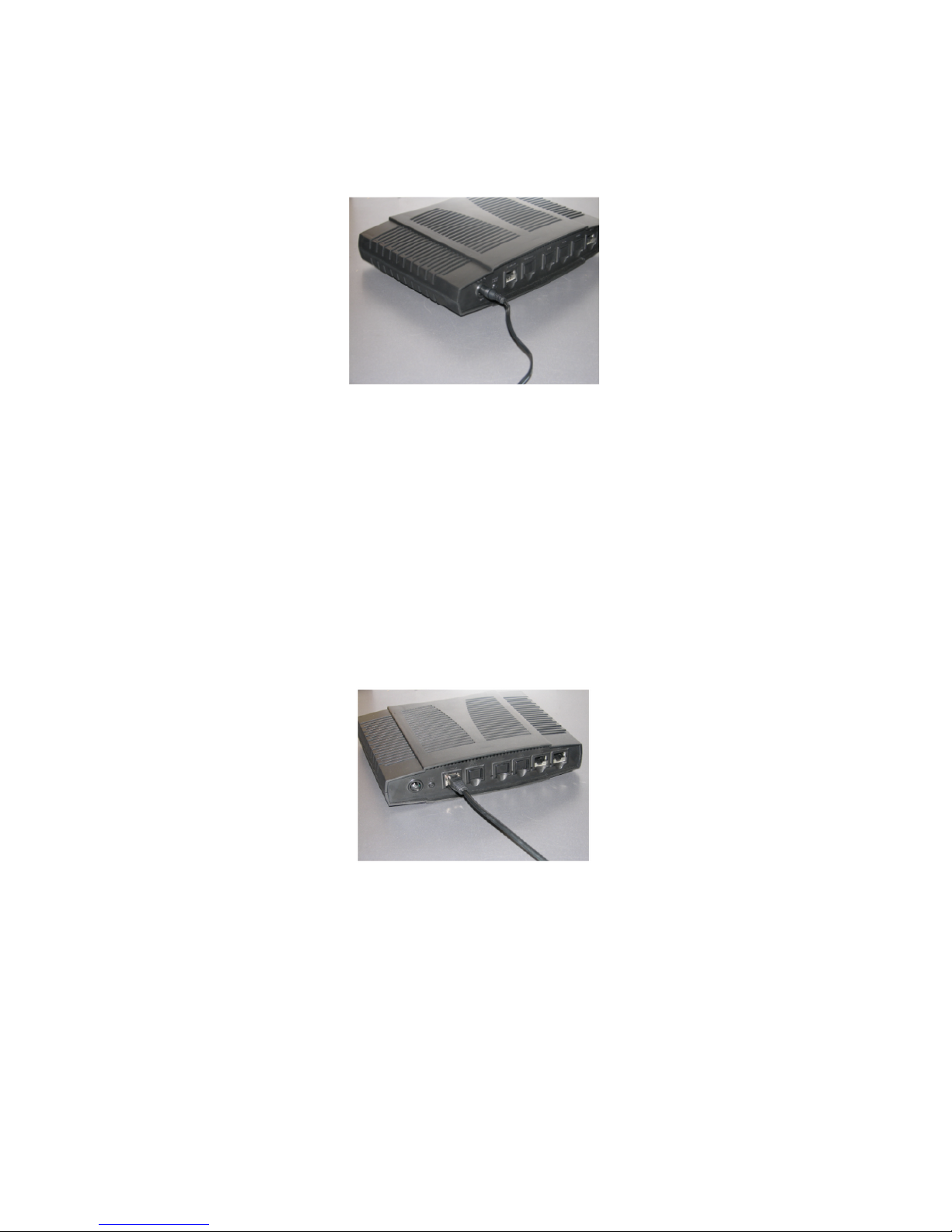
Connect the gateway using the power supply and the cable provided with the gateway, as it
is shown on the picture.
2. Connection to Ethernet
The network port is situated on the rear panel of the gateway, marked as “Network”. It is
used as a WAN port and configured in the DHCP client mode.
Connect the cable as it is shown on the picture.
•
the gateway should be connected via Ethernet cable to the same network as the PBX or an
external DHCP server (for instance its Router)
•
as soon as the DHCP server assigns an IP address to the gateway, you can pass to the next
step of the gateway configuration
You should connect to the PBX in order to configure the gateway
•
In case the PBX is used as a DHCP server, the gateway is detected on the network
automatically
•
In case an external DHCP server is used, check the list of the active leases to detect the IP
address assigned to the gateway
Wildix BRI Media Gateways - Quick Installation Guide 3
Page 4
3. Connection to the line
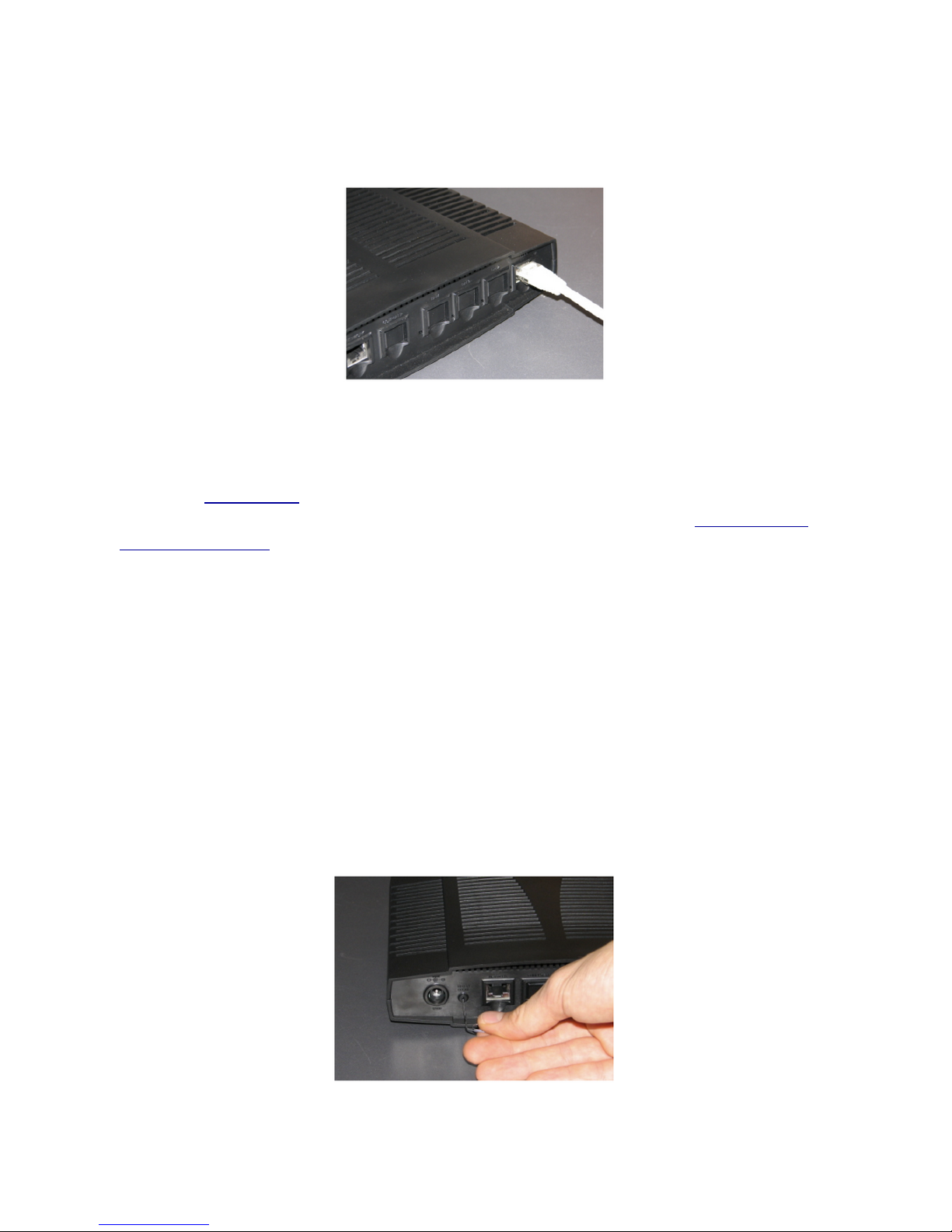
On the rear panel of the gateway, there are from one to four ports marked as Bri1 - Bri4.
Connect your Bri lines to these ports, as it is shown on the picture below.
4. Provisioning and configuration of the gateway
Follow our online guide.
For remote/unreachable media gateways behind NAT/Firewall, follow our online guide to
remote provisioning.
5. Reset of the gateway
In case you need to reconfigure the gateway, you should perform a reset procedure, as
shown on the picture. The switch marked as “Reset/Default” is situated on the rear panel of
the gateway.
•
use the paper clip or the object of the similar shape to press the button
•
hold the button until all the LEDs of the gateway stop blinking and remain turned on (circa
10 seconds)
•
release the button and wait for the reboot of the gateway
In case the LEDs remain turned on for more than one minute after the reset procedure,
disconnect the power supply and repeat the reset procedure when the device starts.
Wildix BRI Media Gateways - Quick Installation Guide 4
 Loading...