

Page 1

Model A Quick Start Guide
Refer to User Manual for complete instructions and important safety information
What’s Included:
Alternate controller: Easygrip
WHILL Model A
Model A User Manual
Battery Charger
Foot-rest lenghtening spacers
Charge Indicator
Directional Controller
Power / Mode Switch
Speed setting + seat slide function
Brake Release Lever
(To disengage the brakes)
Back Support
Seat Cushion
Front Accessory Bar
Foot Support
(Folds upwards)
Rear Wheel
Tail Lamp
Omni-Wheel
Charger Port
Page 2
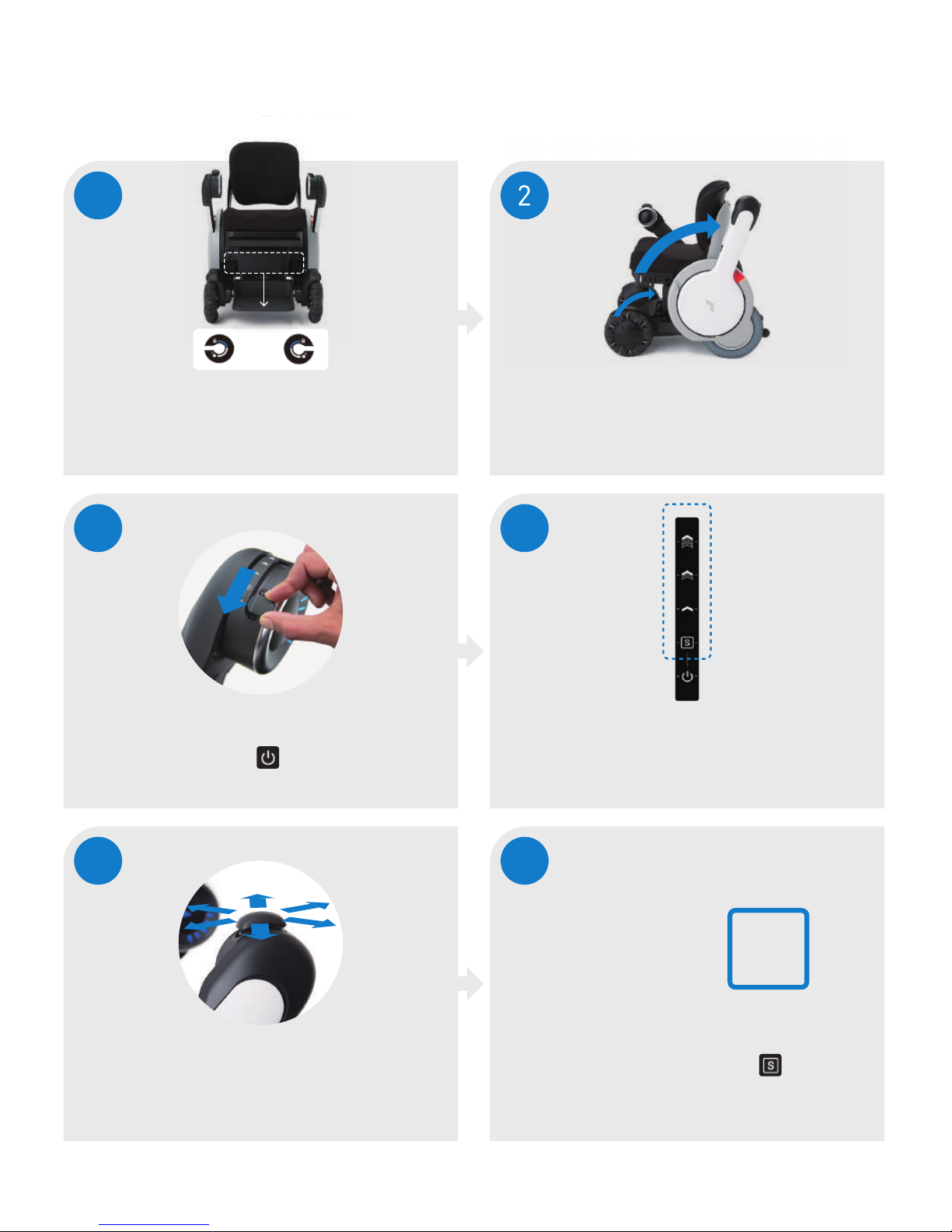
Driving Your WHILL Model A
SLOW*
MEDIUM
FAST
NEUTRAL/
SEAT SLIDE**
1
Make sure brakes
are engaged
Brake levers should be fully horizontal
2
Sit in the Model A
arms and footrest swing up and down
For easy access
3
To power on the device, pull
back switch to and release
Indicator lights are blue when the device is on
4
Select speed setting
*always start in slow speed
**seat slide functionality is described on the next page
5
Use controller to steer
& accelerate the Model A
6
When exiting the chair, make sure
the indicator switch is on mode
Note: the brakes are automatically
engaged when chair is not moving
S
EXIT
=
Page 3
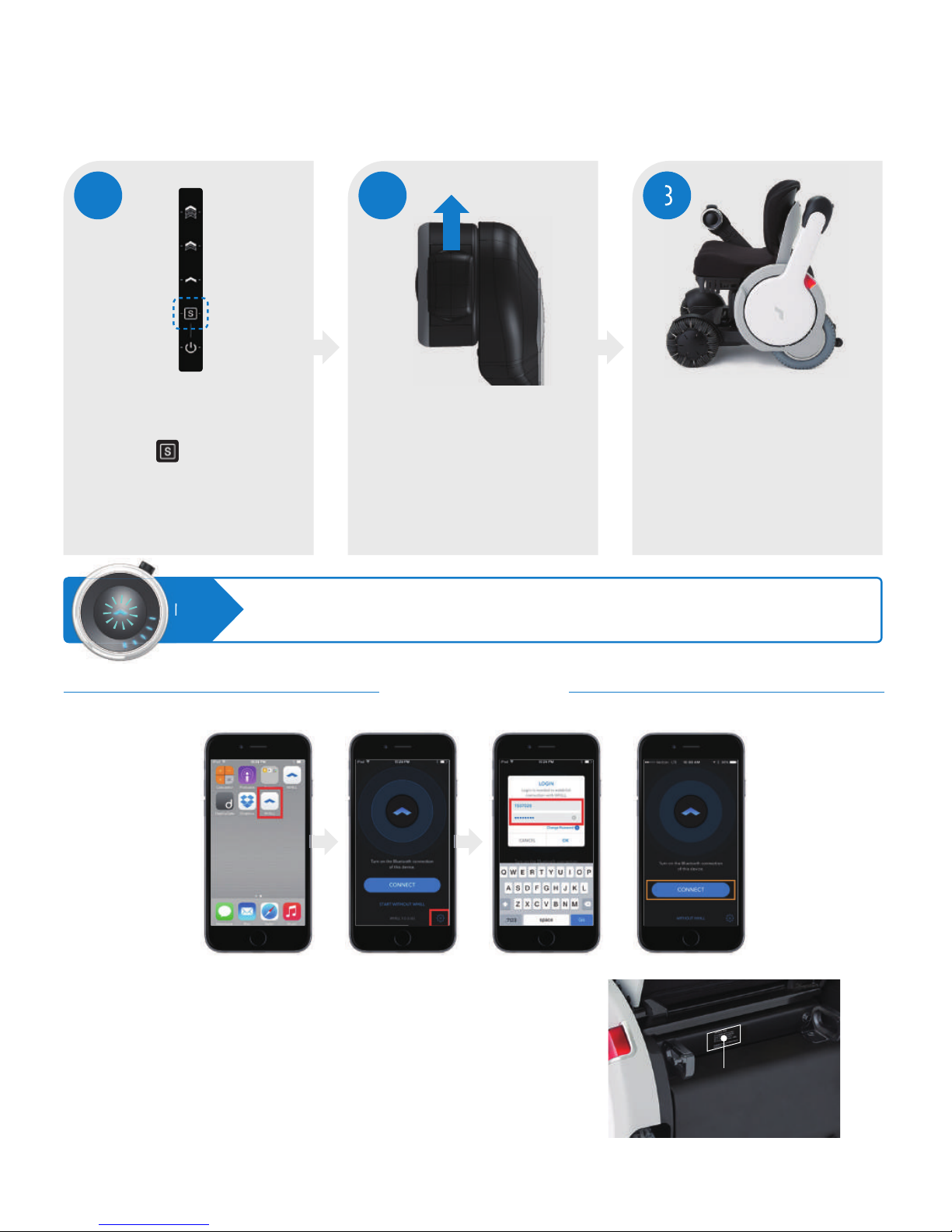
If the seat is in the forward position, the WHILL logo will be flashing and you must fully
retract the seat before the device is able to move.
1. Download the whill app from the Apple app store
2. Make sure Bluetooth is turned “on” on the iPhone
(This is how the iphone connects to the Model A)
3. Open the app, in the bottom right corner, press “settings” button
4. Your device ID can be found on the back of the Model A
5. The default password is: 00000000 (8 zeros)
6. Press connect, then start driving remotely, or configure the
speed settings
How to Use Power Seat Slide
1 2 3
To put the device back into drive
mode, move the controller
backward; the seat will stop
retracting when it is fully
returned to its drive mode
Push the directional controller
forward to slide the seat up to
5.9” closer to tables/ desks
The driving capability will
be disabled if the seat is
even slightly forward.
Make sure the device is on,
and the indicator switch is on
mode
NOTE:
iPhone App
7 digit numerical
portion of serial number
Page 4
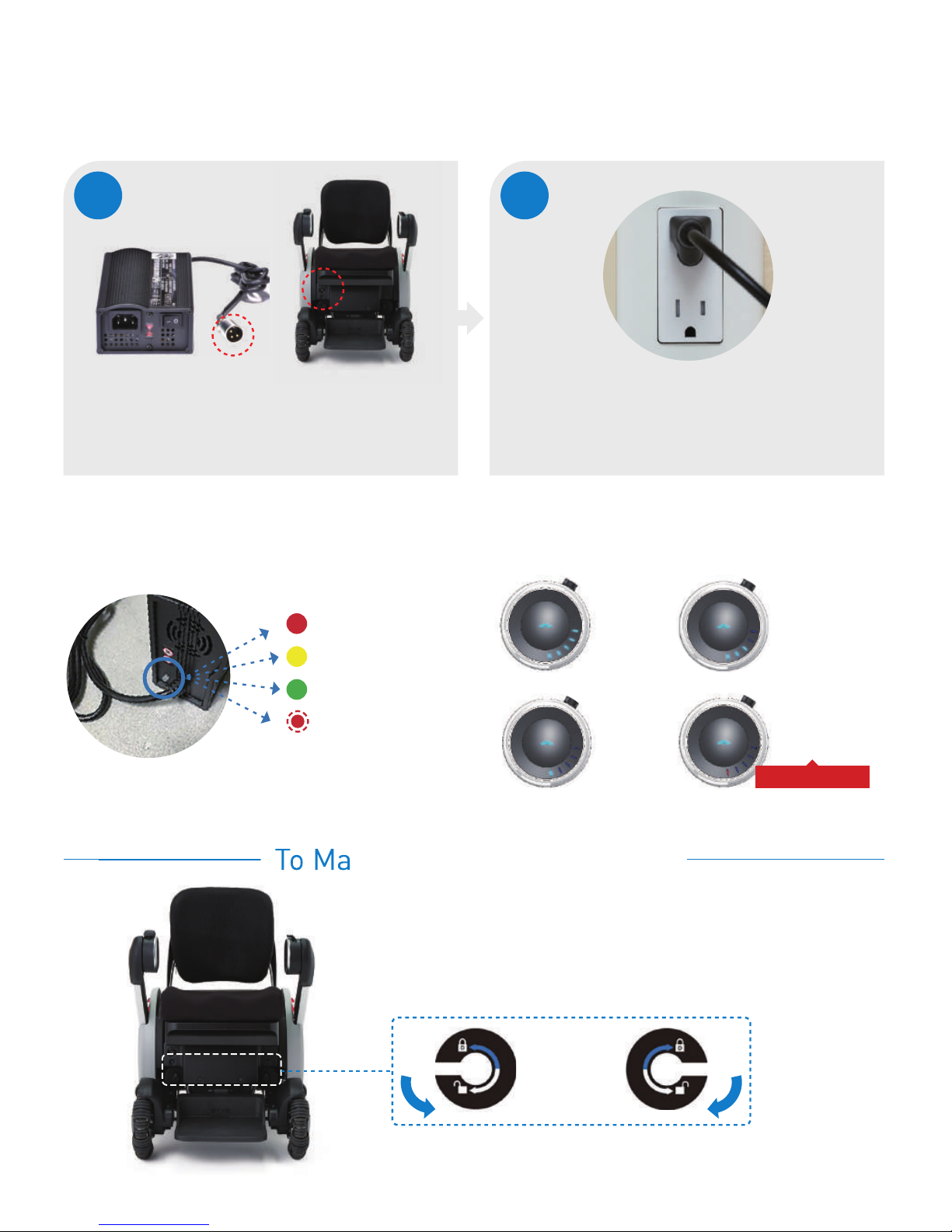
Full
Low
Reserve
Battery indicator lights on the Model A:Indicator lights on the charger
Power on
Charging
Fully charged
Reset needed:
Unplug power
for 5 seconds
and re-plug it.
Use the brake release levers to release the brakes and
manually move the Model A when it’s out of charge or
otherwise inoperable
To Manually Move the Model A
1
Plug the round connector into
the charger port on the Model A
2
Connect the other end into
the power outlet
Charging Your WHILL Model A
Charge immediately
Medium
Page 5
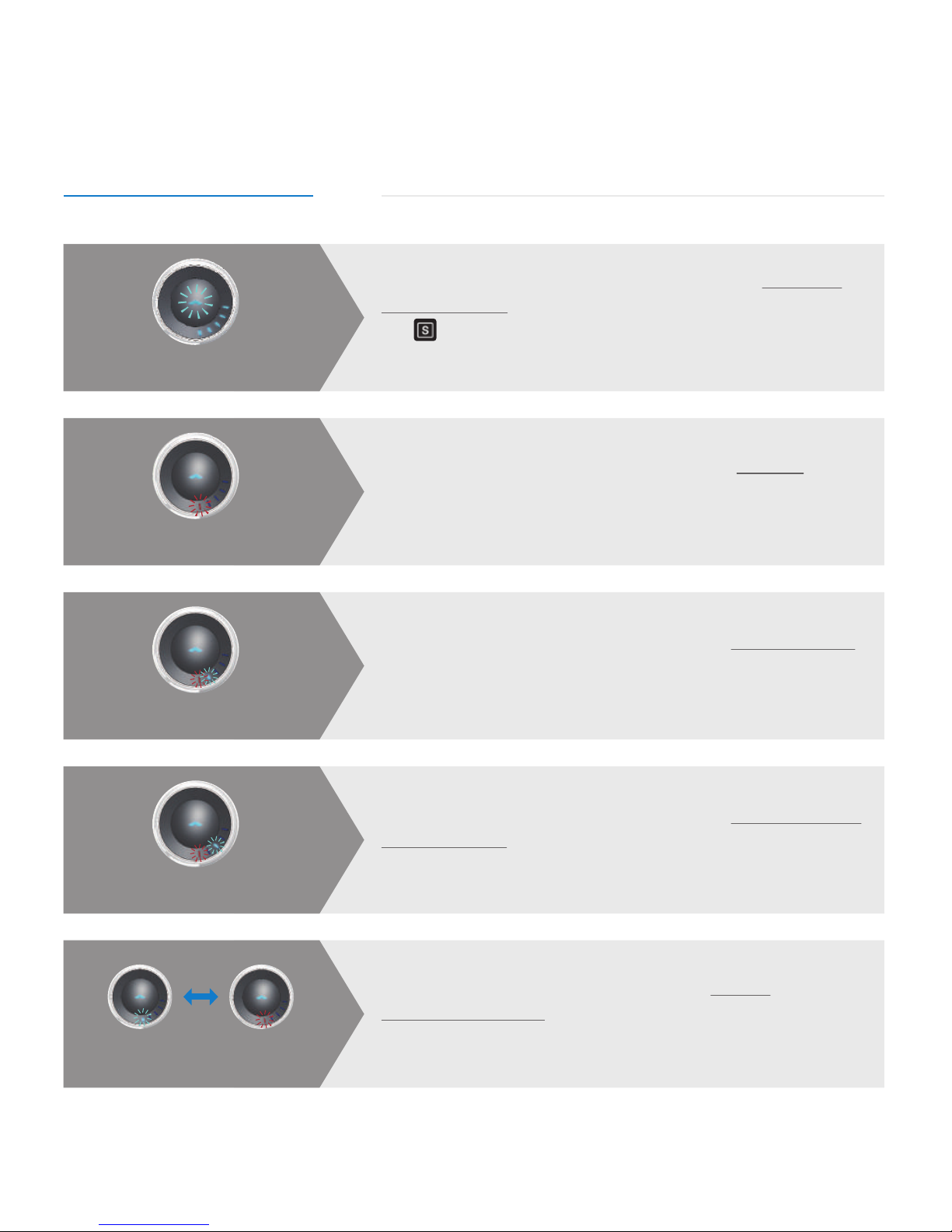
Error as viewed on the indicator Explanation & Resolution
Should you encounter and other technical issues, please contact support@whill.us or call us at (844)699-4455
The WHILL Model A is not considered a medical device and has not been submitted to the Food and Drug Administration
for review or clearance.
Common Issues While Operating the Model A
Common errors are indicated by different light combinations on the charge indicator as described below:
Flashing WHILL LED logo
The driving capability has been disabled due to the seat in the
forward position. To resolve, place the power/ mode switch in
the s position and retract the seat all the way backward. The
WHILL logo will stop blinking.
The user tried powering on the device while it’s charging.
To resolve, unplug the round connector from the charger port
on the Model A and turn device on.
Flashing red LED 1
The user tried powering on the device with the brakes released.
To resolve, engage both brakes by pushing both brake levers up
(horizontal position) and turn the device on.
Alternate flashing
red LED 1 & blue LED 2
The user tried powering on the device with the controller arm in
the high position. To resolve, lower the controller arm completely
to its locked position and turn device on.
Alternate flashing
red LED 1 & blue LED 3
The user tried powering on the device while moving
directional controller. To resolve, do not move the directional
controller when powering on Model A.
Alternate flashing
red LED 1 & blue LED 1
Page 6

32
0-02044-SUPPORT-01 6/17
 Loading...